

Our Most Suggested Products


Website Store Locator For Enterprise
Website Store Locator helps customers find nearby business locations through an interactive Google Map and an easy-to-use store list. Visitors can search by store name, city, address, phone number, or filter locations using store tags. Each location can include contact details, working hours, website information, directions, and a detailed map popup. Administrators can manage store records, map behaviour, search radius, marker appearance, and frontend options directly from the backend.
 Features
 Screenshots
 Support
 Service
Features
Interactive Google Maps Store Locator
Display all published store locations on an interactive Google Map with customized markers. Customers can switch between map and satellite views, select markers, and quickly understand where each store is located.
Smart Store Search and Filtering
Customers can search by store name, city, address, phone number, or email. Store tags provide an additional filtering option for finding locations that offer a particular service or business category.
Nearest Store Detection
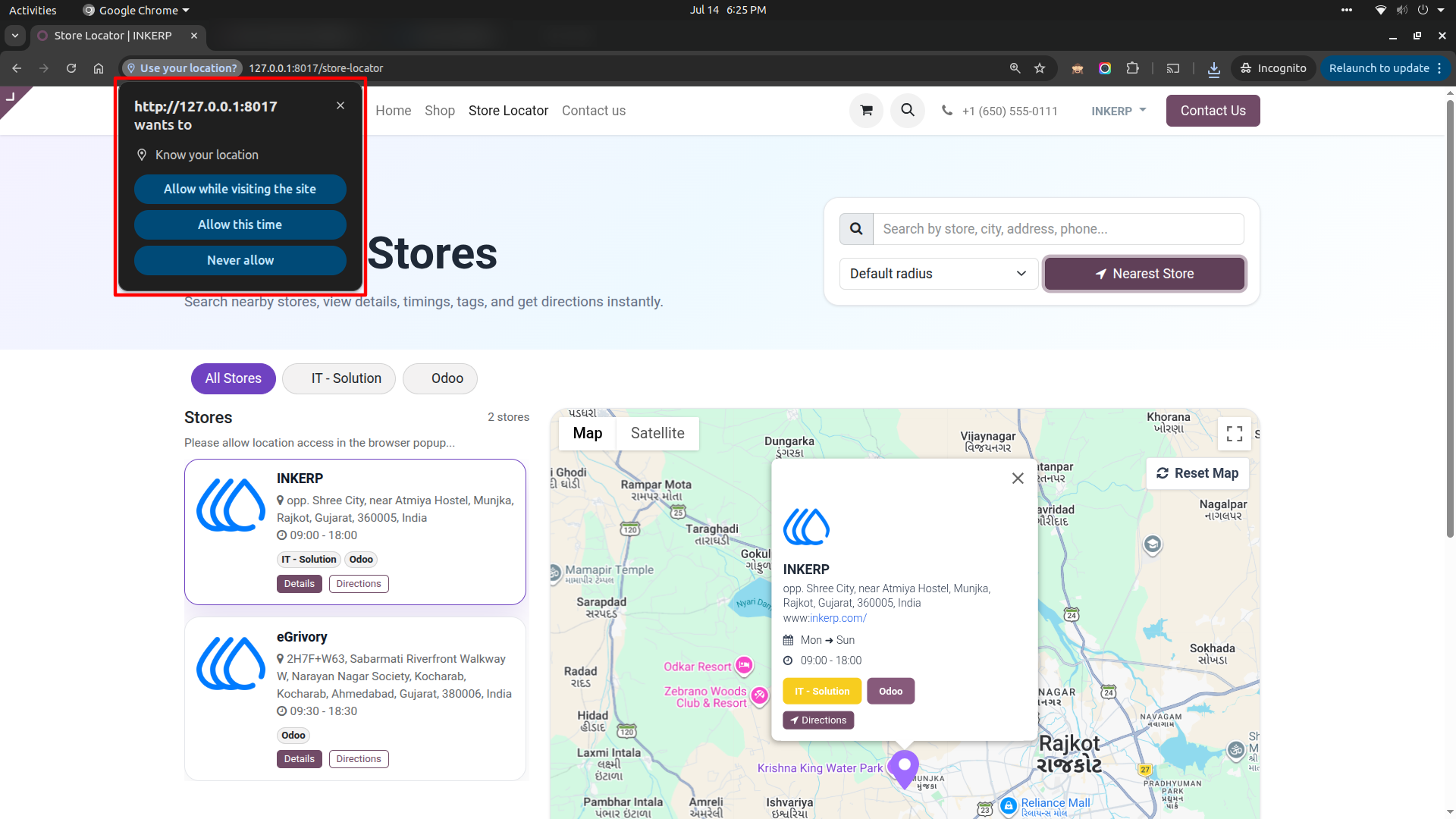
The Nearest Store option uses browser location of the customer to find nearby branches. Stores can be sorted by distance and limited according to the configured search radius and distance unit.
Store Publication and Website Control
Individual stores can be activated, deactivated, published, or hidden from the website. A store may also be assigned to a specific website, making the module suitable for multi-website businesses.
Screenshot
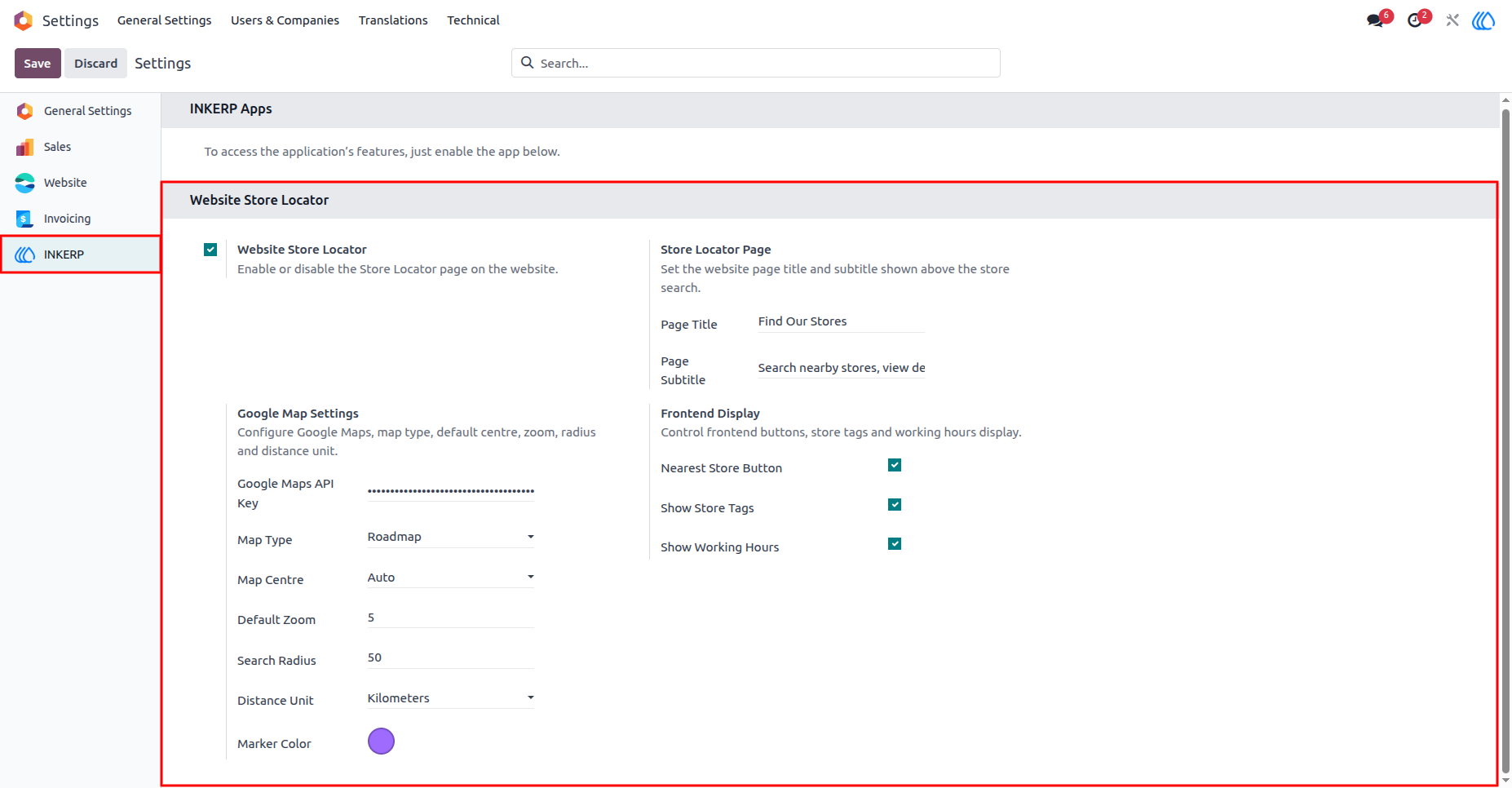
1.) Configure the Website Store Locator :
Enable the Store Locator from the INKERP section in General Settings. Administrators can customize the page title and subtitle, enter the Google Maps API key, select the map style, define the default centre and zoom, set the search radius and distance unit, and choose the marker color. Frontend options also control whether the nearest-store button, store tags, and working hours are displayed.
Navigation : Settings › INKERP
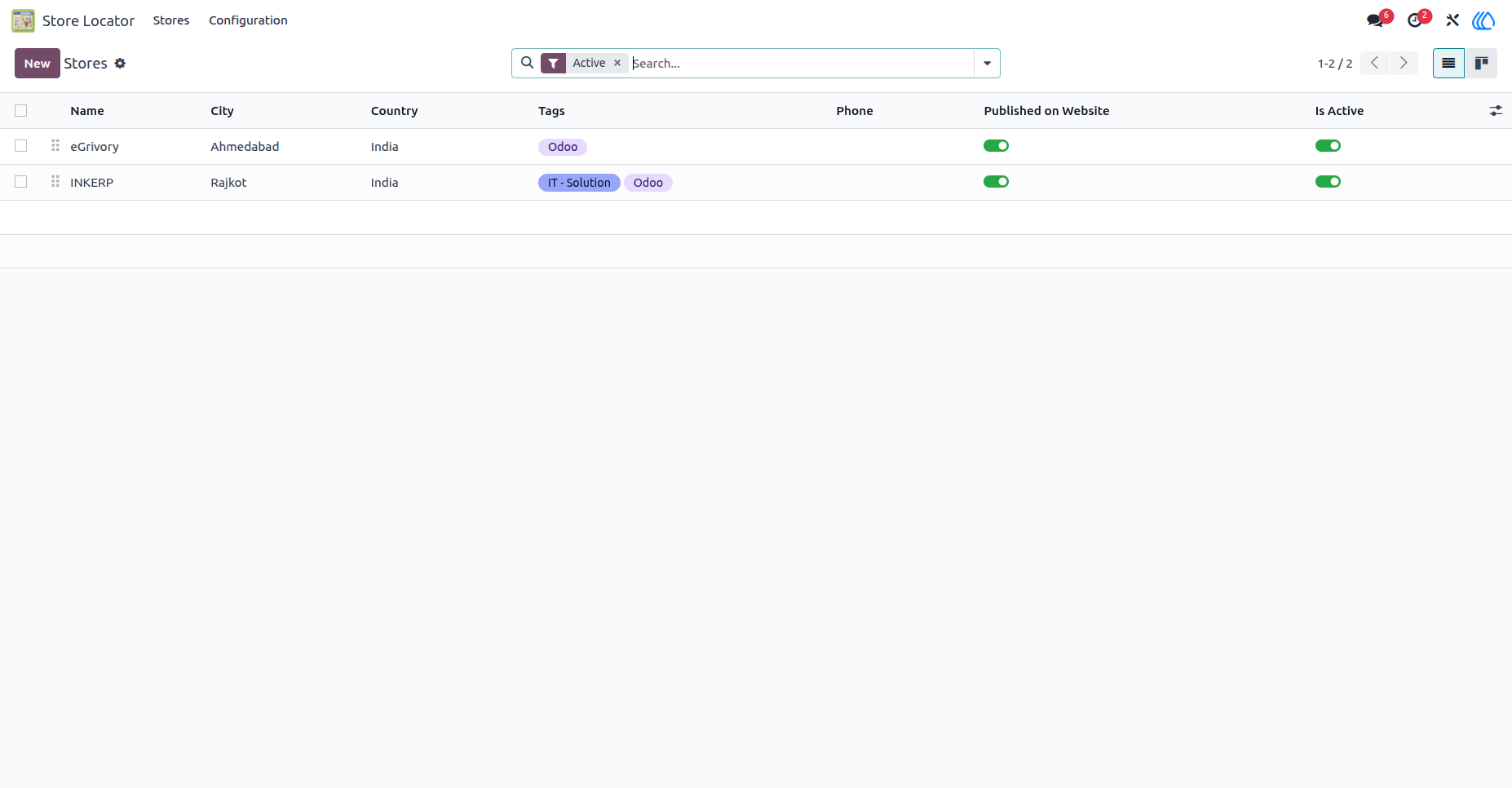
2.) Manage All Store Locations :
The Store Locator application provides a dedicated area for managing business locations. Store cards display the branch name, address, logo, and assigned tags, making it easy to review active locations and open the required record.
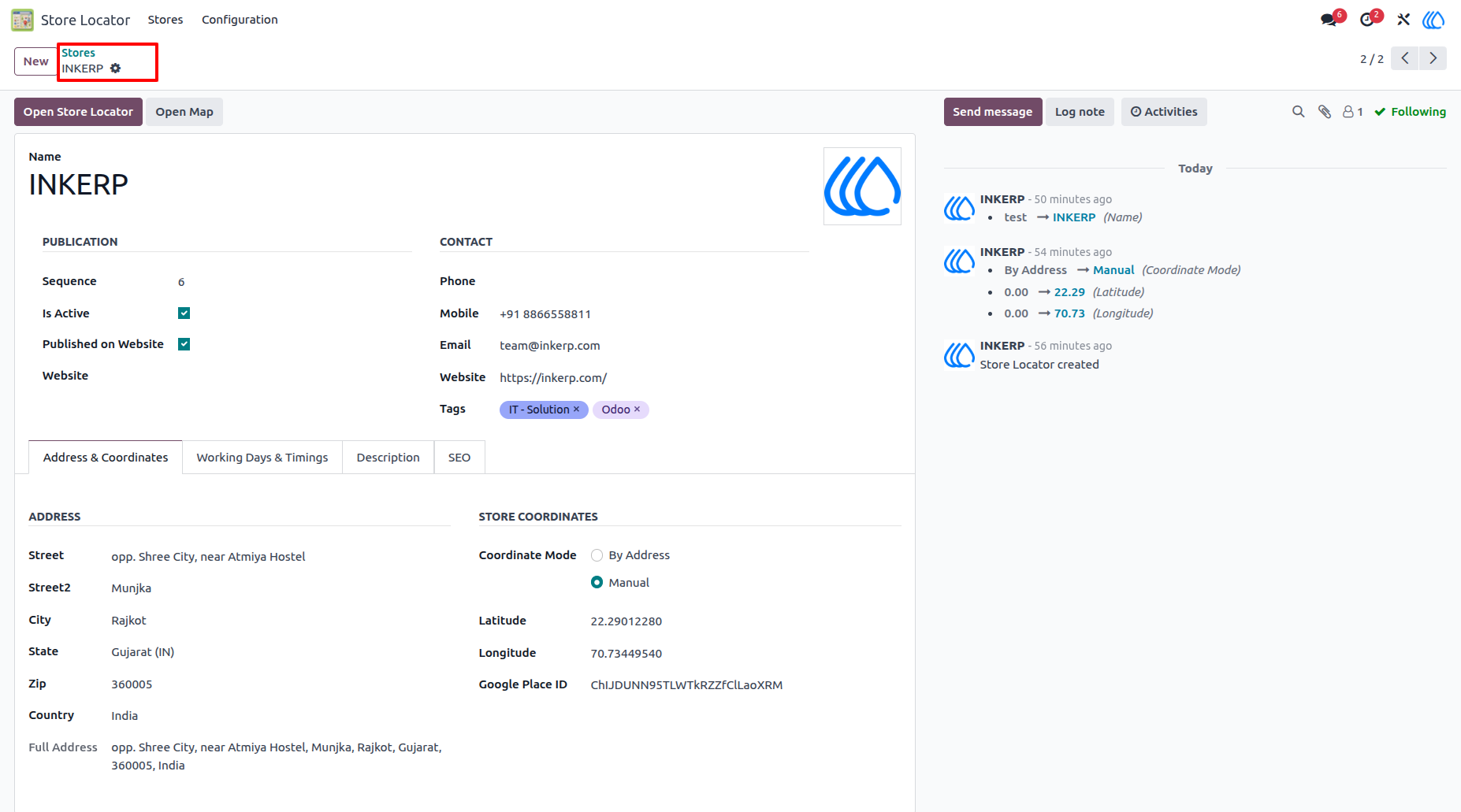
3.) Add Complete Store Information :
Each store record contains publication settings, contact details, tags, address information, and geographic coordinates. Coordinates can be entered manually or generated from the store address. Additional tabs are available for working days, timings, descriptions, and search engine information.
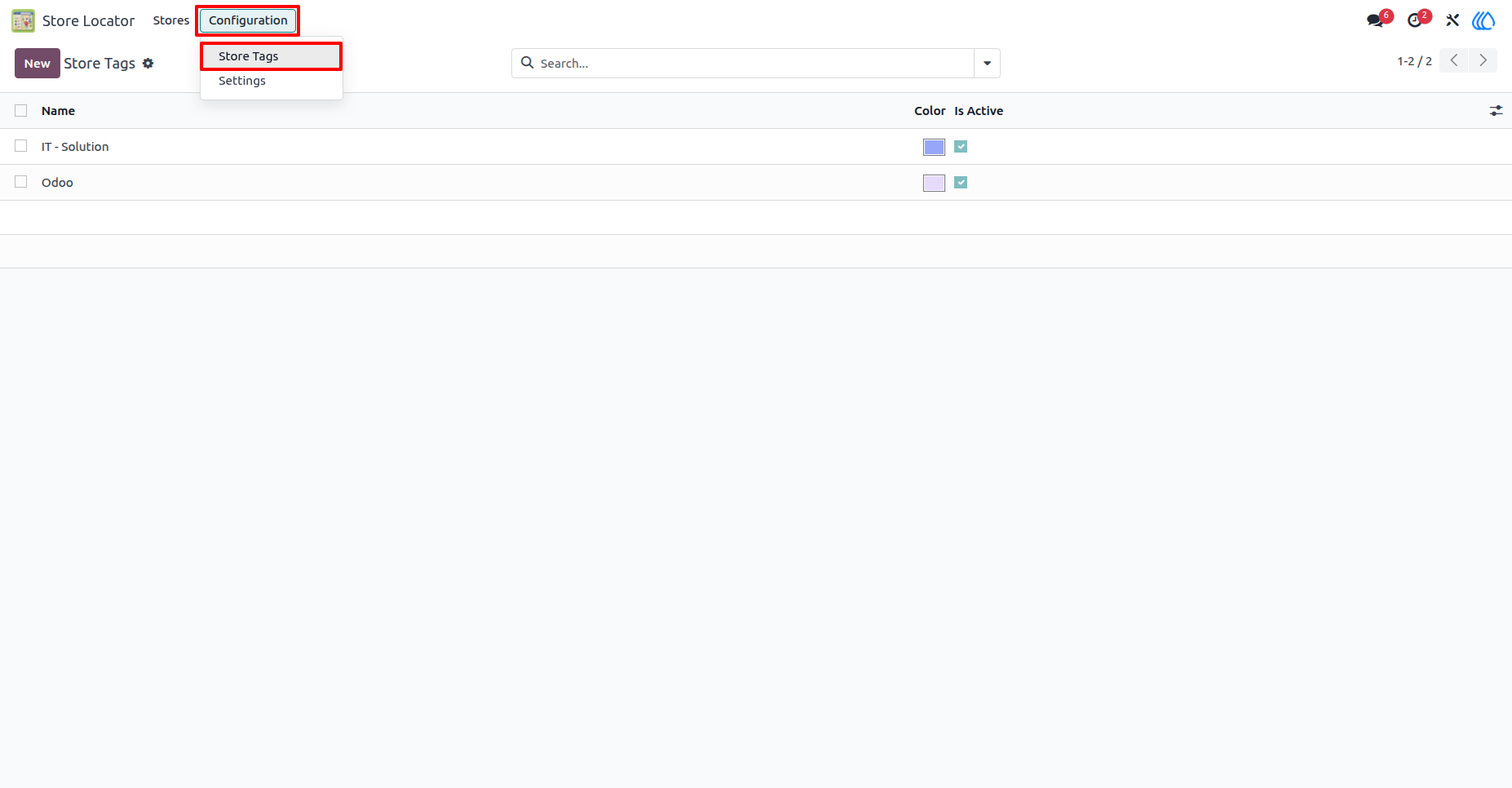
4.) Create and Manage Store Tags :
Administrators can create colored tags such as Odoo or IT Solutions and activate only the ones currently required. These tags help customers filter locations by service or business type.
Navigation : Store Locator › Configuration › Store Tags
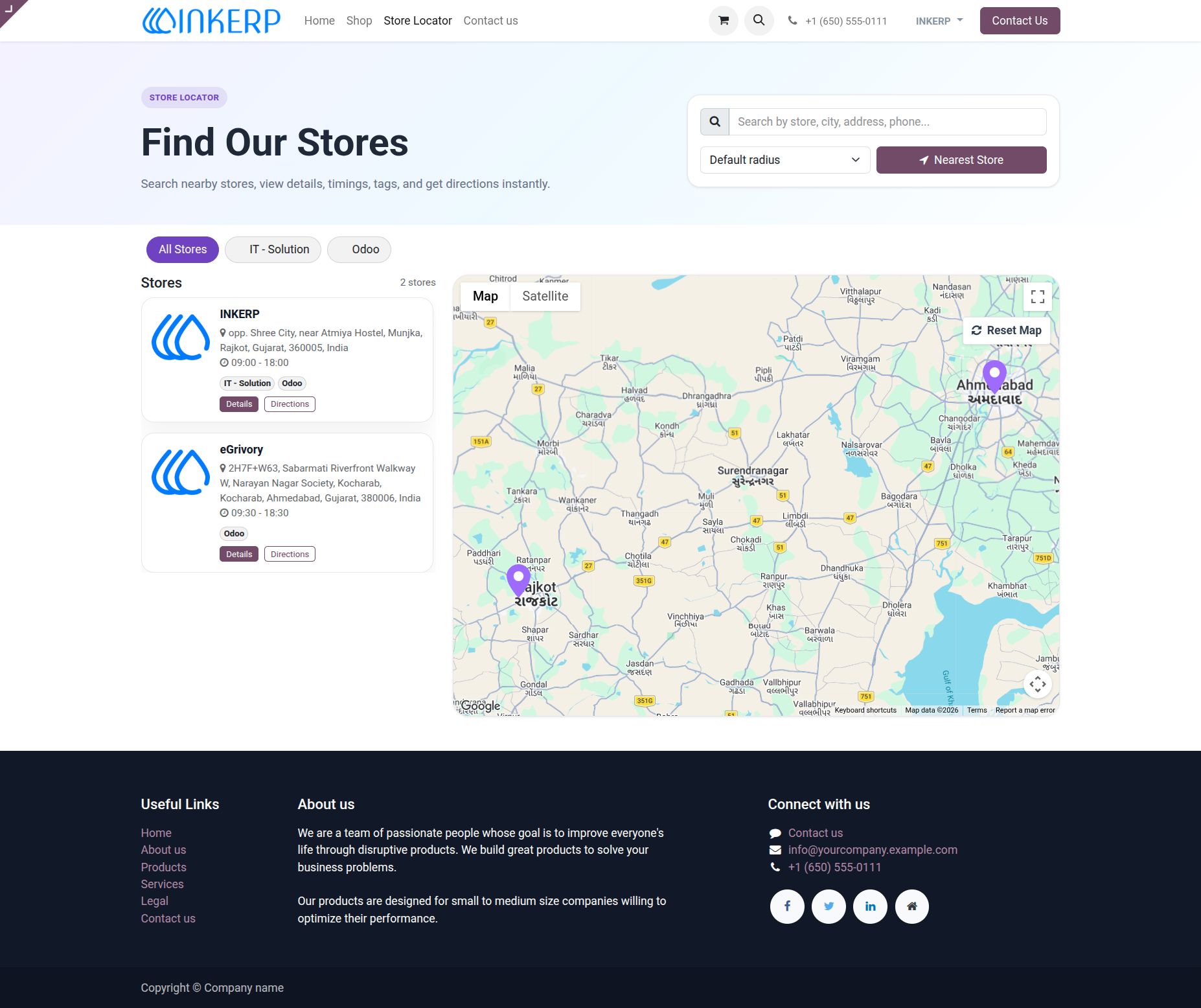
5.) Find Stores from the Website :
The Store Locator page combines a searchable store list with an interactive map. Customers can search for a branch, change the search radius, filter stores using tags, view opening hours, and open directions. Map markers automatically identify the locations of all matching stores.
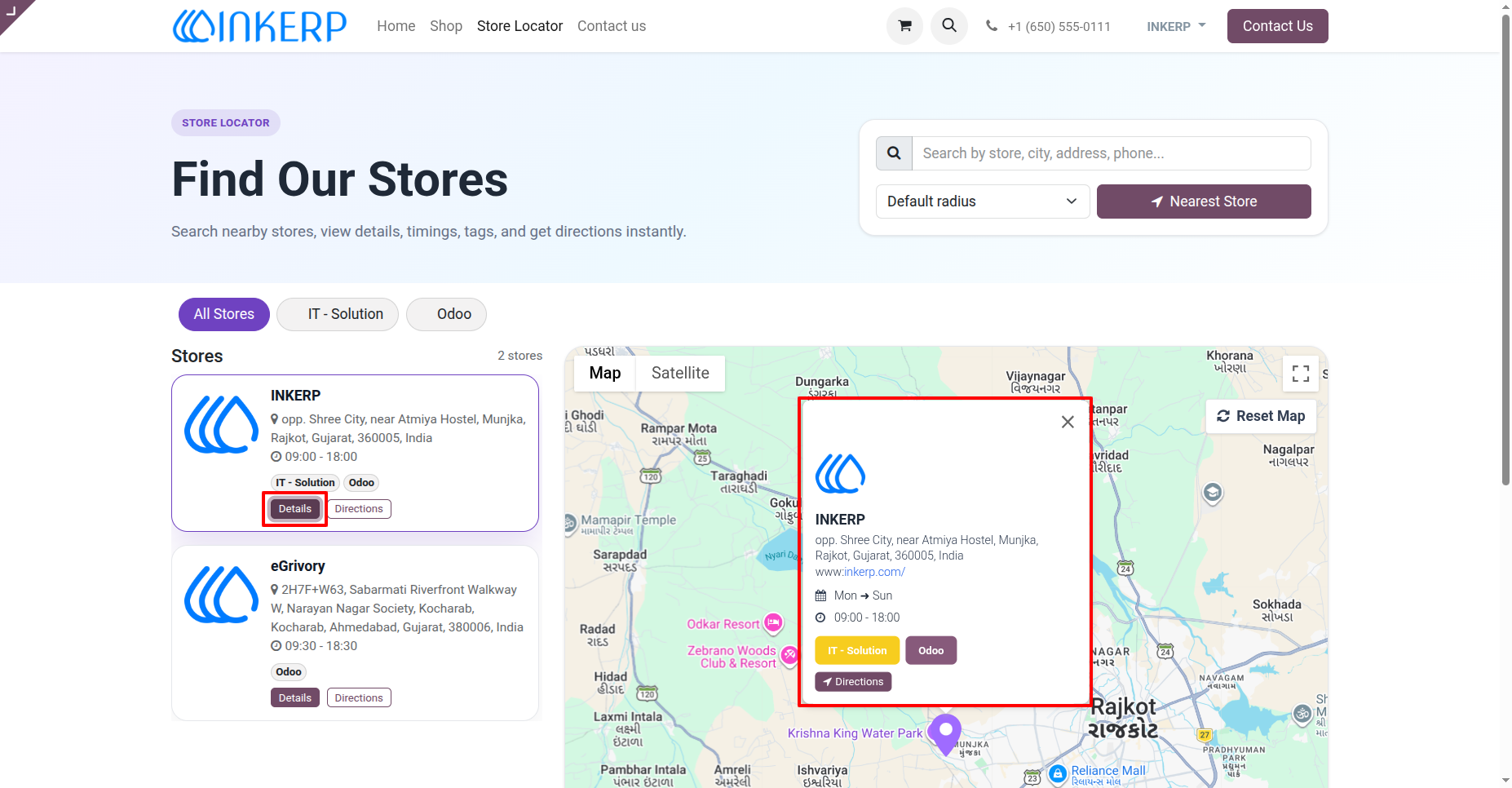
6.) View Store Details on the Map :
Clicking Details or selecting a map marker opens a detailed store popup. The popup includes the store logo, address, website, working schedule, tags, and a direct Directions button. The selected store card is also highlighted for easier reference.
7.) Locate the Nearest Store :
When the customer selects Nearest Store, the browser requests permission to access the current location. After permission is granted, nearby locations are calculated using the configured radius and displayed in distance order. When location access is unavailable or times out, customers can continue searching manually.
User Guide