

Our Most Suggested Products


Website Notification for Public User | Website Notification for Guest
A customizable notification solution designed to display discounts, offers, announcements, and important messages to guest users on websites. Notification types such as Success, Warning, Information, and Danger can be configured along with personalized messages through website settings. Each website can have its own notification configuration, providing flexible and consistent control over visitor-facing notifications.
 Features
 Screenshots
 Support
 Service

Features
Customizable Notifications
Create engaging notifications with configurable messages for discounts, promotions, announcements, and important website updates. Multiple notification types provide flexibility for different communication needs.
Multiple Notification Types
Support Success, Warning, Information, and Danger notification types to present messages with clear visual context. Each type can be configured according to the purpose and content of the notification.
Guest User Notifications
Display important messages, discounts, and promotional offers directly to guest visitors without requiring user login or account registration. Notifications help deliver relevant information throughout the browsing experience.
Screenshot
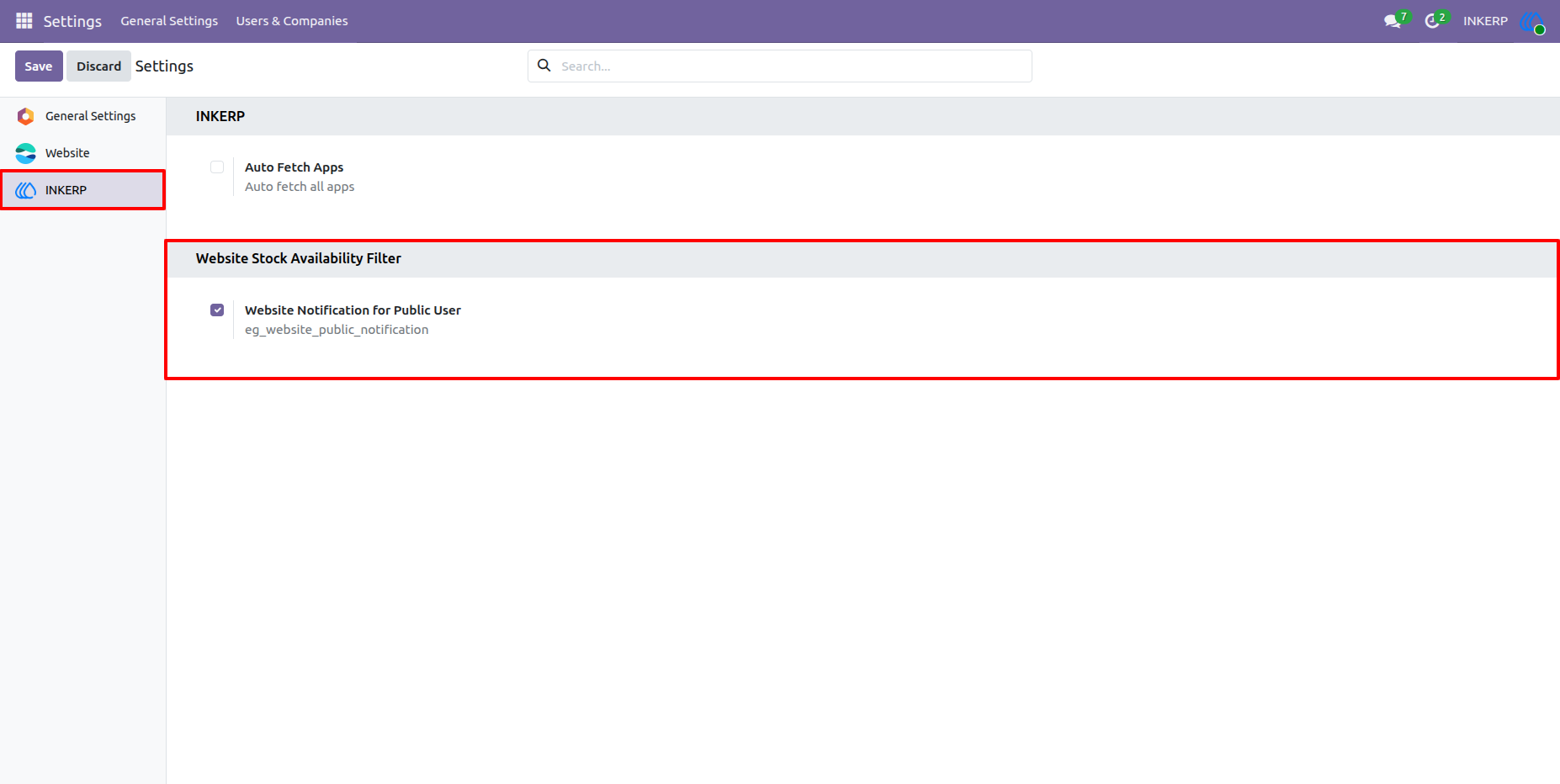
1.) Enable Website Notification for Public Users Settings :
This configuration allows the Website Notification for Public Users feature to be enabled from the general settings. Once activated, notification functionality becomes available for displaying important messages, promotional offers, announcements, and other website updates to guest visitors.
By default this is enabled if want to disable this then that is possible but make sure that enable or disable is responsible for enable and disable funtionality of fuctionality of the entire module.
Navigation : Settings › INKERP
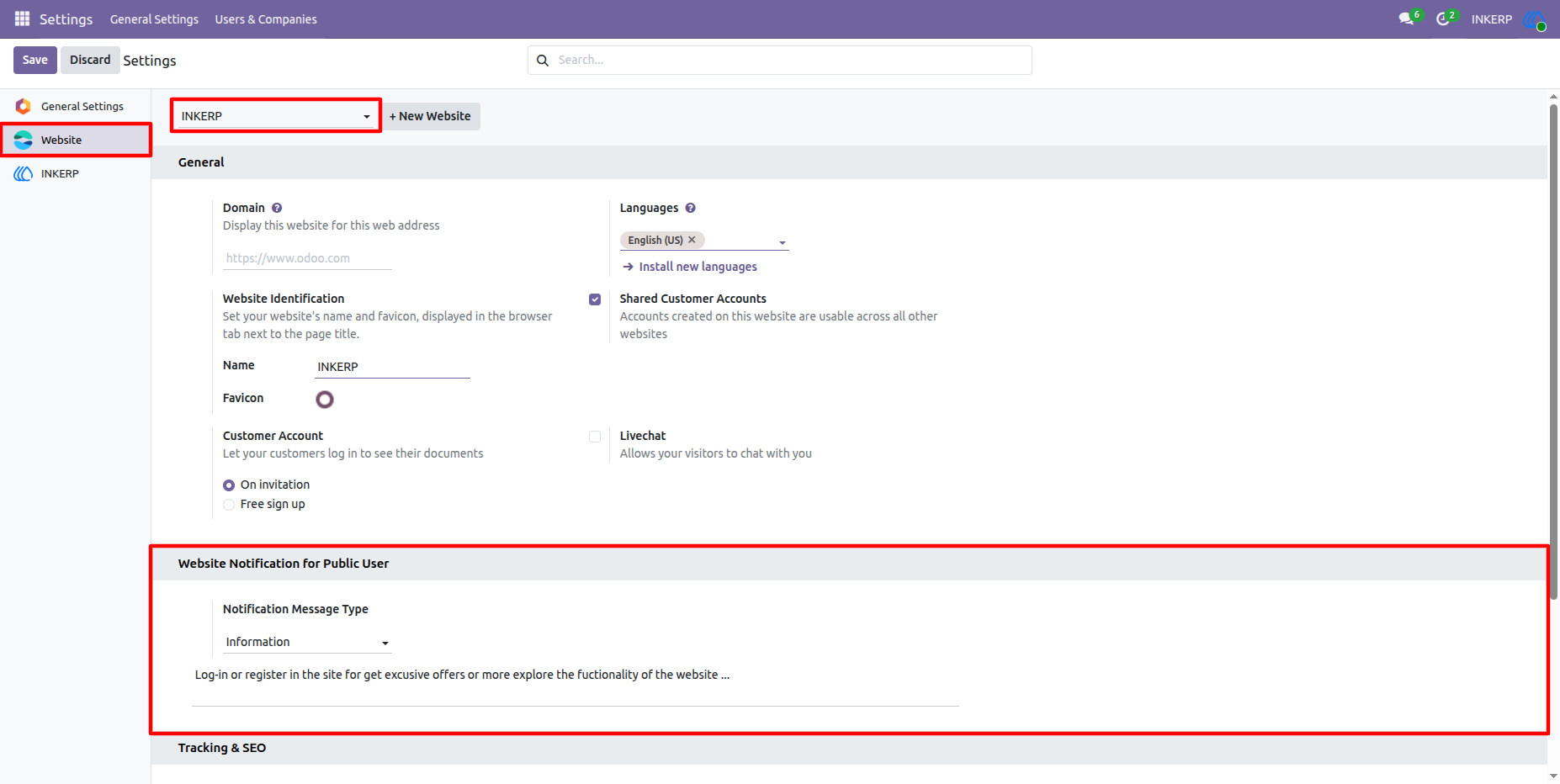
2.) Website-Specific Notification Configuration :
Configure the notification message displayed to guest visitors for a selected website. The notification type can be set to Information, Success, Warning, or Danger, along with a customized message for promotions, announcements, offers, or important website updates.
Navigation : Settings › Website › Website Notification for Public User
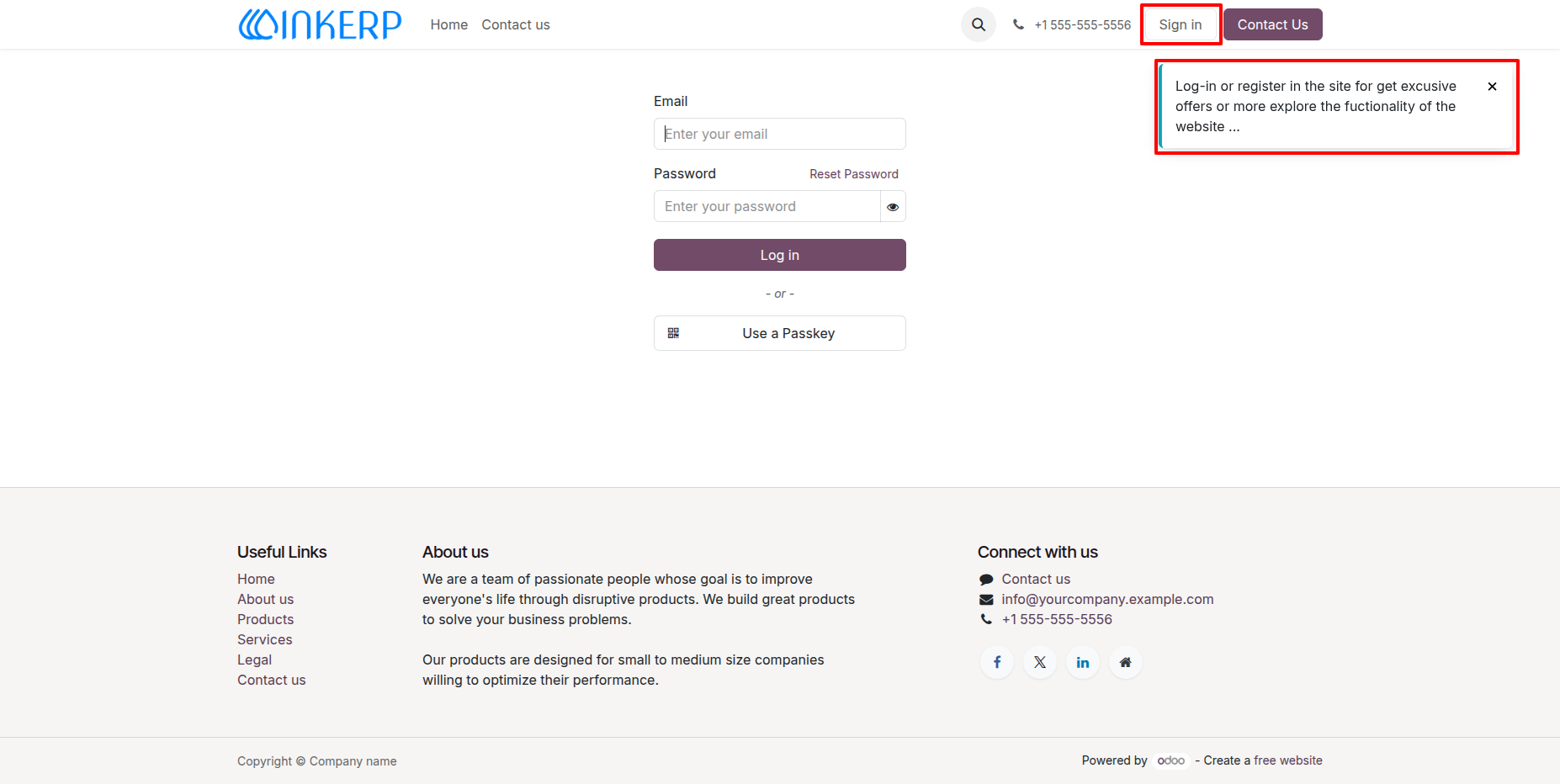
3.) Guest User Notification on Website Login Page :
Display a targeted notification alert to prompt guest visitors to sign in or register to access exclusive offers and additional functionality. The alert appears dynamically in the top corner of the login interface without disrupting user interaction.
User Guide