

Our Most Suggested Products


Website Header Footer Visibility
Website Header Footer Visibility provides precise control over the display of headers and footers across a site. The feature allows hiding or showing these sections either on specific pages or at the website level. When hidden at the website level, the change applies uniformly to all pages, ensuring consistency in design. This functionality makes it simple to tailor the layout to different requirements while maintaining a professional and streamlined appearance.
 Features
 Screenshots
 Support
 Service
Features
Flexible Customization
The app provides options to adjust visibility according to design preferences, making it easy to tailor layouts for different sections or audiences.
Page-Level Control
A single setting can hide headers and footers across the entire website, applying changes consistently to all pages. This helps maintain a uniform and streamlined design.
Flexible Customization
The app provides options to adjust visibility according to design preferences, making it easy to tailor layouts for different sections or audiences.
Screenshot
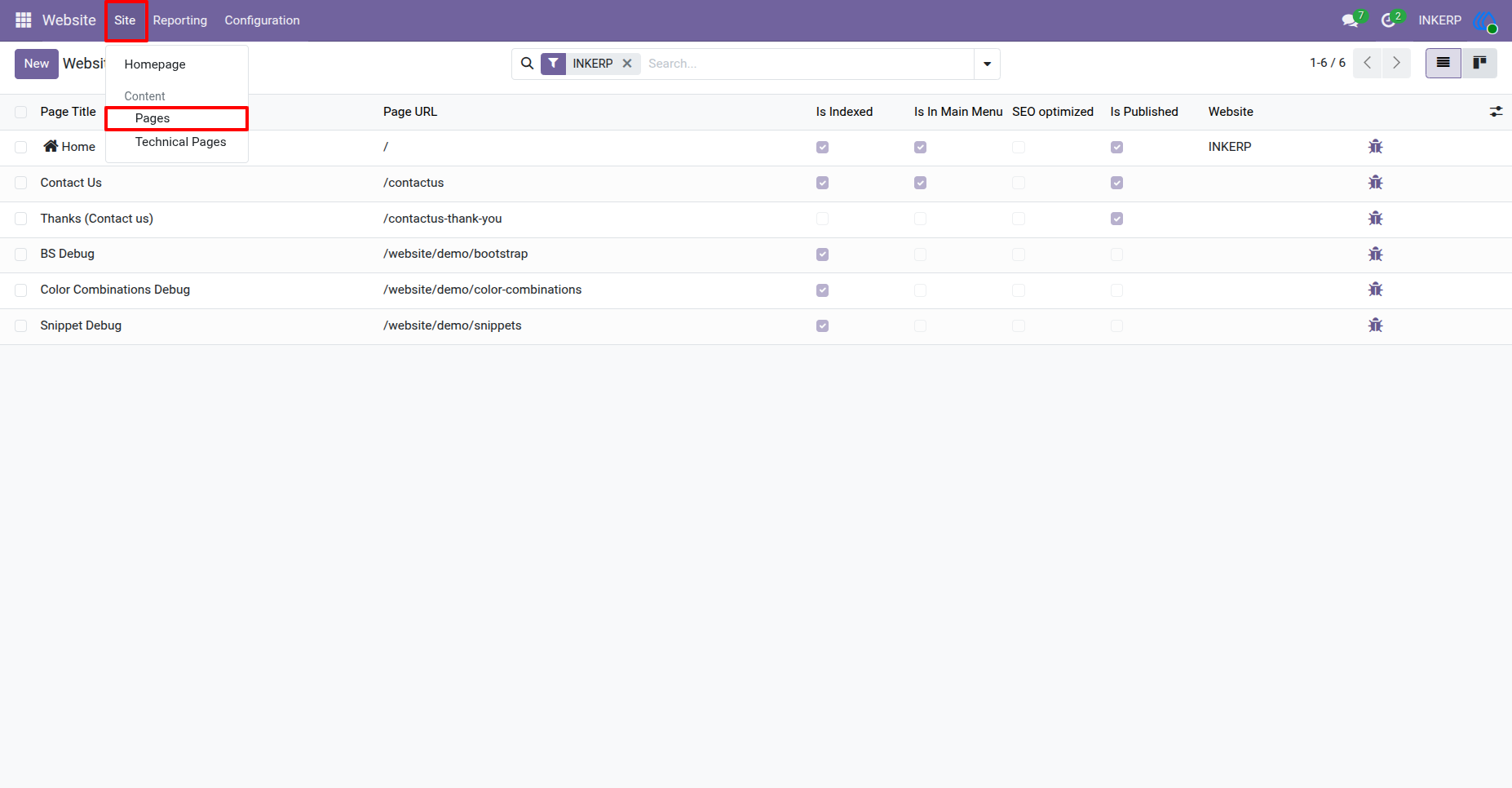
1.) Go to Pages for Page Level Hide/Show Header or Footer :
Navigation : Website › Site › Pages
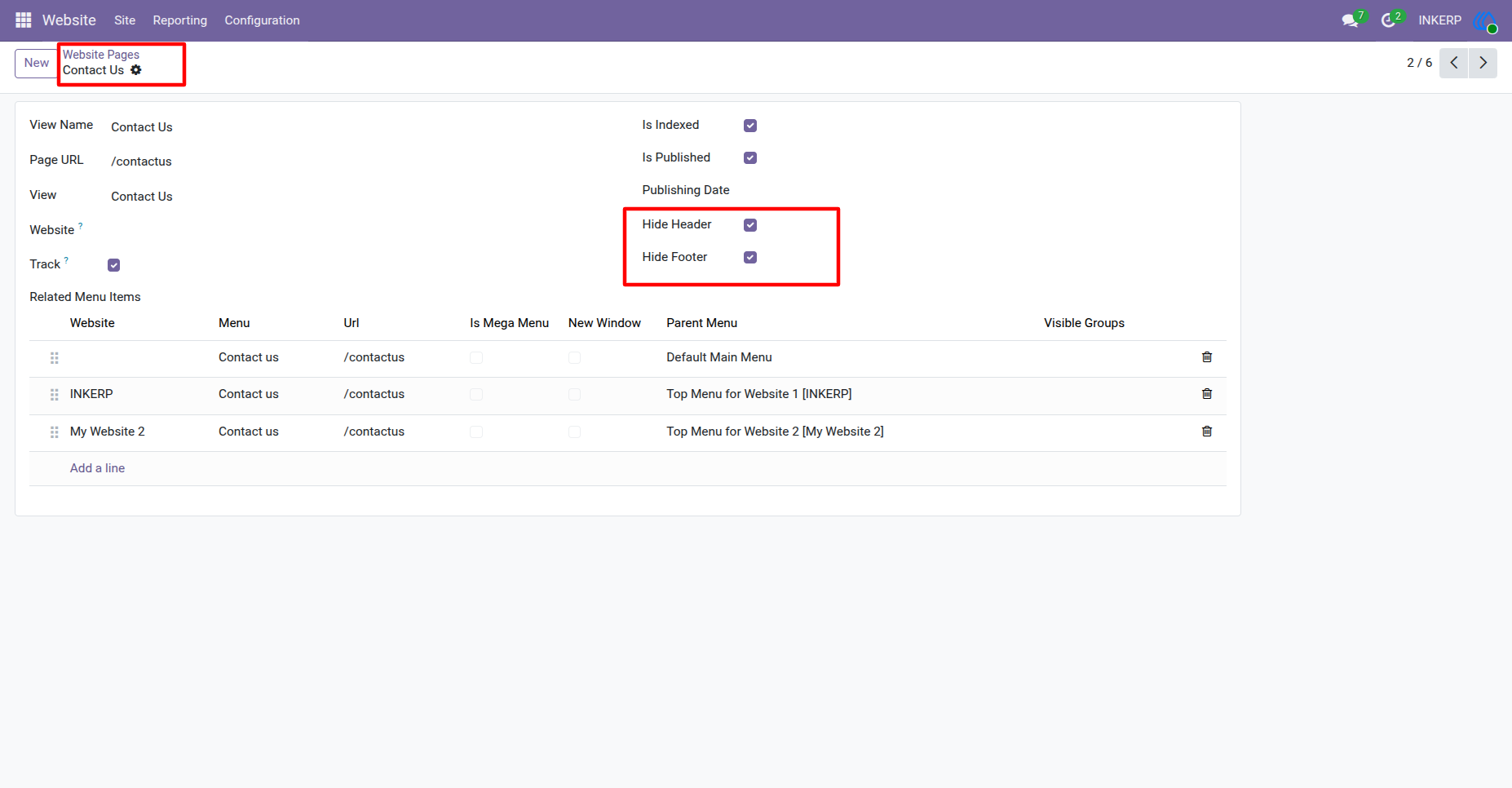
2.) Hide Header and Hide Footer :
Enable or disable Hide Header or Foter as per requirement, but make sure this setting applies only for that specific page only..
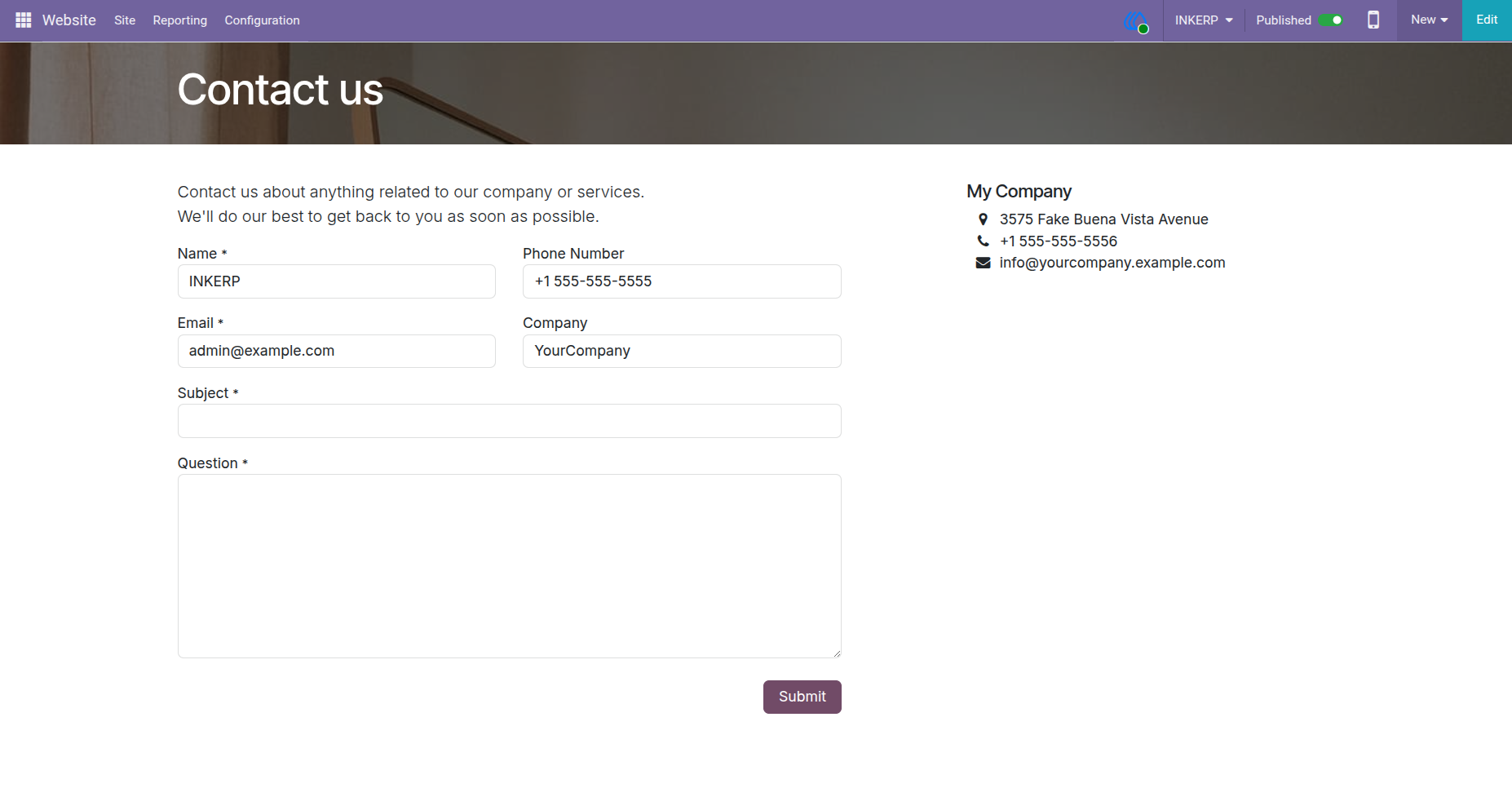
3.) Hide Header and Footer Configuired Page :
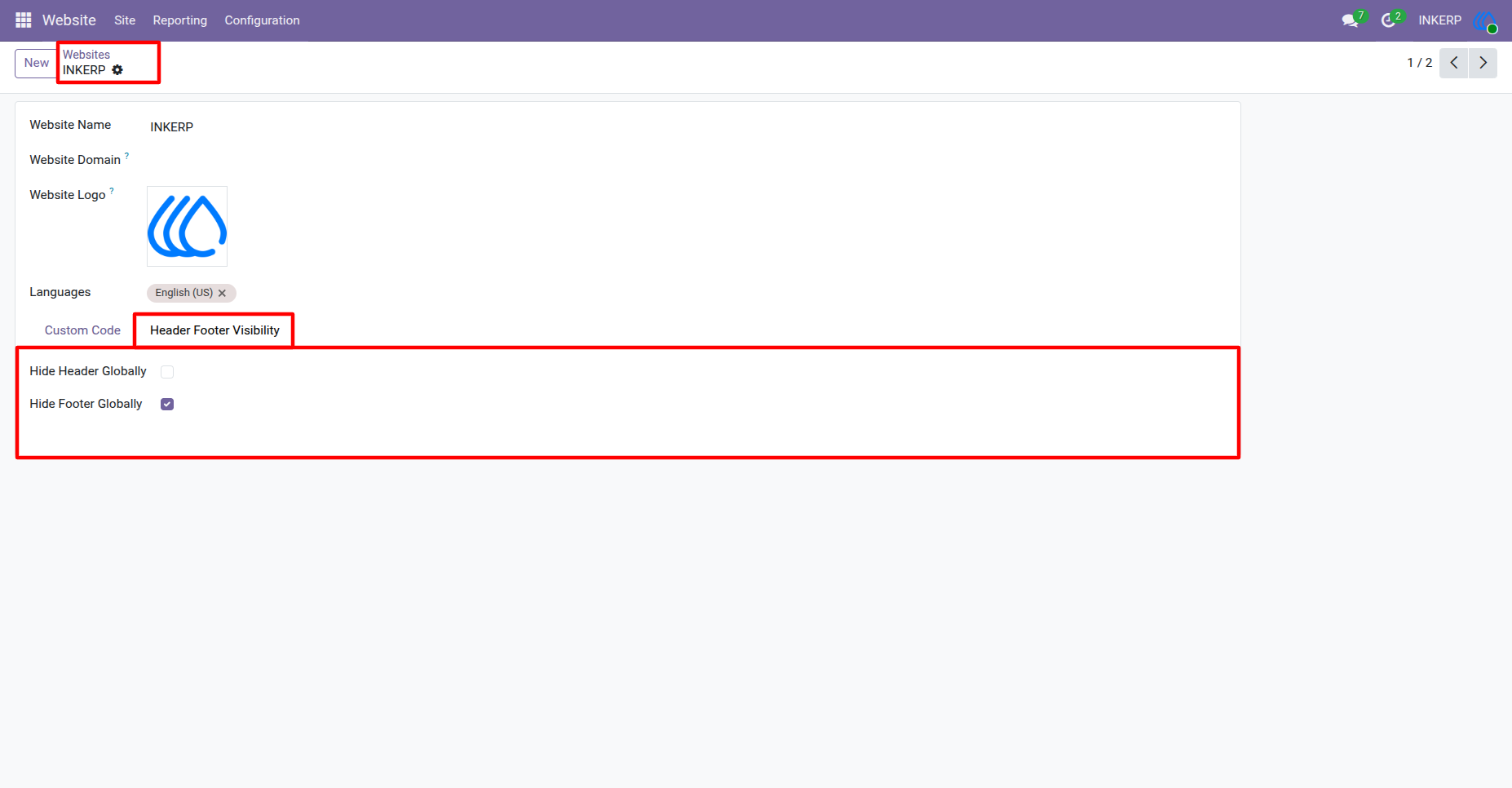
4.) Website Level Hide Header or Footer :
Hide Header or Footer or both apply in every page of this website.
Navigation : Website › Configuration › Websites
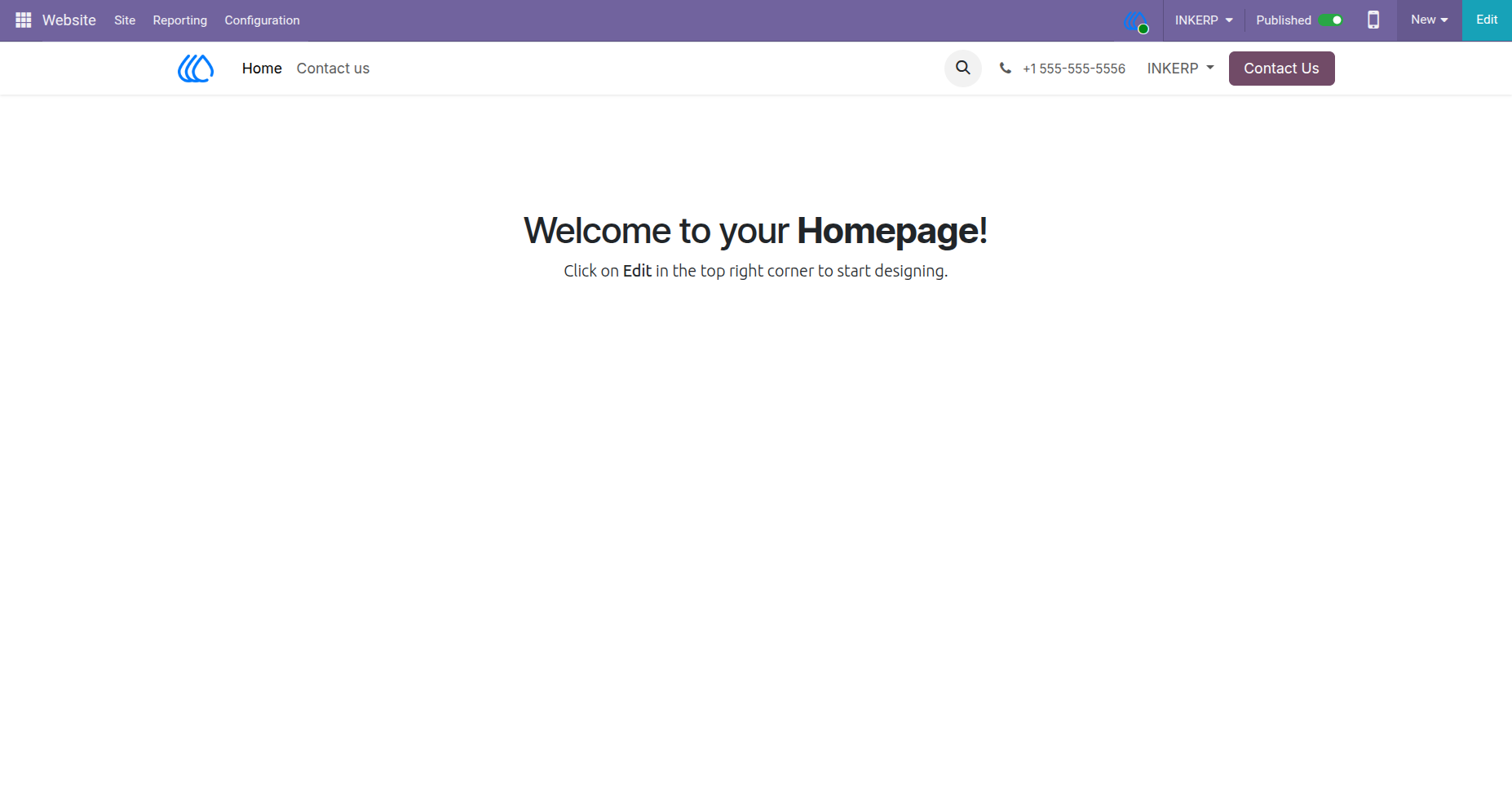
5.) Website Level Configuration Effect on All Page of That Website :
User Guide