

Our Most Suggested Products


User Signature in Picking & Delivery Slip Reports
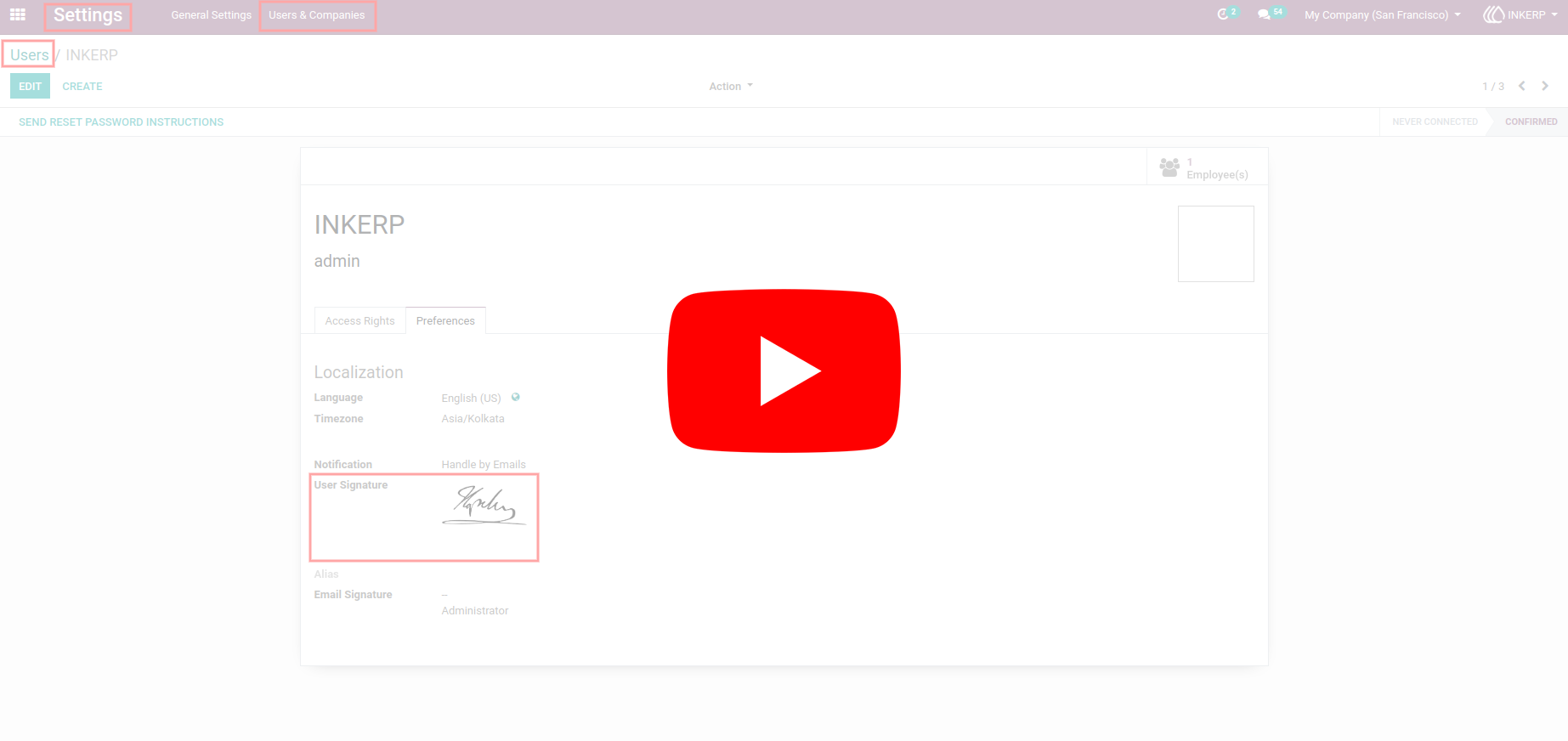
The User Signature in Picking & Delivery Slip Reports module allows users to effortlessly display their signatures directly on Picking and Delivery Slip reports, adding a professional and personalized touch to operational documents. Users can easily configure their signature through the “Preferences” tab in their user profile under Users. Once set up, the signature automatically appears in the relevant reports within the Inventory module simply open a transfer picking and print the Picking or Delivery Slip reports to see it applied.
Video Tutorial
 Features
 Screenshots
 Support
 Service
Features
Display User Signature in Reports
This feature ensures that the user’s signature is automatically shown on both Picking and Delivery Slip reports. It adds a professional and personalized touch to operational documents, making it easy to verify approvals or responsibilities.
Simple and Easy Configuration
Adding a signature is quick and straightforward via the “Preferences” tab in the user form under Users. No technical expertise is required, and once set up, the signature automatically appears in all relevant reports. This streamlined setup reduces manual steps and ensures that signatures are consistently applied across all Picking and Delivery Slip reports.
Screenshot
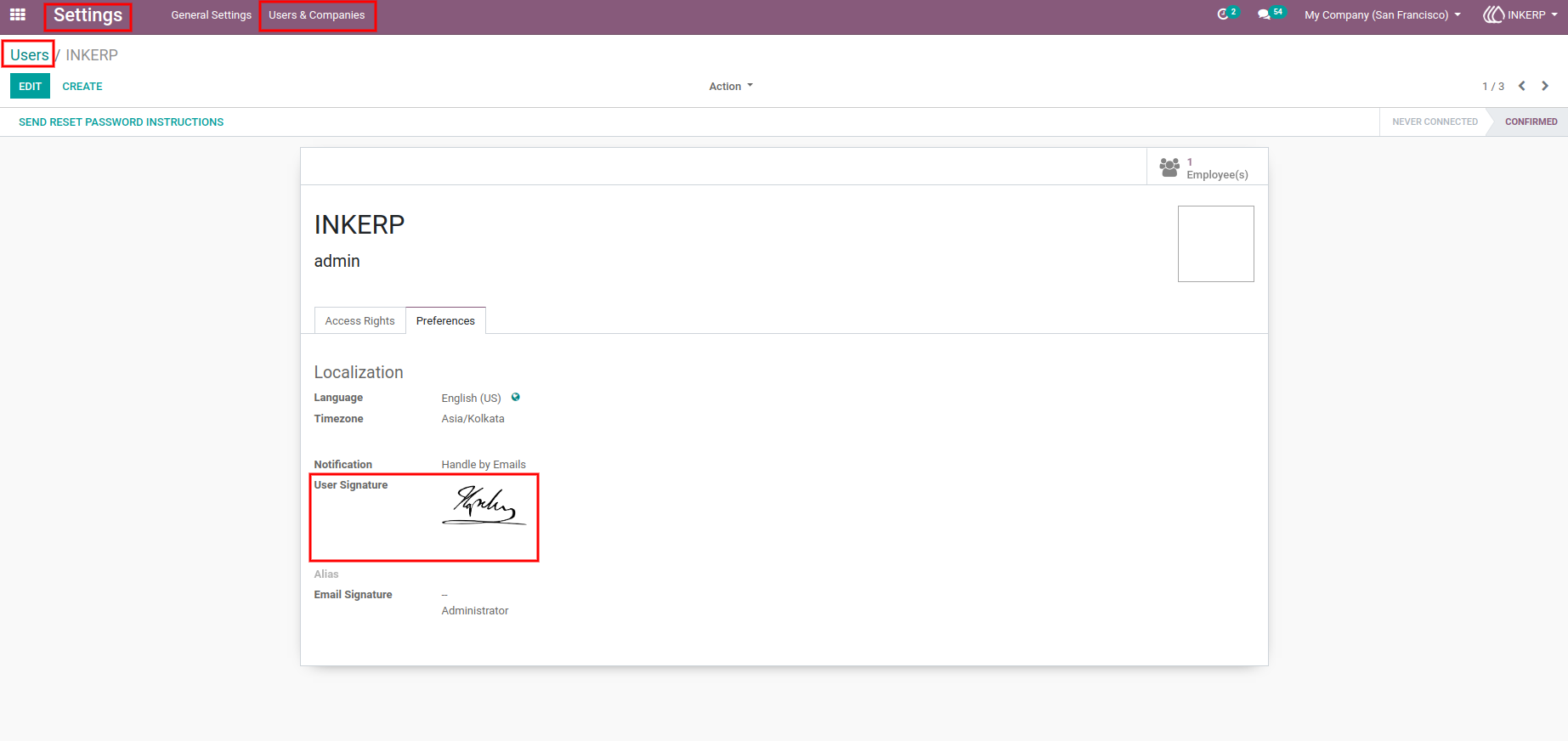
1.) Adding User Signature
The first screenshot illustrates the process of adding a signature to a user profile. Users can navigate to the “Preferences” tab in the user form under Users to upload or configure their personal signature. This ensures that the signature is properly linked to the user for automatic inclusion in Picking and Delivery Slip reports.
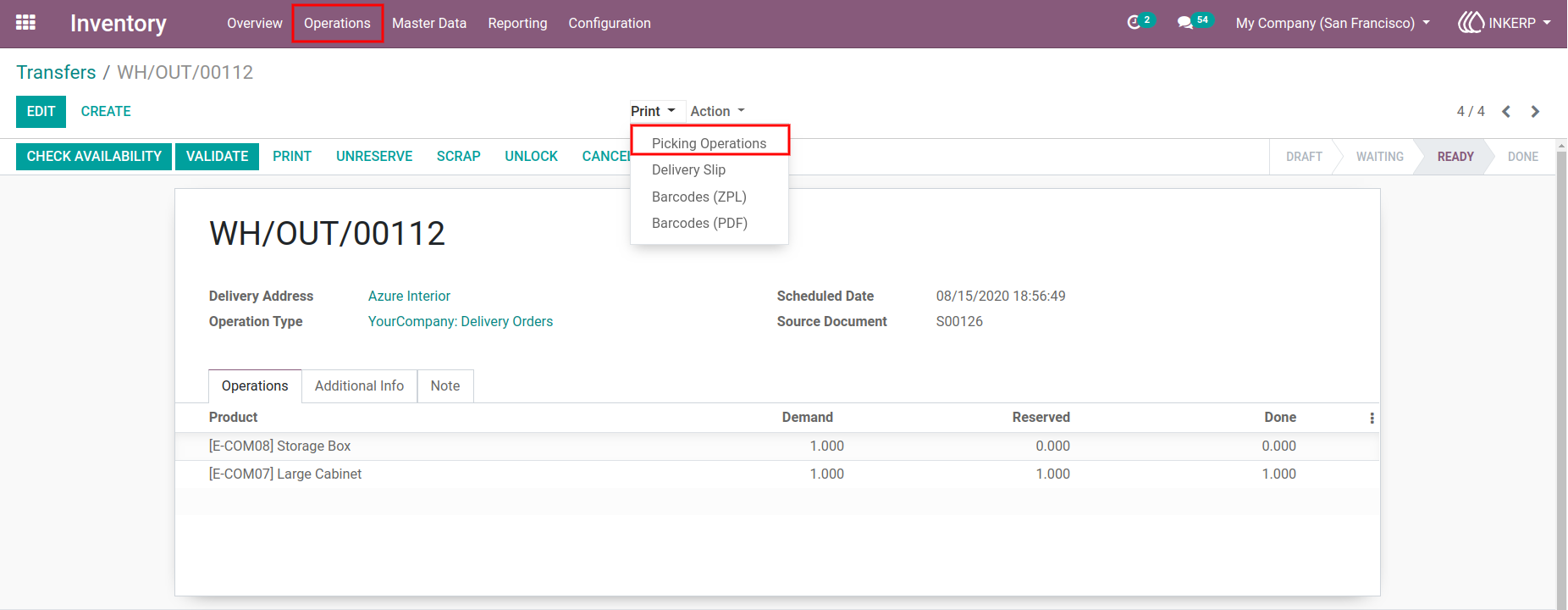
2.) User Signature in Picking Operations Report
The second screenshot demonstrates the appearance of a user’s signature within a Picking Operations report. It provides a clear visual confirmation of which user handled the picking process, enhancing accountability and traceability in warehouse operations.
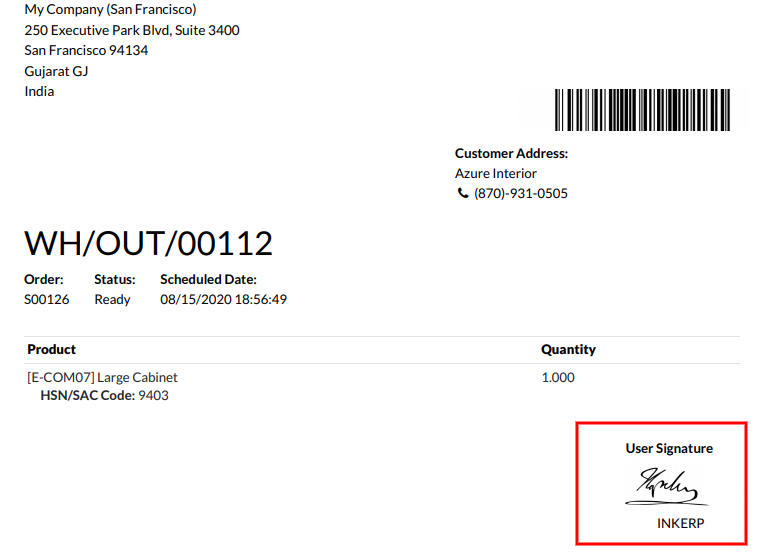
3.) User Signature in PDF Report
The third screenshot displays a PDF version of a report containing the user’s signature. Including signatures in the PDF format allows for easy sharing, printing, and storage of official documentation with an added layer of authentication and professionalism.
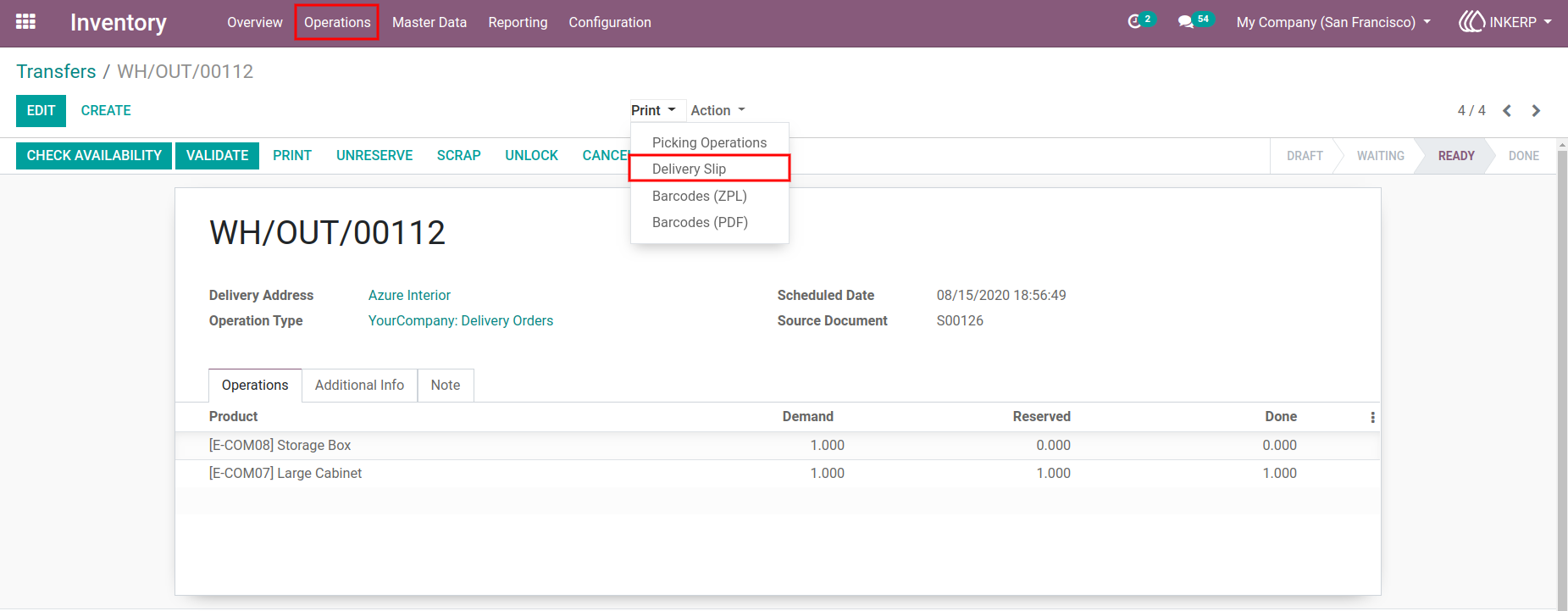
4.) User Signature in Delivery Slip Report
The fourth screenshot highlights how the signature integrates into a Delivery Slip report. This enables tracking of responsibilities for deliveries and ensures that the document carries official verification from the responsible user.
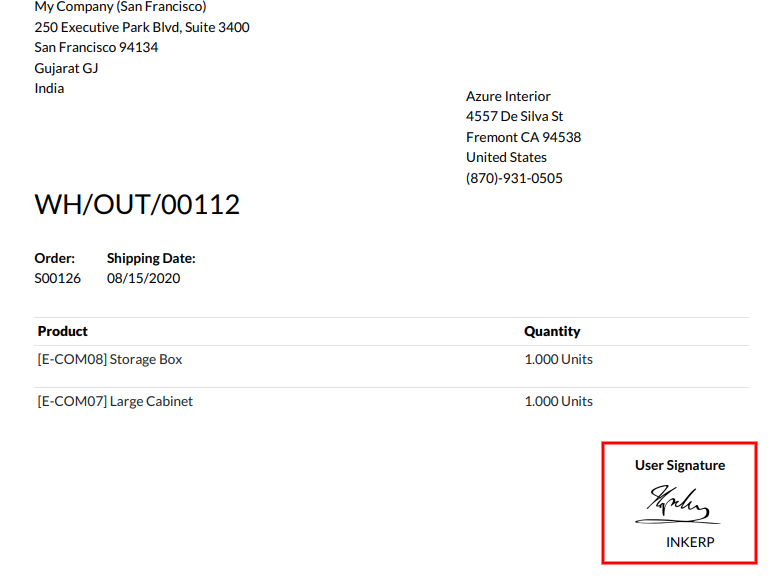
5.) User Signature in PDF Delivery Report
The fifth screenshot captures the PDF version of a Delivery Slip report featuring the user’s signature. This format preserves the integrity of the document for external sharing or record-keeping, providing consistent documentation across digital and printed reports.
User Guide