

Our Most Suggested Products


MRP Custom Product Label
Print custom-sized barcode labels directly from Odoo with our MRP Custom Product Label module. Supports popular formats like A4 (57x35mm) and Dymo (50x38mm), perfectly adapting to your production and inventory needs.
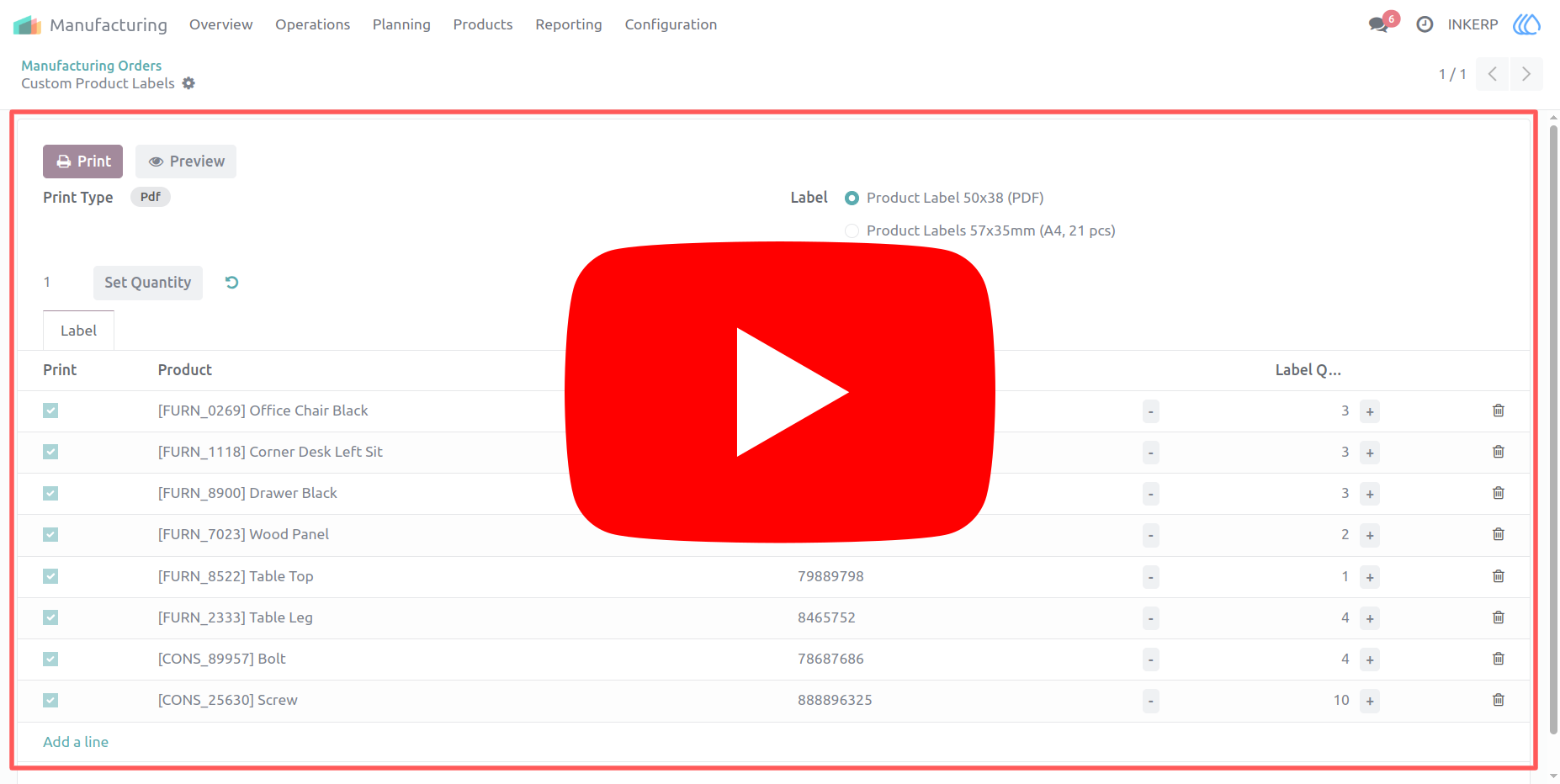
Video Tutorial
 Features
 Screenshots
 Support
 Service
Features
Product Selection :
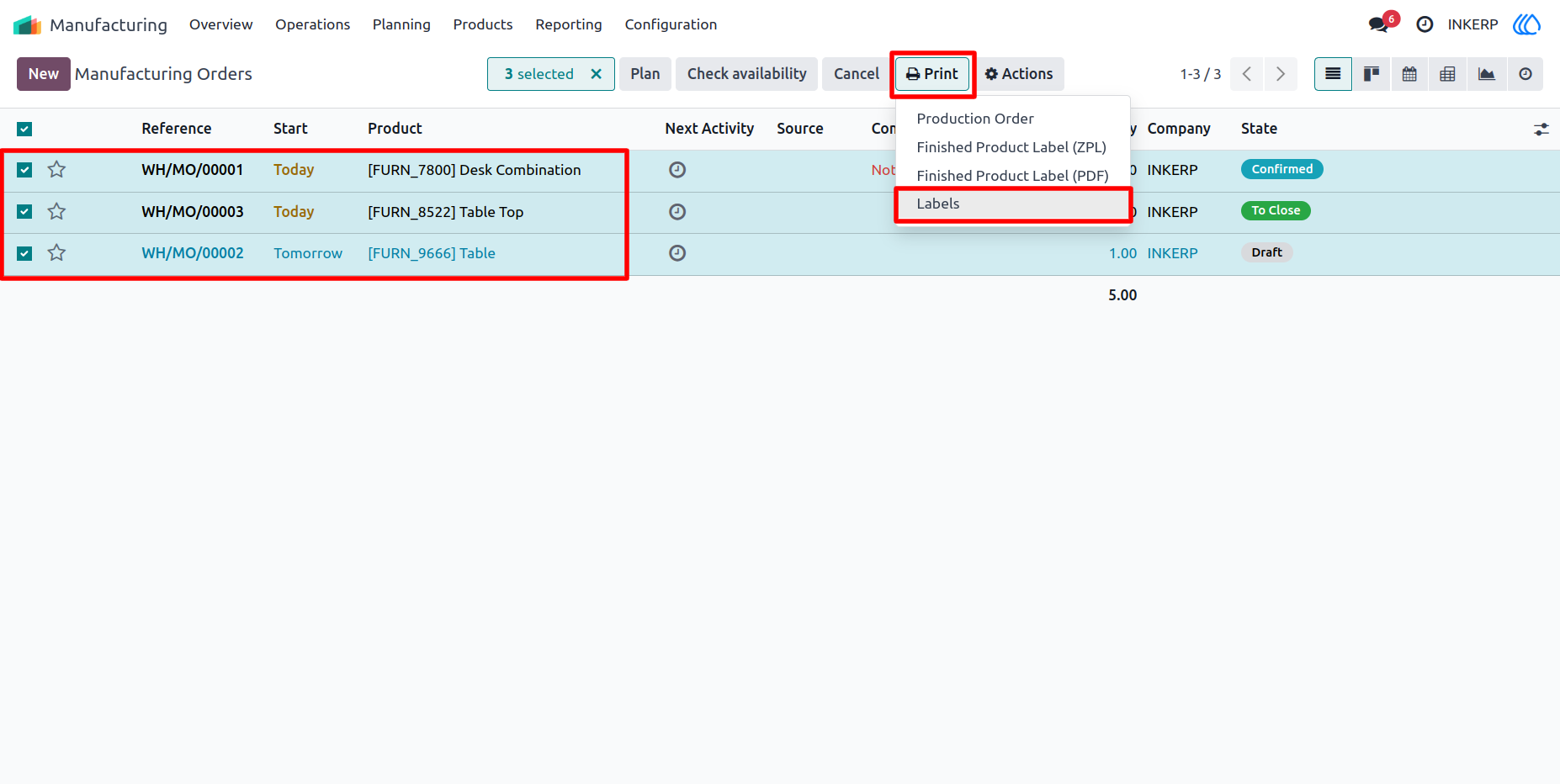
This feature enables users to select multiple Manufacturing Orders (MOs) at once and generate labels for all associated products in one go. It significantly cuts down repetitive tasks by batching label creation, boosting efficiency and streamlining workflow in production.
Change Quantity :
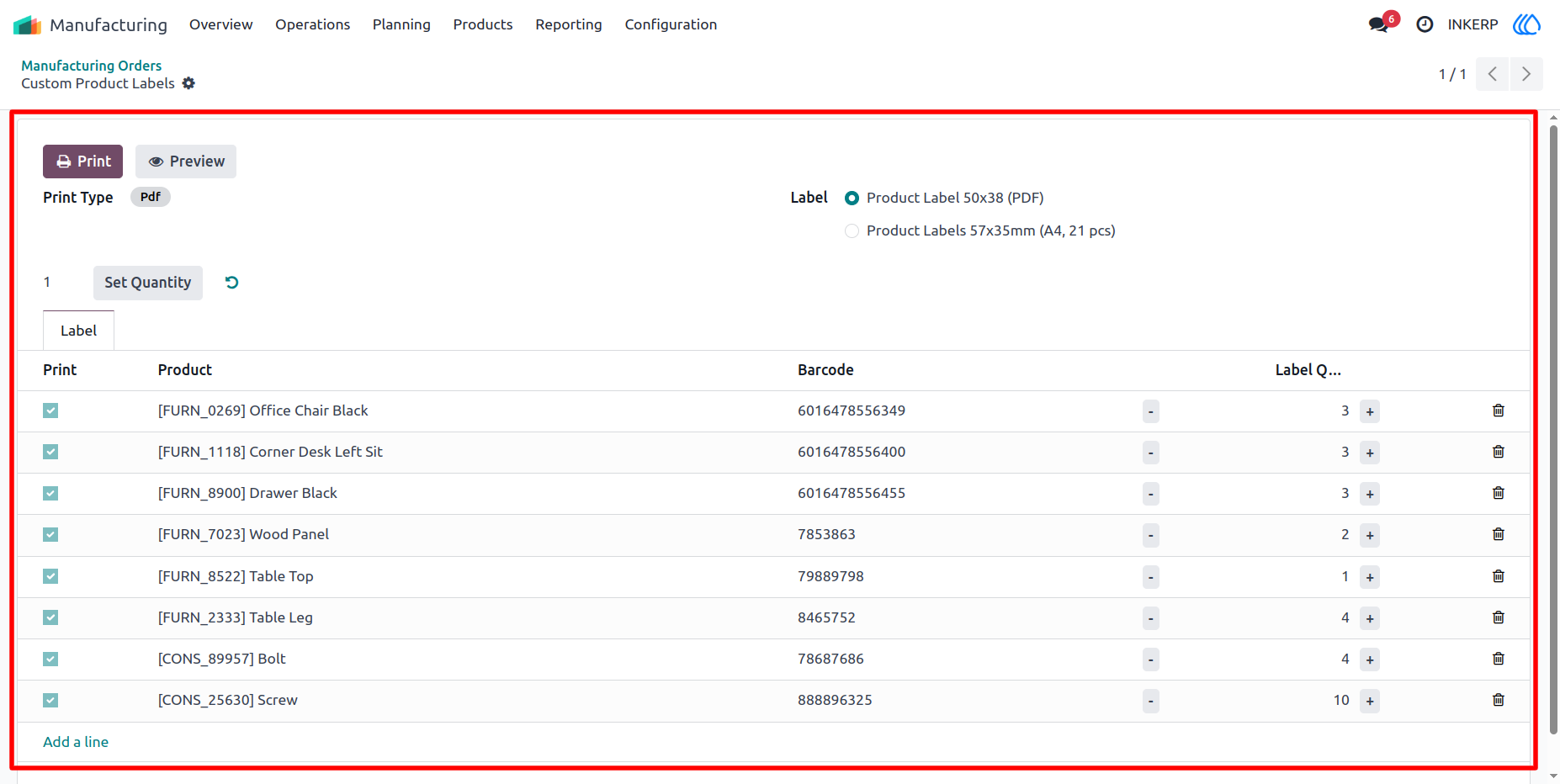
The app gives users the flexibility to adjust label quantities as needed either before printing or during the creation process. Whether you need one label or dozens, this function ensures you print exactly what is required, reducing waste and improving accuracy.
Label Preview :
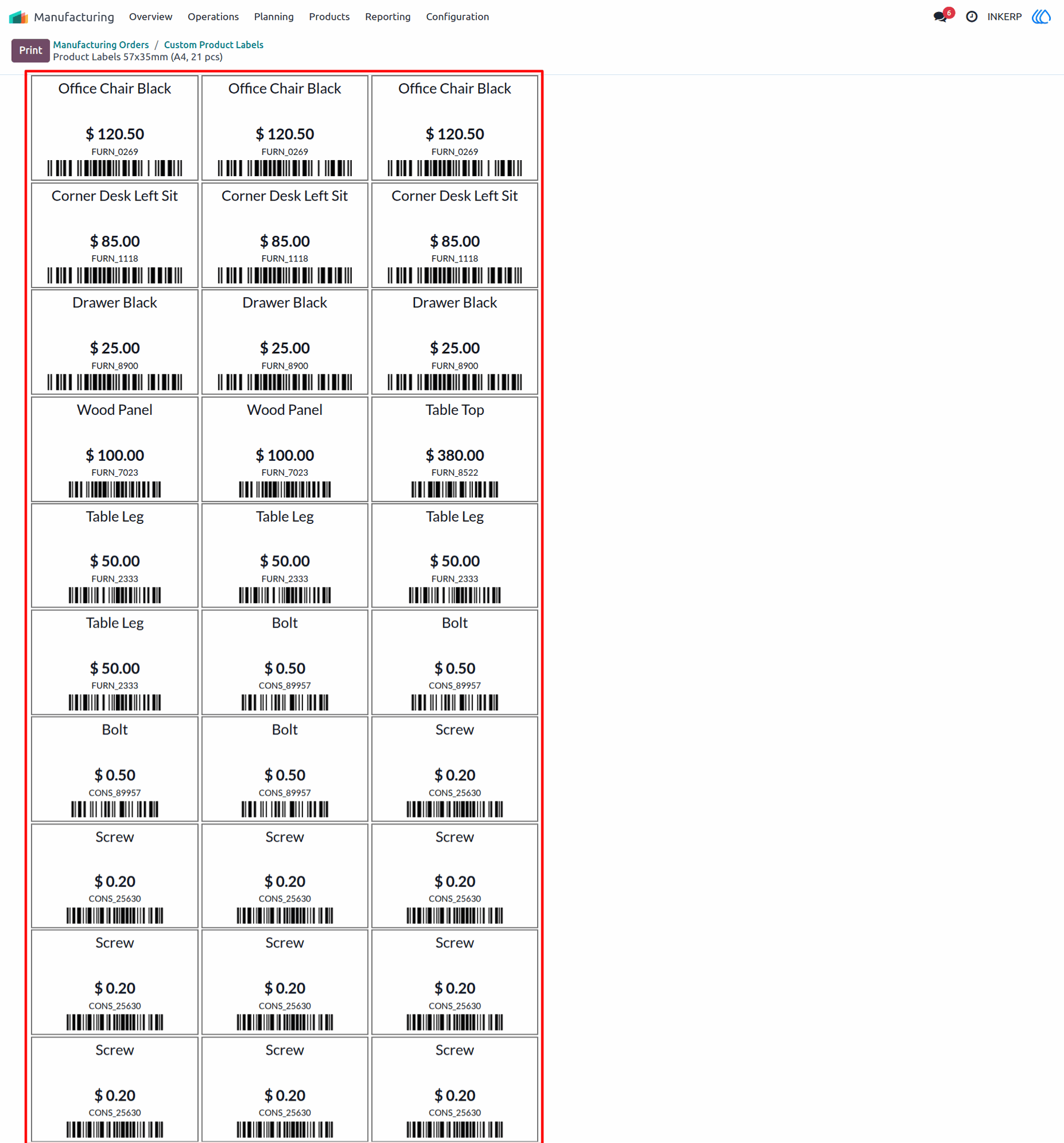
Before hitting print, users can preview their labels to check layout, format, and content. This saves time and resources by catching potential issues in advance, ensuring the final output meets expectations.
Screenshot
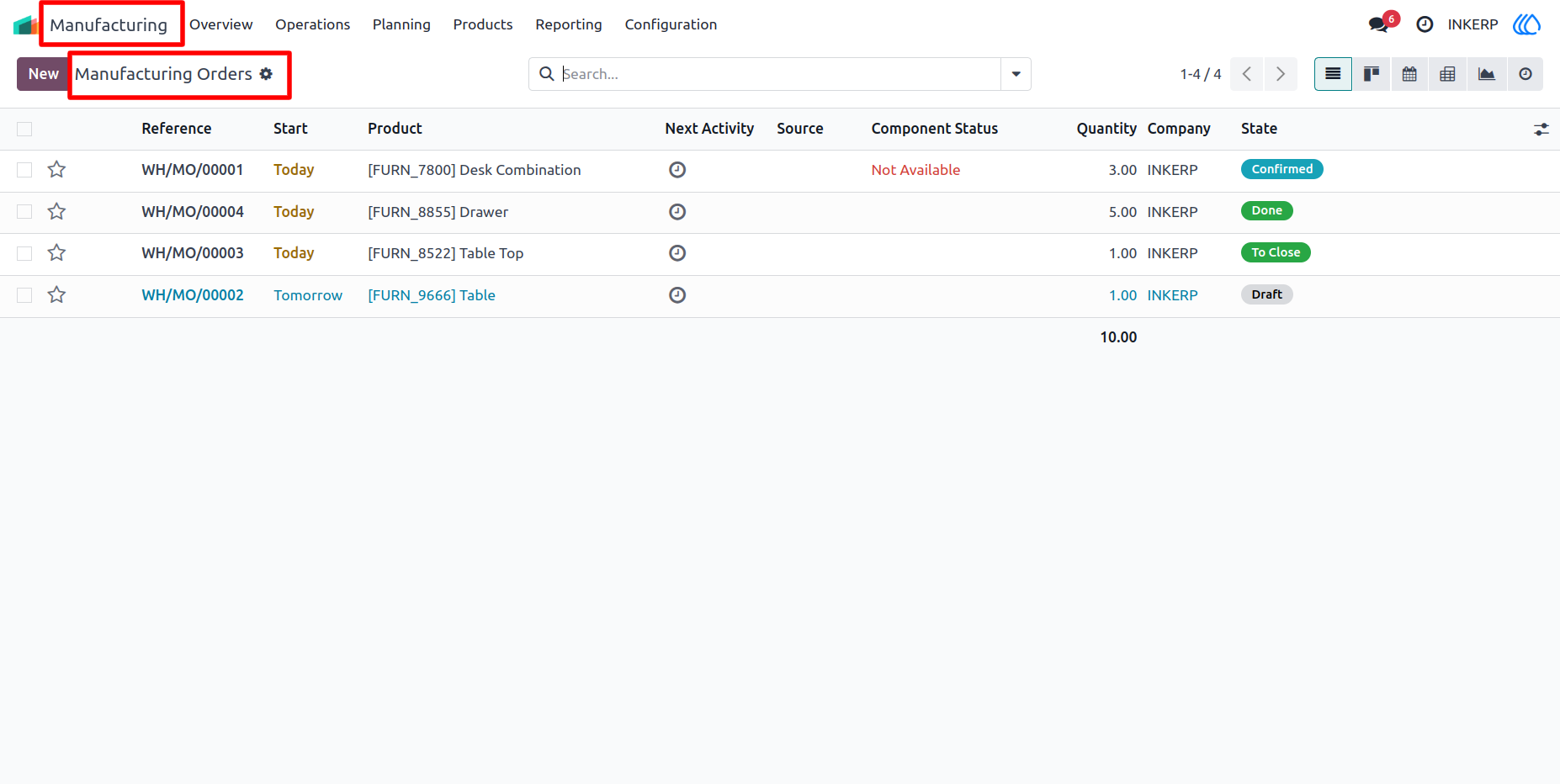
1.) Manufecturing Orders :
Go to Manufecturinf Order
Navigation : Manufecturing › Operations › Manufecturing Orders
2.) Select MOs :
Select manufecturing orders want to print label
3.) Custom Wizard :
Custom Wizard is open for label Configuration
4.) Label Preview
Label priview is also possible before print
User Guide