

Our Most Suggested Products


Dynamic Fields for Product
The Custom Fields in Product app provides users with the ability to create, configure, and manage custom fields for products directly from the front view. This app enhances product management by allowing users to tailor product attributes according to their business needs.
Video Tutorial
 Features
 Screenshots
 Support
 Service
Features
Create Different Types of Fields
The app provides flexibility by allowing users to create a variety of field types directly within the product form. These include essential types such as Char (text), Integer (whole numbers), Float (decimal numbers), Boolean (True/False), Selection (dropdown options), Many2one (many-to-one relations), and Many2many (many-to-many relations).
Set Attributes with Field
Users have the ability to configure specific attributes for each custom field, allowing for greater control over data entry and validation. Attributes like Readonly, Store, Indexed, Help, and Required can be set for each field. For example, marking a field as Readonly ensures that it cannot be modified by the user, while setting a field as Required makes it mandatory for the user to fill in before submission
Set Widget with Field
The app also allows users to enhance their product forms by setting widgets for custom fields. Widgets such as Monetary (for currency fields), Many2many_tags (for displaying multiple related records), Binary (for file uploads), Radio (for choice-based selections), and Priority (for selecting priority levels) can be applied.
Set Specific Location of Field
Custom fields can be positioned at specific locations within the product form. Whether it's placing a field after the barcode field or grouping multiple fields together, the app allows users to arrange fields in a way that fits their workflow.
Screenshot
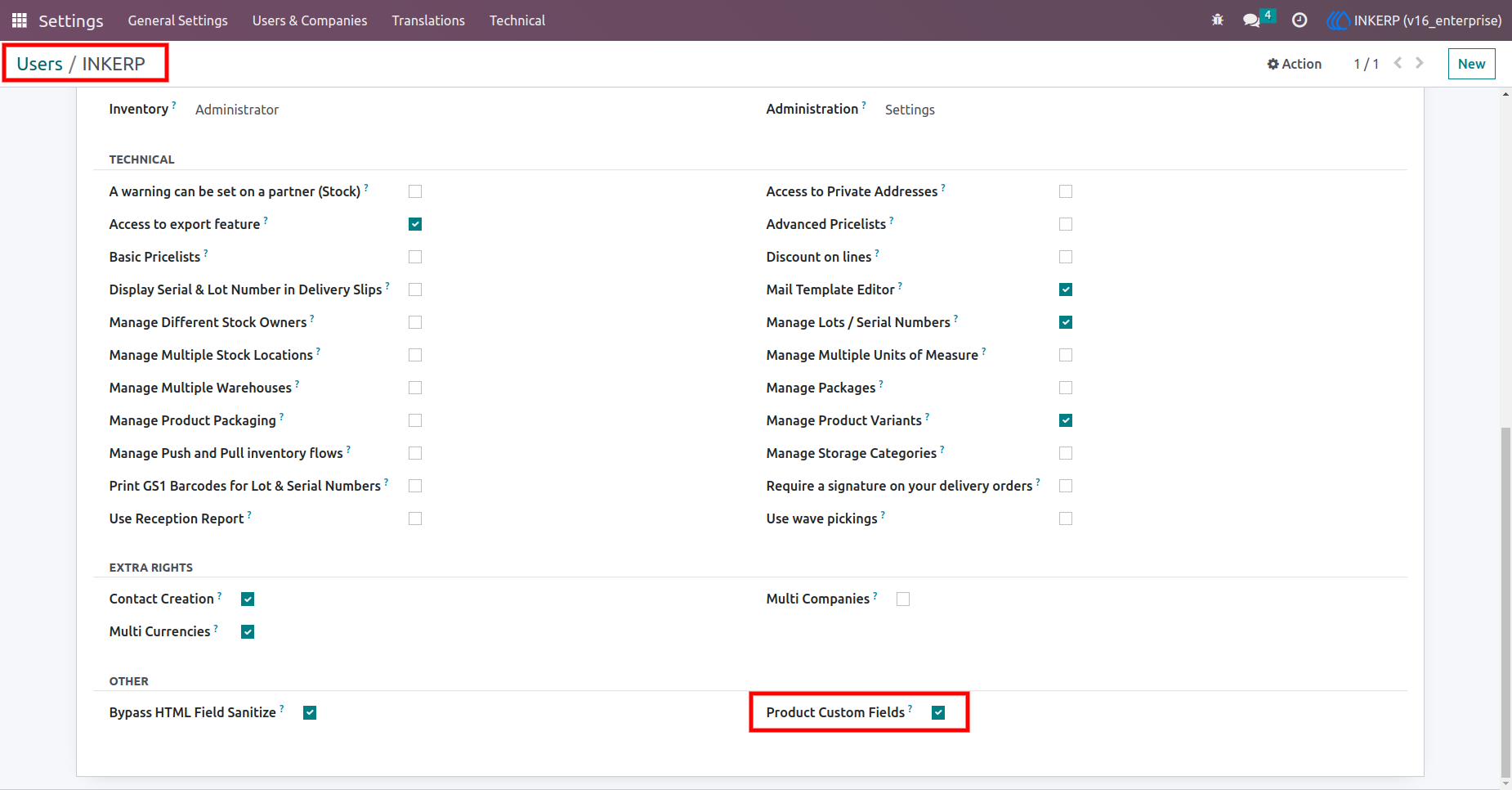
1.) Access Rights for creating a custom field
Users have to assign a group of "Product Custom Field" to create custom fields in product.
Navigation : Settings › Users & companies › User
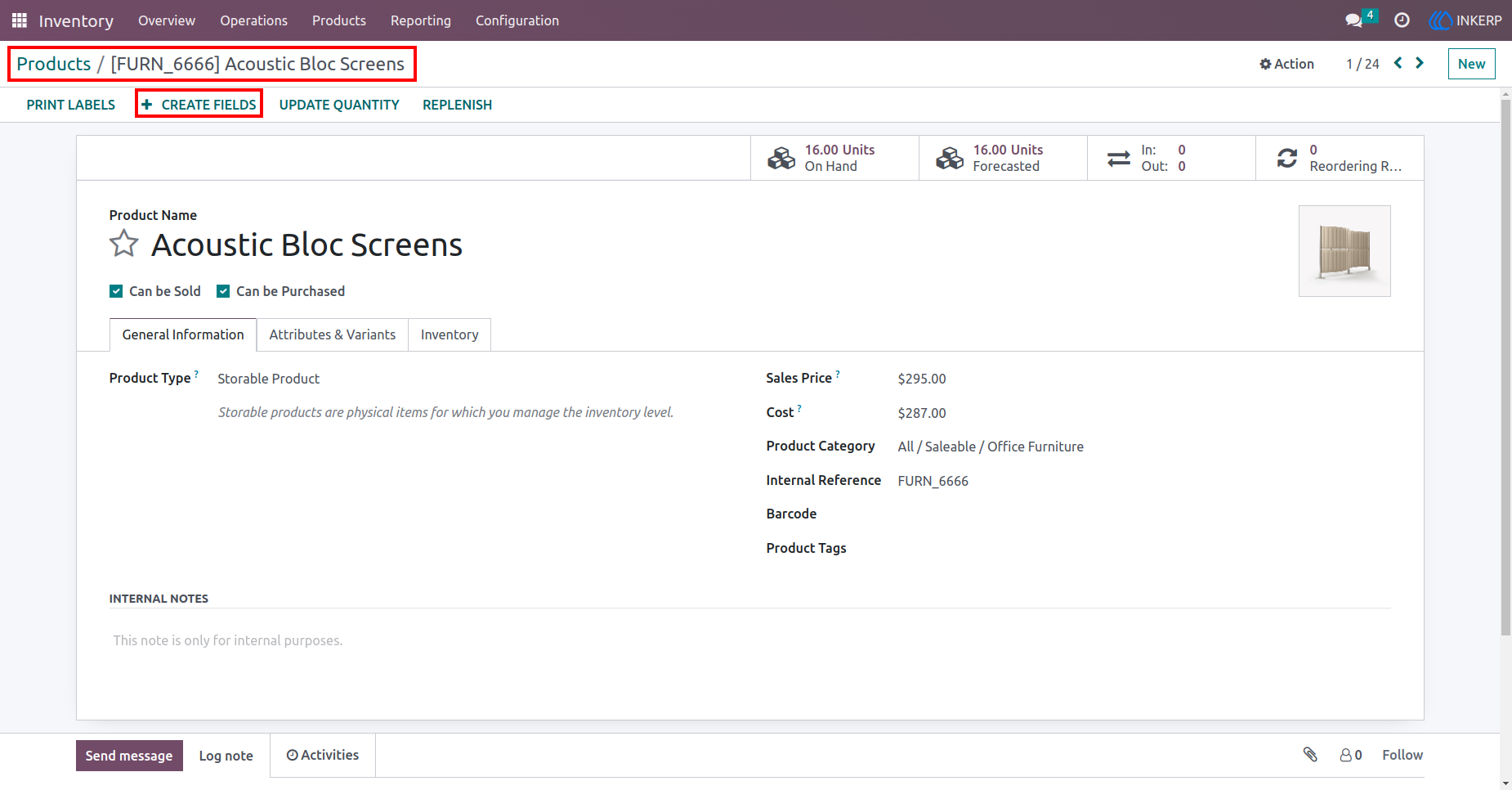
2.) Create Field Button:
By clicking this button, the user will see a popup form view for fields detail.
Navigation : Products › Products
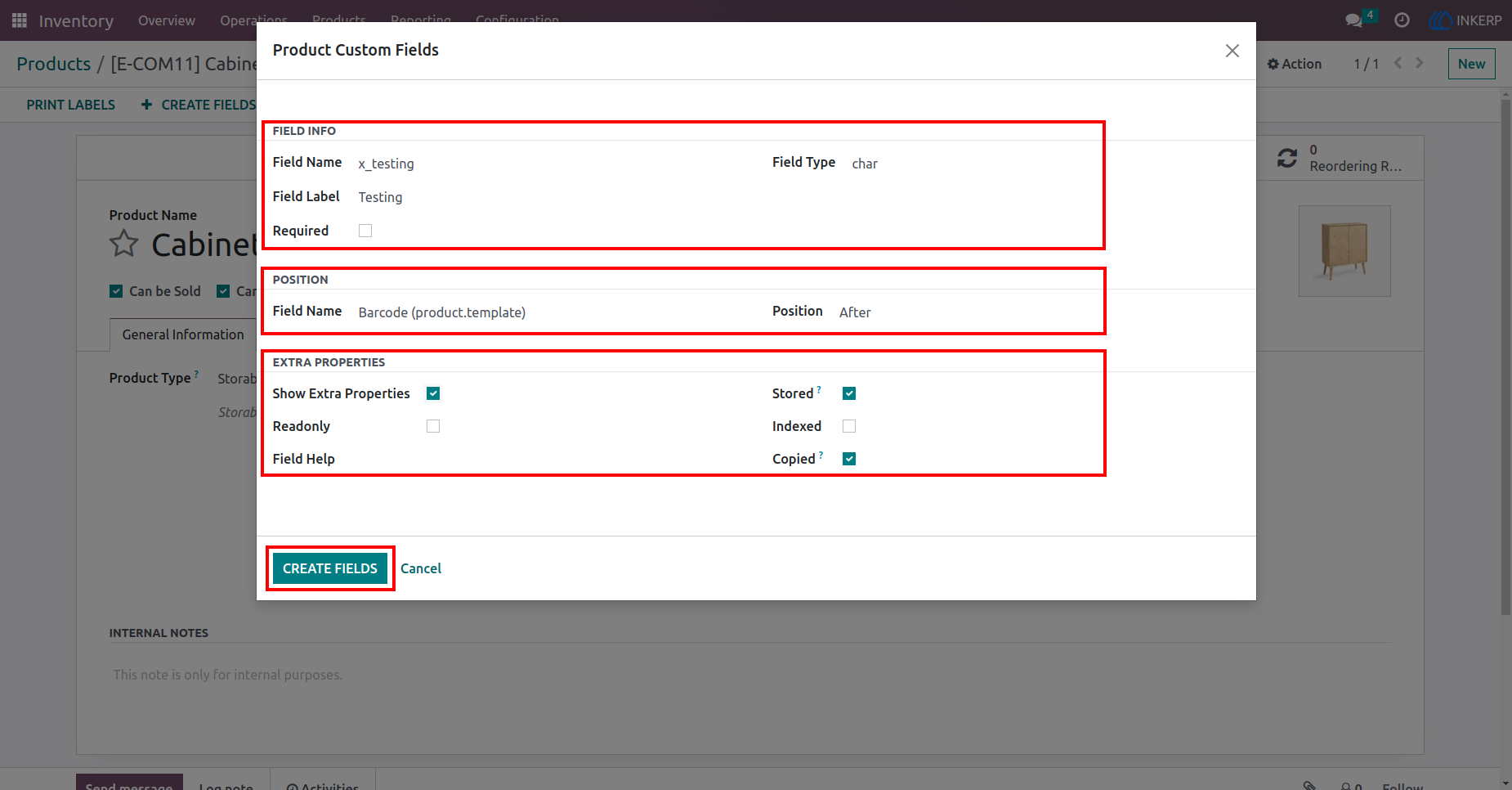
3.) Product Custom Field
Here, the user has to fill all the details of the field. (like : Field name, Field Label, Field Type, Field Position, widget, Extra properties etc..!)
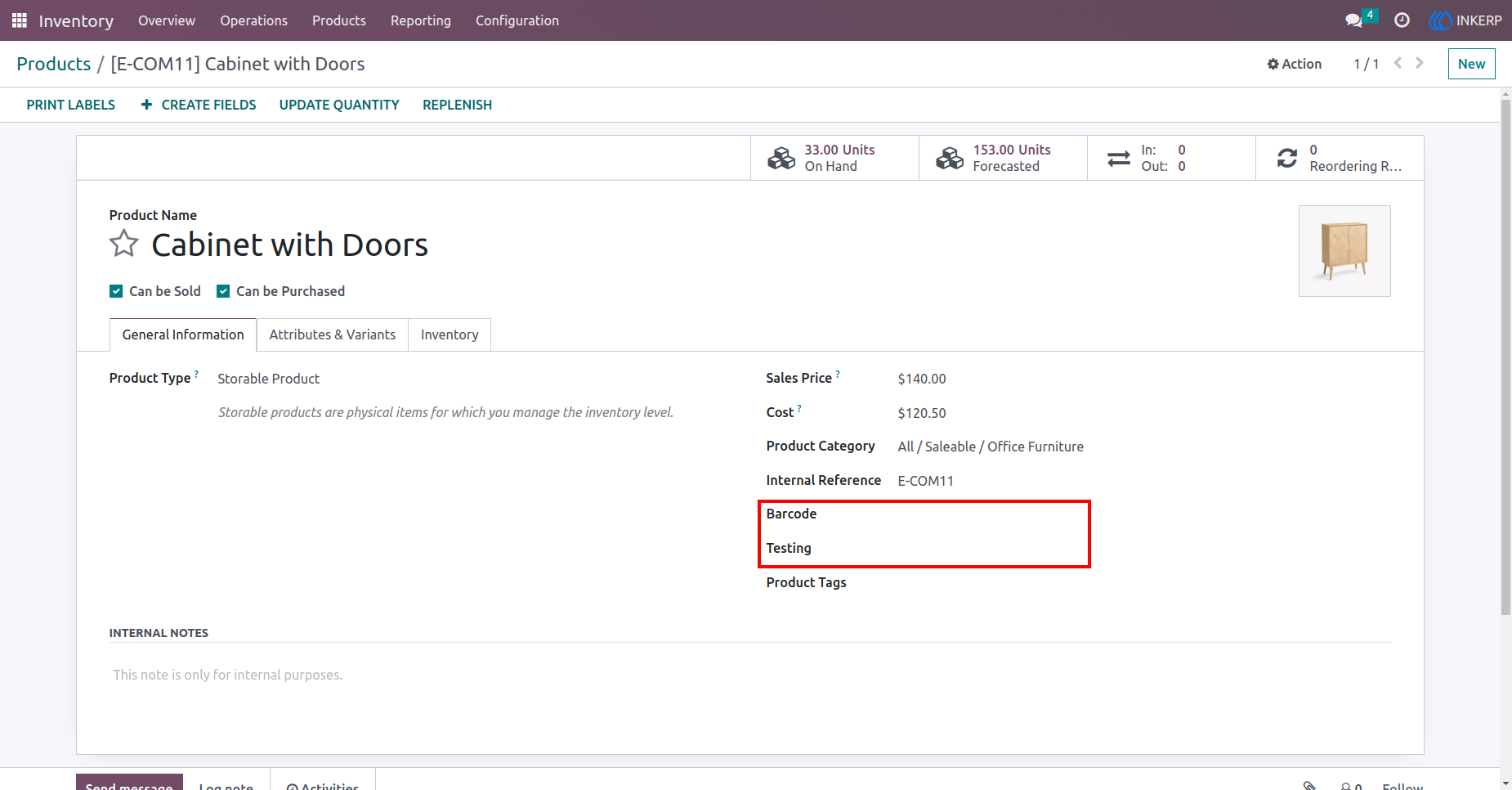
4.) Product Custom Field Created
Here the field Test is created at the position (After Barcode field) we assigned.
Navigation : Products › Products
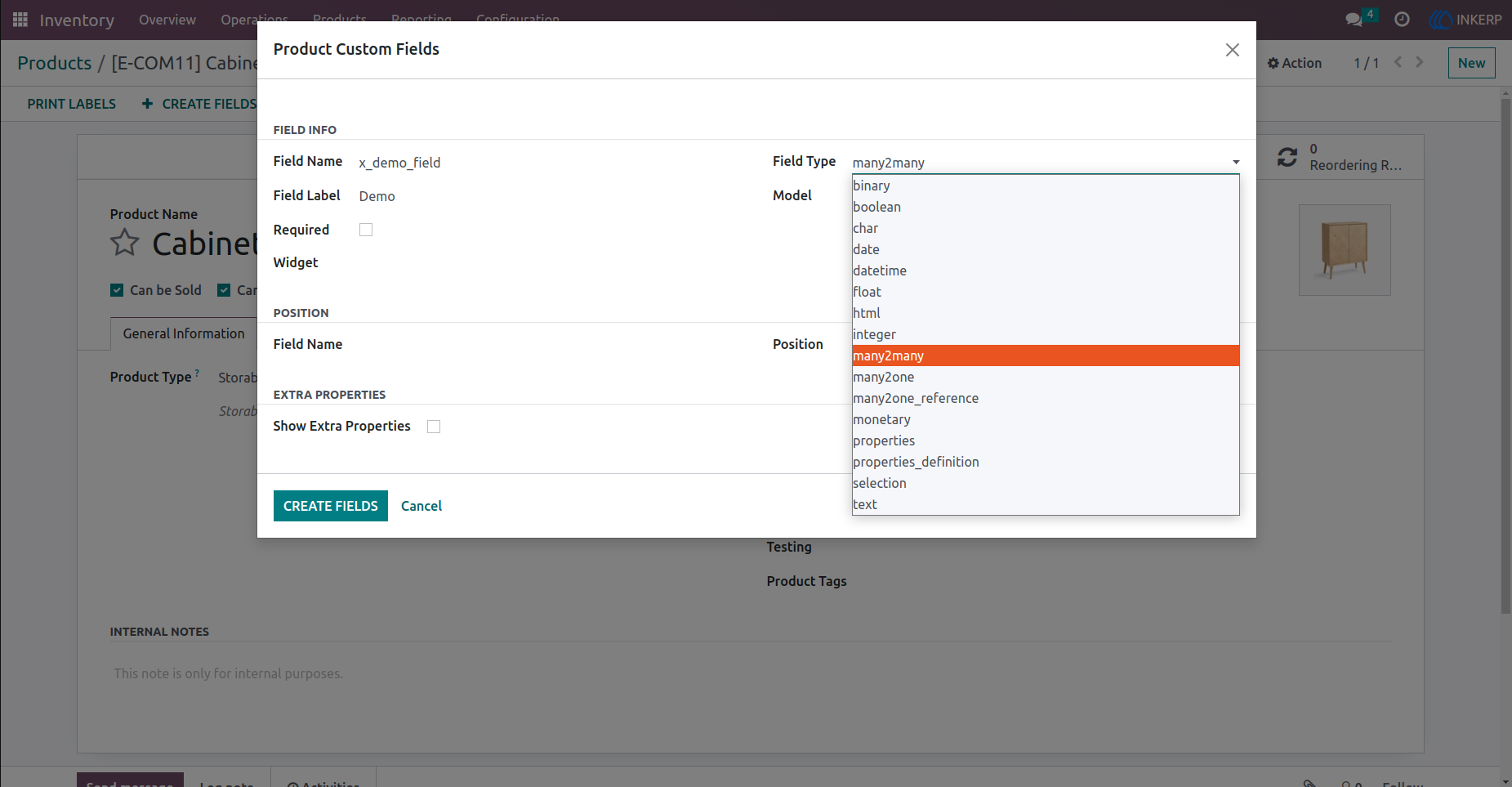
5.) Field Types
There are the types of fields.
Navigation : Products › Products › Product Custom Fields
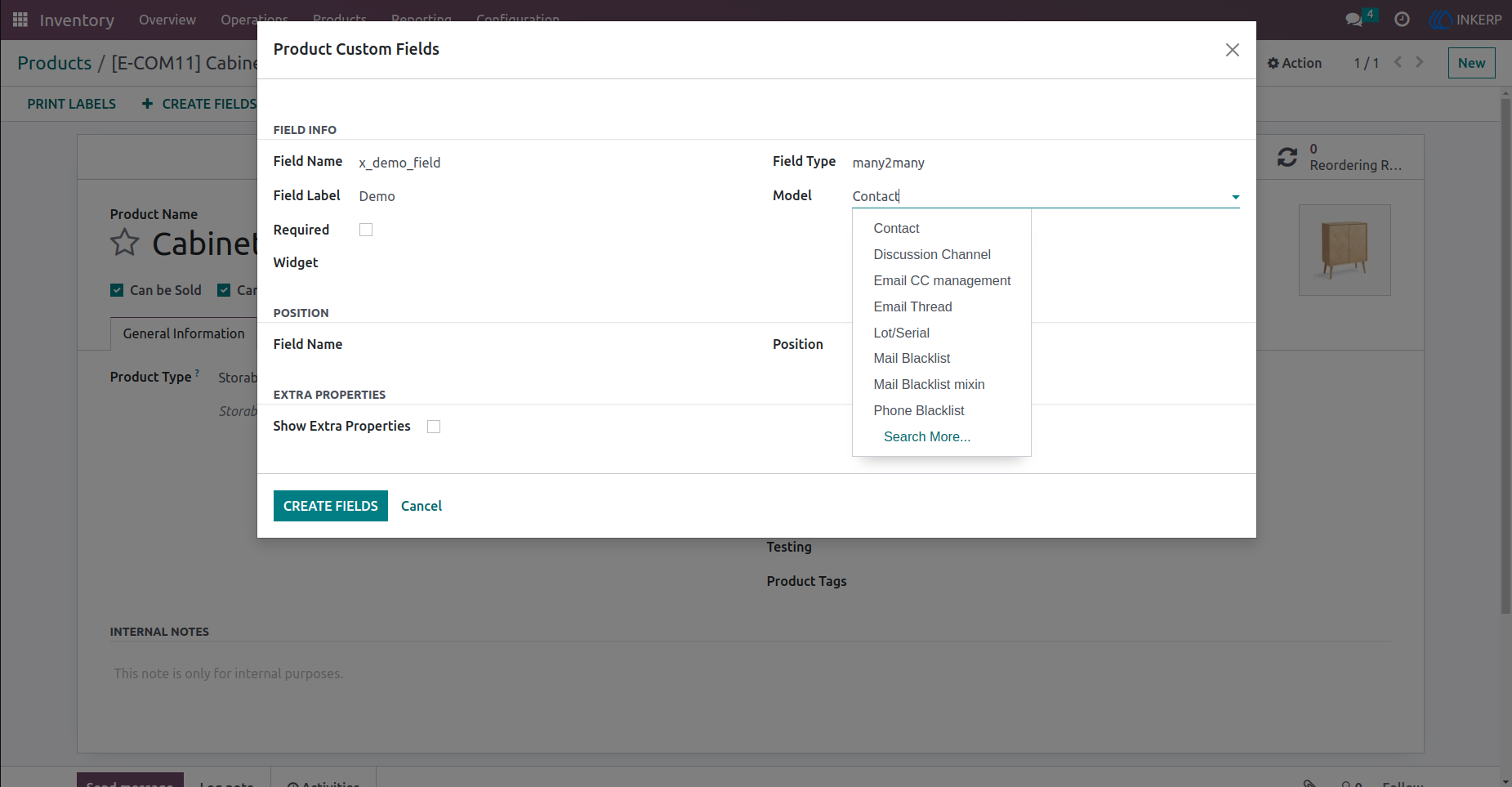
6.) Assign Relation Model
Here user creating Many2many type field. for Many2many field user have to assign relation model.
Navigation : Products › Products › Product Custom Fields
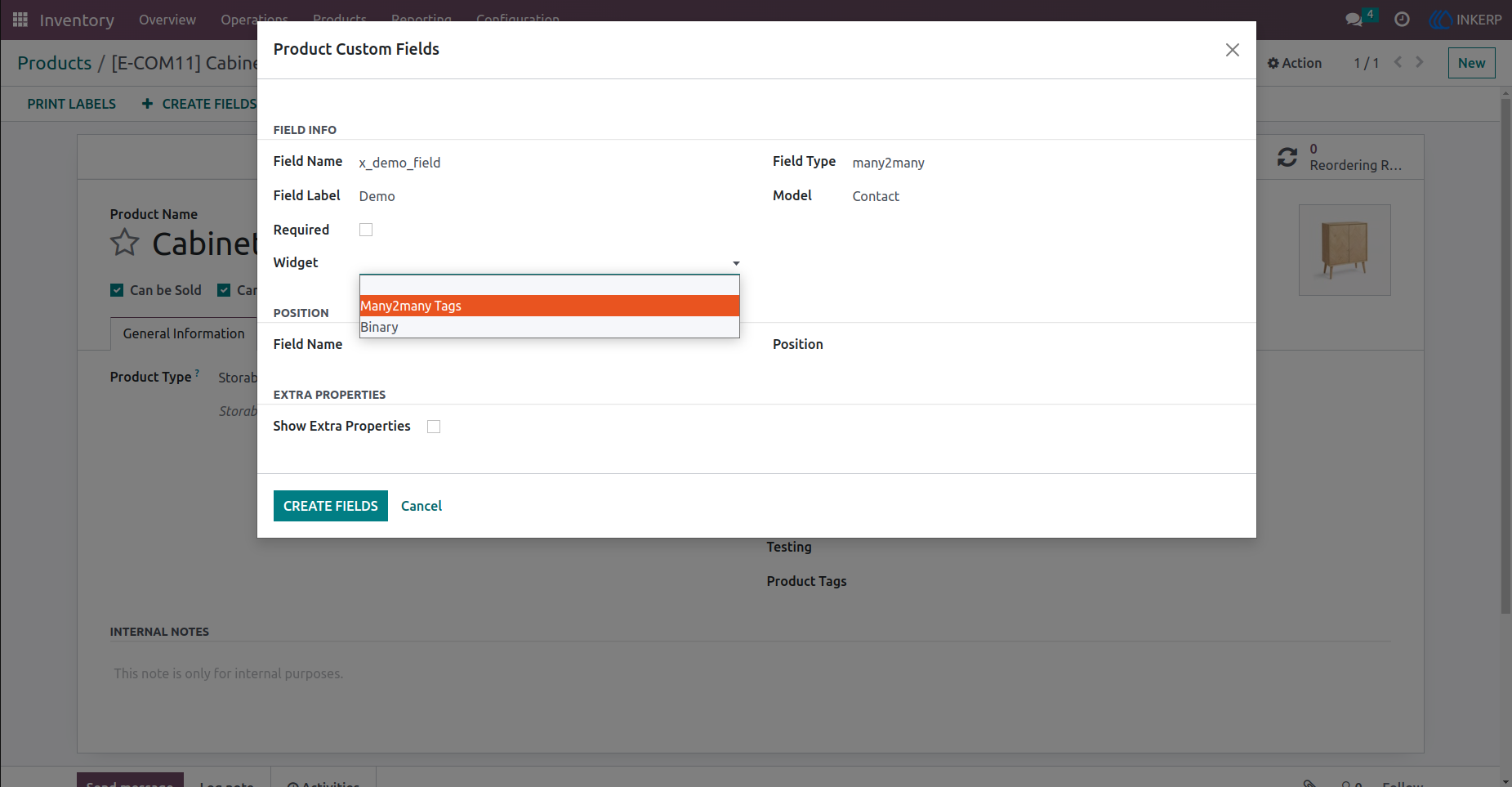
7.) Set Widget
Here, the user set Widget (Many2many_tags) in Many2many type field.
Navigation : Products › Products › Product Custom Fields
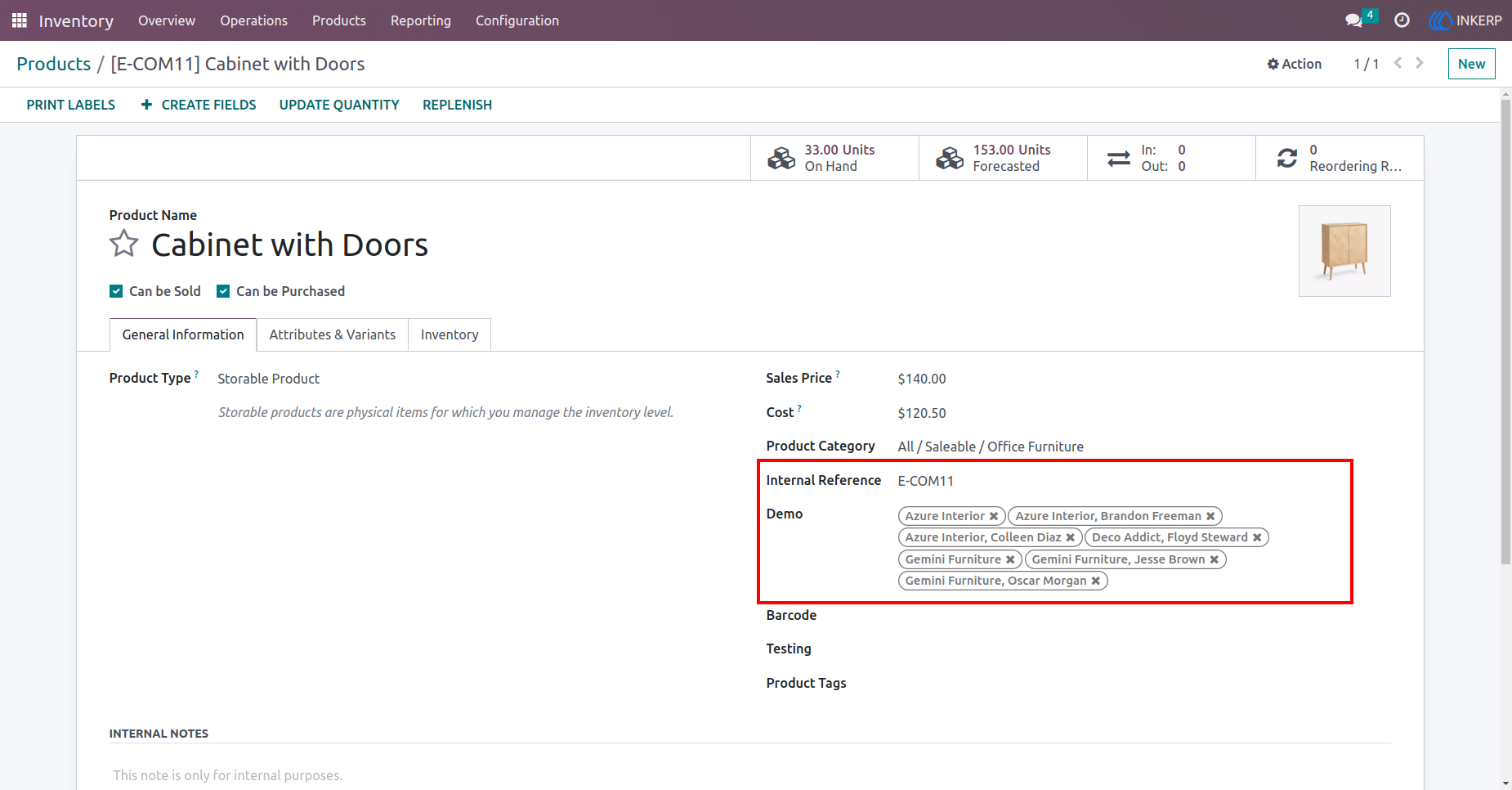
8.) Product Custom Field
Here, Many2many type field is created with widget (Many2many_tags).
Navigation : Products › Products
User Guide