

Our Most Suggested Products


Vendor Portal Management - Vendor Catalog, Sourcing RFQ and Purchase Management
Vendor Portal Management provides a complete vendor collaboration workflow for managing supplier products, prices, stock, locations, qualification documents, sourcing requests, quotations, communication, and purchase orders from one place. Vendors can maintain their catalog information and respond to RFQs through a dedicated portal, while purchase teams can compare quotations, evaluate supplier performance, select winning offers, and create purchase orders with clear sourcing traceability. The module helps reduce manual coordination, improve supplier visibility, speed up purchasing decisions, and keep vendor information organized and up to date.
 Features
 Screenshots
 Support
 Service
Features
Vendor Catalog and Supplier Data Management
Maintain a structured vendor catalog with supplier-specific products, product codes, descriptions, units, images, pricing, locations, and stock information. Purchase teams can keep vendor data organized while suppliers can update permitted information through the portal, helping businesses maintain accurate and useful sourcing data.
Vendor Portal for Products, Prices and Stock
Vendors get a dedicated self-service portal for managing products, prices, locations, and stock records without requiring access to internal purchasing screens. The portal provides a simple interface for adding and updating supplier information while keeping vendor-specific data separated and easy to manage.
Multi-Vendor RFQ and Quotation Management
Create sourcing RFQs with required products, quantities, requested dates, deadlines, terms, attachments, selected vendors, and evaluation settings. Vendors can review invitations, prepare quotations, enter quantities and pricing, add delivery information and comments, submit responses, request revisions, or decline participation directly from the portal.
Quotation Comparison, Scoring and Award
Compare vendor quotations using pricing, delivery lead time, stock availability, vendor performance, quality, payment terms, and configurable weighted criteria. Purchase users can review offers, select the best quotation or award individual RFQ lines, and use automatic selection methods when a faster sourcing decision is required.
Purchase Order Creation and Sourcing Traceability
Convert awarded quotation lines into purchase orders while carrying important commercial details such as vendor, quantity, unit price, discount, taxes, payment terms, currency, and delivery information. The purchase workflow keeps the relationship between the sourcing RFQ, vendor quotation, awarded lines, and resulting purchase order visible for easier follow-up and auditing.
Screenshot
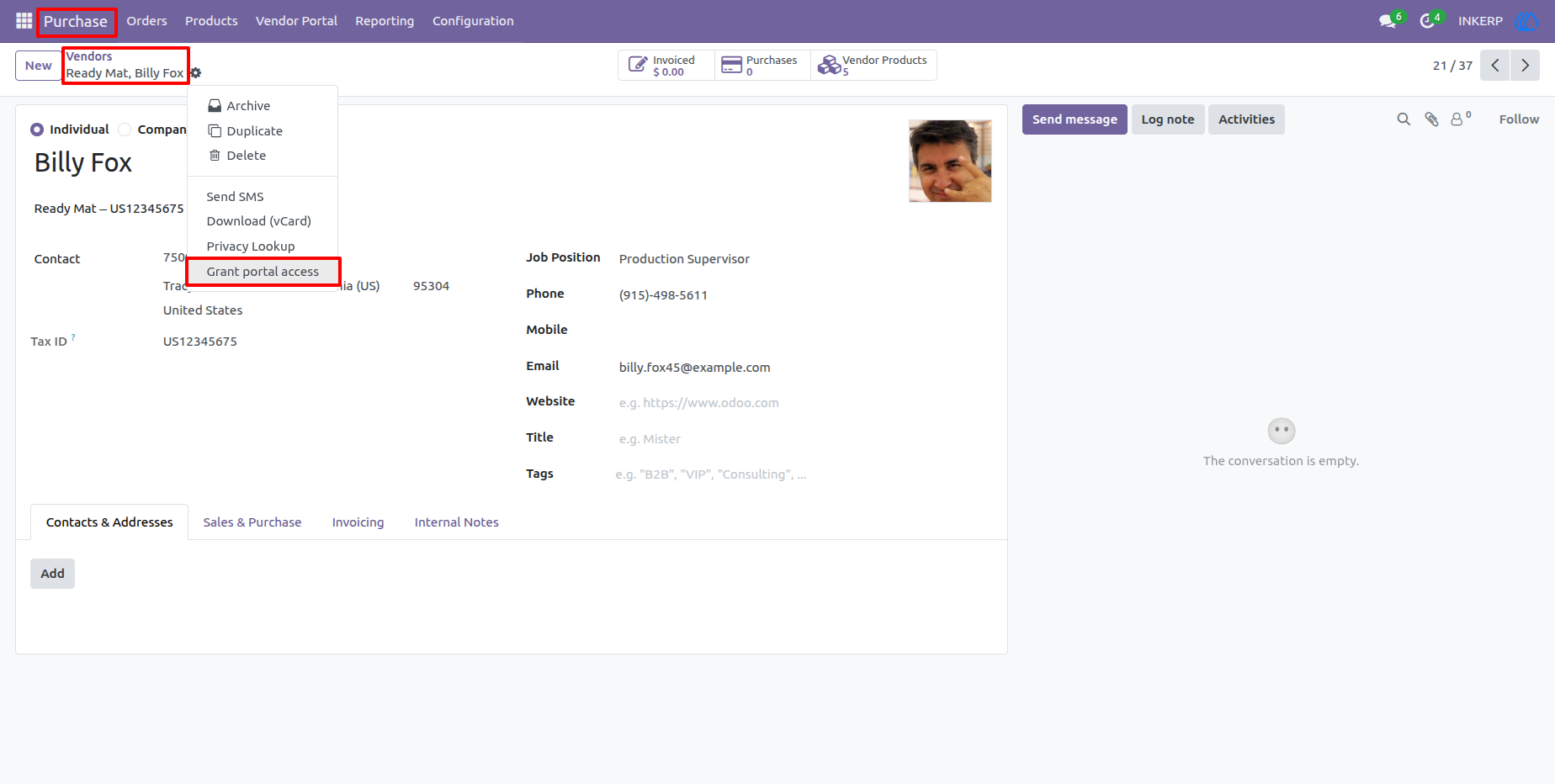
1.) Vendor Contact and Portal Access
The vendor contact form provides the starting point for supplier collaboration, including portal-related access and contact information. From here, internal users can configure the vendor relationship and enable the appropriate portal access for supplier users.
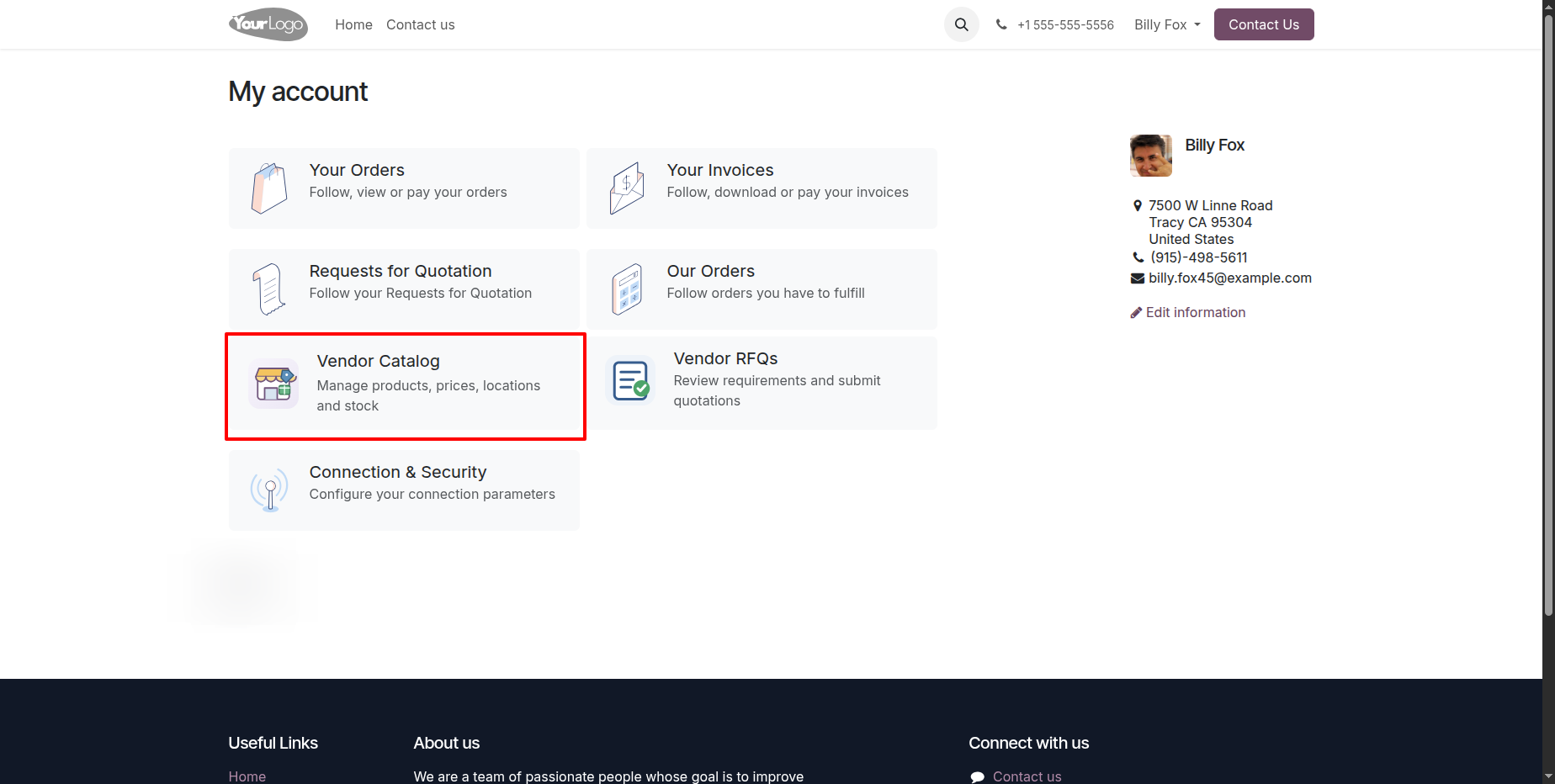
2.) Vendor Portal Entry from My Account
The customer portal account page includes dedicated access to the Vendor Catalog and Vendor RFQs areas. Vendors can quickly move from their normal portal account to supplier-specific product management and sourcing activities.
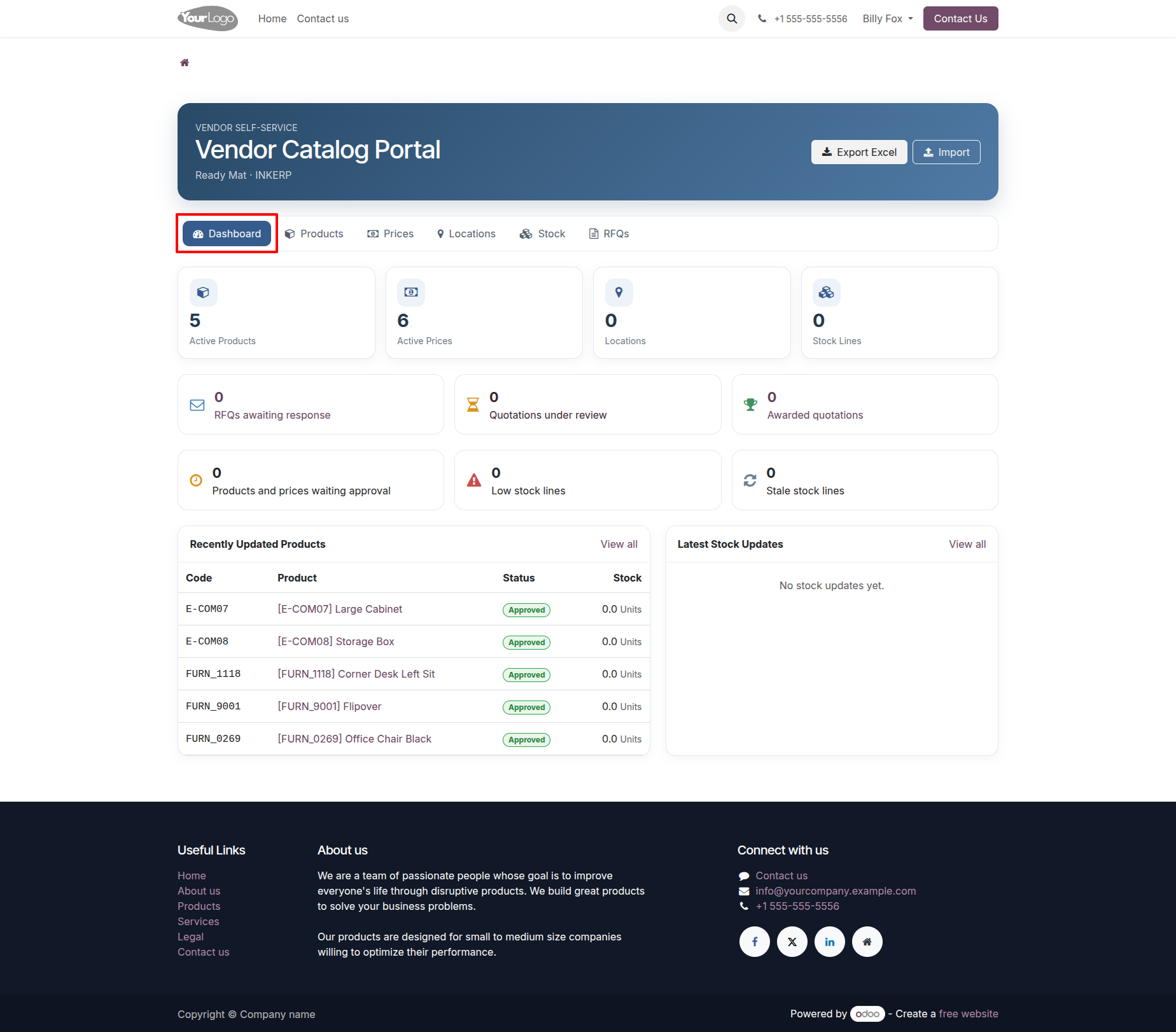
3.) Vendor Portal Dashboard
The dashboard brings the main vendor activities together in a single view, including catalog information, stock, RFQs, and related summaries. Vendors can use this page as their central workspace to review current data and move directly into daily tasks.
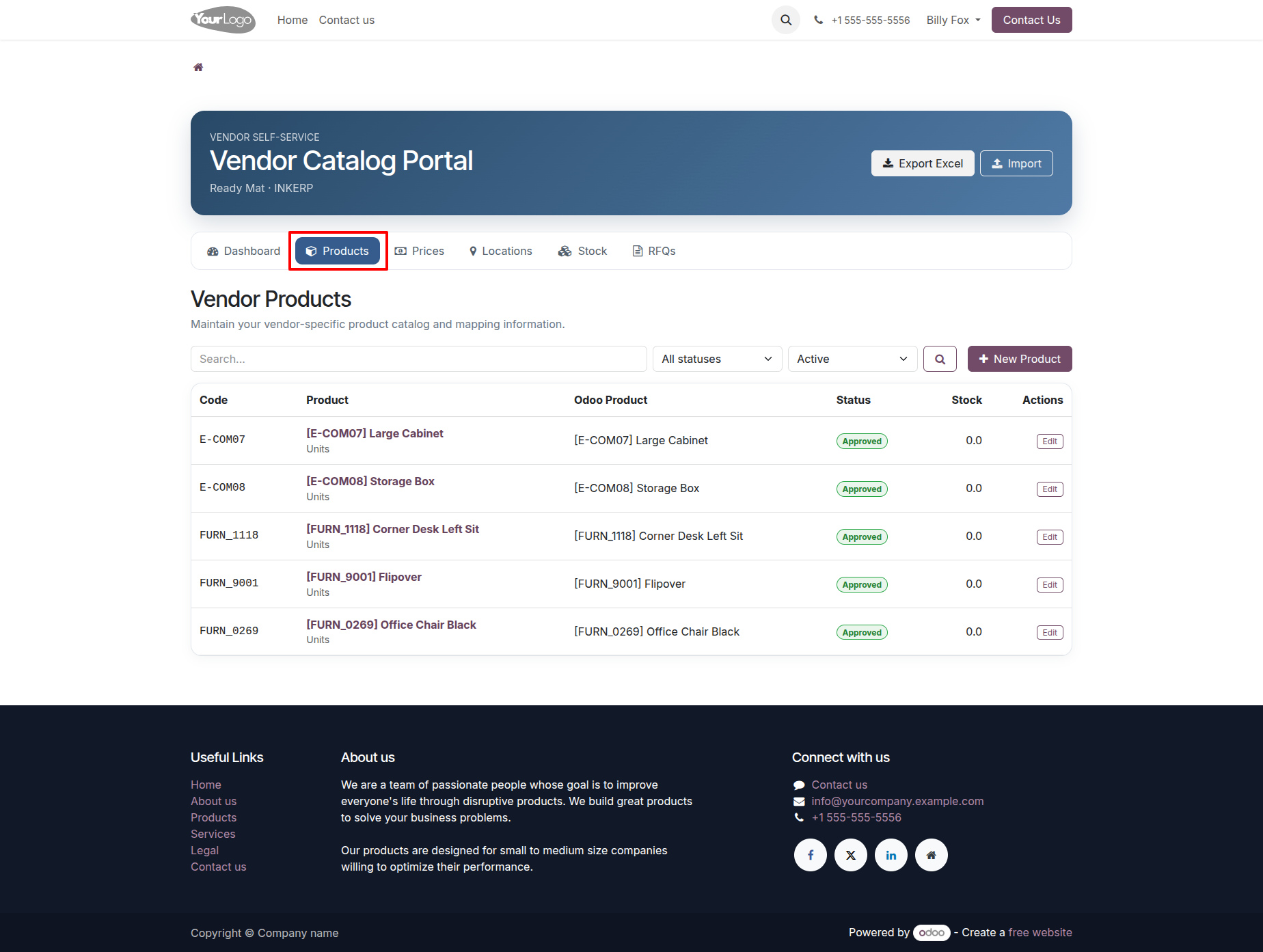
4.) Vendor Products List
The product list provides a searchable view of the vendor's available catalog items with key product, code, unit, status, and stock-related information. Vendors can review existing records and open individual products for editing or create new entries when needed.
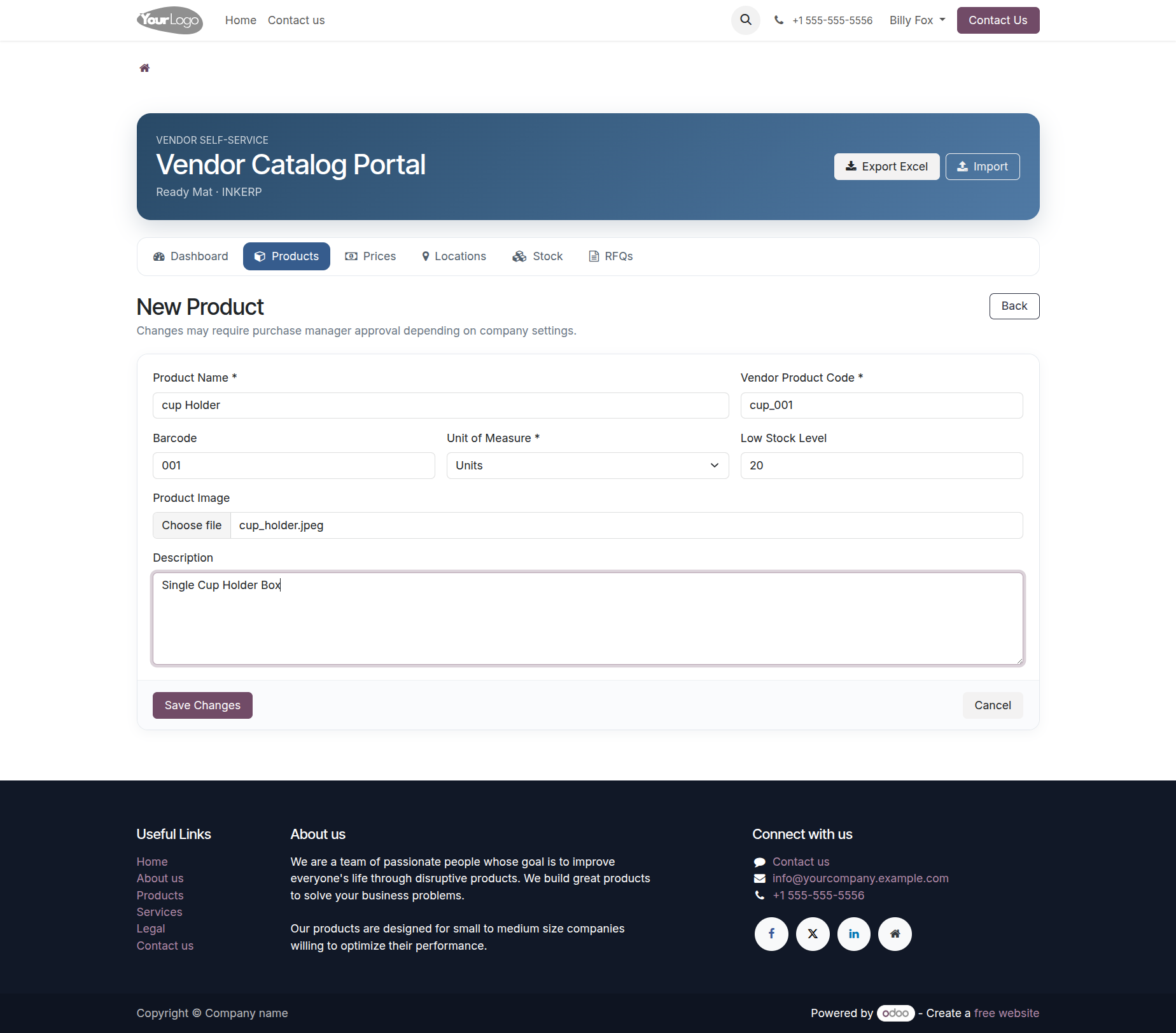
5.) Create Vendor Product
The product form allows a supplier to enter a new vendor-specific product with its commercial and identification details. This helps keep supplier catalog information separate from general internal product data while still allowing the purchasing team to use it during sourcing.
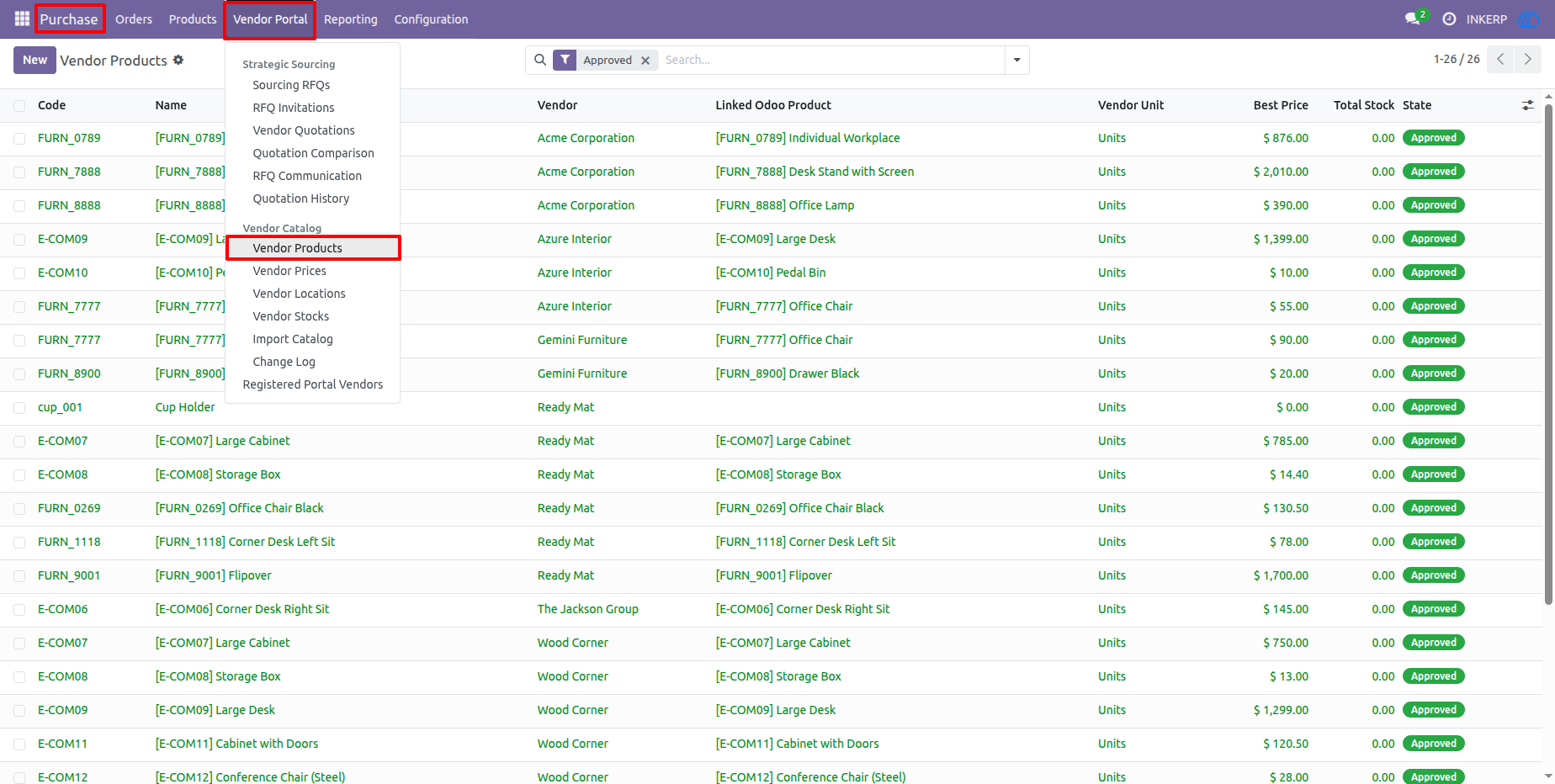
6.) Internal Vendor Product Management
The backend vendor product list gives purchase users a broader operational view of supplier catalog records. Internal teams can review vendors, linked products, pricing information, and stock availability from the purchasing interface.
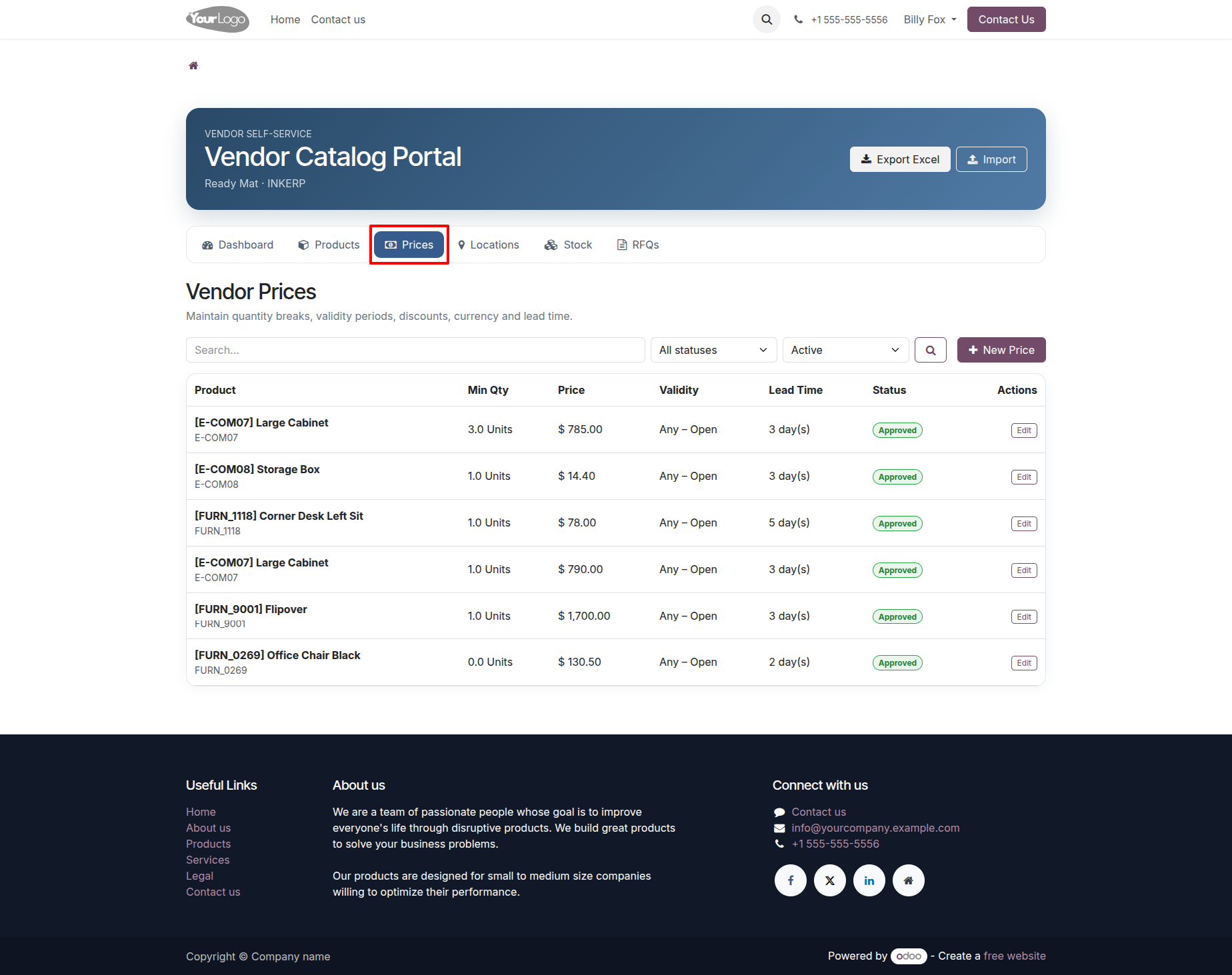
7.) Vendor Prices
The vendor price screen provides a supplier-focused view of active pricing records, including quantities, currencies, discounts, validity dates, and related product information. Vendors can review current prices and update them when commercial terms change.
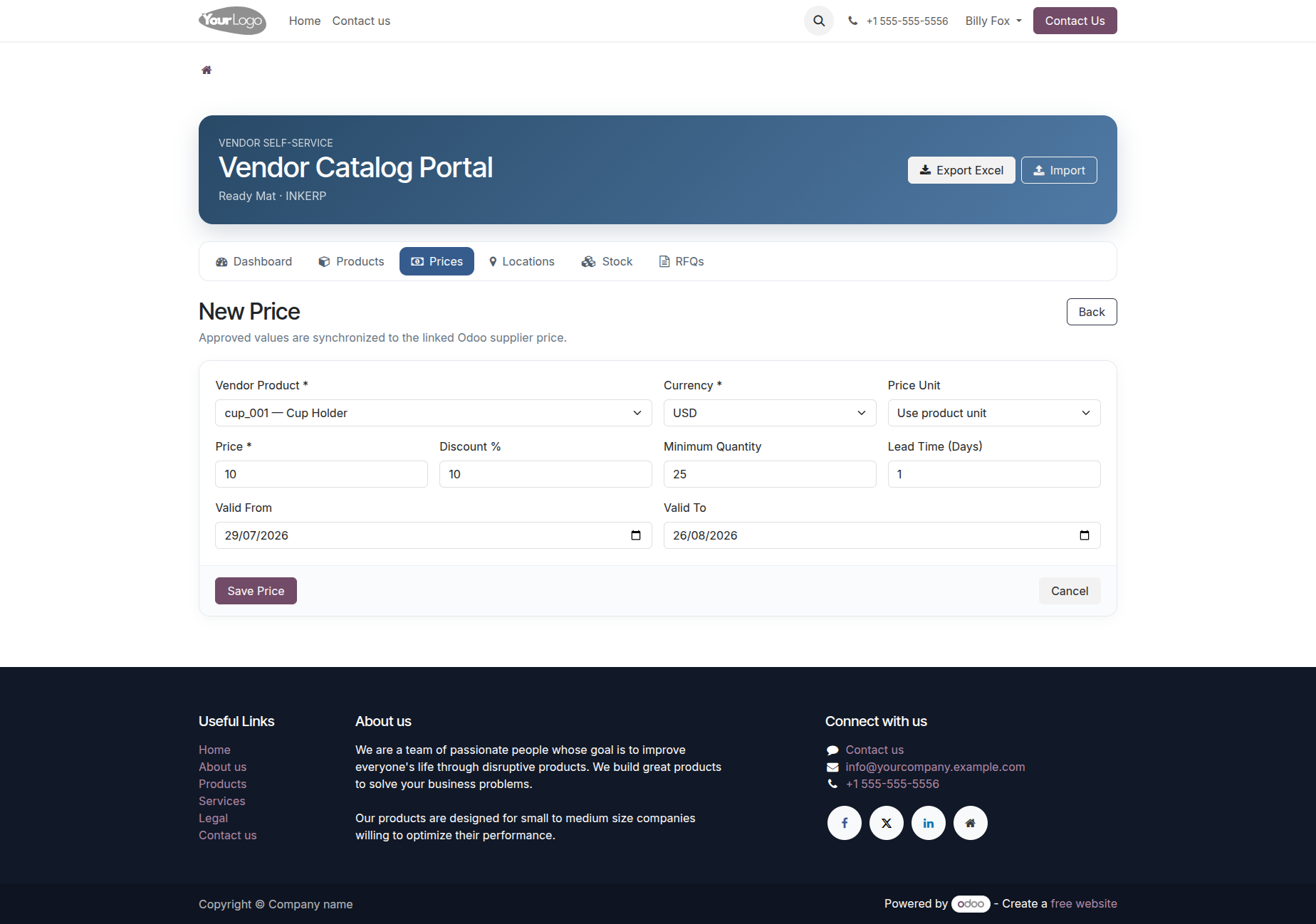
8.) Create Vendor Price
The new price form captures the vendor product, currency, price, minimum quantity, discount, validity period, and other pricing information. This gives suppliers a structured way to submit updated commercial terms through the portal.
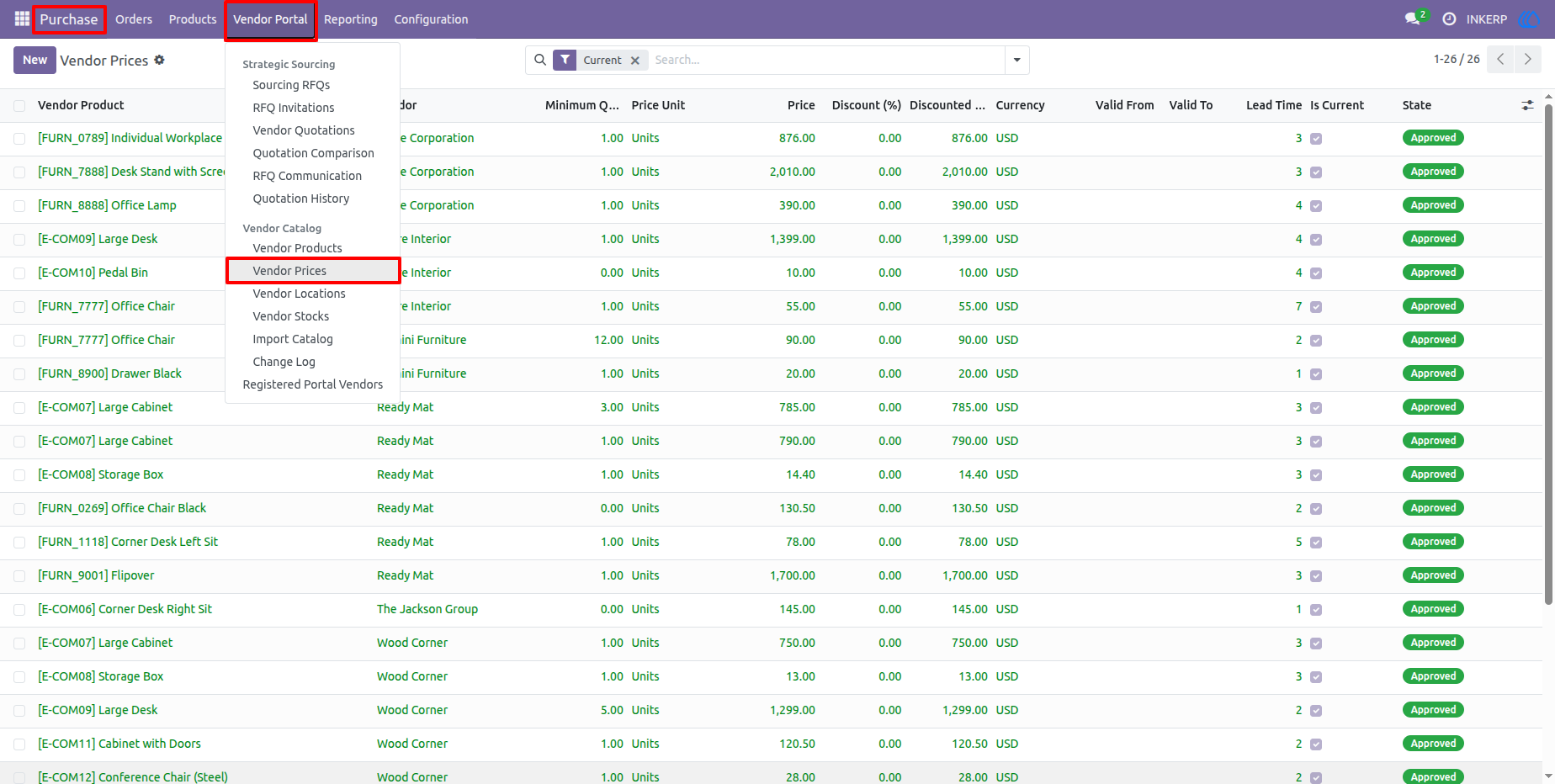
9.) Internal Vendor Price Management
Purchase users can review vendor price records from the backend, including pricing history and current status. The screen supports internal monitoring of supplier pricing and helps teams identify the values that should be used during procurement activities.
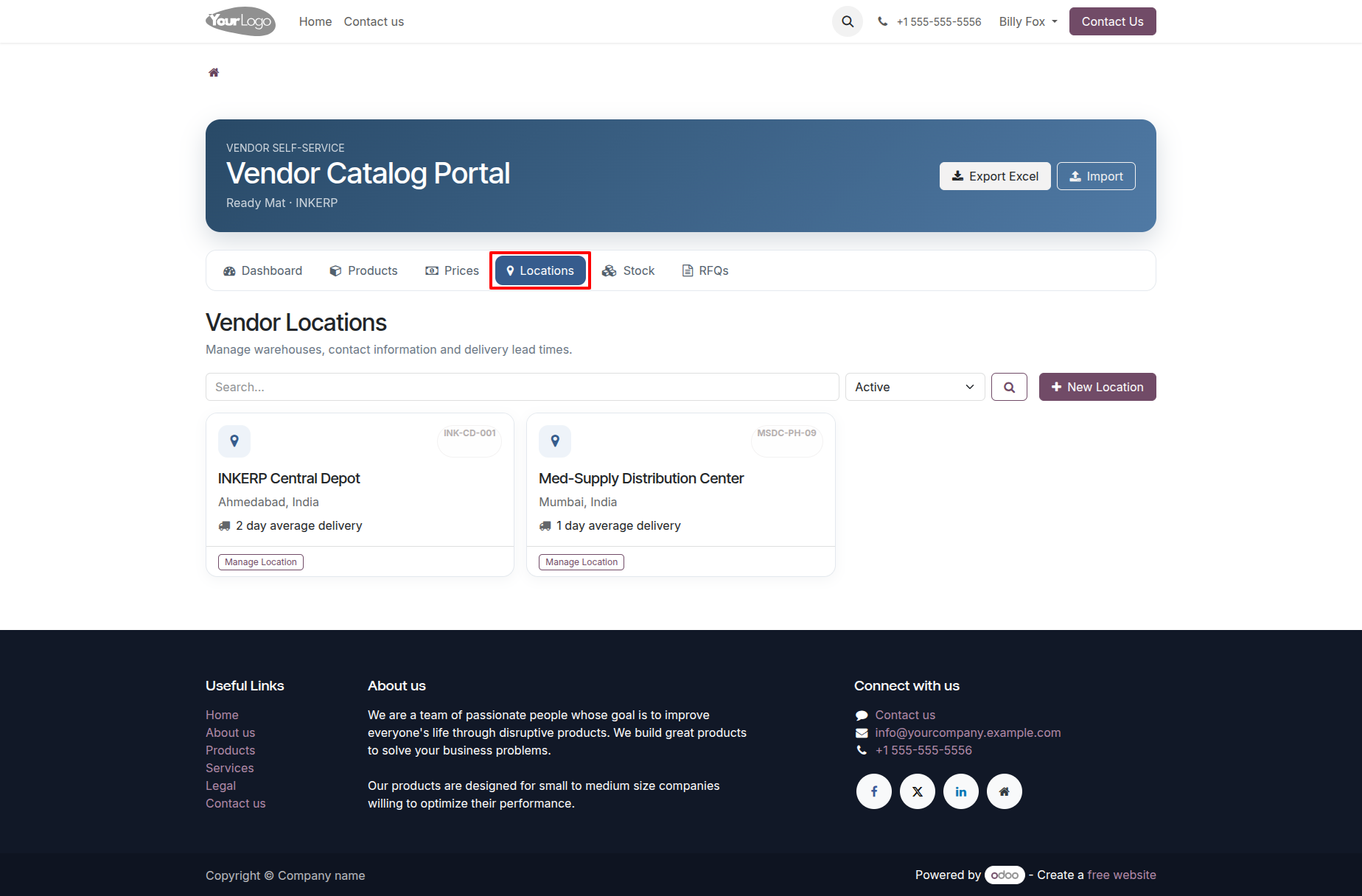
10.) Vendor Locations
The vendor locations page keeps supplier warehouse and delivery locations organized in one place. Users can review available locations and related details that support stock visibility and purchasing decisions.
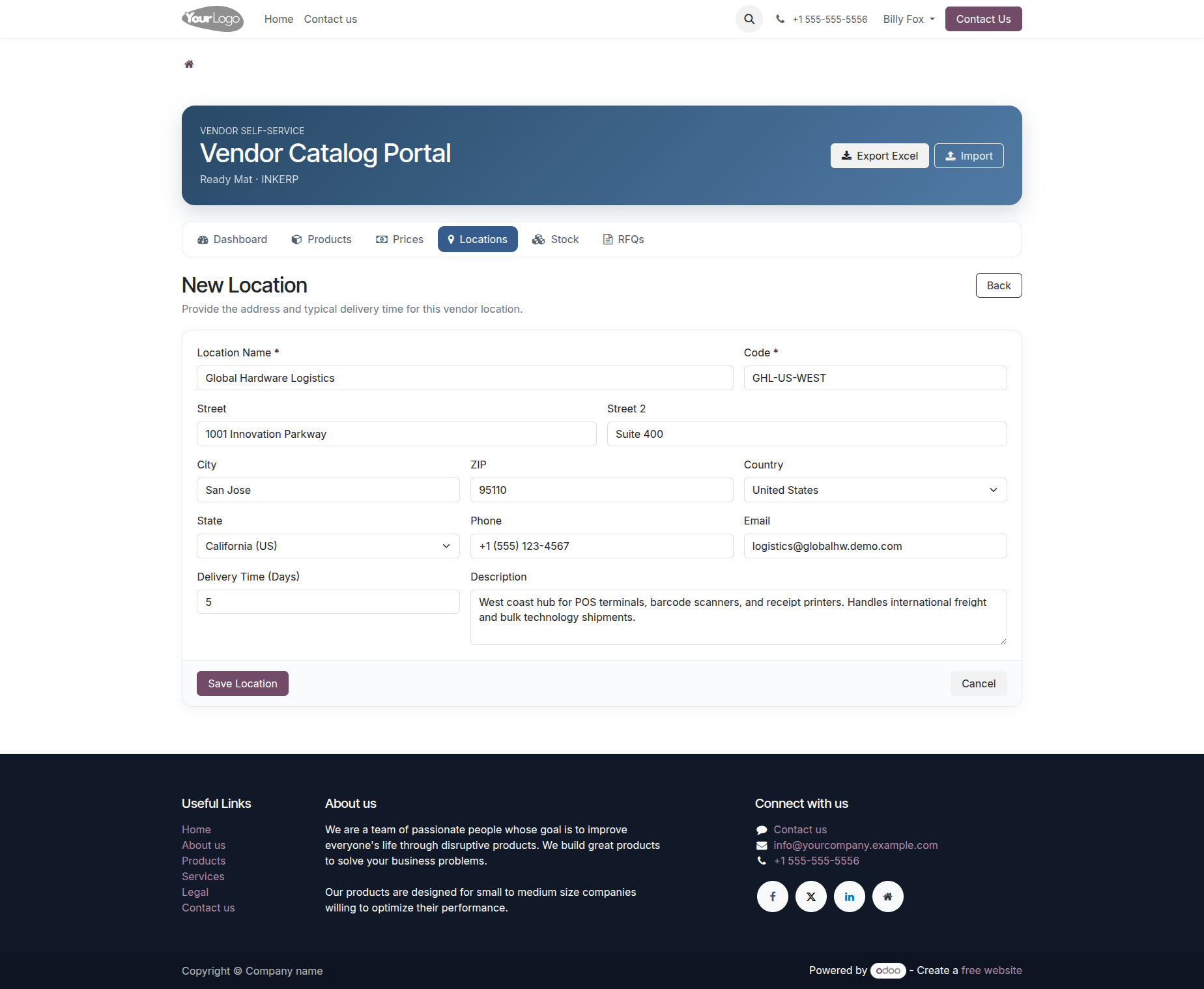
11.) Create Vendor Location
The location form captures the supplier's warehouse or delivery point details, including location information and operational data. Maintaining these records helps the purchasing team understand where supplier stock is available and where goods may be dispatched from.
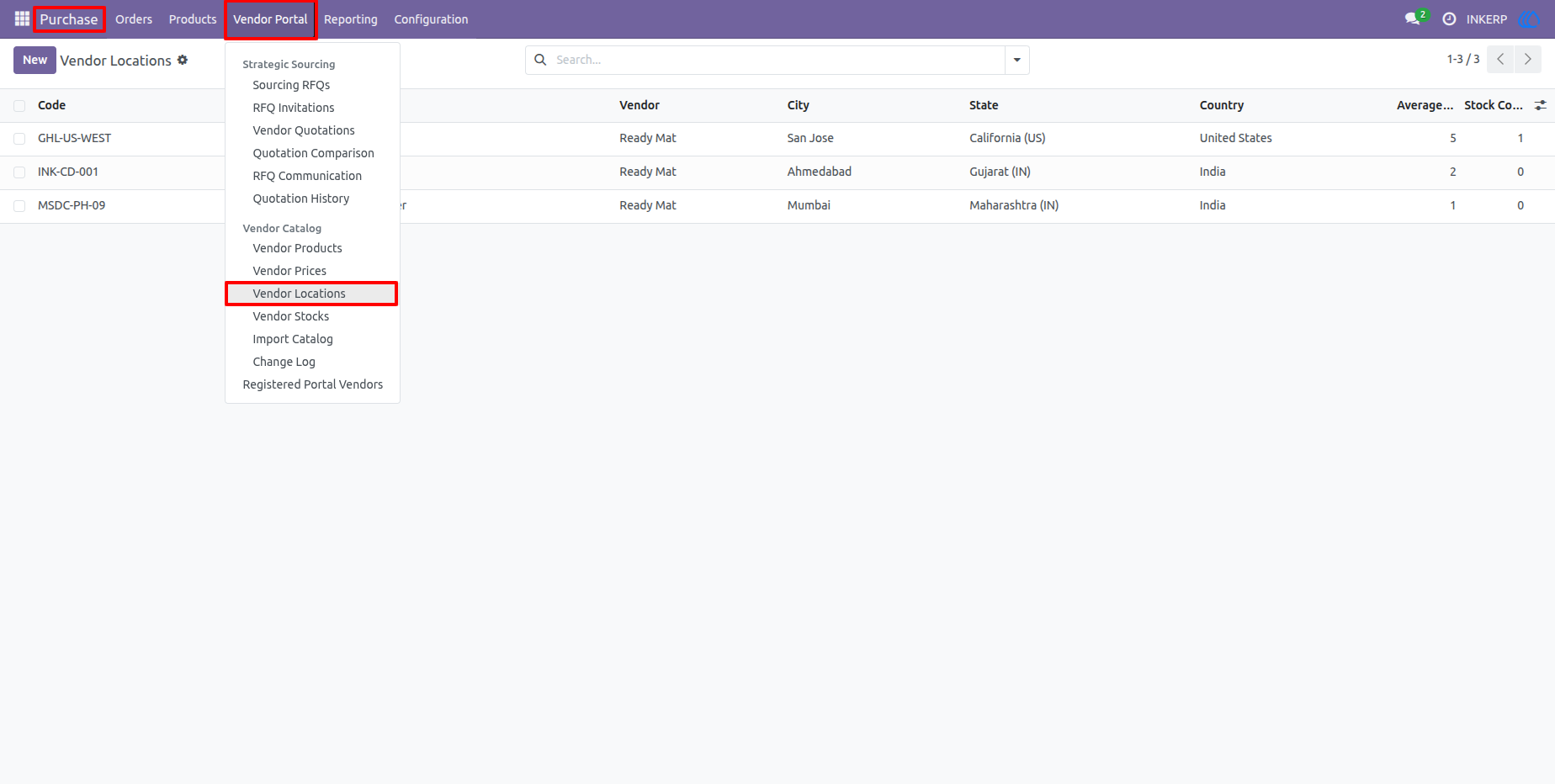
12.) Internal Vendor Location Management
The backend location list provides a complete internal view of supplier locations, including vendor, city, state, country, and related stock information. Purchase users can use this information when reviewing supplier availability and delivery options.
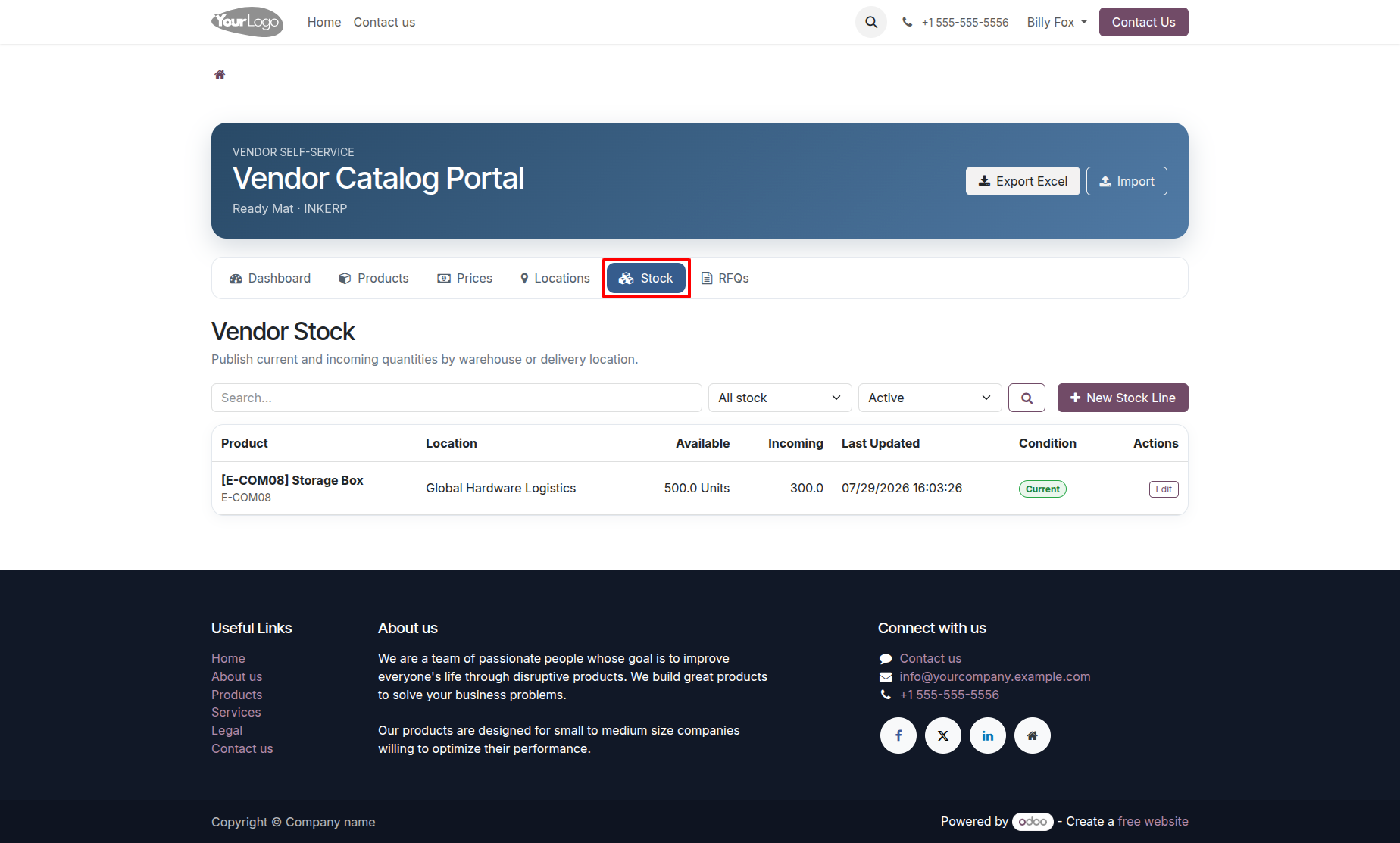
13.) Vendor Stock
The vendor stock page gives suppliers a clear view of the stock they have reported, including product, location, quantity, update information, and stock status. This makes supplier availability easier to communicate before an RFQ or purchase decision is made.
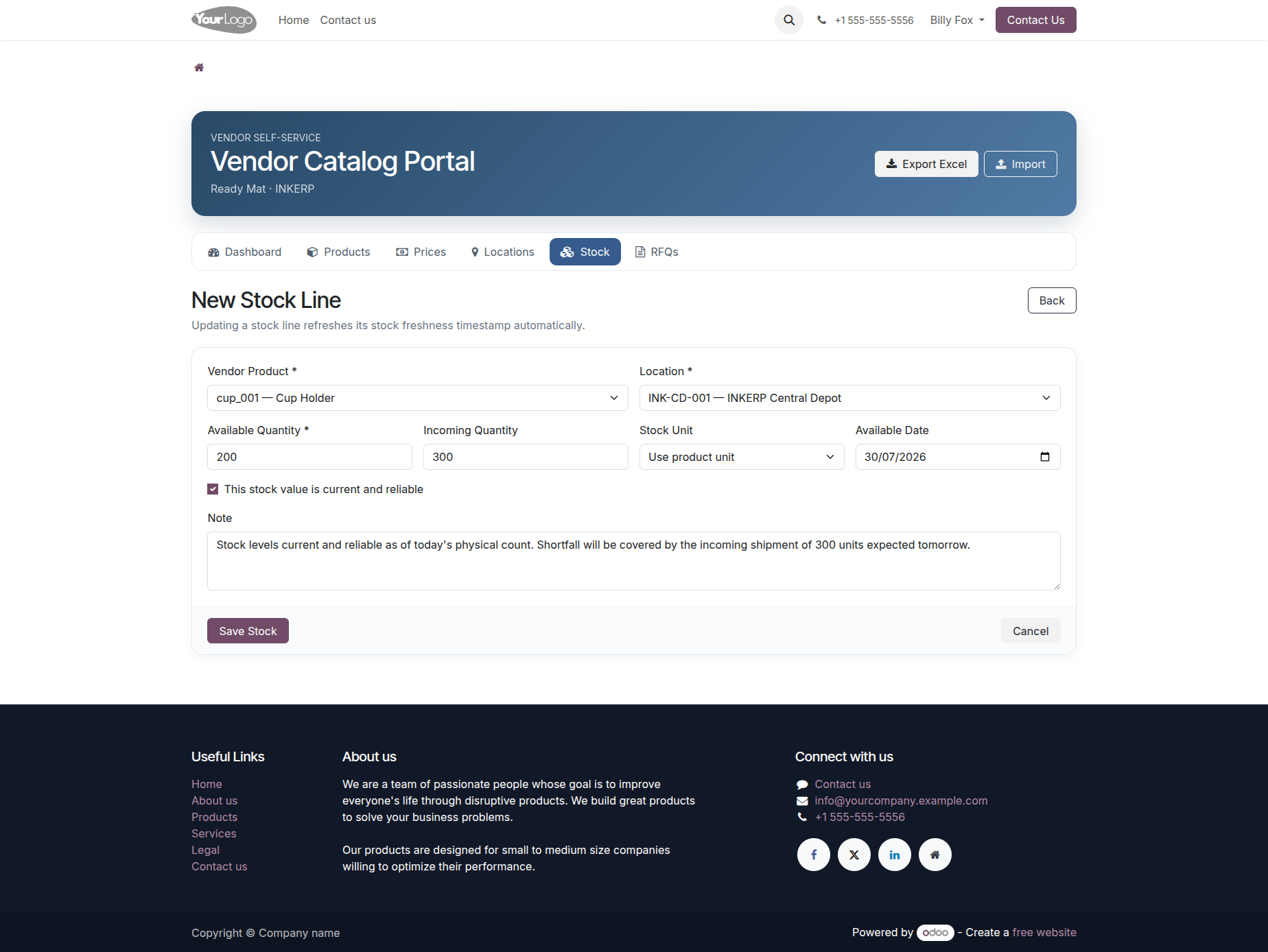
14.) Create Vendor Stock Entry
The stock form allows a vendor to update product availability by location with quantity and related stock information. Regular updates help keep supplier availability more reliable for purchasing and quotation evaluation.
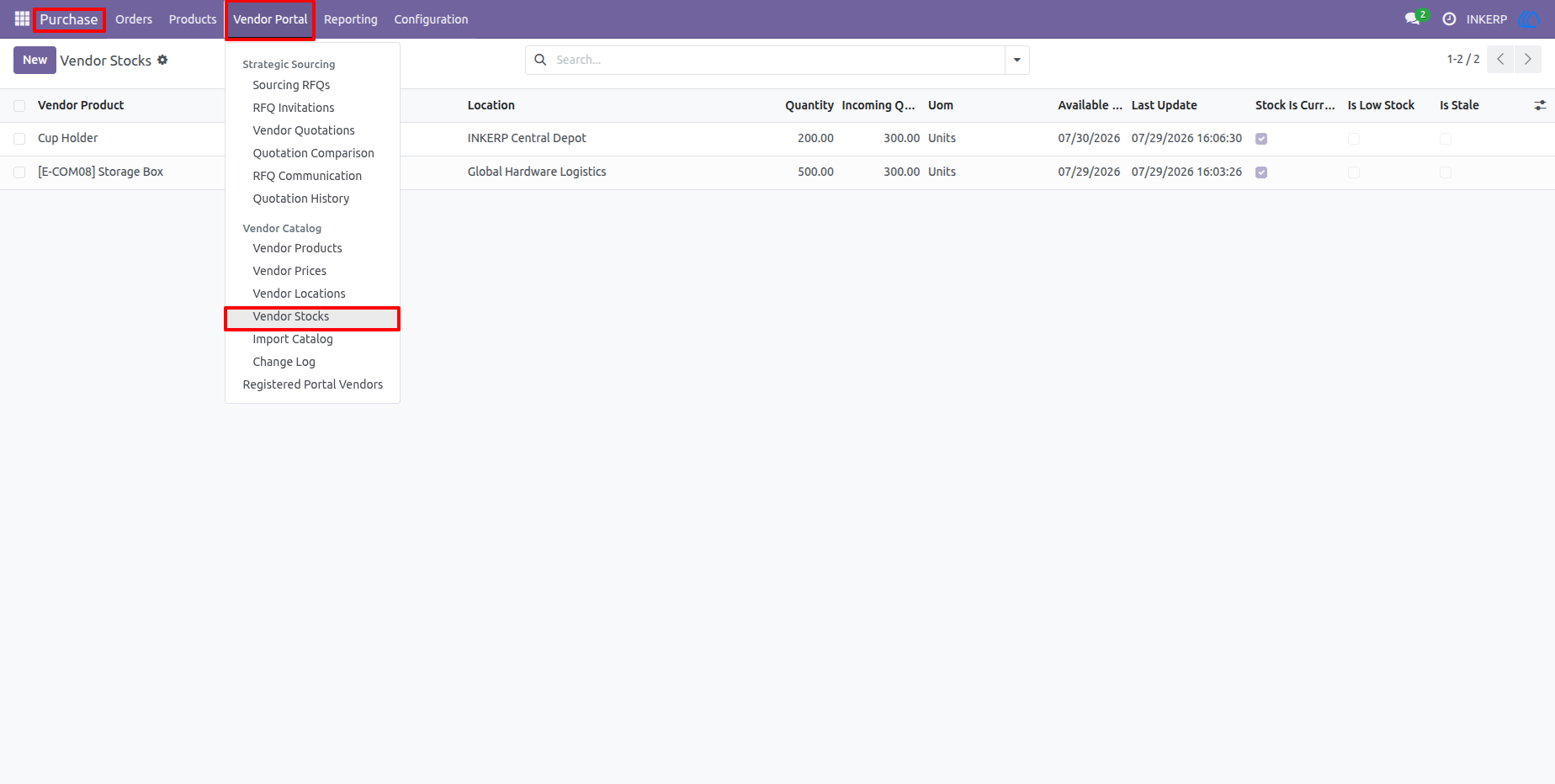
15.) Internal Vendor Stock Management
The internal stock list consolidates supplier stock information across locations so purchasing teams can review quantities, availability dates, freshness, and related status details. This provides a better view of supplier readiness before awarding business.
16.) Vendor Qualification Documents
The qualification document area provides a central place to record supplier certifications and other required documents. Verification and expiry information help purchase teams track whether vendor documentation is current and ready for use.
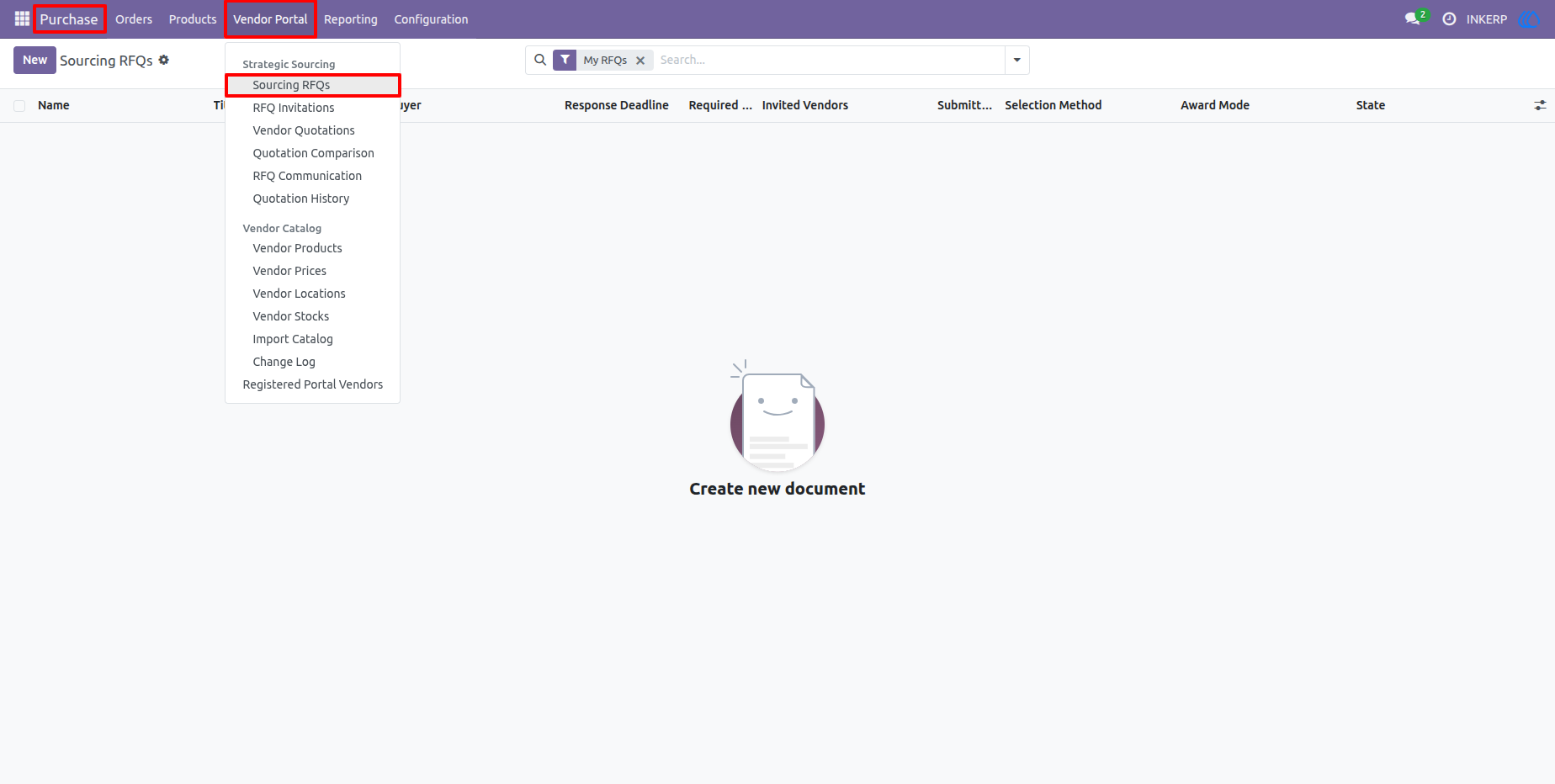
17.) Create and Configure a Sourcing RFQ
The sourcing RFQ form defines the procurement requirement, invited vendors, requested products, quantities, target dates, response deadline, award method, and evaluation settings. This creates a controlled sourcing process before invitations are sent to suppliers.
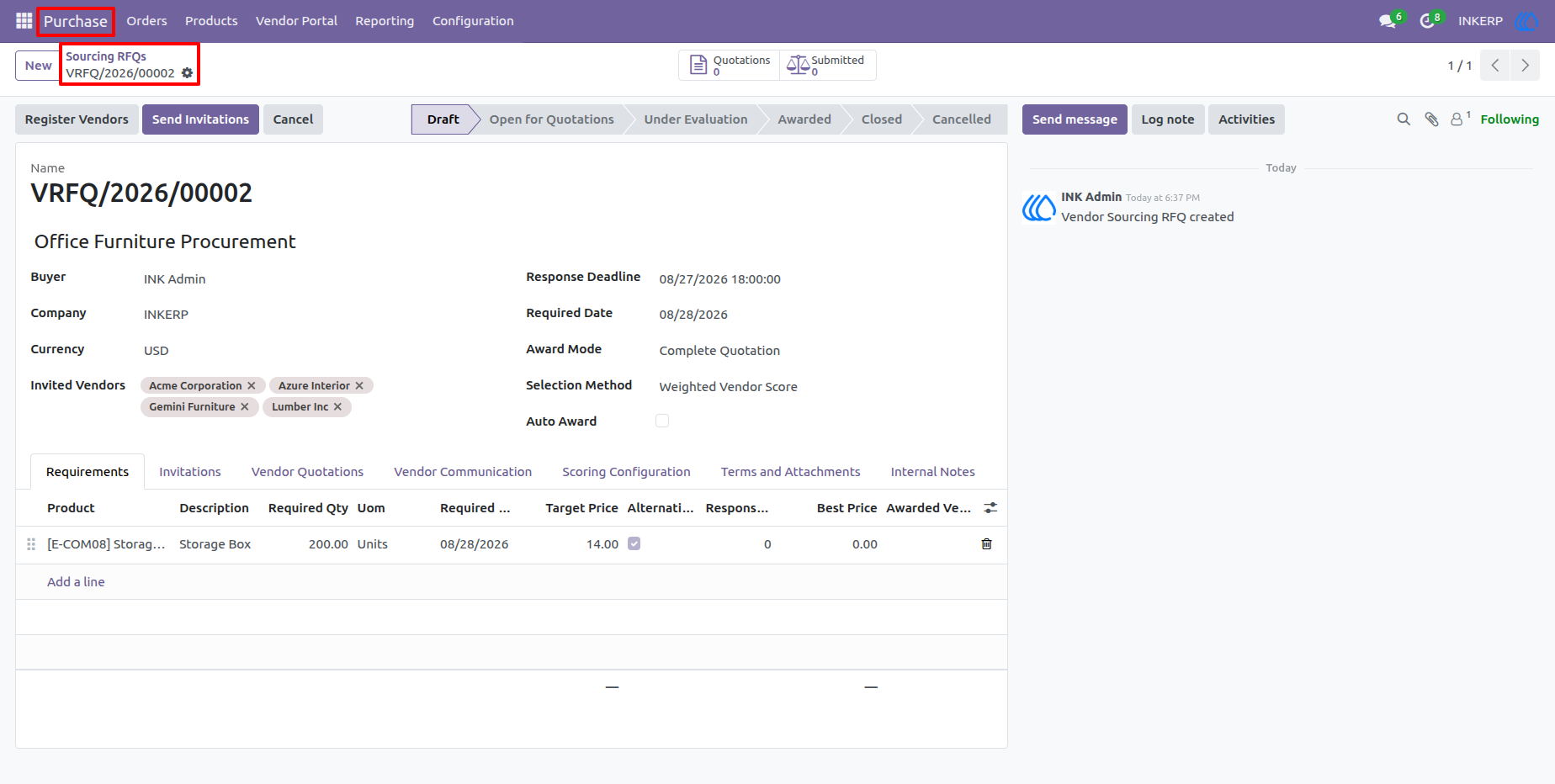
18.) RFQ Open for Quotations
Once the RFQ is opened for quotation, selected vendors can respond through the portal according to the configured sourcing rules. The internal screen tracks the RFQ status and provides access to invitations, quotations, evaluation, and communication activities.
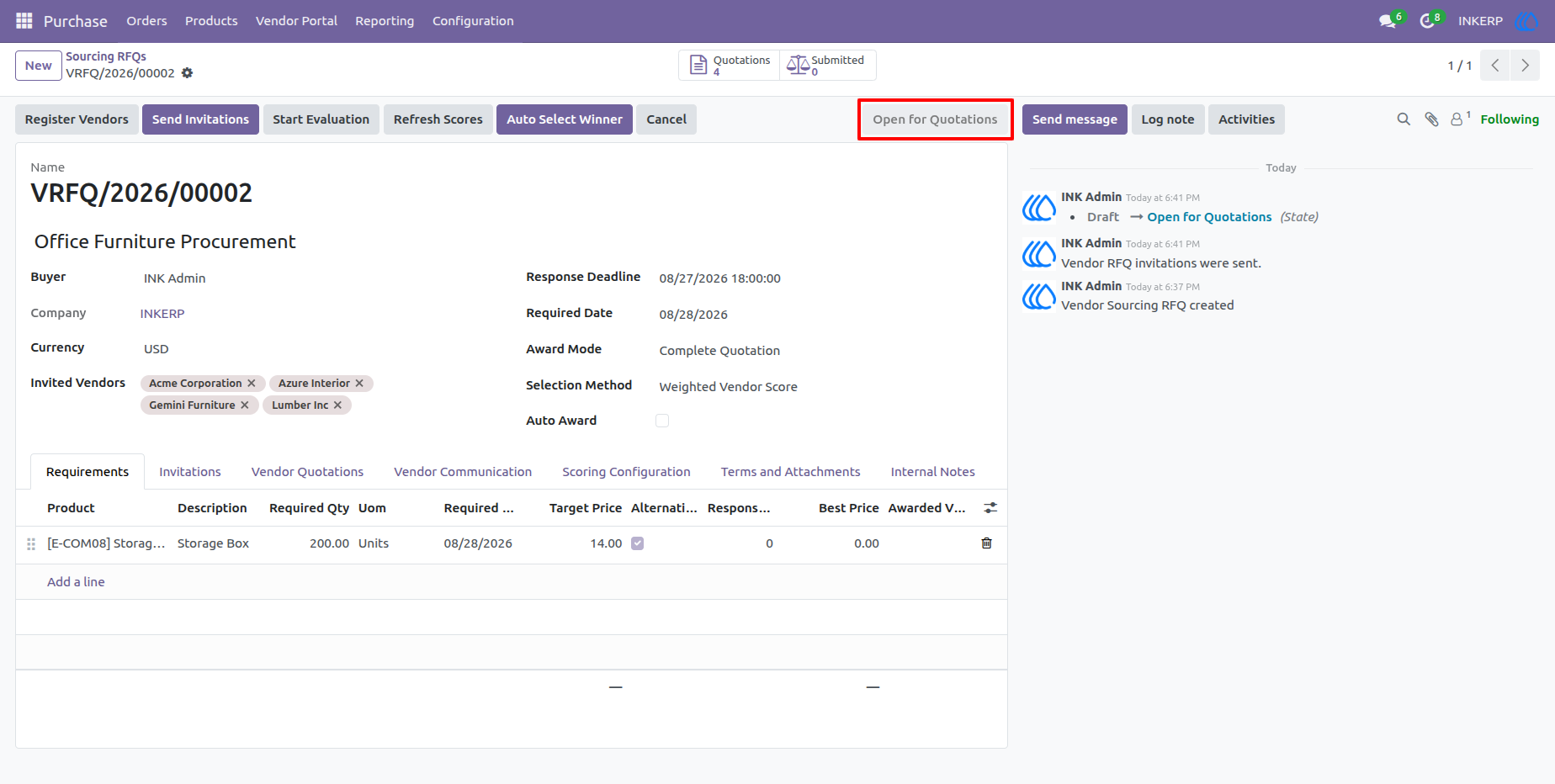
19.) Vendor RFQ List
The vendor portal RFQ page gives suppliers a clear list of sourcing opportunities with their deadlines, requirements, invitation status, and quotation status. Vendors can search the list and open the relevant RFQ when they are ready to respond.
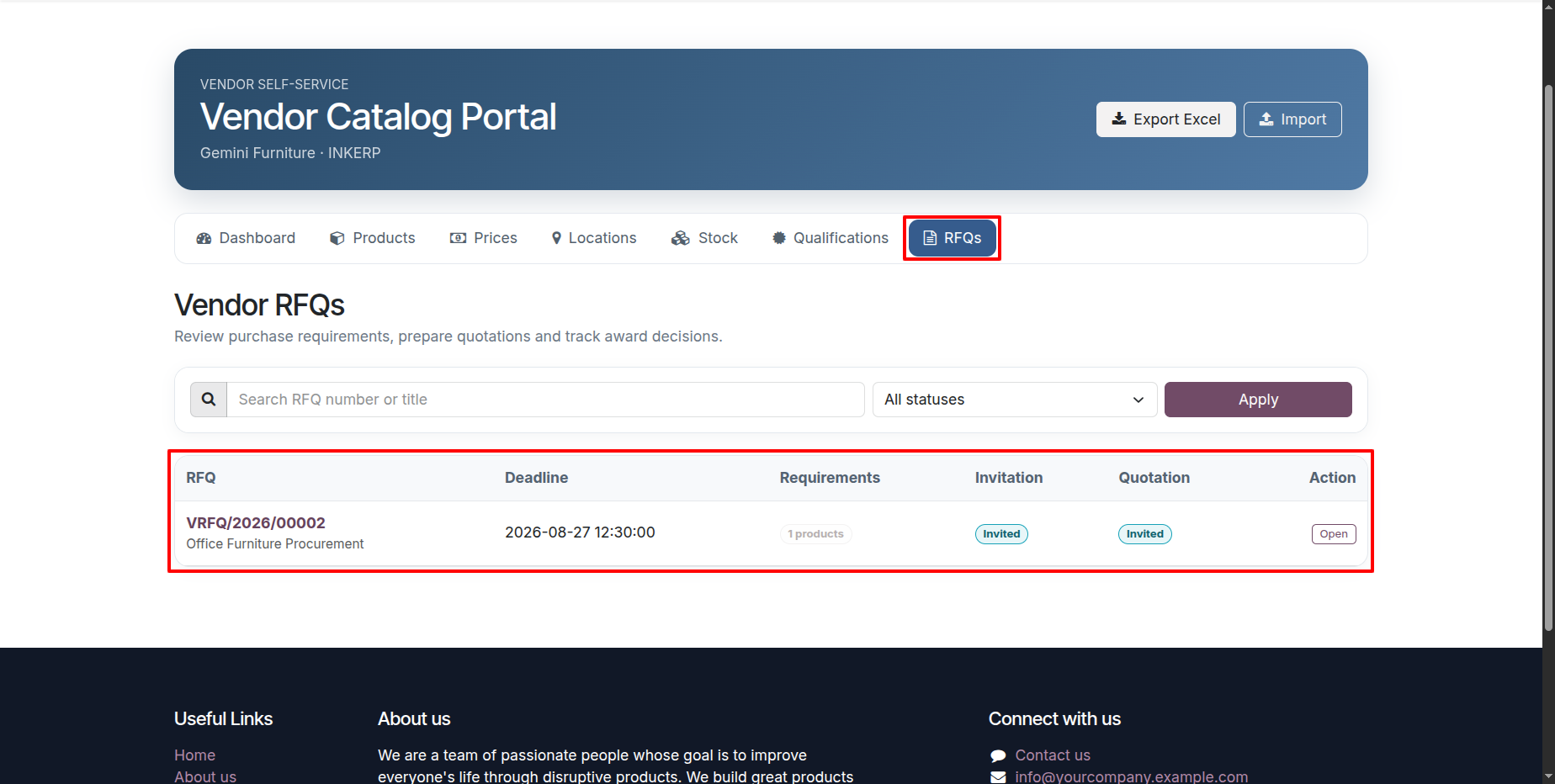
20.) Vendor RFQ Details
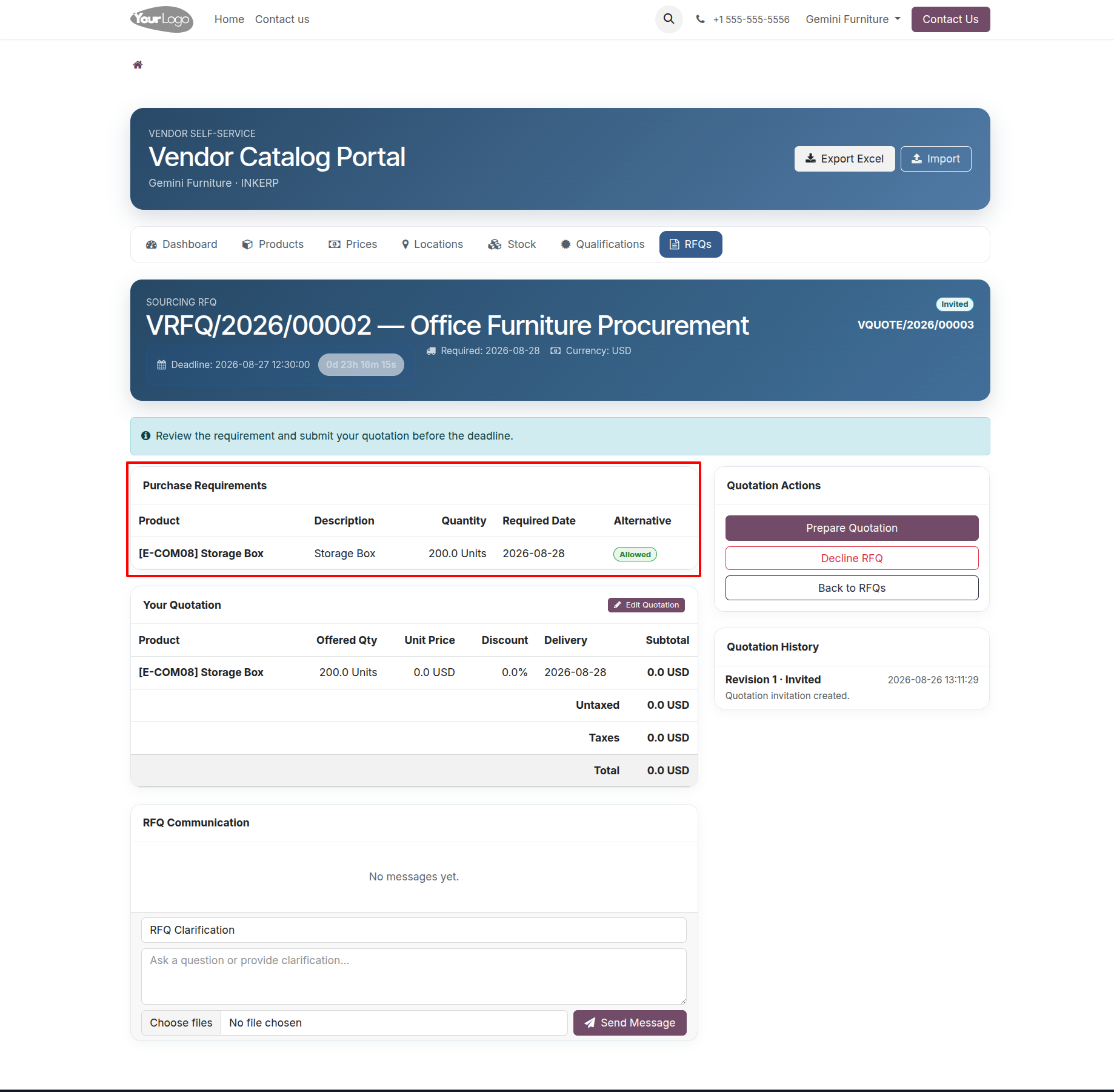
The RFQ detail page presents the purchase requirements, quantities, requested dates, supplier response information, and quotation actions in one place. Vendors can review the requirement carefully before deciding whether to prepare and submit an offer.
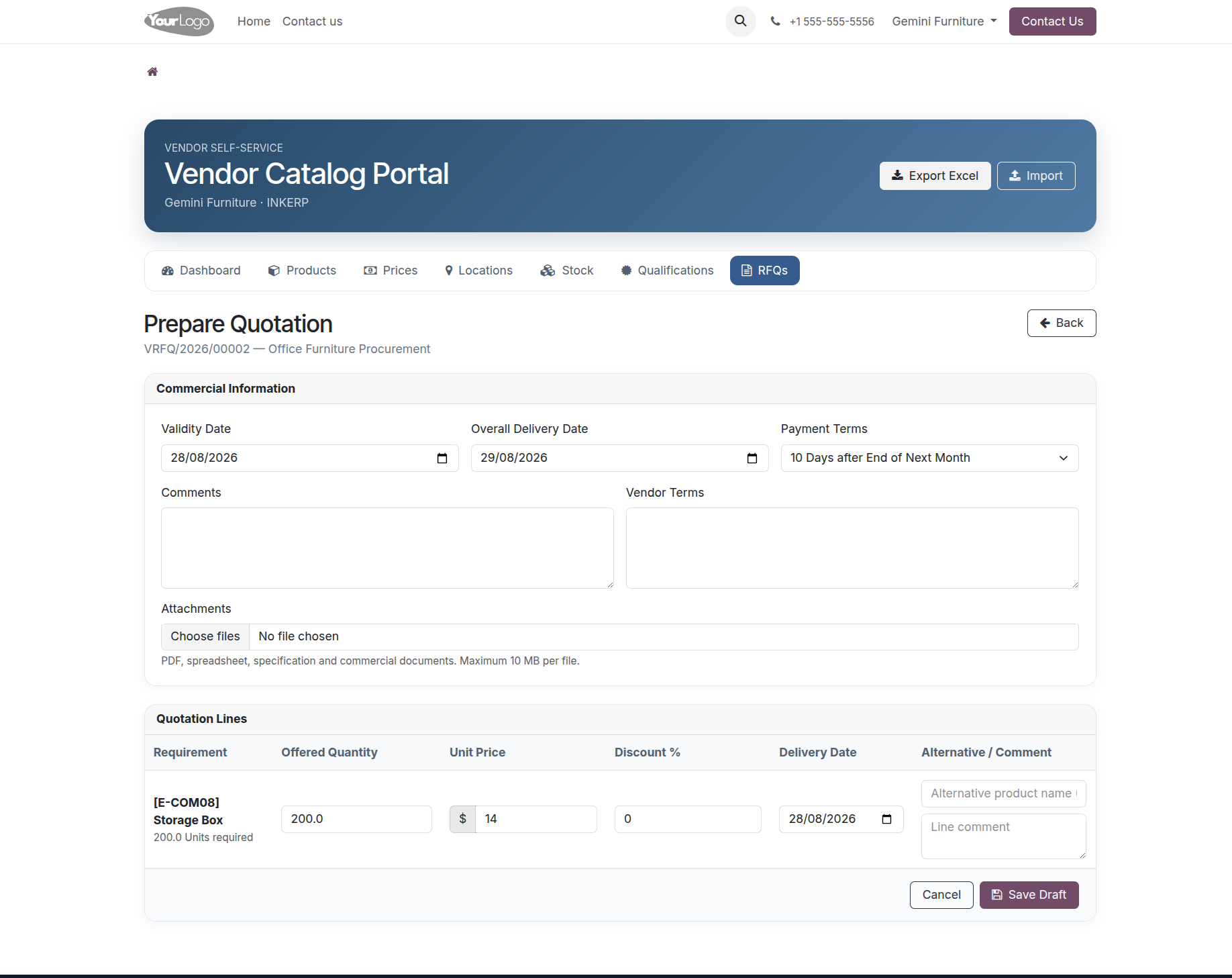
21.) Prepare Vendor Quotation
The quotation preparation page allows the supplier to enter offered quantities, unit prices, discounts, delivery dates, and other response details against the requested products. This structured form makes quotation submission easier and reduces manual back-and-forth with the purchasing team.
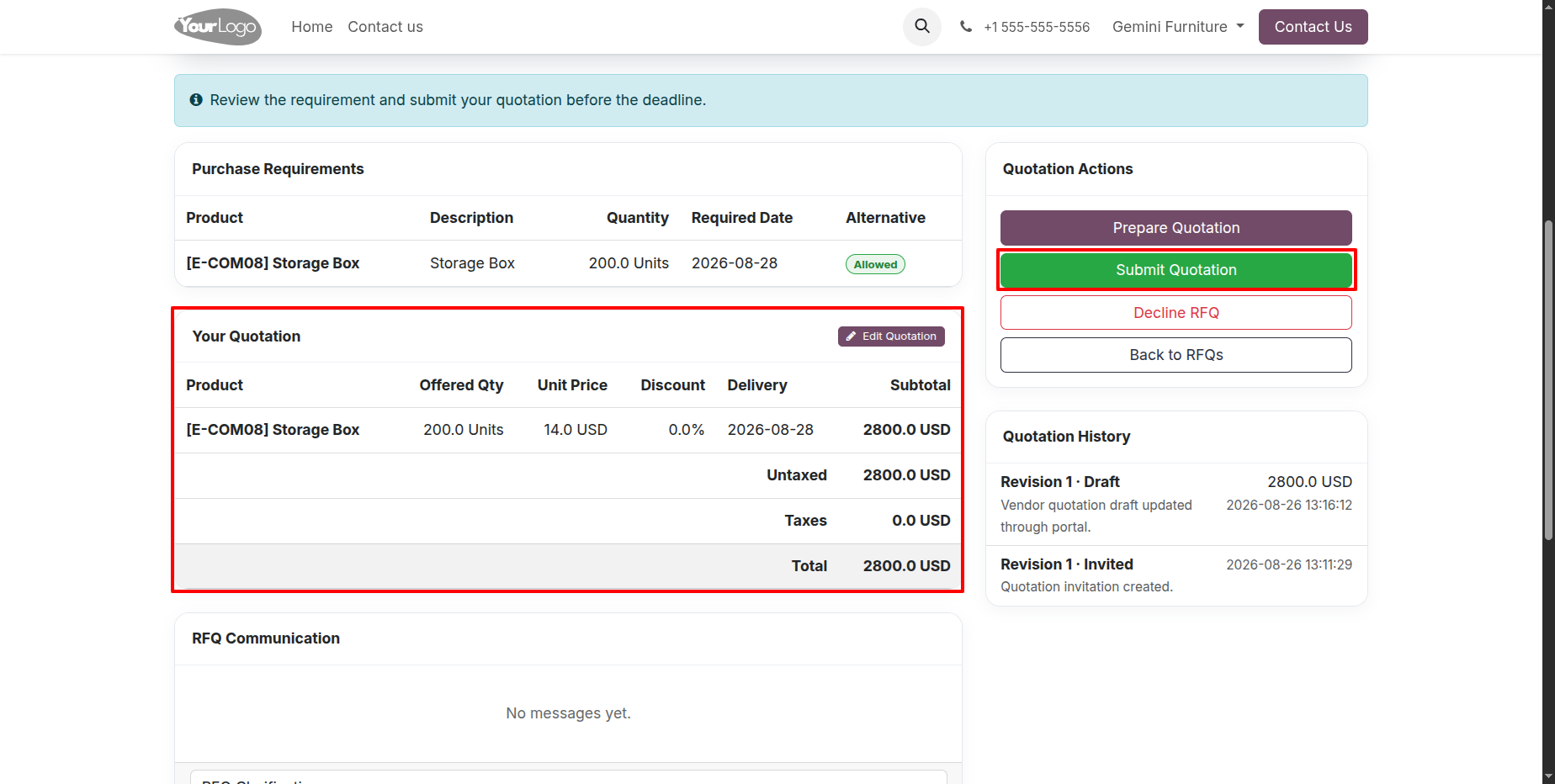
22.) Submit Vendor Quotation
The quotation page provides a final review of the supplier's response before submission, including offered quantities, prices, totals, and available quotation actions. Vendors can submit the completed offer directly from the portal when the response is ready.
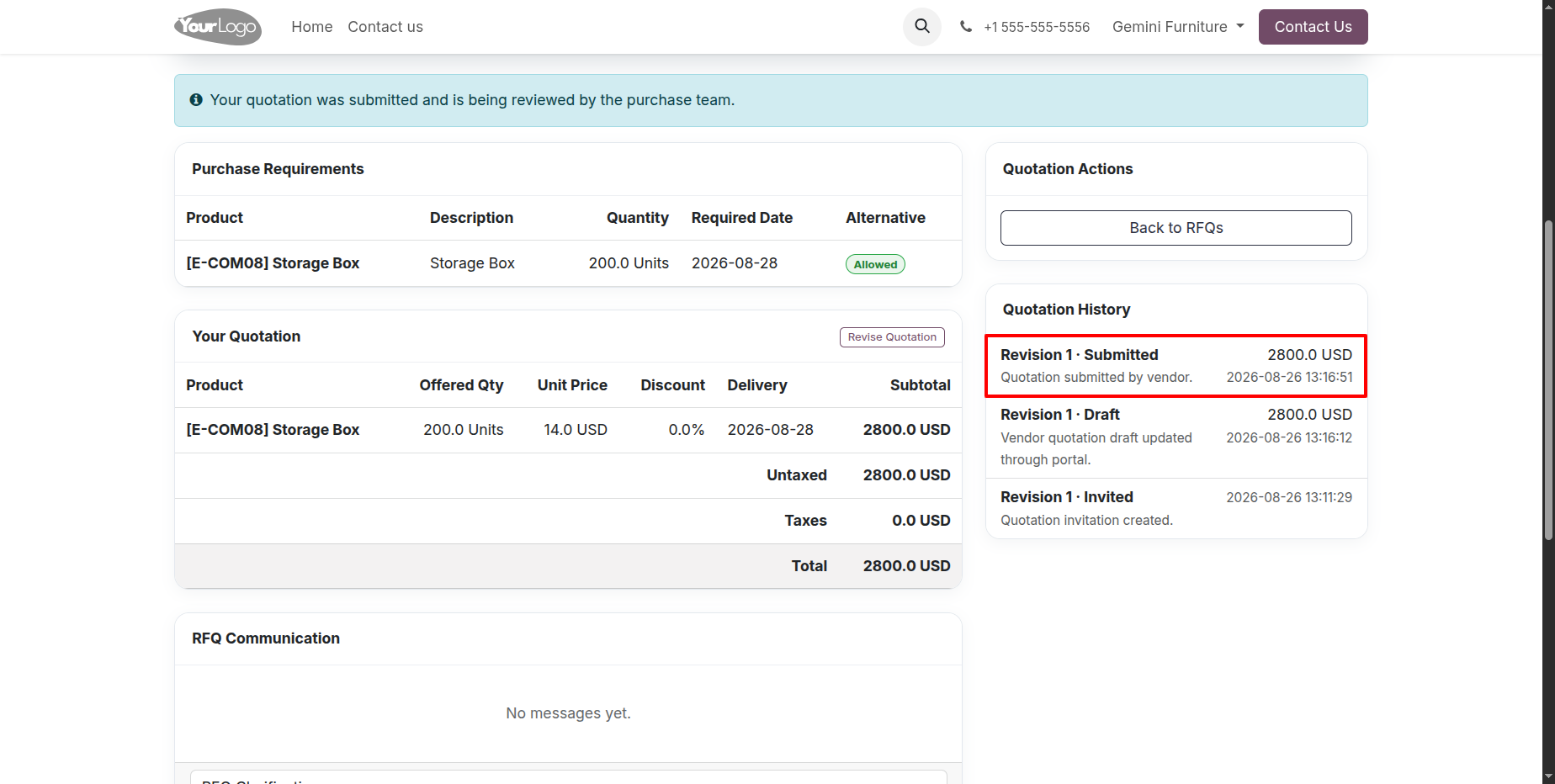
23.) Quotation Revision and History
Quotation history keeps previous submissions and revisions visible so both sides can understand how the offer changed over time. This is useful when the purchasing team requests an update or the vendor submits a revised quotation before the RFQ deadline.
24.) RFQ Under Evaluation
Once quotation responses are received, the internal RFQ moves into evaluation so the purchase team can review supplier responses. The screen keeps the sourcing activity, received quotations, communication, and evaluation status together for easier decision-making.
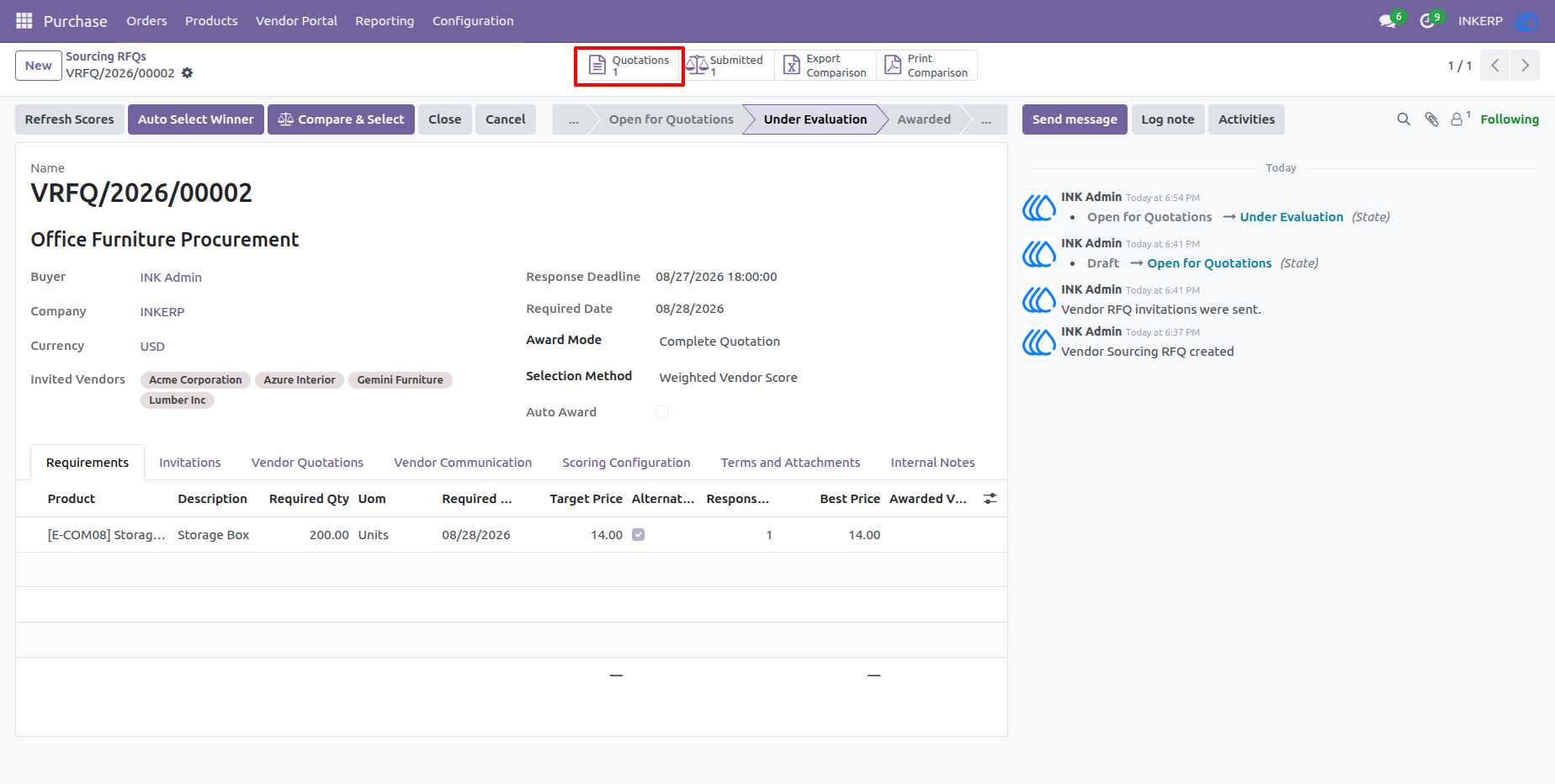
25.) Review Vendor Quotation
The vendor quotation form gives the purchasing team a detailed view of the supplier's commercial offer and supporting communication. Review actions can be used to assess the response, confirm the submitted information, and move the quotation toward approval or award.
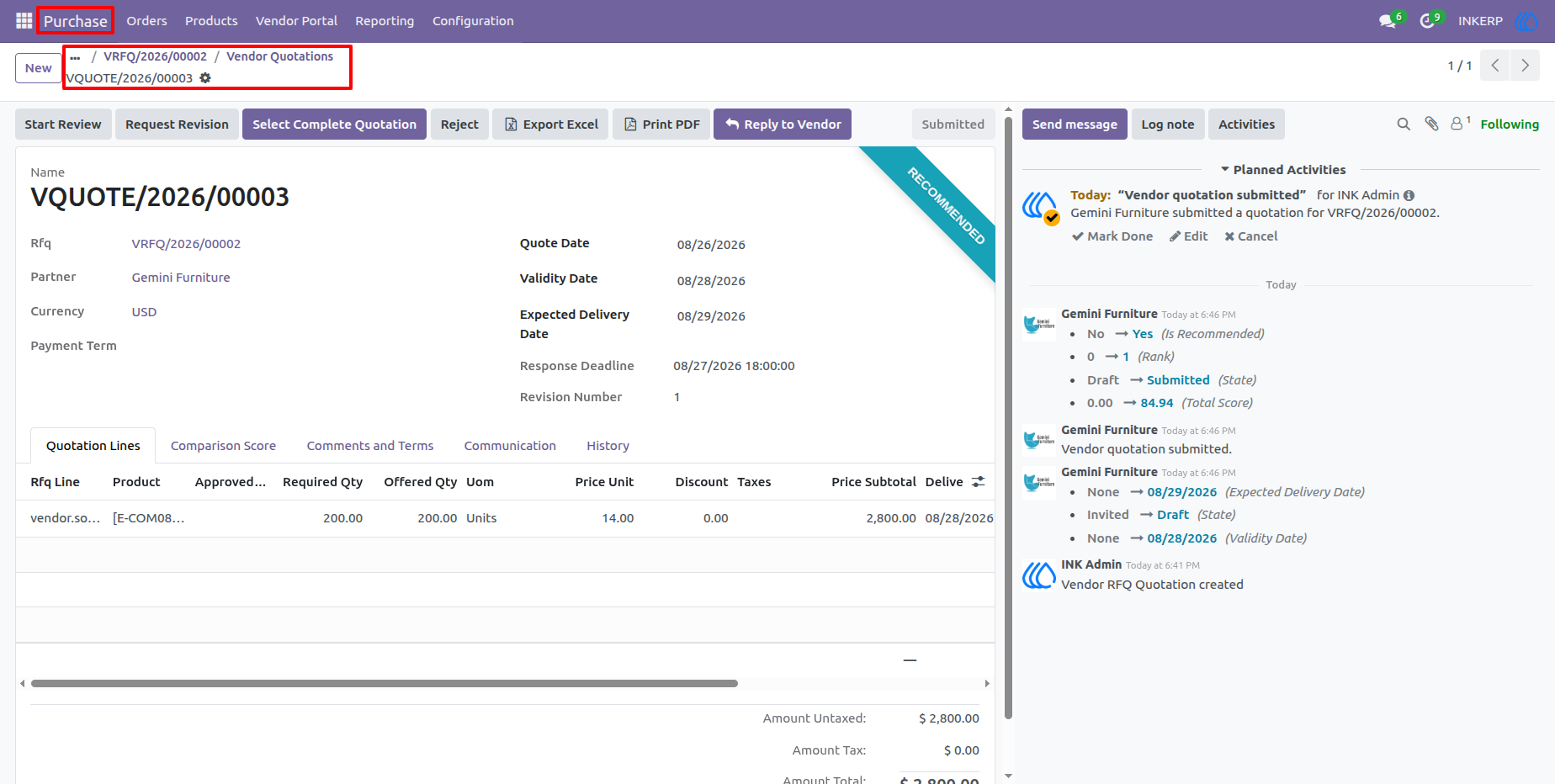
26.) Select Winning Quotation
The quotation evaluation workflow allows purchase users to select the preferred quotation based on the configured sourcing strategy. The result can be a complete quotation award or a line-level selection when different vendors are preferred for different requirements.
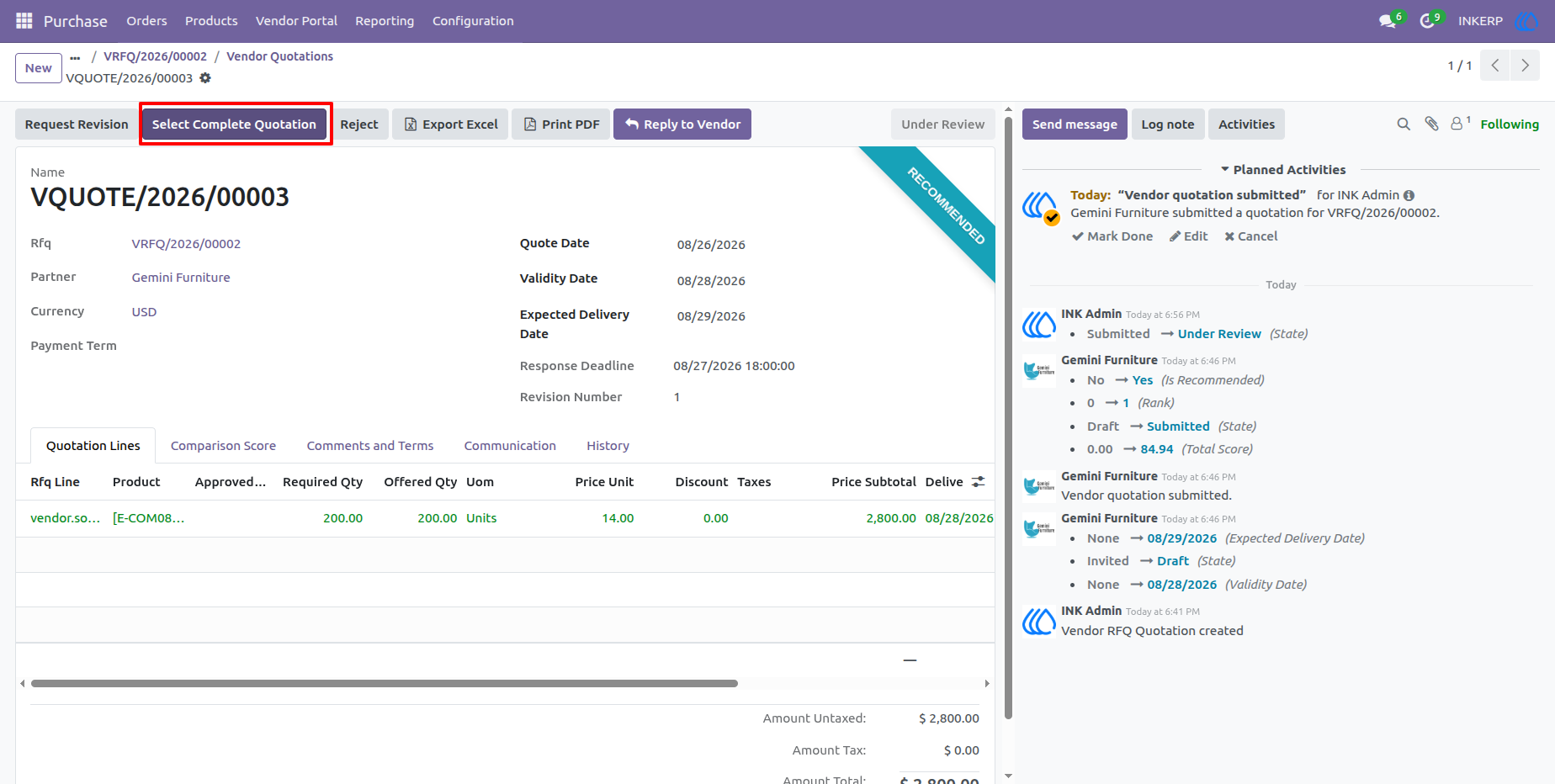
27.) Create Purchase Orders from Awarded Lines
After the winning offer is selected, the RFQ provides the action to generate purchase orders from awarded quotation lines. This connects the sourcing decision directly to purchasing and reduces the need to recreate supplier and pricing information manually.
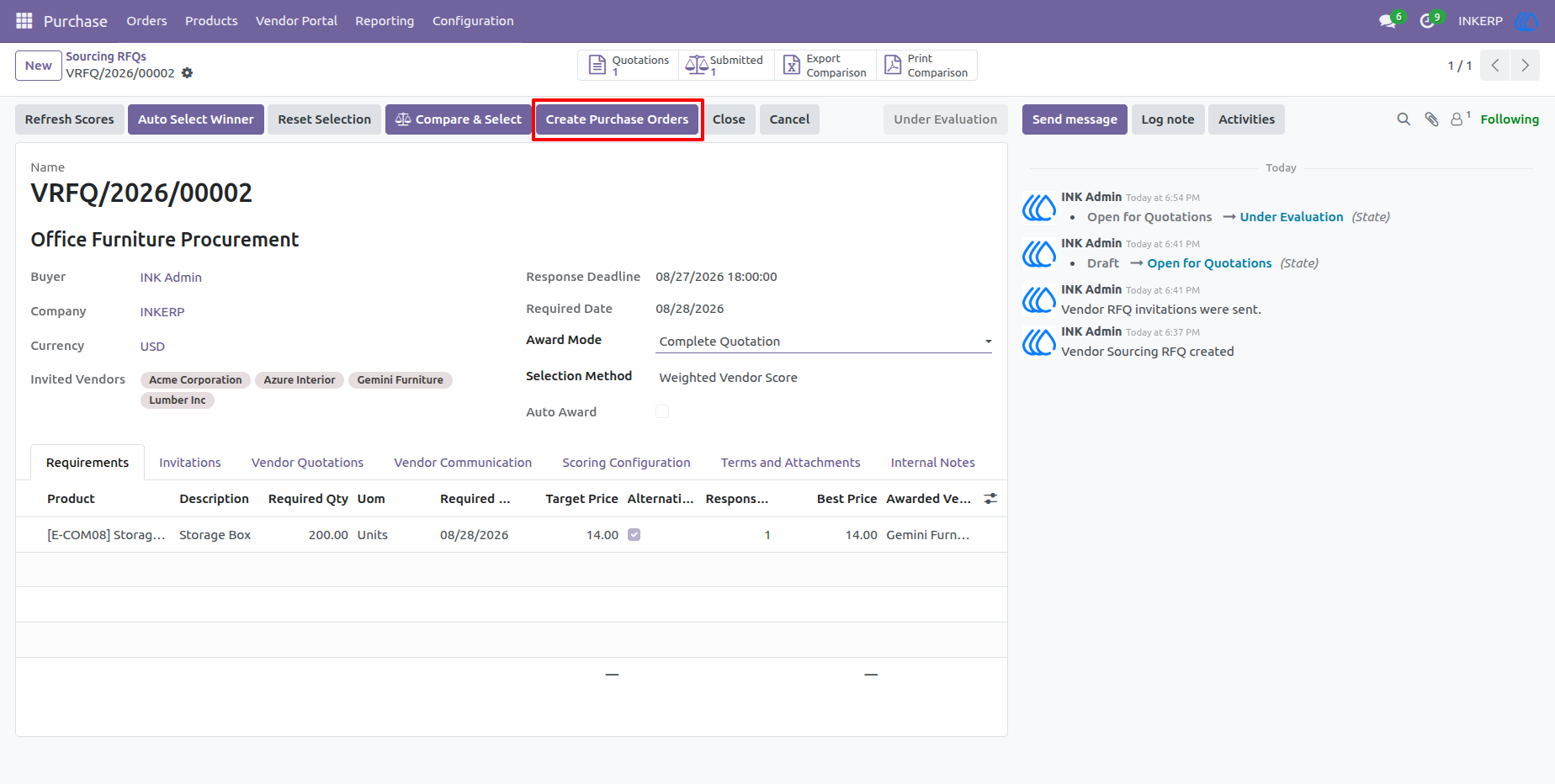
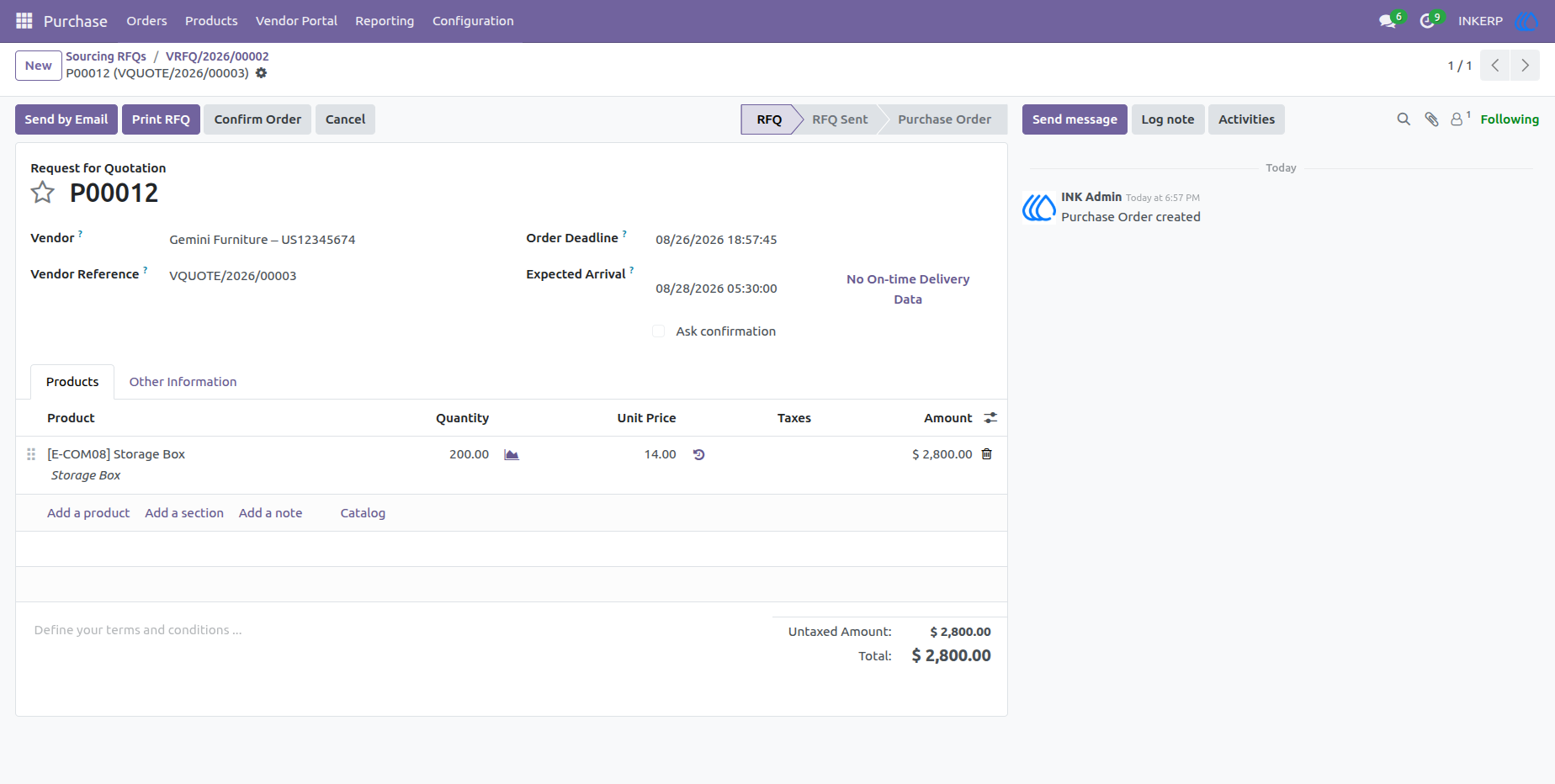
28.) Generated Purchase Order
The resulting purchase order contains the vendor, products, quantities, pricing, taxes, totals, delivery information, and sourcing reference carried from the awarded quotation. This completes the sourcing-to-purchase workflow while preserving a clear link back to the original RFQ and vendor response.
User Guide