

EXCLUSIVE CUSTOMER BENEFITS
FREE INSTALLATION
& 90 DAYS FREE SUPPORT!
No worries about installation! This module comes with free installation assistance and 90 days of free support, helping you get started smoothly and confidently.
✦ COMPLIMENTARY INSTALLATION & SUPPORT ✦
MORE VALUE • LESS HASSLE • A BETTER START
Our Most Suggested Products


User Wise Menu Sequence
This module allows each user to personalize their menu order in Odoo. It improves usability by letting users define or automatically save their preferred sequence of menus, ensuring smoother and more intuitive navigation.
 Features
 Screenshots
 Support
 Service
Features
User‑Specific Menu Order
Each user can customize the sequence of menus according to their workflow.
Independent Configuration
Settings are stored per user, without affecting others’ menu layouts.
Enhanced Usability
Makes navigation faster and more efficient for frequent users.
Seamless Integration
Works smoothly with Odoo’s existing interface and menu system.
Screenshot
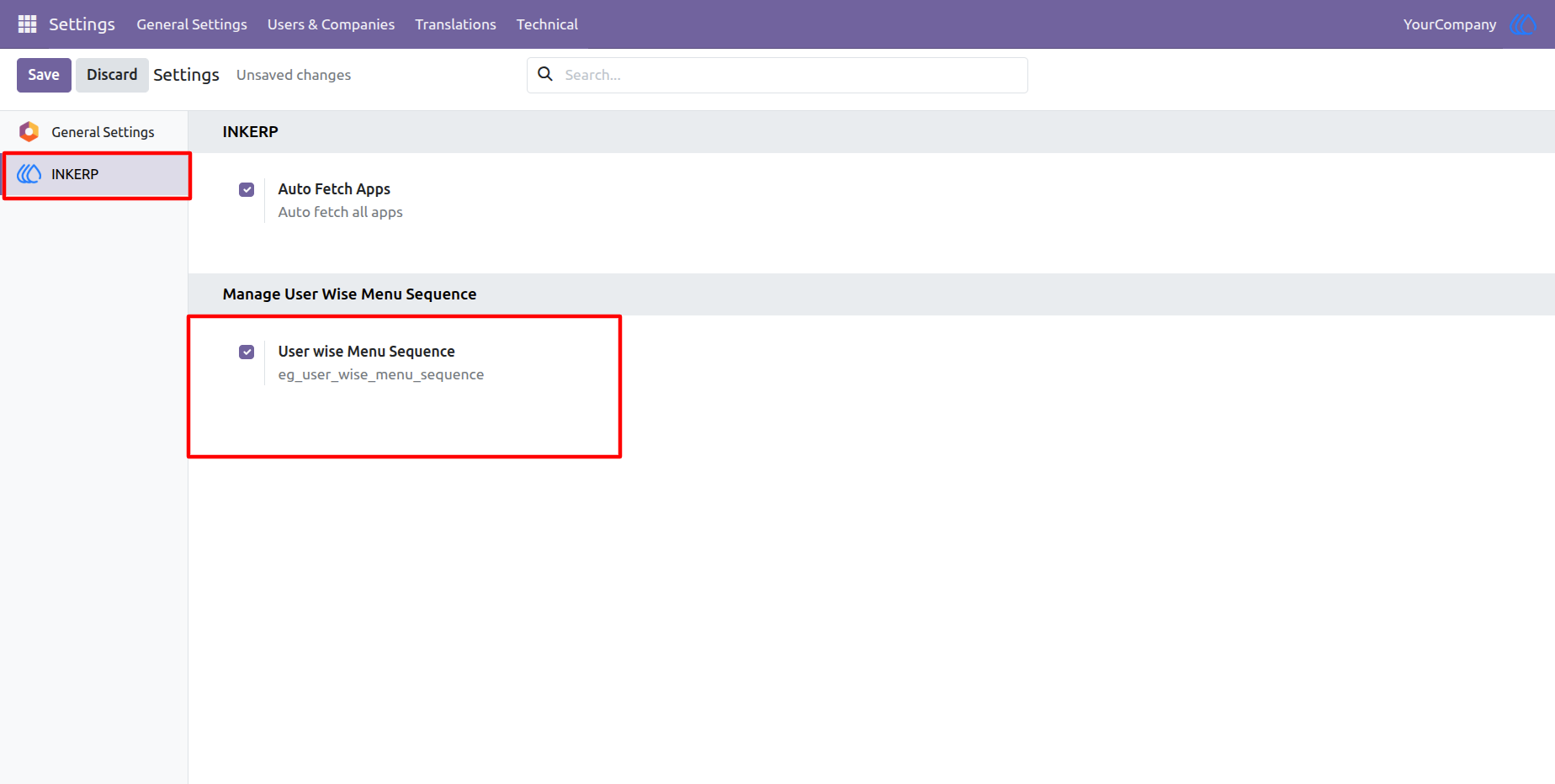
1.) Enable App Features From Settings Of INKERP :
The User Wise Menu Sequence is on by default but the admin can enable or disable it from INKERP settings. Disabling this will disable all functionality of the app.
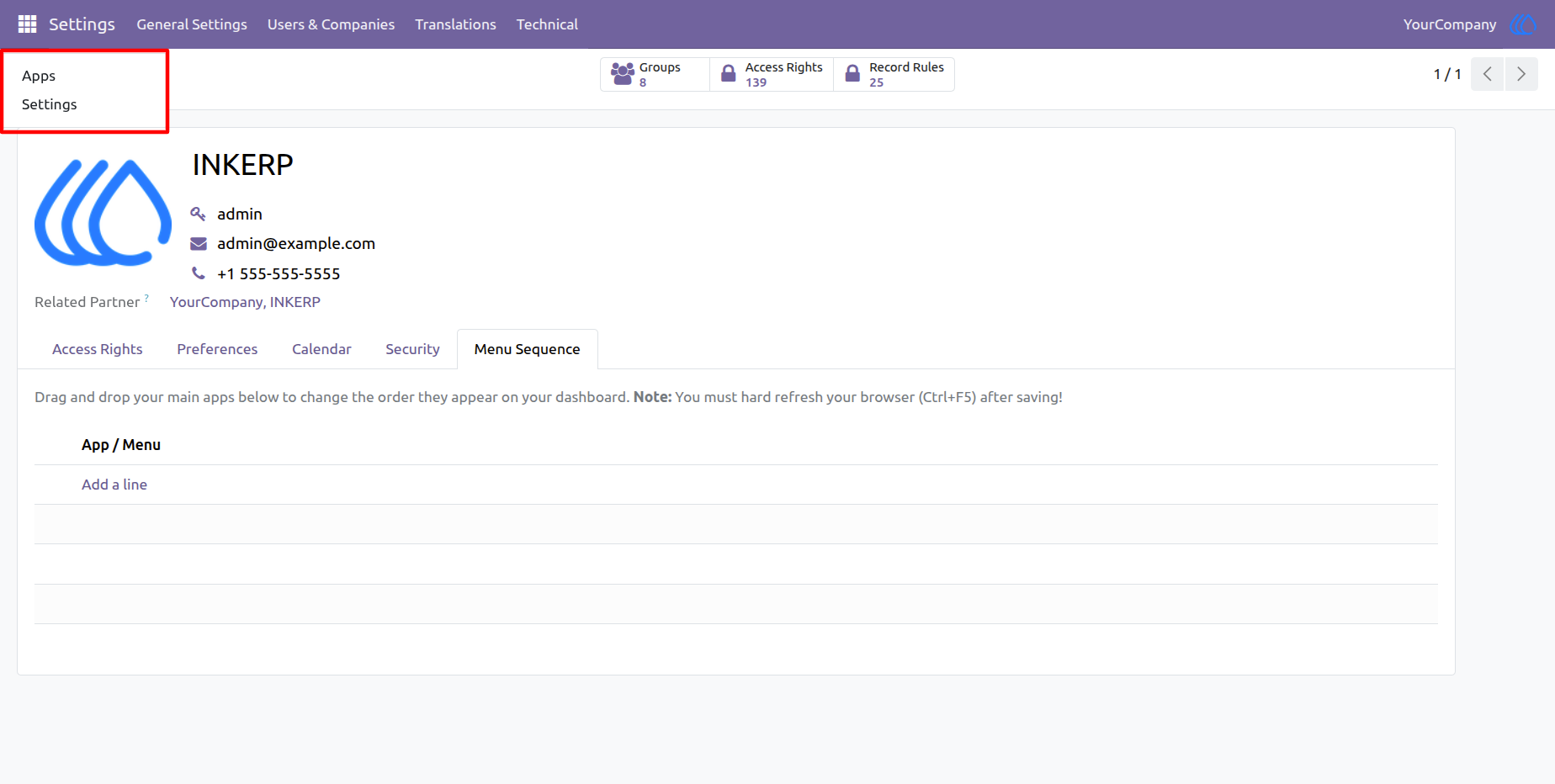
2.) Default Menu Sequence
Here you can see odoo default menu sequence.
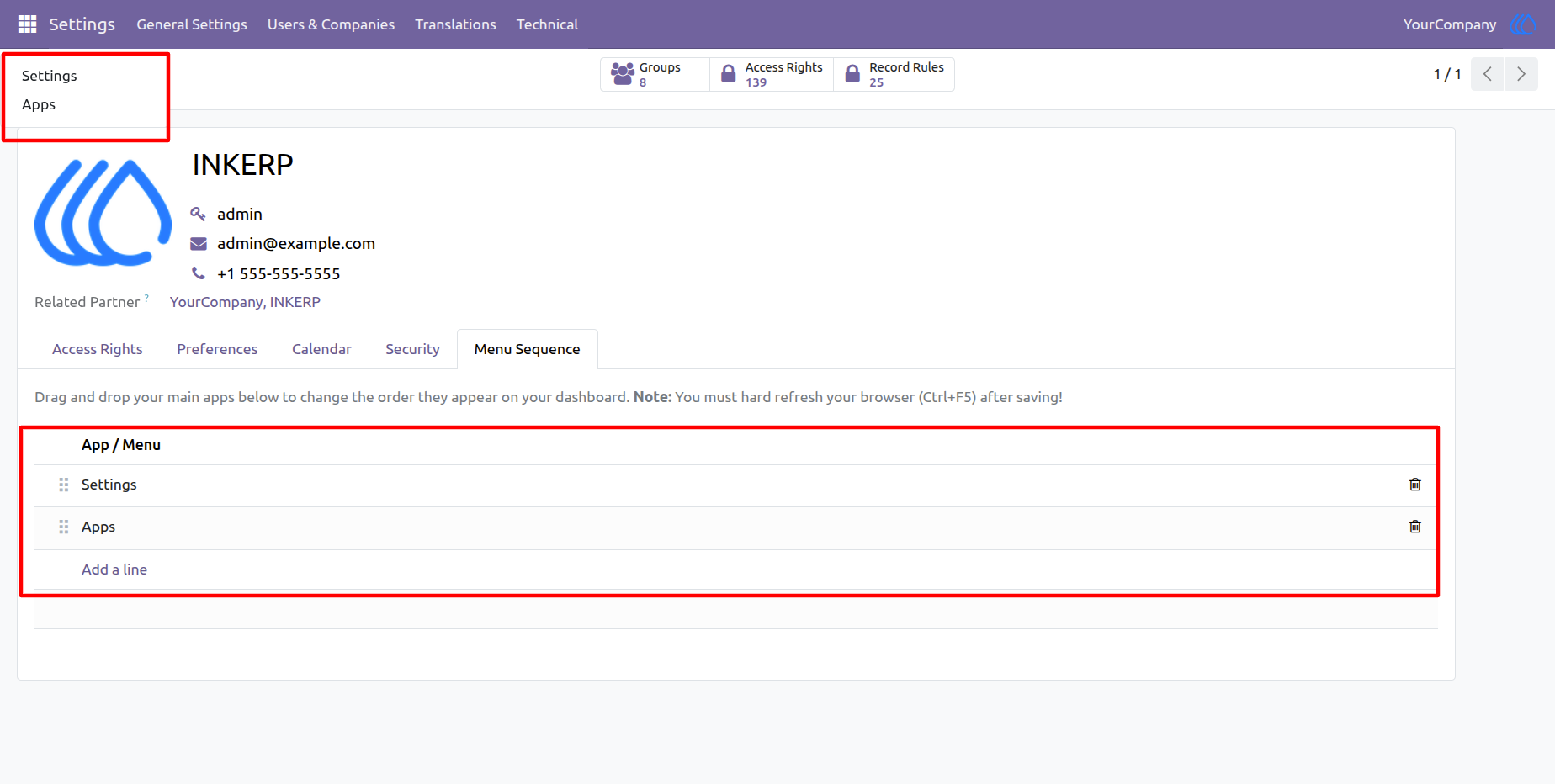
3.) User Wise Menu Sequence
Here you can see the menu order by user. And you can set the menu sequence by user in the Menu sequence tab here.
User Guide