

Our Most Suggested Products


Today Yesterday filter in PO
The Today Yesterday filter in PO module for Odoo introduces two new filters Today and Yesterday into the Purchase Order (PO) system. These filters enable users to easily identify Purchase Orders that were created on the current day (Today) or the previous day (Yesterday).
 Features
 Screenshots
 Support
 Service
Features
Today Filter
The Today Filter allows users to view all Purchase Orders (POs) or Requests for Quotation (RFQs) created on the current day. This feature significantly enhances the user experience by helping procurement teams quickly filter and manage orders for the day.
Yesterday Filter
With the Yesterday Filter, users can access Purchase Orders or RFQs created on the previous day. This feature is ideal for reviewing past orders, following up on any pending tasks from the previous day, or analyzing yesterday activities in detail.
Screenshot
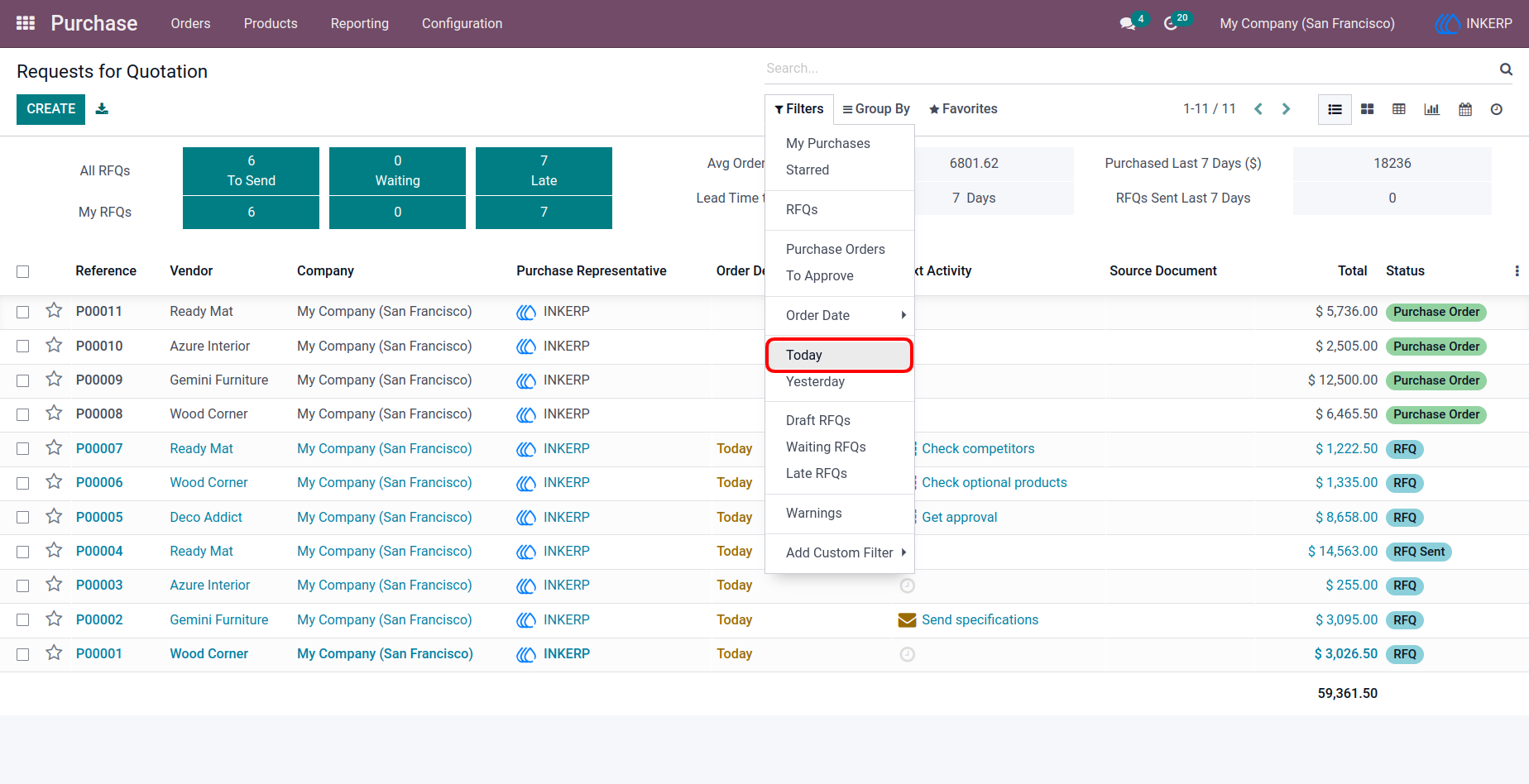
1.) Request for Quotation View
Users can easily spot the new Today and Yesterday filters in the Request for Quotation (RFQ) view. These filters streamline the process by showing only the RFQs that were created today or yesterday, making it easier for procurement teams to stay updated on the most recent orders.
Navigation : Purchase › Filters › Today/ Yesterday
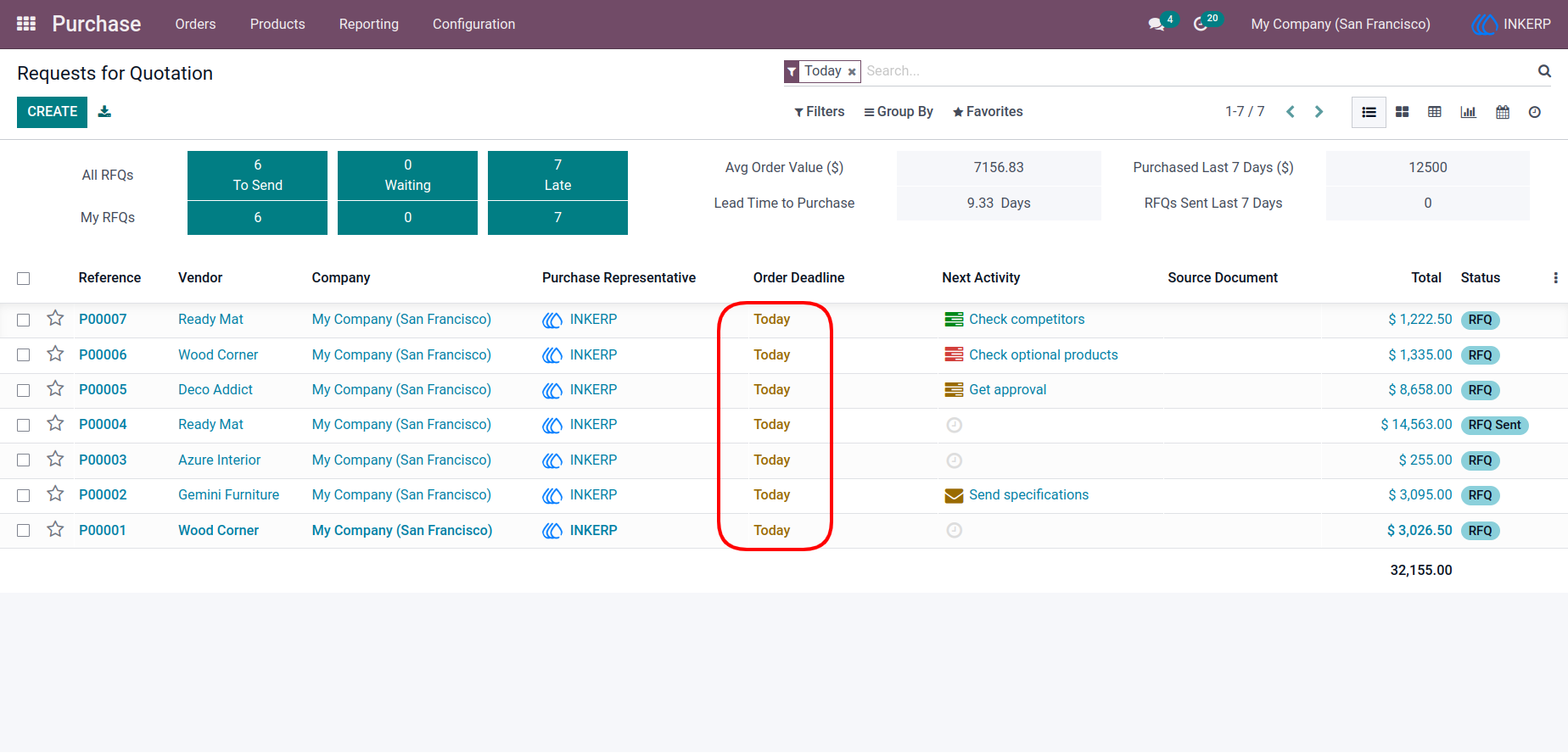
2.) RFQ View with Today Filter
The RFQ view with the Today filter applied. It displays all the RFQs created on the current day, helping users quickly access and act on the most recent orders.
User Guide