

Our Most Suggested Products


Bulk update Task Stage
The Bulk Update Task Stage module for Odoo streamlines project management by enabling users to update the stages of multiple tasks simultaneously. Instead of modifying tasks one by one, this module introduces a quick and efficient bulk action that saves time and reduces manual effort.
 Features
 Screenshots
 Support
 Service
Features
Bulk Task Stage Update
Managing multiple tasks becomes significantly easier with the ability to update their stages in one action. Users can select multiple tasks from the list view and apply a stage change instantly using the bulk action option.
Interactive Stage Selection Popup
A user-friendly popup interface appears when initiating the bulk update action, allowing users to choose the desired stage for selected tasks. This guided interaction ensures clarity and reduces the chances of incorrect updates.
Instant Confirmation and Result Visibility
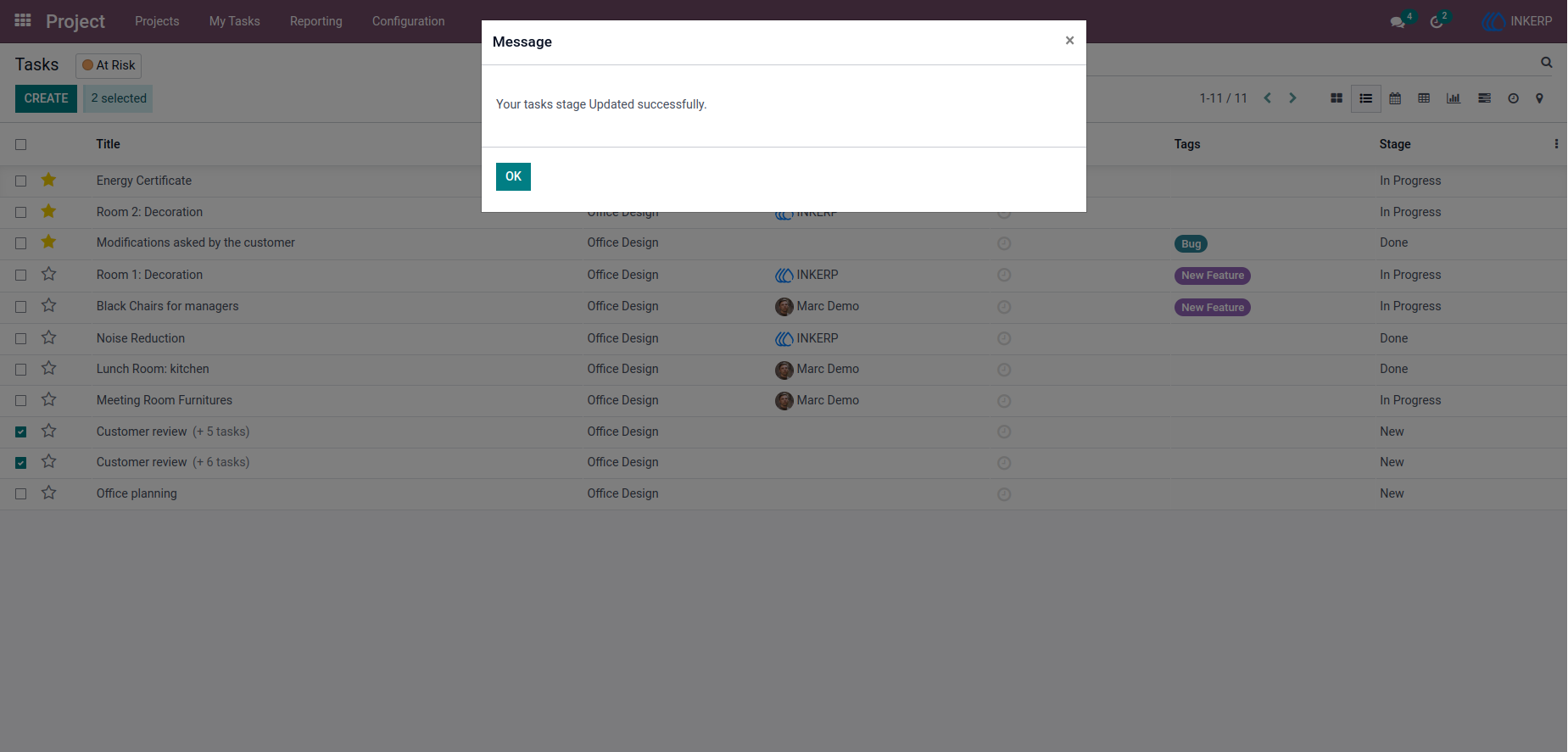
After selecting the stage, users receive immediate confirmation that the update has been successfully applied. This feedback provides assurance that the operation was completed without errors.
Screenshot
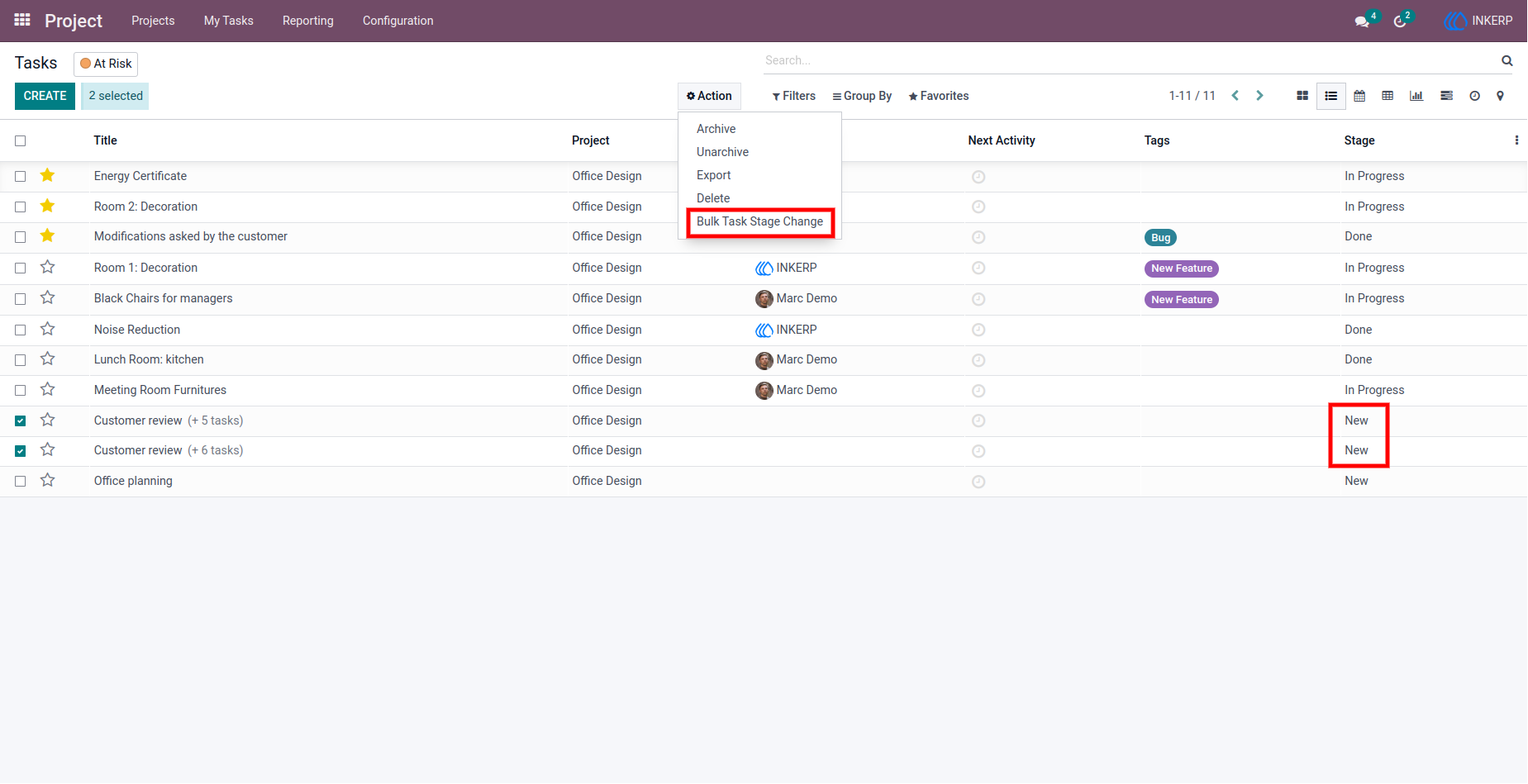
1.) Project Task List View
For change Tasks stage in bulk user have to select the task's and after selecting the Tasks go for 'Action' and click on 'Bulk Task Stage Change'.
Navigation : Project -> List view
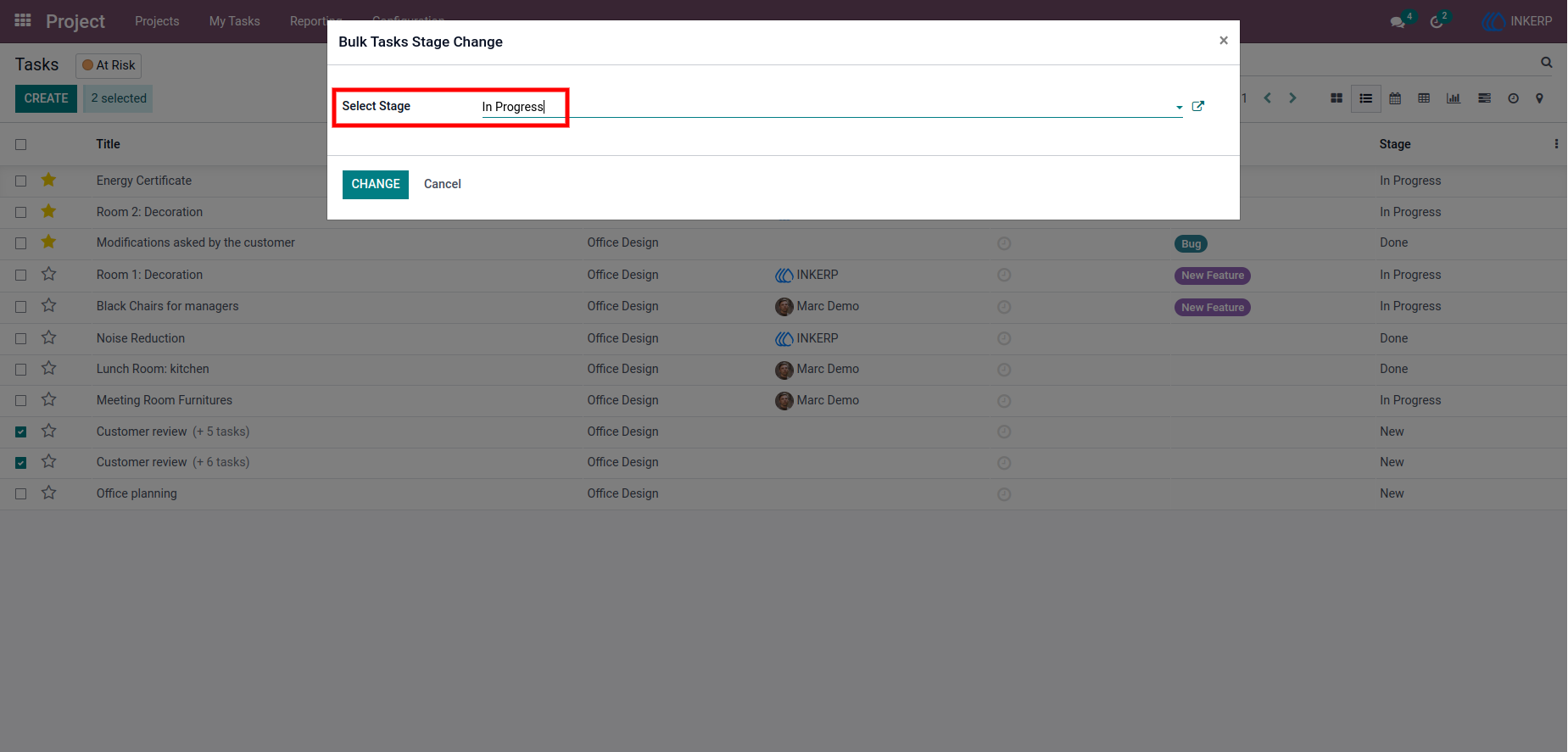
2.) Stage Selection Popup
A clean and focused popup interface that allows users to choose a new stage for all selected tasks.
3.) Update Confirmation Popup
A confirmation message provides immediate feedback after applying the stage change, reinforcing that the selected tasks have been successfully updated and are ready for the next step in the workflow.
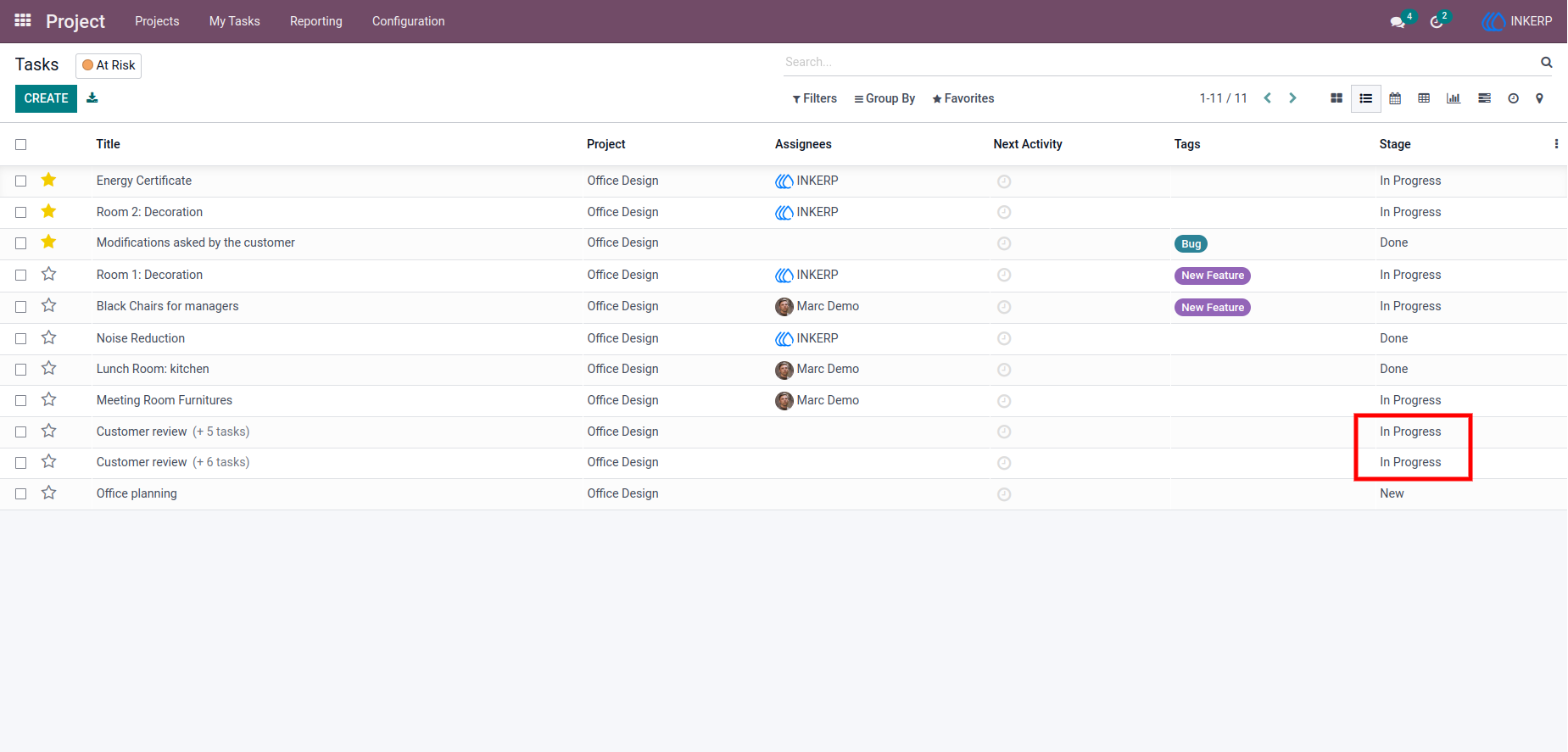
4.) Updated Task List View
The task list reflects the newly assigned stages, showing a seamless transition from previous statuses to the updated ones.
User Guide