

EXCLUSIVE CUSTOMER BENEFITS
FREE INSTALLATION
& 90 DAYS FREE SUPPORT!
No worries about installation! This module comes with free installation assistance and 90 days of free support, helping you get started smoothly and confidently.
✦ COMPLIMENTARY INSTALLATION & SUPPORT ✦
MORE VALUE • LESS HASSLE • A BETTER START
Our Most Suggested Products


Stock Location Based on Sales Team With Route
The Stock Location Based on Sales Team With Route App bridges the gap between Sales Teams and Inventory Routing. It enables businesses to configure specific warehouse routes for each sales team, ensuring that every order follows the correct logistics path automatically.
 Features
 Screenshots
 Support
 Service
Features
Sales Team Route Assignment
Each sales team can be linked to a predefined warehouse route.
Automatic Route Application
When a quotation or order is created, the system applies the team’s route automatically.
Source & Destination Control
Dictates exactly which source and destination locations stock should move from and to.
Efficiency Boost
Reduces manual configuration, saving time and minimizing errors.
Screenshot
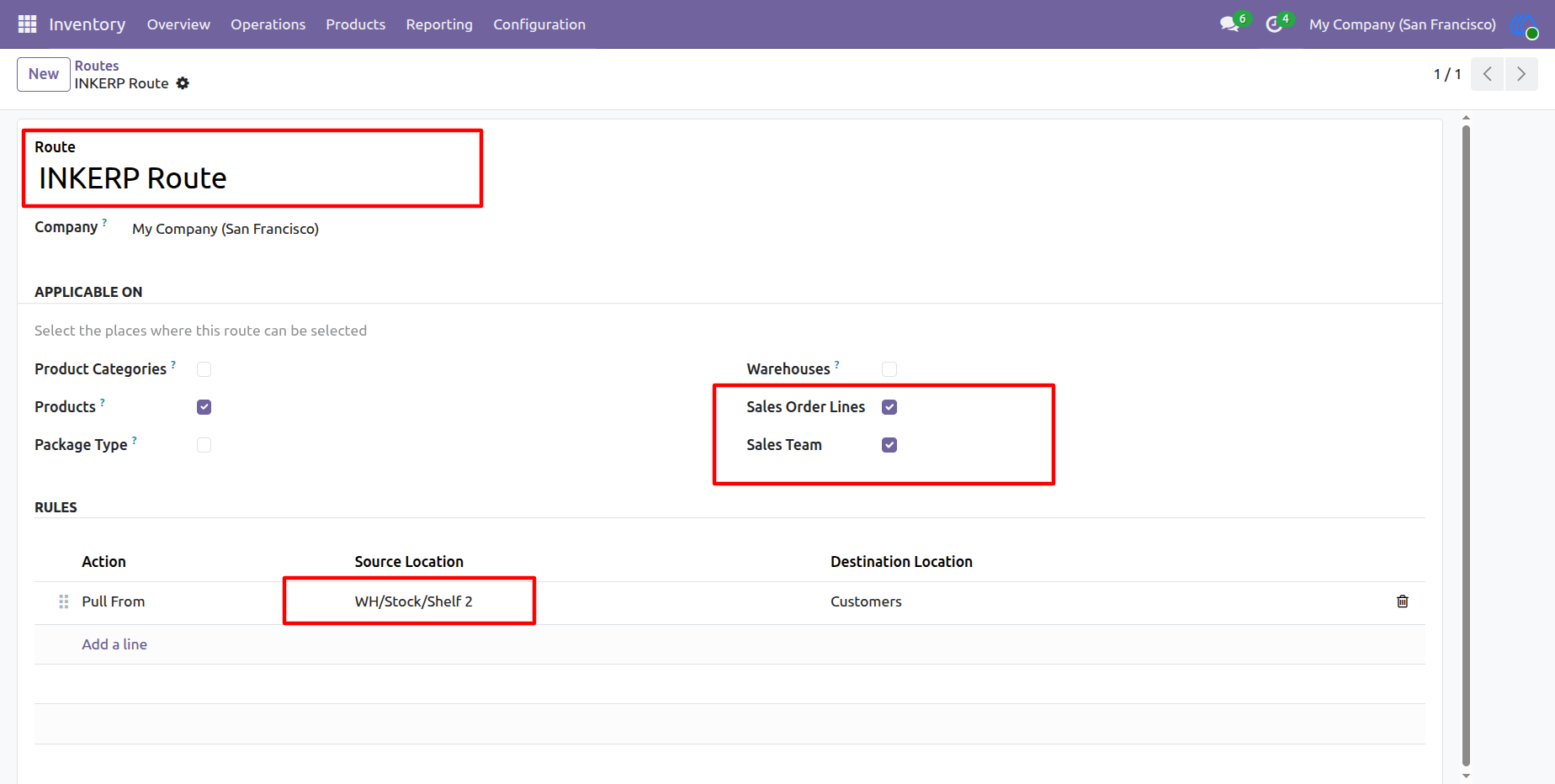
1.) Define Route Rules
Set the actions, source location, and destination location for the route. These rules dictate how stock moves when orders are processed. and enable "Sales Team" checbox.
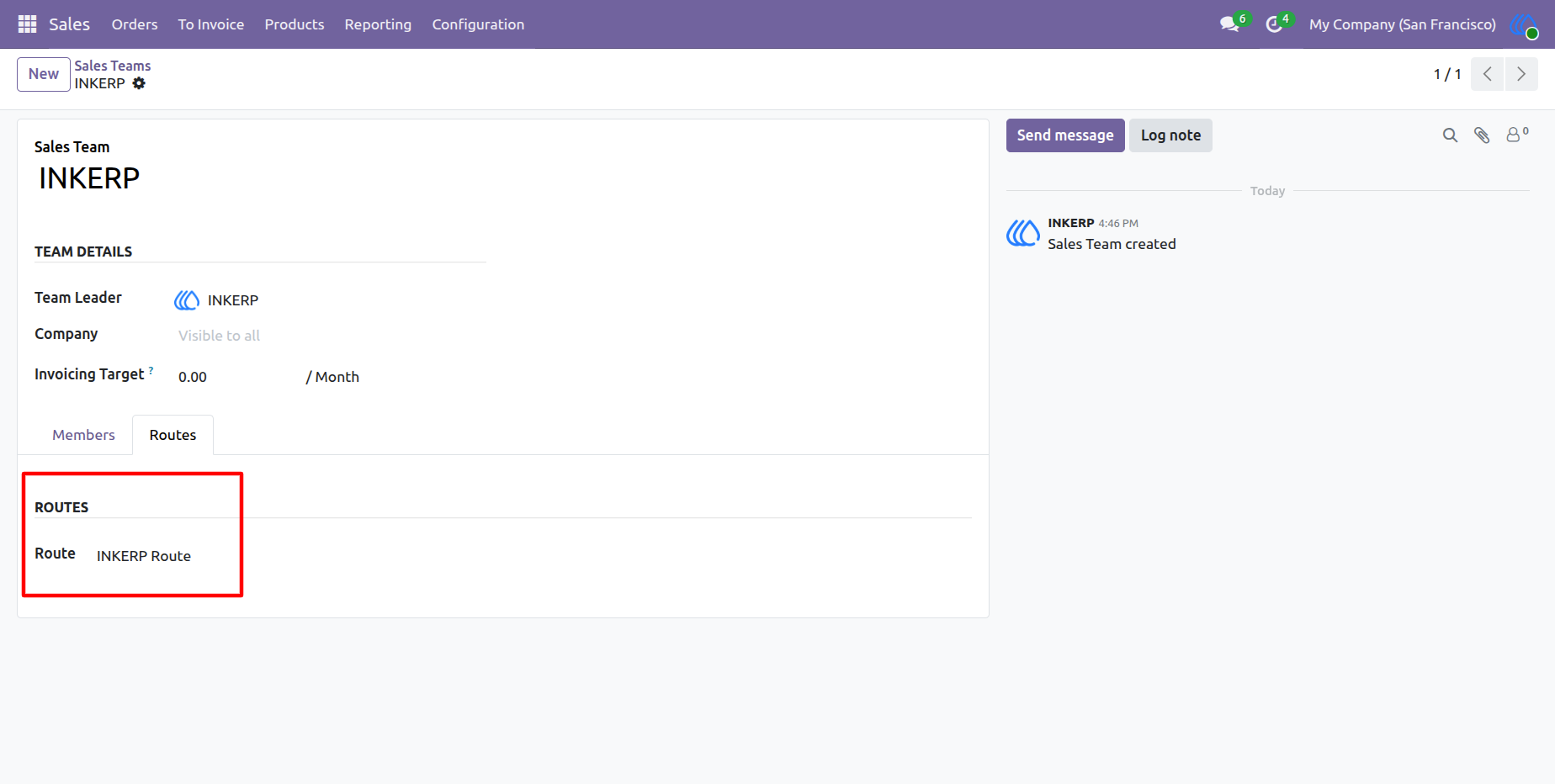
2.) Configure Route Under Sales Team
Open the Sales Team form and assign a route. Within the route, define rules that specify source and destination warehouse locations.
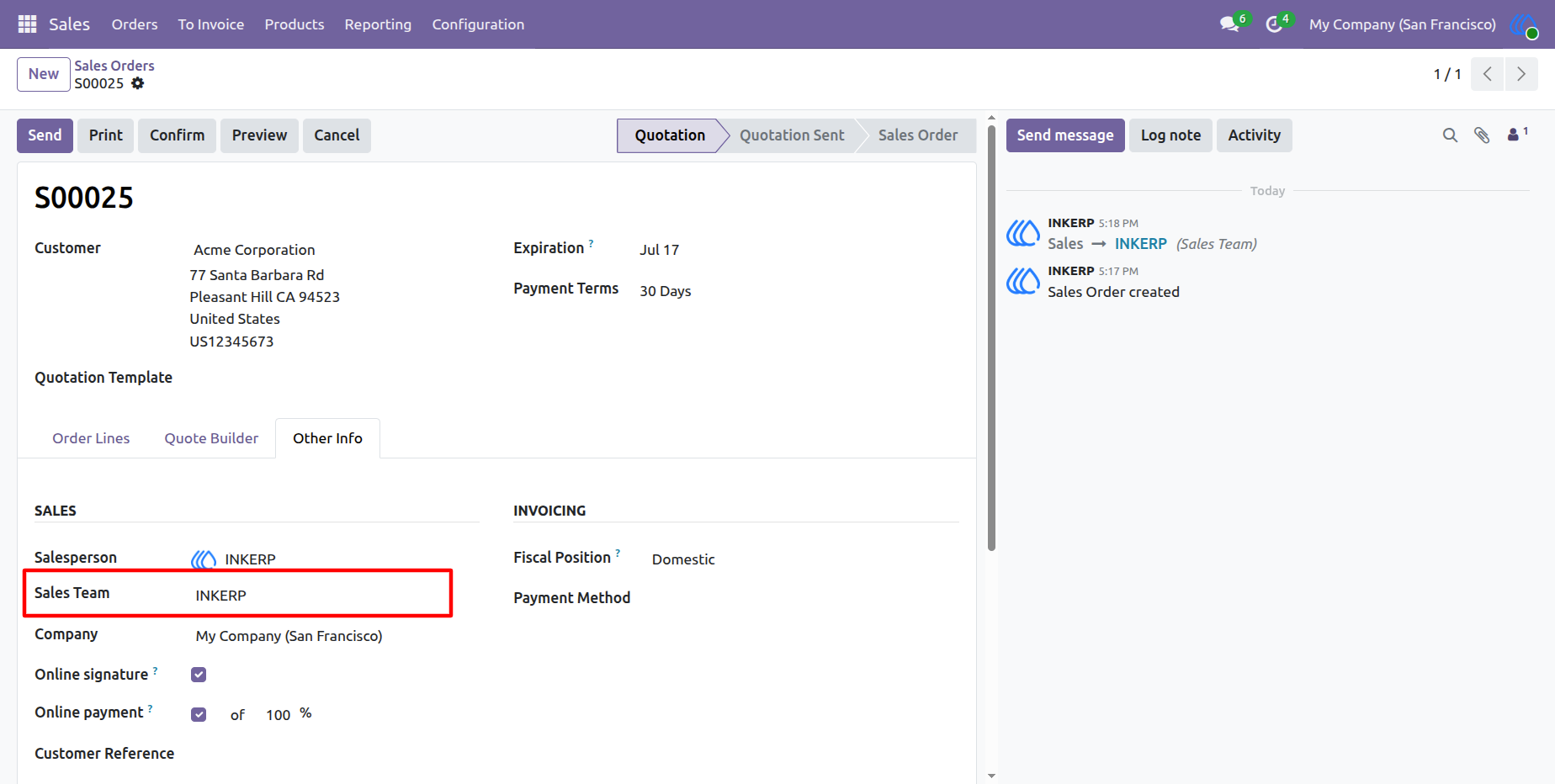
3.) Assign Sales Team to Sale Order
When creating a sale order, select the appropriate sales team. The system automatically applies the team’s configured route to the order lines.
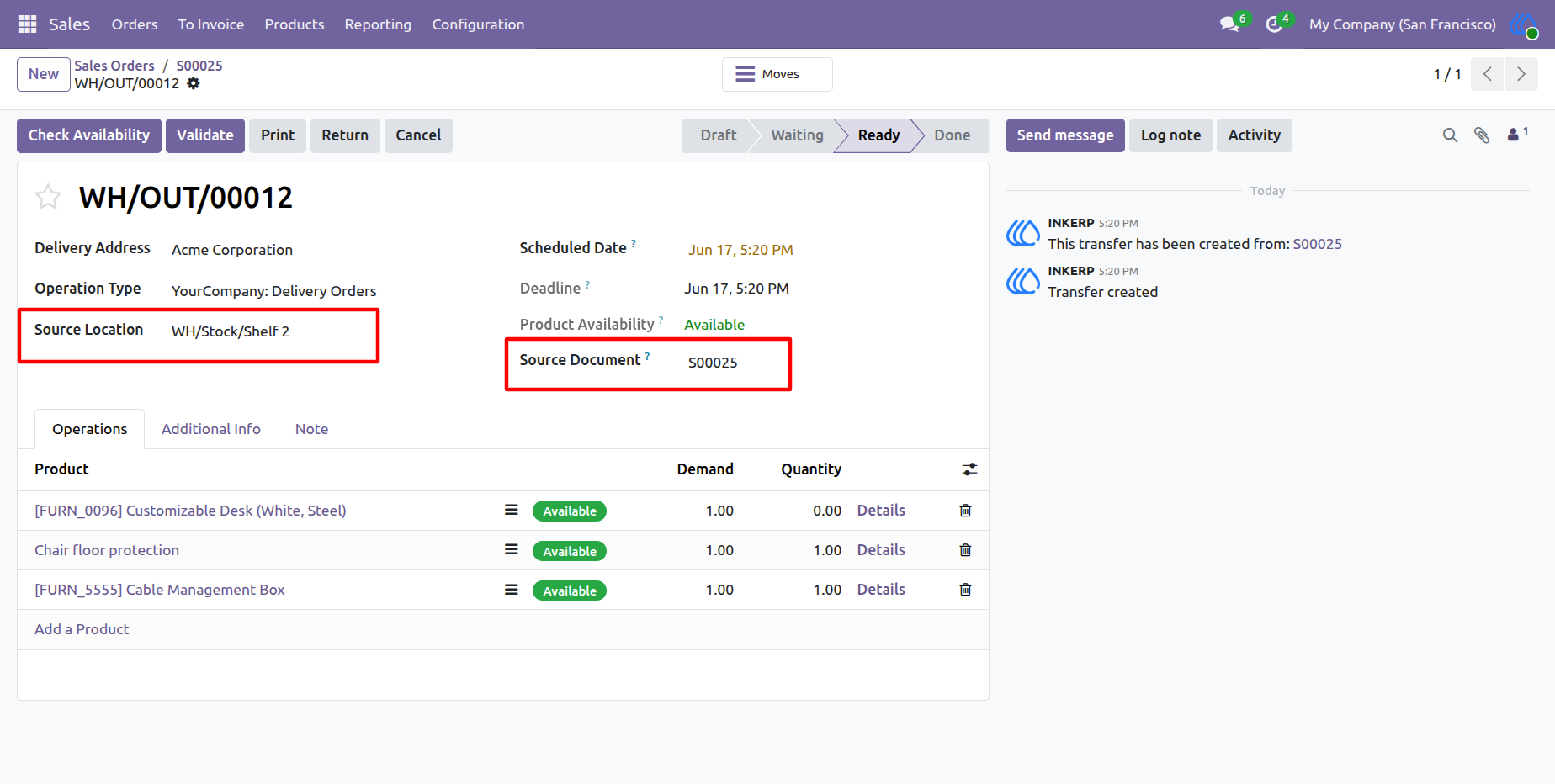
4.) Delivery Order Automation
The delivery order updates automatically with the correct source and destination locations based on the team’s route rules.
User Guide