

Our Most Suggested Products


Split Purchase Order / RFQ
Split Purchase Order / RFQ allows you to split an existing Request for Quotation (RFQ) or Purchase Order into a new RFQ by selecting specific order lines. This helps in reorganizing purchase documents when some products need to be processed separately.
 Features
 Screenshots
 Support
 Service
Features
Split RFQ / Purchase Order by Lines
This feature allows users to split an existing RFQ or Purchase Order by selecting specific order lines. Instead of recreating documents manually, users can simply choose the lines they want to move and generate a new RFQ automatically. The selected lines are removed from the original document and transferred to the new one, ensuring clean and accurate data.
Create New RFQ with Different Vendor and Date
While splitting the RFQ, users can optionally choose a different vendor and set a new order date for the new RFQ. This makes it easy to manage multiple suppliers from a single purchase document. It is especially useful when products need to be sourced from different vendors or handled with different delivery schedules.
Screenshot
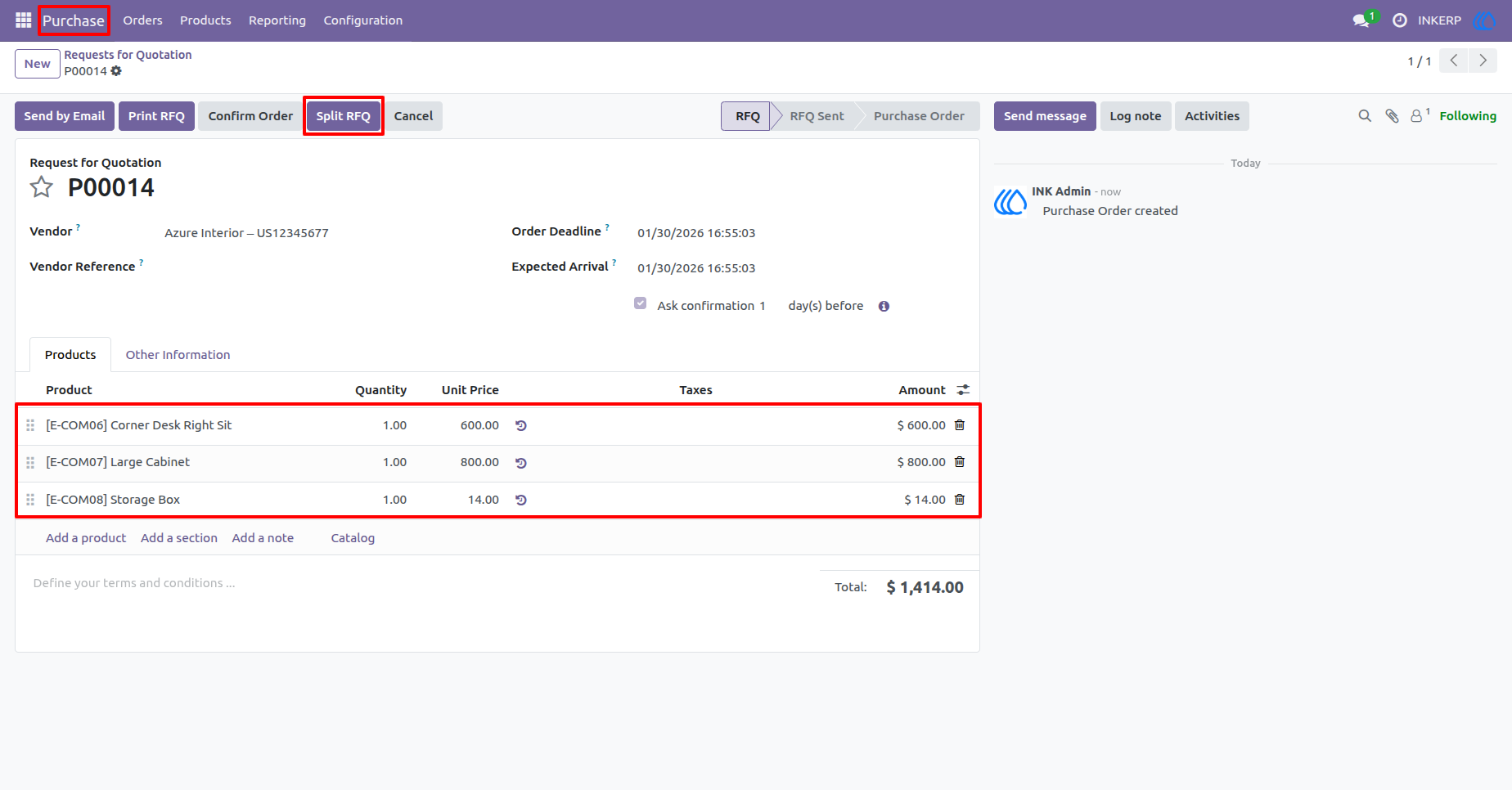
1.) Split RFQ Action
The Split RFQ button allows users to start the split process directly from the RFQ or Purchase Order form. This action provides quick access to the line selection step without interrupting the standard purchase workflow.
Navigation : Purchase › Orders › Requests for Quotation
2.) Purchase Order Lines Overview
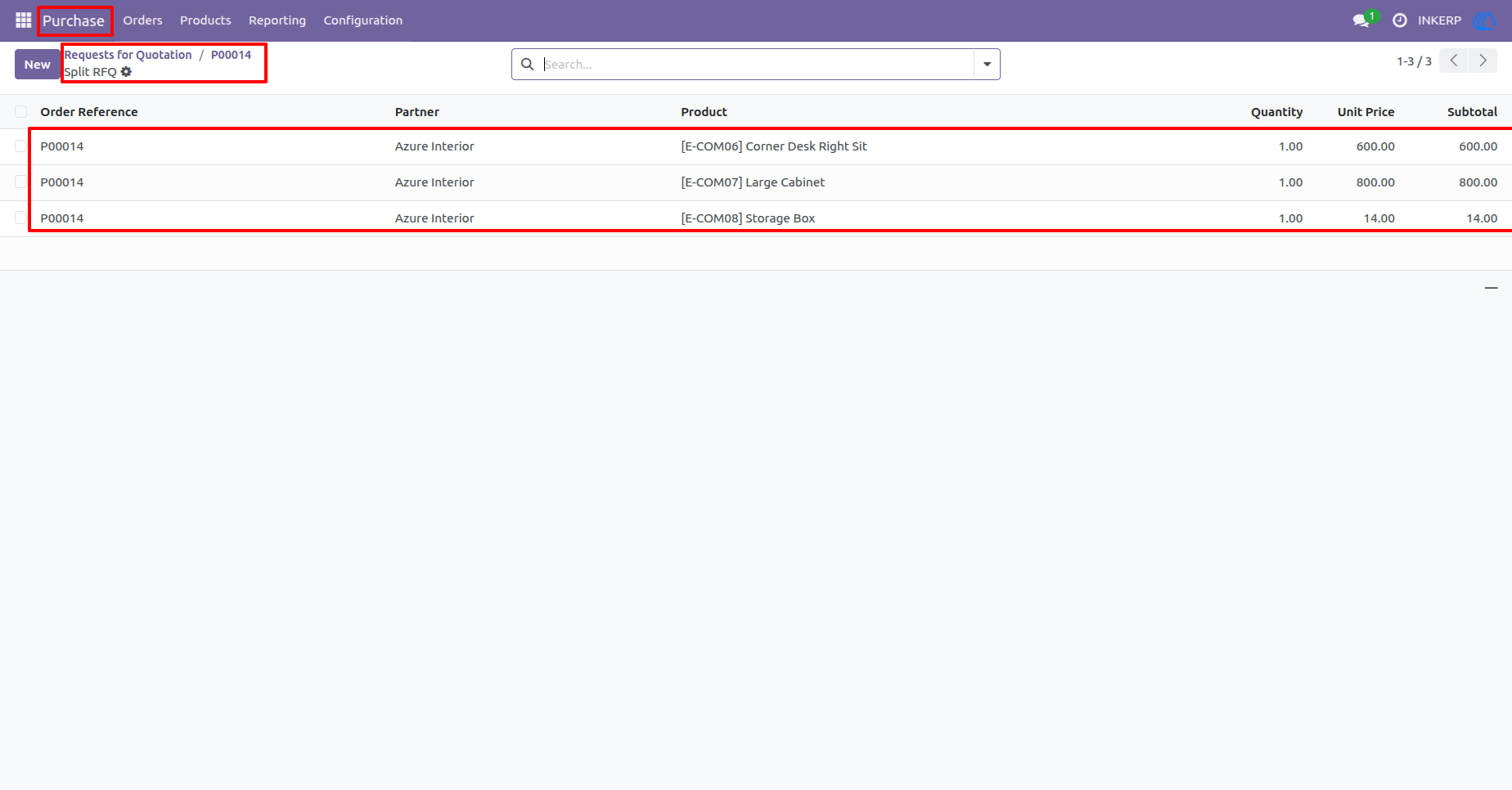
This step provides access to all order lines related to the selected RFQ or Purchase Order. It allows users to review every product line before selecting which ones should be moved into a new RFQ during the split process.
Navigation : Purchase › Orders › Requests for Quotation › Split RFO
3.) Purchase Order Lines Selection
This step allows users to select the purchase order lines that need to be moved into a new RFQ. Multiple lines can be selected at once, making it easy to reorganize purchase documents efficiently.
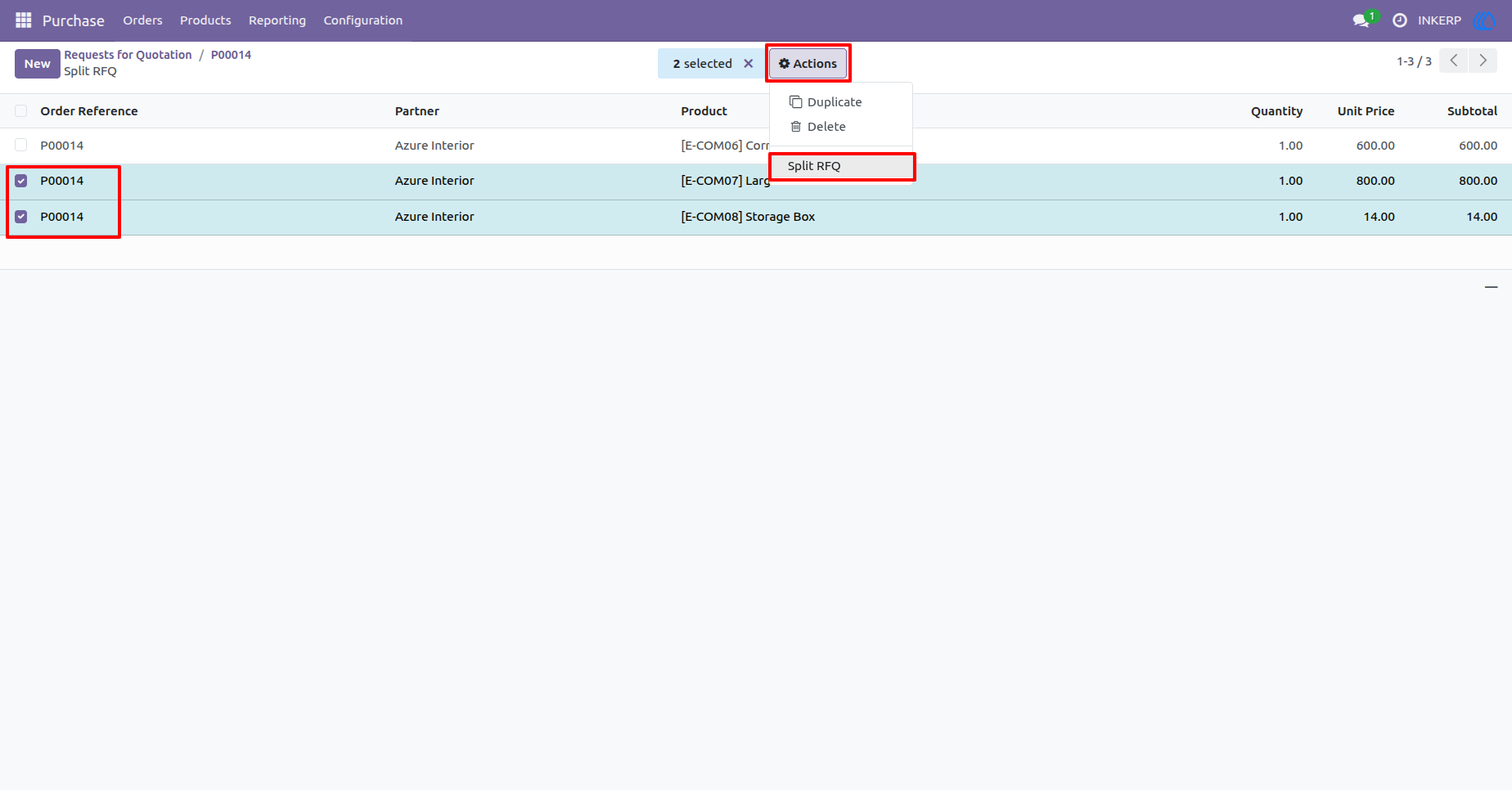
4.) Split RFQ Wizard
The wizard provides options to choose a different vendor and set a new order date for the new RFQ. This ensures flexibility when managing procurement across multiple suppliers or timelines.
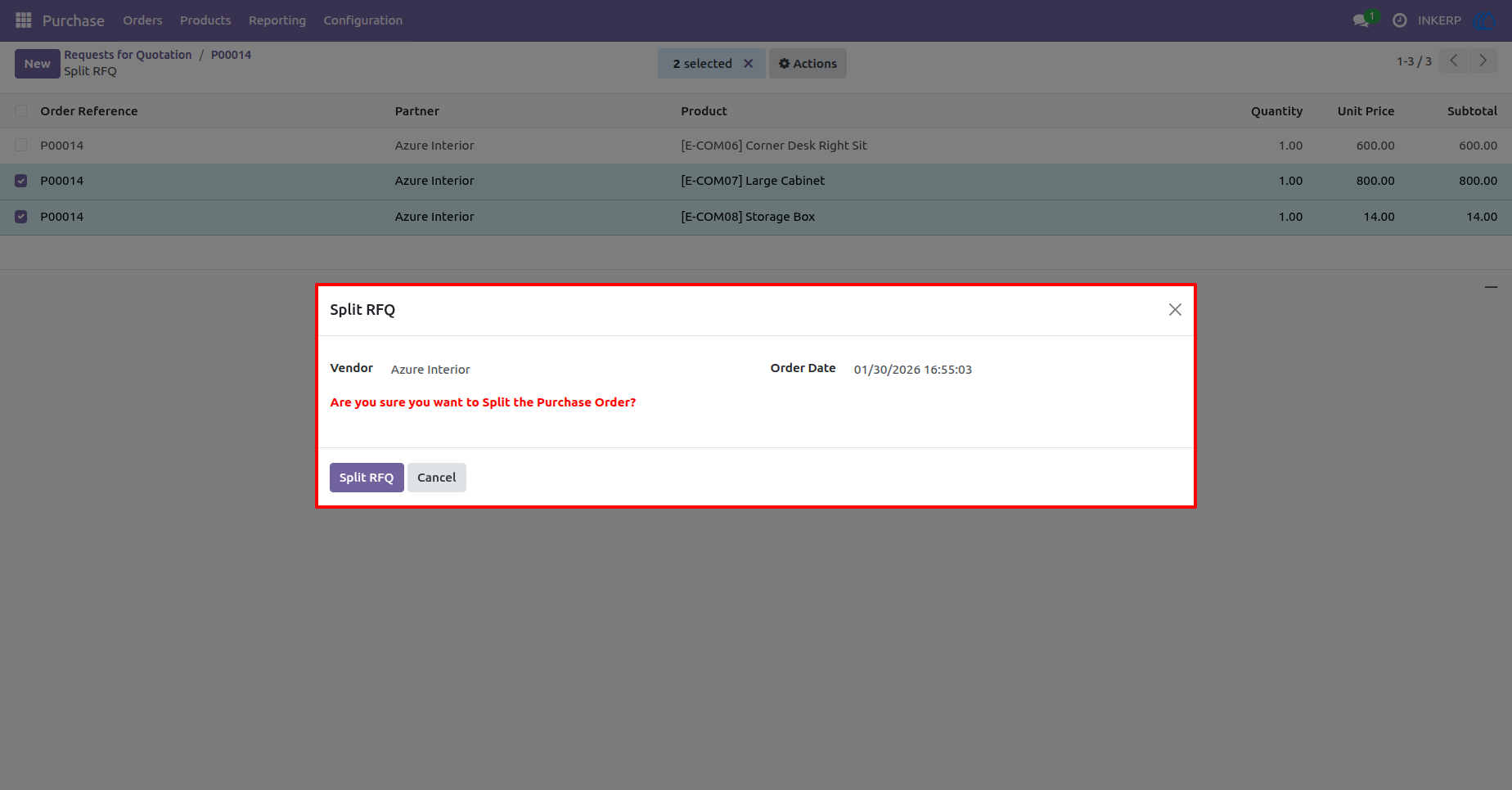
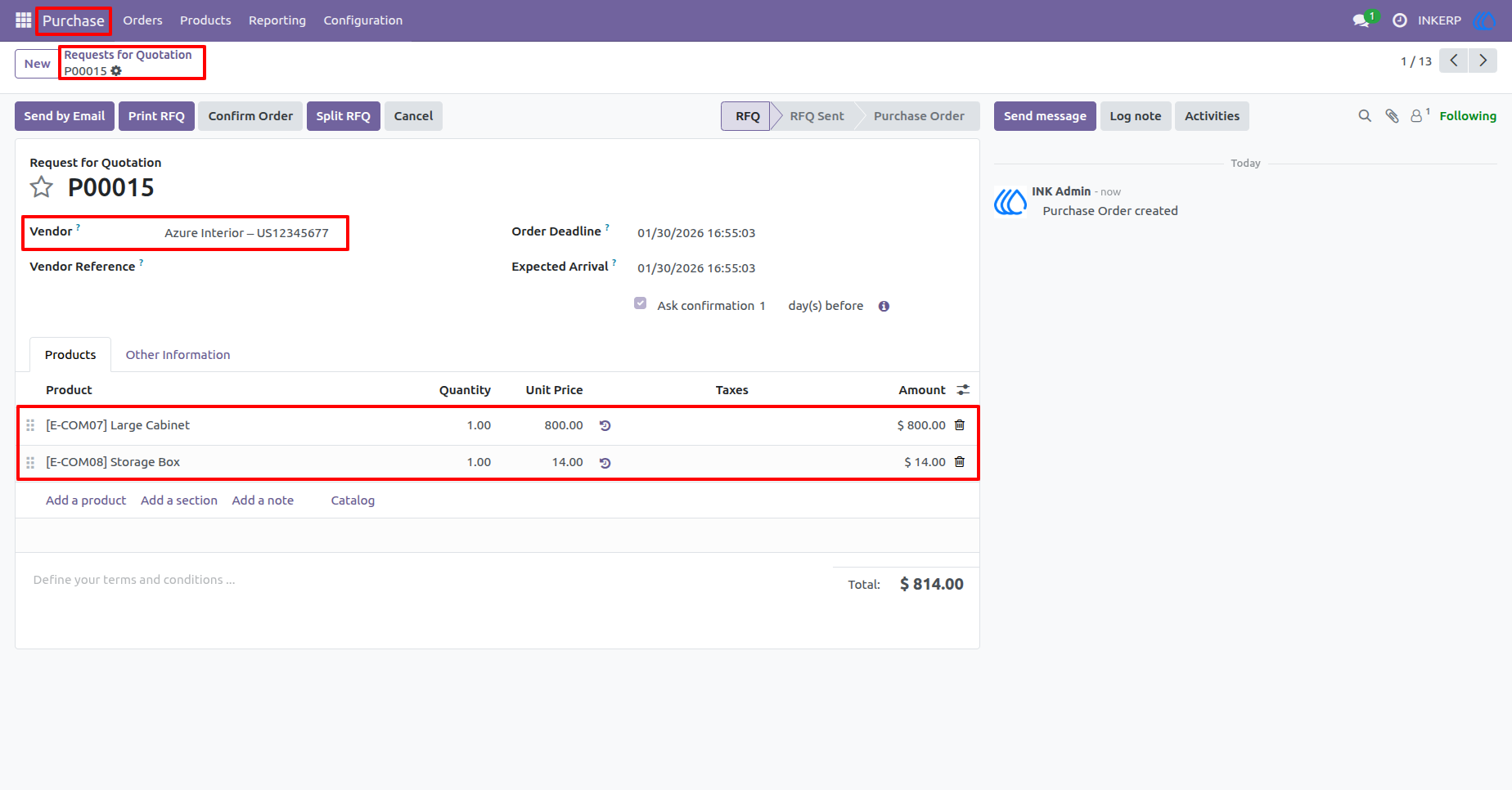
5.) New RFQ Creation
A new RFQ is generated automatically with the selected order lines. The original RFQ keeps only the unselected lines, maintaining clean and accurate purchase records.
Navigation : Purchase › Orders › Requests for Quotation
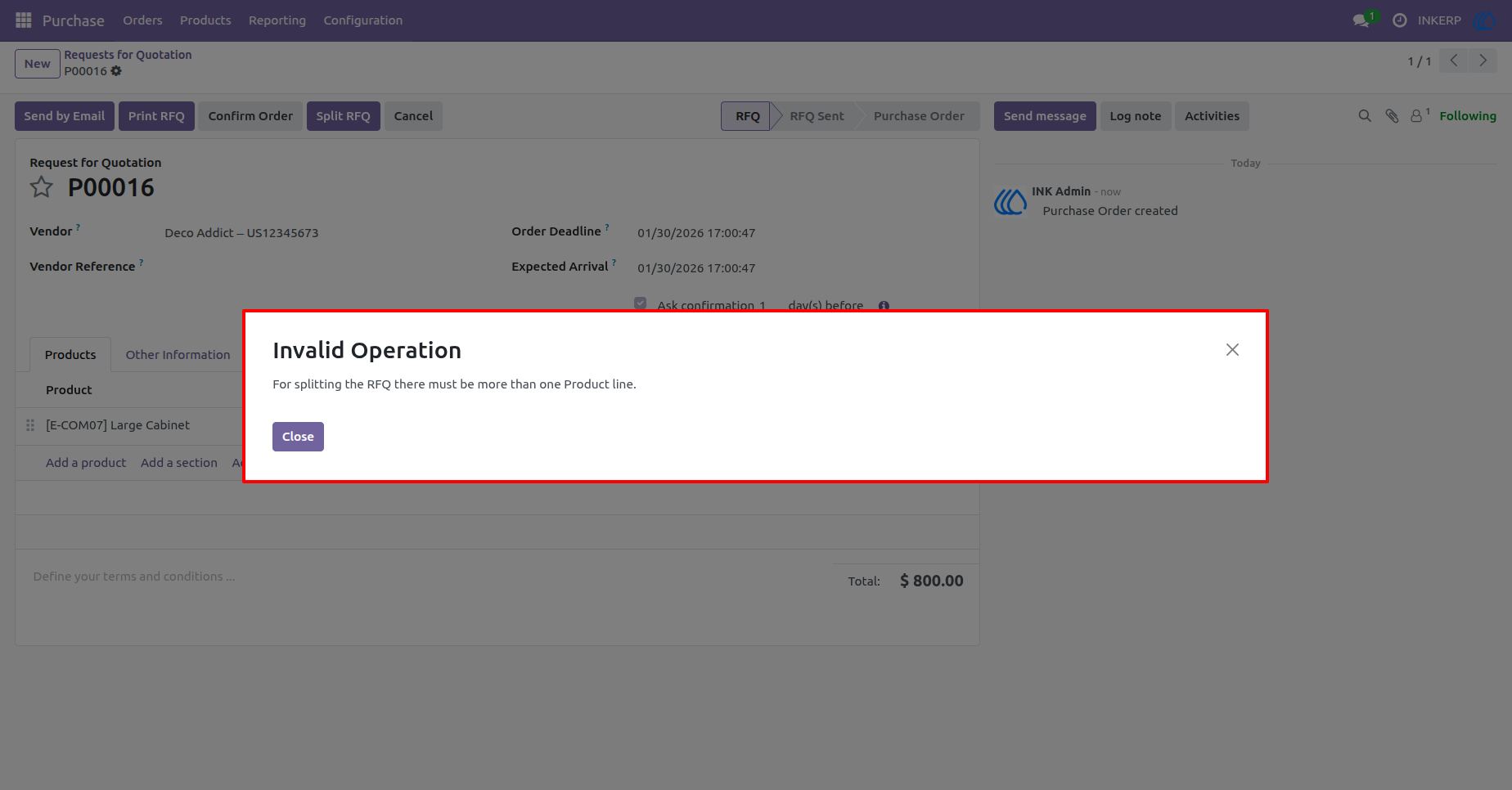
6.) Single Line RFQ Validation
This step validates whether the RFQ contains more than one order line before allowing the split operation. If only one line is found, the system prevents the action to avoid an invalid split process.
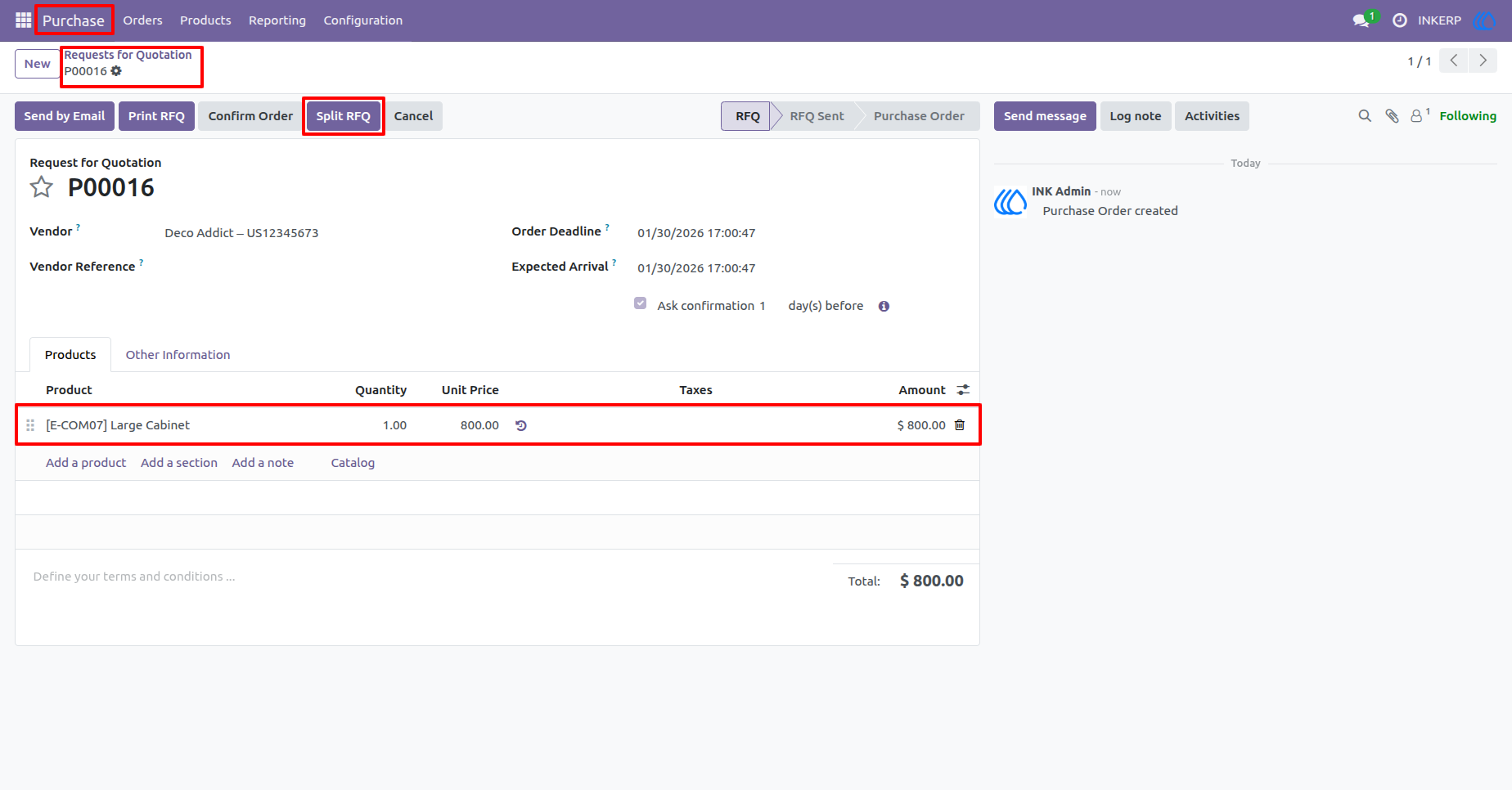
7.) Warning Message for Invalid Split
A warning message is raised to inform the user that a Purchase Order or RFQ with only one line cannot be split. This ensures correct usage of the feature and maintains data consistency.
User Guide