

Our Most Suggested Products


Edit Sequence No
This application allows users to edit sequence numbers across various records, including sales orders, purchase orders, warehouse operations, and accounting invoices. With appropriate permissions, users can modify the sequence numbers for individual records, while the system ensures no duplicate sequence numbers are allowed through built-in validation. Key features of the application include user-specific access control for editing sequence numbers, along with a validation error that prevents the saving of duplicate numbers, ensuring smooth and organized record management.
 Features
 Screenshots
 Support
 Service
Features
User-Specific Access Control
This feature provides user-specific access control to edit sequence numbers, ensuring that only authorized personnel can make changes. Admins can assign permissions for different user groups, such as sales, purchase, warehouse, and accounting teams, allowing them to individually edit sequence numbers within their respective domains.
Duplicate Sequence Number Validation
To prevent errors in the record-keeping system, this feature automatically checks for duplicate sequence numbers during the editing process. If a user attempts to assign a sequence number already in use, the system triggers a validation error, ensuring that each record has a unique identifier.
Screenshot
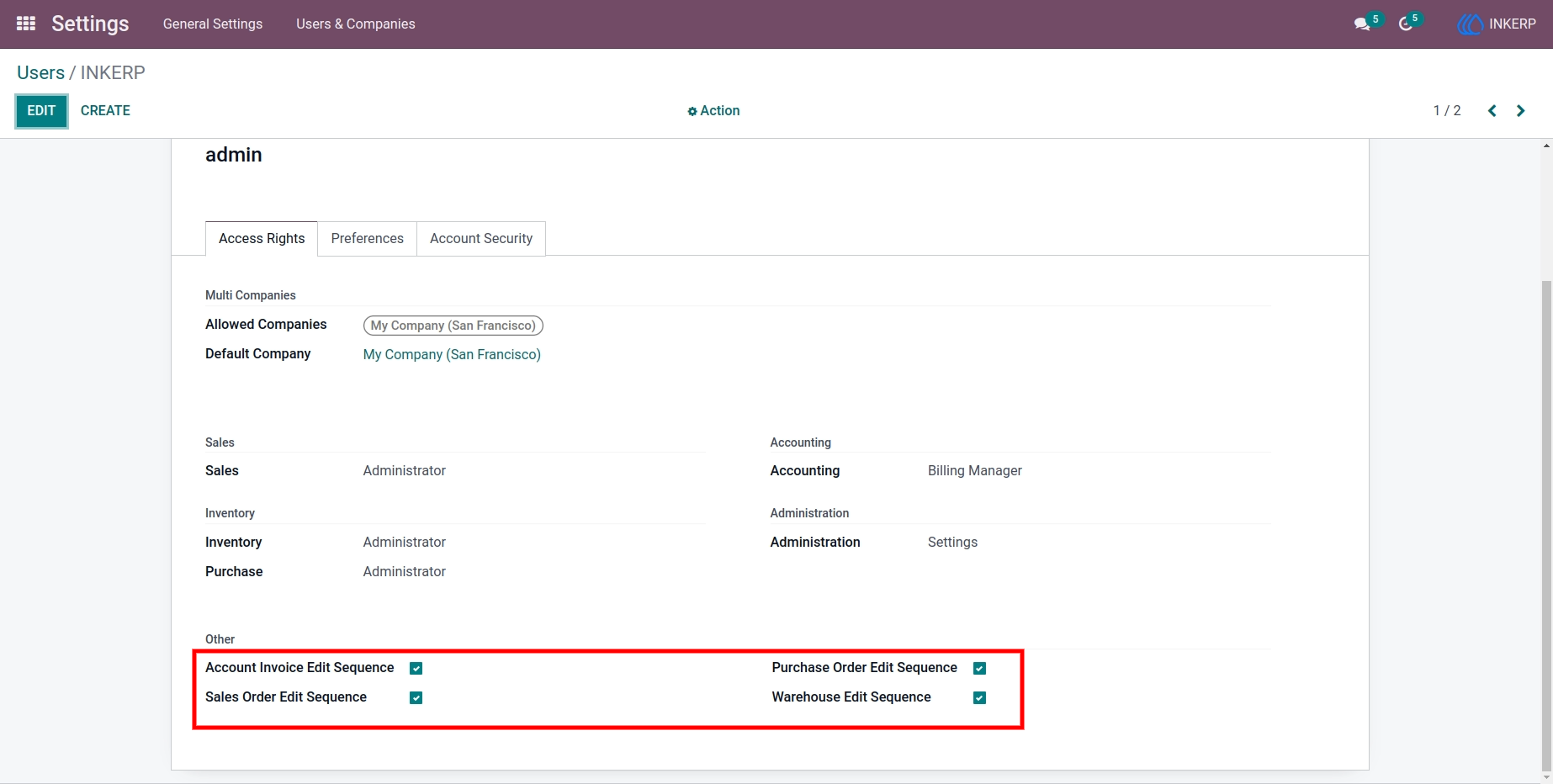
1.) User Access Control Screen
Administrators to manage user permissions for editing sequence numbers. Users can be assigned specific access rights, such as the ability to modify sequence numbers for sales orders, purchase orders, warehouse operations, and accounting invoices.
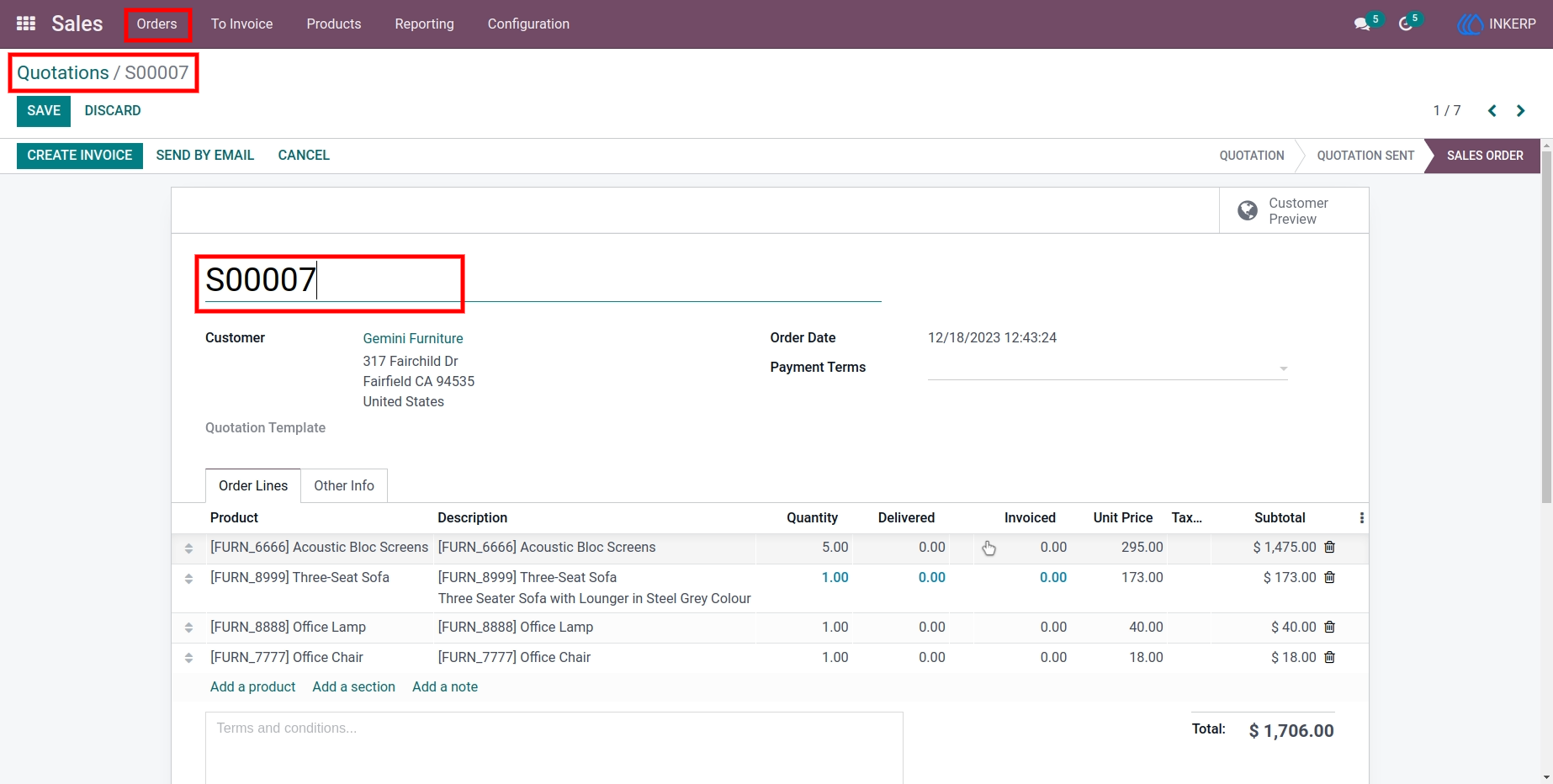
2.) Quotation Sequence Editing Screen
Users can view and edit the sequence number of quotations. A validation system ensures that no duplicate sequence numbers are used. If a user tries to assign a sequence number that already exists, an alert is displayed to prevent errors, maintaining unique and accurate sequence numbers.
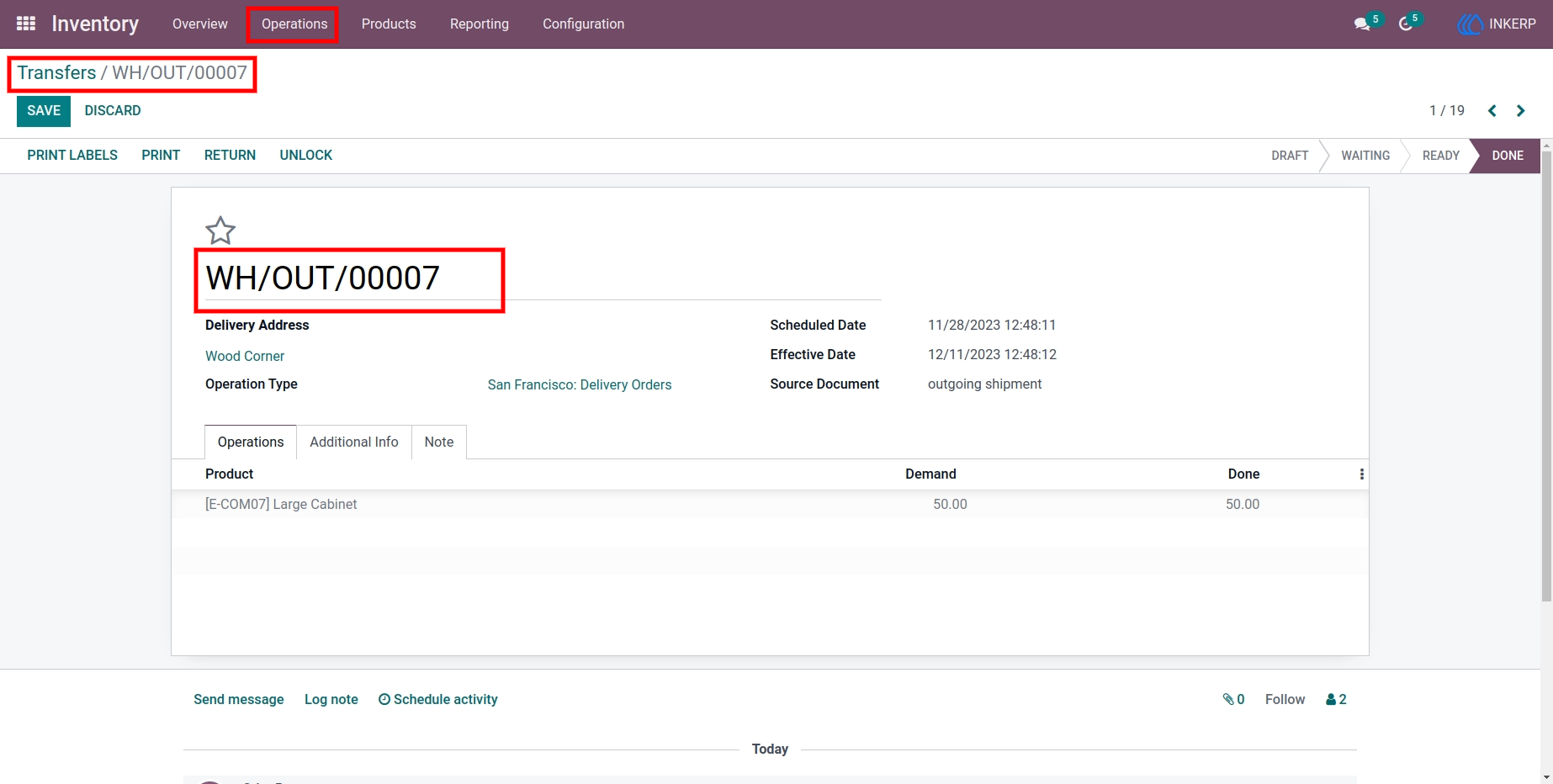
3.) Inventory Sequence Management Screen
Users can update sequence numbers for inventory records, with the system enforcing unique values to avoid duplication. This feature helps maintain the organization of inventory transactions.
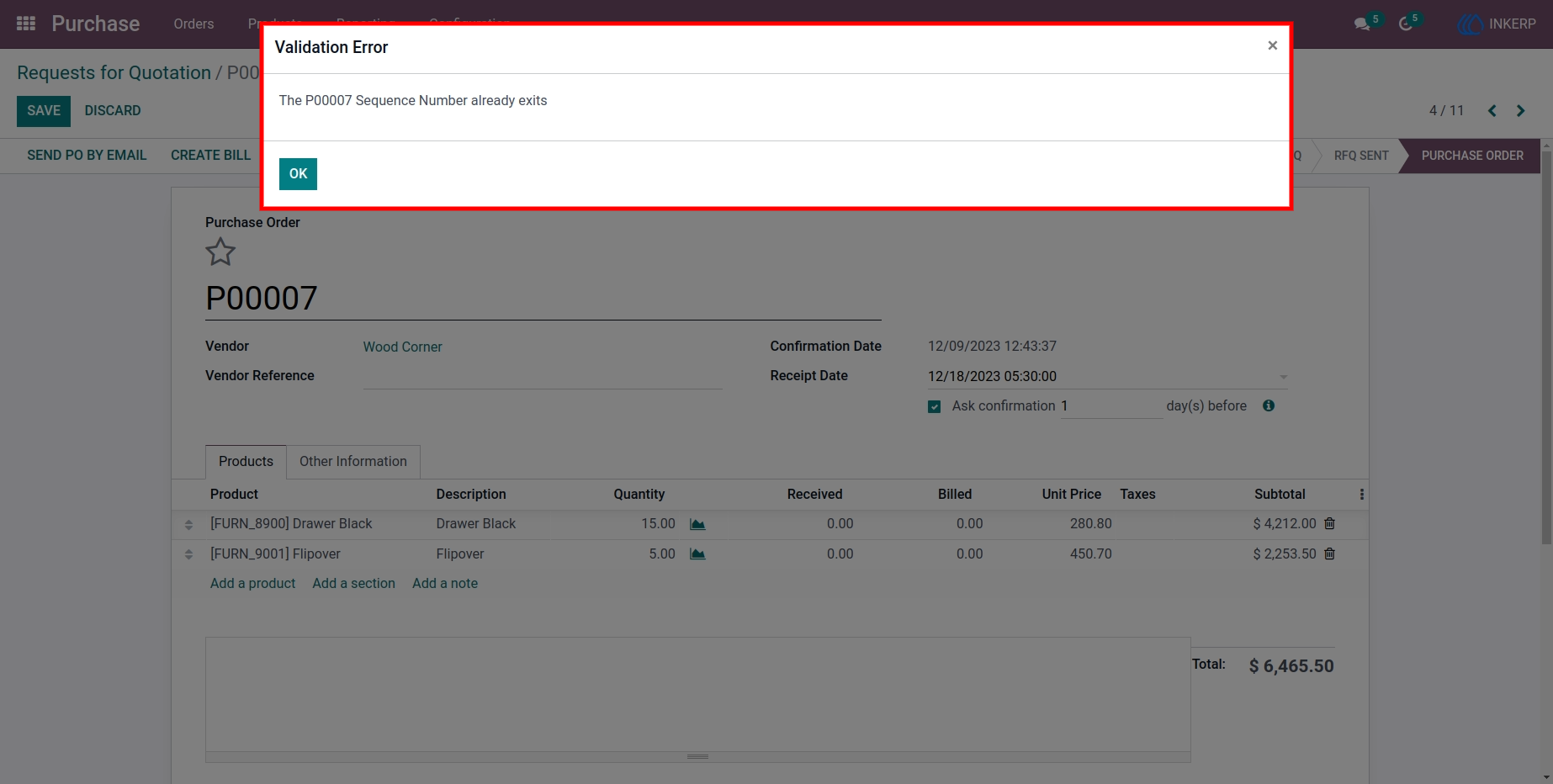
4.) Validation Error Notification Screen
When a user attempts to save a sequence number that matches an existing one, this screen displays a validation error. The alert notifies the user of the conflict and prevents the duplication of sequence numbers, ensuring data consistency and integrity across the system.
User Guide