

Our Most Suggested Products


Sale Order Line Management
Add a new sale order line directly below the selected line with a simple plus button. This module helps sales users prepare quotations and sale orders faster while keeping order lines properly arranged and easy to manage.
 Features
 Screenshots
 Support
 Service
Features
Insert Sale Order Line Below Selected Line
This module adds a convenient plus button on each sale order line, allowing users to insert a new blank line directly below the selected line. It helps users add products exactly where they need them without manually dragging or rearranging order lines afterward.
Faster Quotation and Sale Order Editing
Users can quickly prepare quotations and sales orders with better line placement. When working with large orders, this feature saves time by reducing the need to scroll, reorder, or adjust product lines manually.
Maintains Proper Line Sequence
The module automatically manages the sequence of sale order lines when a new line is inserted. The newly added line is placed immediately after the selected line, keeping the order structure clean and organized.
User Access Control
A dedicated access right is provided for this feature. Only authorized users can see and use the insert-line button, giving administrators better control over who can modify sale order line structure.
Screenshot
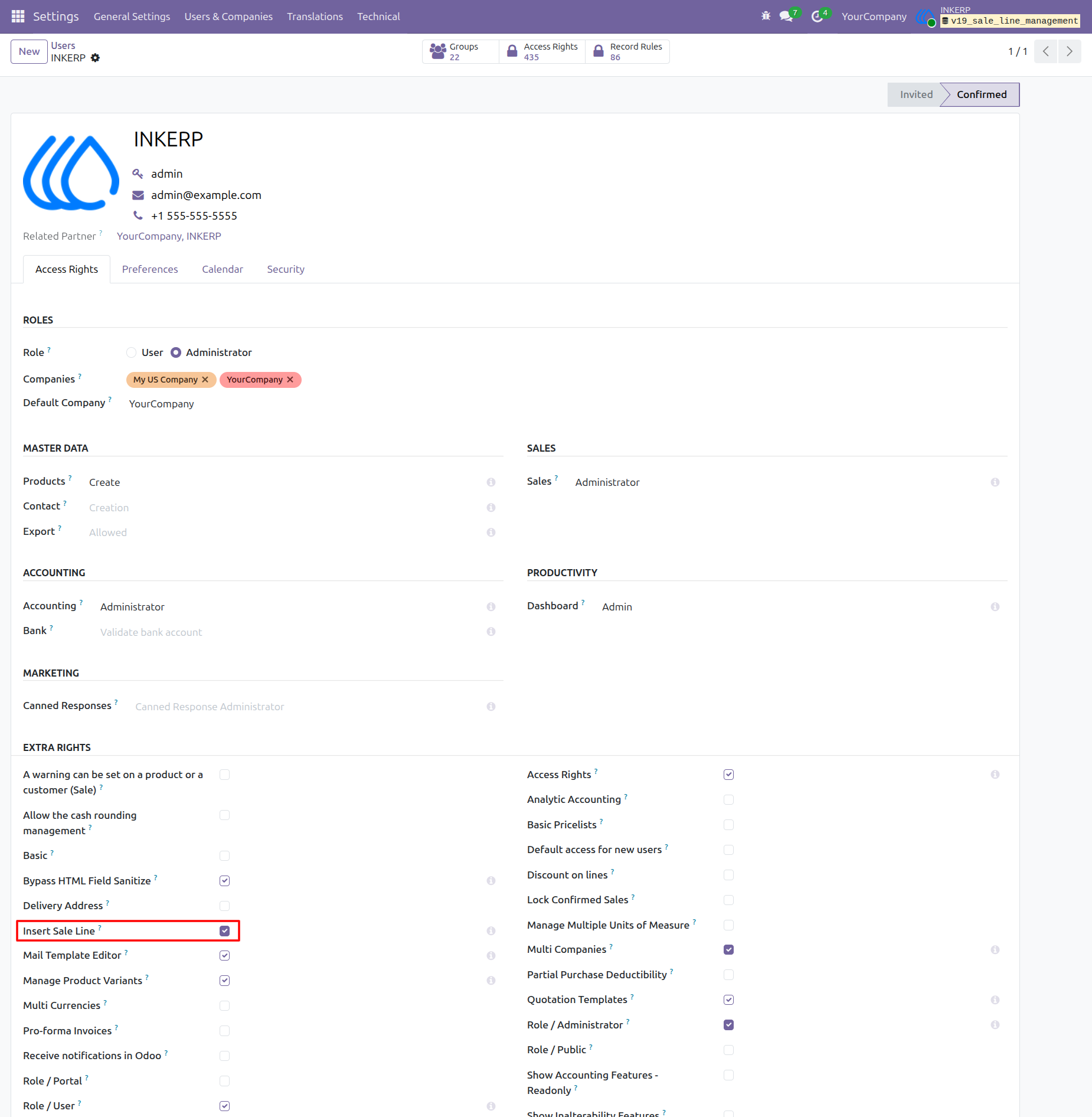
Enable Insert Sale Line Access Right
The administrator can activate the Insert Sale Line permission from the user access rights page. Once this access is enabled, the user can see and use the plus button inside sale order lines.
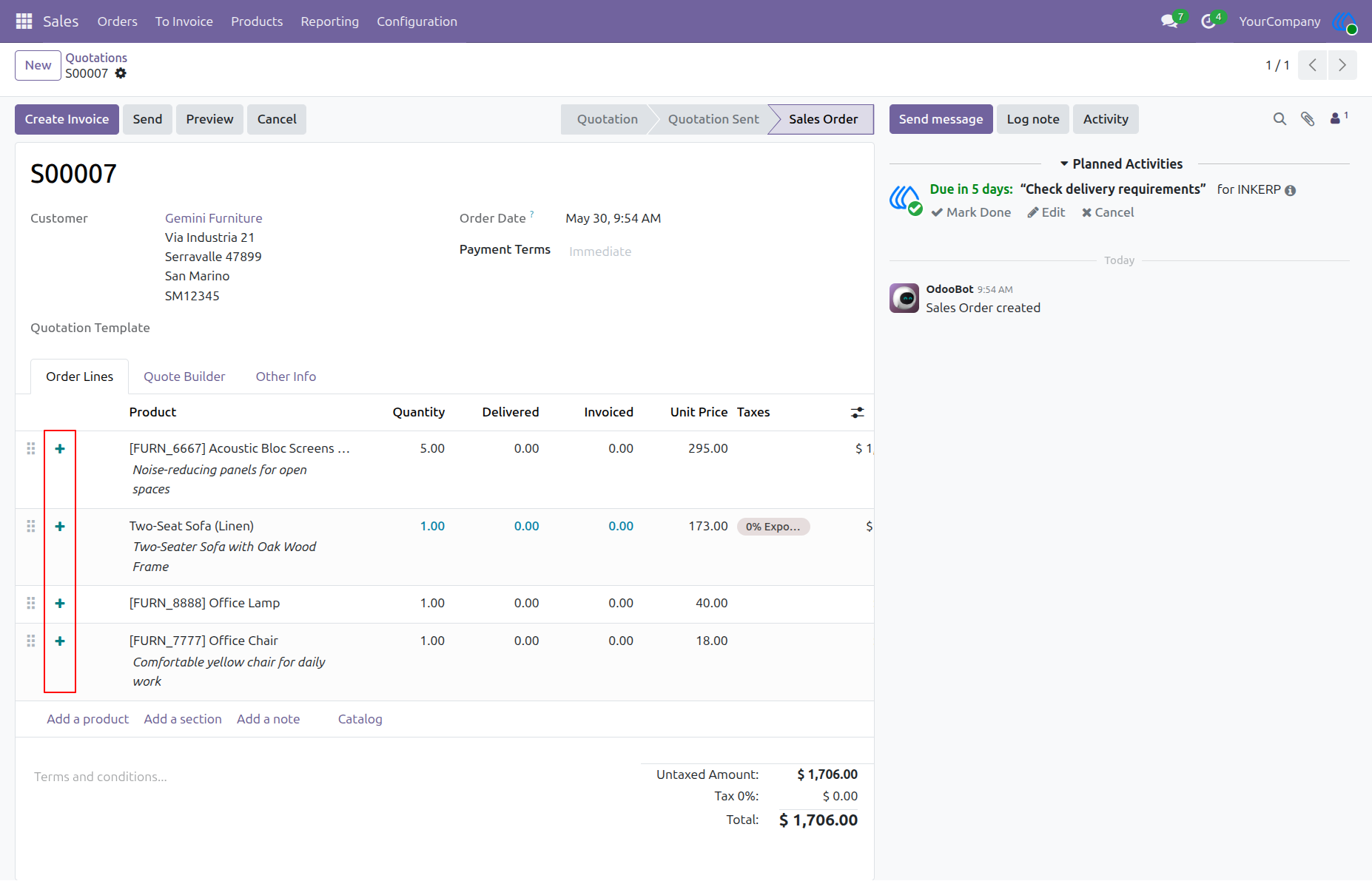
Plus Button on Sale Order Lines
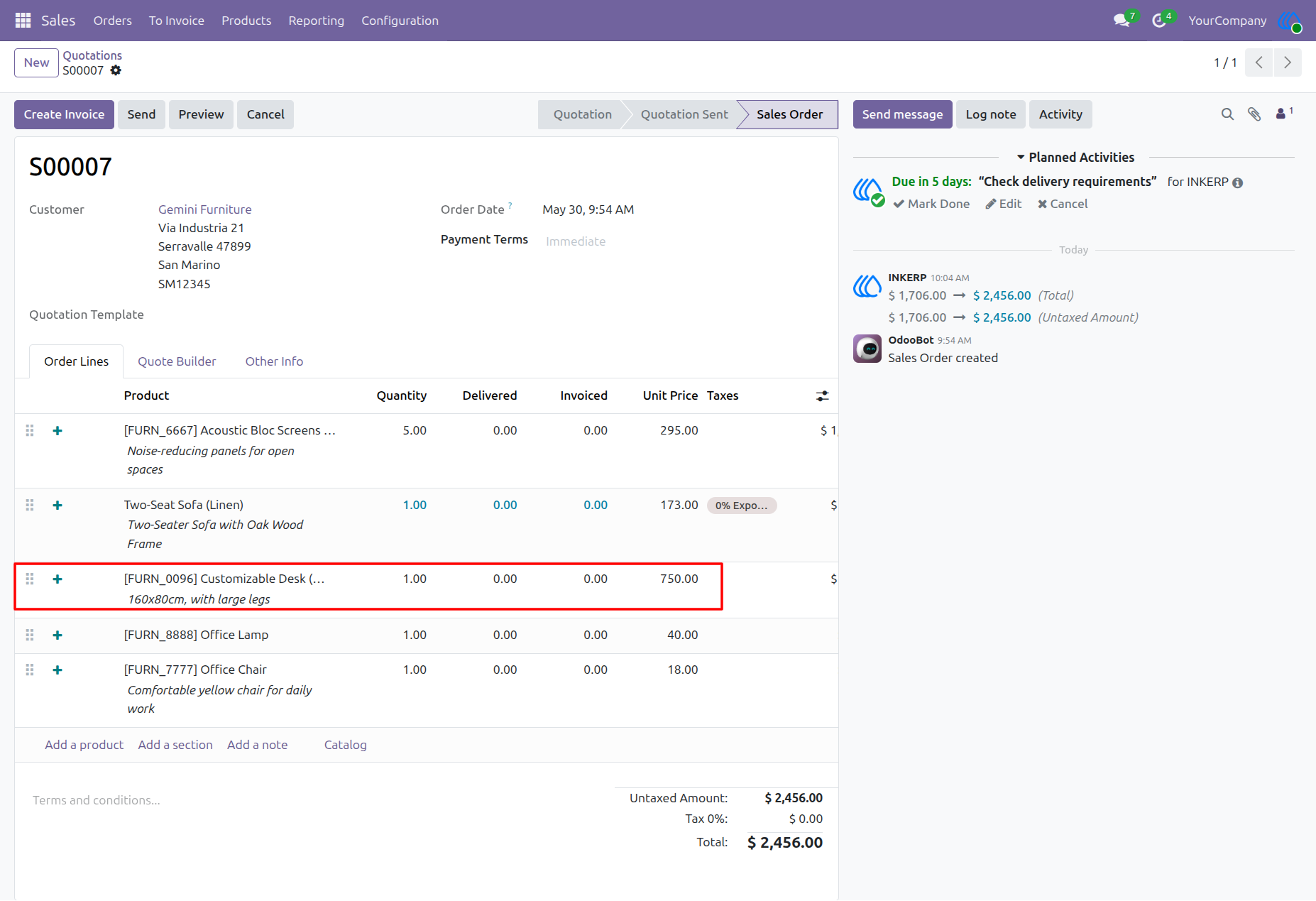
A plus icon is added beside every sale order line. The user can click this icon on any line where a new product line needs to be inserted.
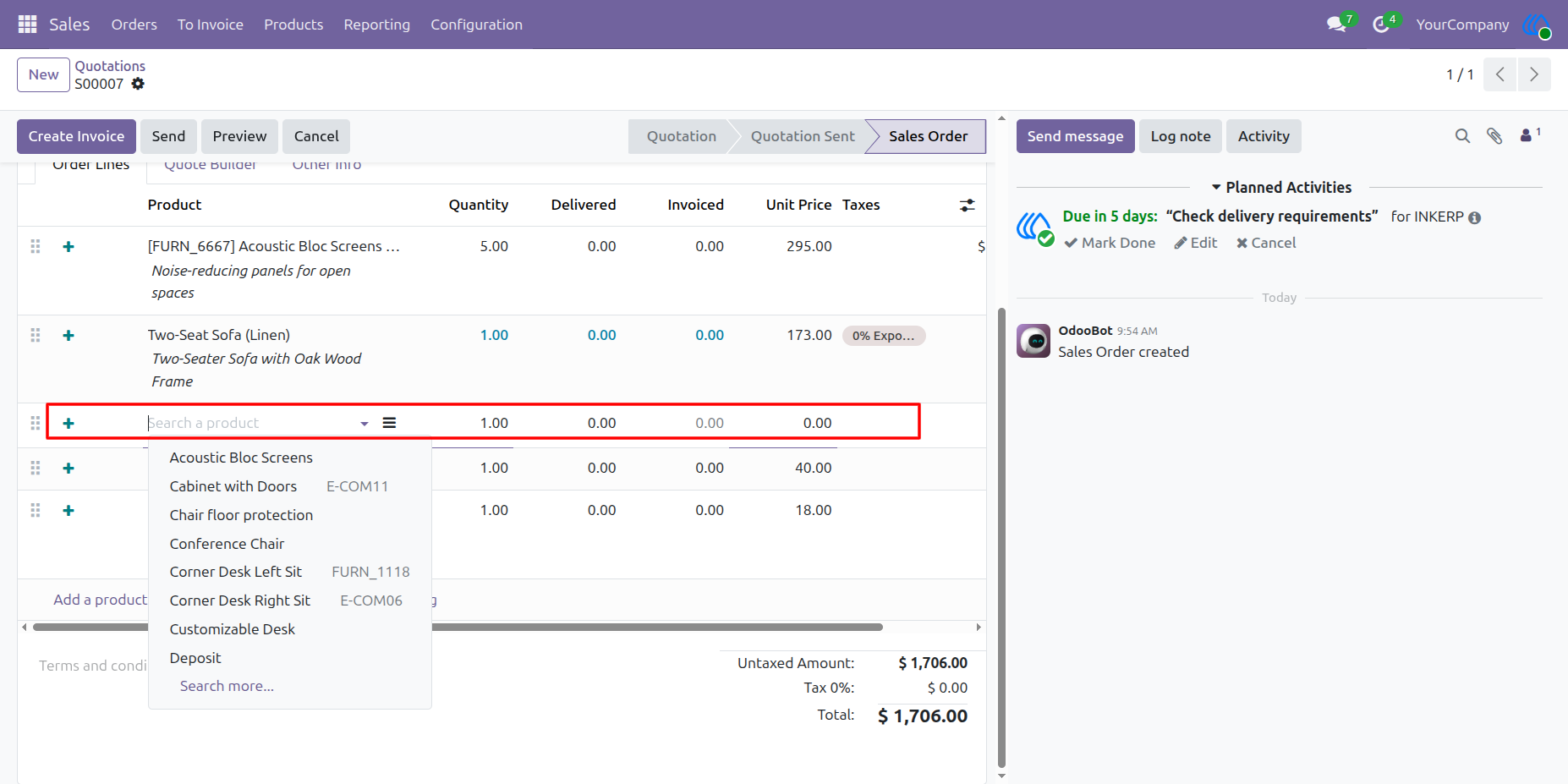
Insert New Line Below Selected Product
After clicking the plus icon, a new blank product line is added directly below the selected order line. The user can immediately search and select the required product without refreshing the page.
New Product Line Added Successfully
The selected product is inserted in the correct position between the existing order lines. The sale order totals are recalculated automatically after the new line is added.
User Guide