

Our Most Suggested Products


Repair Start and End Time
This repair management system tracks service orders from confirmation through active repair to completion. It automatically logs precise start and end dates, eliminating the need for manual data entry while keeping accurate records. The platform also displays required parts, status changes, and a complete activity history to keep operations organized.
 Features
 Screenshots
 Support
 Service

Features
Automated Repair Time Tracking
This feature automatically captures the exact date and time a repair process begins and concludes. When a user initiates the repair workflow, the system instantly logs the Start Date. Once the physical work is finished and marked as complete, the system automatically records the End Date. This automated timestamping ensures accurate tracking of the total repair duration, enhances accountability, and maintains a precise historical log of the service timeline without requiring manual data entry.
Screenshot
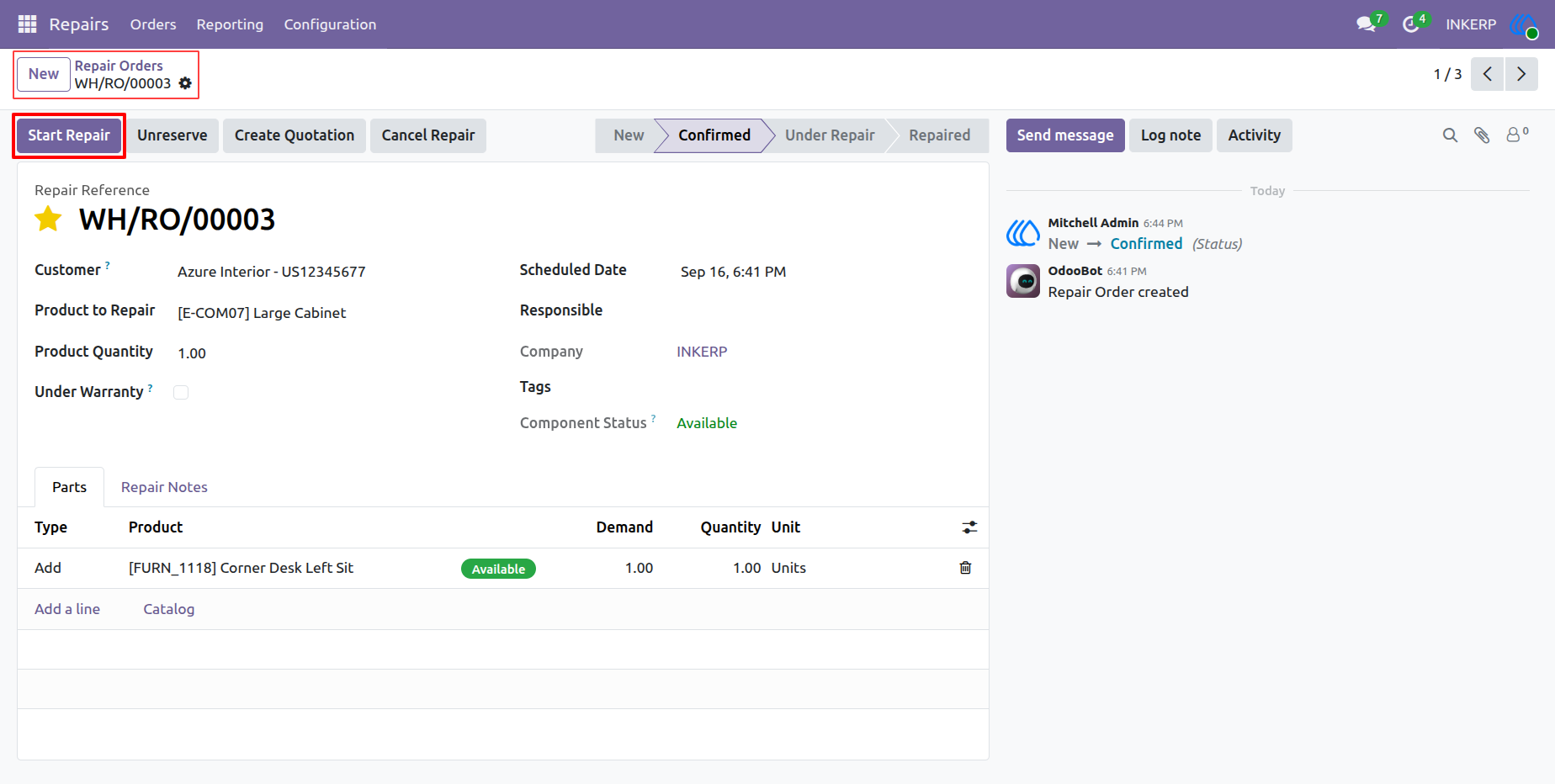
1.) Starting a Confirmed Repair Order
Once a repair order is generated and reaches the "Confirmed" status stage, the work can begin. Click the Start Repair button highlighted in red at the top left of the form to initiate the process. The current repair order reference is visible in the top left breadcrumbs.
Navigation : Repairs › Orders
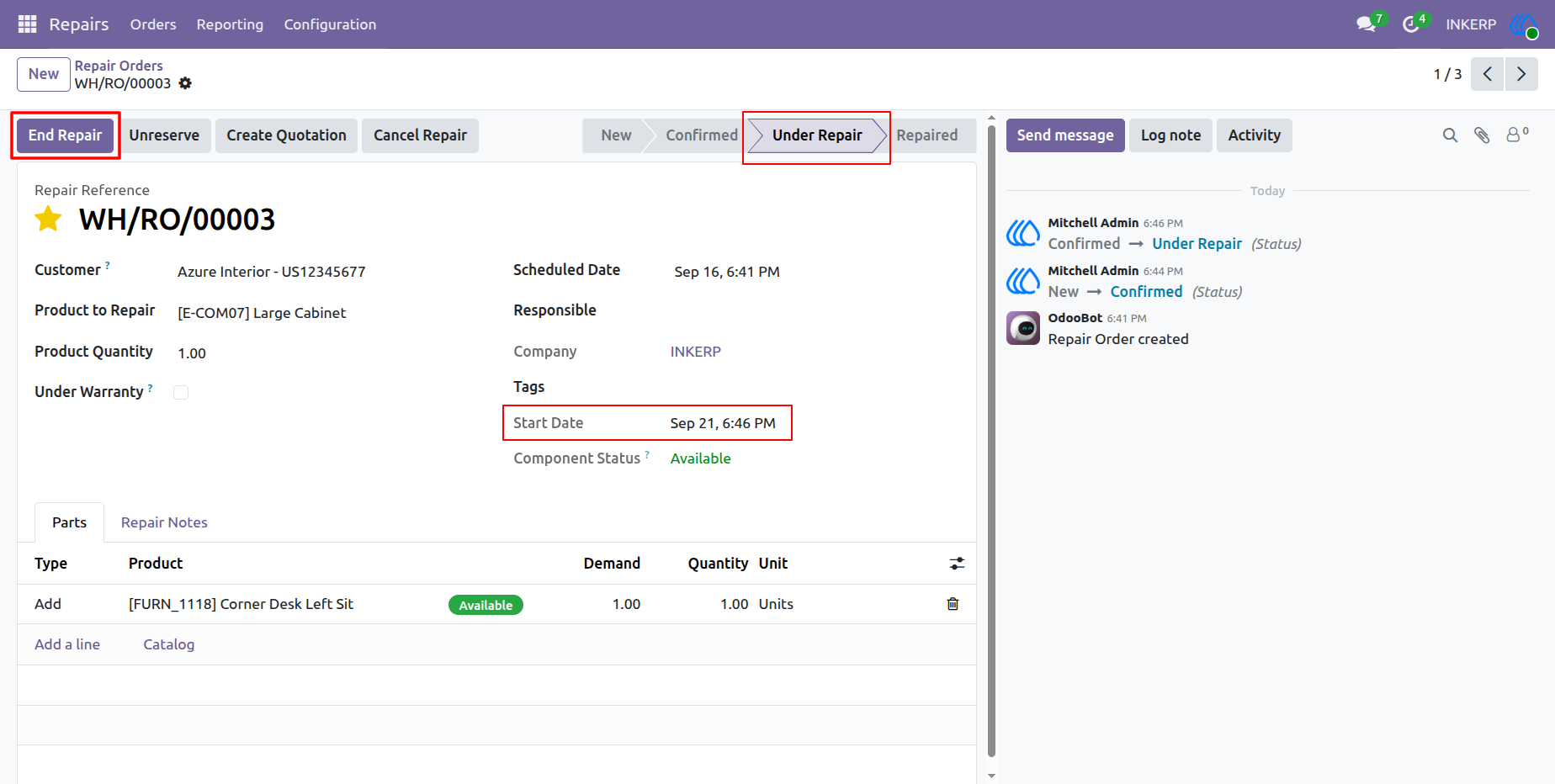
2.) Managing an Active Repair
After clicking start, the order's status indicator automatically updates to Under Repair. A timestamped Start Date is recorded in the order details. Once the physical repair work is finished, click the highlighted End Repair button to mark the task as complete.
Navigation : Repairs › Orders
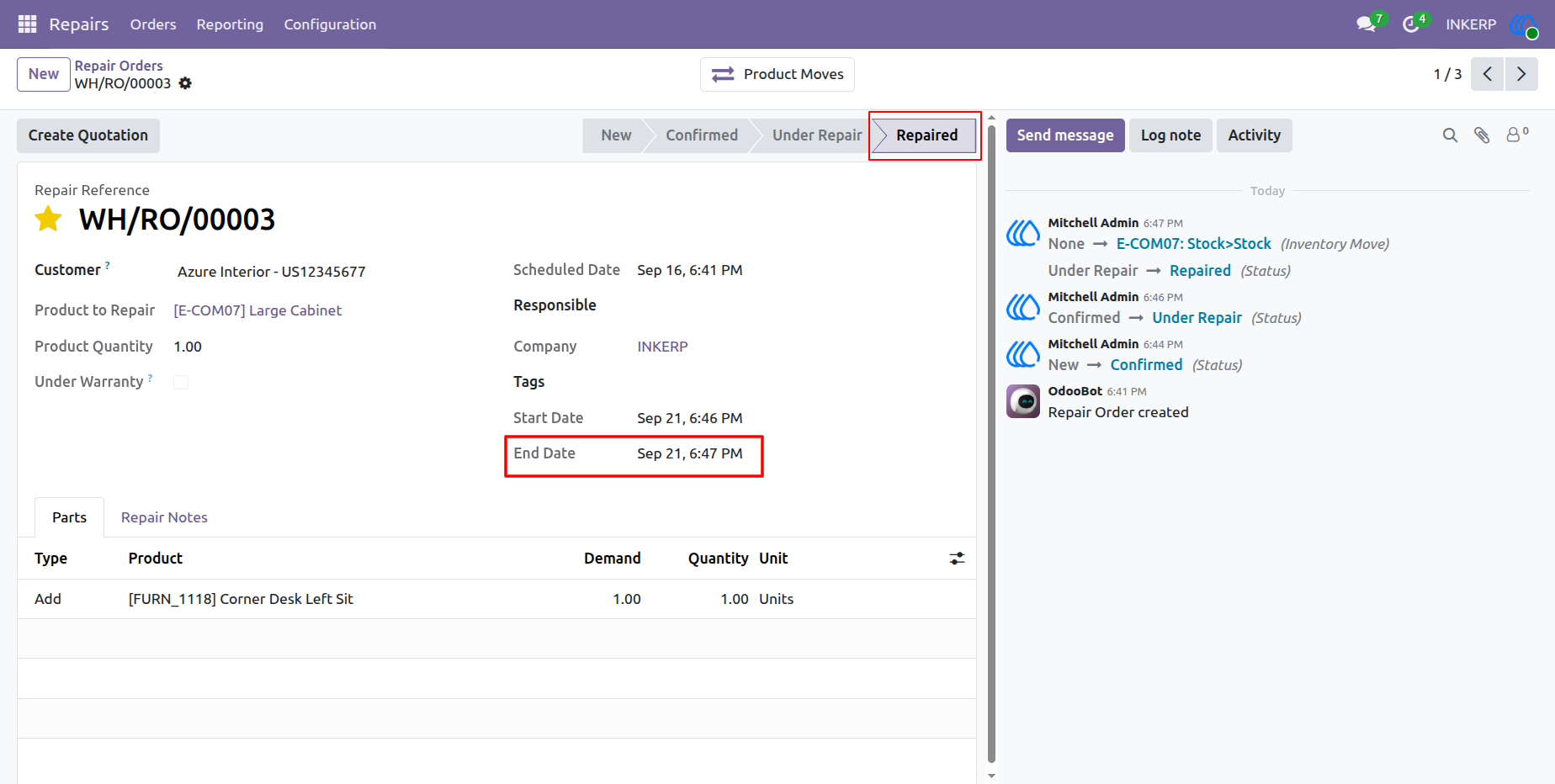
3.) Completing the Repair Order
Upon ending the repair, the status indicator advances to the final Repaired stage. An End Date is automatically logged to track exactly when the work was finished, and the activity log on the right panel records the status transitions and associated inventory moves.
Navigation : Repairs › Orders
User Guide