

Our Most Suggested Products


Recruitment Management
Recruitment Management is a powerful solution designed to simplify and automate the complete hiring process. It helps businesses efficiently manage candidate interviews, feedback, questionnaires, and recruitment activities. The application provides an organized interview scheduling system for managing multiple interview rounds. It enables recruiters and interviewers to evaluate candidates with structured feedback and recommendation forms. Automated email notifications keep applicants and interviewers connected throughout the recruitment journey. With a complete recruitment checklist process, it ensures smooth, accurate, and efficient candidate selection.
 Features
 Screenshots
 Support
 Service
Features
Interview Scheduling Management
Efficiently schedule and manage multiple interview rounds with complete interview details, including interviewer assignment, candidate information, and interview tracking.
Interview Feedback & Evaluation
Allow interviewers to submit structured feedback and evaluations to analyze candidate performance and support better hiring decisions.
Questionnaire & Recommendation System
Create interview questionnaires and recommendation forms to collect consistent responses and improve candidate assessment.
Recruitment Checklist Process
Manage recruitment activities with a systematic checklist to ensure all hiring steps are completed before final candidate selection.
Screenshot
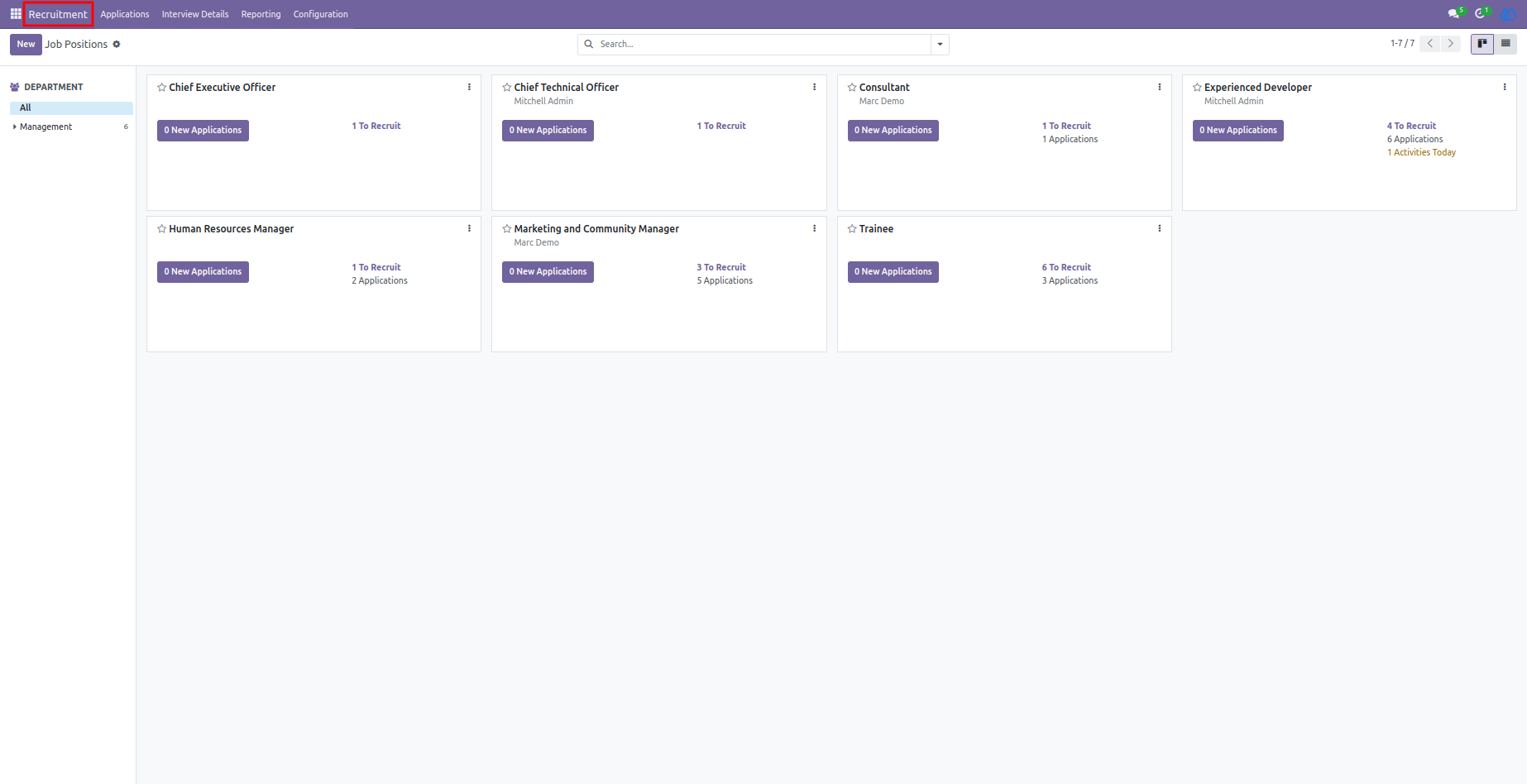
1.)Recruitment
The recruitment kanban view provides a visual representation of all recruitment activities and candidate progress. Users can easily track applicants based on different recruitment stages such as new applications, interviews, evaluations, and selection. It helps recruiters quickly manage candidate movement between stages using a simple drag-and-drop interface. The kanban view improves workflow visibility and allows teams to monitor the hiring process efficiently. It provides a clear overview of recruitment status and helps in making faster hiring decisions.
Navigation : Recruitment
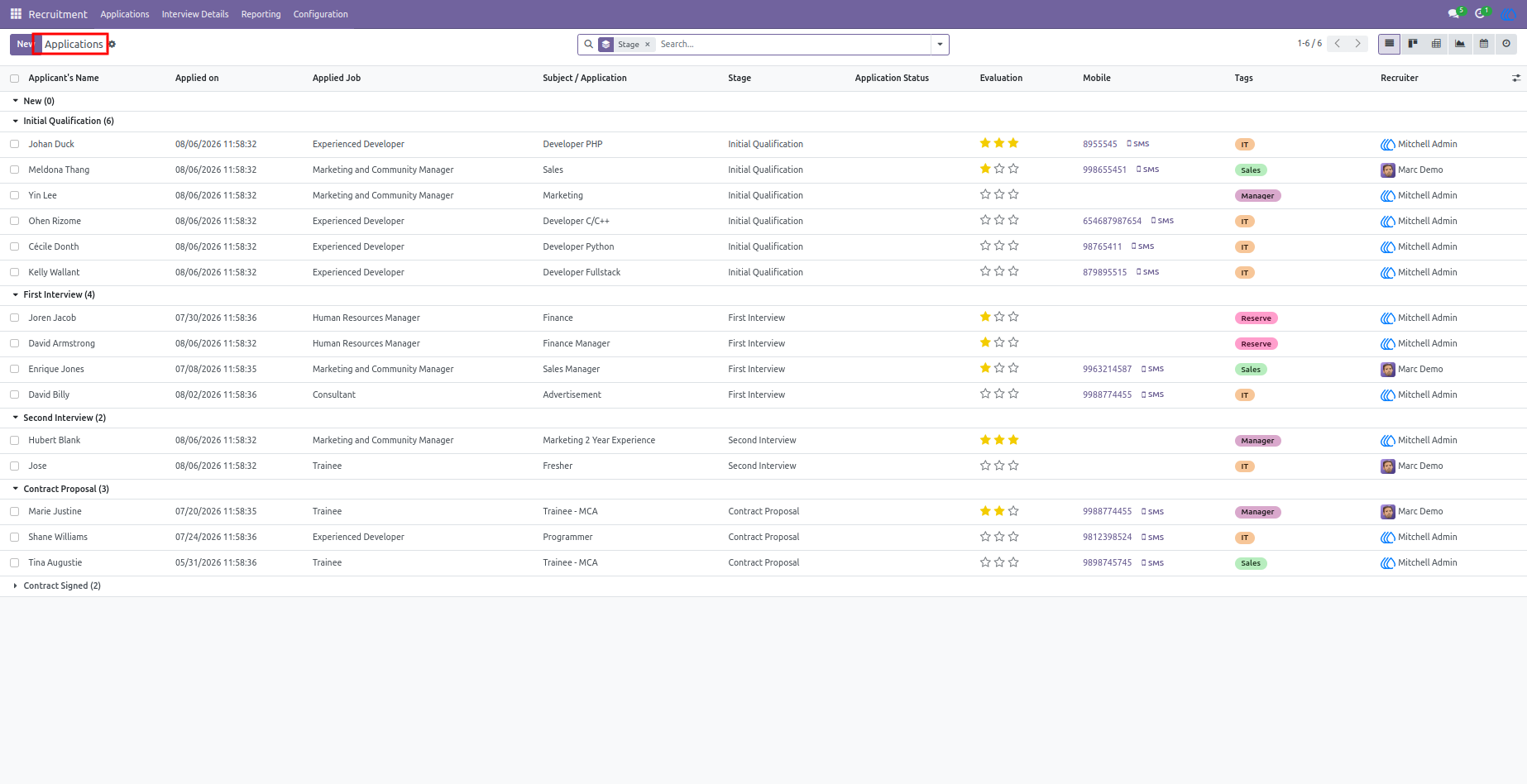
2.)Application
The recruitment application list view allows users to manage and monitor all candidate applications in a structured format. Users can view important applicant details such as candidate name, job position, application status, interview stage, and recruitment progress. It provides an organized overview of all applications, making it easier to search, filter, and analyze candidate information. Recruiters can efficiently track application updates and manage the hiring workflow from a single screen. This view helps improve recruitment efficiency and ensures smooth candidate management.
Navigation : Recruitment › Applications › All Applications
3.)Application Form View
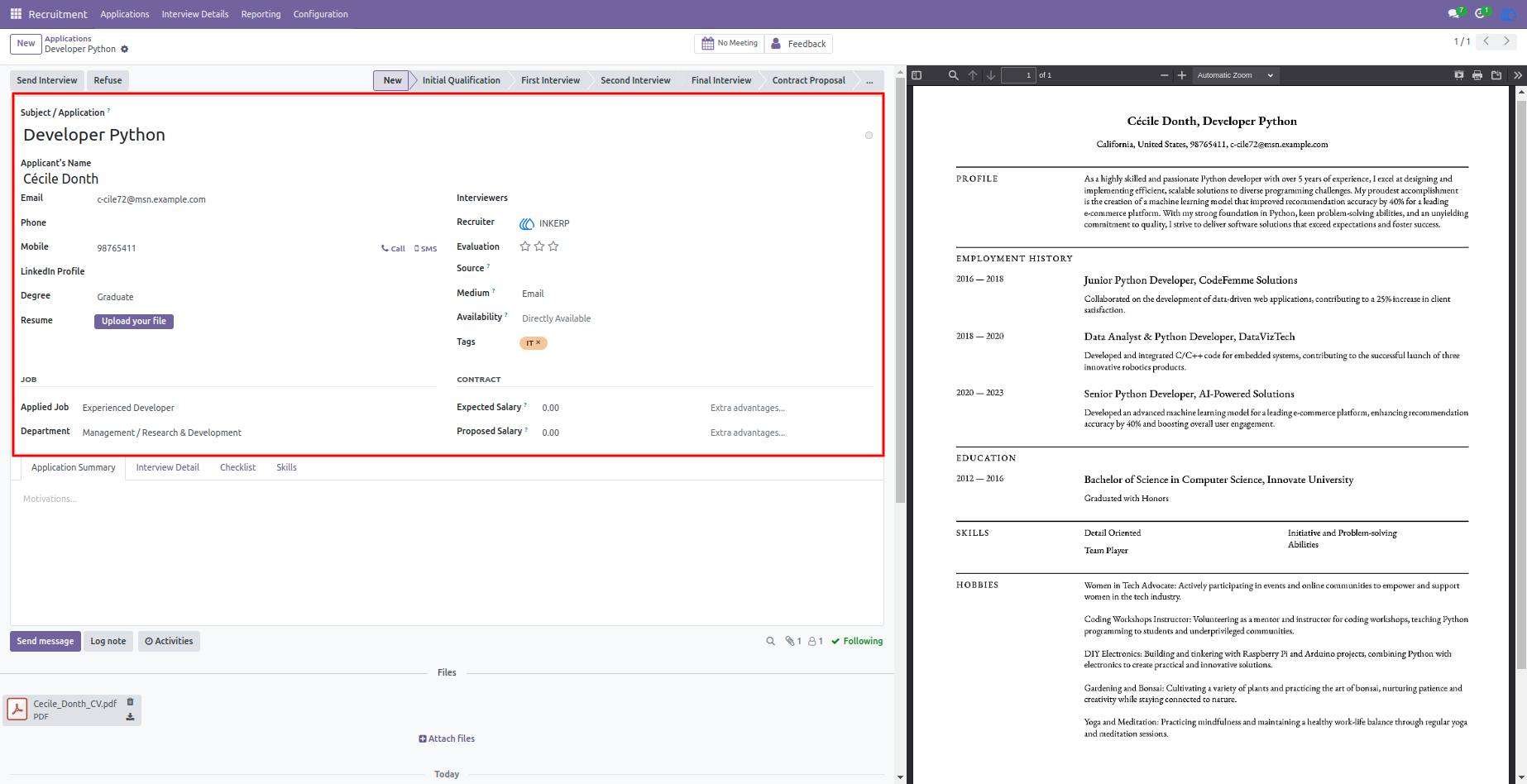
The application form view allows users to capture and manage all required candidate information in a structured manner. Users can fill in applicant details, job position, contact information, qualifications, experience, and other recruitment-related details. It provides a complete overview of candidate information required for the hiring process. Recruiters can easily review applications, update recruitment stages, and manage candidate progress efficiently. This form ensures accurate data collection and helps streamline the complete recruitment workflow.
Navigation : Recruitment › Applications › All Applications
4.)Interview Detail Line
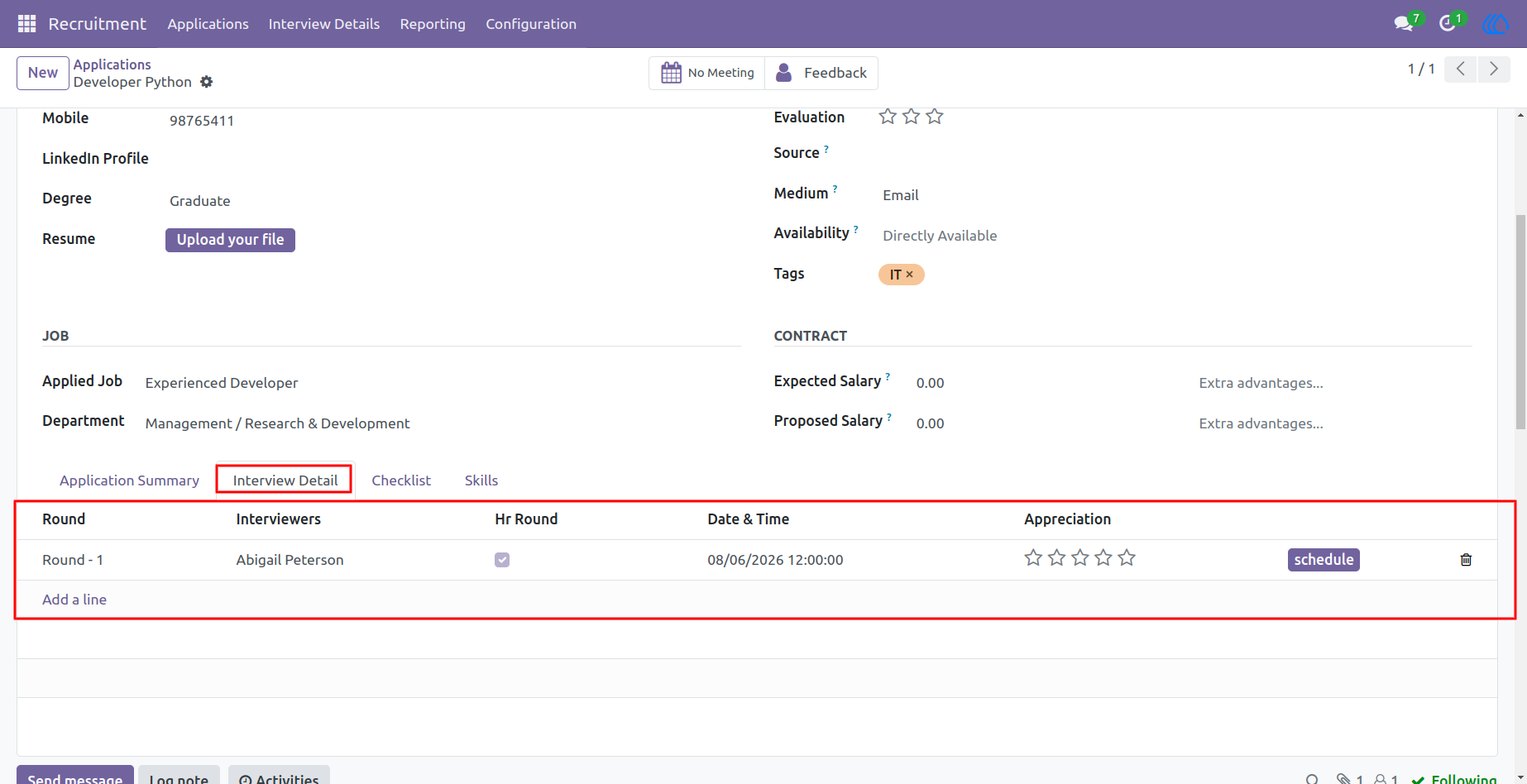
The interview detail line allows users to manage and schedule interviews directly from the application record. Users can select the required interview round, assign interviewers, set the interview date, and link the related application details. It provides a complete overview of scheduled interviews and helps recruiters organize multiple interview stages efficiently. This feature ensures proper coordination between applicants and interviewers while maintaining an accurate interview schedule.
Navigation : Recruitment › Applications › All Applications
5.)First Interview
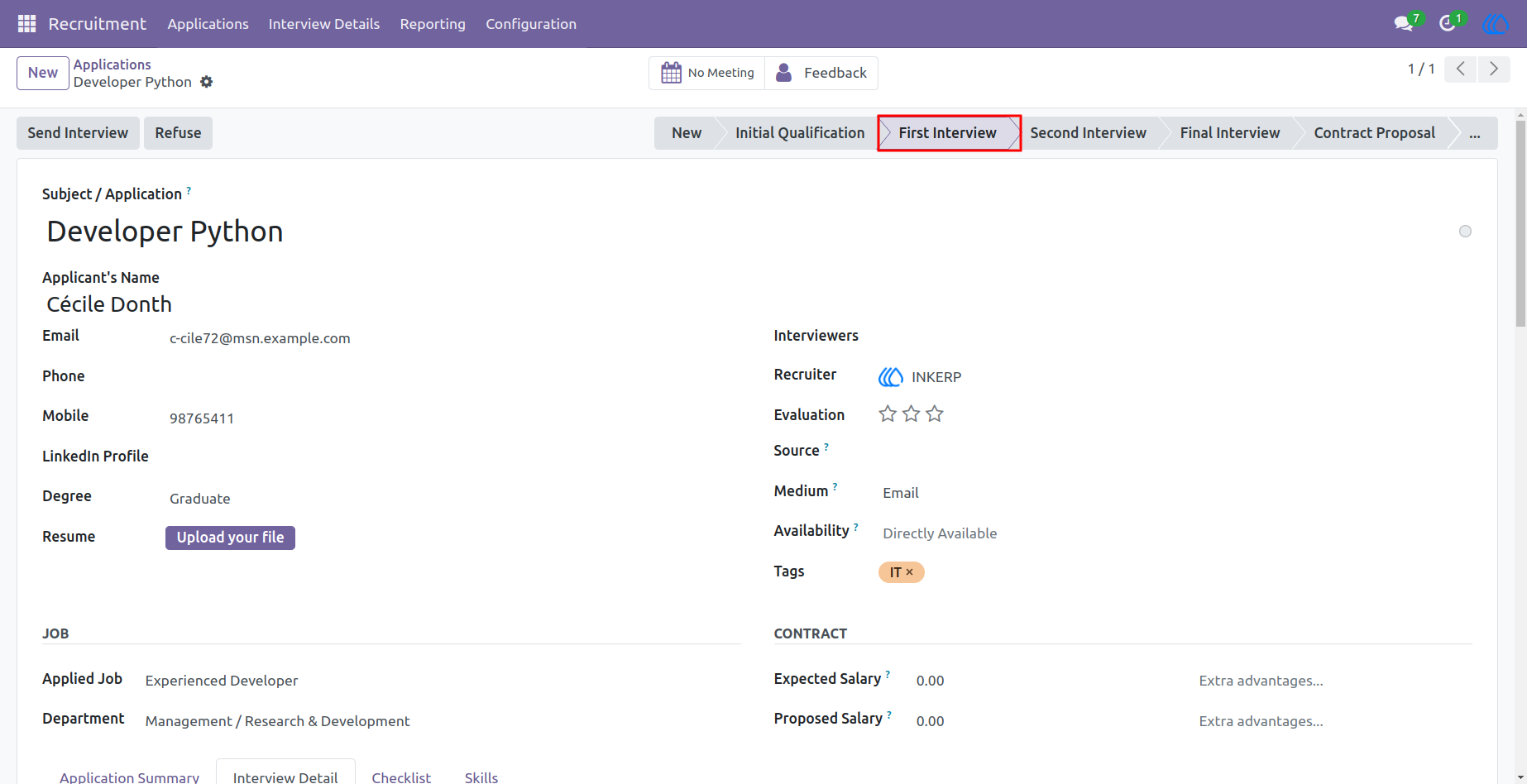
Users can set the first interview for an applicant and automatically assign the recruitment stage to the first interview stage. This helps recruiters track candidates based on their current interview progress and maintain an organized hiring workflow. The system updates the application status according to the selected interview stage, ensuring clear visibility of candidate movement throughout the recruitment process. This feature simplifies interview management and improves recruitment tracking efficiency.
Navigation : Recruitment › Applications › All Applications
6.)Interview Email
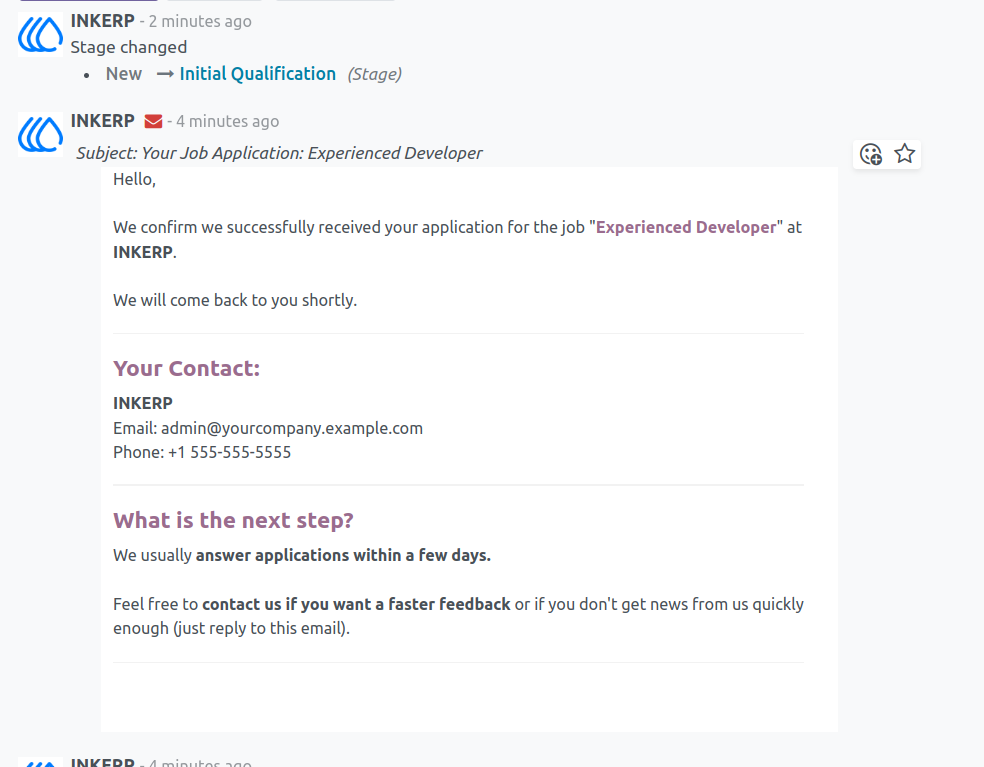
The system automatically sends an email notification to the applicant when an interview is scheduled. The email includes interview details such as the interview date, selected interview round, and other required information. Applicants are informed about the next steps in the recruitment process, helping them stay updated and prepared for the interview. This automated communication improves coordination between recruiters and candidates while reducing manual follow-up efforts.
Navigation : Recruitment › Applications › All Applications
7.)Interview Feedback
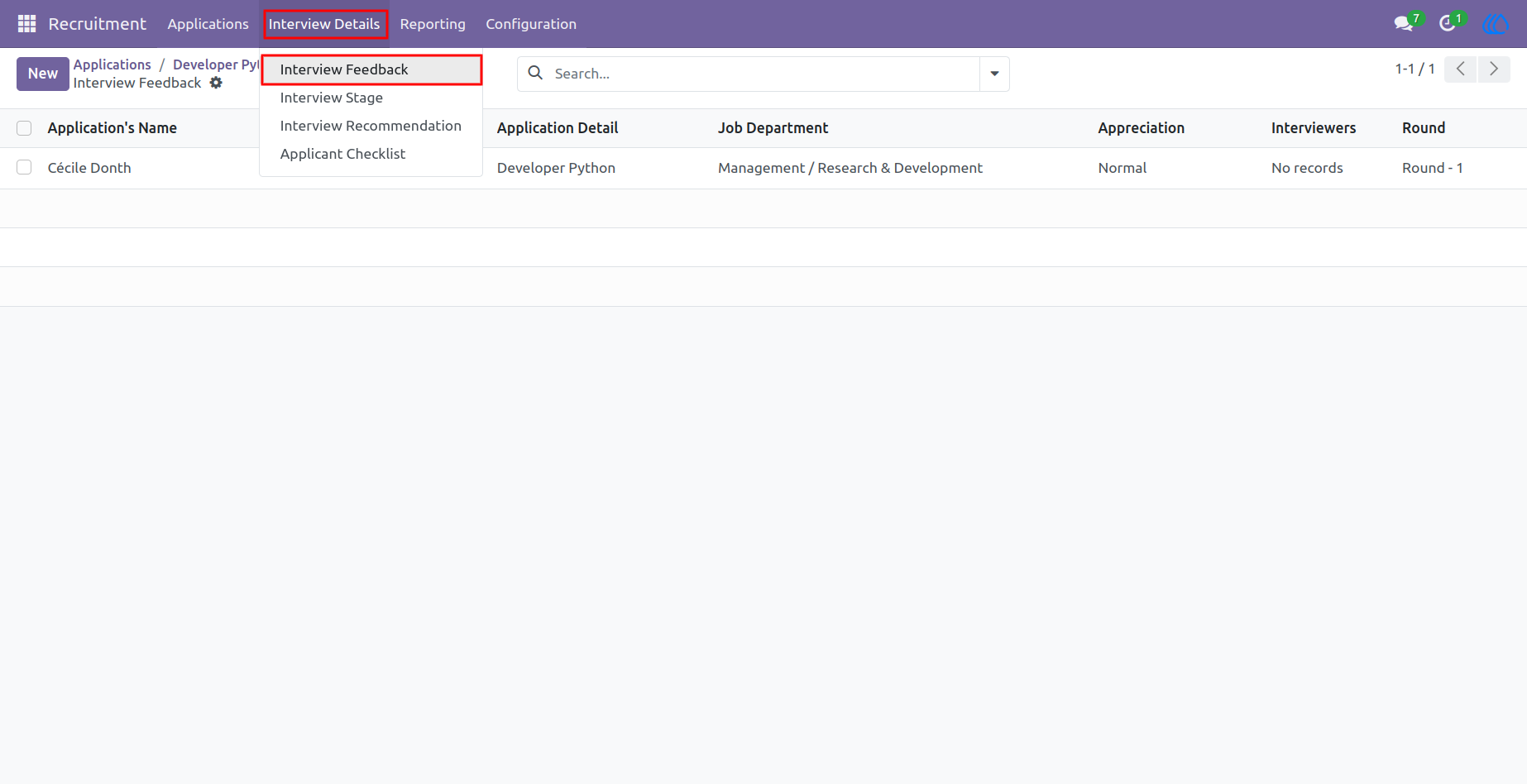
The interview feedback feature allows users to manage feedback related to scheduled interviews. Users can access the feedback list view to see all interview evaluations, including applicant details, interview rounds, interviewers, and feedback status. It helps recruiters and interviewers track candidate performance and maintain complete evaluation records. This feature ensures a structured feedback process and supports better hiring decisions.
Navigation : Recruitment › Interview Detail › Interview Feedback
8.)Interview Question
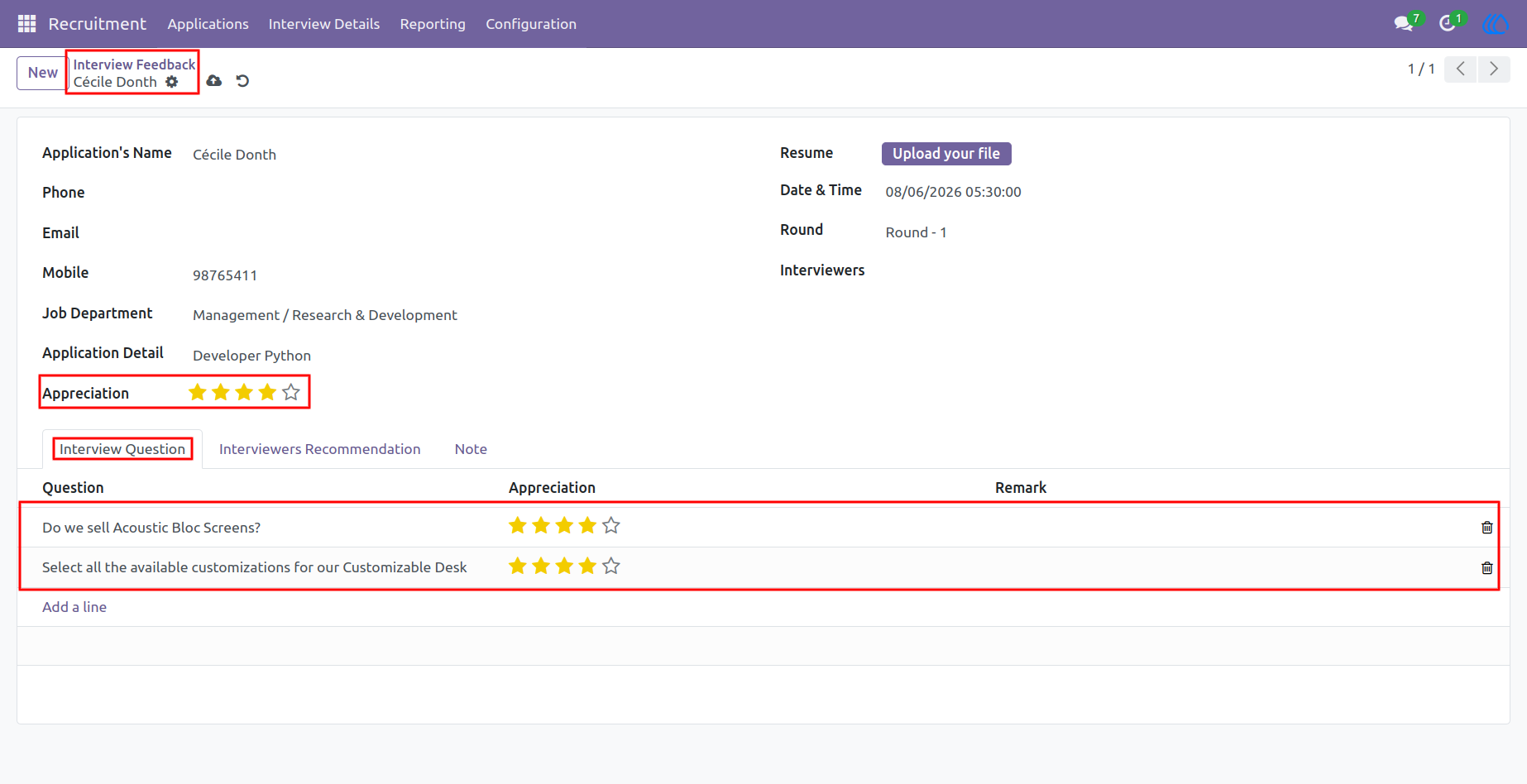
The interview feedback form allows interviewers to answer multiple evaluation questions for each scheduled interview. Each question can be rated individually, and the system automatically calculates the overall applicant rating based on all submitted scores. The calculated rating is updated as the main applicant score, providing an accurate summary of the candidate's interview performance. This automated evaluation process helps recruiters compare candidates consistently and make informed hiring decisions.
Navigation : Recruitment › Interview Detail › Interview Feedback
9.)Interview Recommendation
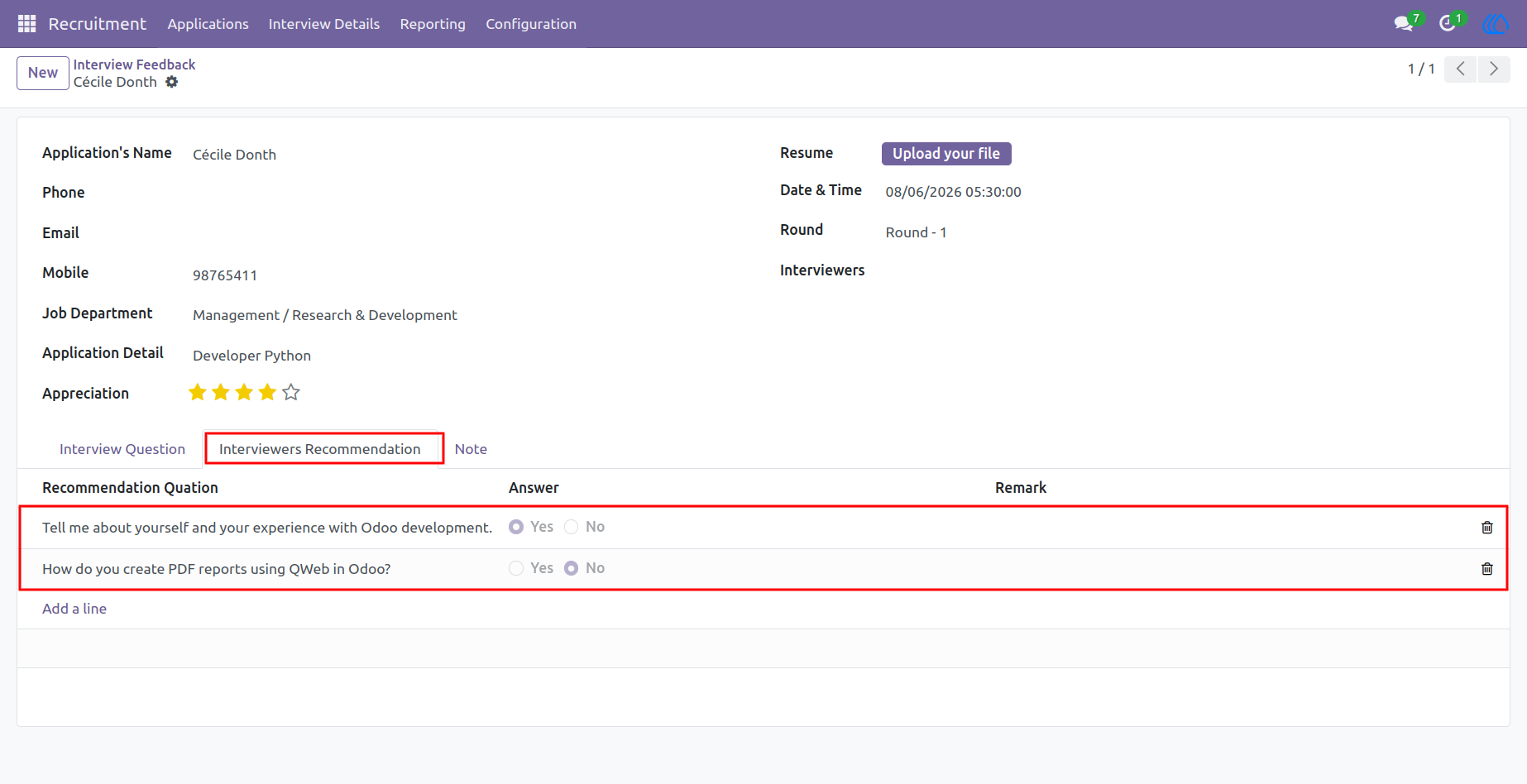
The interview recommendation questionnaire allows interviewers to evaluate candidates using a structured set of Yes/No questions. Users can select the appropriate response for each recommendation question and add remarks to provide additional comments or observations. This standardized evaluation process helps collect consistent interview recommendations and supports fair, transparent hiring decisions. All responses and remarks are stored with the interview record for future review and reference.
Navigation : Recruitment › Interview Detail › Interview Feedback
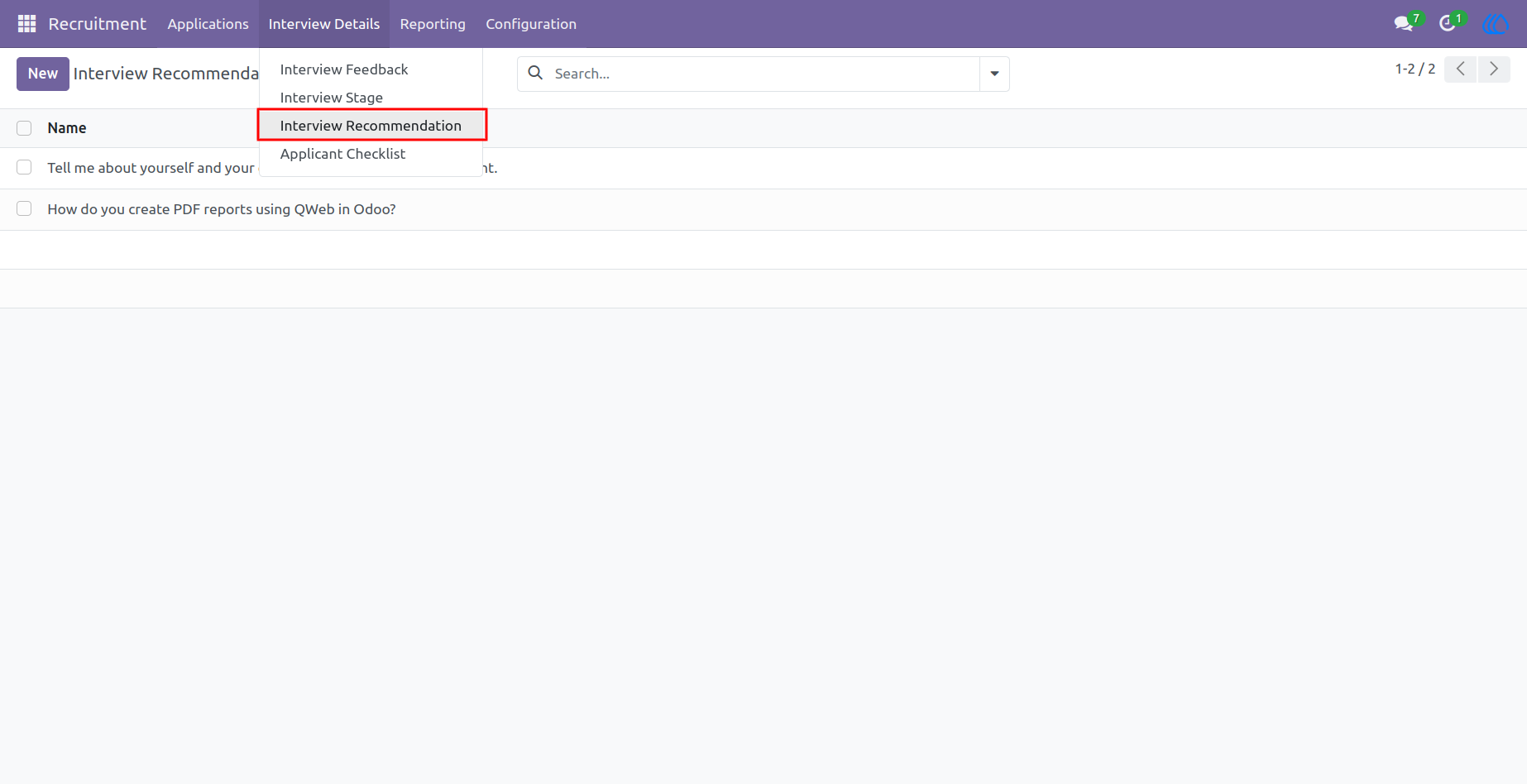
10.)Interview Recommendation
The interview recommendation list view allows users to create and manage all recommendation questions used during the recruitment process. Users can configure multiple recommendation questions that are later available in the interview feedback form. This ensures a standardized evaluation process across all interviews and helps interviewers provide consistent recommendations. The centralized question list also makes it easy to maintain and update recommendation criteria whenever required.
Navigation : Recruitment › Interview Detail › Interview recommendation
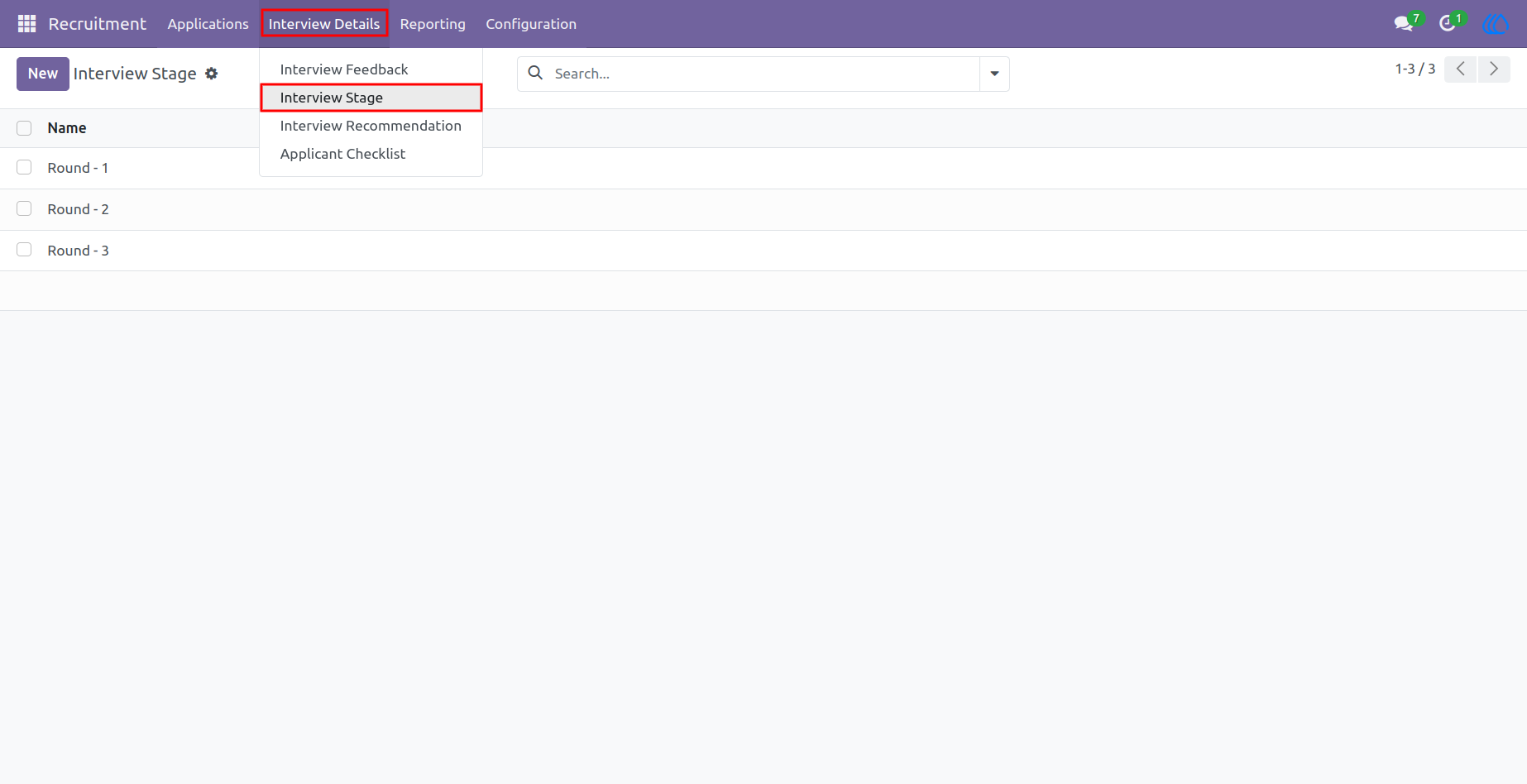
11.)Interview stage
Users can configure and manage interview stages based on their organization's recruitment workflow. Multiple stages such as First Round, Second Round, Technical Round, HR Round, and Final Round can be created according to company requirements. Each stage is used while scheduling interviews to accurately track candidate progress throughout the hiring process. Flexible stage management allows organizations to customize their interview workflow and maintain a structured recruitment process.
Navigation : Recruitment › Interview Detail › Interview Stage
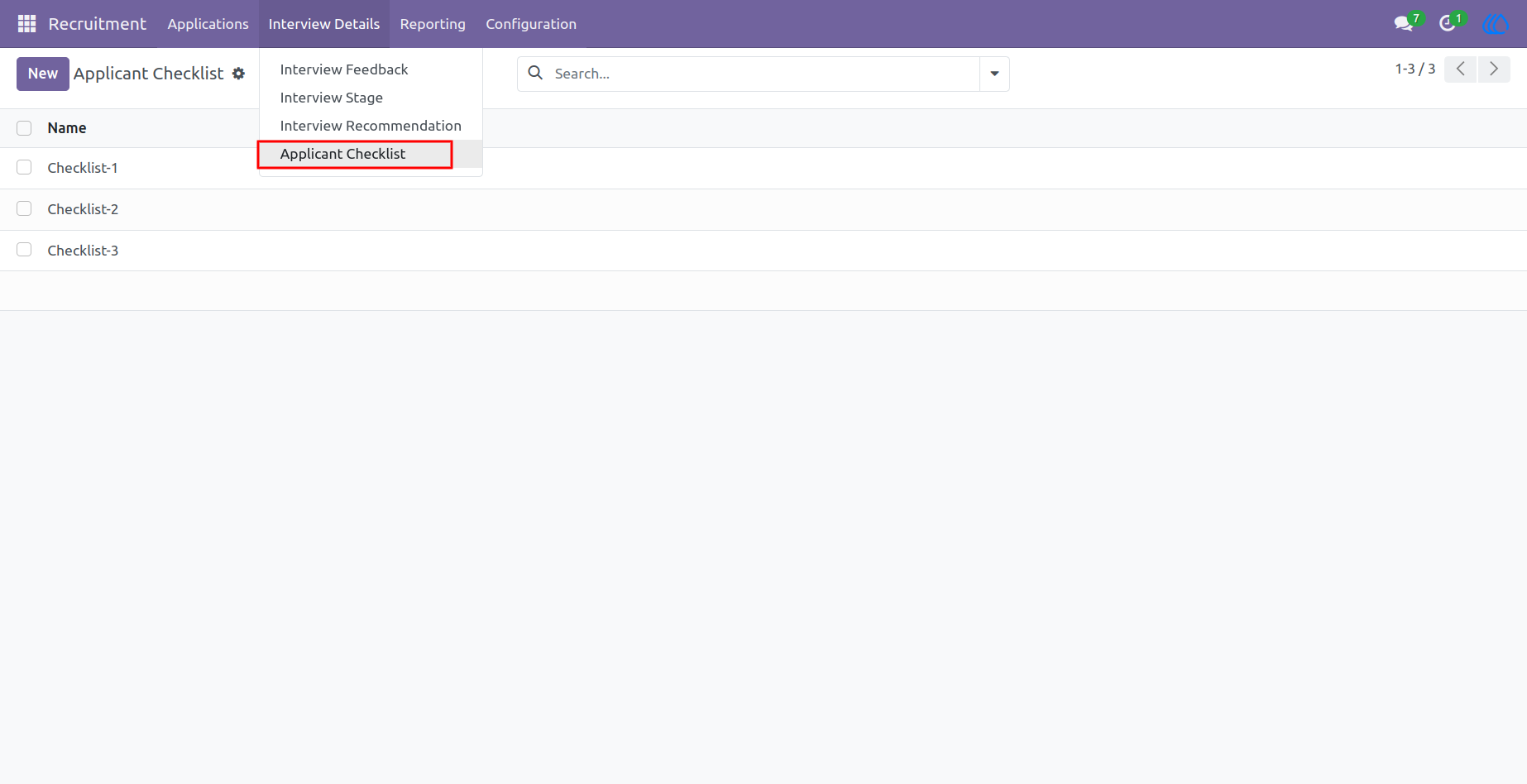
12.)Applicant Chacklist
Users can create and manage recruitment checklist items along with the conditions required during the hiring process. Each checklist item can be configured based on the organization's recruitment requirements and policies. These checklist items are available in the recruitment application form, where recruiters can mark each task as Done or Cancelled. This feature helps ensure all required recruitment activities are completed before proceeding with the final hiring decision.
Navigation : Recruitment › Interview Detail › Applicant Checklist
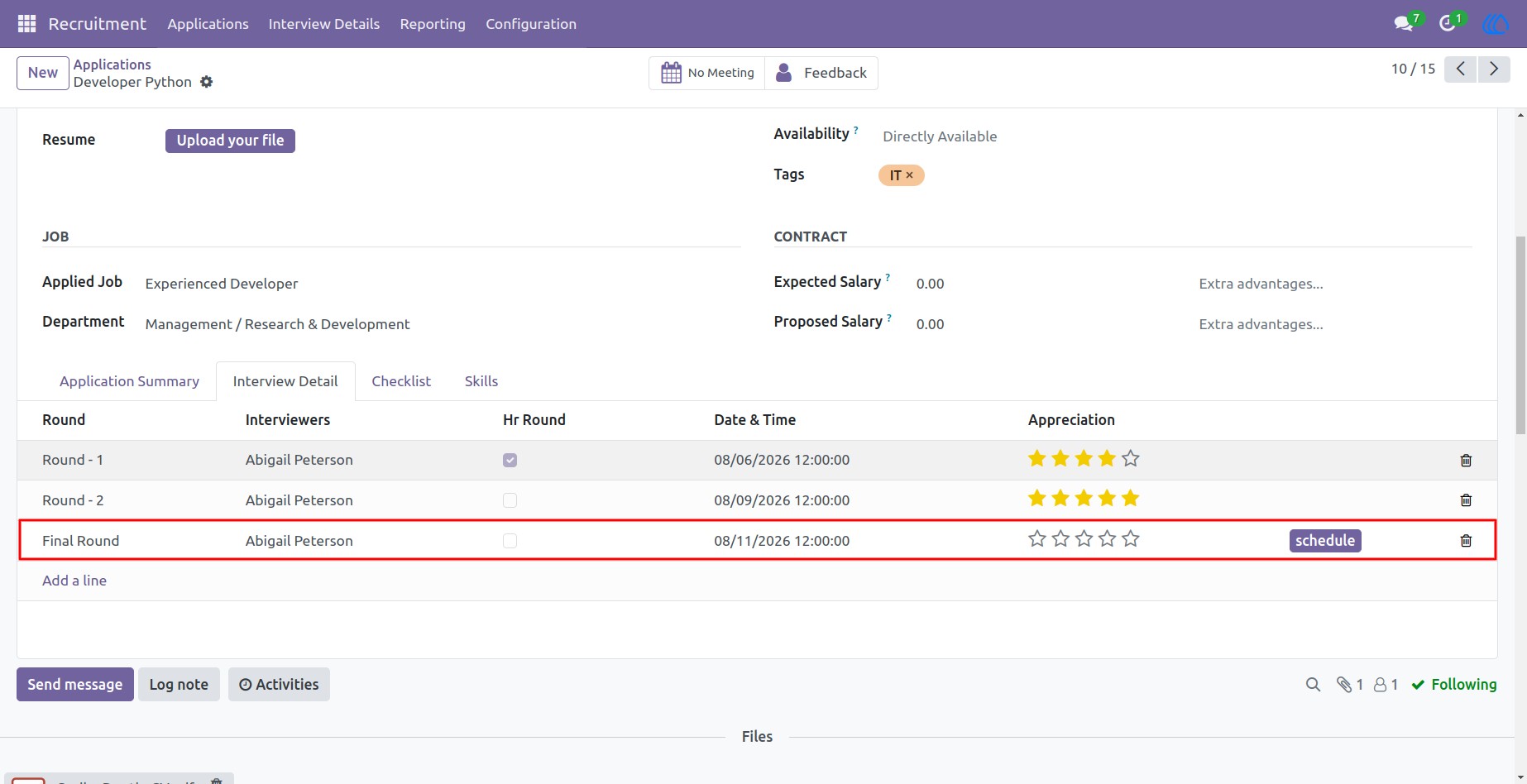
13.)Interview Final Round
Final interview scheduling can be performed directly from the recruitment application after all previous interview rounds are completed. Recruiters can assign the interview round, select interviewers, and specify the interview date and time for the final evaluation. All scheduling details are recorded with the applicant, providing complete visibility into the recruitment process. This feature ensures a smooth transition to the final hiring stage and supports an organized recruitment workflow.
Navigation : Recruitment › Applications › All Applications
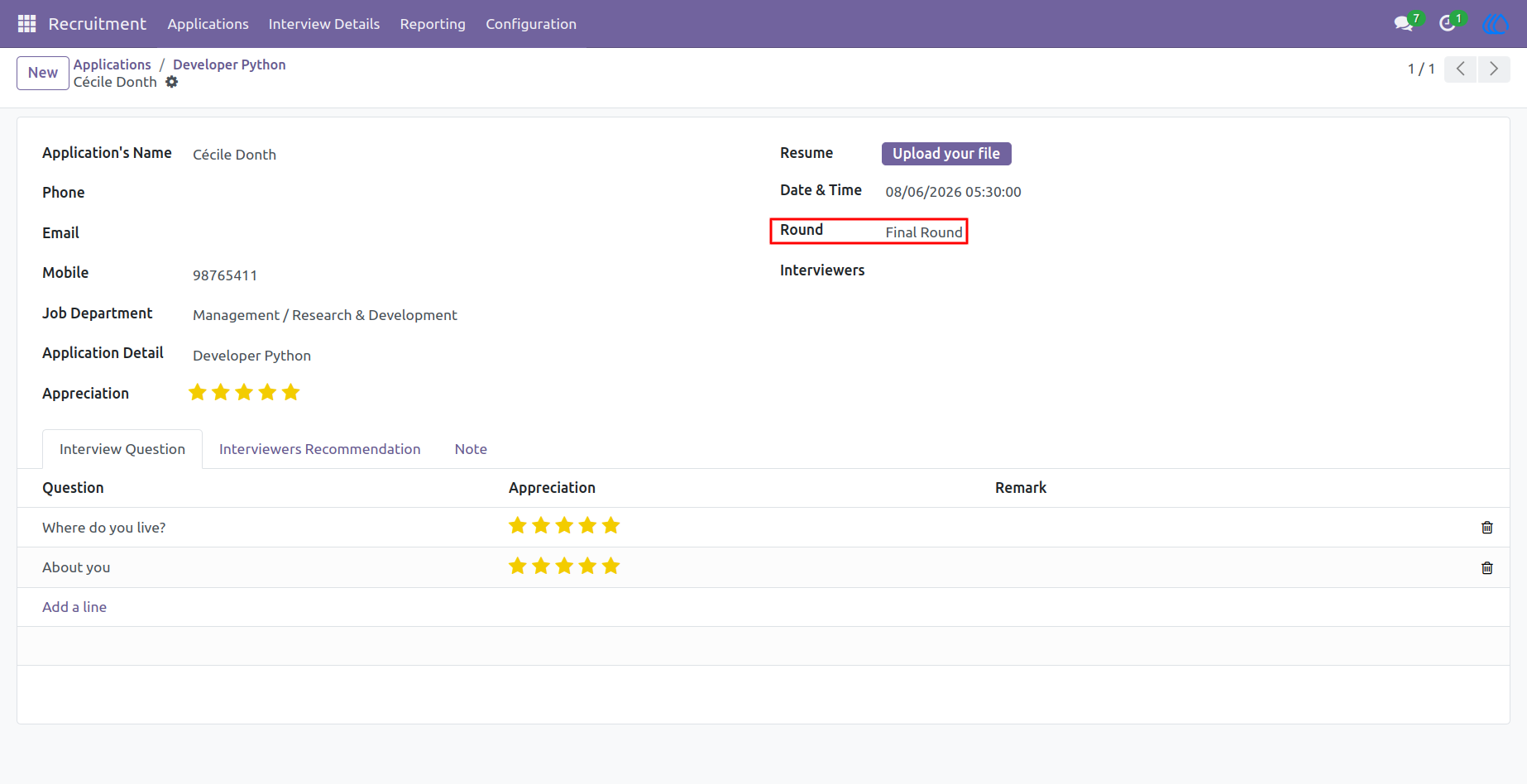
14.)Interview Feedback
Interview feedback records display the corresponding interview round, such as Round 1, Round 2, Technical Round, HR Round, or Final Round, for each evaluation. This makes it easy to identify which interview stage the feedback belongs to and review candidate performance across different rounds. Clear round-wise feedback helps recruiters compare evaluations and make informed hiring decisions throughout the recruitment process.
Navigation : Recruitment › Interview Detail › Interview Feedback
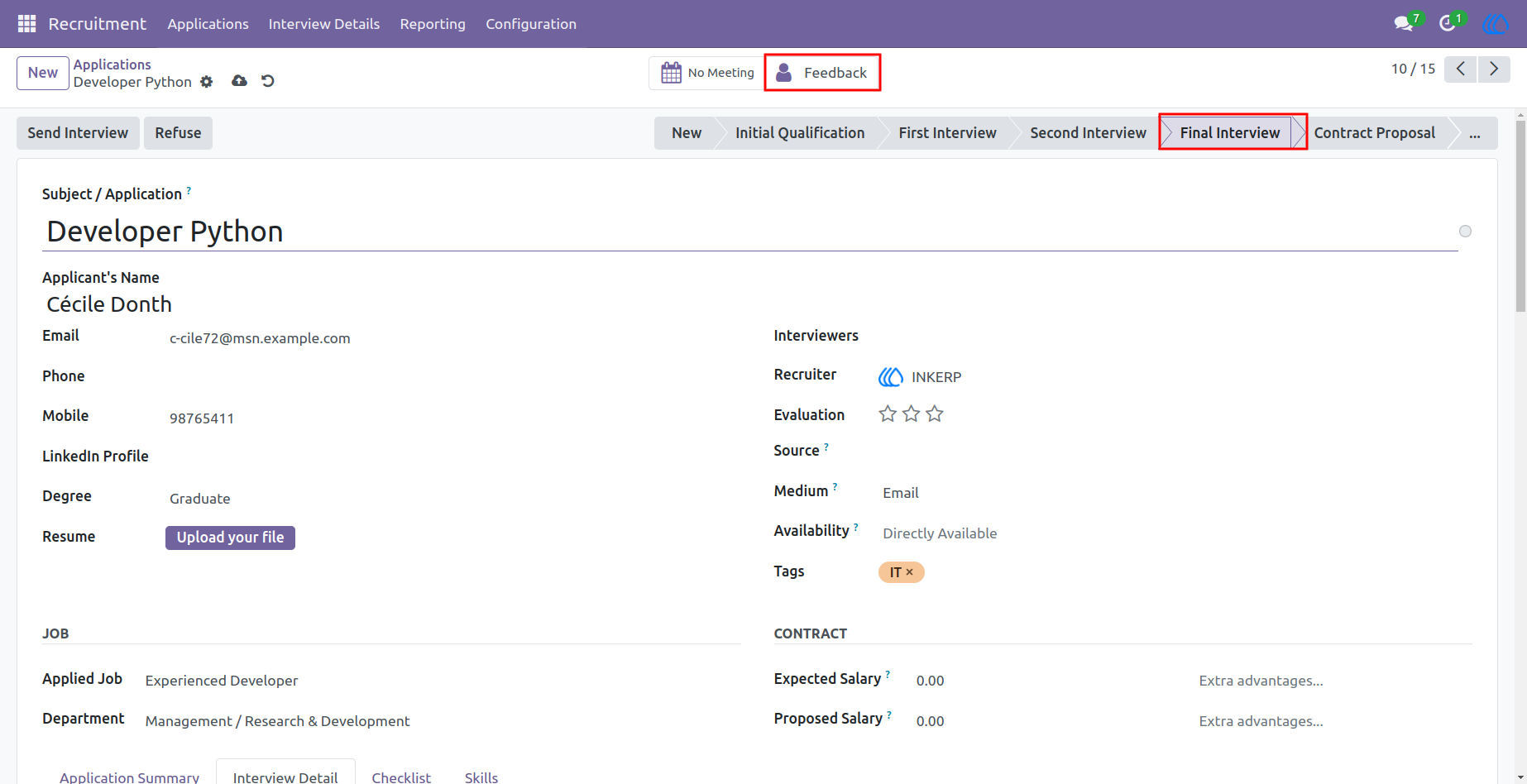
15.)Feedback Smart Button
Clicking the Interview Feedback smart button opens a list of all feedback records related to the selected applicant. Every interview evaluation, including the interview round, interviewer, and feedback details, is displayed in a single view for easy review. This provides recruiters with a complete history of the applicant's interview performance and supports better hiring decisions based on consolidated feedback records.
Navigation : Recruitment › Applications › All Applications
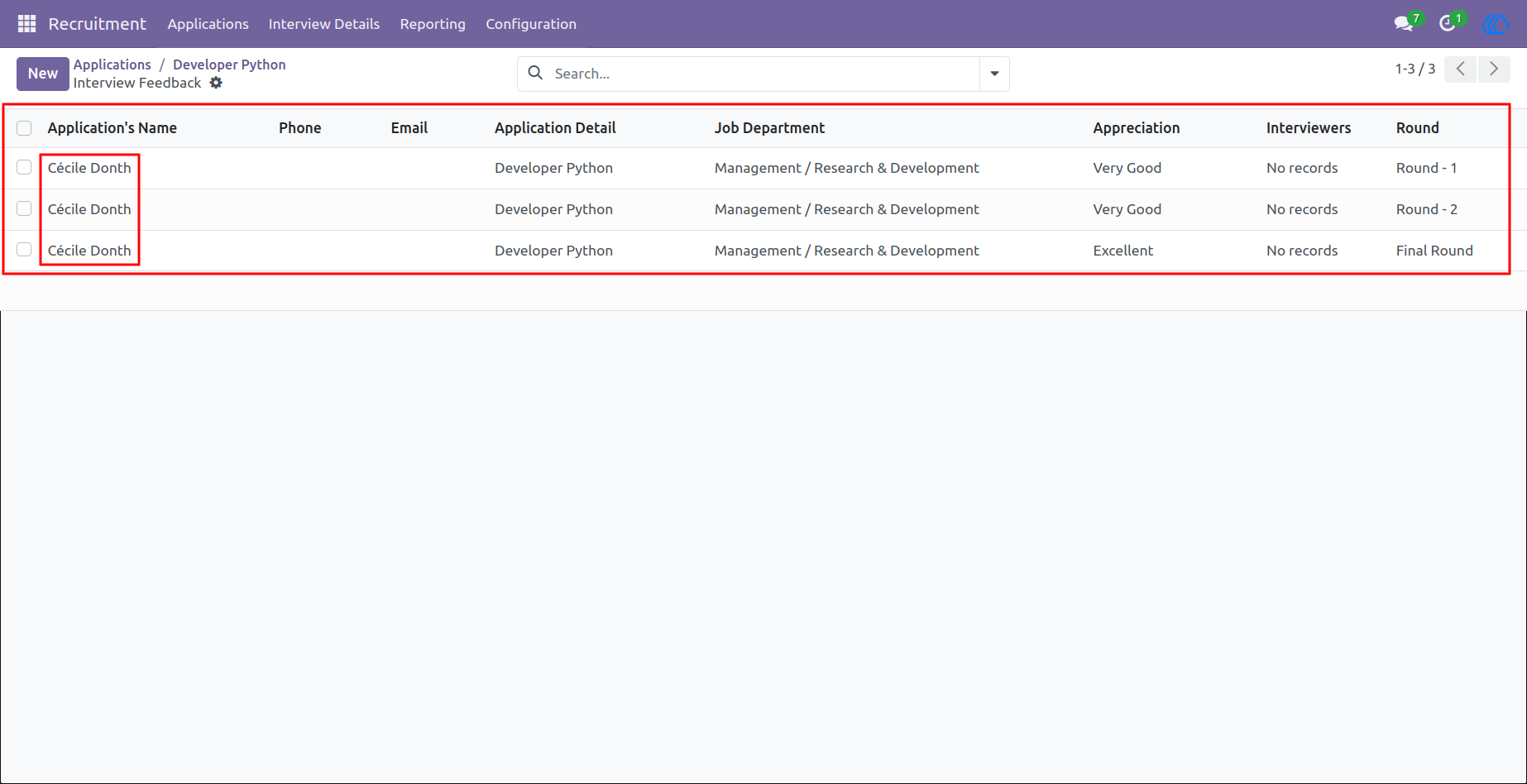
16.)Applicant Feedback
Filtered applicant feedback allows recruiters to view only the selected applicant’s interview feedback records in the list view. All related evaluations, interview rounds, interviewer details, ratings, and remarks can be reviewed from a single screen. This helps users quickly analyze the applicant’s overall interview performance and make accurate recruitment decisions based on complete feedback history.
Navigation : Recruitment › Interview Detail › Interview Feedback
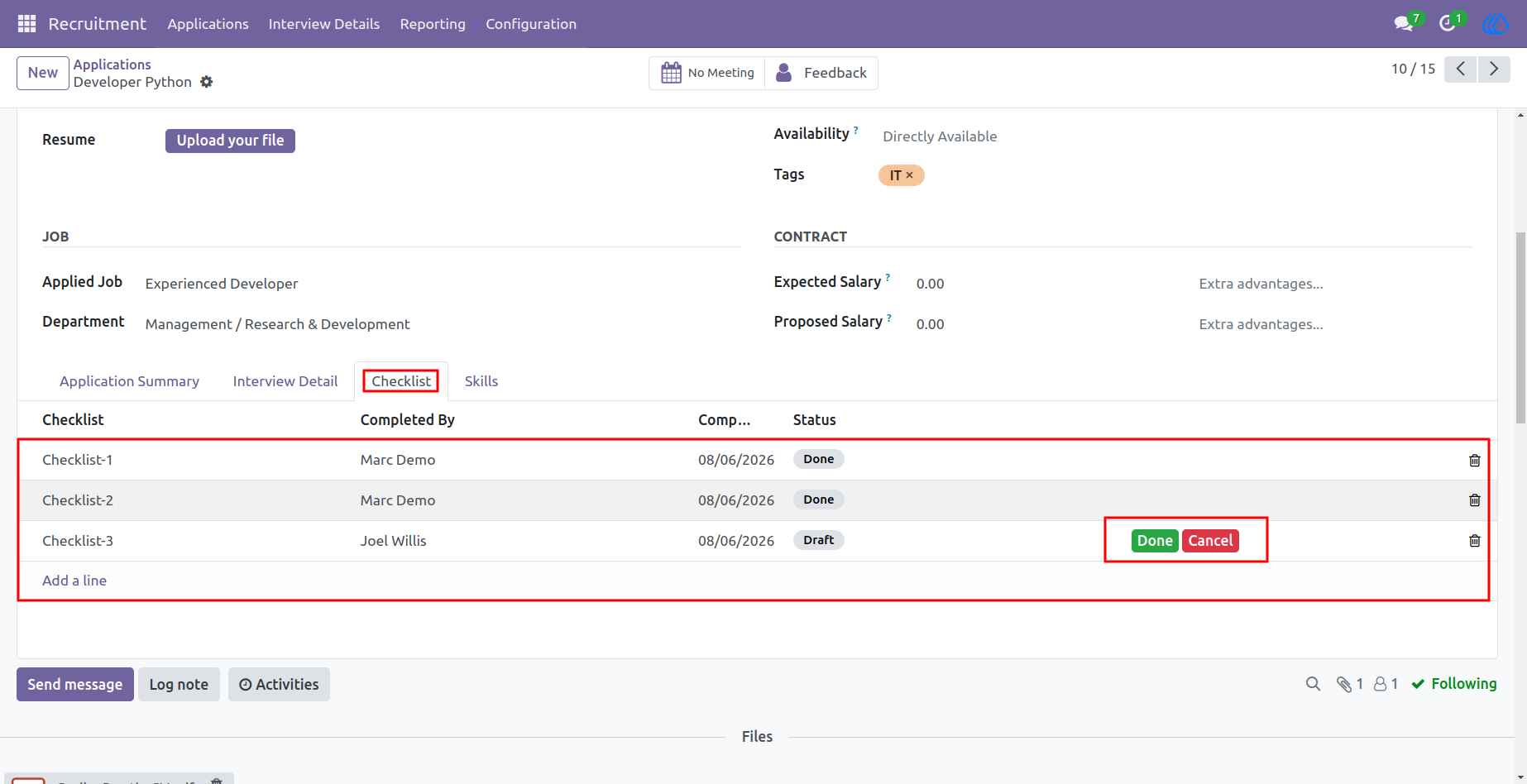
17.)Checklist
Application checklist allows recruiters to select required checklist items and verify each recruitment activity. Users can review assigned checklist tasks and update their status as Done or Cancelled based on completion and verification. This helps maintain a proper recruitment workflow and ensures all necessary steps are completed before moving the applicant to the next stage.
Navigation : Recruitment › Applications › All Applications
User Guide