

Our Most Suggested Products


Purchase Team in Purchase Order
The Purchase Team in Purchase Order app for Odoo adds team-based control and visibility to the procurement workflow. It allows you to assign Purchase Teams to each Purchase Order (PO) and control who can view or manage them based on team membership.Perfect for organizations with multiple purchasing departments or locations, this module improves collaboration, security, and accountability across your purchasing process.
 Features
 Screenshots
 Support
 Service
Features
Auto Team Assignment on PO Creation
When a user creates a new Purchase Order, the system automatically assigns their Purchase Team based on user configuration no manual selection needed.
Team-Based PO Access Control
Only members of the assigned Purchase Team can view or manage specific Purchase Orders, ensuring data security and role-based access.
Purchase Team Configuration
Admins can define Purchase Teams and assign users to teams easily from user Purchase Team configuration menu.
Filtered PO Visibility
Users will only see Purchase Orders that belong to their own team, reducing confusion and focusing each user on their responsibilities.
Screenshot
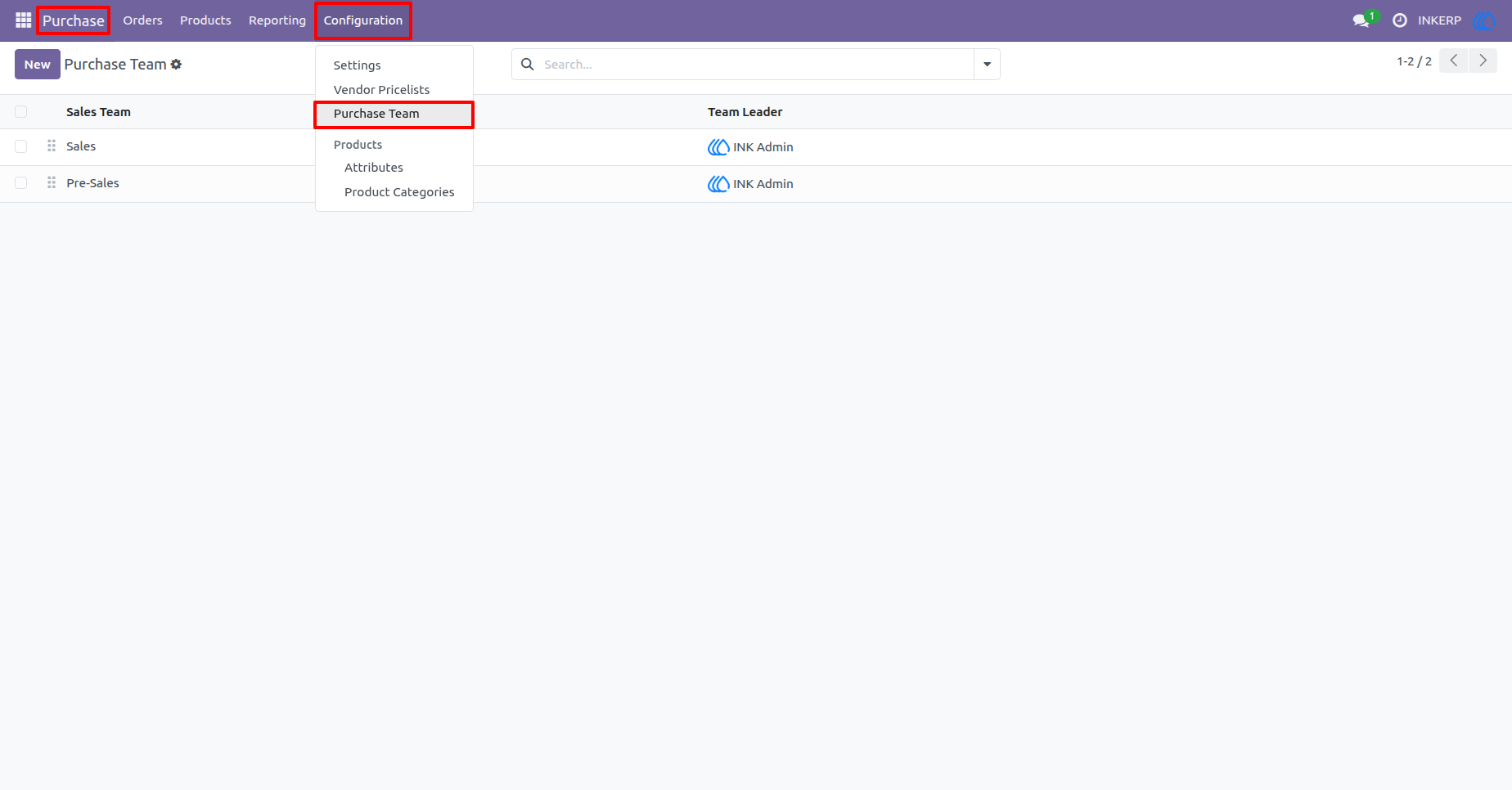
1.) Purchase Team Configuration Menu
Purchase Teams are managed directly from the Purchase module configuration. This menu provides quick access to create, edit, and manage teams responsible for handling Purchase Orders.
Navigation : Purchase › Configuration › Purchase Team
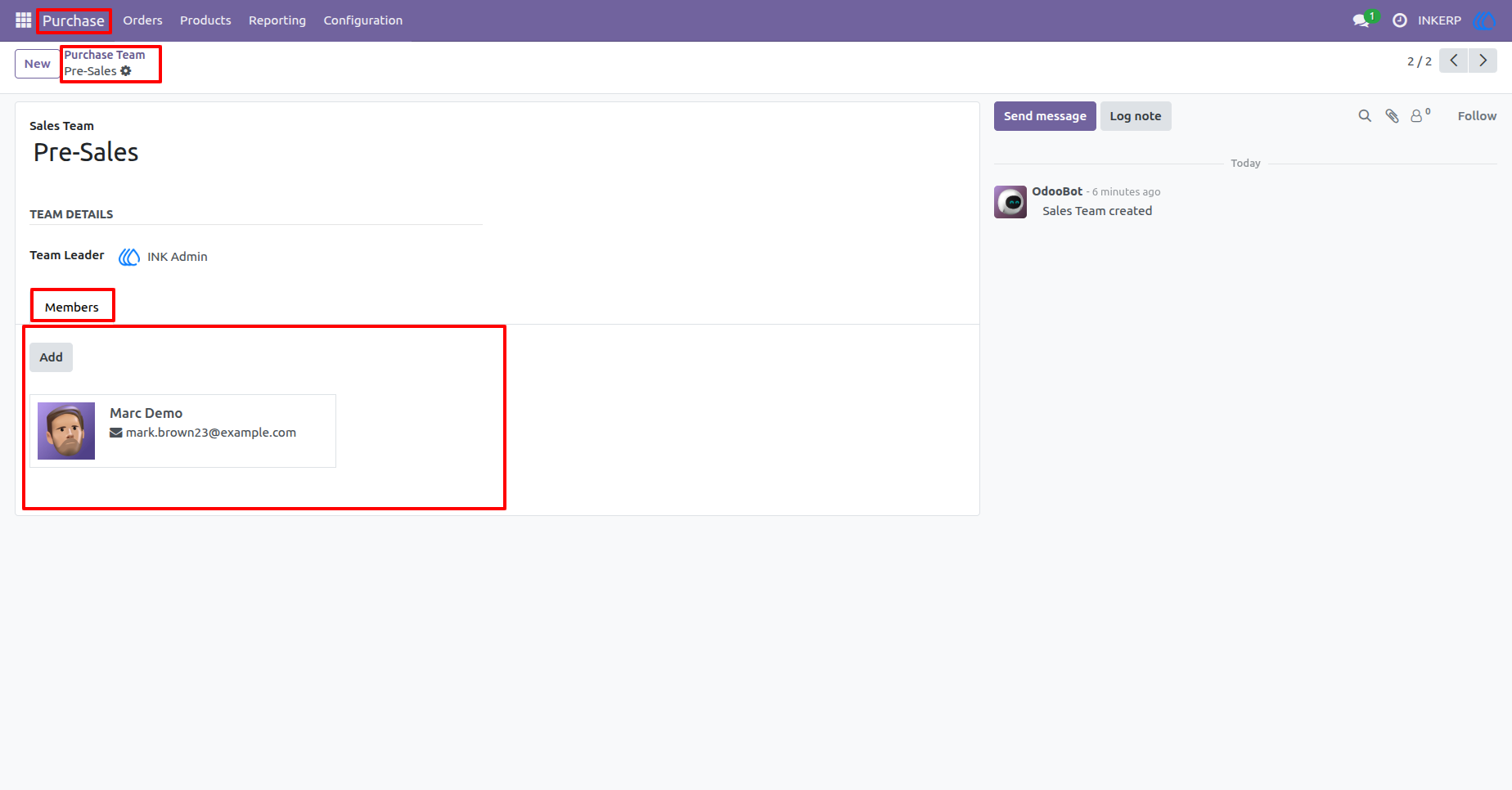
2.) Purchase Team Form with Members
Each Purchase Team contains a designated Team Leader and multiple members. Team members are responsible for managing RFQs and Purchase Orders assigned to their team.
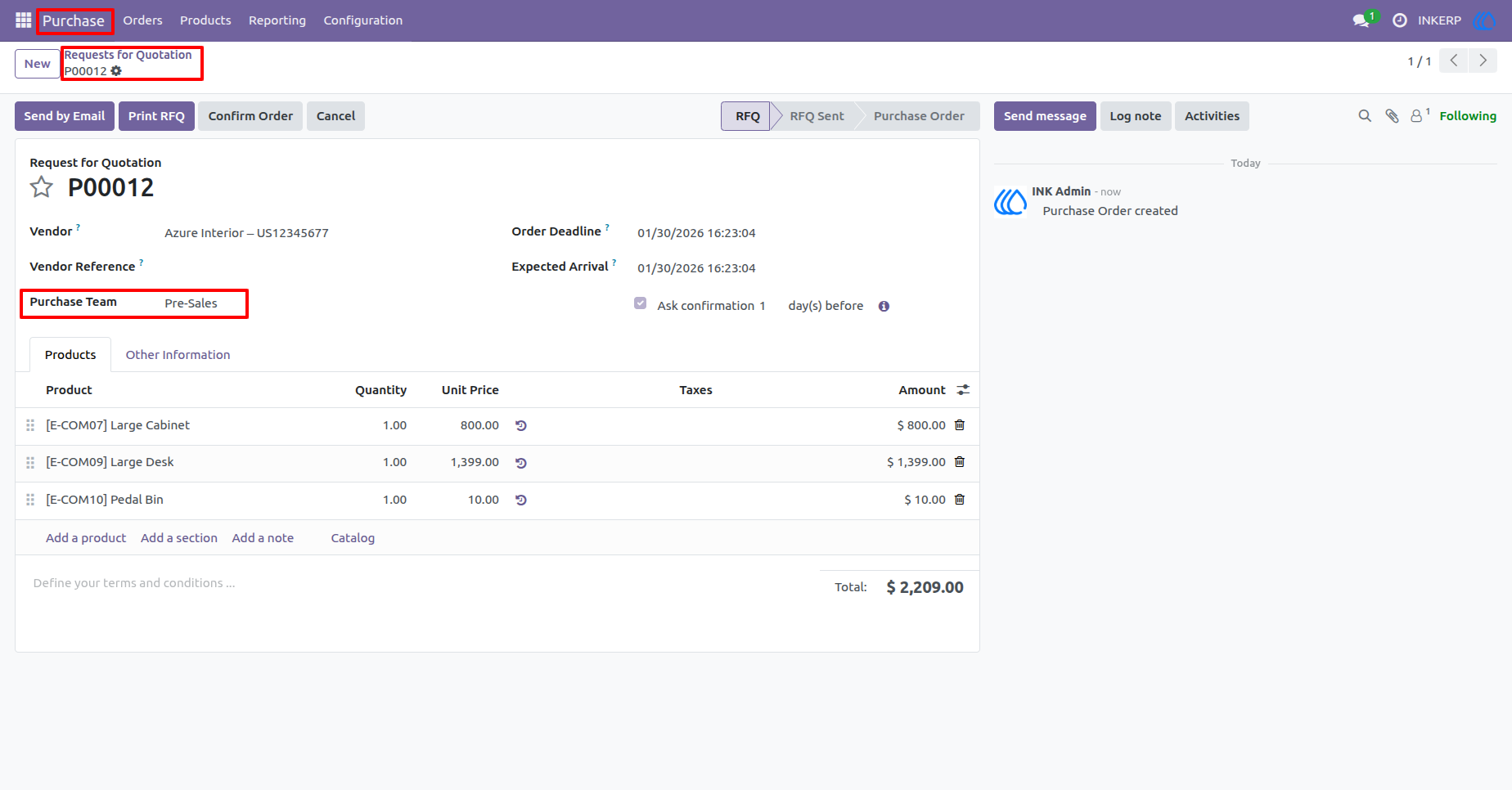
3.) Purchase Team Assigned to RFQ
Every Request for Quotation is linked to a Purchase Team. This association ensures the RFQ belongs to the correct team and follows the defined access rules.
Navigation : Purchase › Orders › Request for Quotation
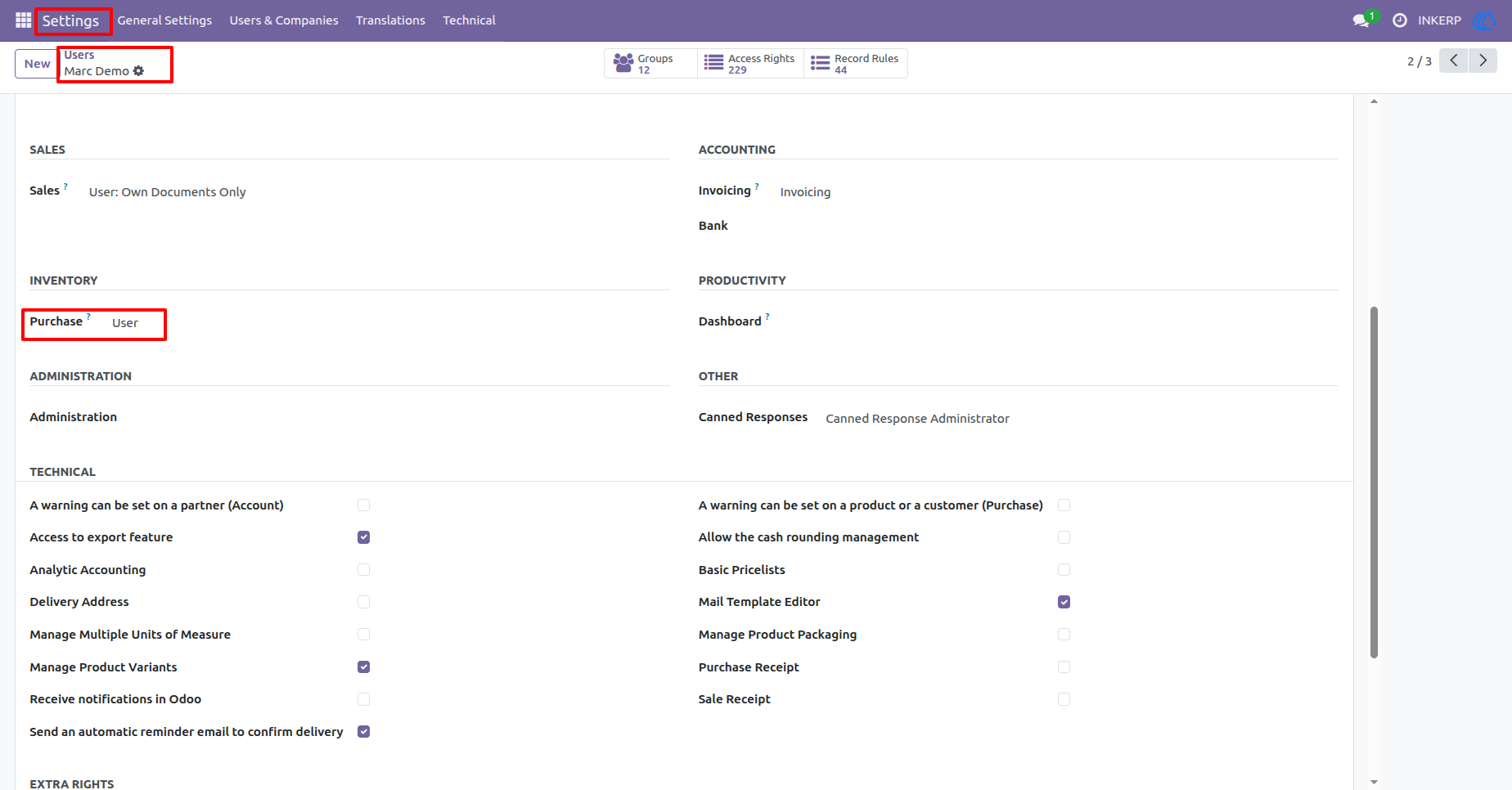
4.) Purchase User Access Rights
Users assigned as Purchase Users can access only the Purchase Orders related to their Purchase Team, ensuring controlled visibility and responsibility.
Navigation : Setting › Users › User
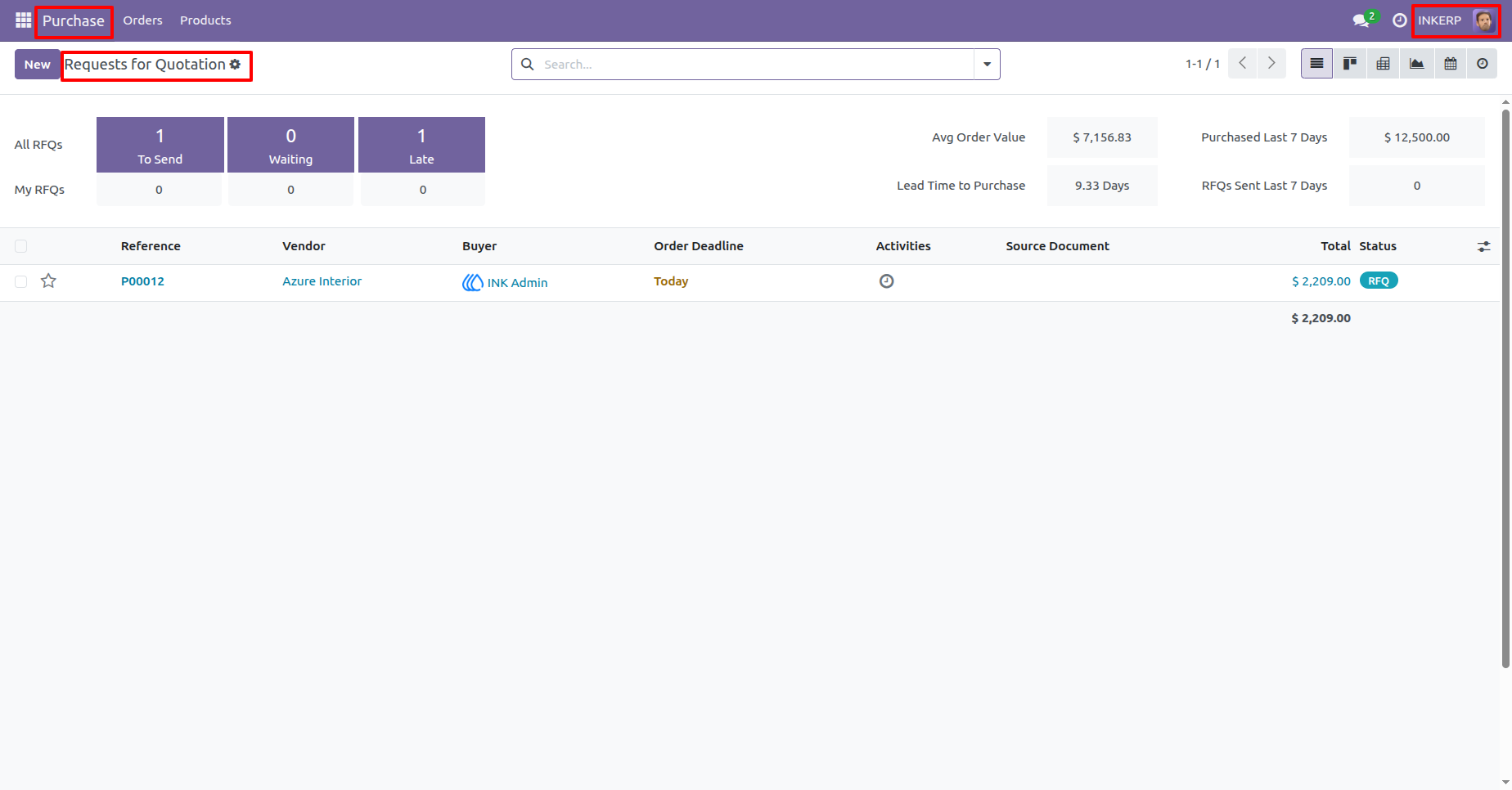
5.) RFQ Visibility for Purchase Users
Purchase Users have access exclusively to RFQs assigned to their Purchase Team, keeping the purchase workflow organized and secure.
Navigation : Purchase › Orders › Request for Quotation
6.) Purchase Administrator Access Rights
Purchase Administrators have full access to all Purchase Orders across all teams, allowing centralized management and oversight.
Navigation : Setting › Users › User
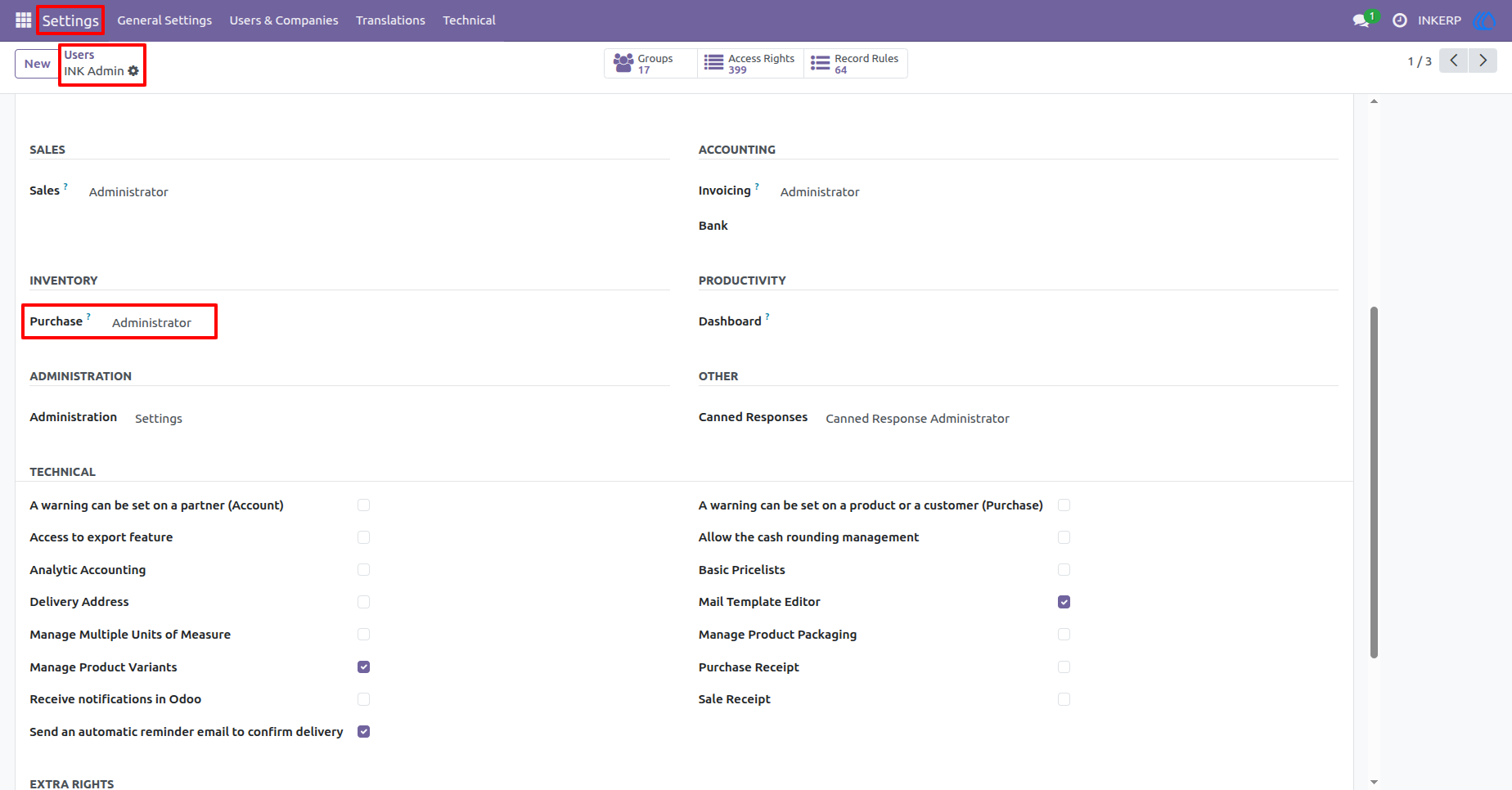
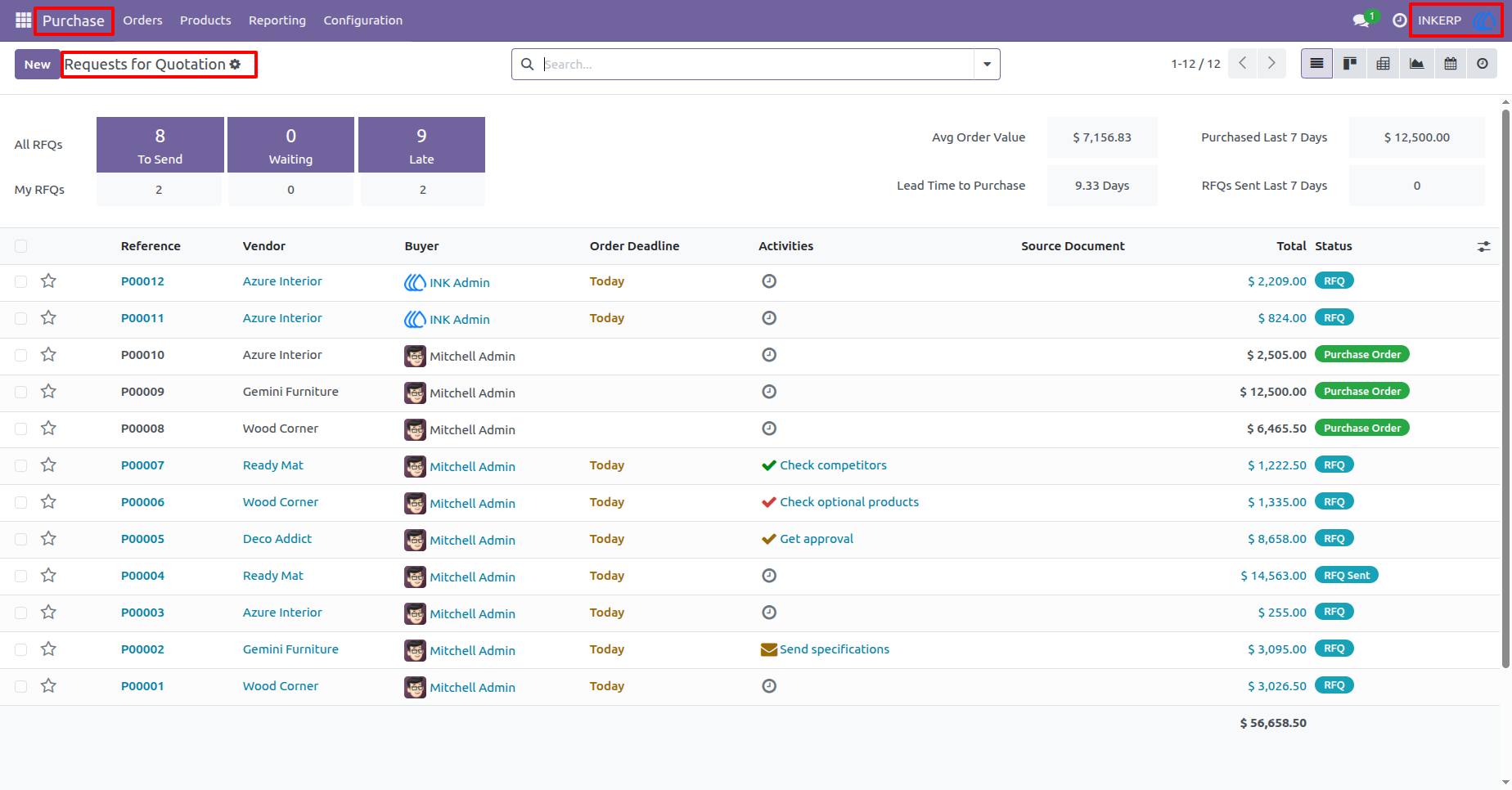
7.) RFQ Visibility for Purchase Administrators
Purchase Administrators can review and manage RFQs from all Purchase Teams, enabling cross-team monitoring and decision-making.
Navigation : Purchase › Orders › Request for Quotation
User Guide