

Our Most Suggested Products


Purchase Order from Manufacturing Order
The Purchase Order from Manufacturing Order app for Odoo is a powerful tool designed to simplify and automate the procurement process by allowing users to create purchase orders directly from manufacturing orders. This seamless integration ensures that all necessary materials and components are procured automatically whenever a manufacturing order is created, reducing manual work, saving time, and minimizing the risk of human error. The app also enables multiple purchase orders to be generated from a single manufacturing order, while providing clear visibility of already ordered quantities.
Video Tutorial
 Features
 Screenshots
 Support
 Service
Features
Direct Purchase Order Creation from Manufacturing Orders
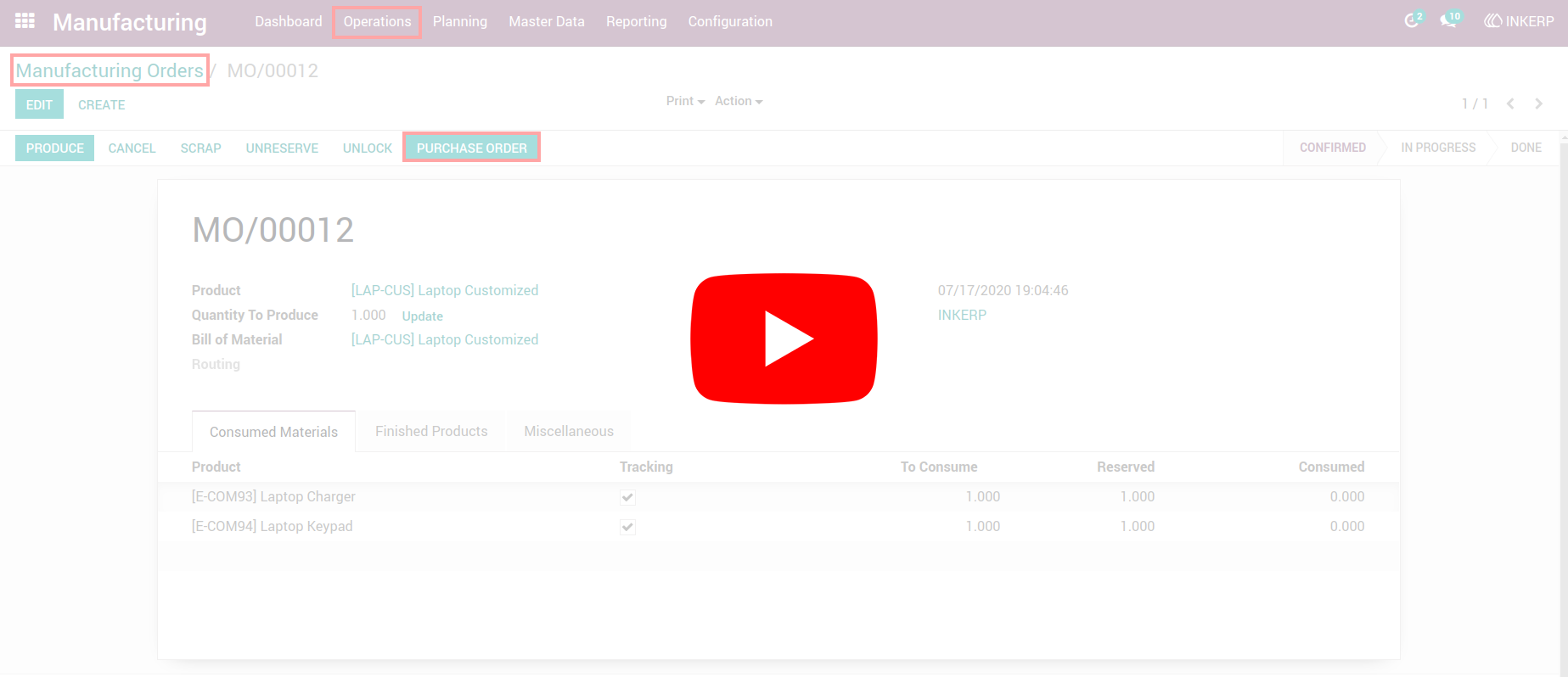
you can instantly create a purchase order directly from a manufacturing order. This eliminates the need to manually enter the same data twice, streamlining the procurement process and reducing the chances of human error. It ensures that all materials required for production are promptly ordered, helping businesses maintain smooth operations and avoid production delays.
Automatic Cancellation and Deletion of Related Purchase Orders
When a manufacturing order is cancelled or deleted, the app automatically cancels or deletes the corresponding purchase orders. This ensures that your procurement records stay accurate and prevents unnecessary orders from remaining in the system.
Time-Saving Automation
The Purchase Order from Manufacturing Order app significantly reduces the time and effort involved in managing purchase orders. Instead of manually creating orders for every manufacturing requirement, the system automates the process, saving valuable hours for your team.
Screenshot
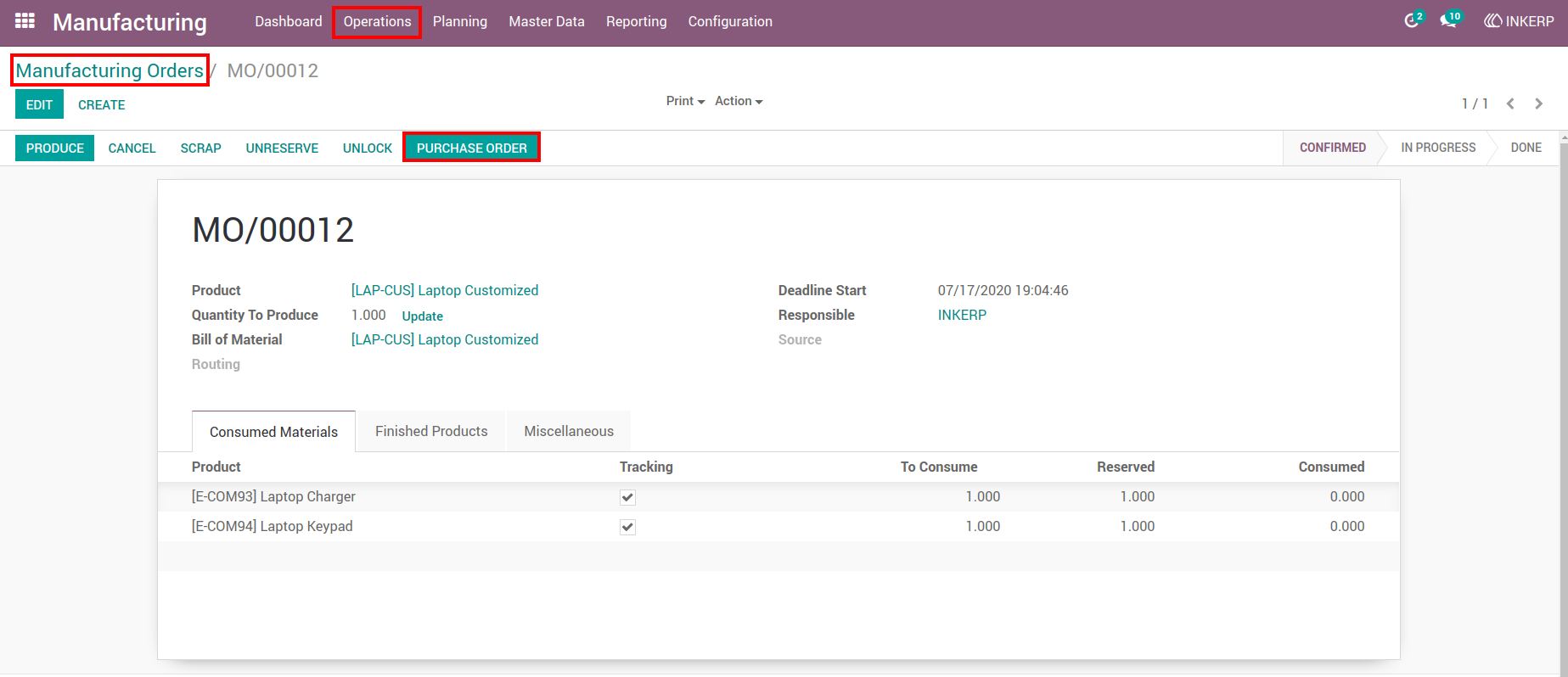
1.) Create Purchase Order from MO
Open a manufacturing order and click “CREATE PURCHASE ORDER” to generate a purchase order automatically.
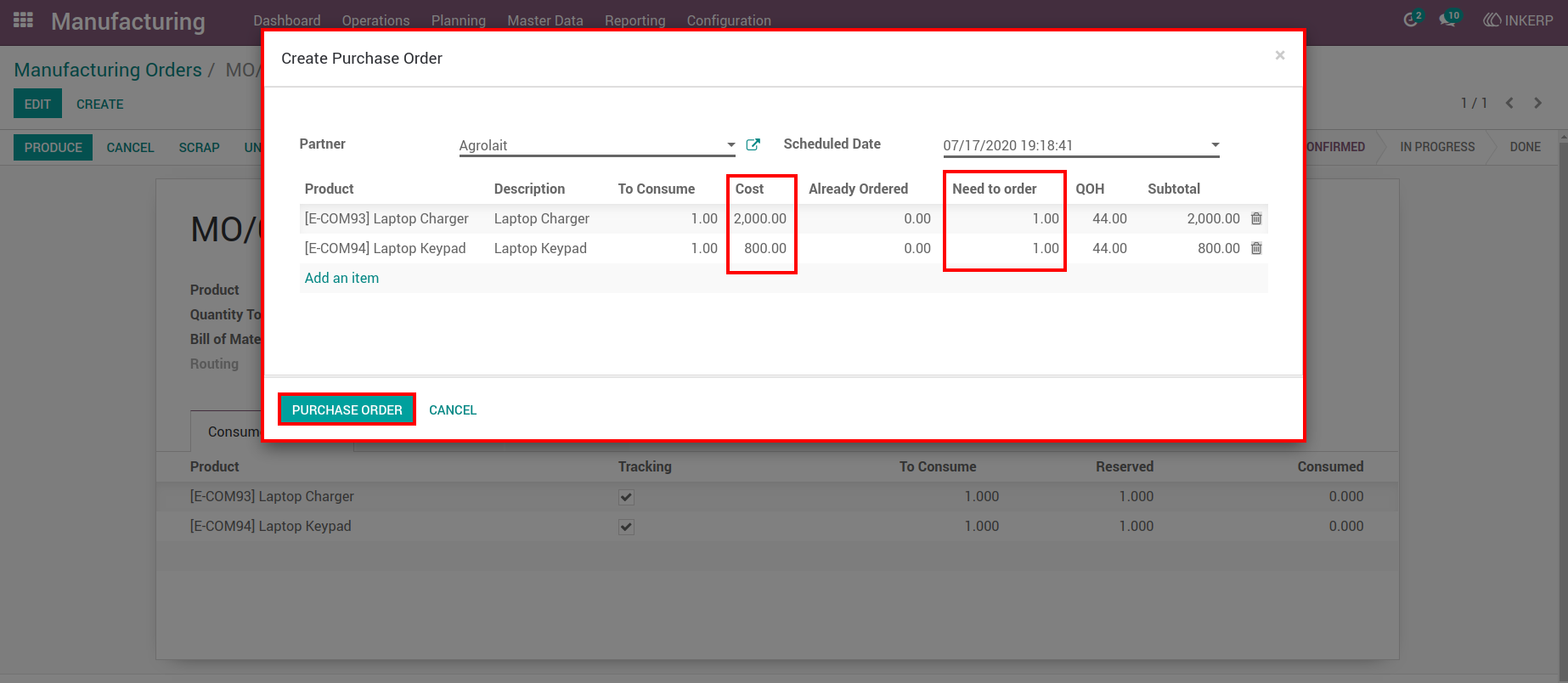
2.) Adjust Order Details Popup
Modify quantity, cost, supplier, and schedule date before confirming the purchase order.
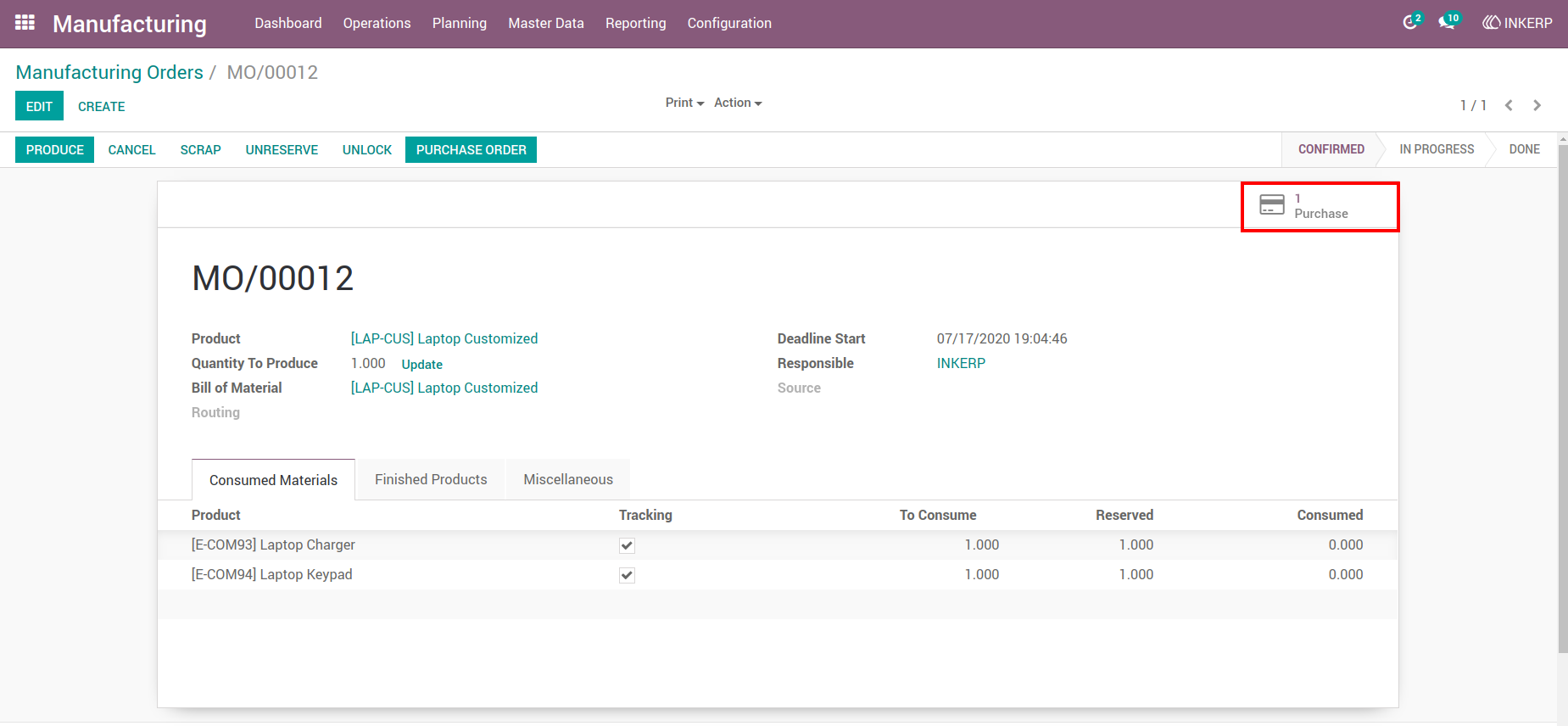
3.) Smart Purchase Order Button
View all purchase orders linked to the manufacturing order in draft or RFQ state.
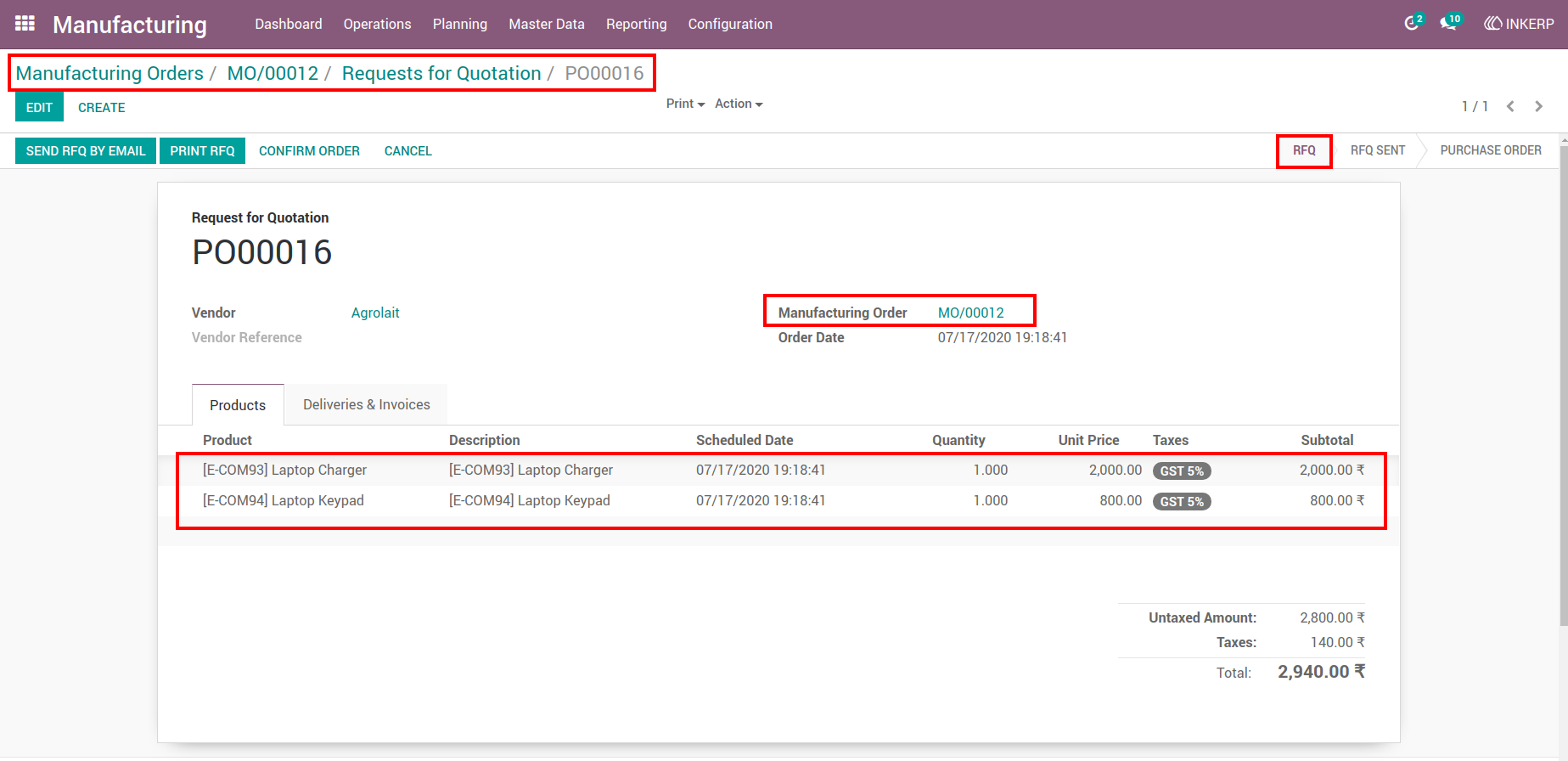
4.) PO Shows Manufacturing Order Reference
Check the manufacturing order reference within the created purchase order for tracking.
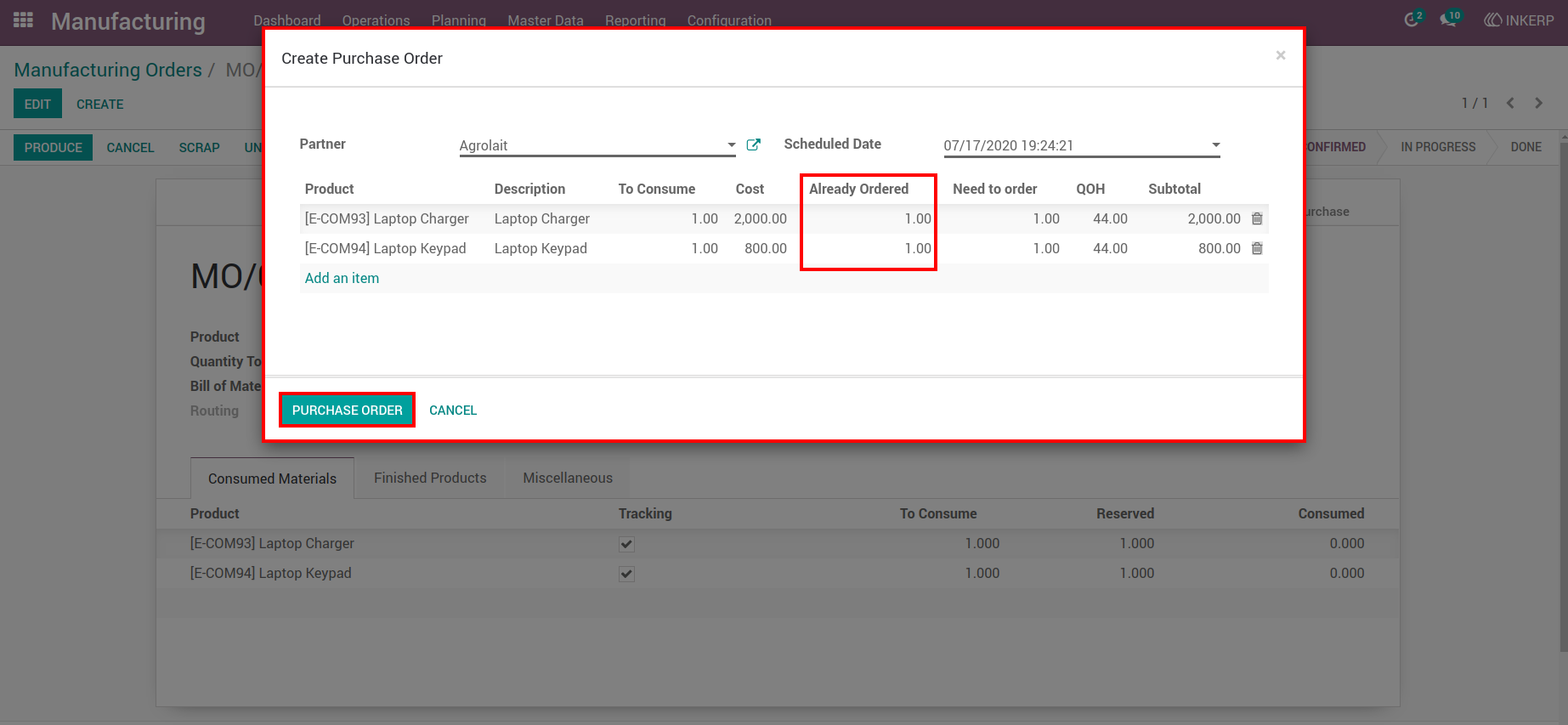
5.) Multiple Purchase Orders from MO
Create additional purchase orders from the same manufacturing order while monitoring already ordered quantities.
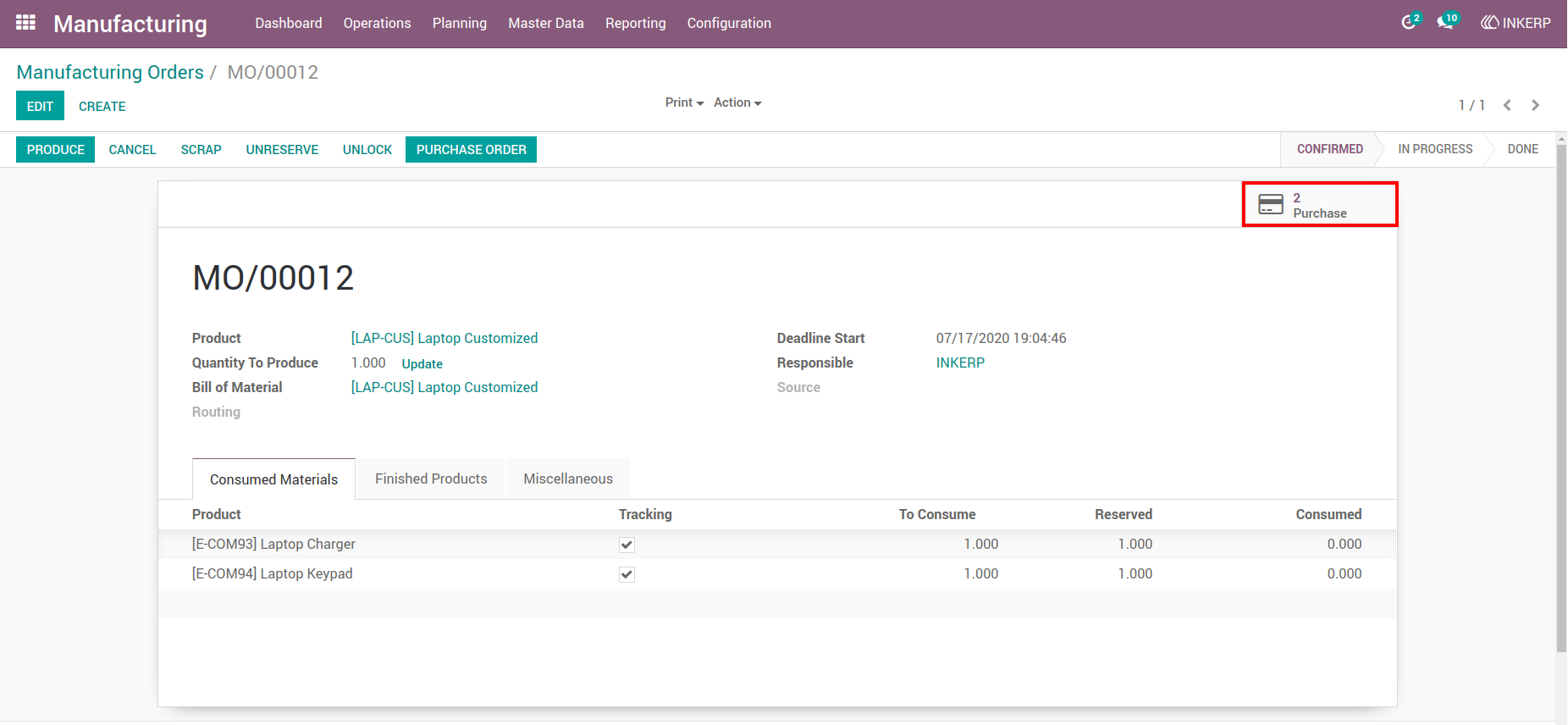
6.) PO List/Tree View
View all created purchase orders from the manufacturing order in a list or tree view for easy management.
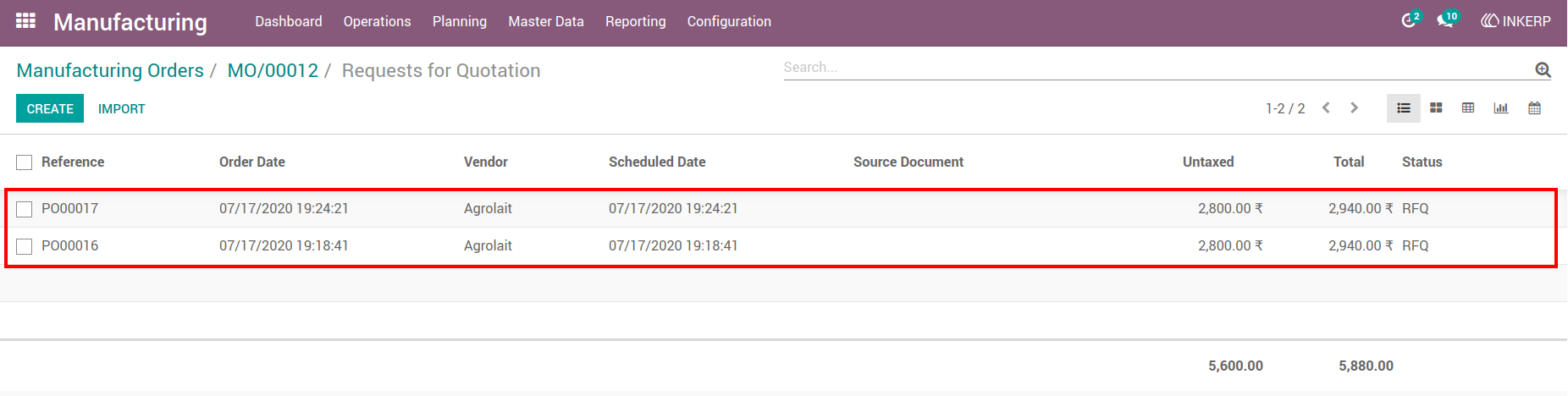
7.) Cancellation of PO via MO
Automatically cancel linked purchase orders when the manufacturing order is cancelled.
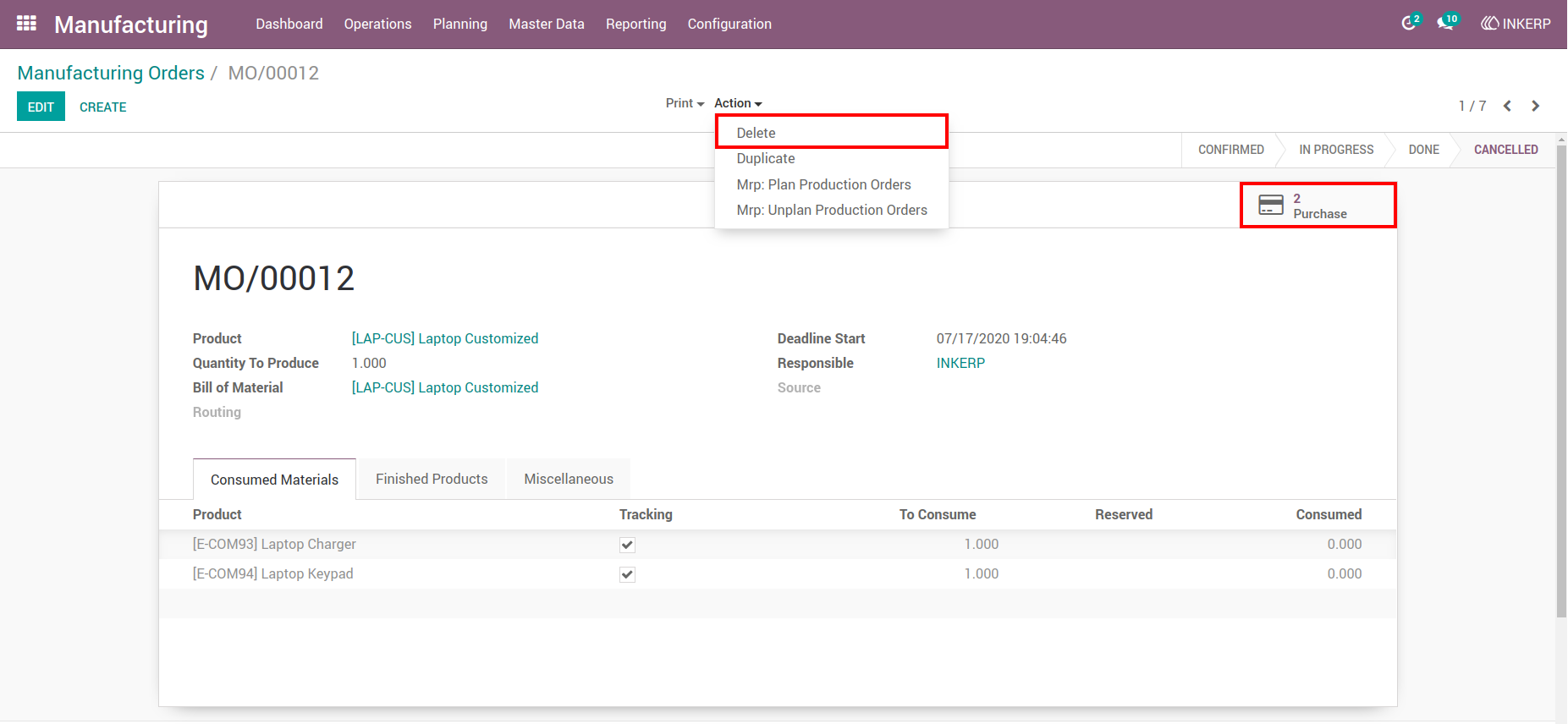
8.) Deletion of PO via MO
Automatically delete linked purchase orders when the manufacturing order is deleted.
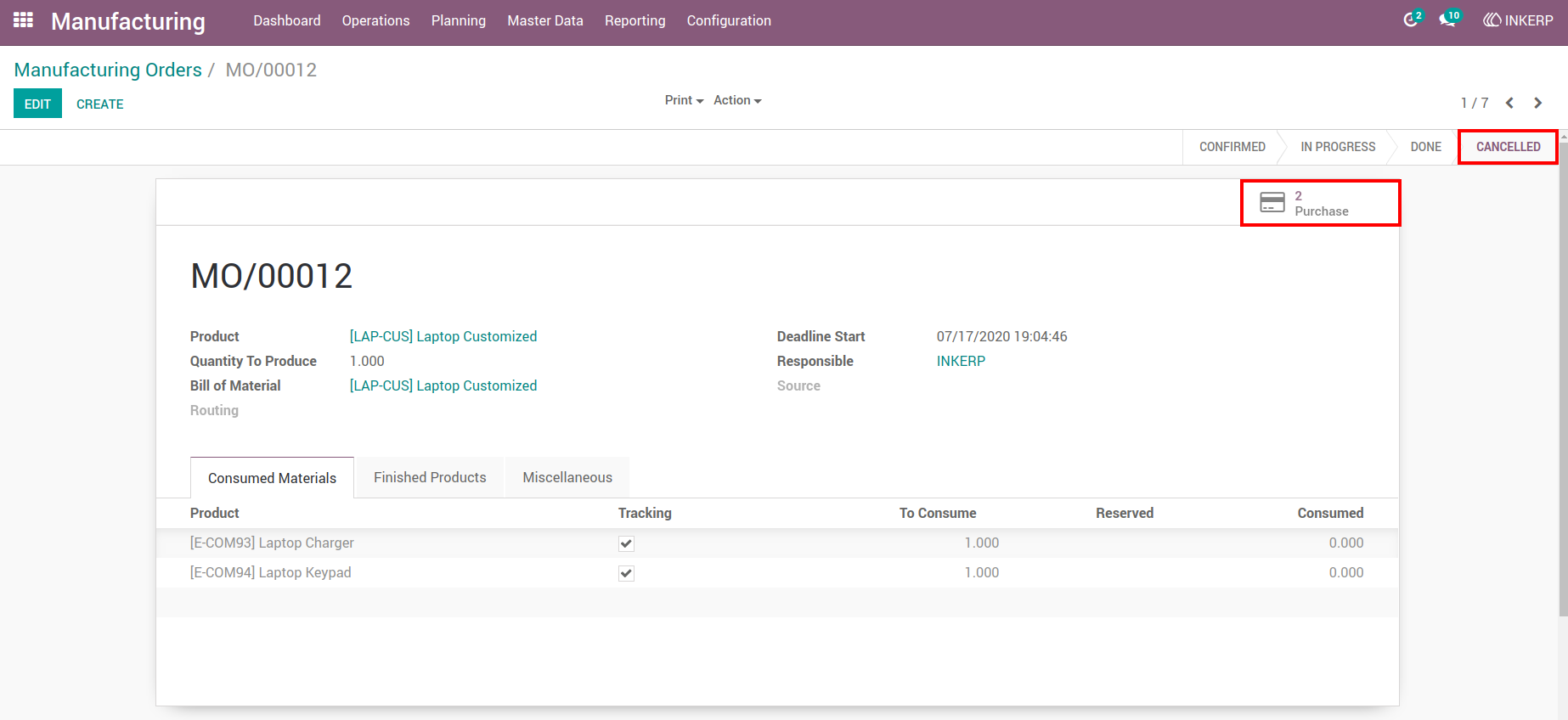
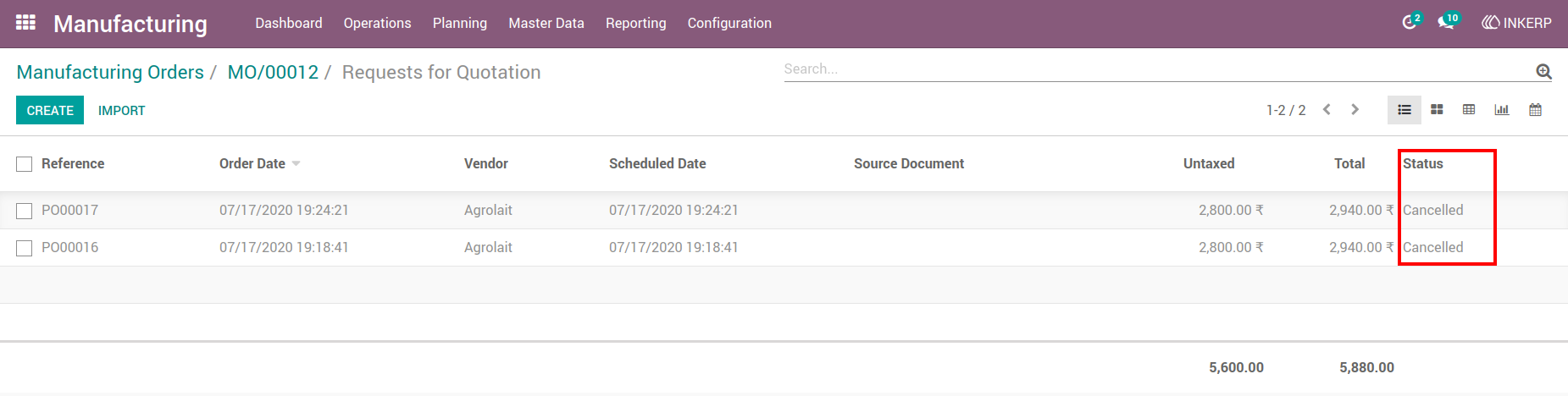
9.) PO Status after Cancellation
Verify the cancelled status of purchase orders using the smart button.
10.) PO Deletion Verification
Confirm that deleted manufacturing orders remove their corresponding purchase orders.
User Guide