

EXCLUSIVE CUSTOMER BENEFITS
FREE INSTALLATION
& 90 DAYS FREE SUPPORT!
No worries about installation! This module comes with free installation assistance and 90 days of free support, helping you get started smoothly and confidently.
✦ COMPLIMENTARY INSTALLATION & SUPPORT ✦
MORE VALUE • LESS HASSLE • A BETTER START
Our Most Suggested Products


Product Multi Barcode
This module enables users to create unique multiple barcodes for each product. Additionally, it allows searching for products using these barcodes in various selection lines, including sale orders, purchase orders, invoices, bills, stock pickings, and operation lines.
 Features
 Screenshots
 Support
 Service
Features
Multi Barcode for Each Product
Users can assign multiple unique barcodes to a single product.
Product Search Using Multi Barcode
Users can search for products using any of the assigned barcodes in different modules.
Screenshot
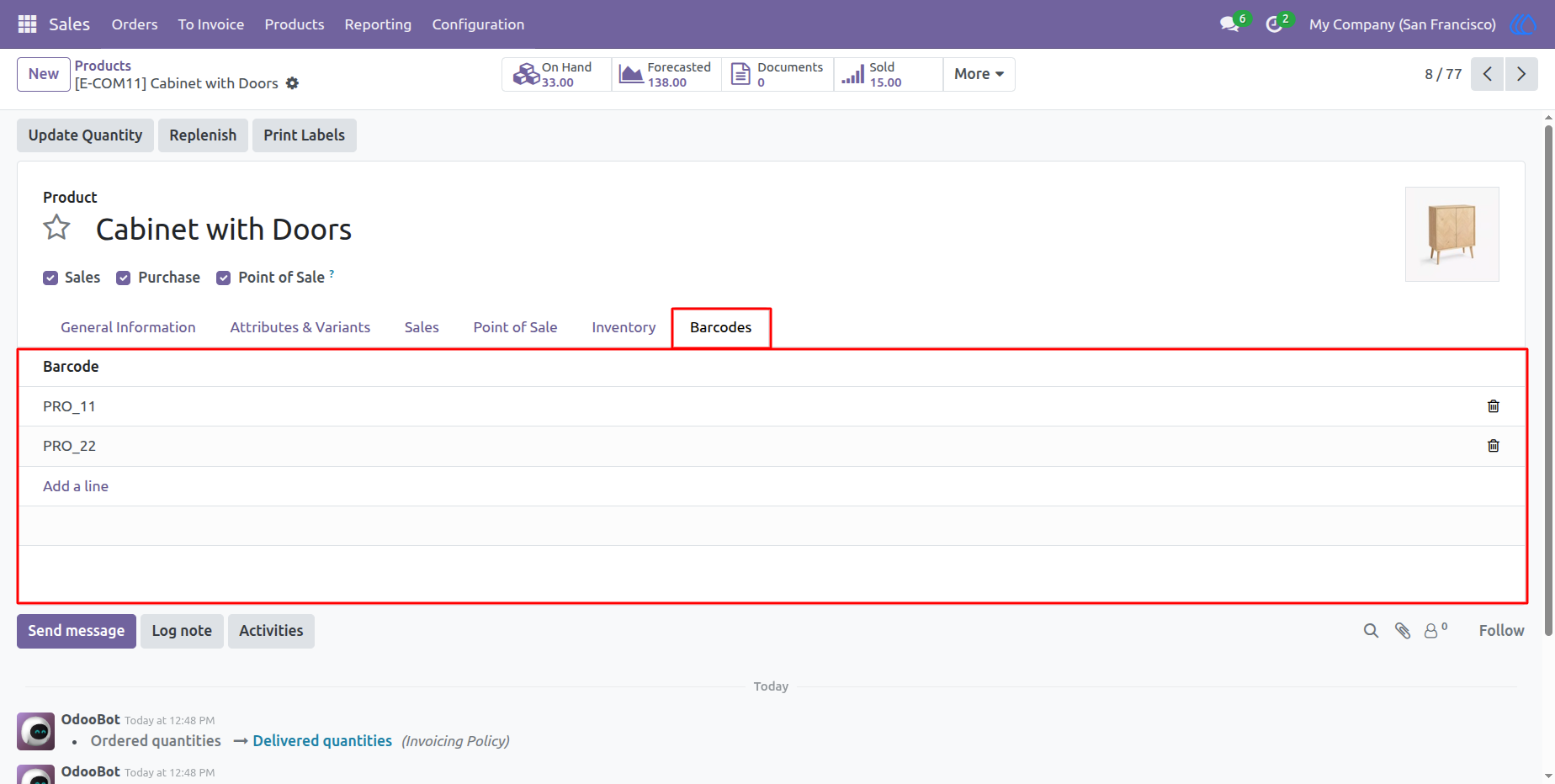
1) Multi Barcode Tab in Product
Displays the section where multiple barcodes can be assigned to a product.
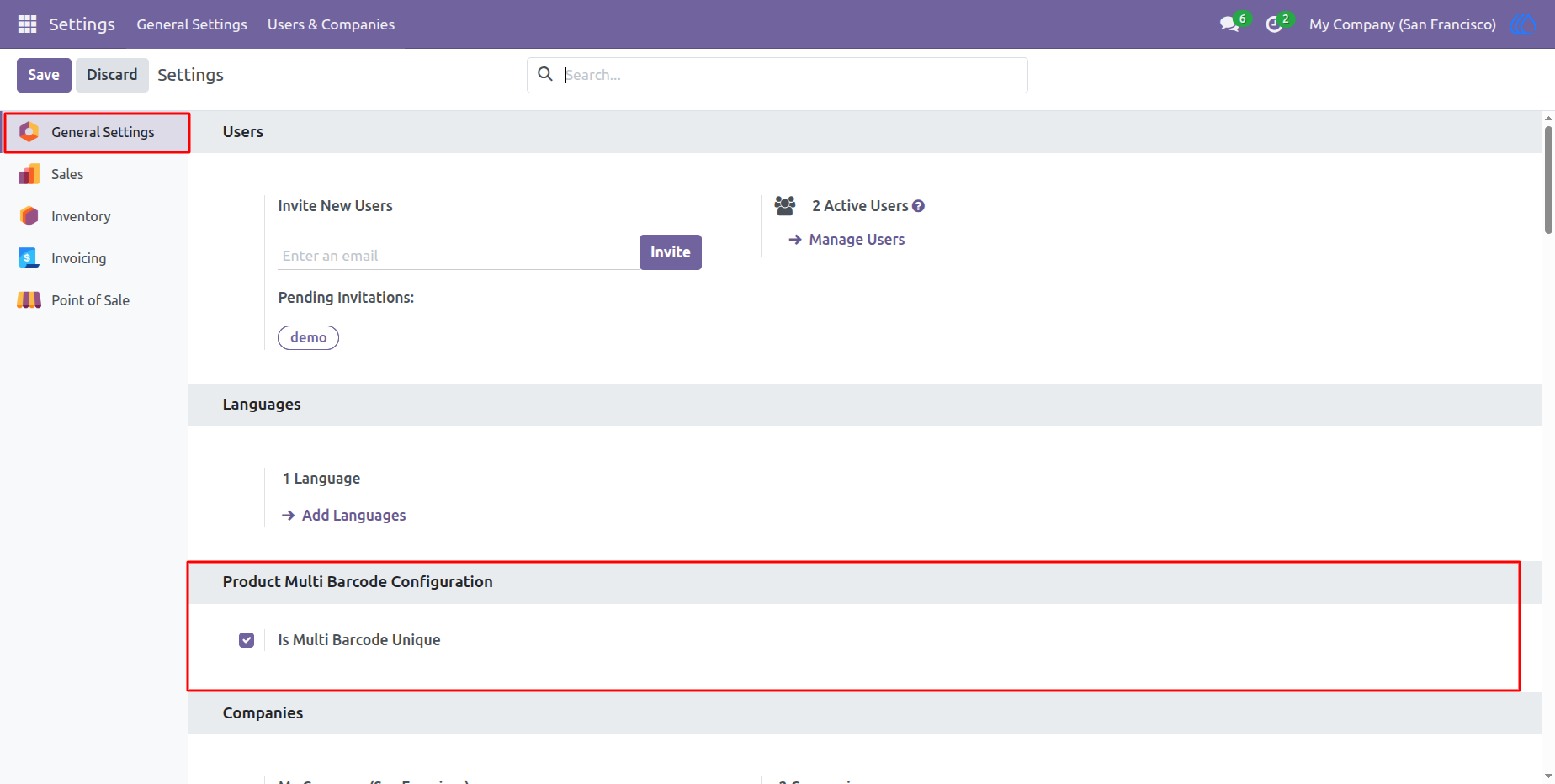
2) Enable 'Is Multi Barcode Unique'
Allows users to check for barcode duplication within products.
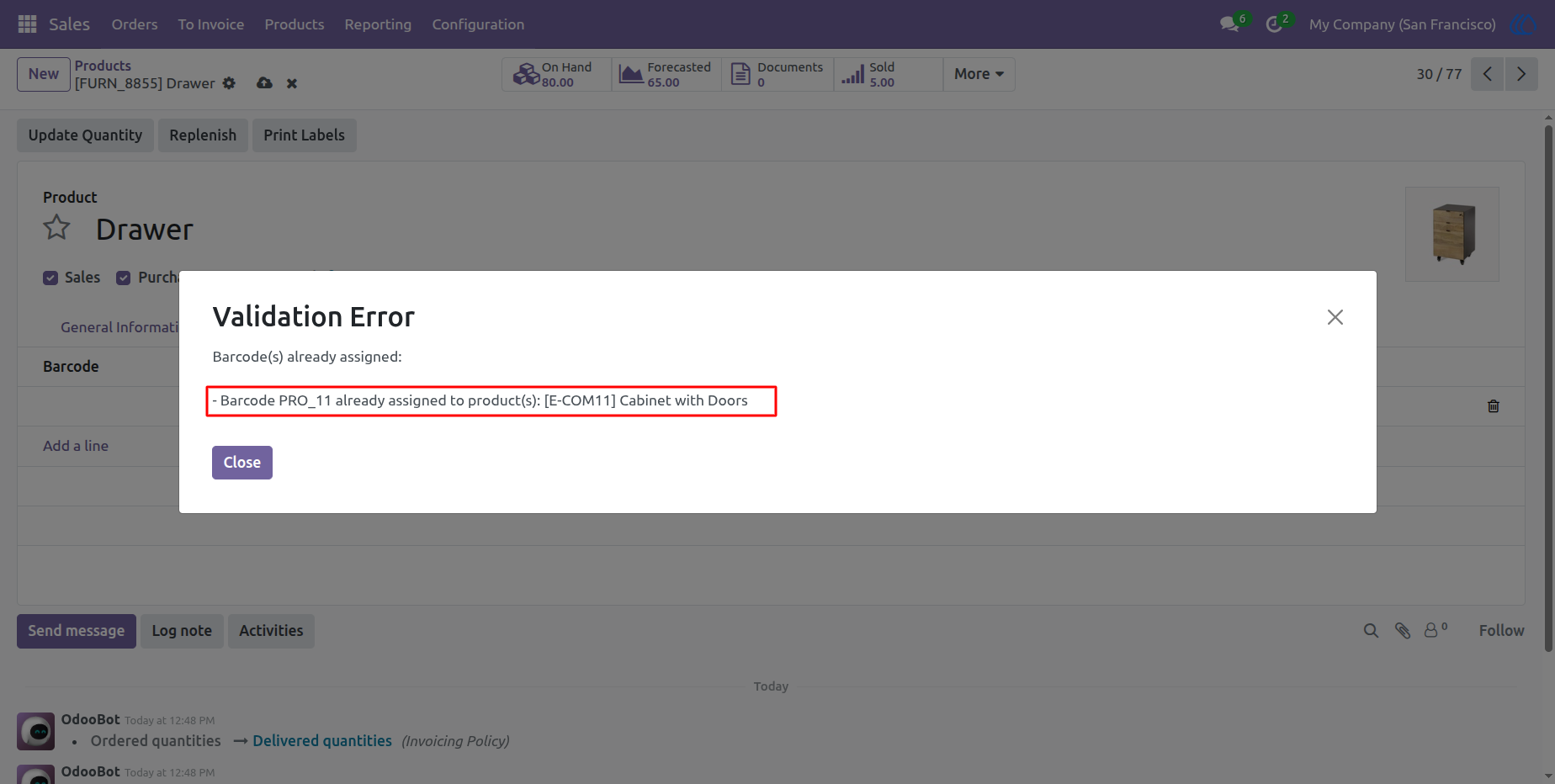
3) User Error for Duplicate Barcodes
When 'Is Multi Barcode Unique' is enabled, if a new barcode already exists in another product, the system raises an error.
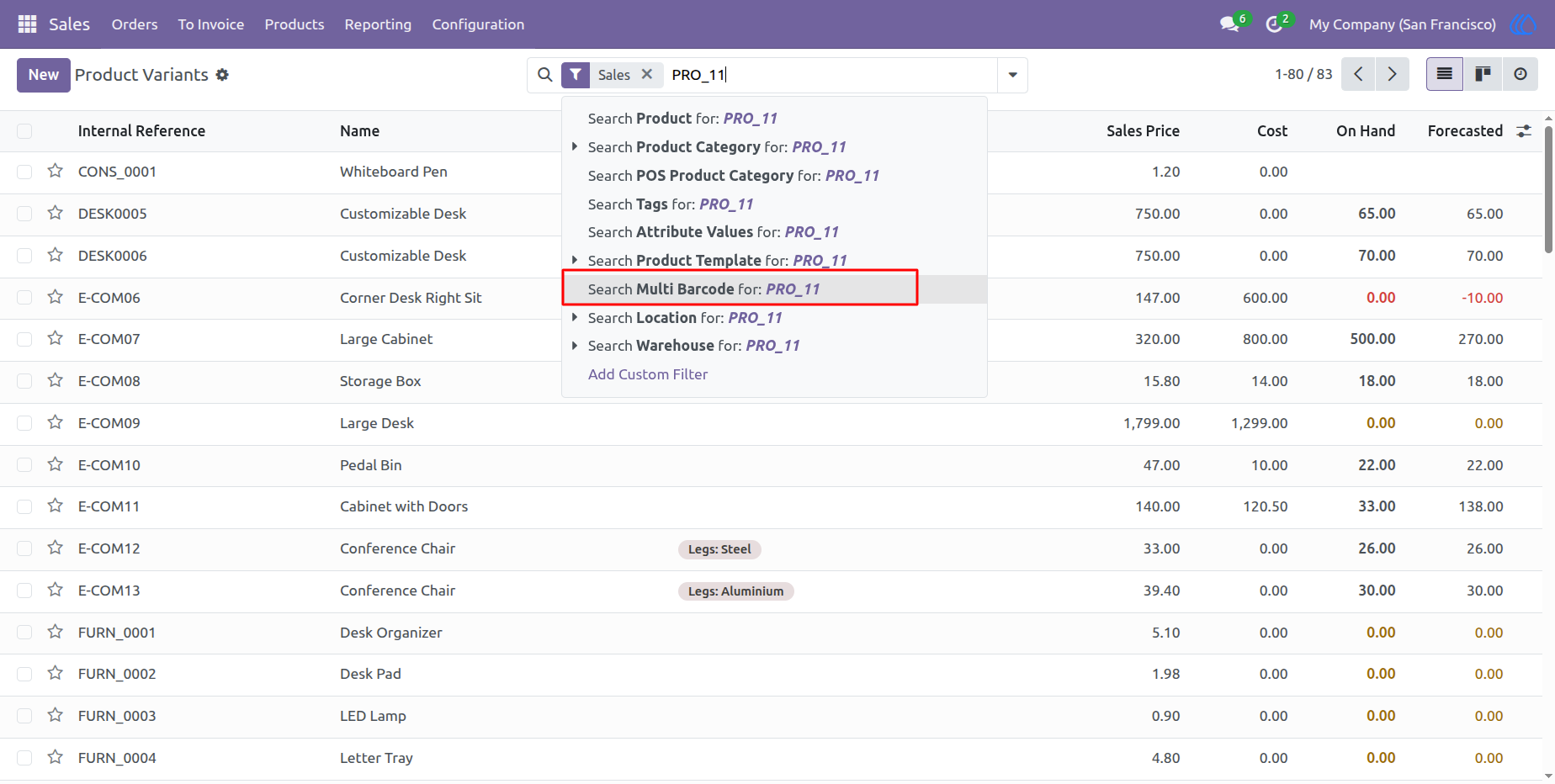
4) Search Multi-Barcodes in Search View
Enables searching for products using any of the assigned barcodes.
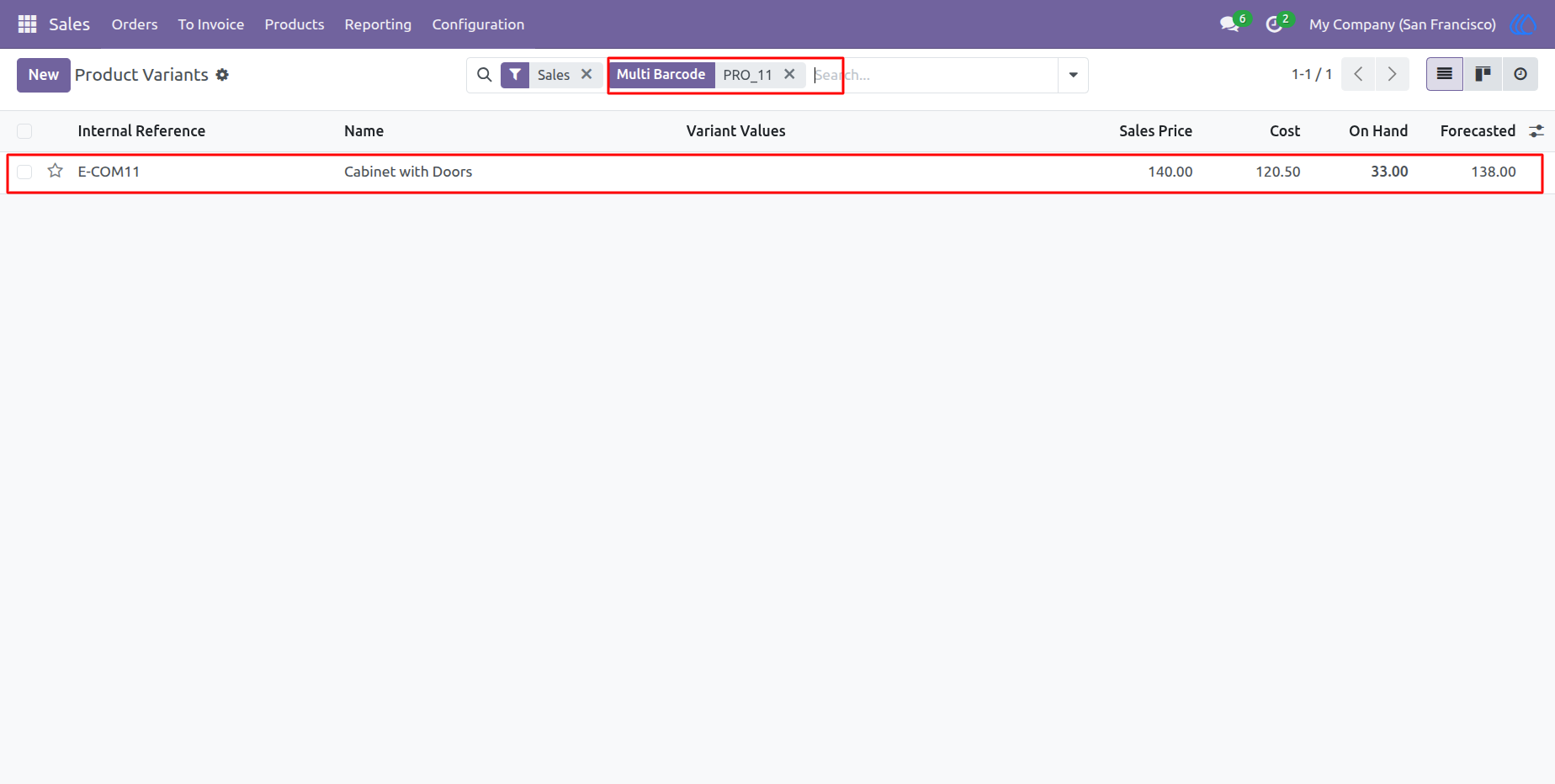
5) Search Products Using Multi Barcode
Demonstrates how users can find products by scanning or entering a multi-barcode.
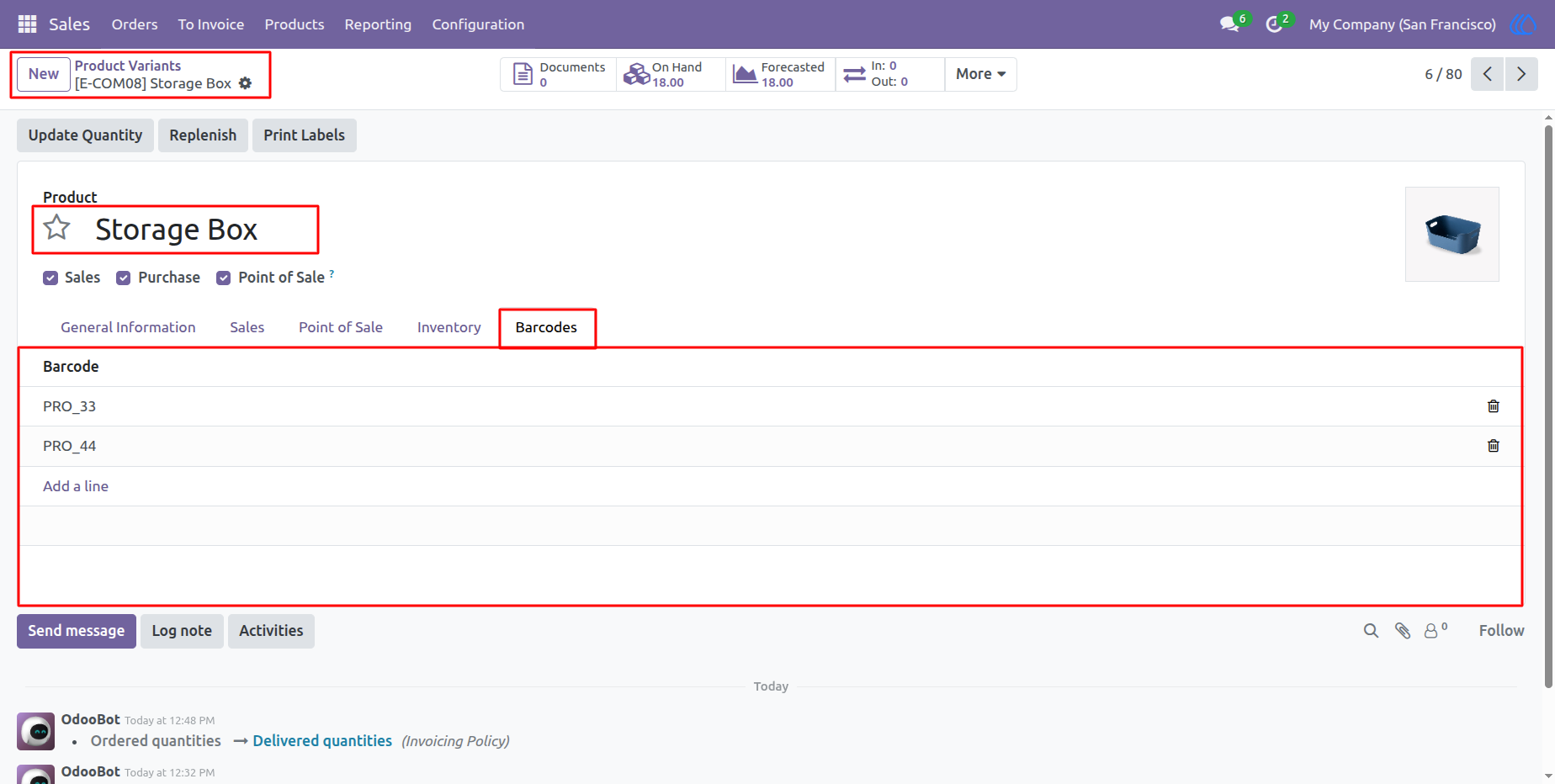
6) Multi Barcode In variant
Displays the section where multiple barcodes can be assigned to a product variant.
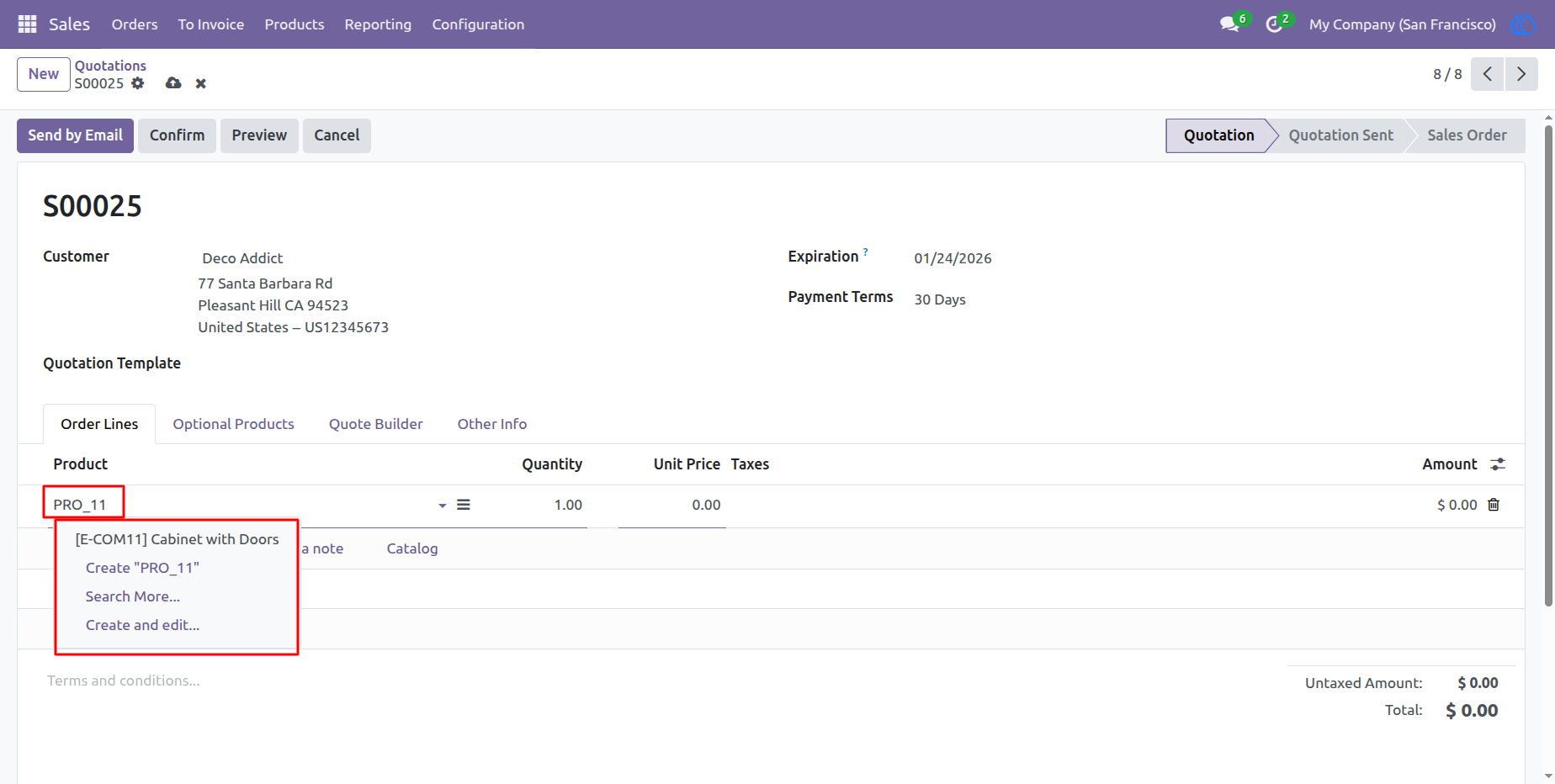
7) 6) Search Products in Sale Order Lines Using Multi Barcode
Shows how users can search for products in sale order lines using multiple barcodes.
User Guide