

Our Most Suggested Products


Bulk Import Pricelist in odoo For Enterprise
This module enables users to efficiently import Sale, Vendor, and Product Pricelists into Odoo. It supports both Odoo Community and Enterprise editions, making it a versatile tool for businesses to manage their pricing data easily. By using CSV or XLS file formats, this module simplifies the process of importing large sets of pricing information, saving time and improving accuracy.
 Features
 Screenshots
 Support
 Service
Features
Multi Pricelist Import Support :
Easily import Sales, Vendor, and Product Pricelists in a single module. This allows businesses to manage all pricing structures centrally without switching between different tools or processes.
CSV and XLS File Compatibility :
The module supports both CSV and Excel (XLS/XLSX) file formats, giving users flexibility to work with commonly used data files. This ensures smooth imports from external systems or spreadsheets.
Bulk Price Import with High Accuracy :
Designed with simplicity in mind, the module allows users to import pricelists quickly and efficiently. It saves time, minimizes effort, and helps teams focus on more important business tasks.
Screenshot
1.) Import Sale Pricelist Sample With Barcode :

2.) Import Sale Pricelist Sample With Default code :

3.) Import Sale Pricelist Sample With Name :

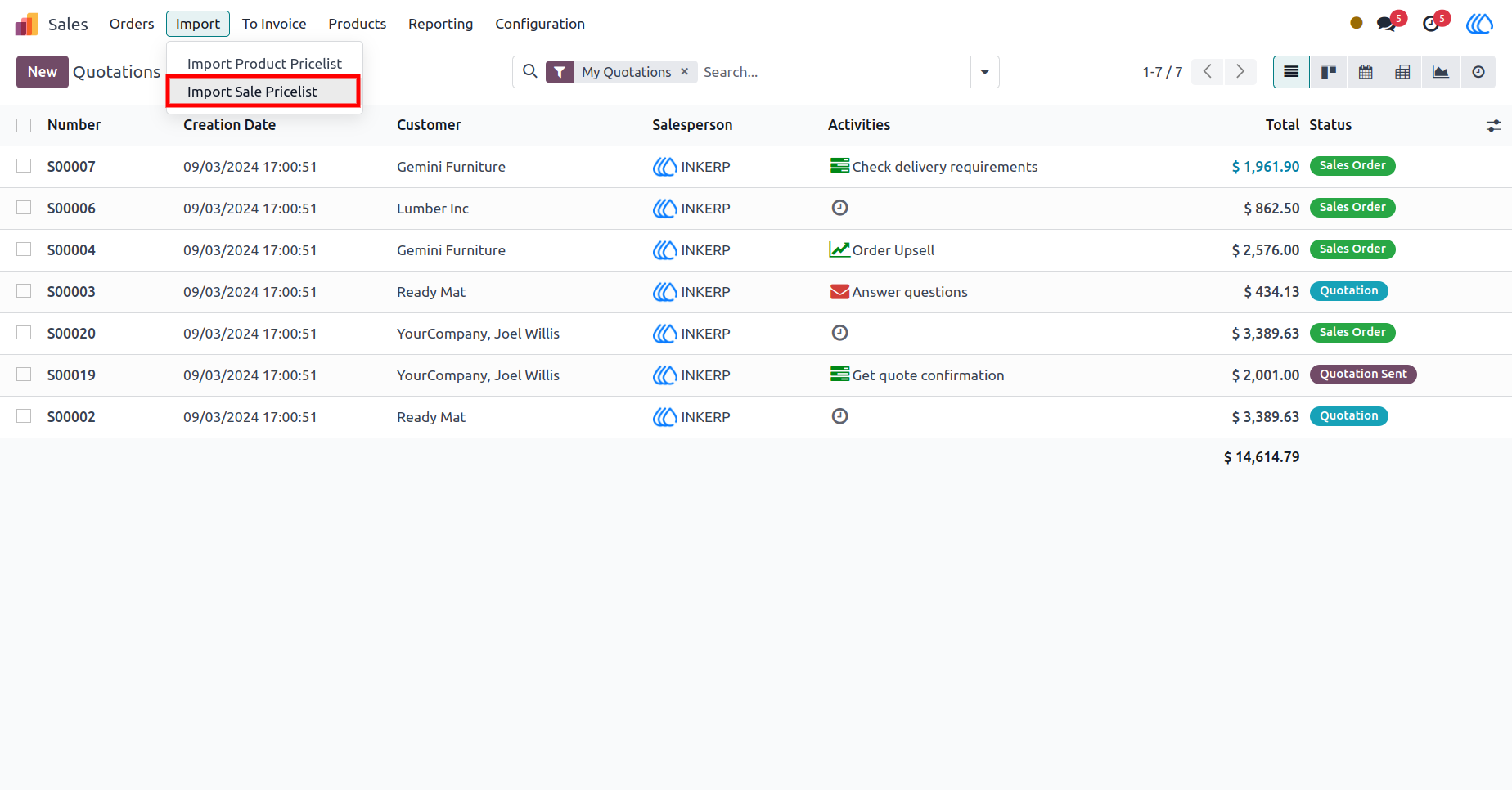
4.) Import Sale Pricelist Menu :
Shows the navigation menu for accessing the Sale Pricelist import feature.
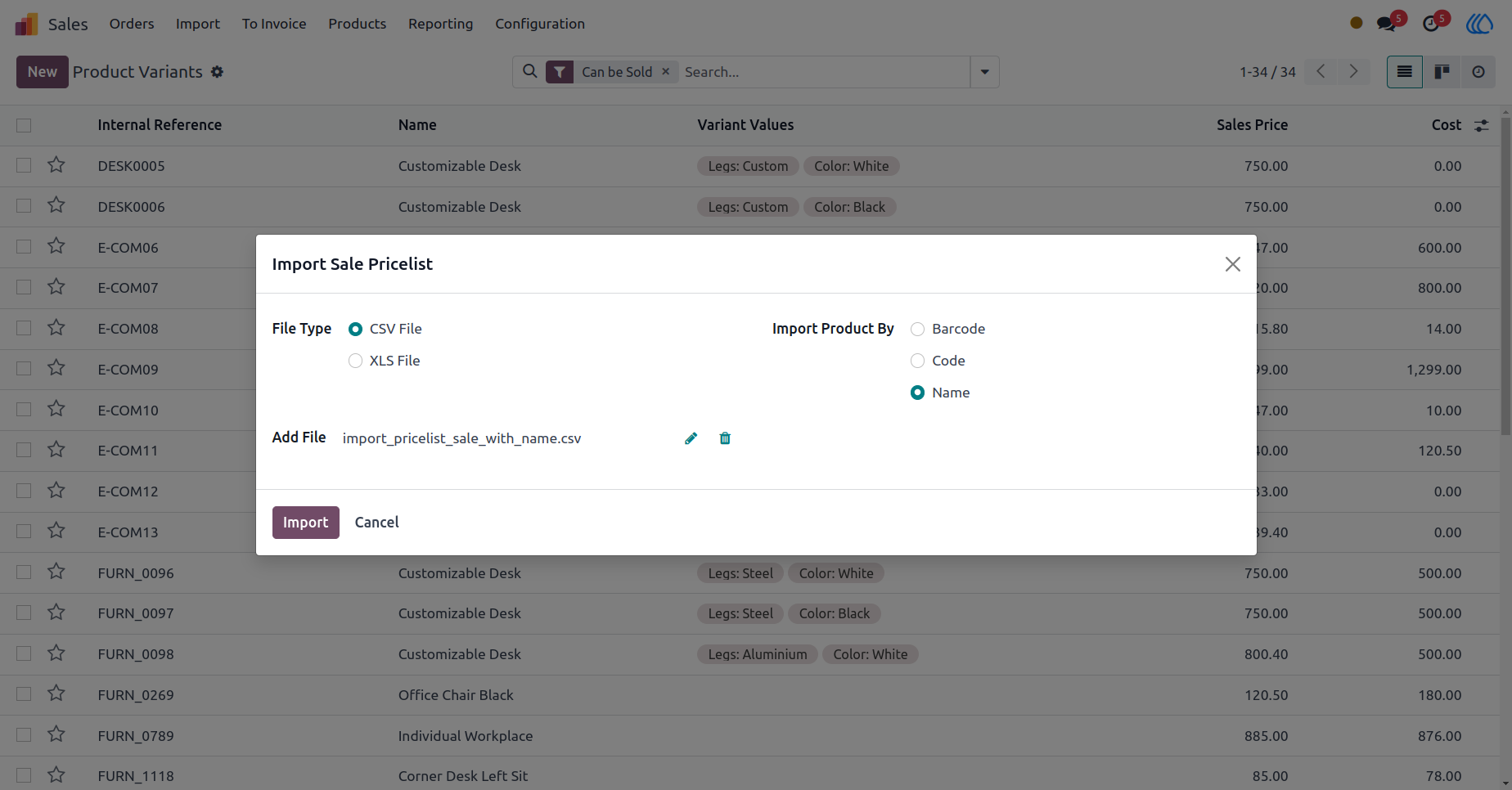
5.) import Sale Pricelist Wizard :
Walks user through the wizard for importing Sale Pricelists in the Odoo interface, where you can upload your CSV or XLS file.
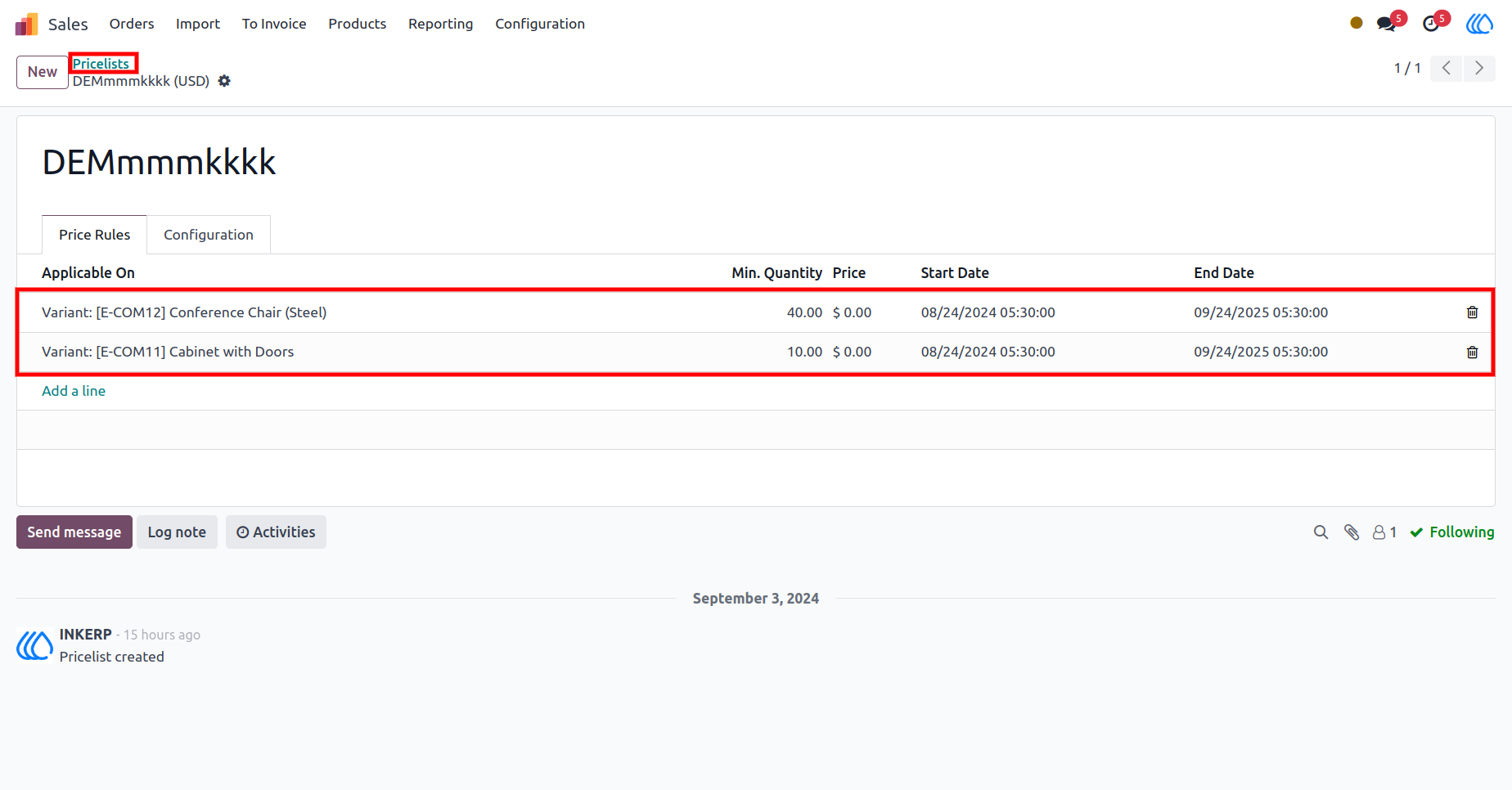
6.) Sale Pricelist View :
Displays the view of the Sale Pricelist after successful import, allowing users to verify and manage the imported pricing data.
7.) Import Sale Pricelist Sample With Name

8.) Import Sale Pricelist Sample With Barcode

9.) Import Sale Pricelist Sample With Code

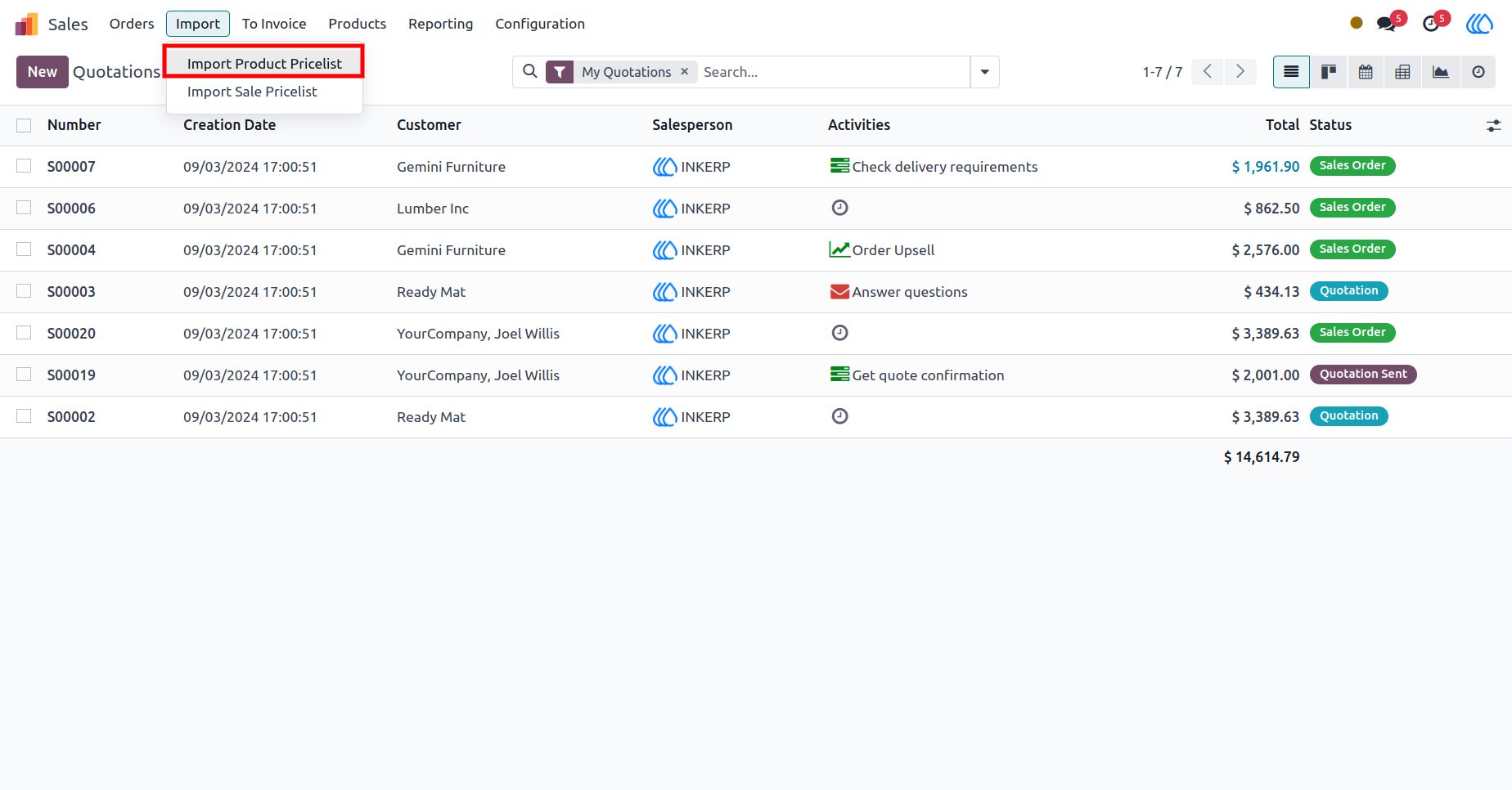
10.) Import Product Pricelist Menu :
Shows the menu for accessing the Product Pricelist import feature
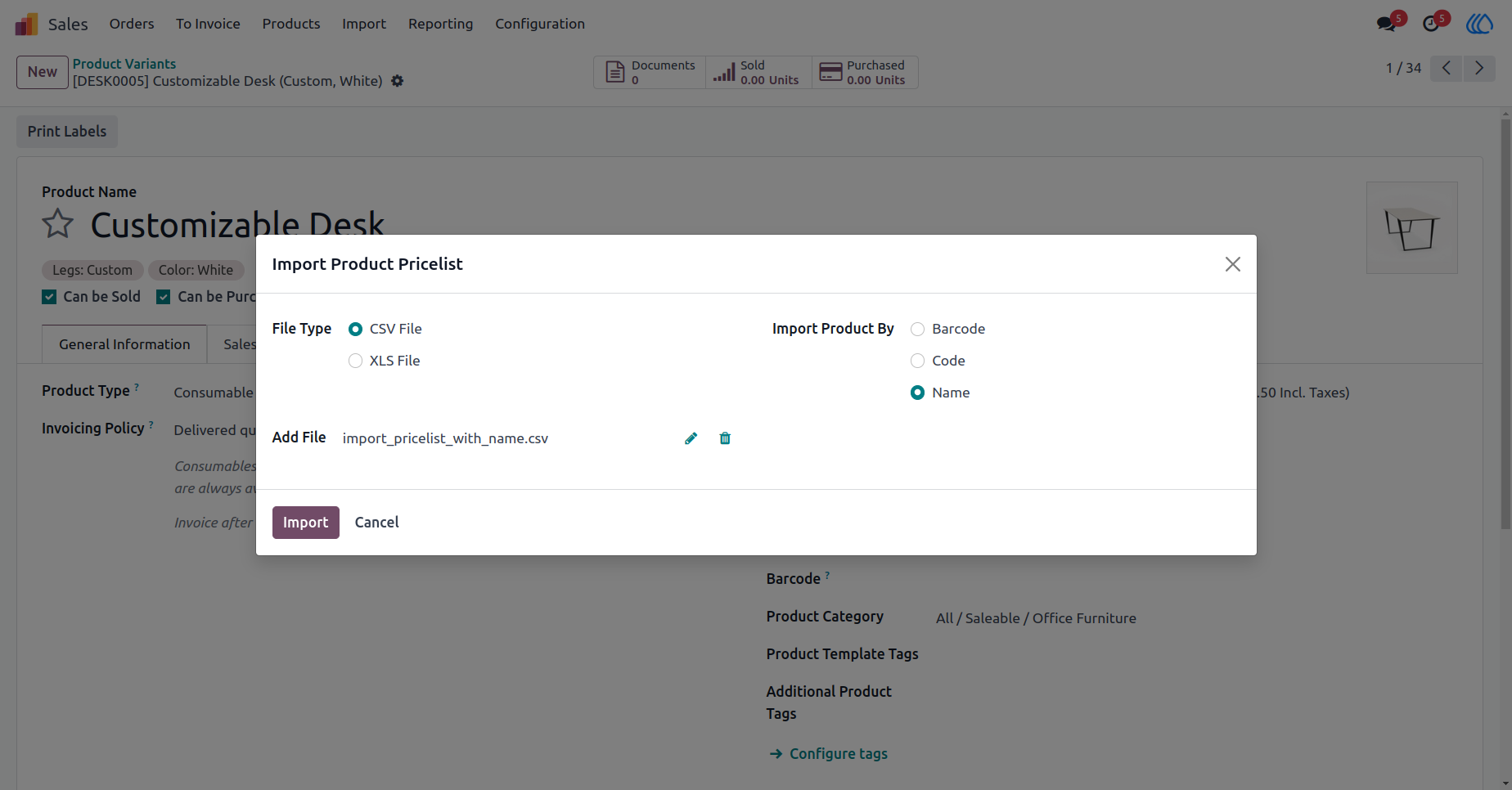
11.) Import Product Pricelist Wizard :
Walks user through the wizard for importing Product Pricelists, guiding you through file upload and field mapping.
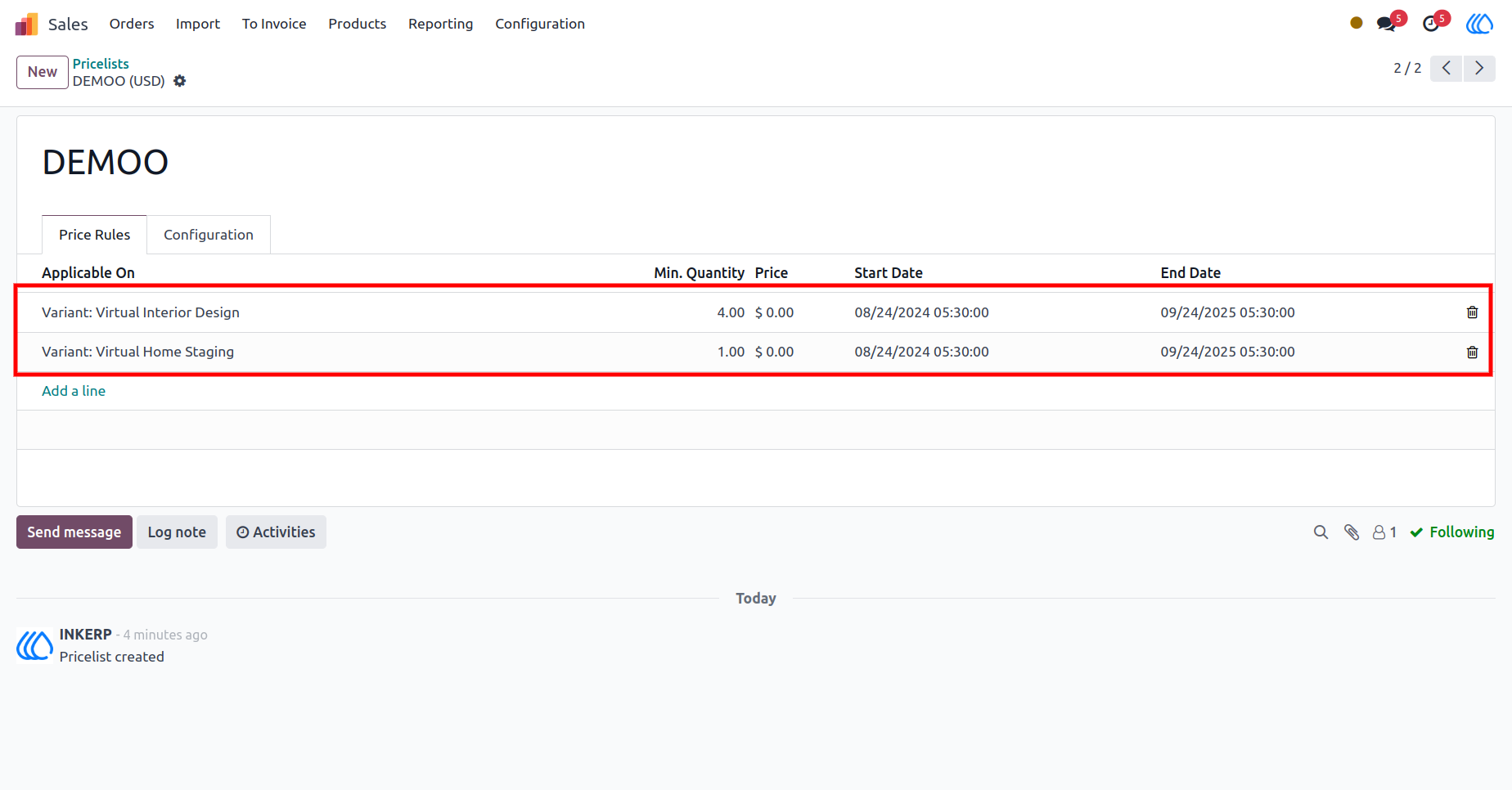
12.) Product Pricelist View :
Shows the view of the Product Pricelist after the import is completed, allowing users to review and edit pricing information.
13.) Import Sale Pricelist Sample With Name

14.) Import Sale Pricelist Sample With Code

15.) Import Sale Pricelist Sample With Barcode

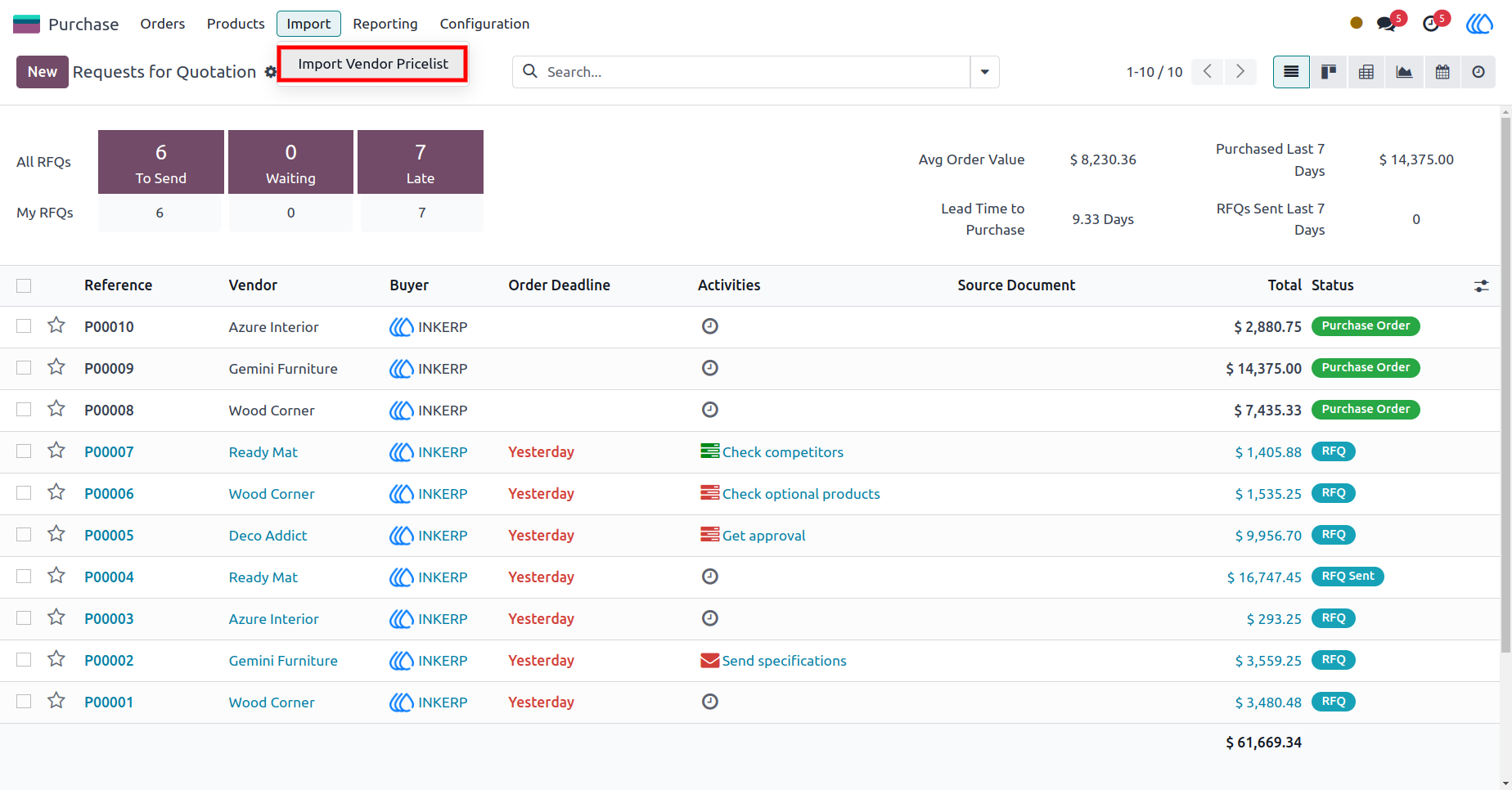
16.) Import Vendor Pricelist Menu:
Shows the menu for accessing the Vendor Pricelist import feature.
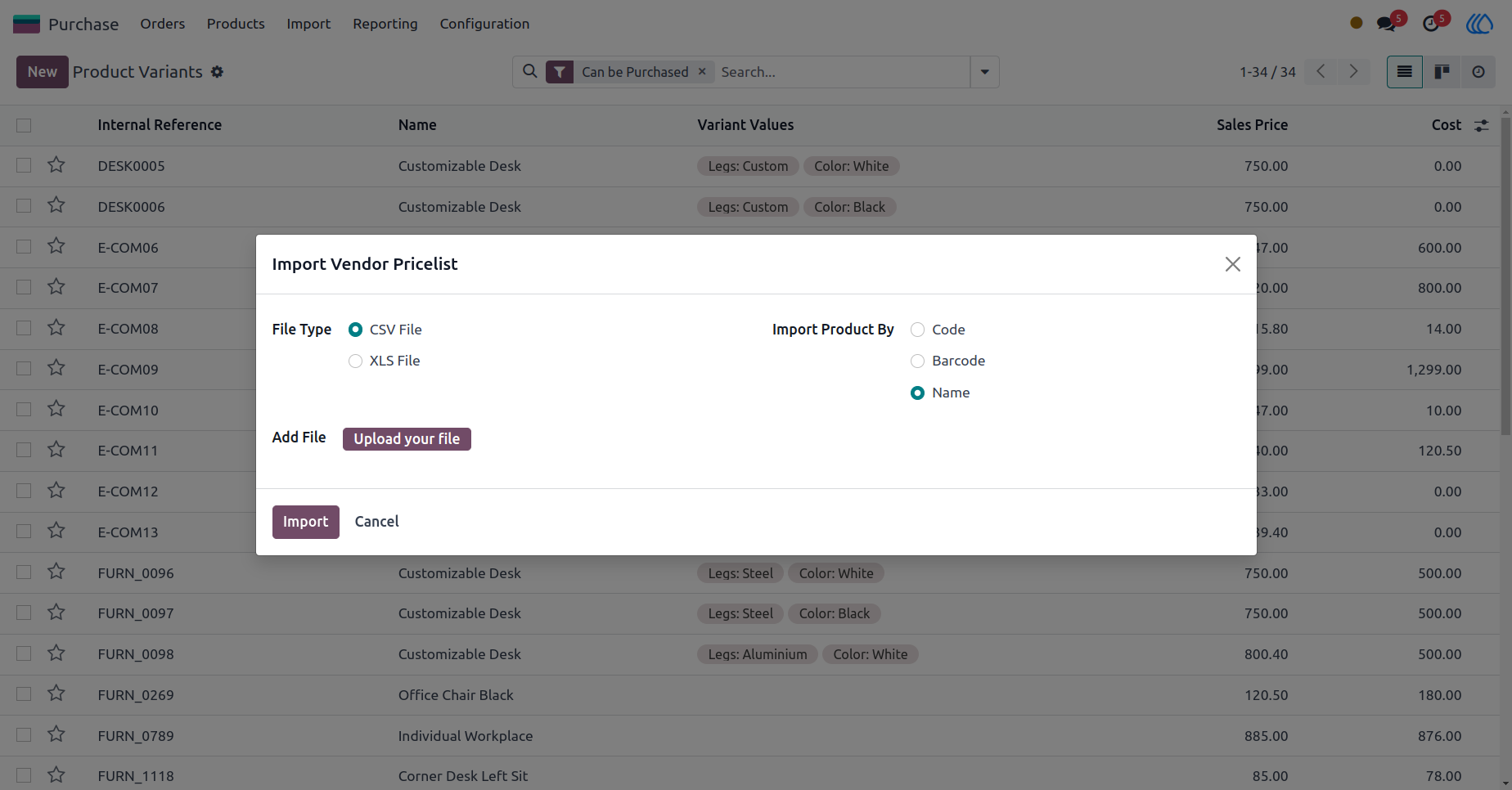
17.) Import Vendor Pricelist Wizard :
Guides you through the Vendor Pricelist import wizard, allowing you to upload vendor pricing data easily..
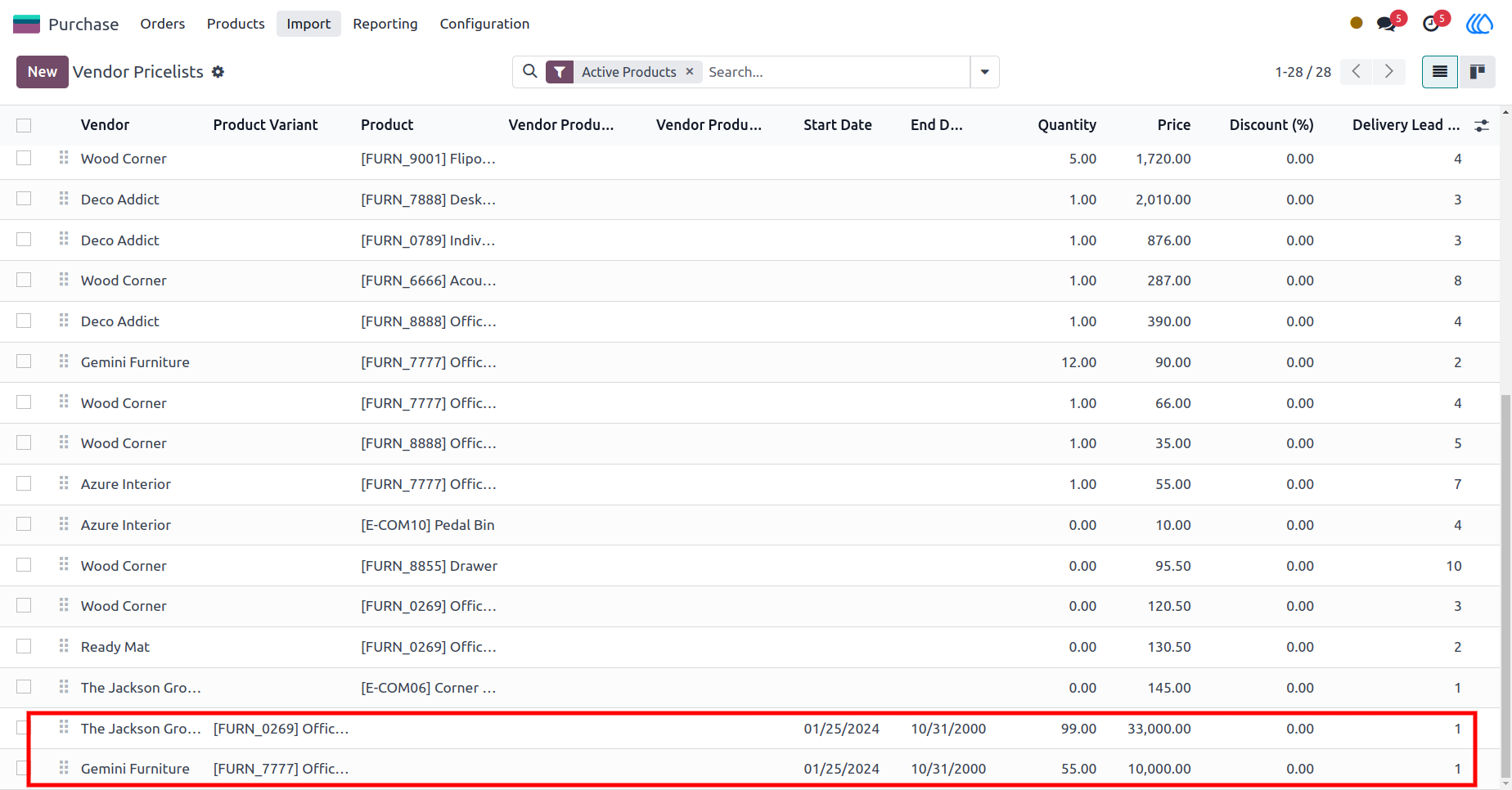
18.) Vendor Pricelist View :
Displays the Vendor Pricelist after import, providing a view of the pricing data associated with each vendor.
User Guide