

Our Most Suggested Products


Auto Section In Purchase Order
The Auto Section in Purchase Order module allows users to define product sections and automatically assign purchase order lines to these sections. This feature streamlines organizing and managing products within purchase orders, ensuring that the vendor bill structure matches the purchase order for a cohesive workflow.
 Features
 Screenshots
 Support
 Service
Features
Section Management in Product and Purchase Order Menus:
Users can define sections for products and create new sections directly from the purchase order section menu. Products are grouped into sections for easy identification in purchase orders.
Sectioned Purchase Order Lines:
Products in a purchase order will be grouped under the defined sections, improving organization.
Auto Section Creation:
Automatically creates sections in the purchas order lines based on the defined sections in the product, eliminating manual setup.
Screenshot
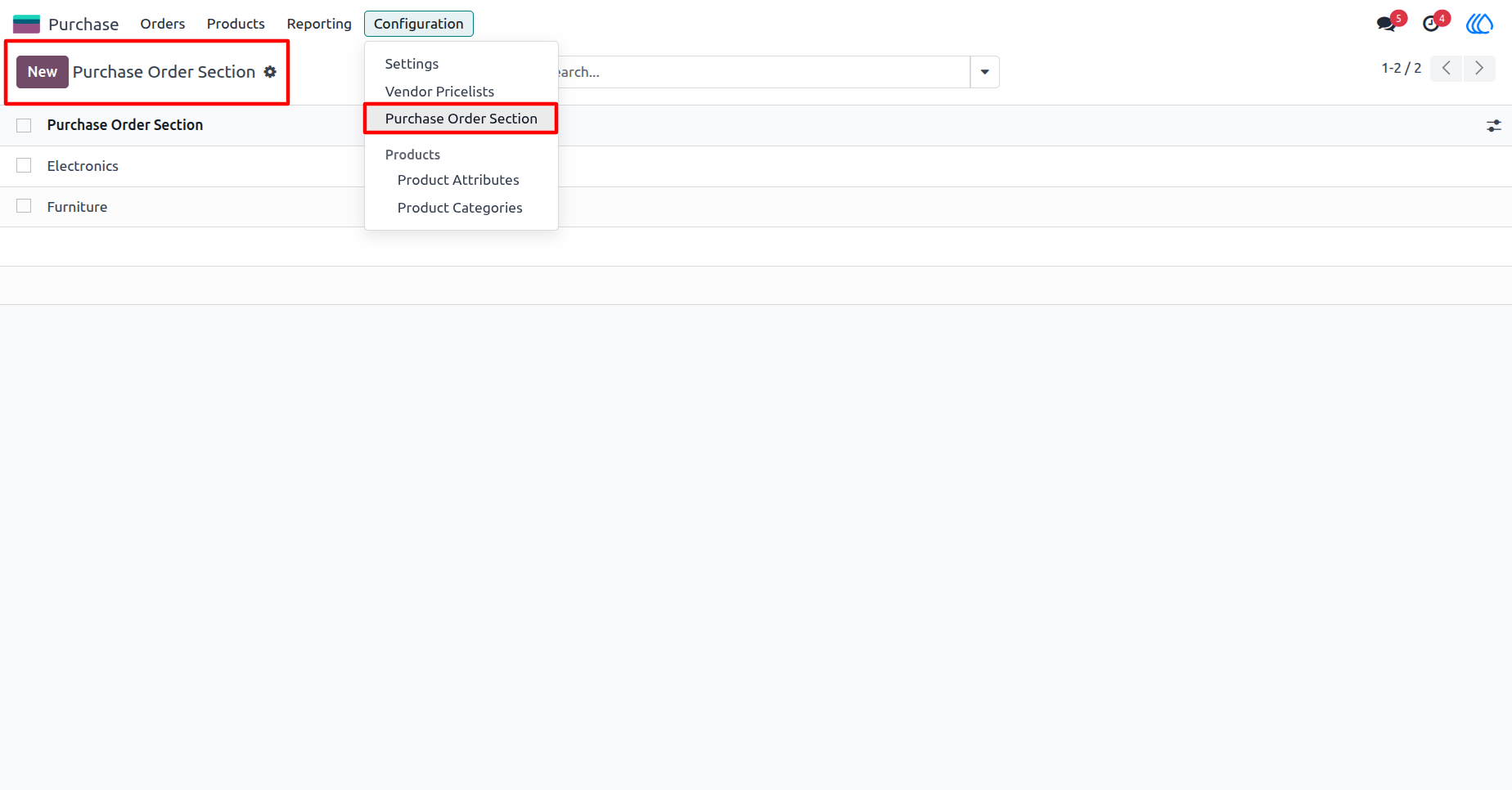
1) Purchase Order Section Menu:
Here, user can define new sections by providing a name for each section. This helps organize the products within your purchase orders.
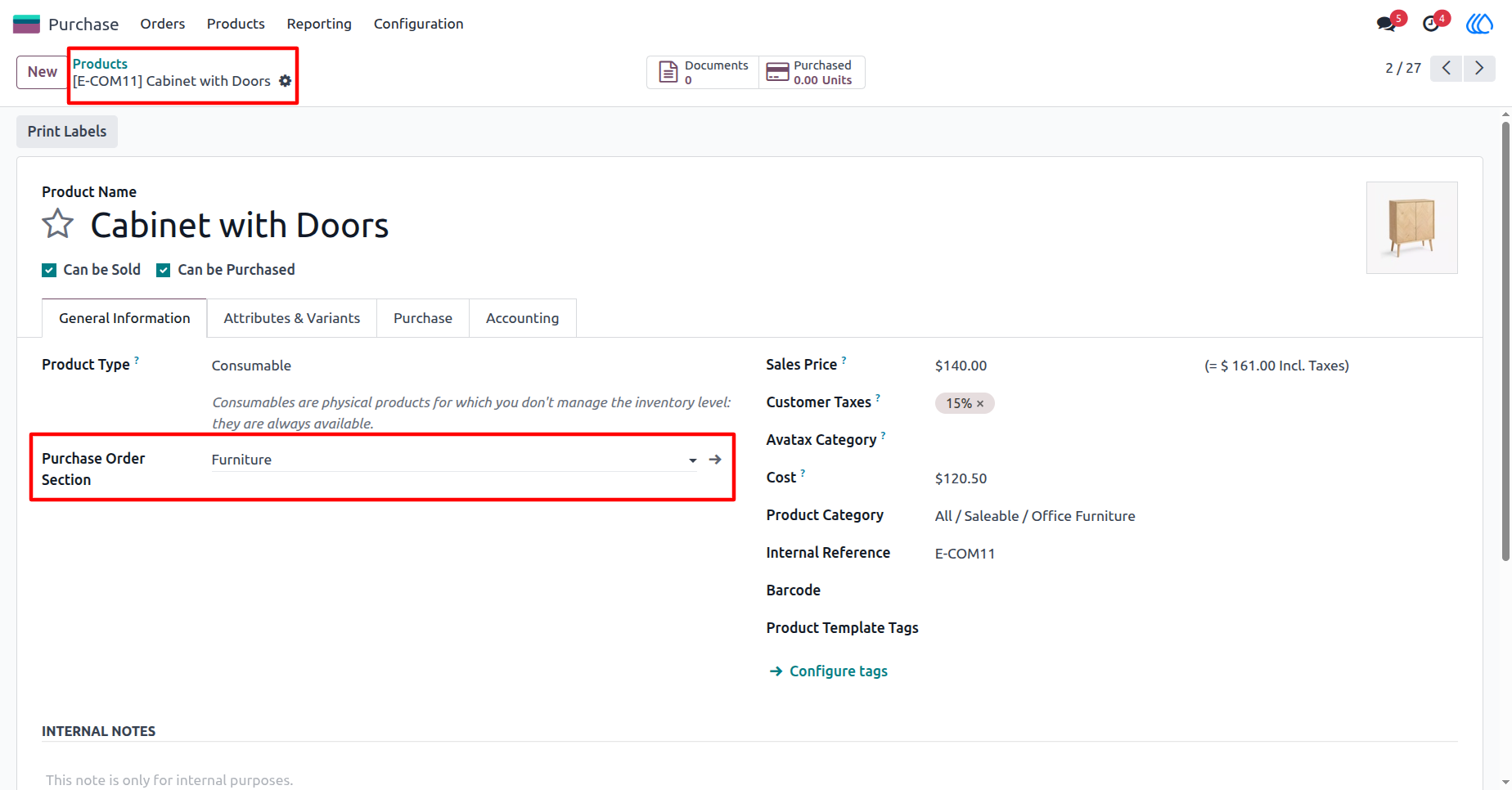
2) Product View:
Users can create new sections or select from existing ones to assign products to specific sections in the purchase order.
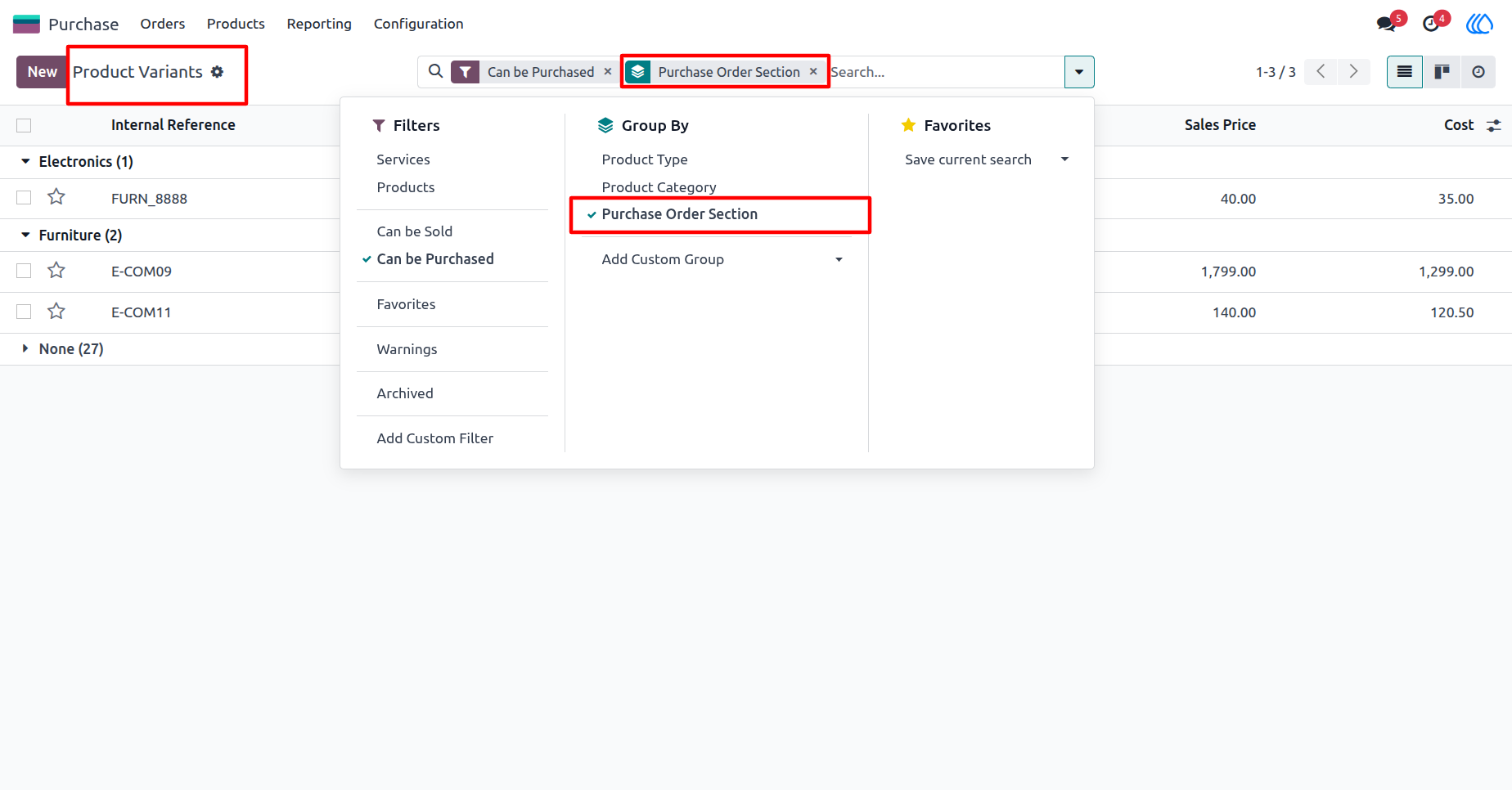
3) Product Variant View:
Products are grouped according to the defined section, making it easier to organize variants under their respective categories.
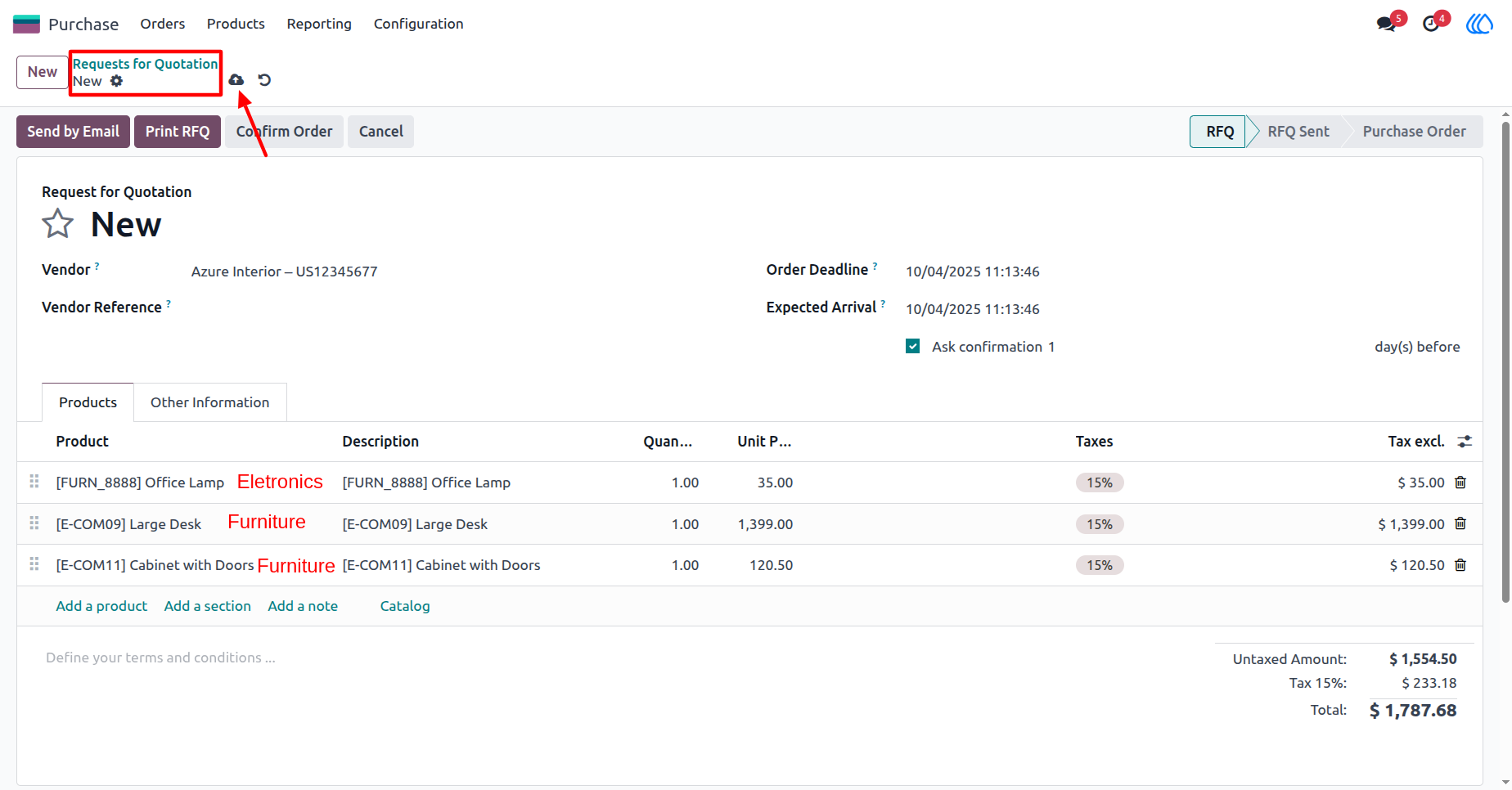
4) Creating and Saving the Purchase Order:
When creating and saving a purchase order, all purchase order lines are automatically moved to their respective sections based on the product definitions.
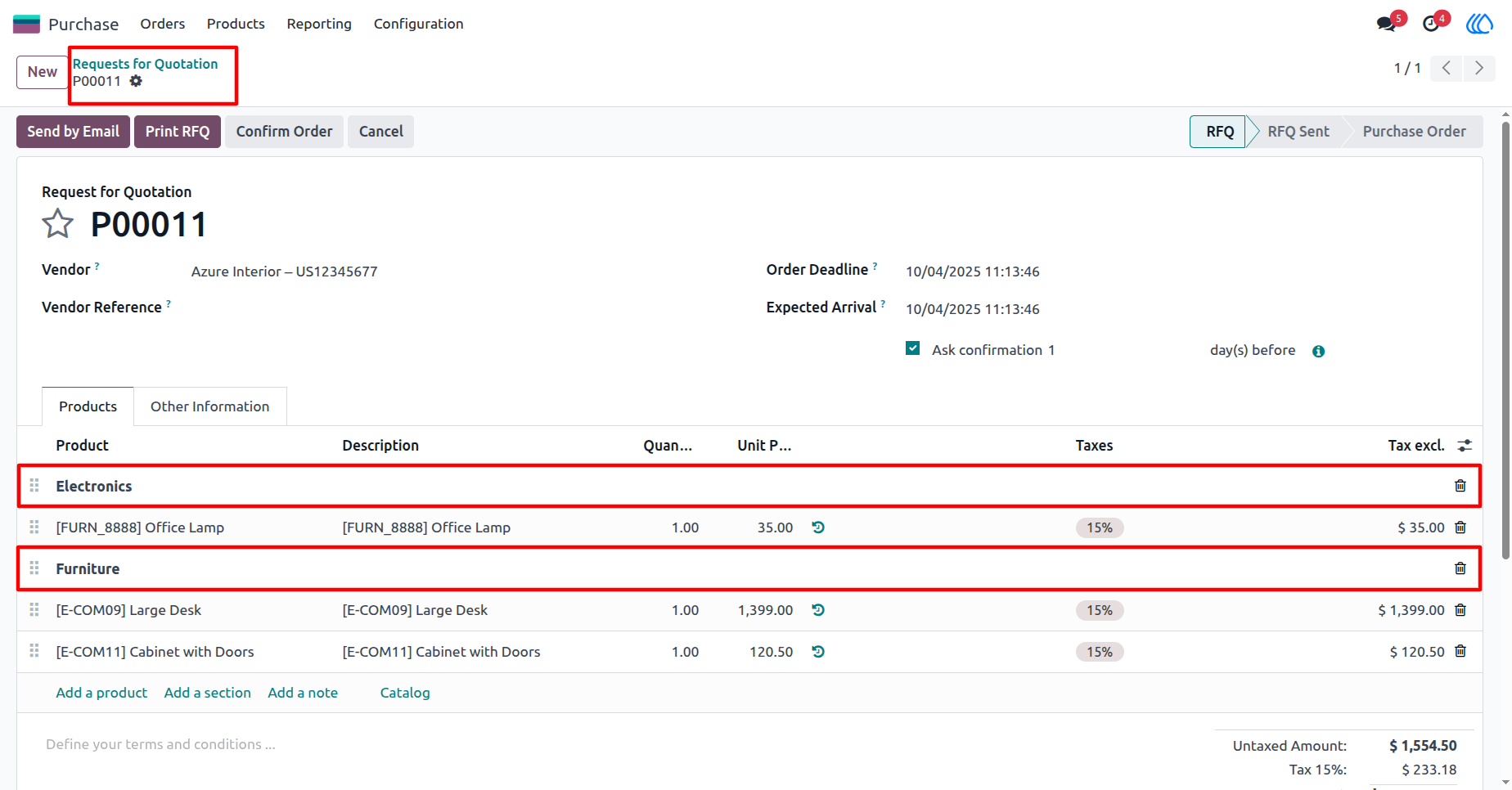
5) Dynamically Created Sections:
After saving, the purchase order displays dynamically created sections, with the purchase order lines grouped accordingly.
User Guide