

Our Most Suggested Products


Project Timesheet Reports
The Project Timesheet Reports module allows your team to easily generate highly detailed, professional PDF timesheet records directly from your active Odoo projects and tasks. Centrally manage all reporting access and maintain a secure audit trail using a simple global configuration setting.
 Features
 Screenshots
 Support
 Service
Features
Generate & Send PDF Report
Automatically compile detailed timesheet logs into professional PDF documents. Seamlessly distribute these records to customers directly from the project workflow using integrated email templates.
Global Control
Centrally manage the availability of timesheet reporting capabilities across your organization. Instantly activate or restrict the entire reporting pipeline using a unified configuration protocol.
Screenshot
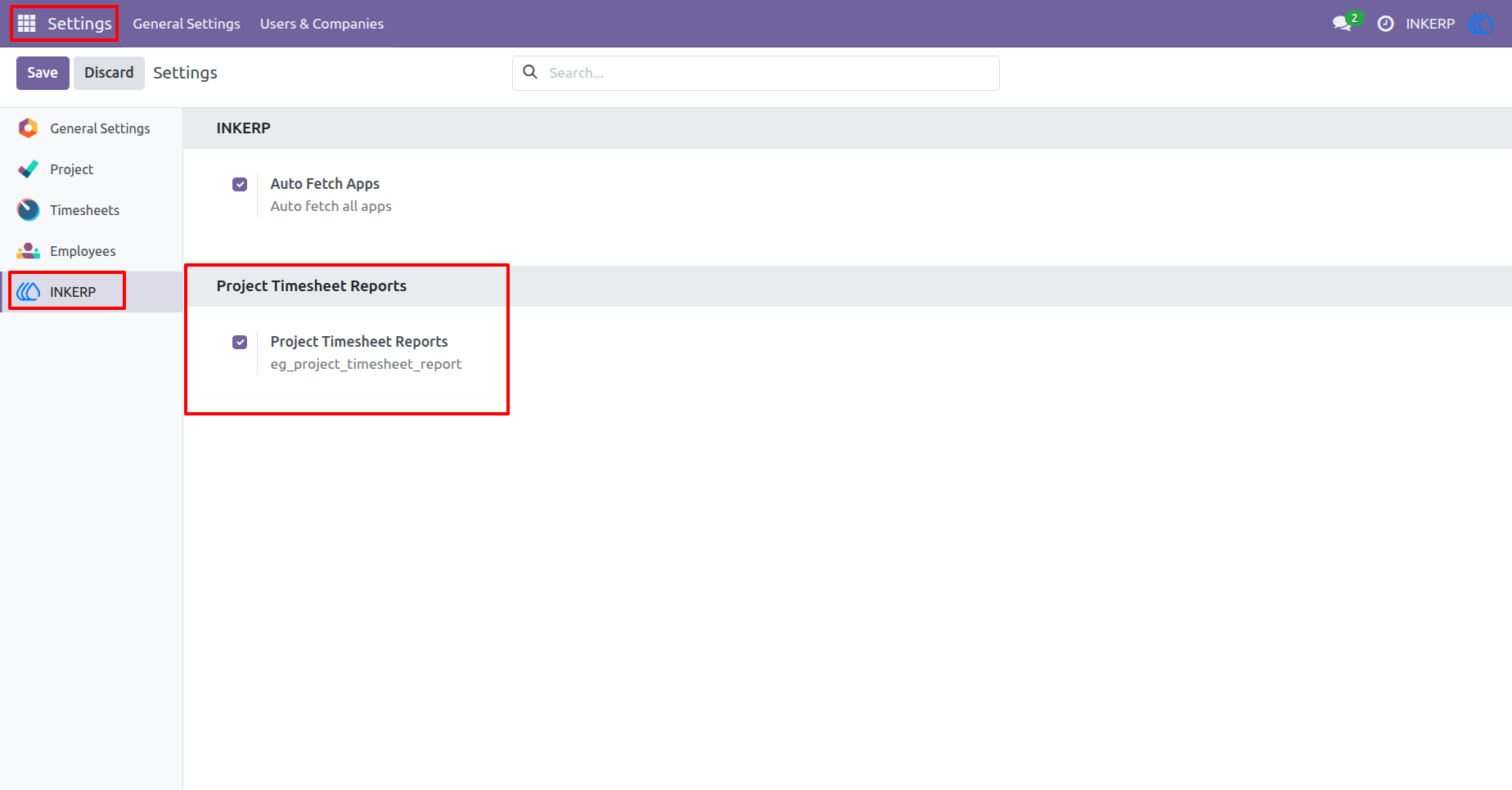
1.) Enable Feature
"Project Timesheet Reports" is enabled by default, but the admin can toggle it on or off via INKERP settings. Disabling it will cause all app features to stop working, while enabling it will restore their functionality.
Navigation : Settings › INKERP
2.) Print Project PDF
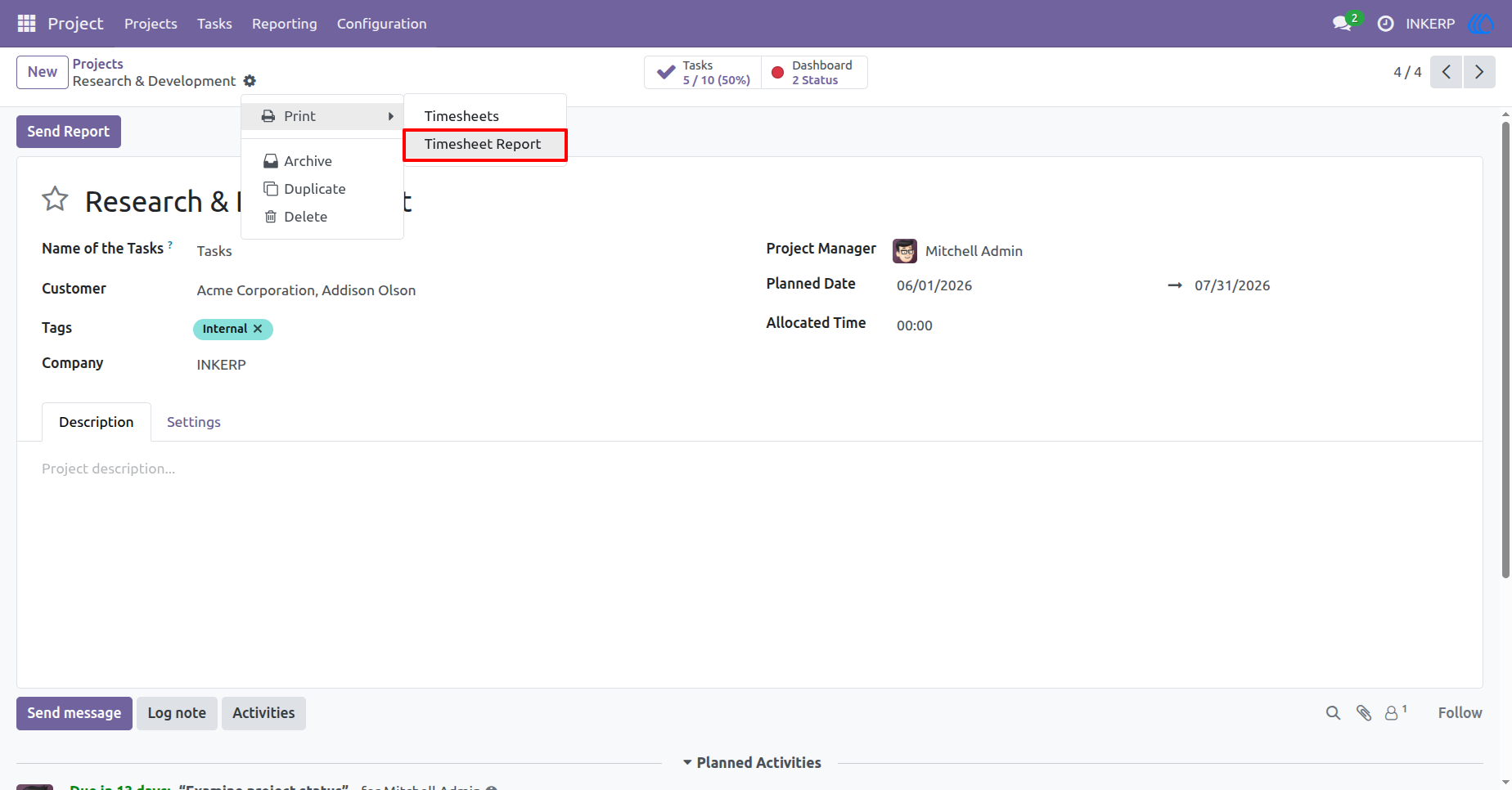
Generate a comprehensive timesheet document directly from the main project record. The print dropdown now houses the dedicated option to compile all associated task logs into one cohesive file.
Navigation : Project › Projects
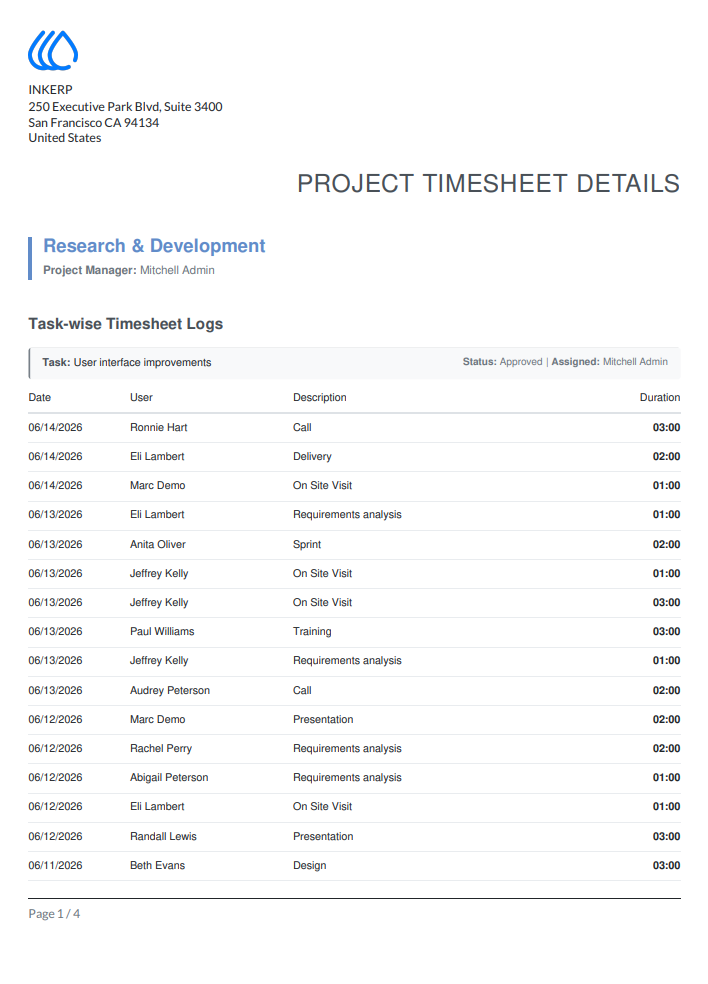
3.) Project PDF View
Review the generated document detailing high-level project metrics alongside task-specific breakdowns. The layout cleanly separates daily logs, assignees, and durations for effortless auditing.
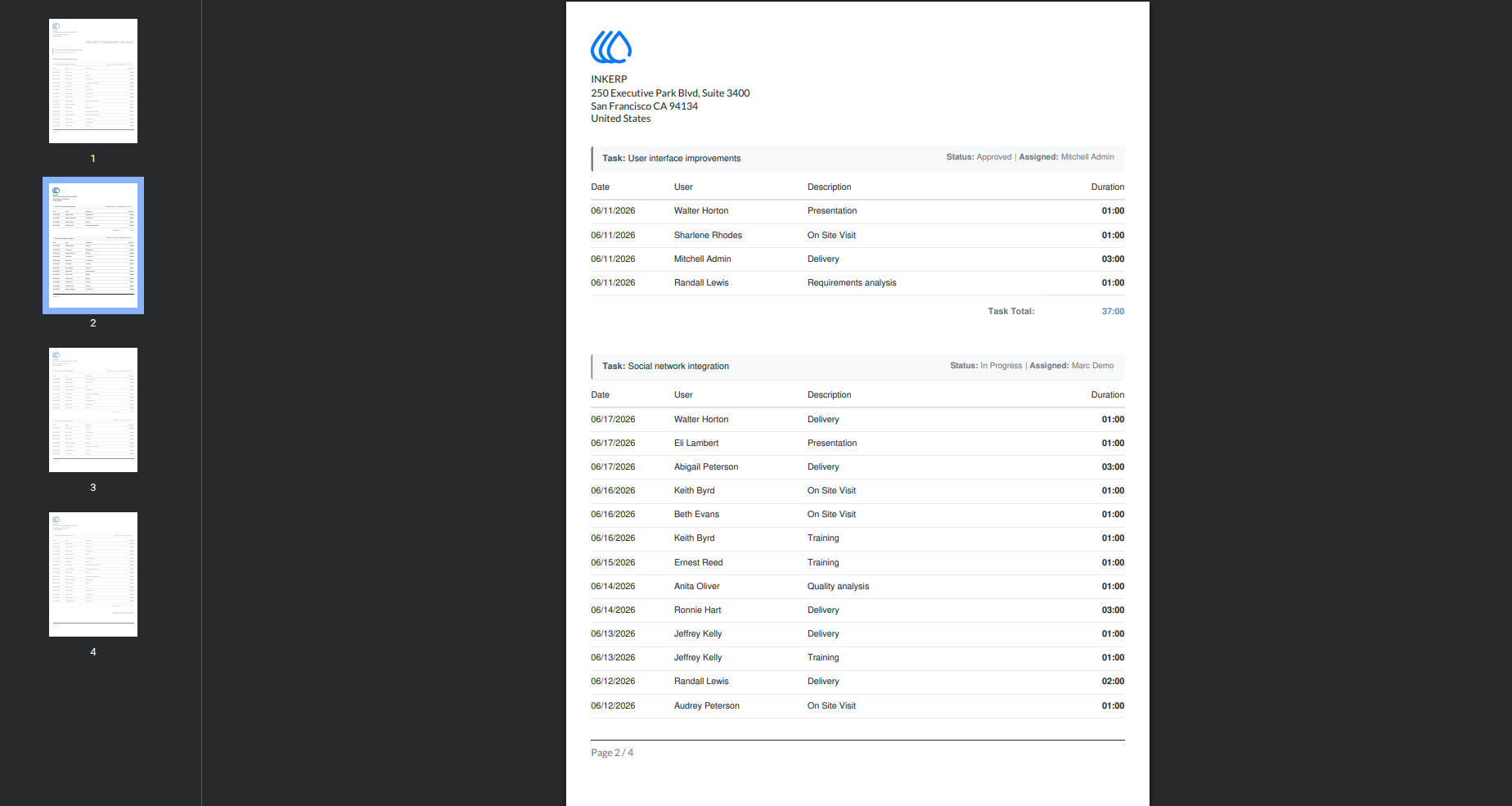
4.) Detailed Task Logs
Analyze extended timesheet entries spanning multiple pages. The document dynamically scales to accommodate extensive logging histories while maintaining structured categorization for every task.
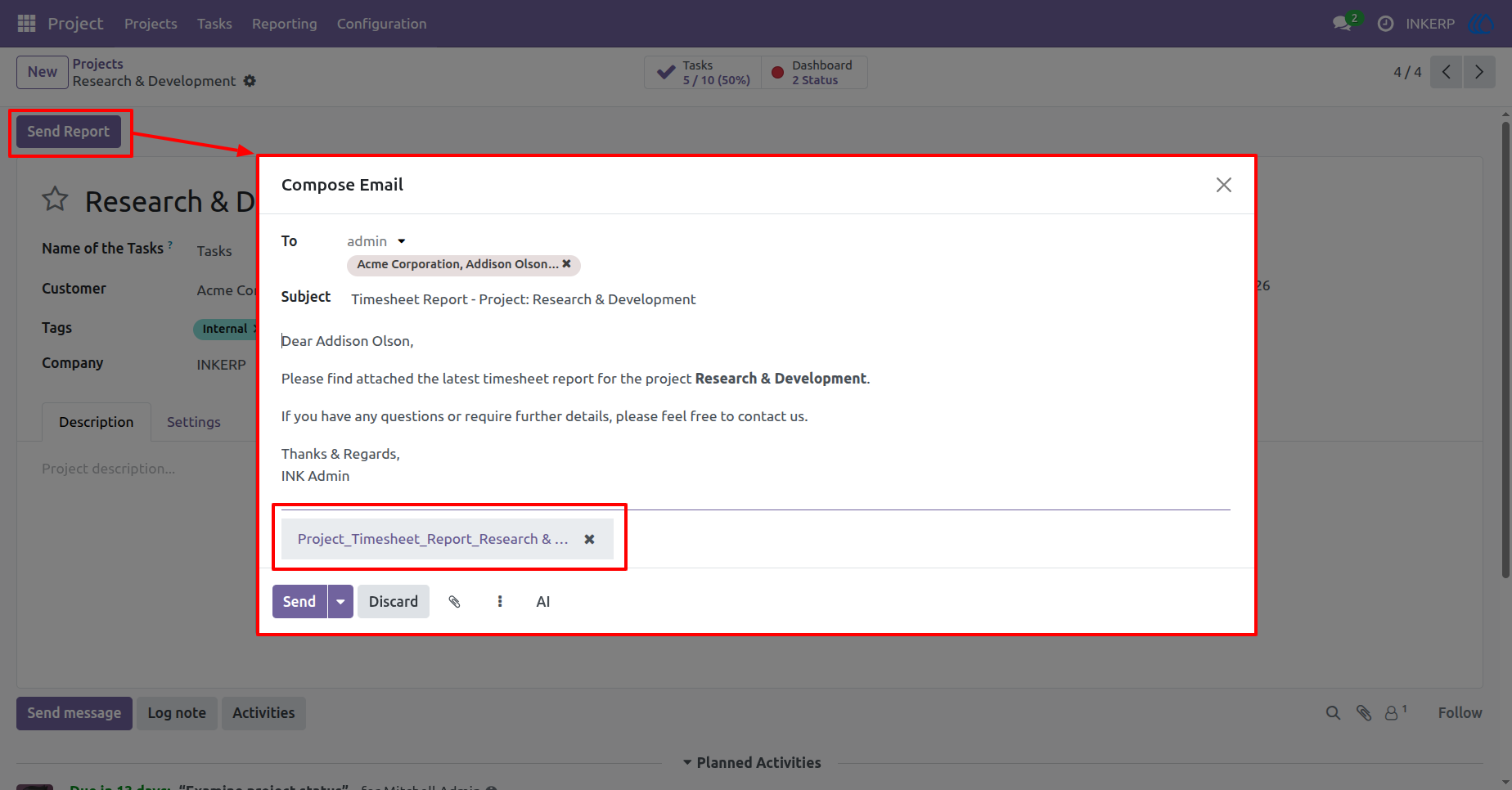
5.) Email Project File
Disseminate the compiled timesheet directly to the assigned customer using the integrated mail composer. The system automatically drafts a professional message and attaches the generated PDF.
Navigation : Project › Projects
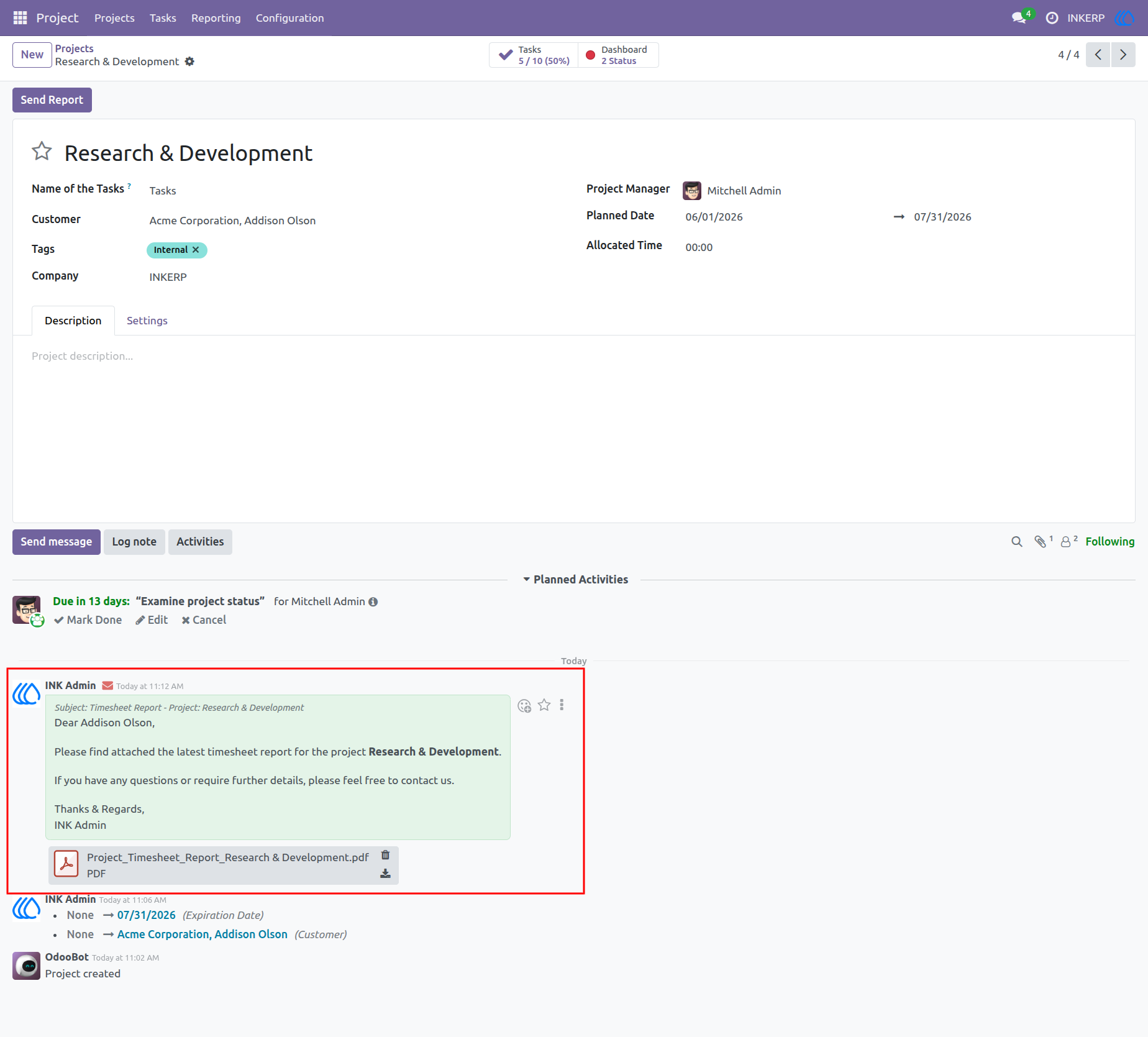
6.) Project Audit Trail
Track historical communications and dispatched reports seamlessly within the project timeline. Previously sent emails and their corresponding PDF attachments remain accessible for future reference.
Navigation : Project › Projects
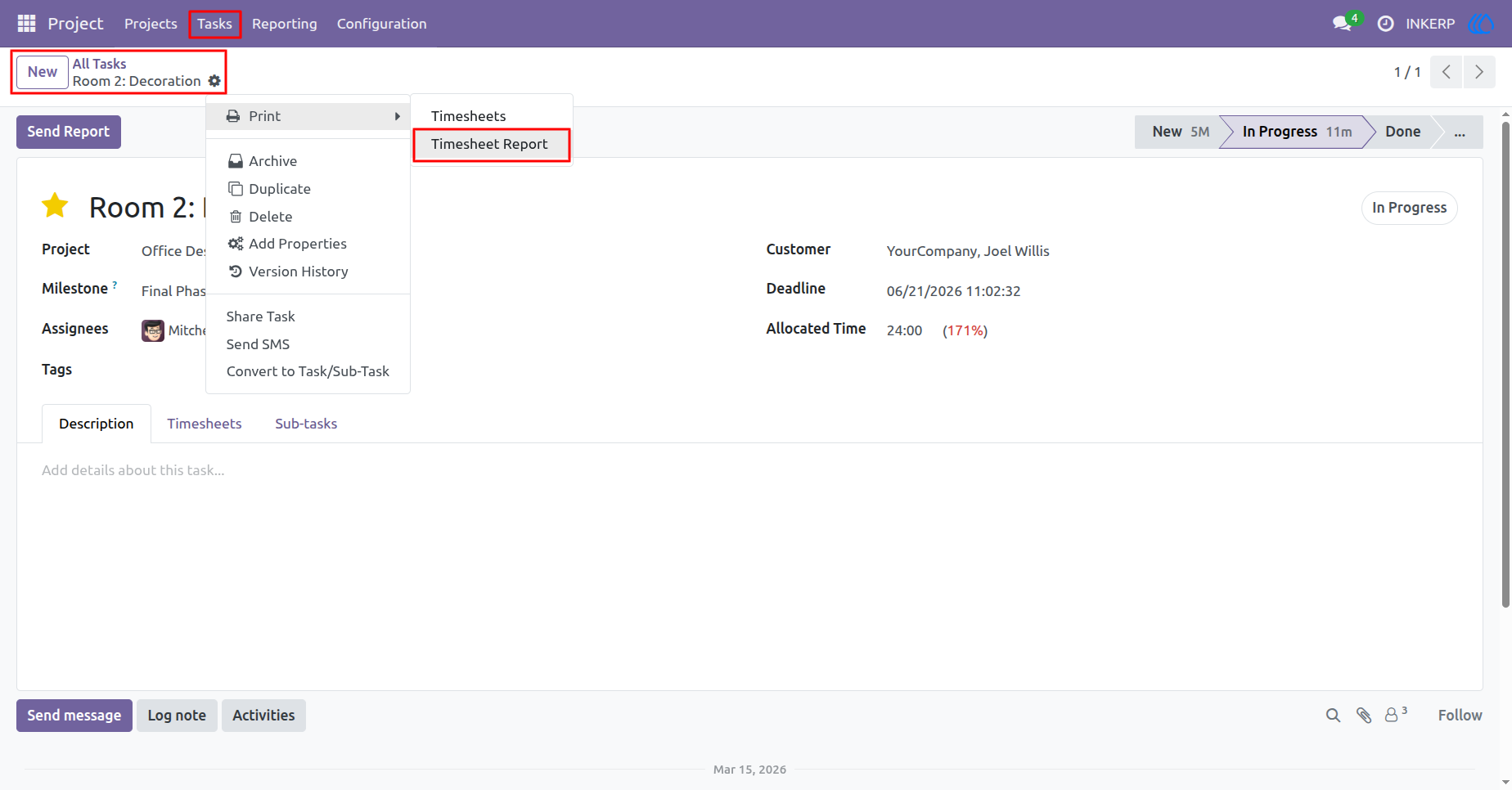
7.) Print Task PDF
Isolate and extract timesheet data for an individual work item. The print action generates a highly focused document summarizing only the hours logged against the specific task.
Navigation : Project › Tasks
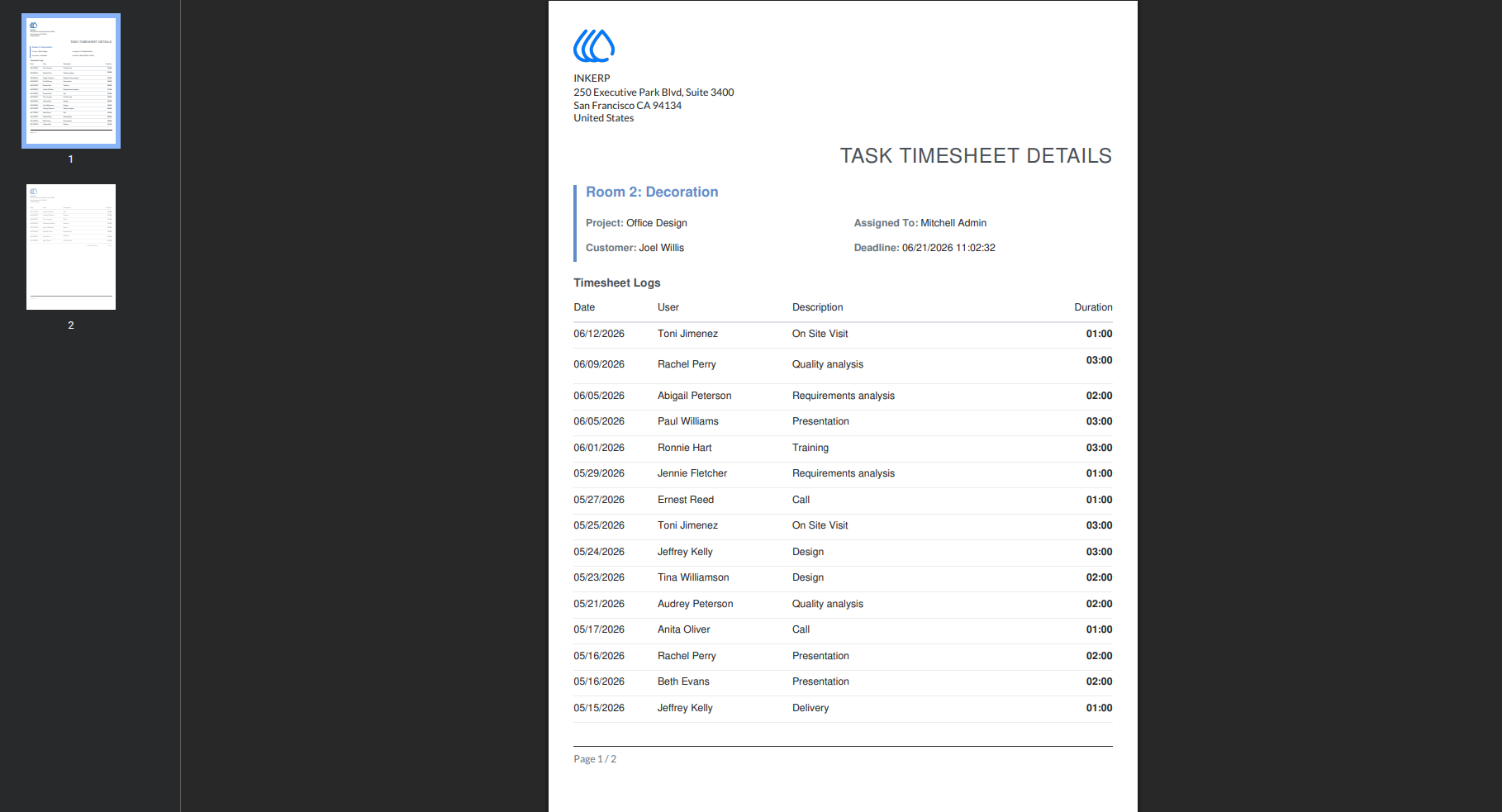
8.) Task PDF Layout
Evaluate the localized timesheet document, displaying assignee details, deadlines, and a chronological log of all related work. This focused format delivers precise visibility into individual deliverables.
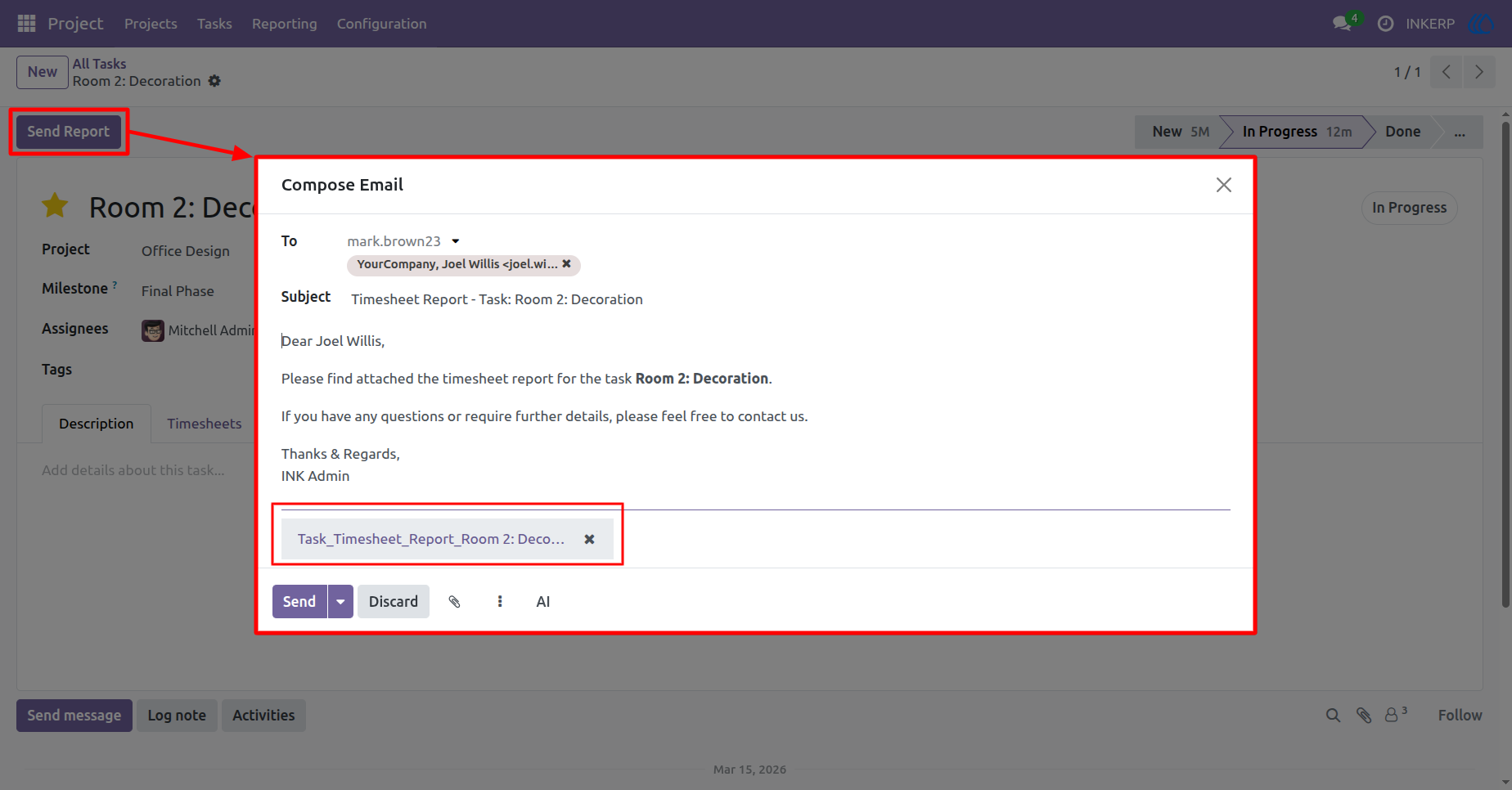
9.) Email Task File
Dispatch the isolated task report to relevant stakeholders with a single click. The mail dialog auto-populates with the customer's contact details, standard message, and the required PDF document.
Navigation : Project › Tasks
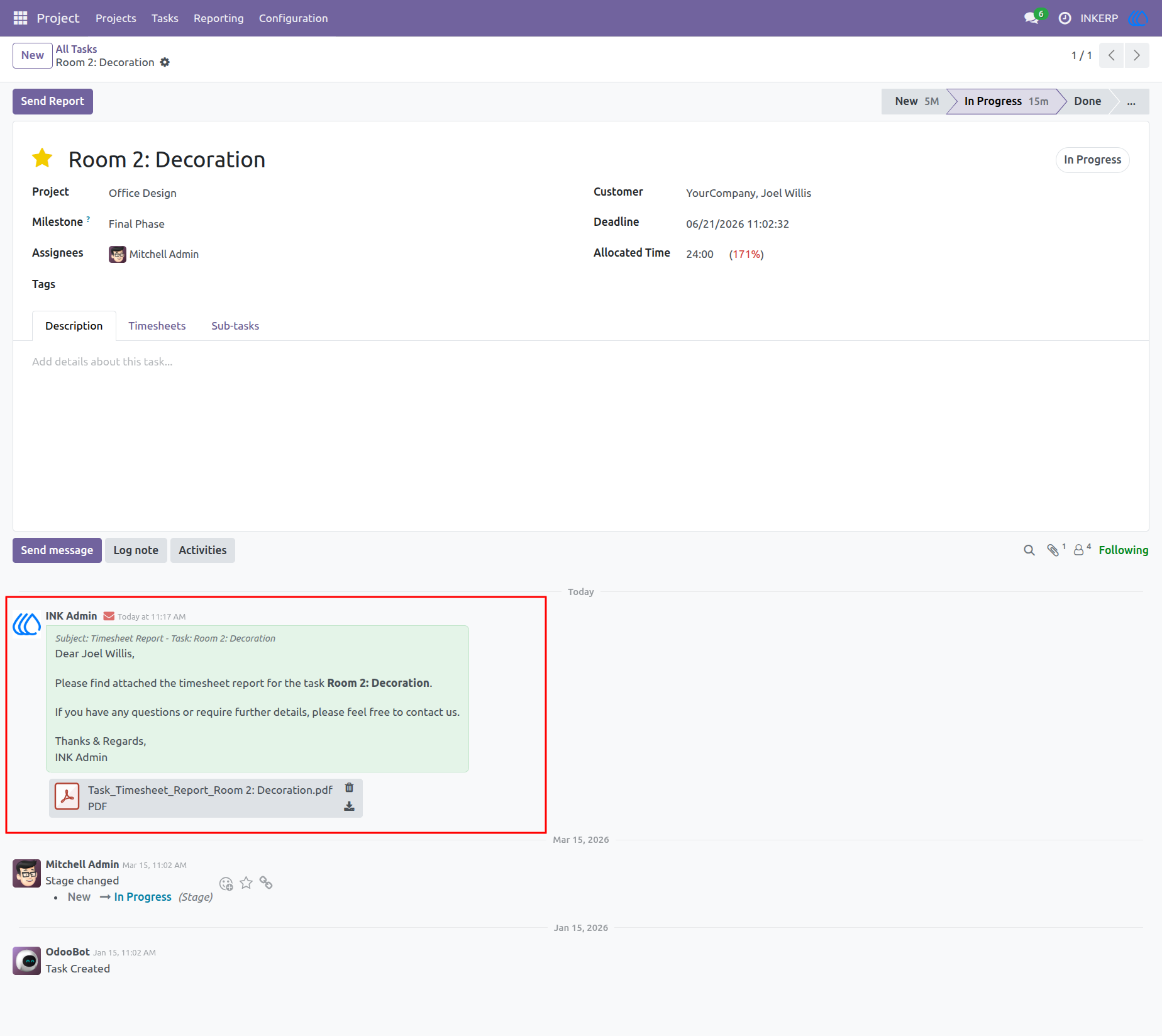
10.) Task Audit Trail
Maintain complete visibility over client updates directly within the task history. Every dispatched report is securely logged, ensuring a reliable timeline of shared deliverables and communications.
Navigation : Project › Tasks
User Guide