EXCLUSIVE CUSTOMER BENEFITS
FREE INSTALLATION
& 90 DAYS FREE SUPPORT!
No worries about installation! This module comes with free installation assistance and 90 days of free support, helping you get started smoothly and confidently.
✦ COMPLIMENTARY INSTALLATION & SUPPORT ✦
MORE VALUE • LESS HASSLE • A BETTER START
Our Most Suggested Products


Multi Branch Project and Task
This app allows companies with multiple branches to manage projects and tasks separately for each branch in Odoo. It ensures proper data segregation, reporting, and control based on the user's assigned branch, improving operational clarity and branch-level accountability.
 Features
 Screenshots
 Support
 Service
Features
Branch-Based Project Assignment
Create and assign projects to specific branches. Users see only the projects relevant to their branch.
Access Control & Security
Users can only view, edit, or manage projects and tasks from their assigned branch.
Automatic Branch Detection
Automatically sets branch on project/task based on the user session or selection.
Screenshot
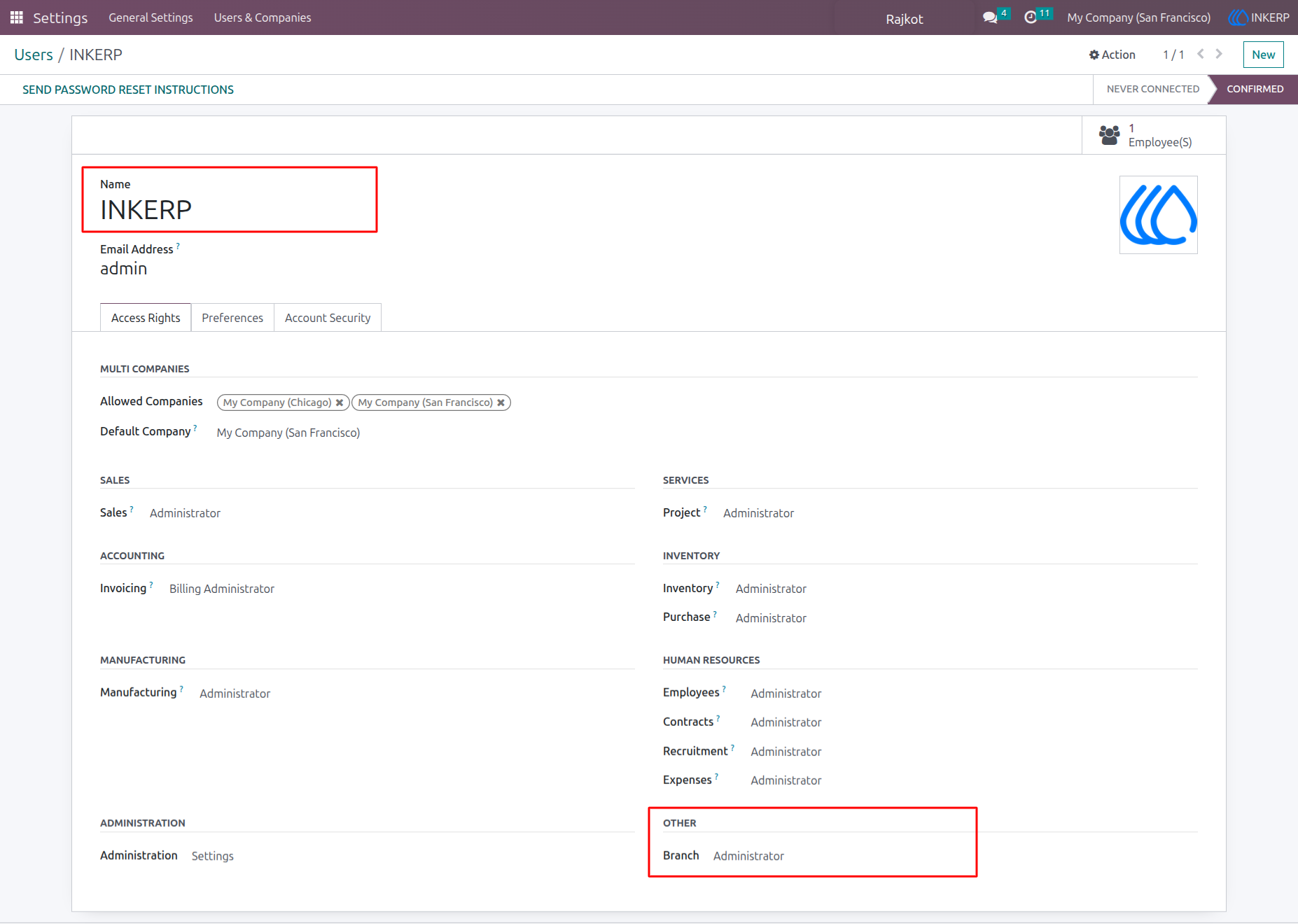
1) Branch Admin Access Assign
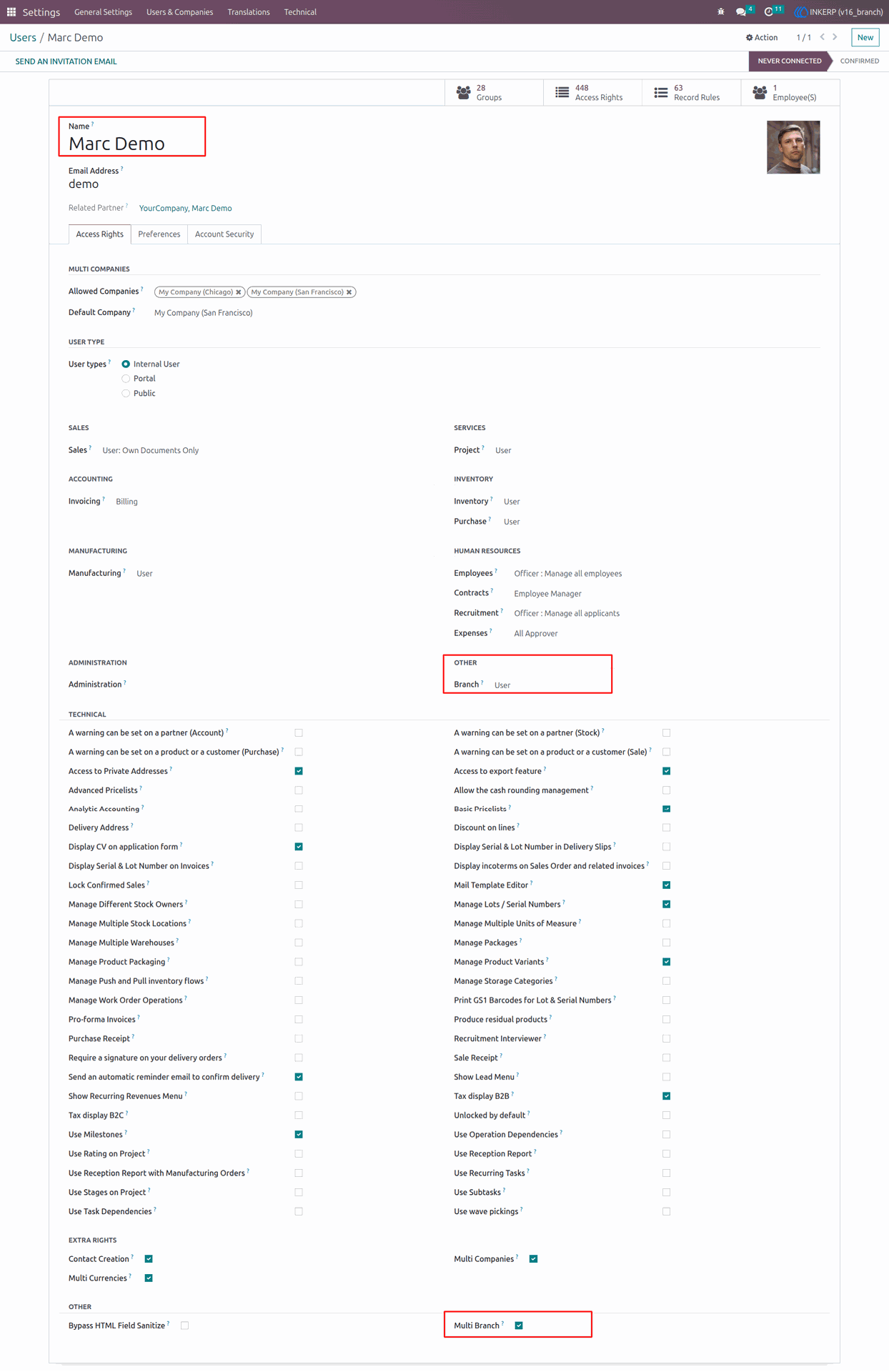
2) Branch User Access Assign
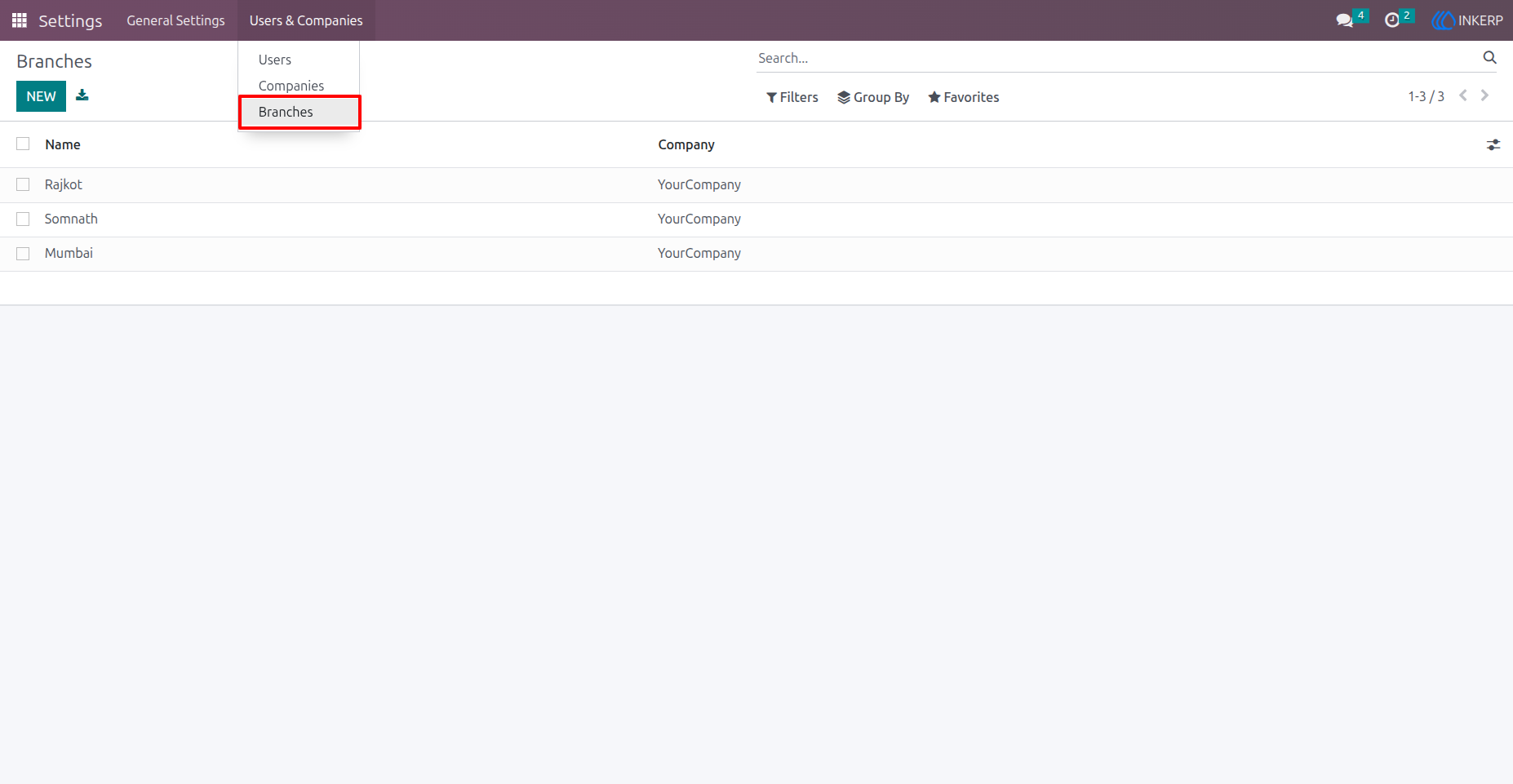
3) Branch View
Navigation : Settings > Users & Companies > Branches
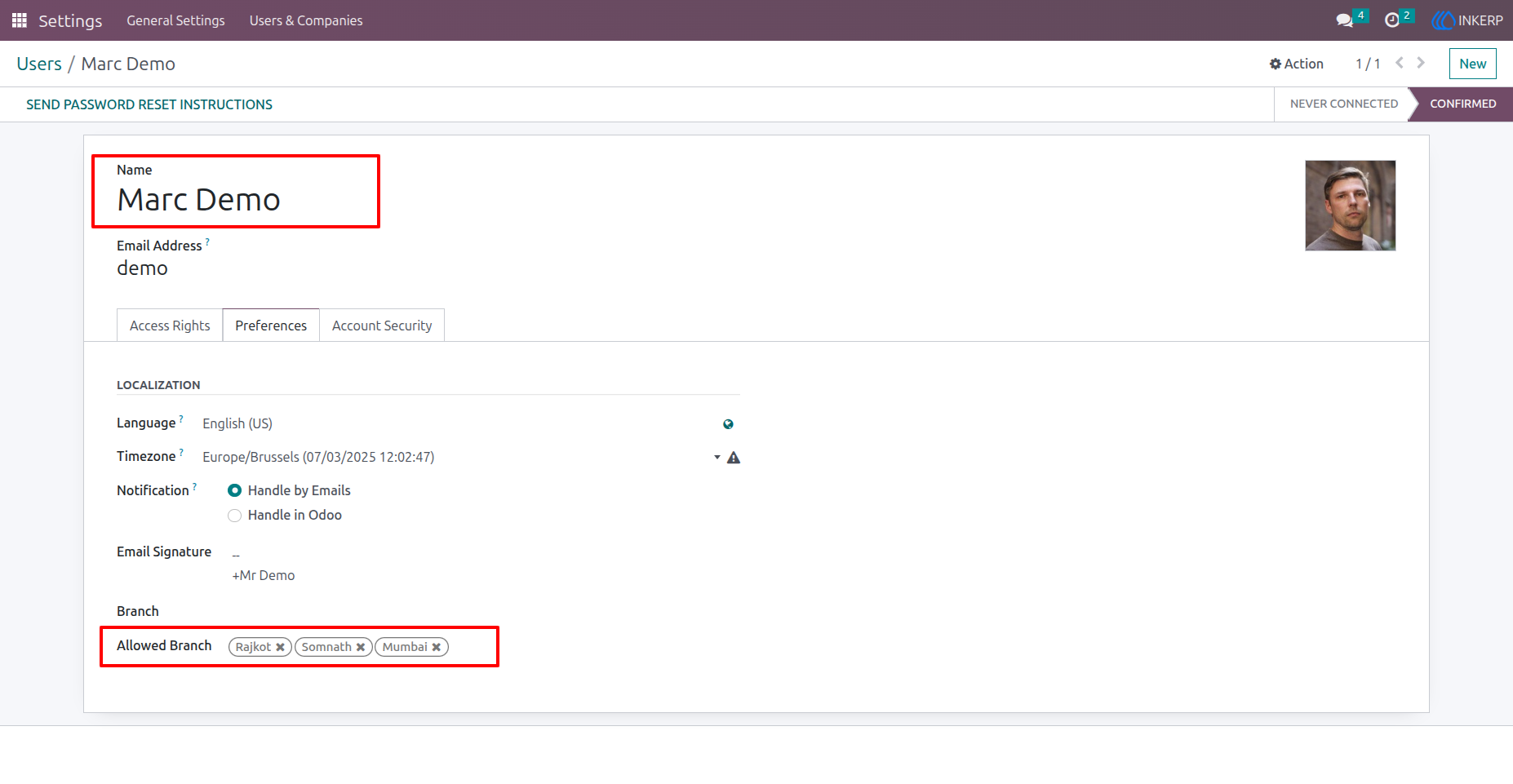
4) Assign multiple Branches to user
Marc Demo now has access to multiple branches.
Navigation : Settings > Users & Companies > Users
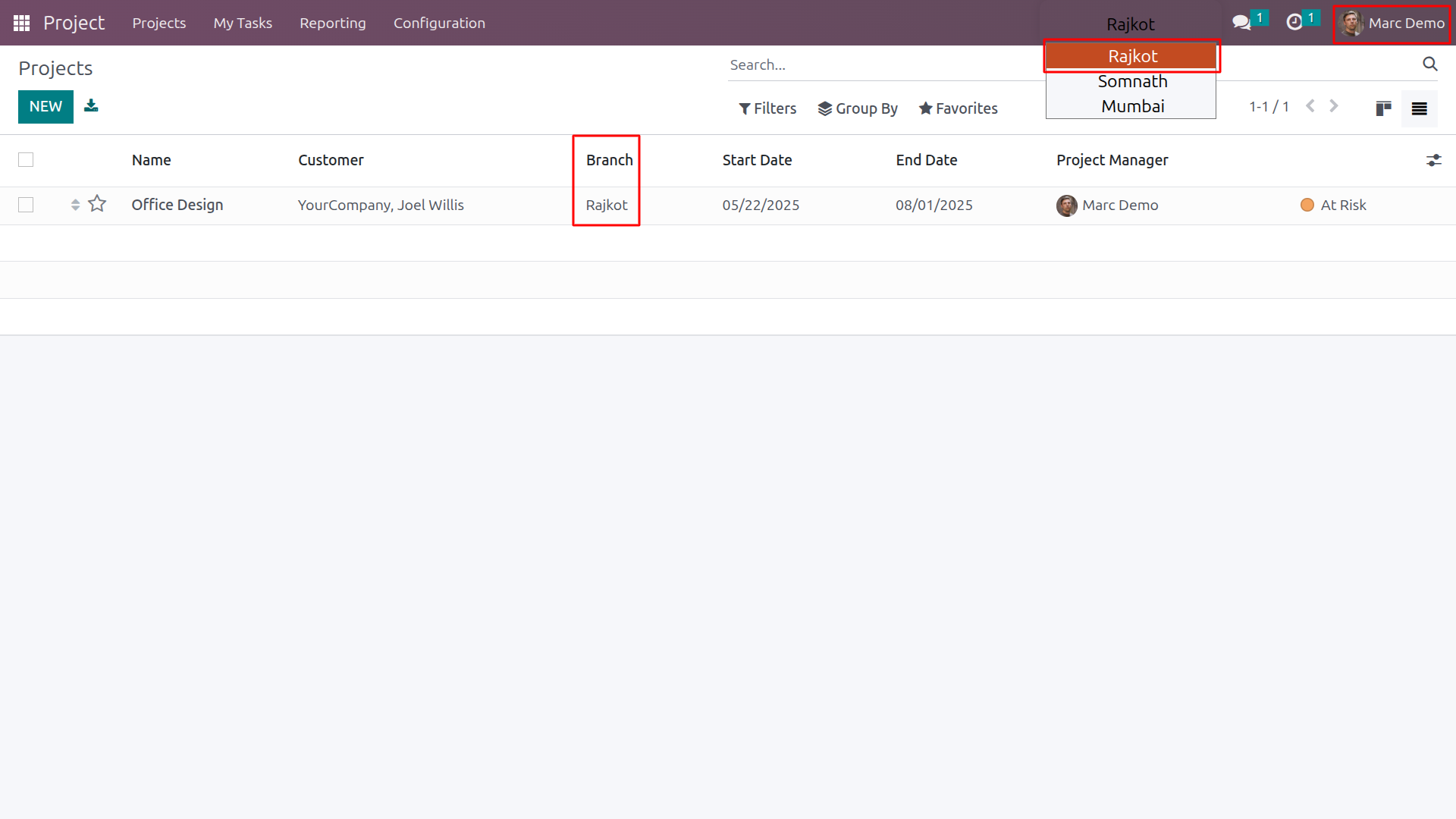
5) Branch Selection User Side
Marc Demo can easily switch branches anytime.
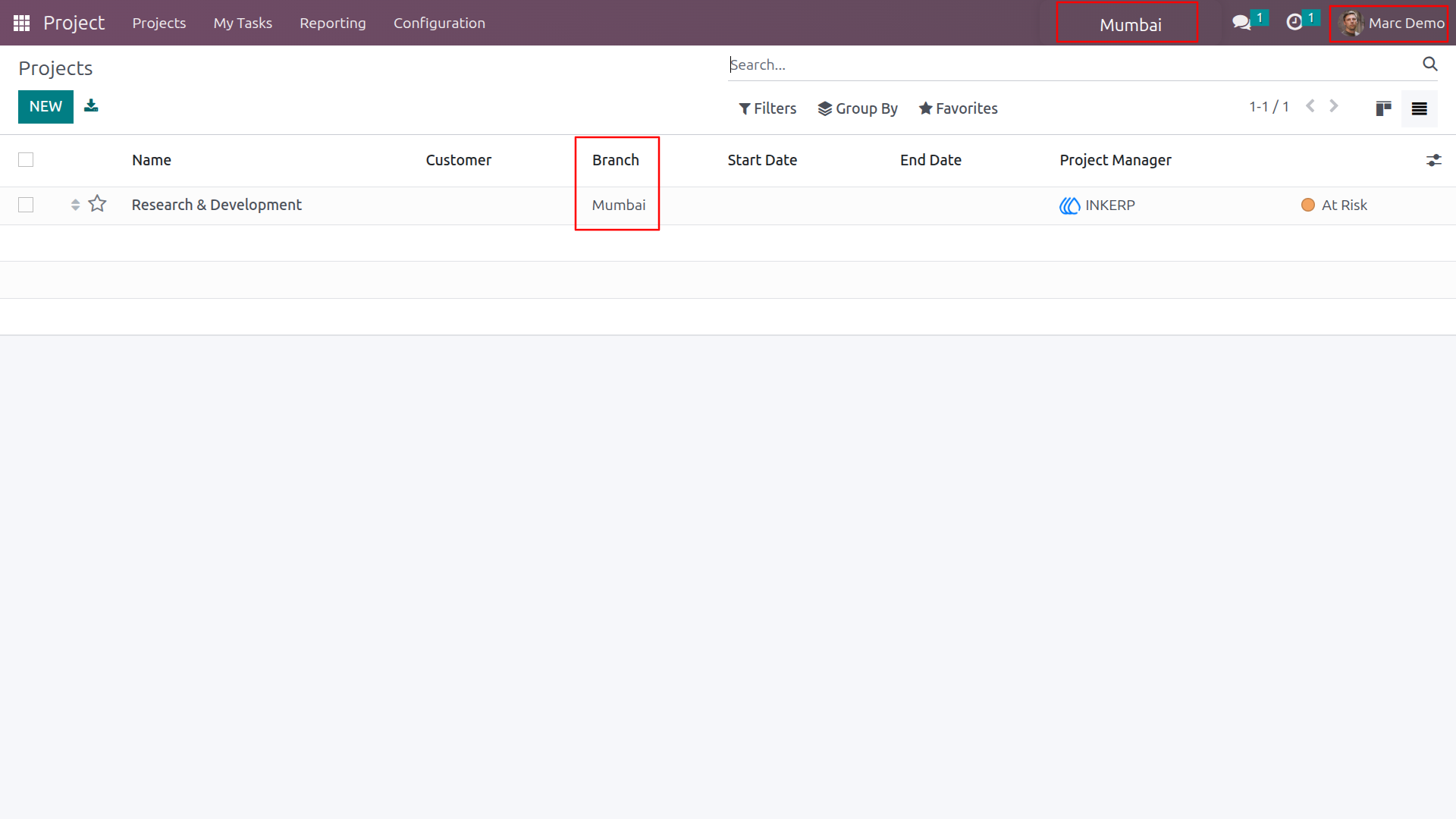
6) Branch based Record visibility
Here marc demo changed his current branch into Mumbai.Marc Demo now sees only projects and task from the Mumbai branch.
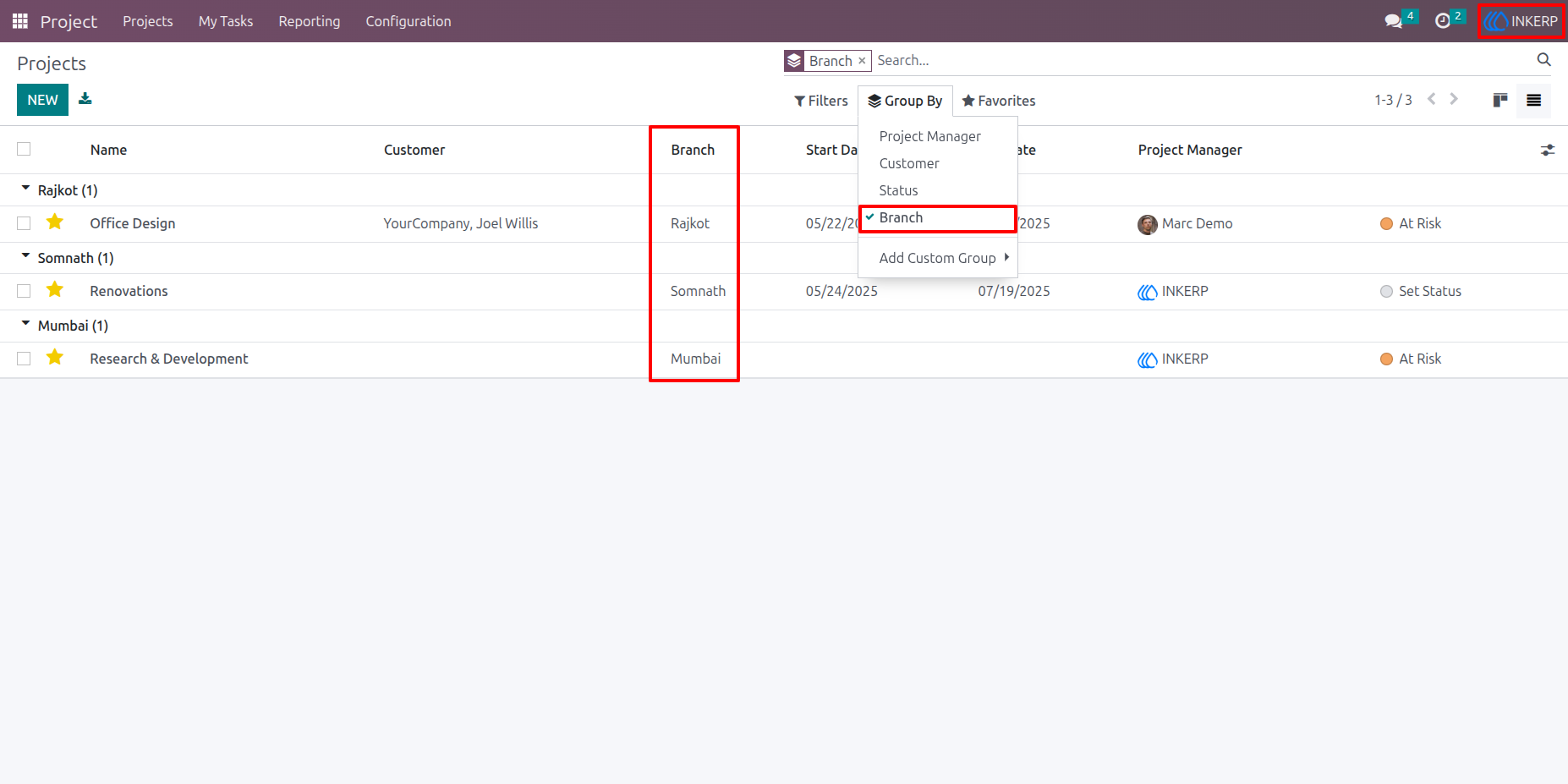
7) Admin Access Projects
Admins have unrestricted access to all Projects, and users can view them with convenient grouping options.
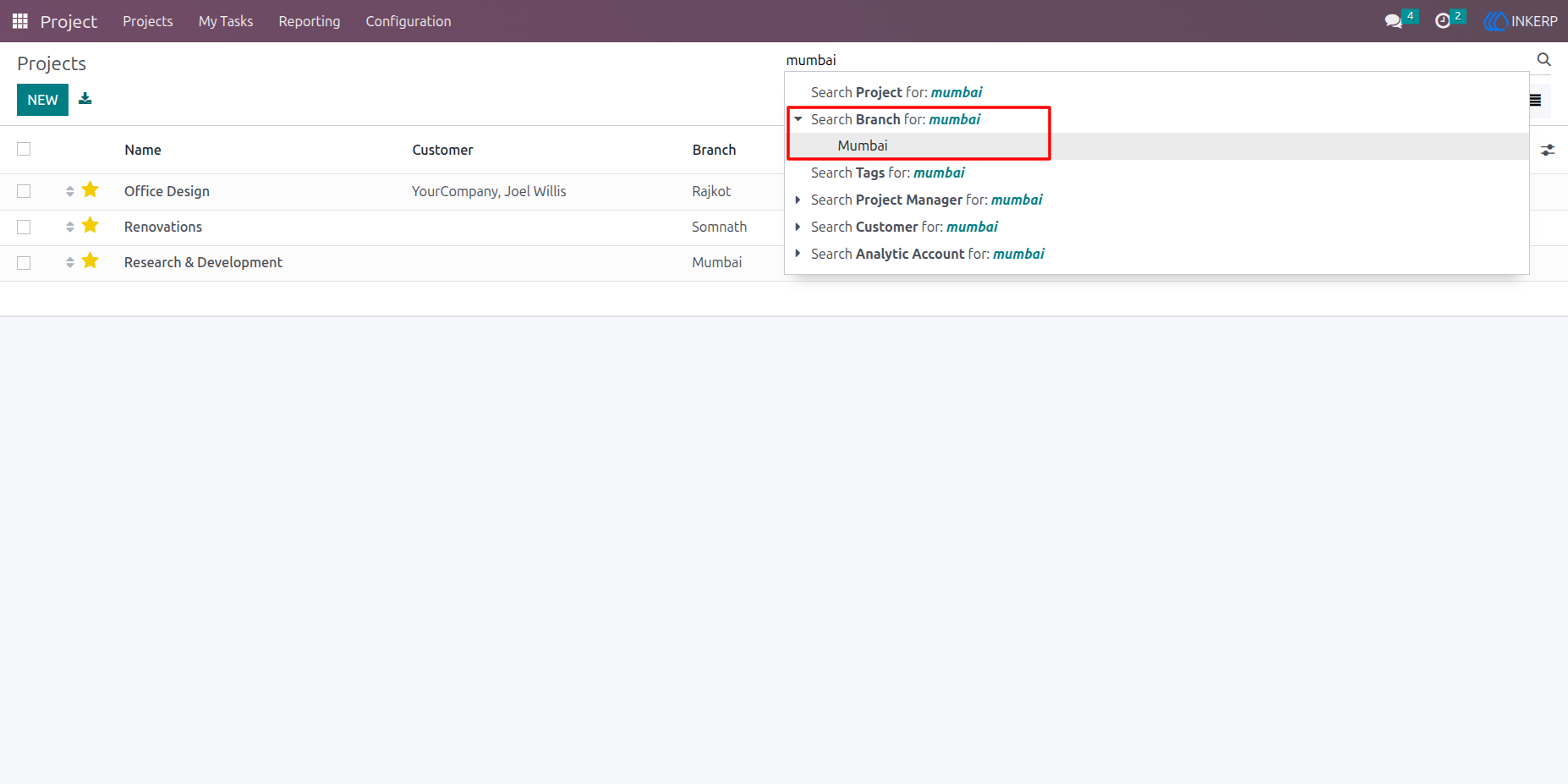
8) Projects and Task Filter By Branch
Find Projects and Task quickly by branch.
9) Admin Access Task
Admins have unrestricted access to all Task, and users can view them with convenient grouping options.
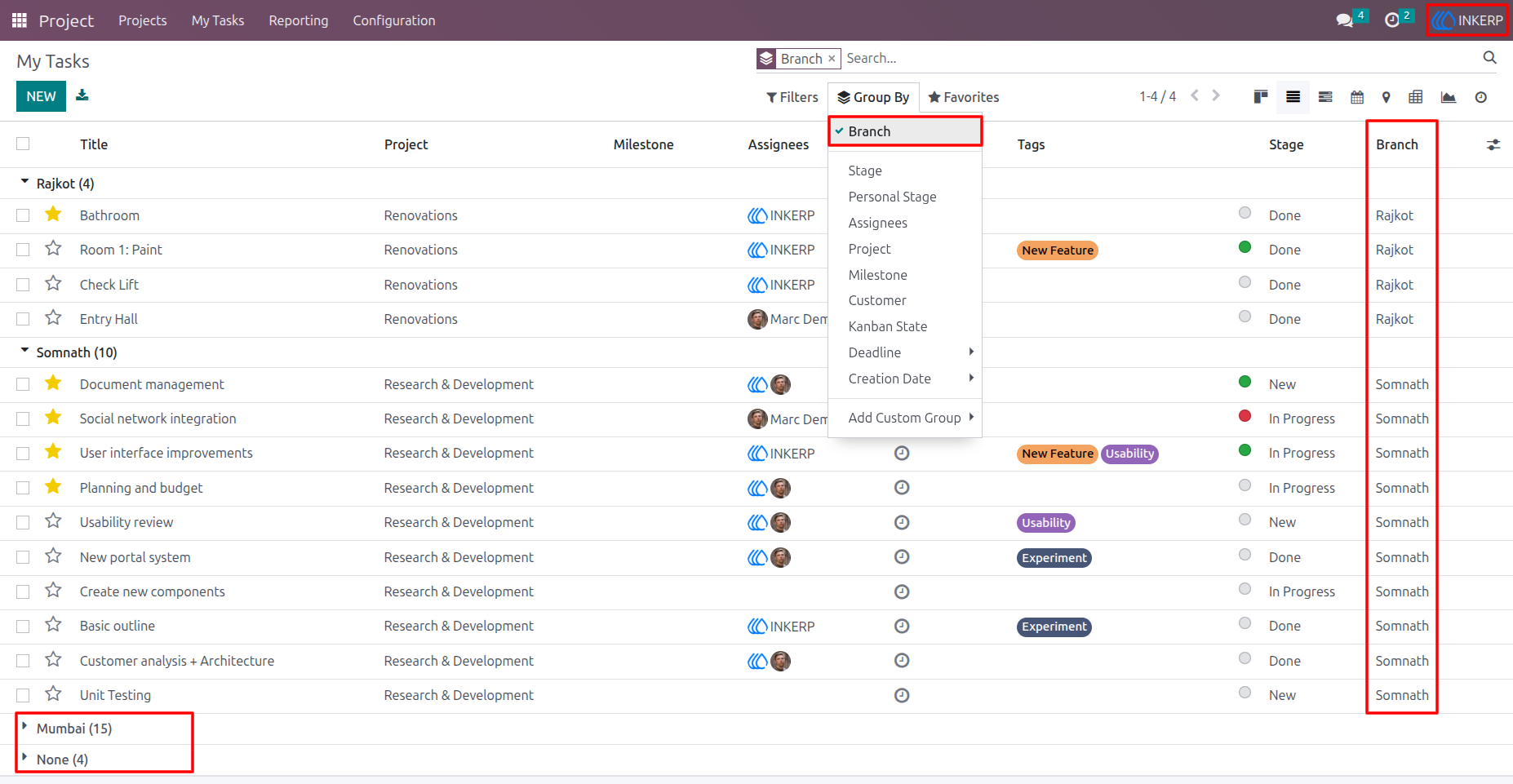
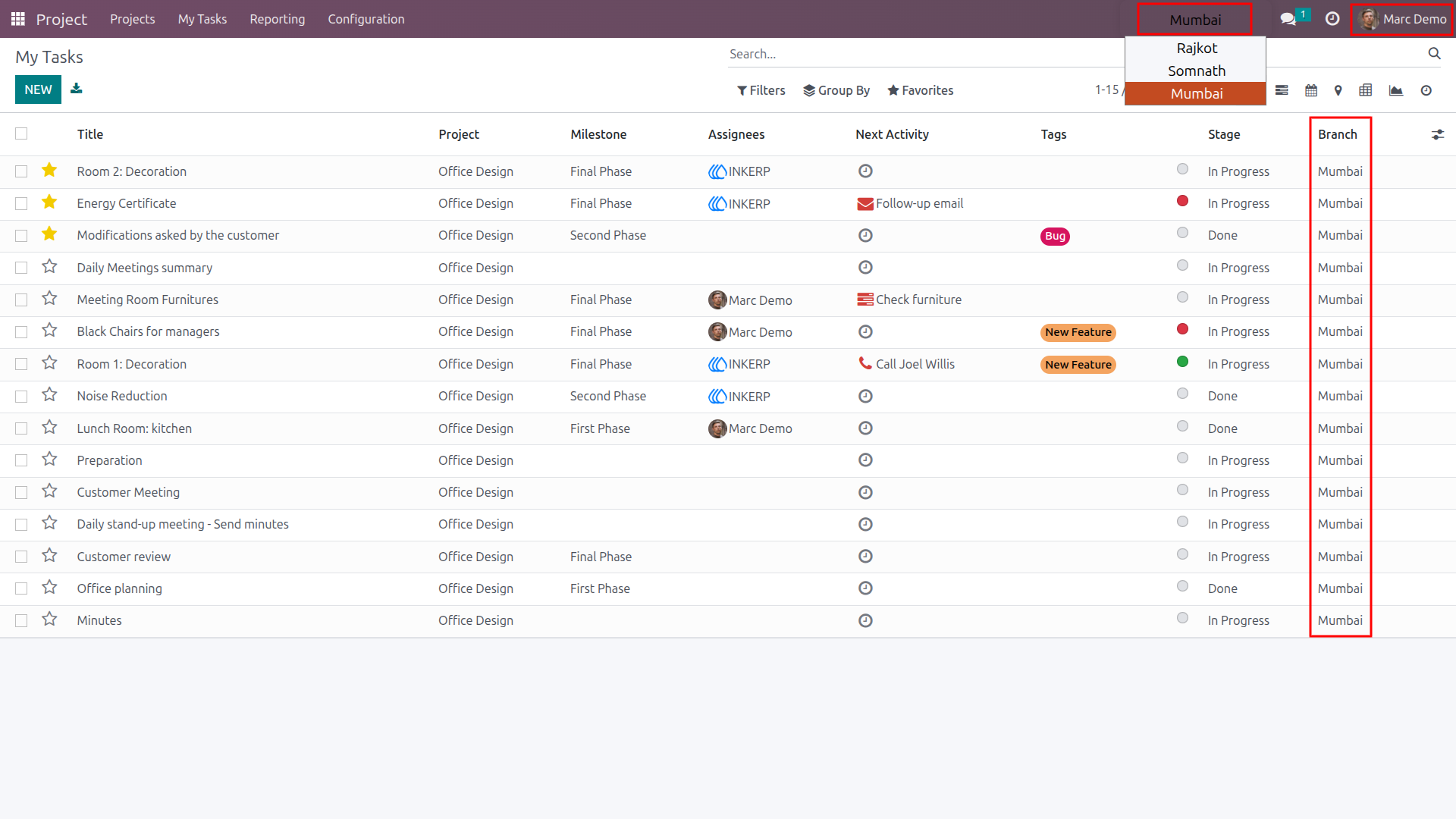
10) User Access Task
Here marc demo can access the tasks from the Mumbai branch. (The Branch will be auto assigned from project.)
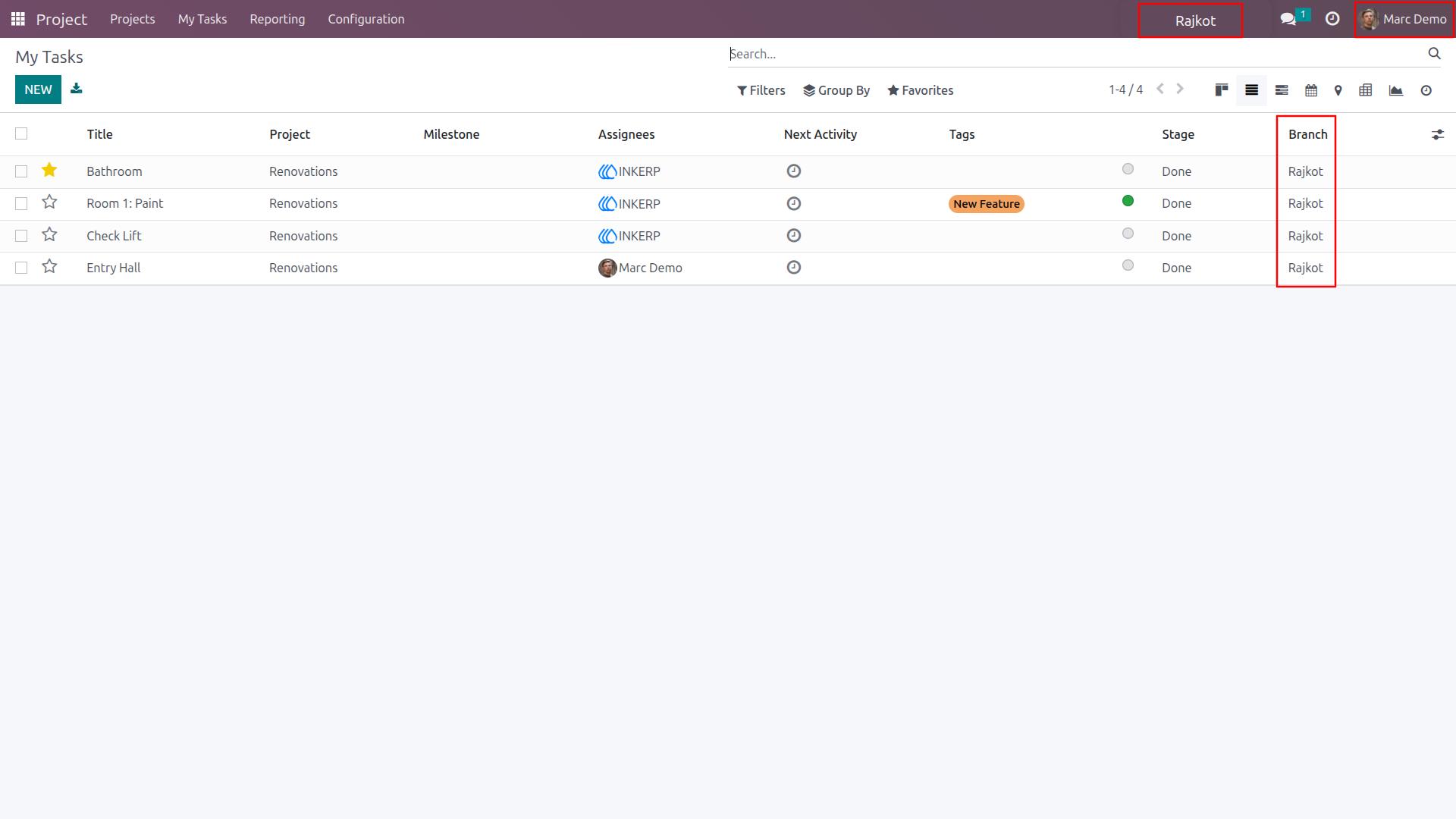
11) Branch Switch
Here marc demo changed his current branch into Rajkot. Marc Demo now sees only task from the Rajkot branch.
User Guide