
Our Most Suggested Products


Product Variant Custom Search Restriction
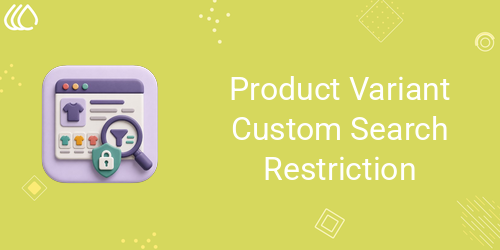
Product Variant Search Restriction helps administrators control advanced search capabilities in the Odoo Product Variant module. The Product Variant Advanced Search access right can be assigned to selected users based on their responsibilities. Users without the assigned permission cannot access Custom Filter, Custom Domain, or Custom Group options in Product Variant views. Authorized users can use advanced search and grouping features to manage product variant records more efficiently.
 Features
 Screenshots
 Support
 Service

Features
Product Variant Advanced Search Access
Product Variant Search Restriction allows administrators to assign the Product Variant Advanced Search access right to individual users. Authorized users can access advanced search features in Product Variant views. This provides flexible user-level control over product variant search and data management.
Restrict Custom Filters and Grouping
Users without the Product Variant Advanced Search access right cannot create custom filters, apply advanced search domains, or use custom grouping options. This helps administrators restrict advanced search capabilities for selected users. Standard Product Variant access rights and workflows remain unchanged.
Screenshot
1.)Admin Advance Search Access Rights
Go to Settings and open the Users section to manage individual user access. Select the required user and locate the Product Variant Advanced Search access right in the user settings. Assign the Product Variant Advanced Search permission to allow the selected user to access advanced search features in the Product Variant module. This provides administrators with user-specific control over product variant search functionality.
Navigation : settings › Users & Companies › Users

3.)Users Advance Search Access Rights
Go to Settings and open the Users section to manage individual user access. Select the required user and set Product Variant Advanced Search to No in the user settings. This means the Product Variant Advanced Search access right is not assigned to the selected user. As a result, the user cannot access advanced search features such as Custom Filter and Custom Group in Product Variant views.
Navigation : settings › Users & Companies › Users

2.)Product Variant Search View
Open the Product Variant search view to check the available advanced search options for the selected user. When the Product Variant Advanced Search access right is assigned, the user can access the Custom Filter and Custom Group options. This allows the user to create custom filters, apply search conditions, and group product variant records according to their requirements.
Navigation : Sales › Products › Products Variant

4.)Product Variant Search View
Open the Product Variant search view to verify the available search options for the selected user. Since the Product Variant Advanced Search access right is not assigned, the user cannot see the Custom Filter and Custom Group options. This prevents the user from creating custom filters or grouping product variant records using advanced search features.
Navigation : Sales › Products › Products Variant

User Guide