

EXCLUSIVE CUSTOMER BENEFITS
FREE INSTALLATION
& 90 DAYS FREE SUPPORT!
No worries about installation! This module comes with free installation assistance and 90 days of free support, helping you get started smoothly and confidently.
✦ COMPLIMENTARY INSTALLATION & SUPPORT ✦
MORE VALUE • LESS HASSLE • A BETTER START
Our Most Suggested Products


POS Product List & Grid View Switch
This module replaces the default image-based product section in the Odoo POS interface with a structured product list view, allowing faster browsing and easier product selection.
 Features
 Screenshots
 Support
 Service
Features
Product View Switching in POS
This feature allows cashiers to instantly switch between Grid View and List View directly from the POS screen. Users can choose the most comfortable layout based on their workflow without restarting or reloading the POS session.
Configurable Control from Backend Settings
The module provides a simple backend option to enable or disable the product view switch from Settings in INKERP. Administrators can centrally control whether POS users are allowed to change product views, ensuring consistency across outlets.
Screenshot
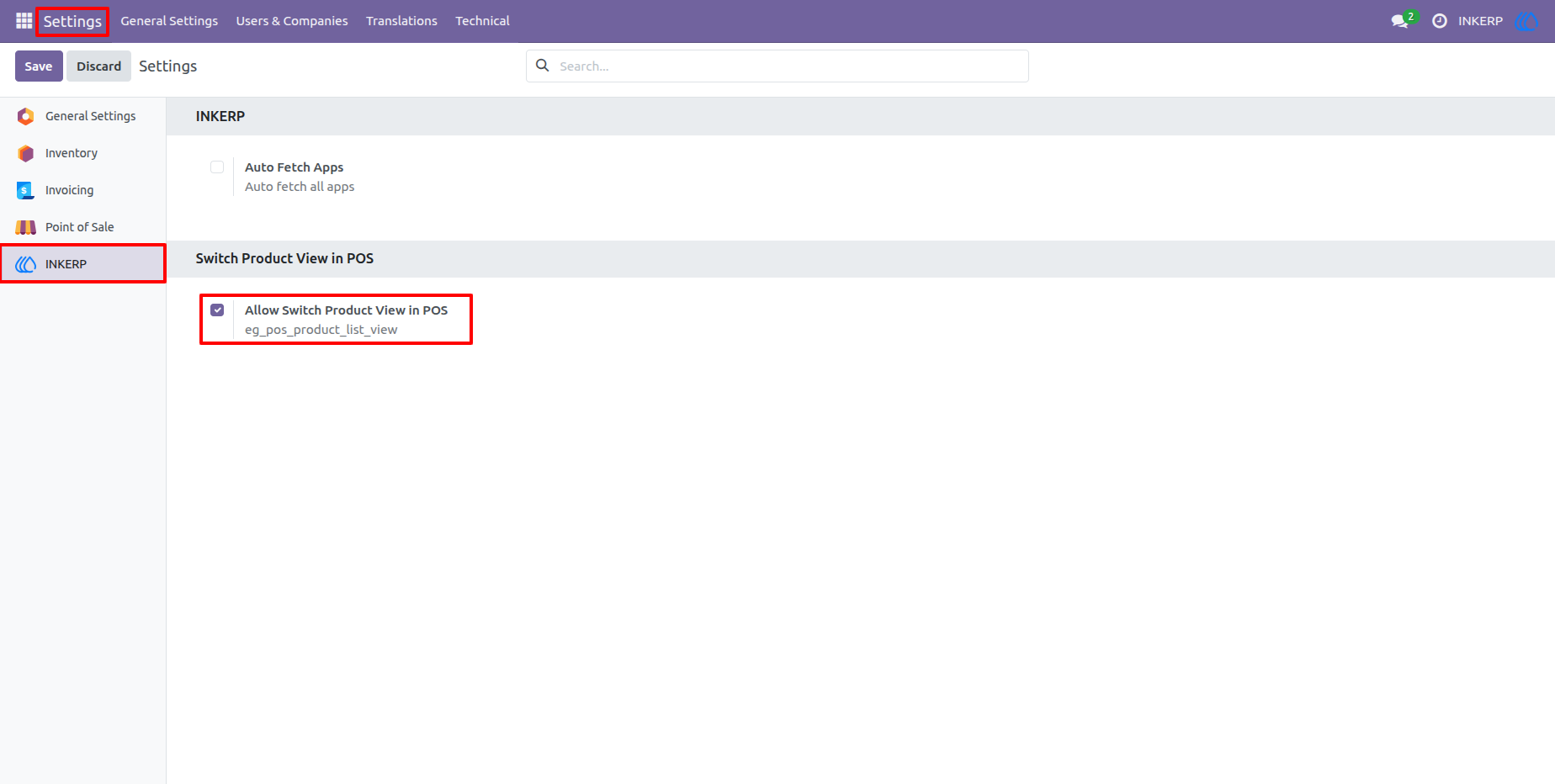
1.) Enable Product View Switch from Settings
This screen shows the backend configuration option available under Settings → INKERP. By enabling Allow Switch Product View in POS, administrators can activate the product view toggle feature inside the POS.
Navigation : Setting › INKERP
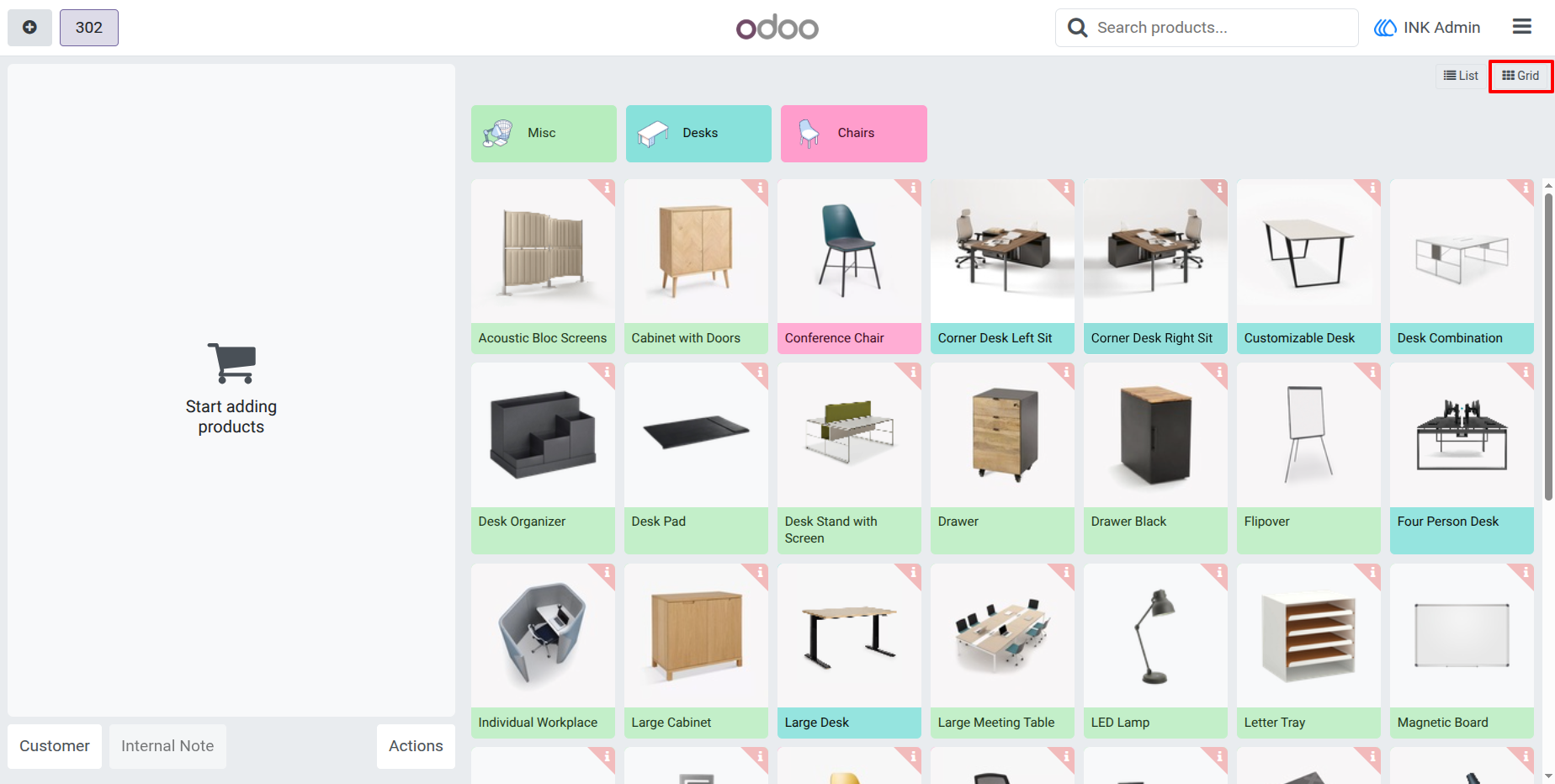
2.) POS Product Grid View
This screenshot displays the default Grid View in the Point of Sale interface. Products are shown as visually rich cards with images, colors, and categories, making it ideal for touchscreen usage and fast product selection.
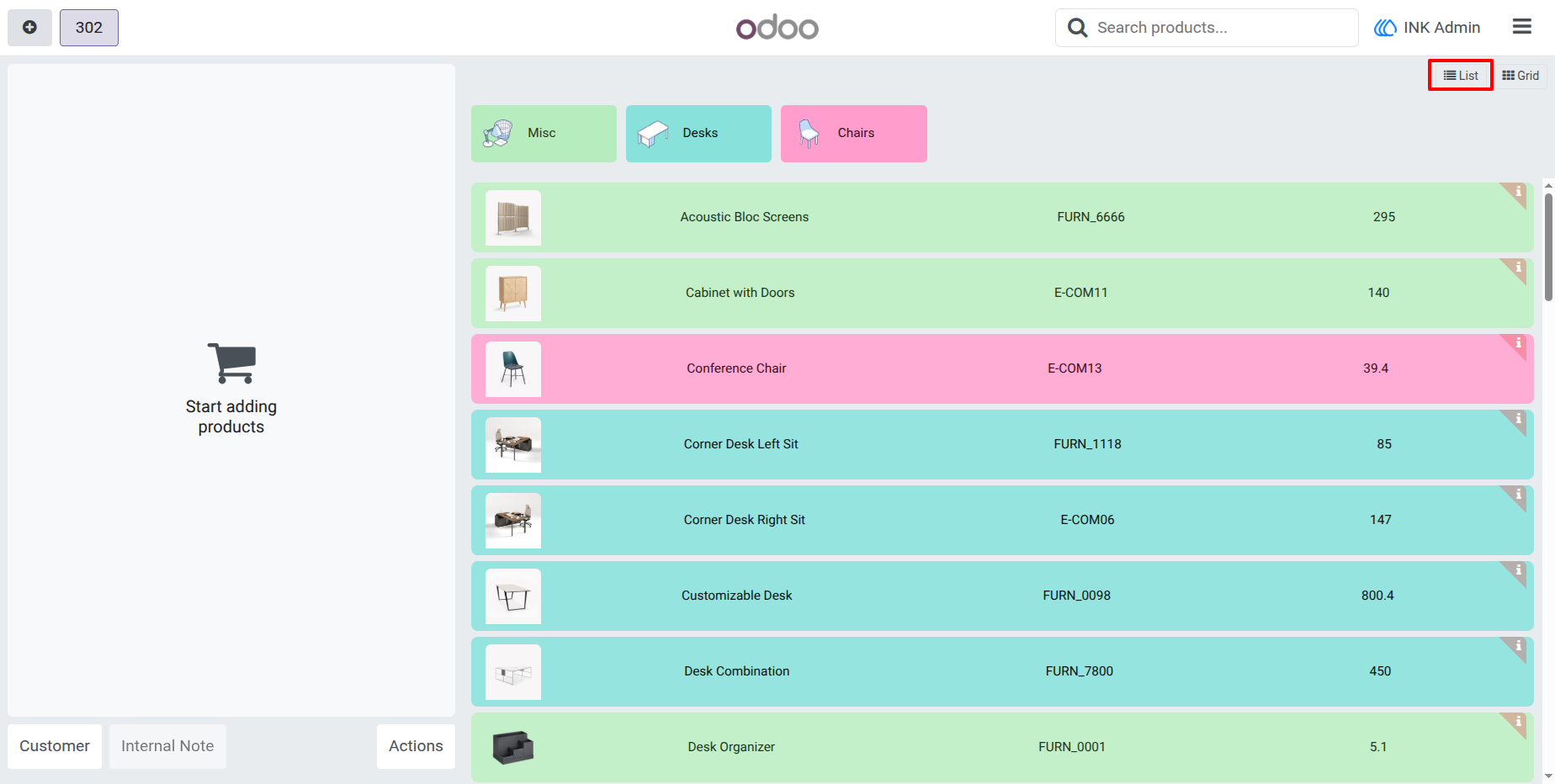
3.) POS Product List View
This screen demonstrates the List View available inside the POS after enabling the feature. Products are displayed in a compact, structured list with product image, name, internal reference, and price for quick identification.
User Guide