


Our Most Suggested Products


Product Customer Code
The Product Customer Code app allows businesses to assign unique product codes to individual customers, helping them manage products in a more organized and personalized way. This app integrates seamlessly with the Sales and Invoicing modules, displaying these codes in sales orders, invoices, reports, and the customer portal. It also provides search functionality for easy tracking of products and variants using customer-specific codes.
 Features
 Screenshots
 Support
 Service
Features
Create Product Codes in Sales Orders :
Generate product customer codes directly from the sales order.
Enable/Disable Feature :
Turn the product customer code feature on or off from settings as needed.
Group Products by Customer :
Organize products using customer-specific codes for better management.
Search by Product Code :
Easily search for products and variants using their customer-specific codes.
Auto-Fill Descriptions :
Product descriptions auto-fill after selecting product customer codes in quotes or sales orders.
Visible in Documents :
Product codes & names appear in sales orders, invoices, and reports.
Screenshot
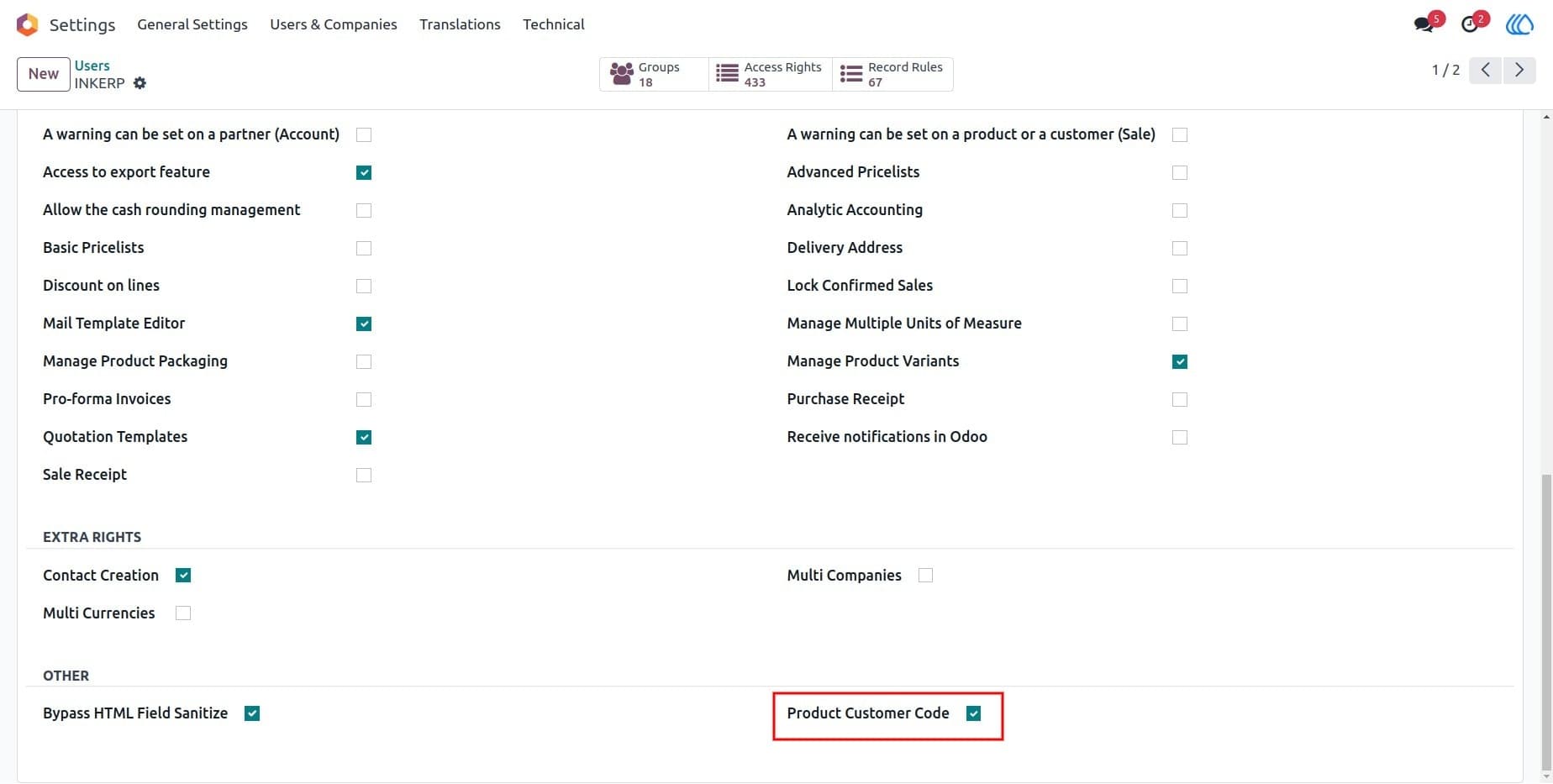
1) Settings view
Activate the debug mode to enable the Product Customer Code functionality, allowing you to configure and manage product customer codes.
Navigation : Settings → Users
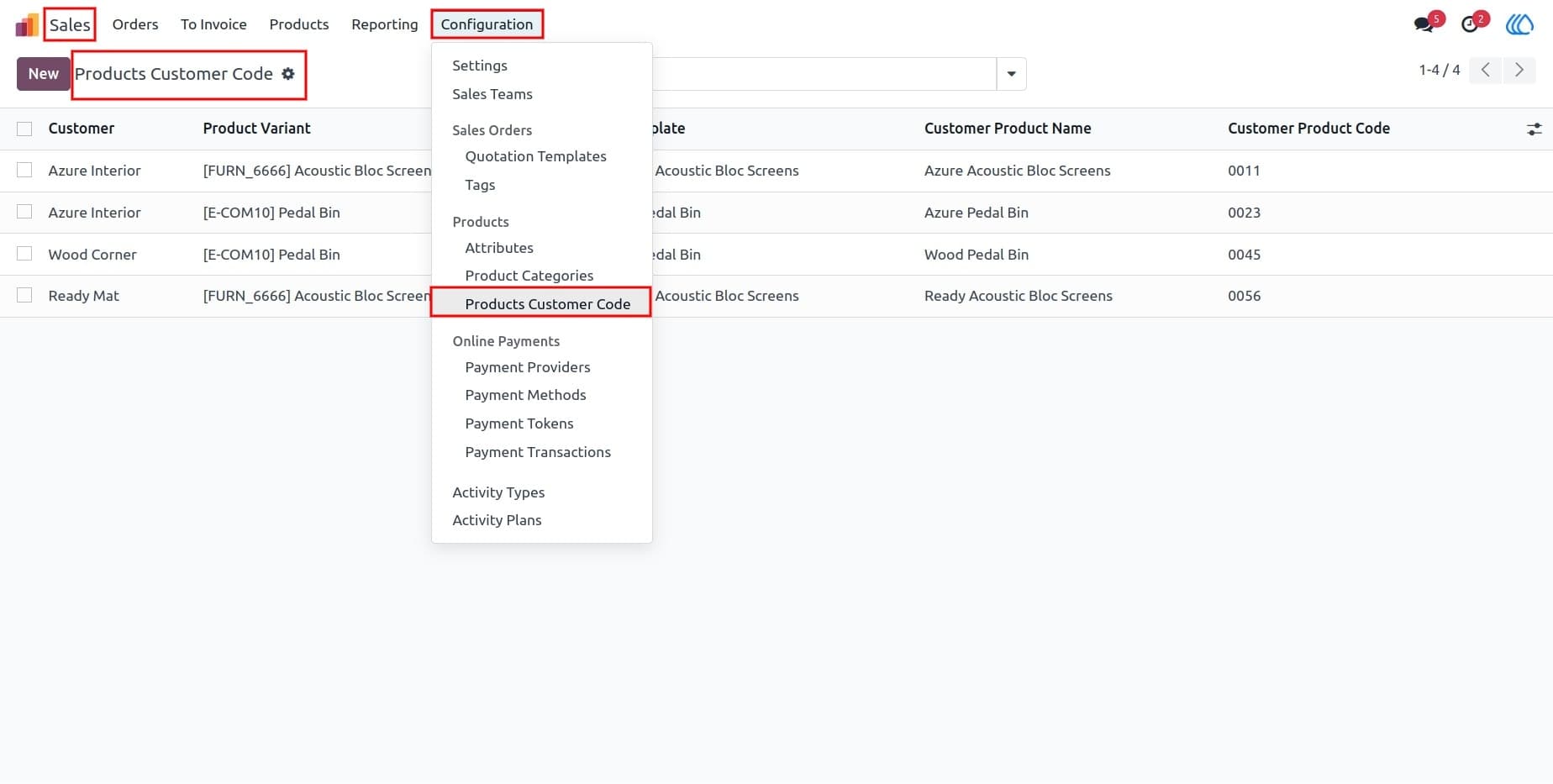
2) Product Customer Code
Configure the product customer code settings to manage how product codes are generated, assigned, and displayed in sales orders and invoices.
Navigation : Sales → Configuration → Product Customer Code
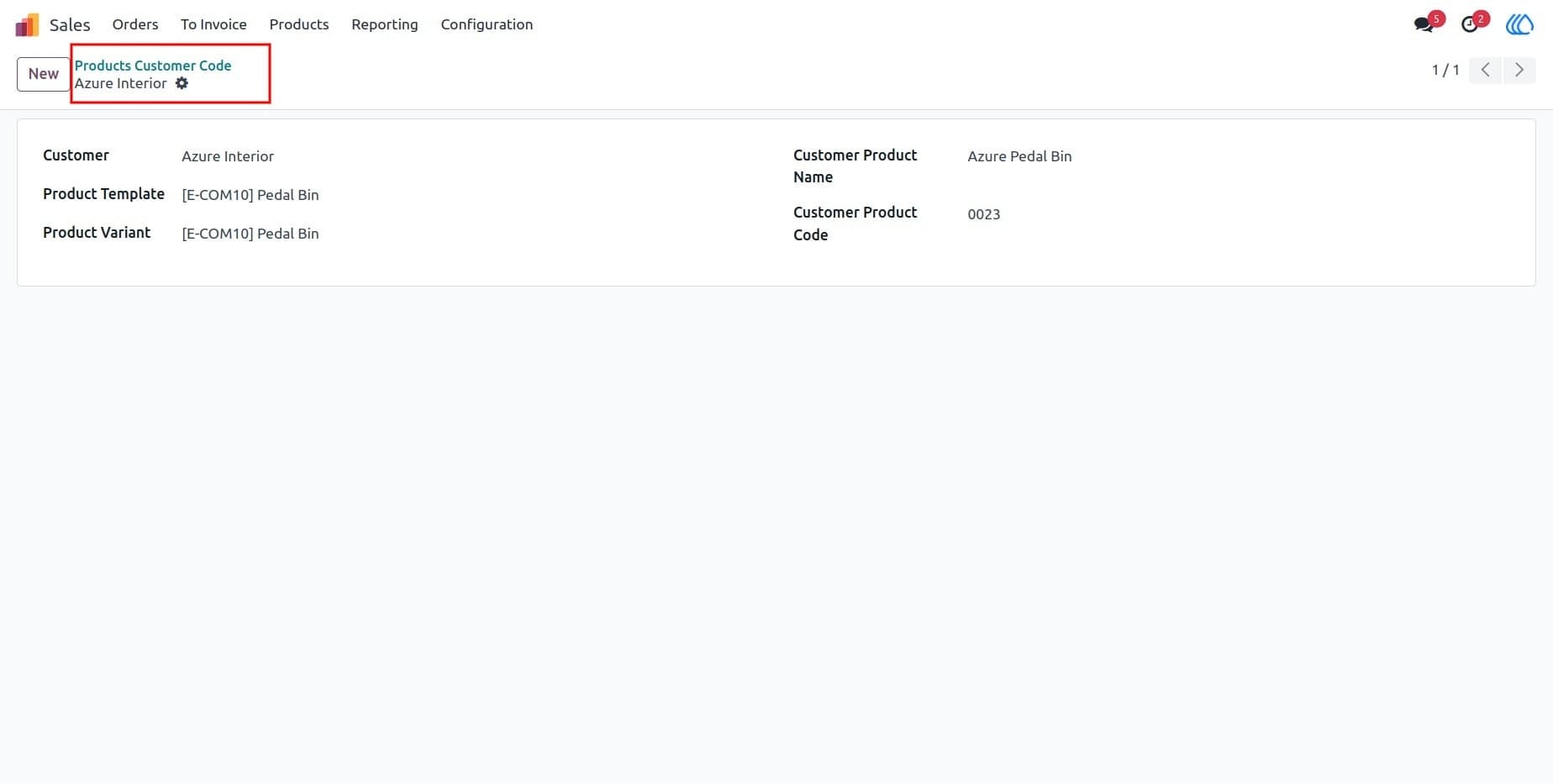
3) Product Customer Code Form View
The product customer code form allows you to manage and assign product codes to individual customers. It provides an overview of all customer-specific product codes.
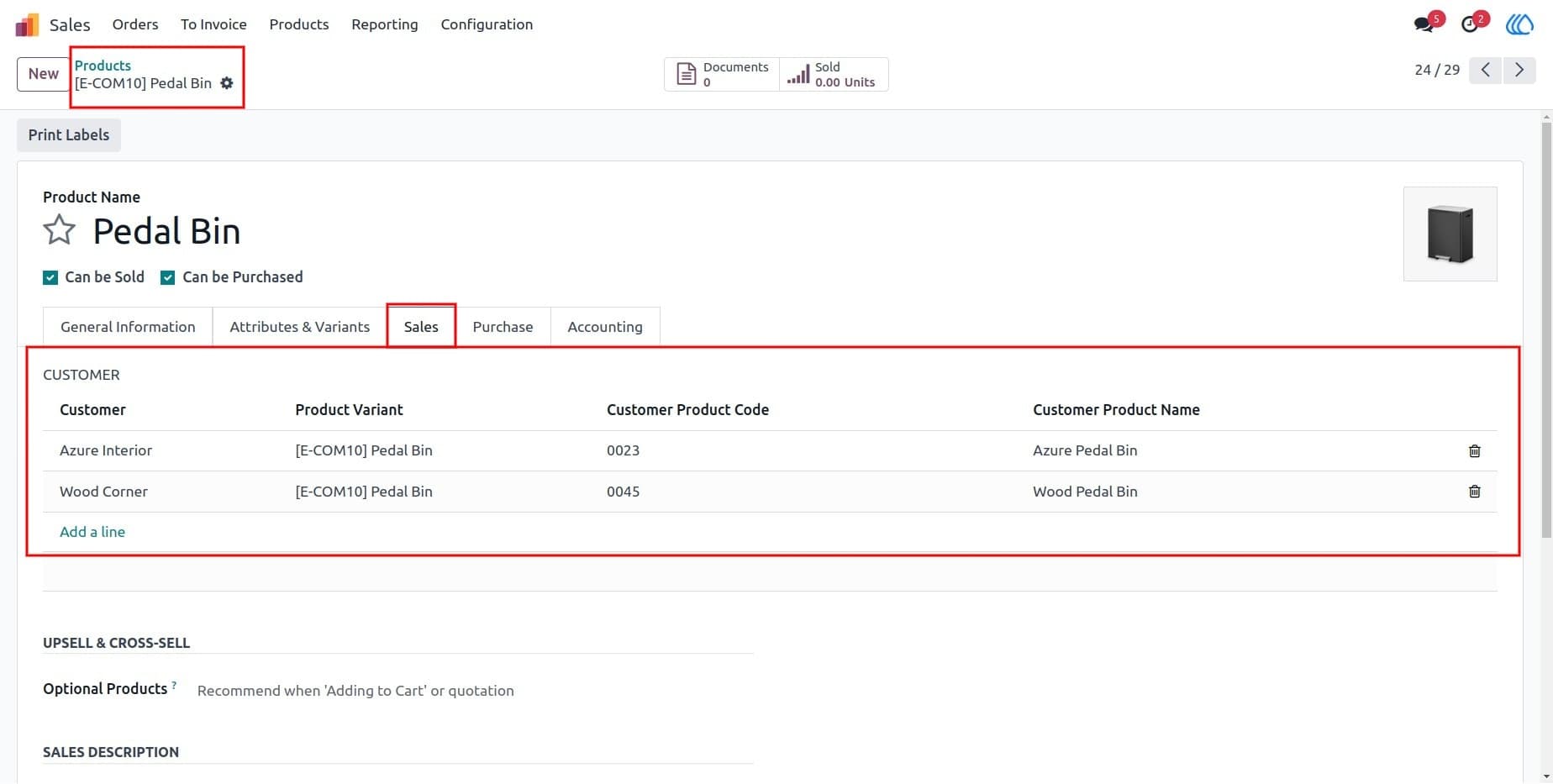
4) "Sales" Tab
In the "Sales" tab of the product form, you can generate and assign product customer codes, making it easier to manage customer-specific products.
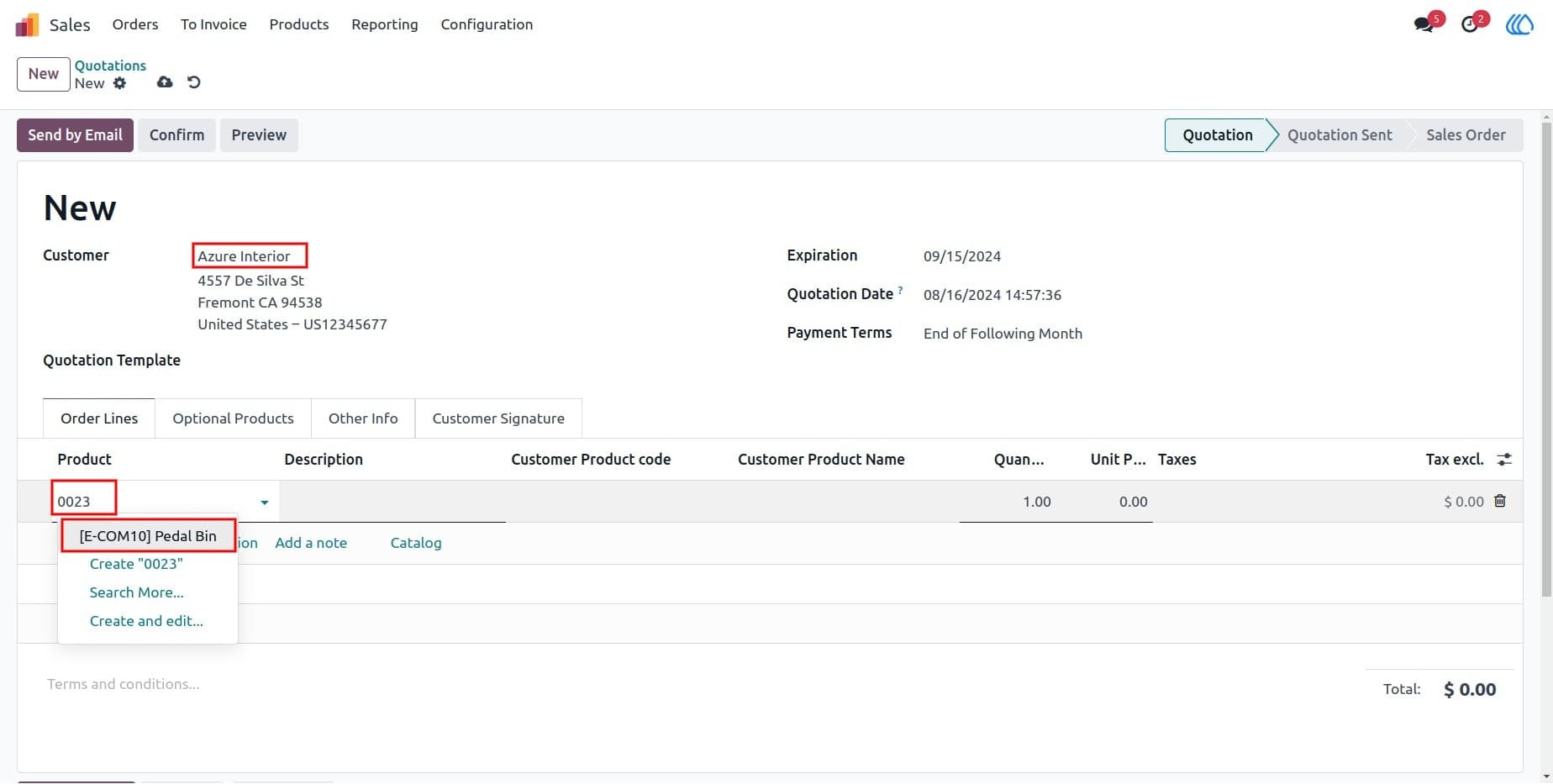
5) Create Quotations and Sales Orders
When creating a quotation or sale order, you can choose product customer codes, ensuring that the correct product information is used for each customer.
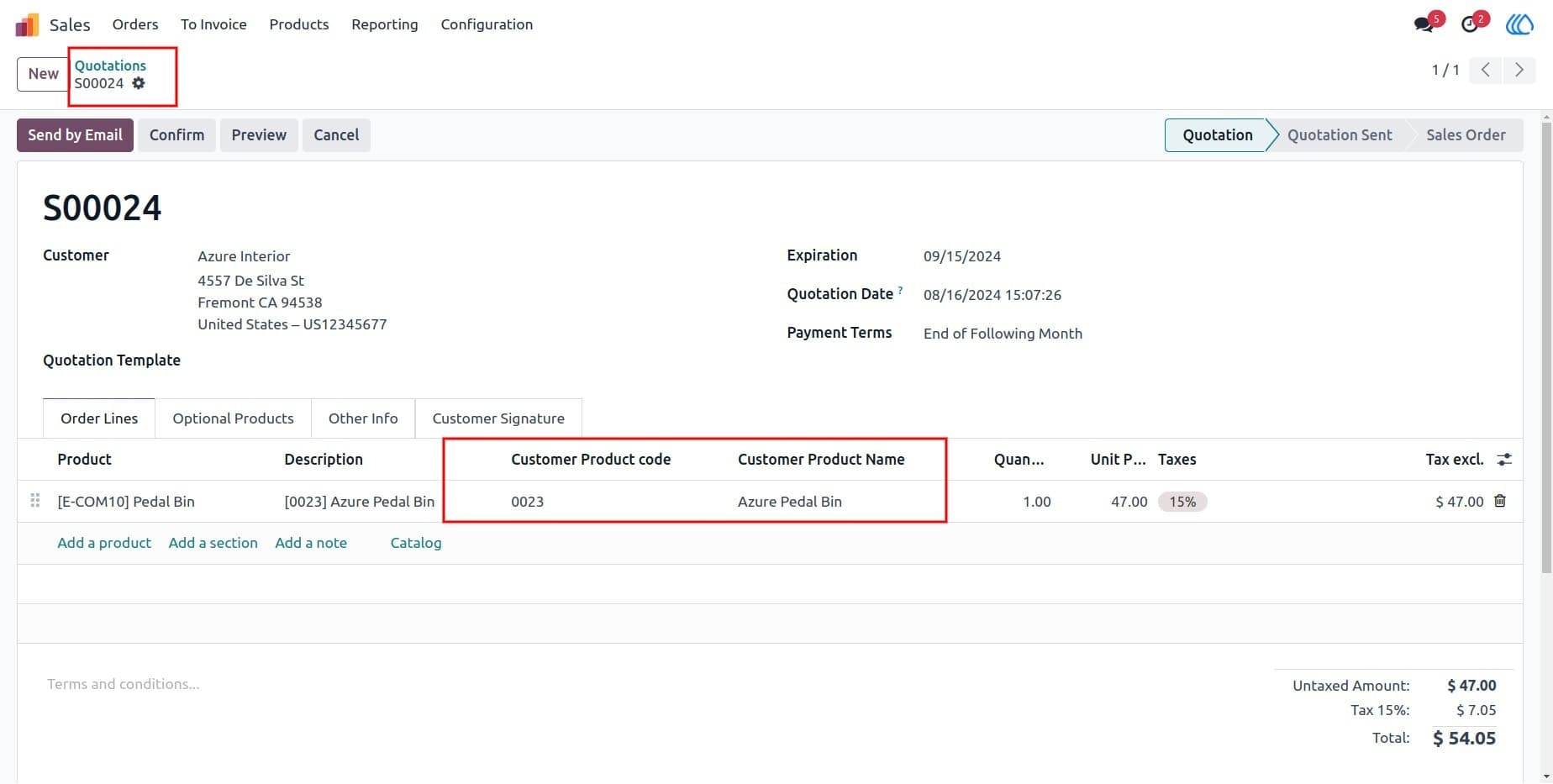
6) Product Code and Name in Sale/Quotation Line
After selecting a product customer code, the product description auto-fills in the sale or quotation line, or you can edit it as needed. This ensures the correct product details are used.
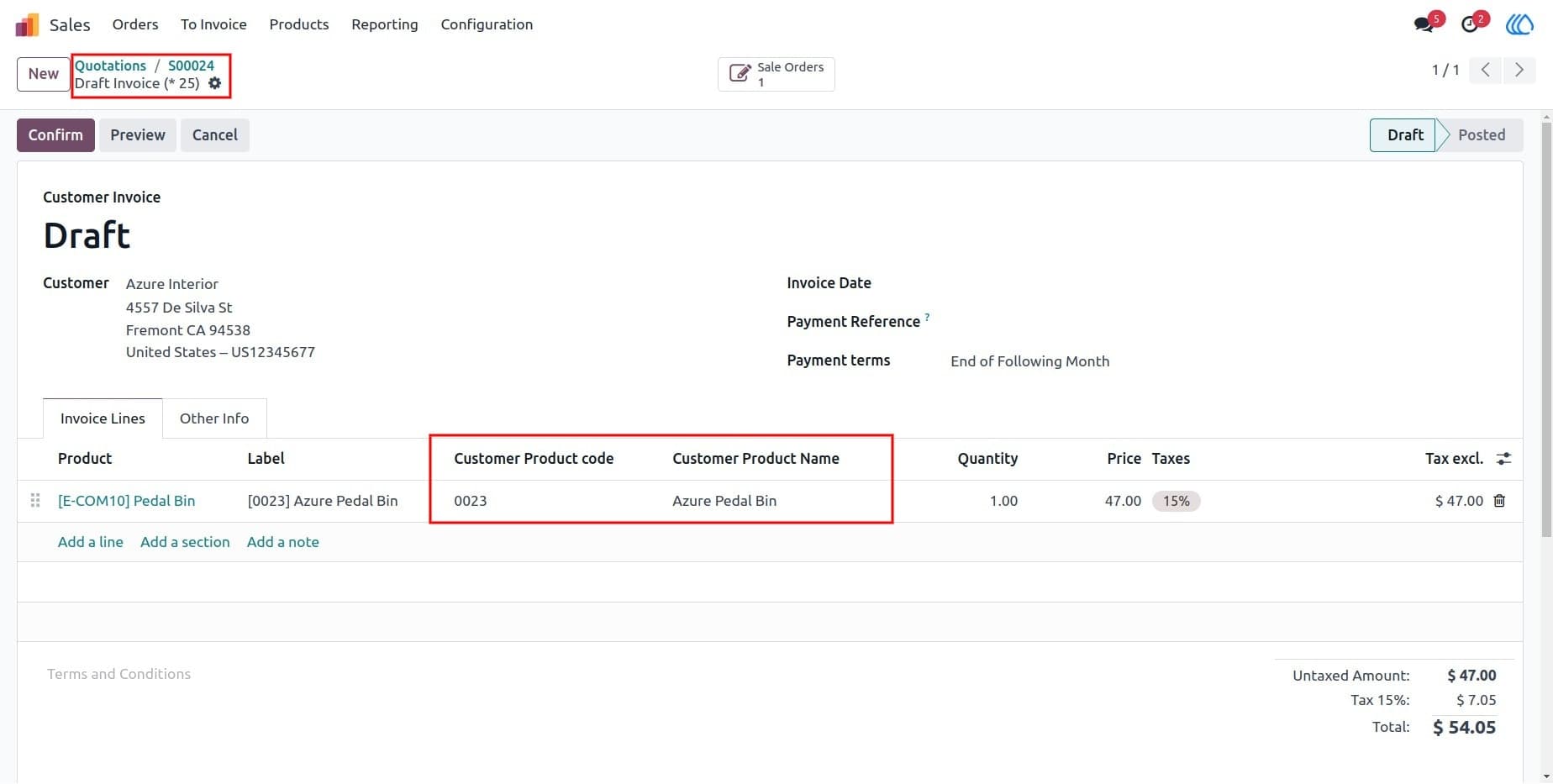
7) Product Customer Code & Name in Invoice Line
Product customer codes and names are displayed in the invoice lines, making it easy to track and verify customer-specific products during invoicing.
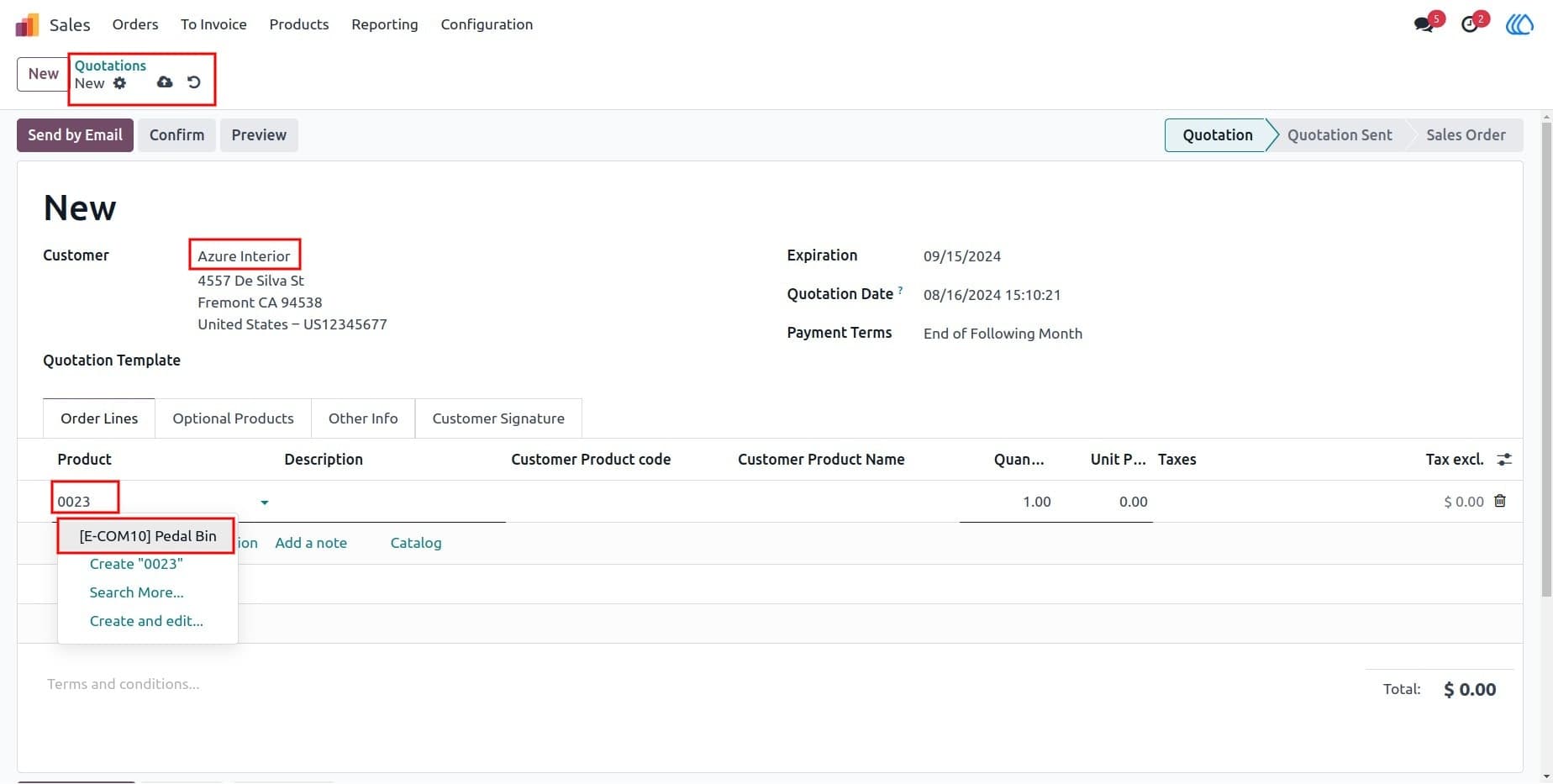
8) Customer Codes Applied to All Partners
Customer-specific product codes are applied to all partners associated with the same company, ensuring consistency across related customers.
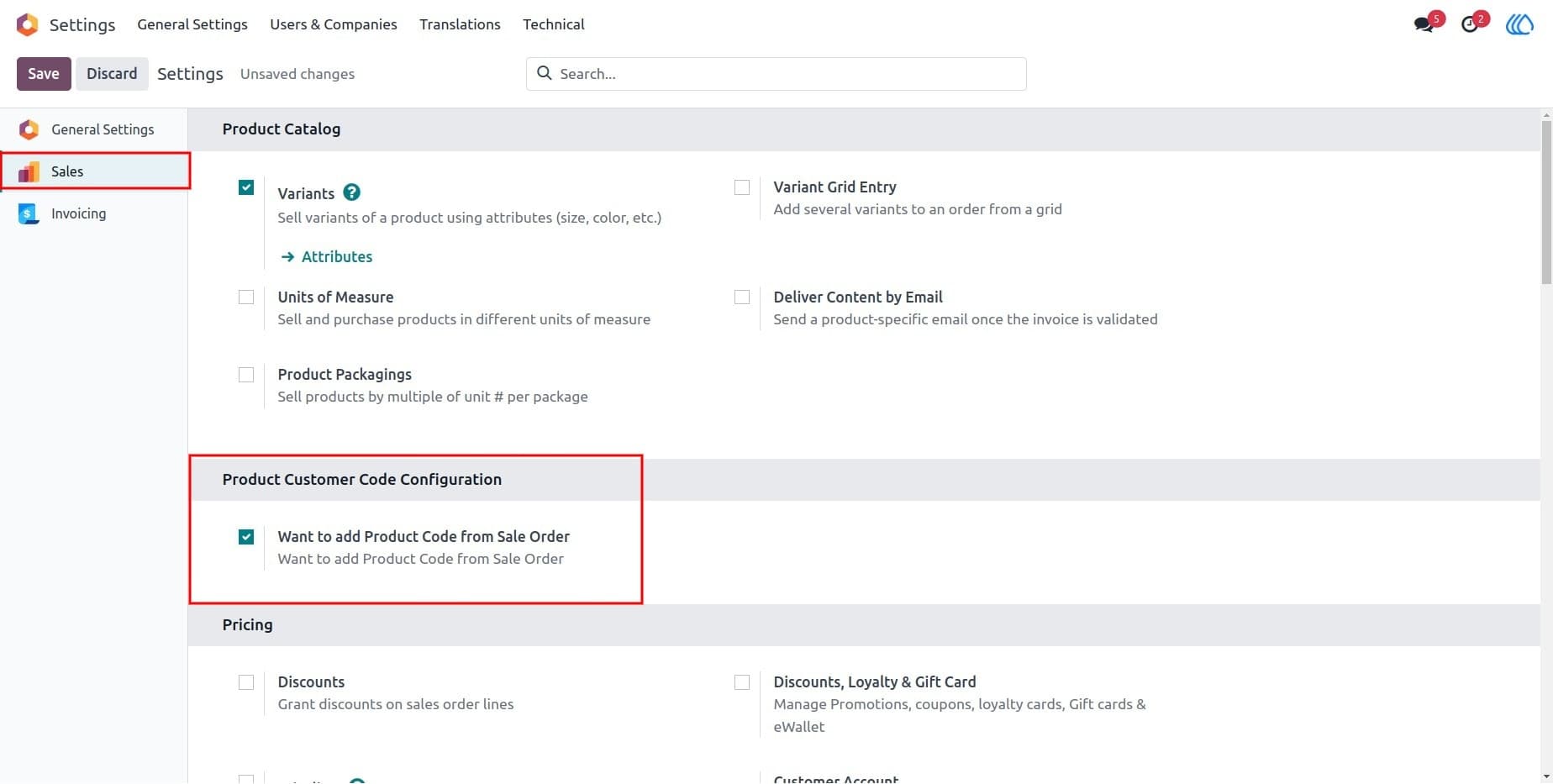
9) Configuration to Add Product Code
This setting allows you to configure whether product codes are automatically added from sale orders, ensuring smoother sales order processing.
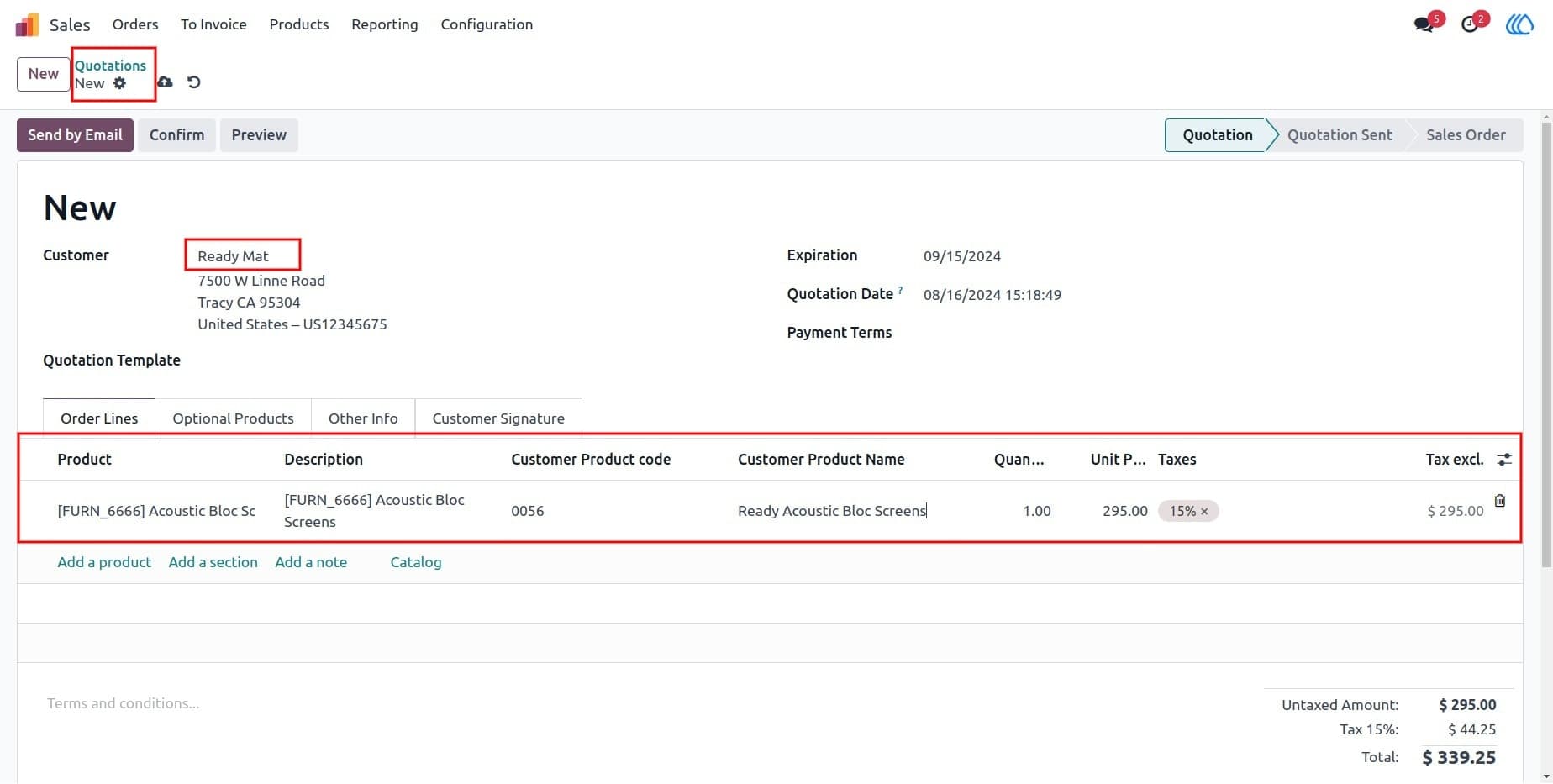
10) Create Sale Order and Add Product Code
Create a sale order and add the corresponding product customer code and product name. This ensures that the correct product details are added to each order.
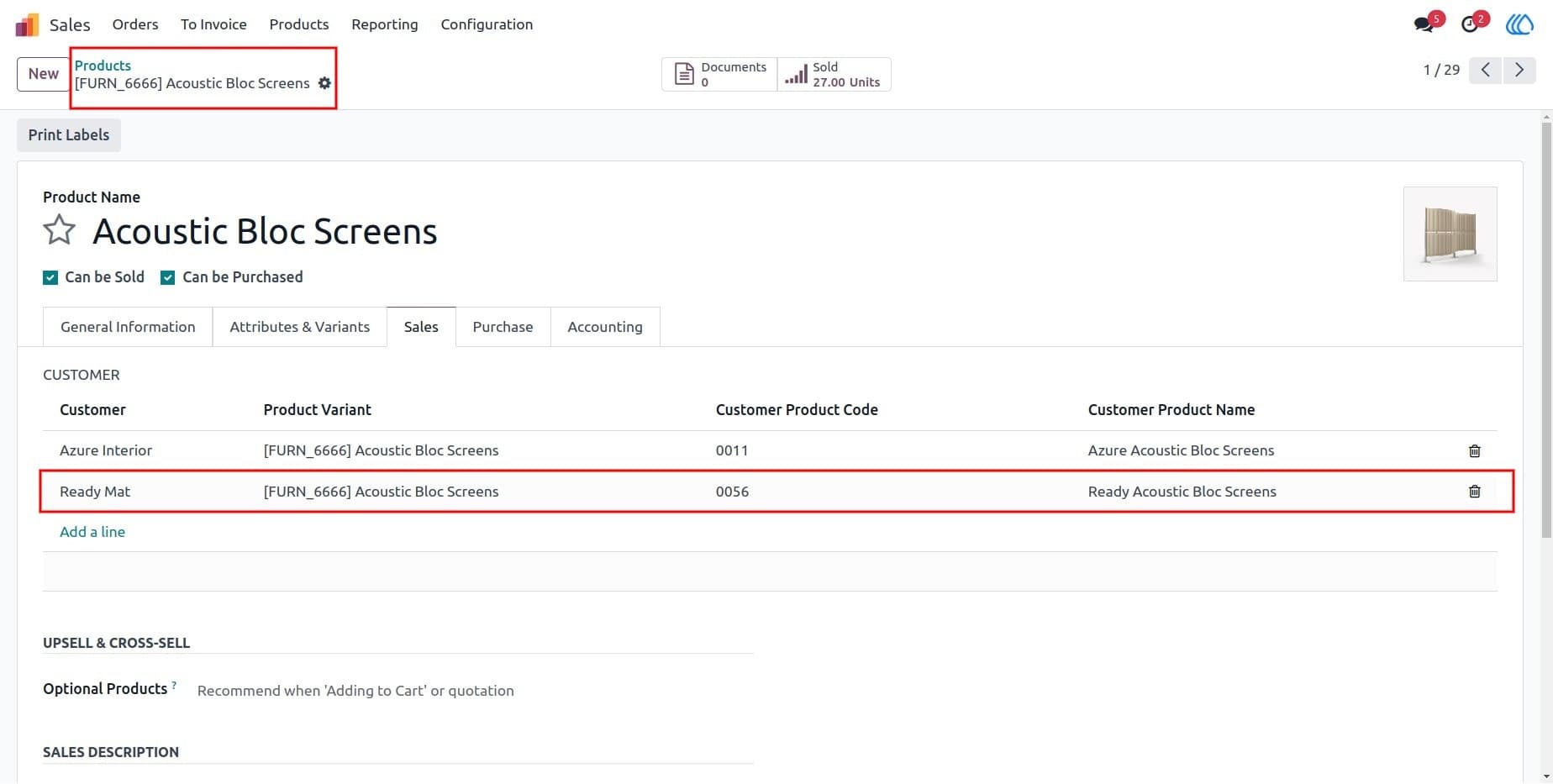
11) Product Code and Name Set in Products
The product customer code and name are set in the product form, making it easier to manage and identify products for different customers.
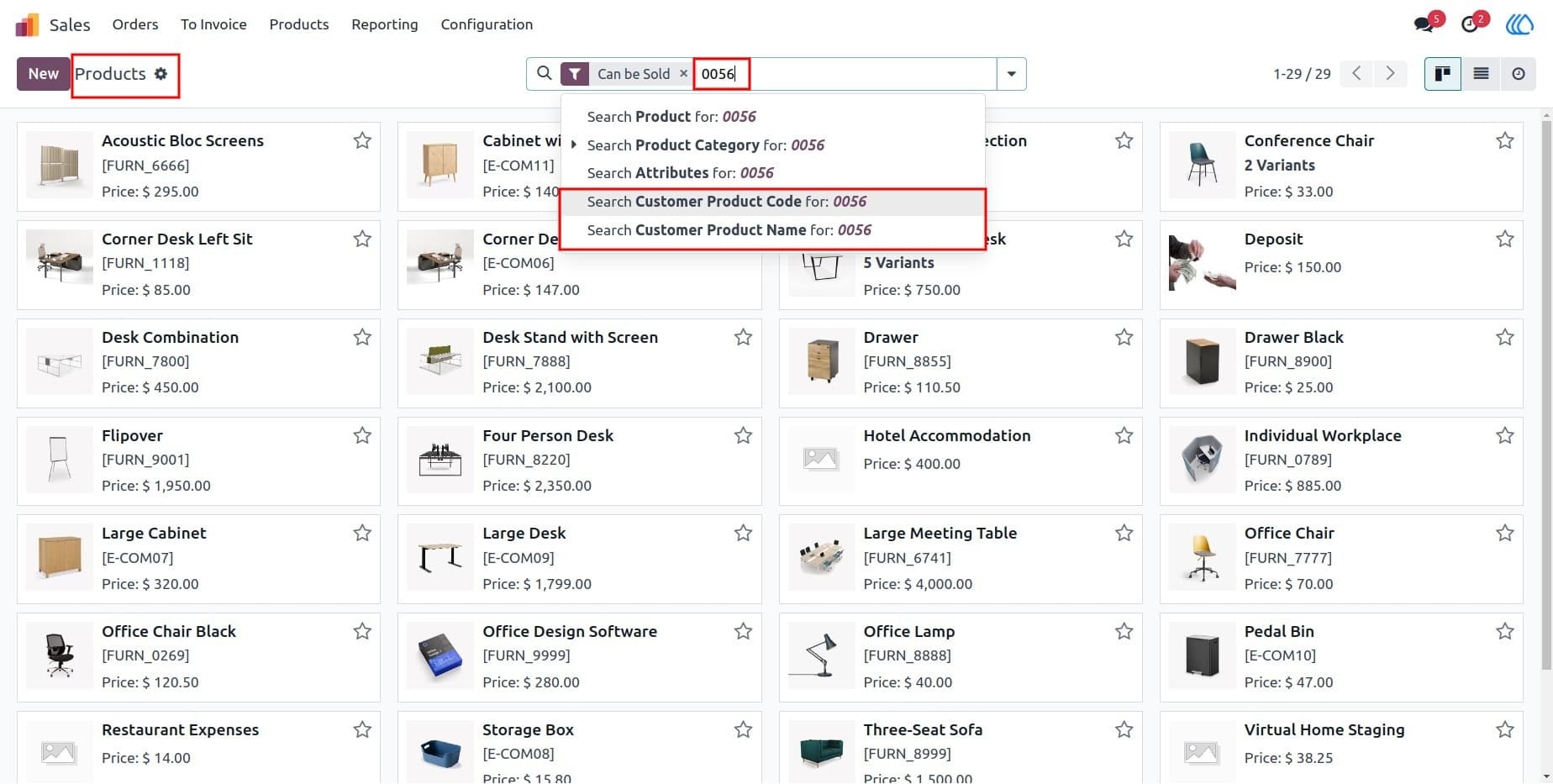
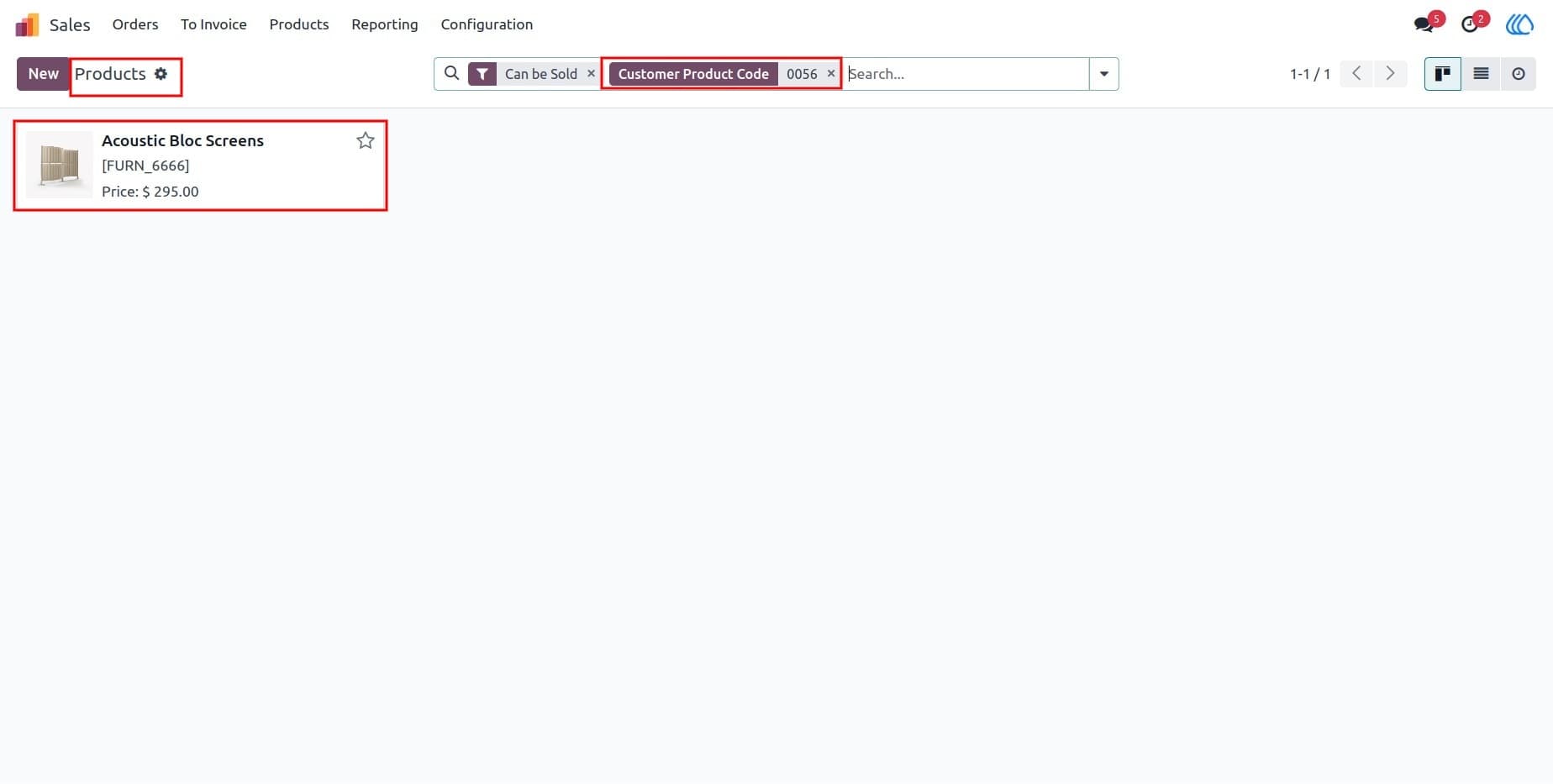
12) Search for Products
User can search for products by their customer-specific product codes, simplifying product selection and inventory management.
13) Search Results
When searching for products by customer code, the results will display all relevant products tied to that specific product customer code.
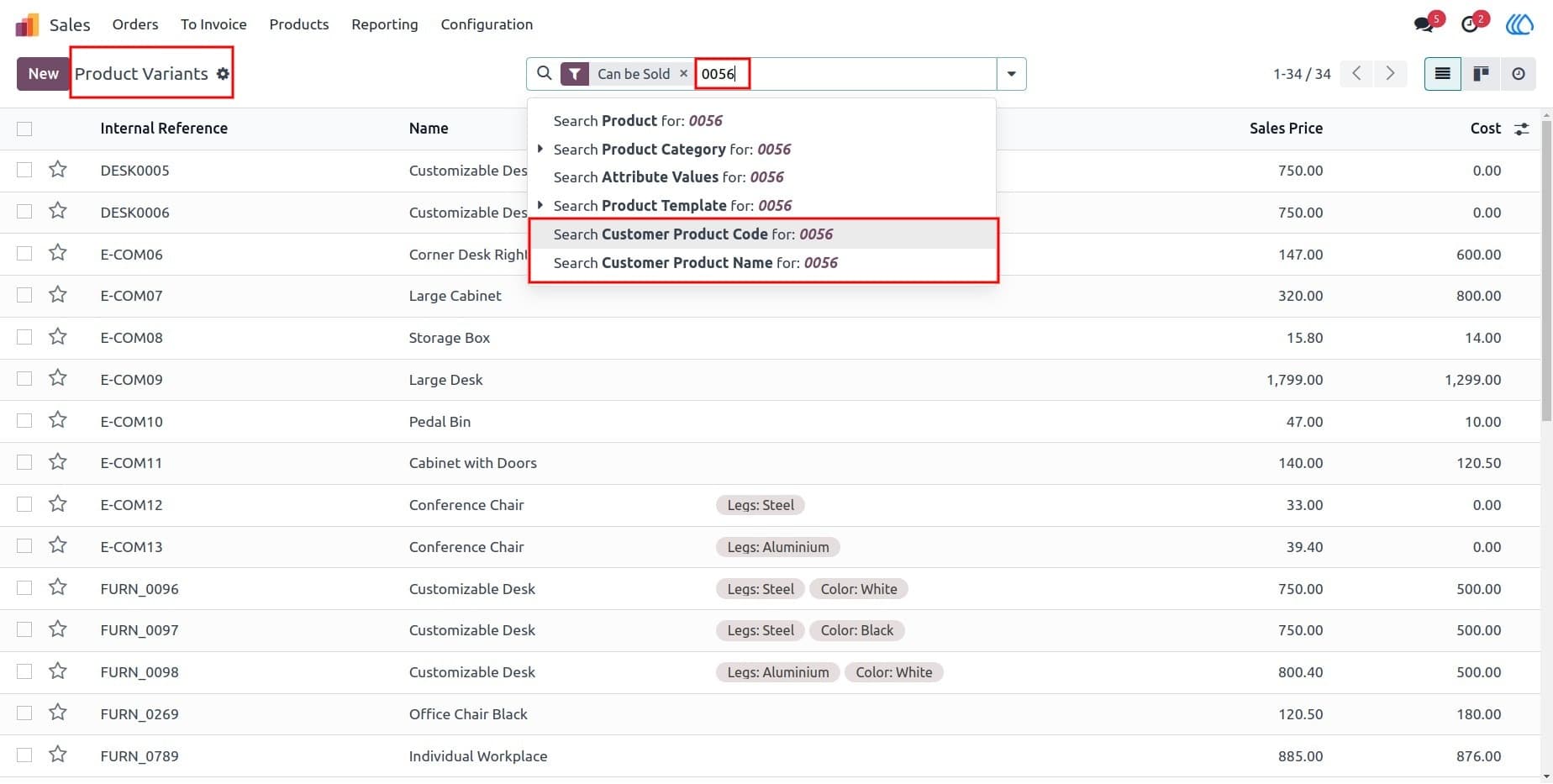
14) Search Product Variants
Product variants can also be searched using their respective customer codes, allowing for easier management of variant-specific products.
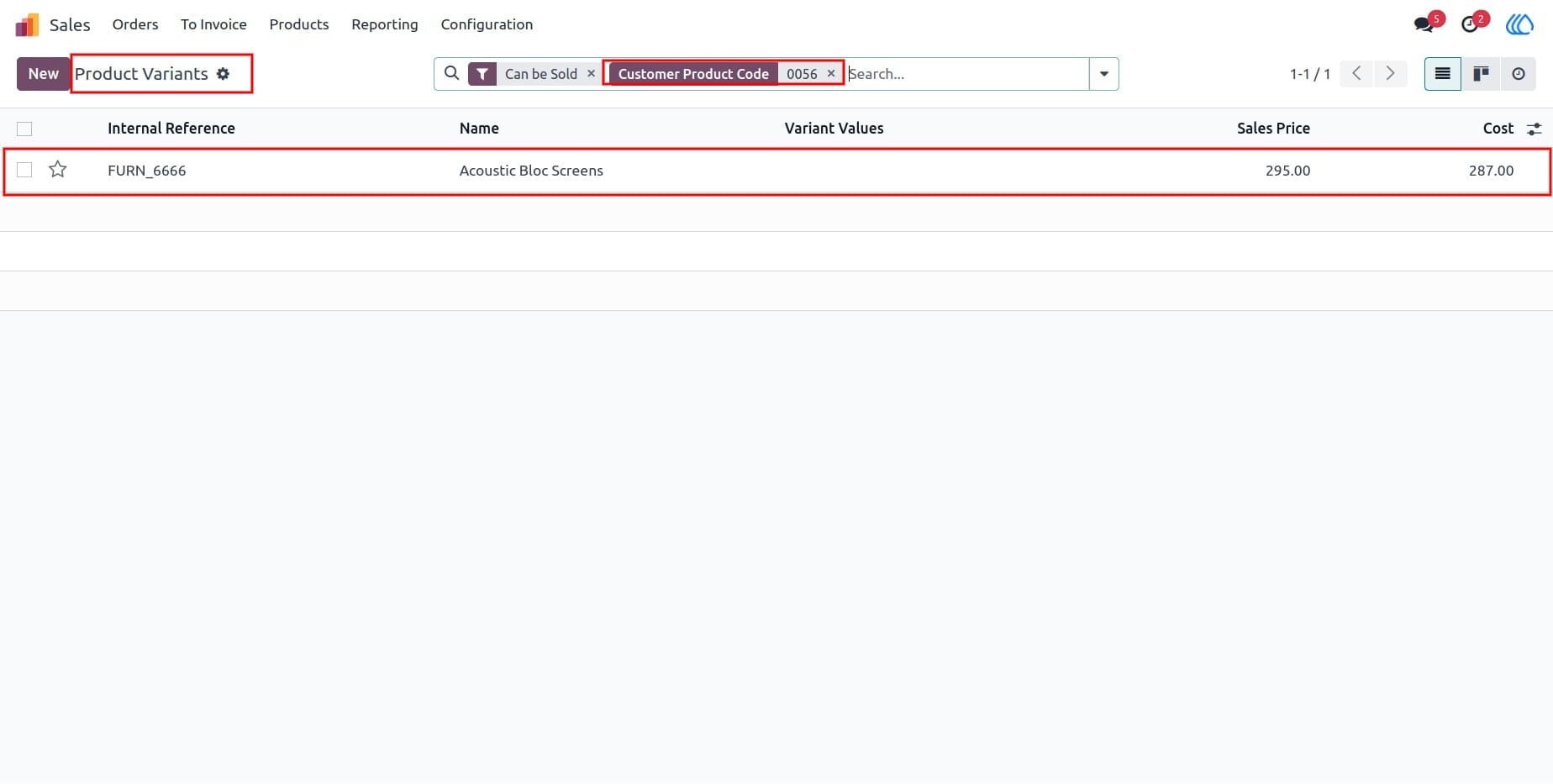
15) Search by Product Code
Easily search for product variants using the customer-specific product codes for quick identification.
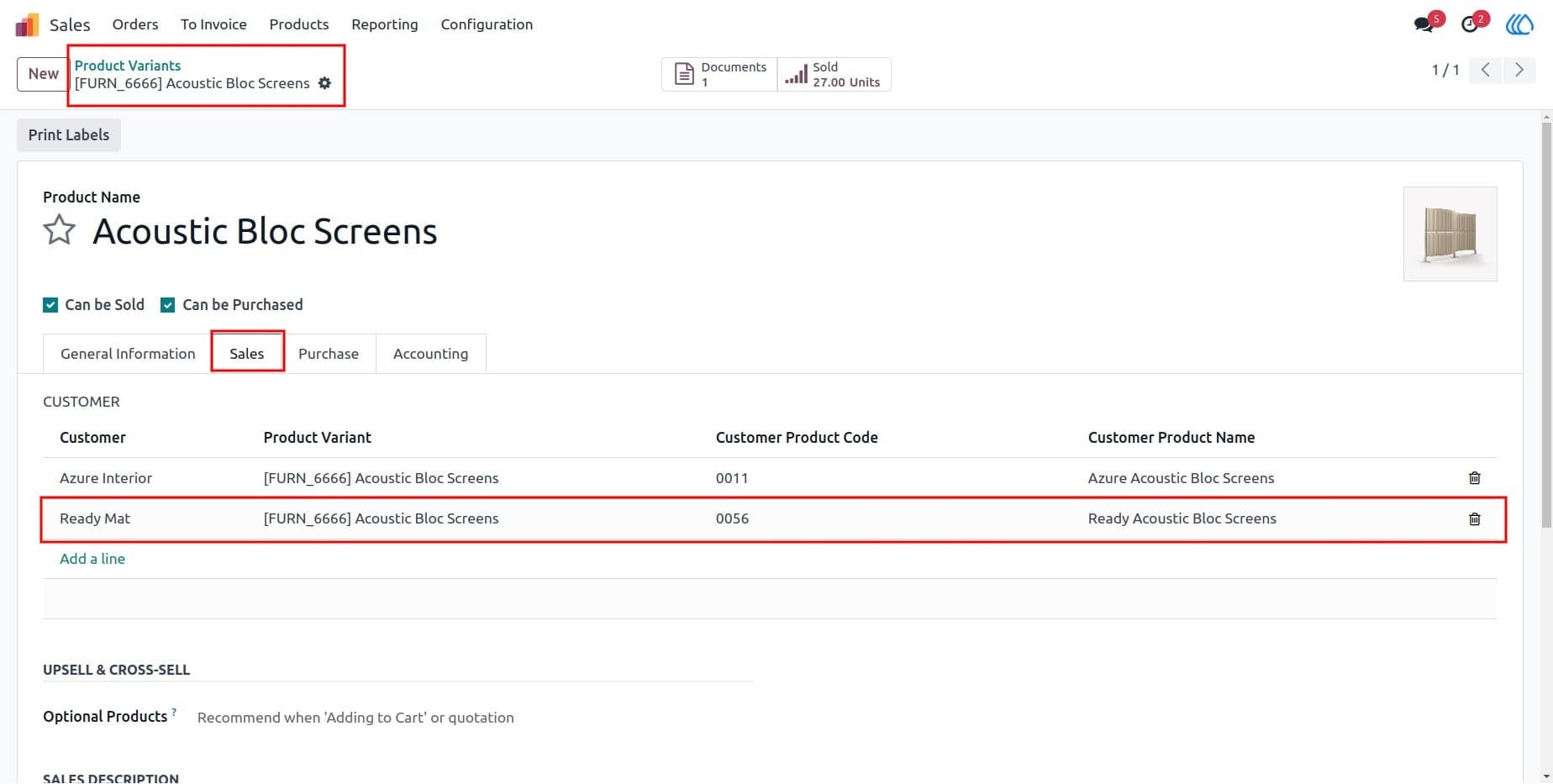
16) Product Variants
Product codes and names are also assigned to product variants, ensuring consistency and easy tracking across all product options.
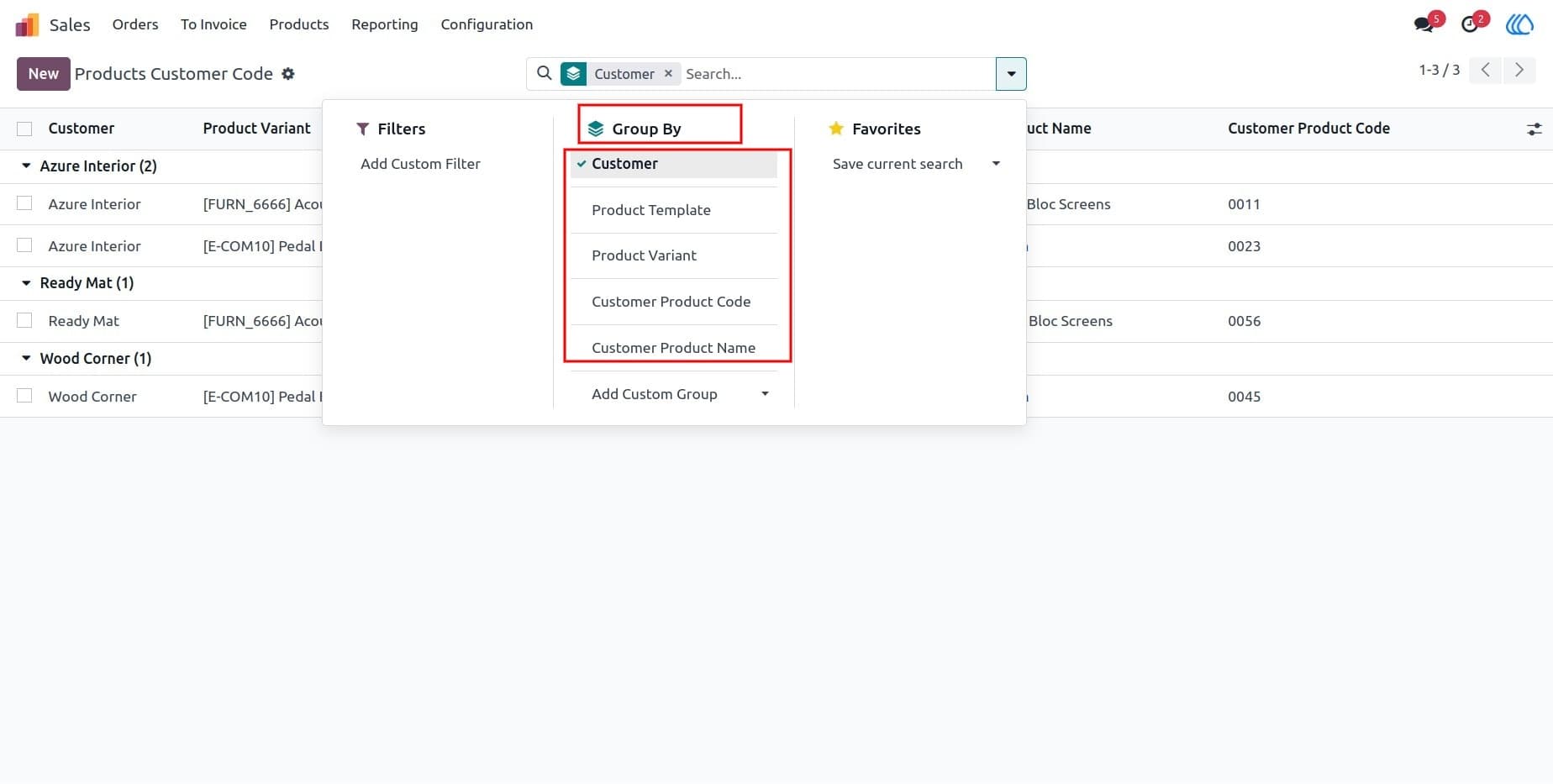
17) Group by Customer
Easily group products by customer to manage and track customer-specific product codes.
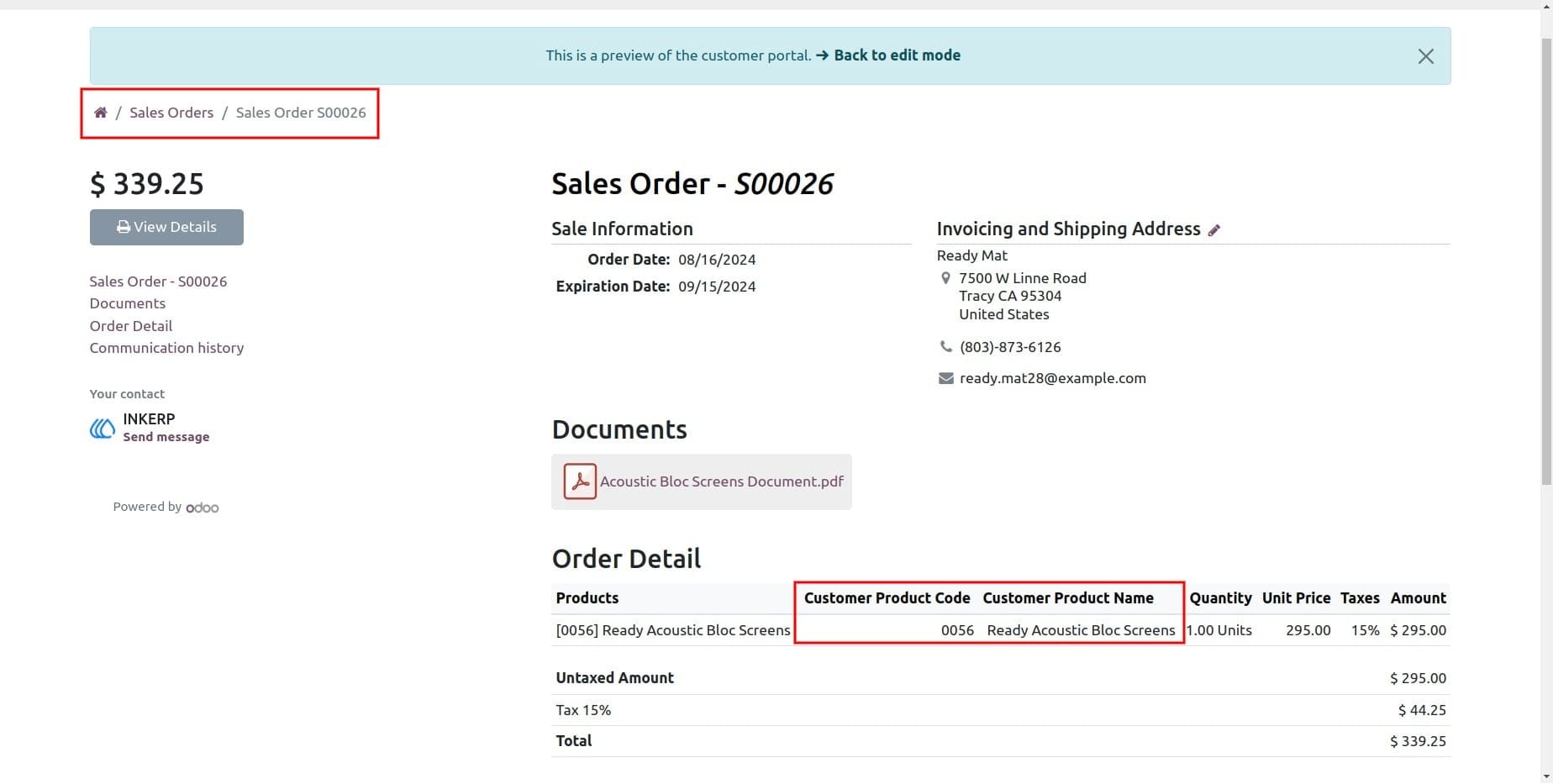
18) Sales Report/Portal
Product customer codes and names are displayed in sales reports and the customer portal, ensuring better tracking and transparency of customer-specific products.
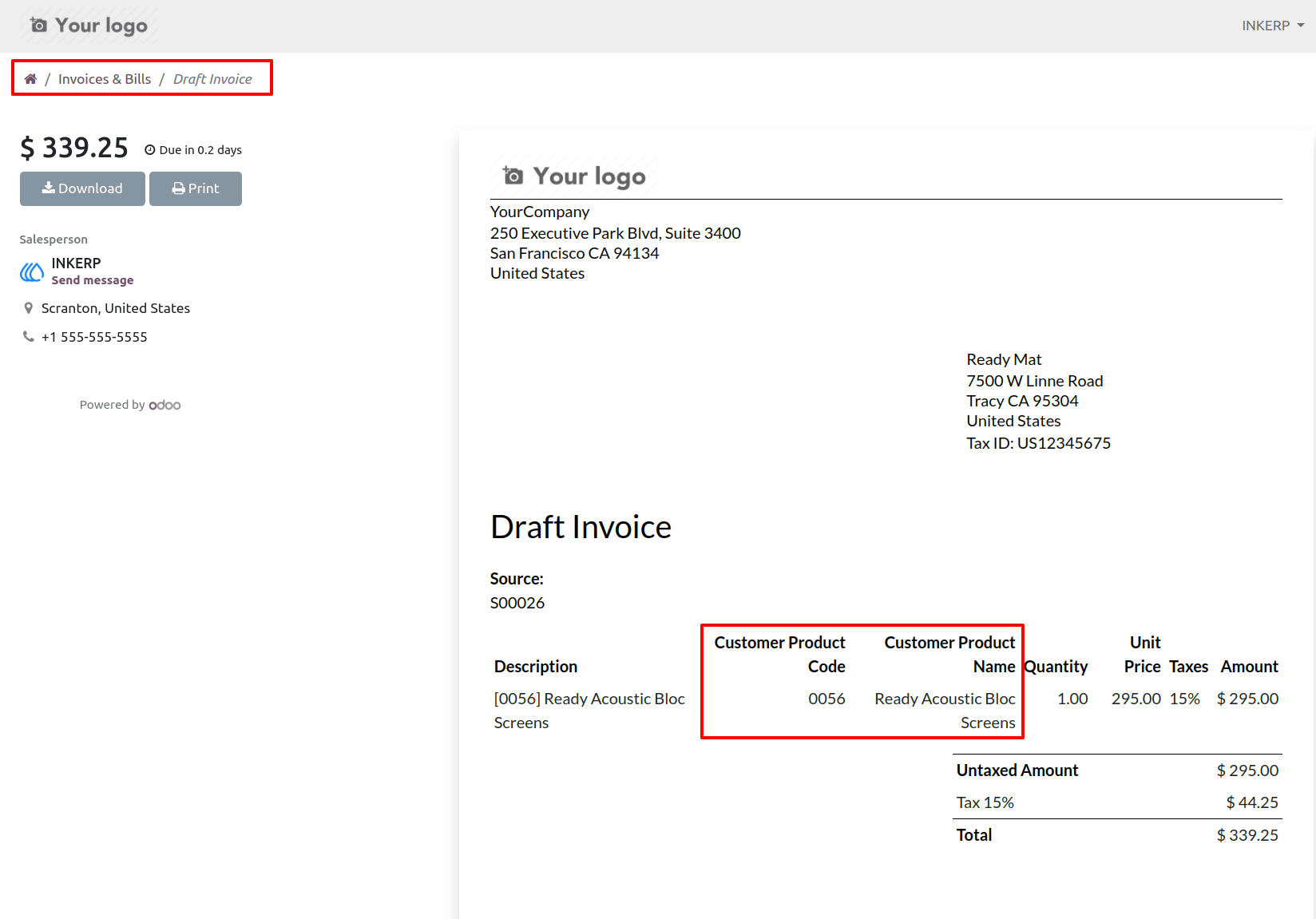
19) Invoice Report/Portal
Product customer codes and names are visible in the invoice reports and customer portal, ensuring clarity during the invoice process.
User Guide





