

Our Most Suggested Products


Prevent POS Session in Incognito
The Prevent POS Session in Incognito module ensures that the Odoo Point of Sale cannot be accessed when the browser is running in Incognito or Private mode, helping businesses prevent accidental data loss caused by restricted browser storage, enforce stable POS sessions, and maintain higher security and reliability during sales operations.
 Features
 Screenshots
 Support
 Service
Features
Incognito Mode Detection & Blocking
This feature automatically detects when a cashier attempts to open the Odoo Point of Sale in Incognito or Private browsing mode. Since private sessions restrict local storage and session persistence, the module instantly blocks POS access to avoid unstable behavior.
Data Safety & Session Stability
By preventing POS usage in Incognito mode, this feature protects critical sales data from being lost due to browser limitations. Orders, sessions, and cached POS data rely on persistent storage, which is unreliable in private browsing.
Screenshot
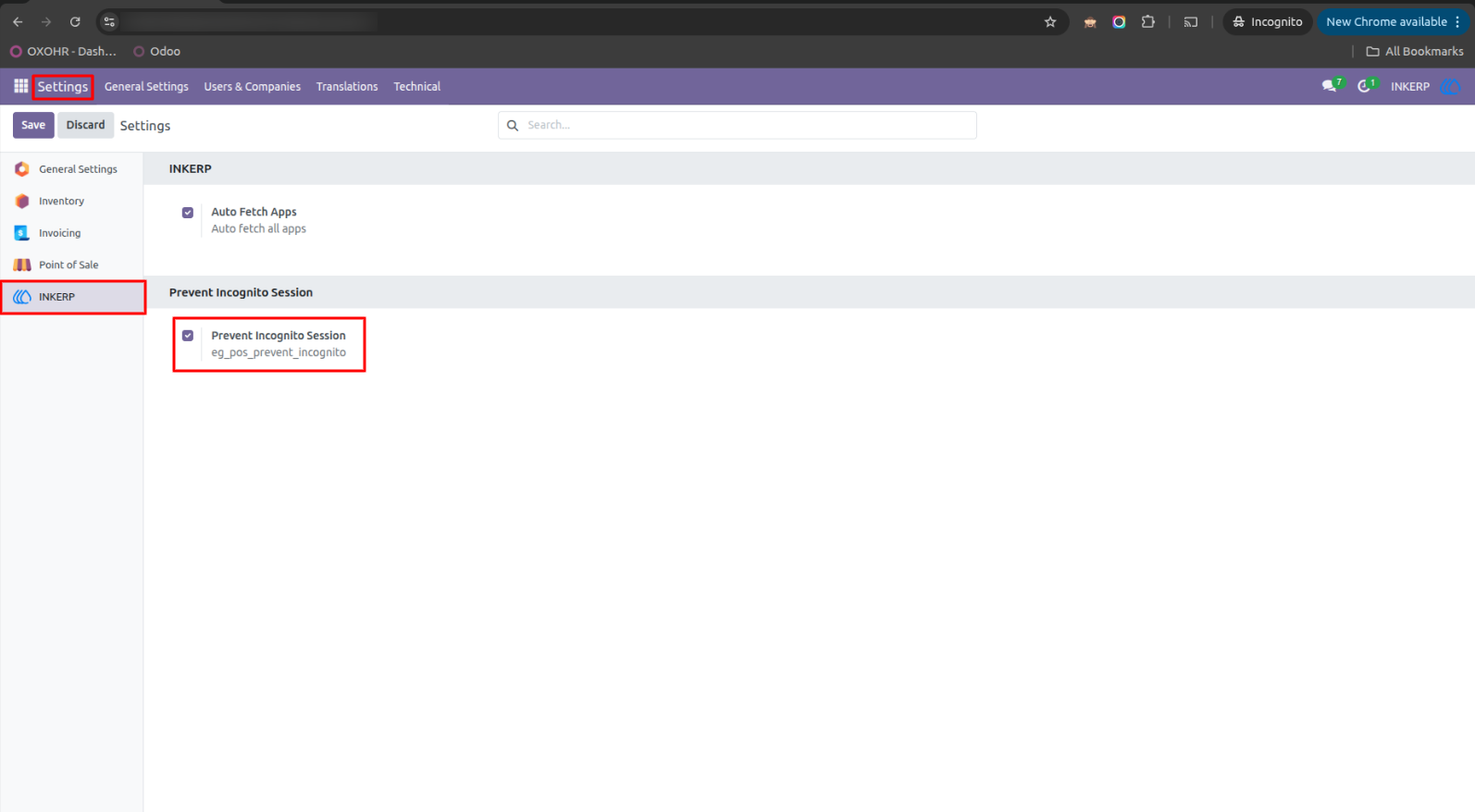
1.) Enable Incognito Prevention from Settings
configuration option to enable the Prevent Incognito Session feature from Odoo Settings. Administrators can easily activate the restriction by enabling the checkbox under the custom module section.
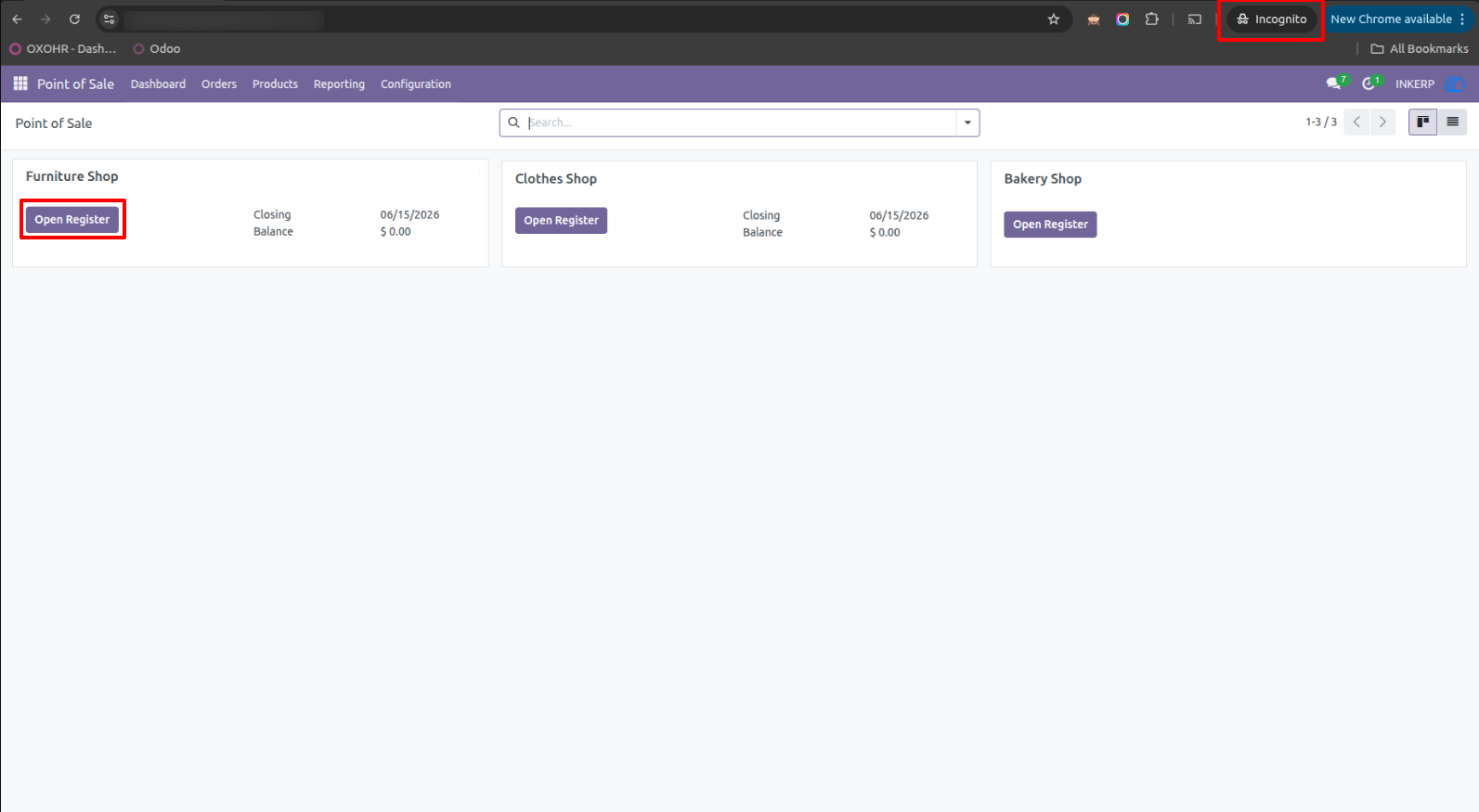
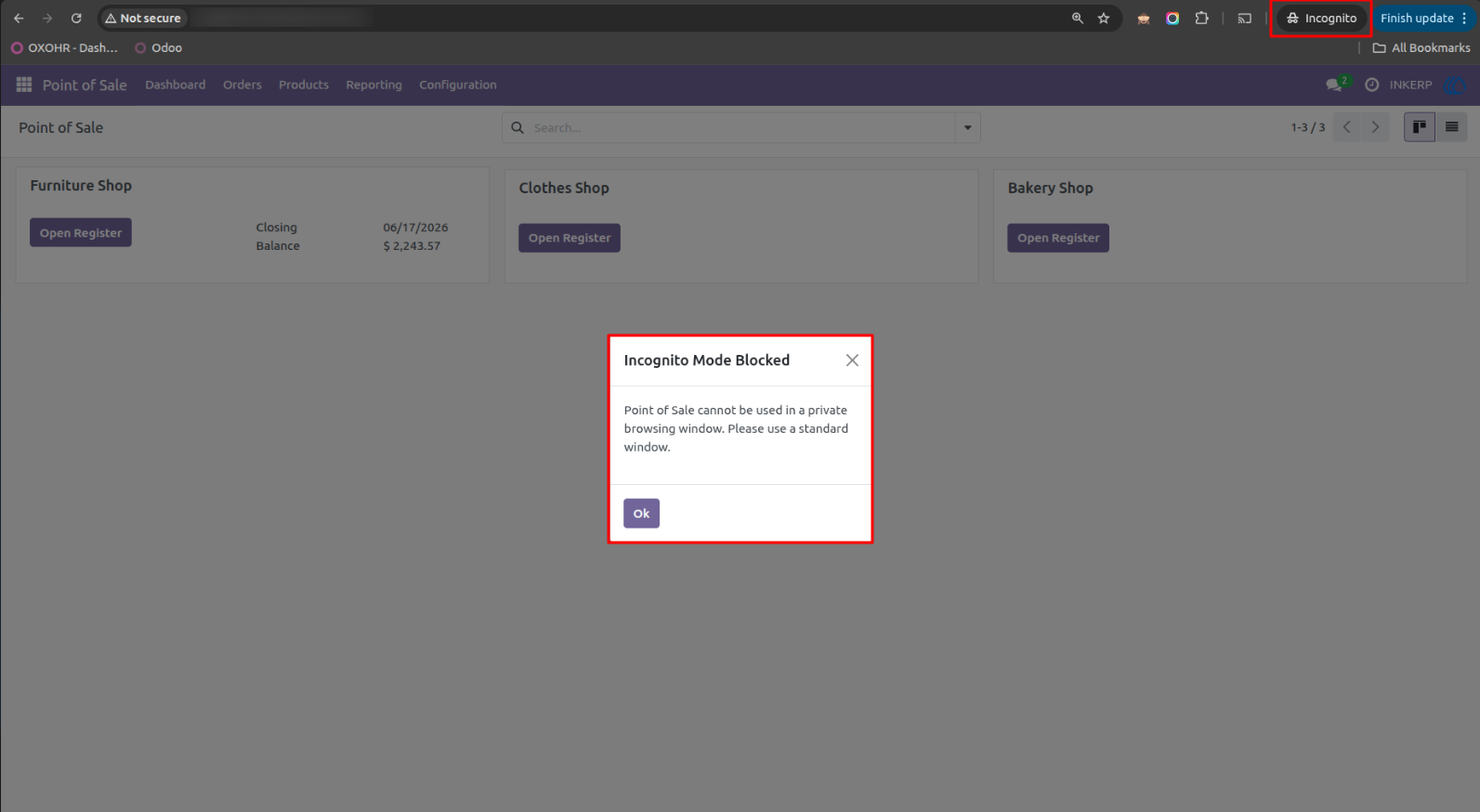
2.) Attempt to Open POS in Incognito Mode
user attempting to open a Point of Sale session using a browser in Incognito / Private mode. Even though the POS configuration and register are visible, the system detects that the browser is running in private mode.
3.) Incognito Mode Access Blocked Alert
When the POS is accessed in Incognito mode, the system immediately blocks the session and displays a warning popup. The alert clearly informs the user that Incognito Mode is not allowed and instructs them to use a standard browser window.
User Guide