

Our Most Suggested Products


POS Return Period Control (Limit Refund Days in POS)
The POS Return Period Control module allows you to define a specific number of days during which POS orders can be refunded or returned. After the configured period expires, the system automatically restricts returns and notifies the user, ensuring better control over your store refund policies.
 Features
 Screenshots
 Support
 Service
Features
Set Return Validity Period for POS Orders
Define a custom number of days during which POS sales can be returned or refunded. Once the configured return period expires, the system automatically prevents refunds for those orders. This feature helps ensure your store’s return policies are consistently enforced and easy to manage.
Automatic Restriction and Alert on Expired Returns
When a cashier attempts to refund an order older than the allowed number of days, the system instantly displays a clear warning message. This automatic validation prevents accidental or unauthorized refunds after the policy window has passed. It adds an extra layer of control and transparency for both store owners and staff.
Display Return Validity Notice on Customer Receipts
Enhance customer clarity by printing the remaining return validity days directly on the POS receipt. This message informs customers exactly how long they have to return their products, reducing disputes and confusion. The feature can be easily toggled on or off from the POS settings menu.
Screenshot
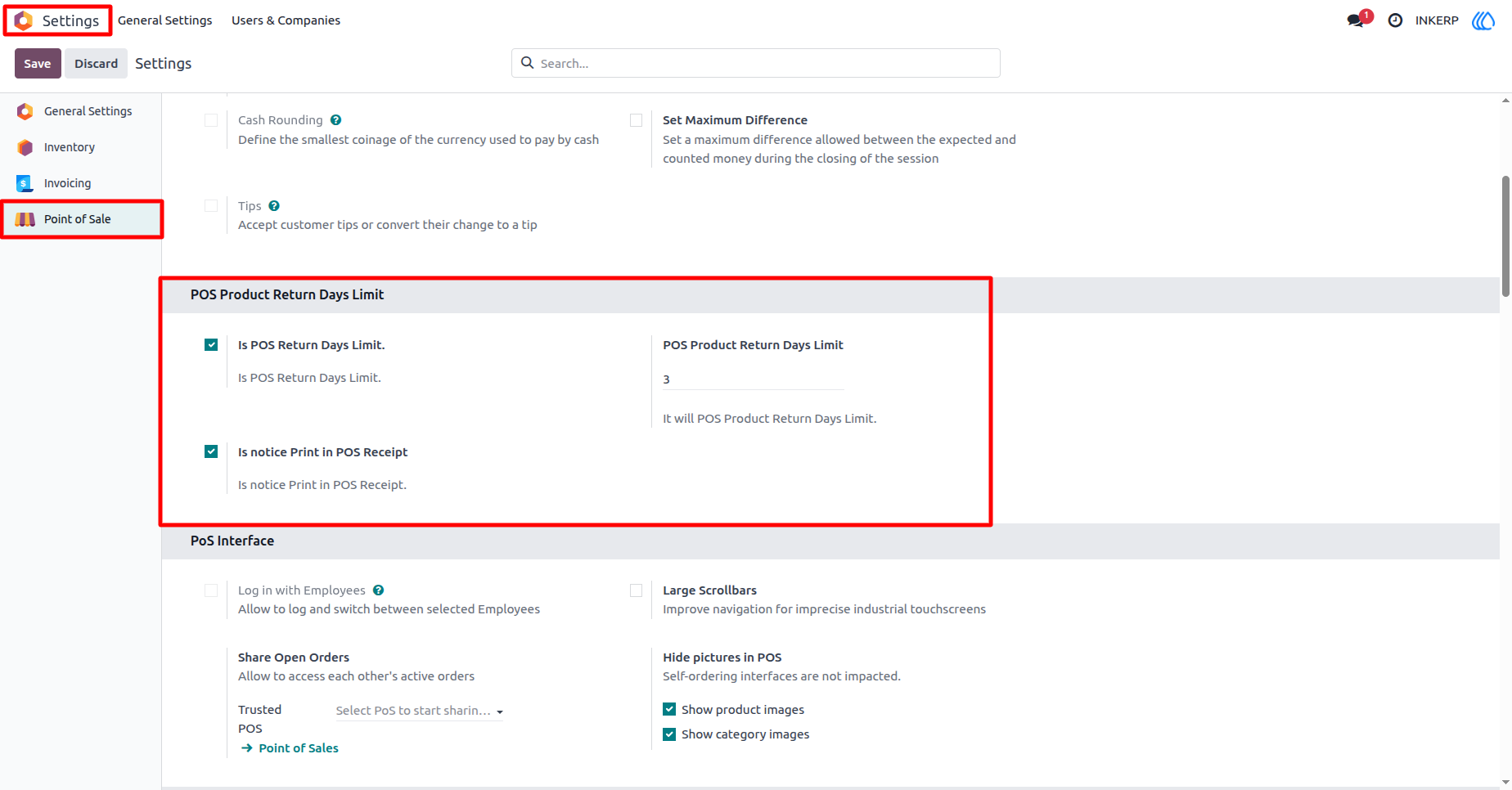
1.) POS Return Limit Configuration
This screen shows the configuration settings for the POS Product Return Days Limit feature under Point of Sale - Settings. Here, the admin can enable or disable the return days restriction by activating the Is POS Return Days Limit option. You can also specify the exact number of days allowed for product returns. Additionally, there an option to enable Notice Print in POS Receipt to display the remaining valid return days on the customer printed receipt.
Navigation : Setting › Customers › POS Product Return Days Limit
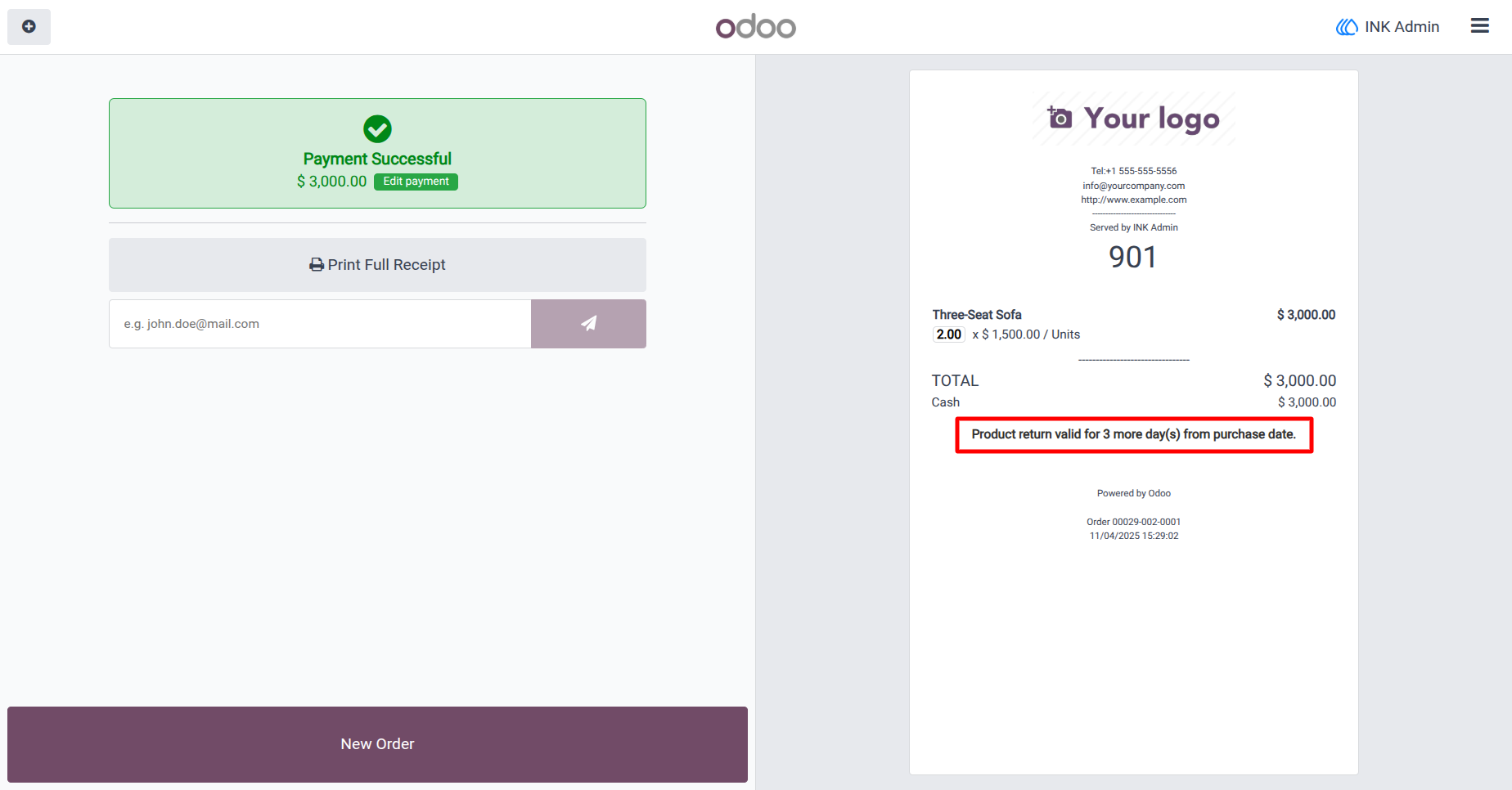
2.) Return Notice on POS Receipt
After a sale is completed, the system automatically prints a notice on the receipt indicating the return validity period. As seen in this example, the message clearly states - Product return valid for 3 more day(s) from purchase date.
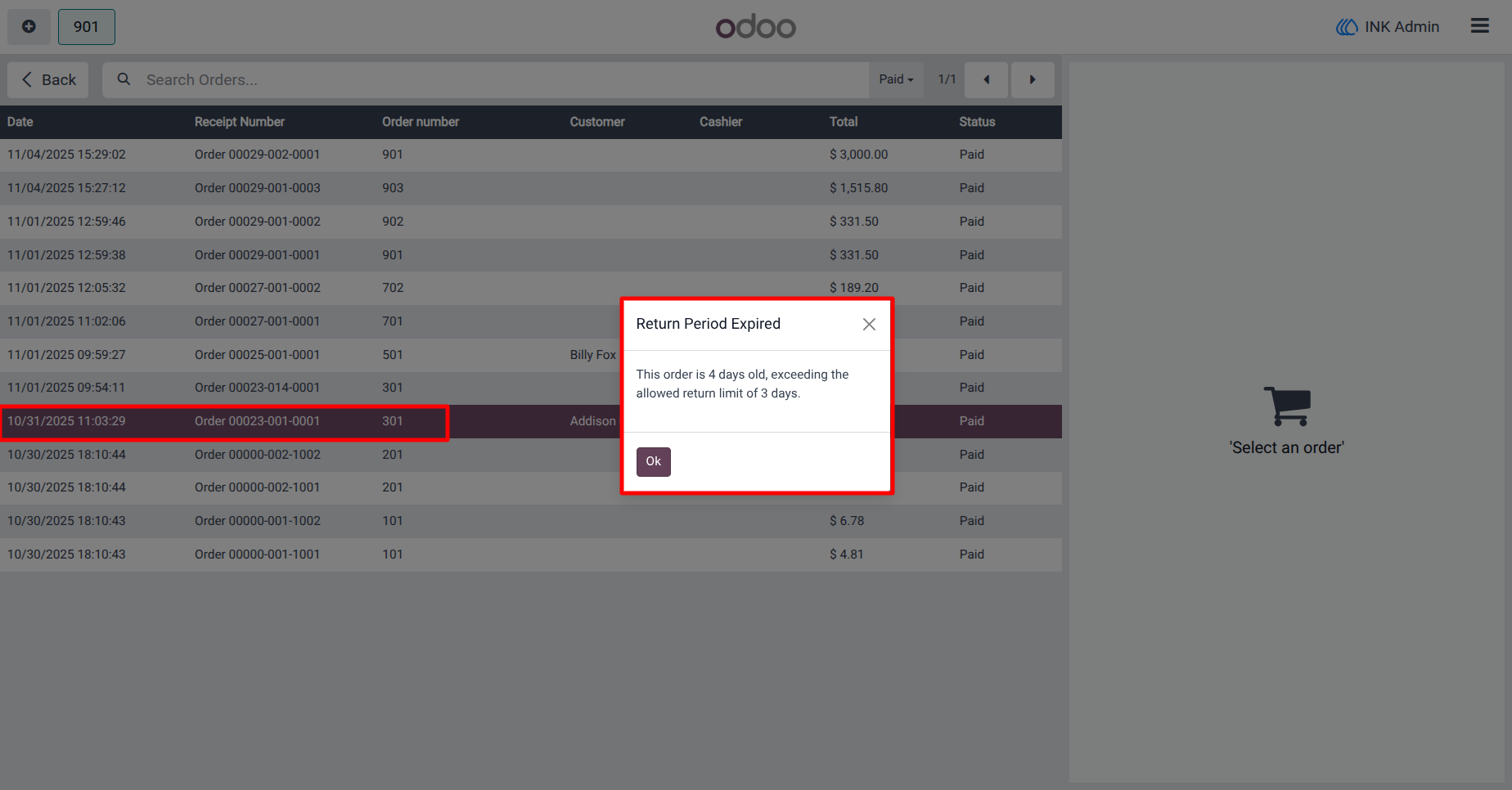
3.) Expired Return Attempt Alert
When a cashier or user attempts to process a return after the allowed period has expired, the system displays a warning pop-up labeled - Return Period Expired. The alert message specifies how many days old the order is and informs that it exceeds the allowed return limit.
User Guide