

EXCLUSIVE CUSTOMER BENEFITS
FREE INSTALLATION
& 90 DAYS FREE SUPPORT!
No worries about installation! This module comes with free installation assistance and 90 days of free support, helping you get started smoothly and confidently.
✦ COMPLIMENTARY INSTALLATION & SUPPORT ✦
MORE VALUE • LESS HASSLE • A BETTER START
Our Most Suggested Products


Prevent checkout and payment for zero or negative quantity products in Odoo POS
POS Restrict Zero Quantity is a powerful and easy-to-use Odoo Point of Sale enhancement that prevents users from completing POS orders when products have zero or negative quantities.
 Features
 Screenshots
 Support
 Service
Features
revent Checkout with Zero or Negative Quantity
This feature ensures that POS users cannot proceed to the payment screen if any product in the order has a zero or negative quantity. It automatically checks all order lines before allowing checkout, reducing the risk of incorrect or incomplete orders.
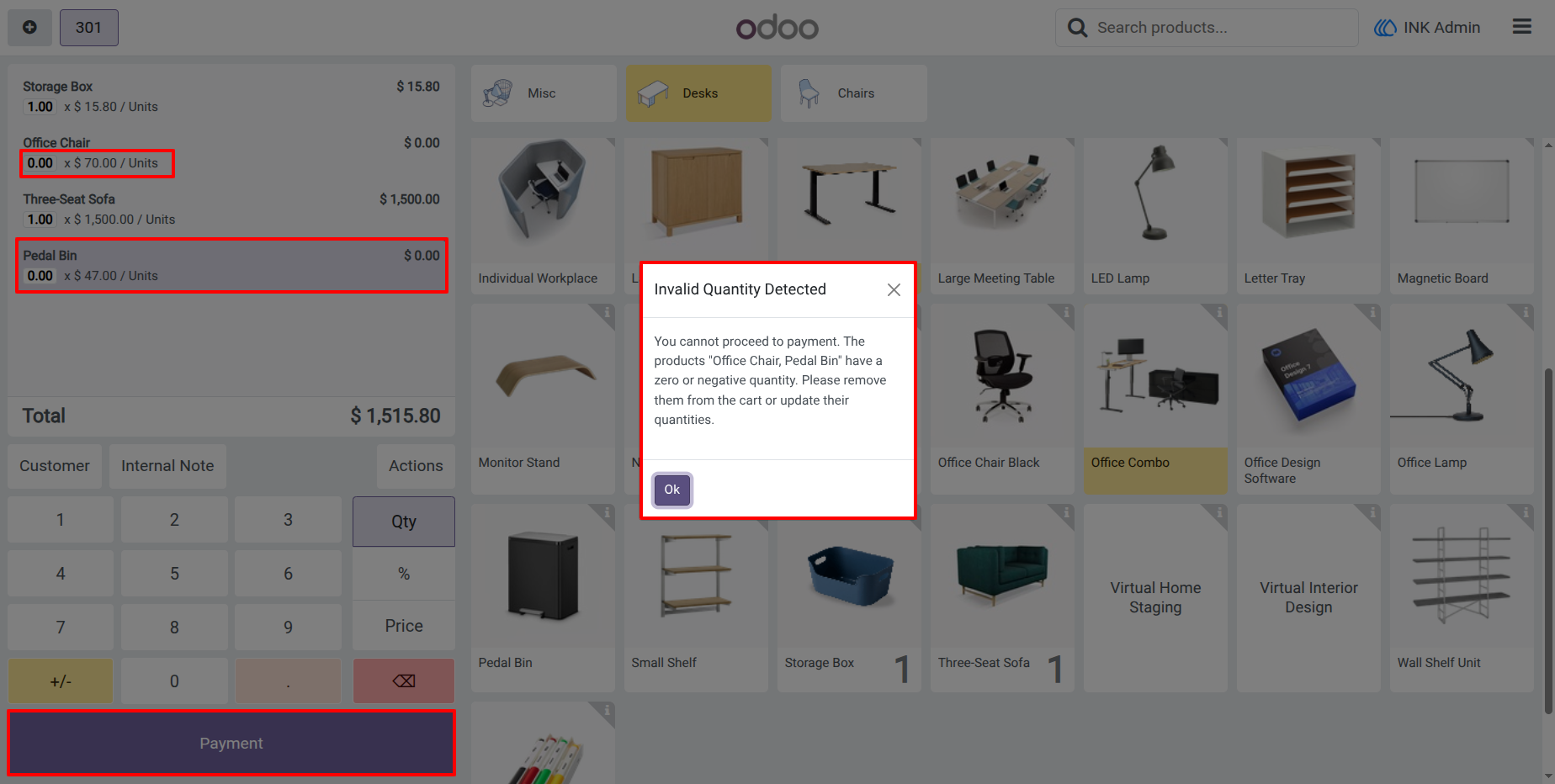
Smart Warning Popup with Product Details
When an invalid quantity is detected, the system displays a clear and informative warning popup. The popup lists the affected product names so users can quickly identify and correct the issue.
Screenshot
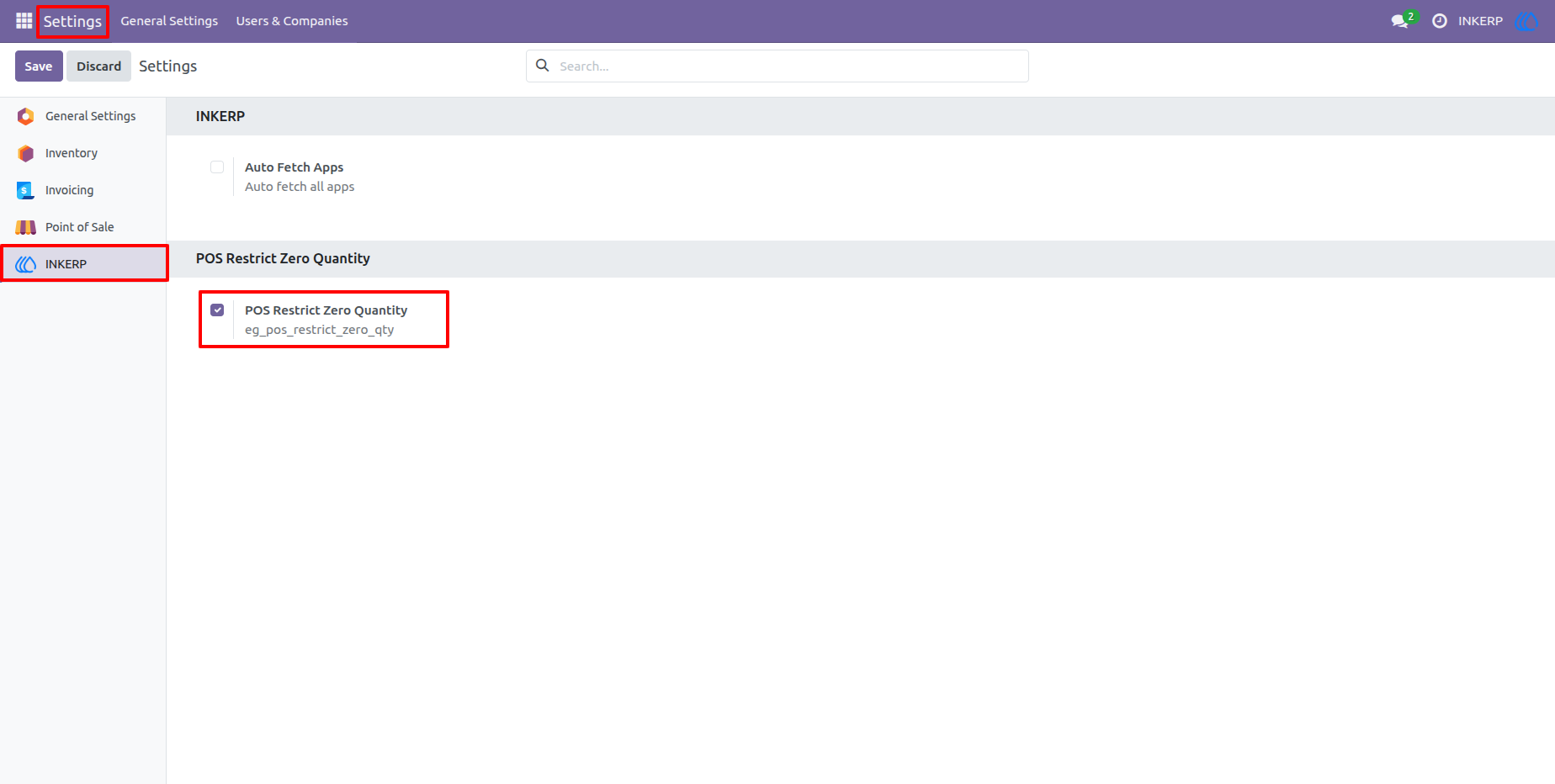
1.) Enable POS Restrict Zero Quantity from Settings
The configuration option to enable or disable the POS Restrict Zero Quantity feature from the settings. Once activated, the system enforces quantity validation in Point of Sale orders automatically.
2.) Warning Popup for Zero or Negative Quantity Products
the warning popup shown when a POS order contains products with zero or negative quantities. The popup clearly lists the affected product names and blocks the payment process until the quantities are corrected.
User Guide