

Our Most Suggested Products


Restrict Negative Stock in Point of Sale(POS)
The POS Restrict Negative Stock module helps you maintain accurate inventory levels by preventing the sale of out-of-stock products directly from the Point of Sale (POS). When a cashier tries to add a product that exceeds available quantity, the system instantly blocks the action and displays a clear warning message
 Features
 Screenshots
 Support
 Service
Features
Restrict Out-of-Stock Products in POS
This feature prevents users from selling products that are no longer available in stock. When the cashier tries to add an item to the POS cart that exceeds its available quantity, the system automatically stops the action.
Real-Time Stock Validation
The module continuously monitors product quantities in real time as items are added to the POS cart. It instantly checks stock levels from the connected warehouse location and compares them with the quantities in the current POS order.
Simple Configuration and Seamless Integration
The setup process is quick and straightforward simply enable the - Restrict Product Out of Stock option in the POS settings.
Screenshot
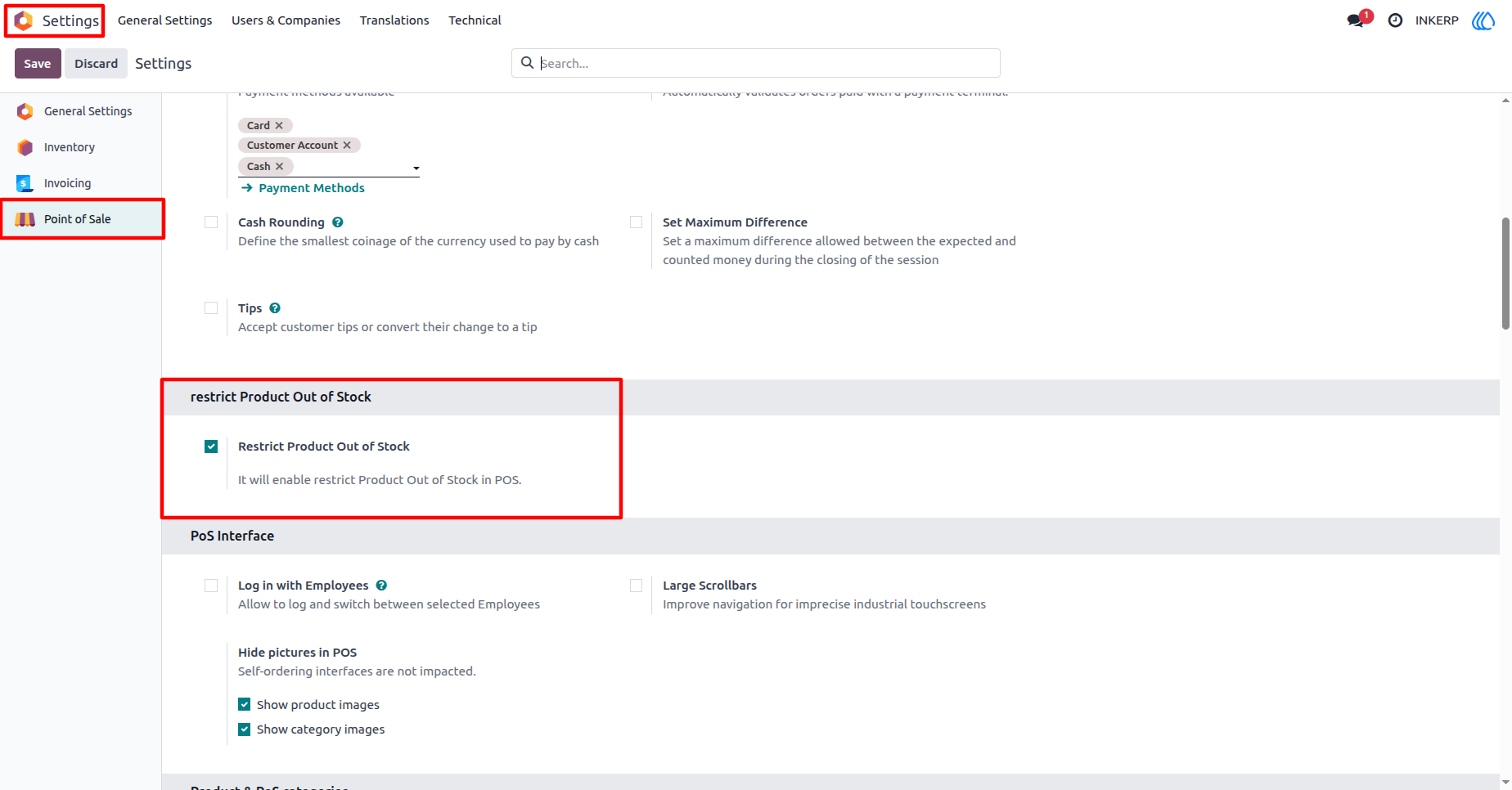
1.) POS Configuration Settings
In this screen, the user can enable the - Restrict Product Out of Stock option directly from the POS configuration form. Once activated, this setting automatically enforces stock validation for every POS session linked to that configuration.
Navigation : Setting › Point of Sale › Restrict Product Out of Stock
2.) Product Inventory Details in POS
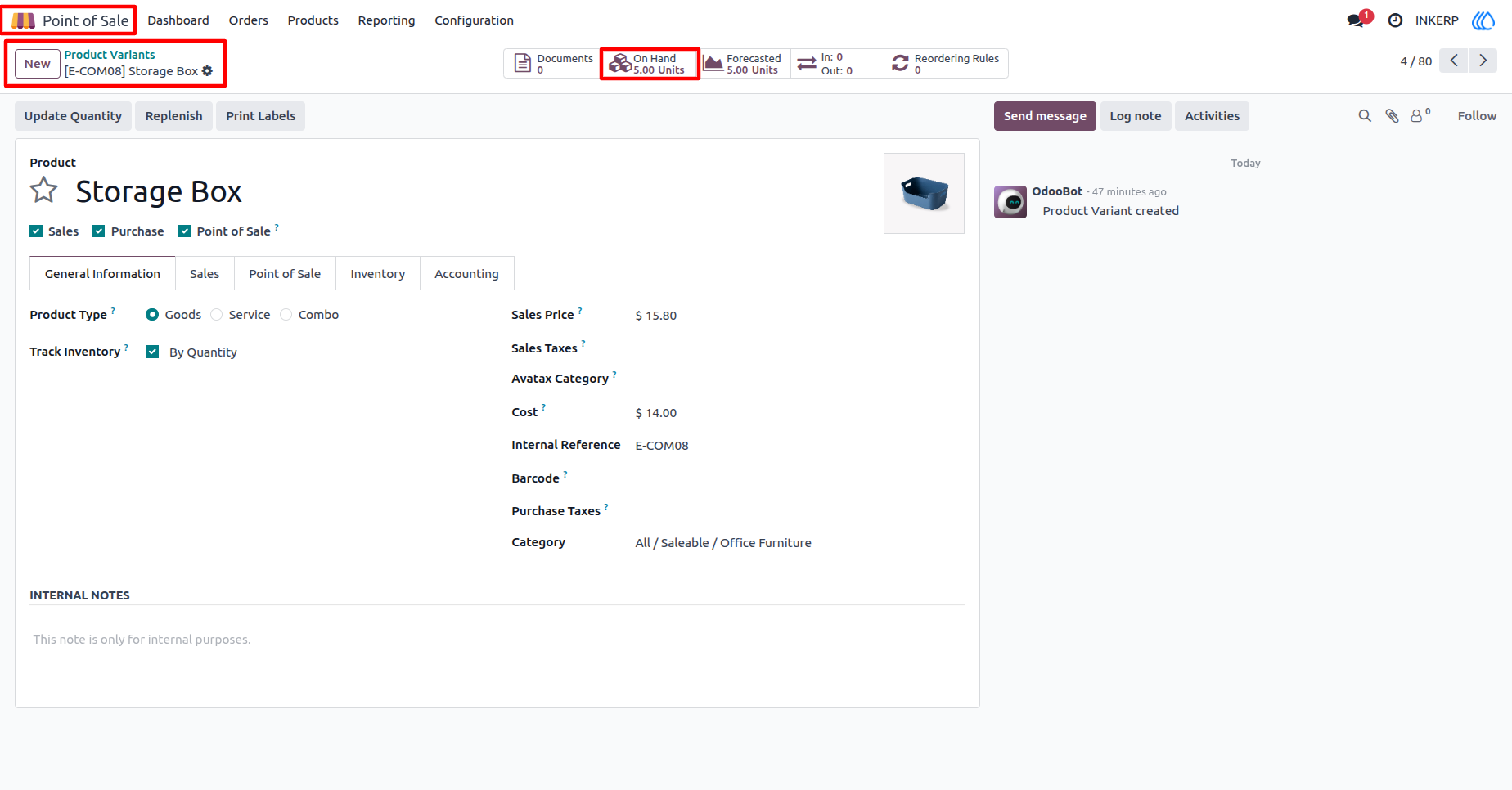
This screen shows the product configuration form inside the Point of Sale module. The product, Storage Box, is defined as a storable item with inventory tracking enabled. At the top, the - On Hand quantity clearly indicates that there are 5 units available in stock.
Navigation : Point of Sale › Product Variants › Product
3.) Product Out-of-Stock Warning in POS
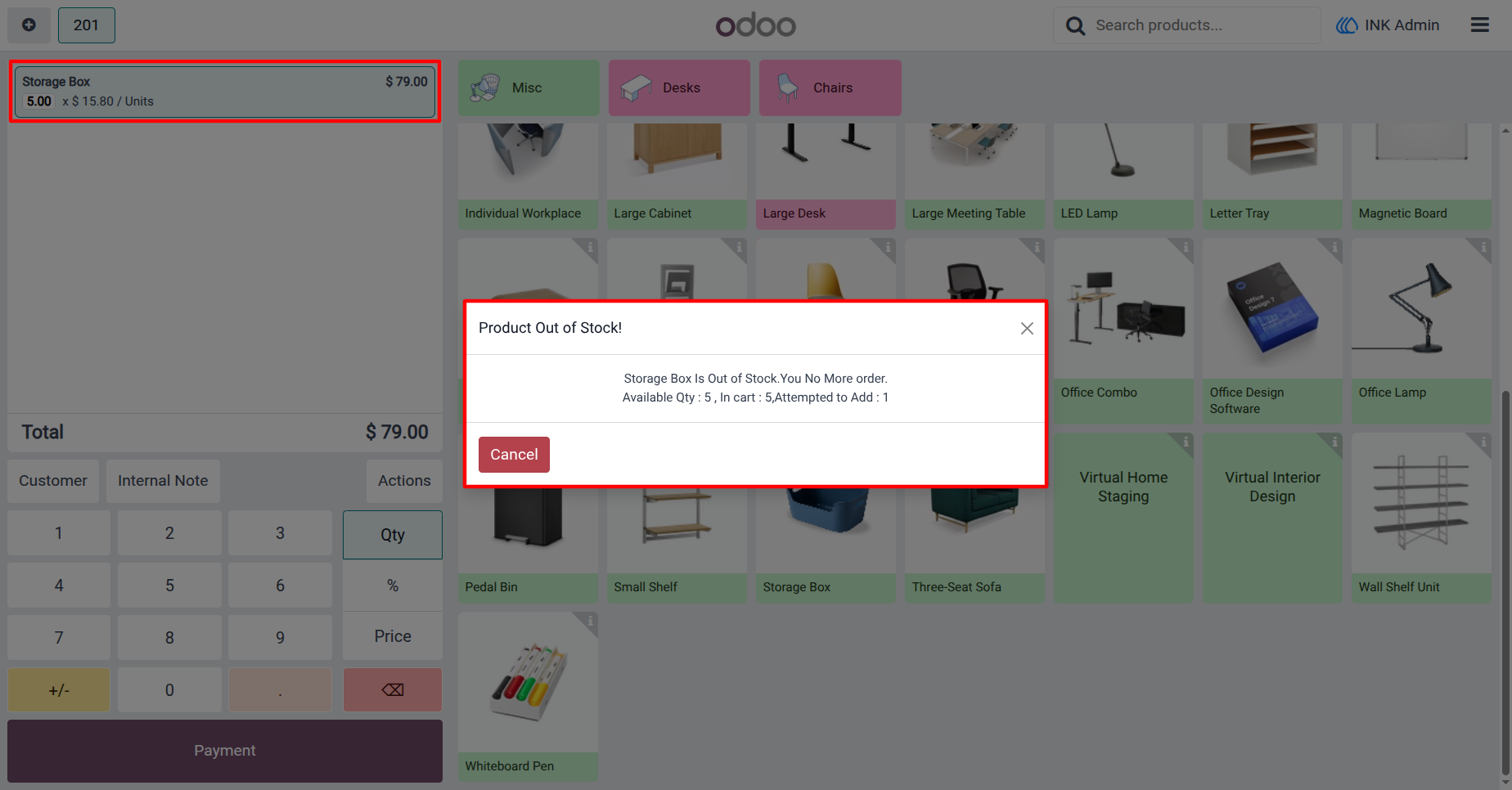
This screen demonstrates how the system immediately alerts the cashier when trying to sell more items than are available in stock. In this example, the Storage Box has 5 units in stock, and the cashier attempts to add one more unit beyond that limit. The system triggers a Product Out of Stock! popup, clearly showing the available quantity, the amount in the cart, and the attempted addition.
User Guide