

EXCLUSIVE CUSTOMER BENEFITS
FREE INSTALLATION
& 90 DAYS FREE SUPPORT!
No worries about installation! This module comes with free installation assistance and 90 days of free support, helping you get started smoothly and confidently.
✦ COMPLIMENTARY INSTALLATION & SUPPORT ✦
MORE VALUE • LESS HASSLE • A BETTER START
Our Most Suggested Products


POS Order Email Notification For Enterprise
POS Order Validation Email Notification For Enterprise is an Odoo module that automatically sends a custom email whenever a POS order is validated. Instead of a standard receipt, you can send your own email template for things like order confirmations, alerts, follow-ups, or promotions.
 Features
 Screenshots
 Support
 Service

Features
Automatic Email on POS Validation
The module automatically sends an email as soon as a POS order is validated. No manual action is needed from the cashier or user.
Custom Email Templates
You can create and use your own email templates instead of standard receipts. This allows businesses to design emails for confirmations, alerts, follow-ups, or promotions. It gives full flexibility to match your brand and communication style.
Screenshot
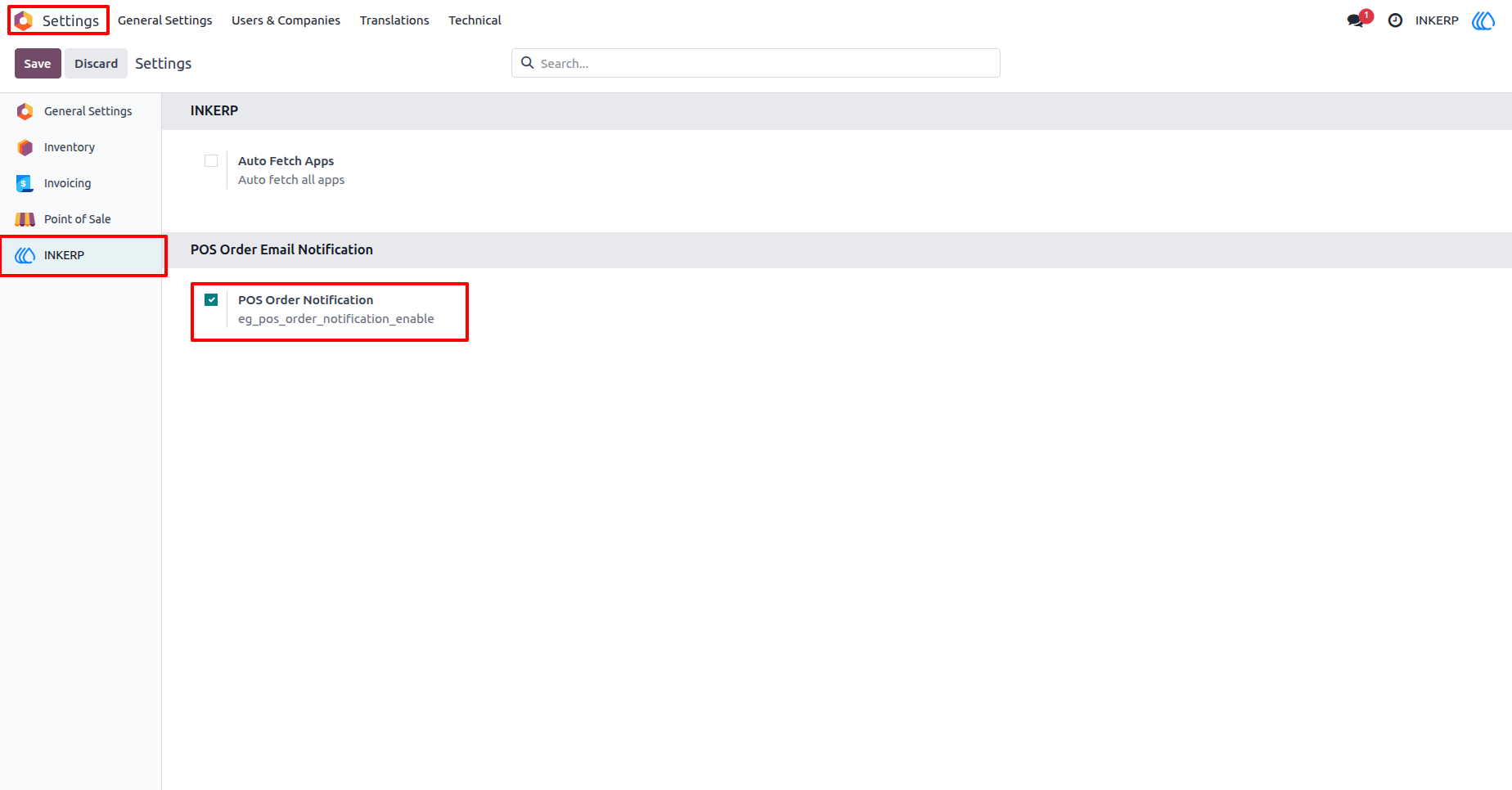
1.) POS Email Notification Activation
Enable or disable automatic email notifications for POS orders from the configuration. A simple checkbox controls whether emails are sent after order validation.
Navigation : Setting › INKERP › POS order Email Notification
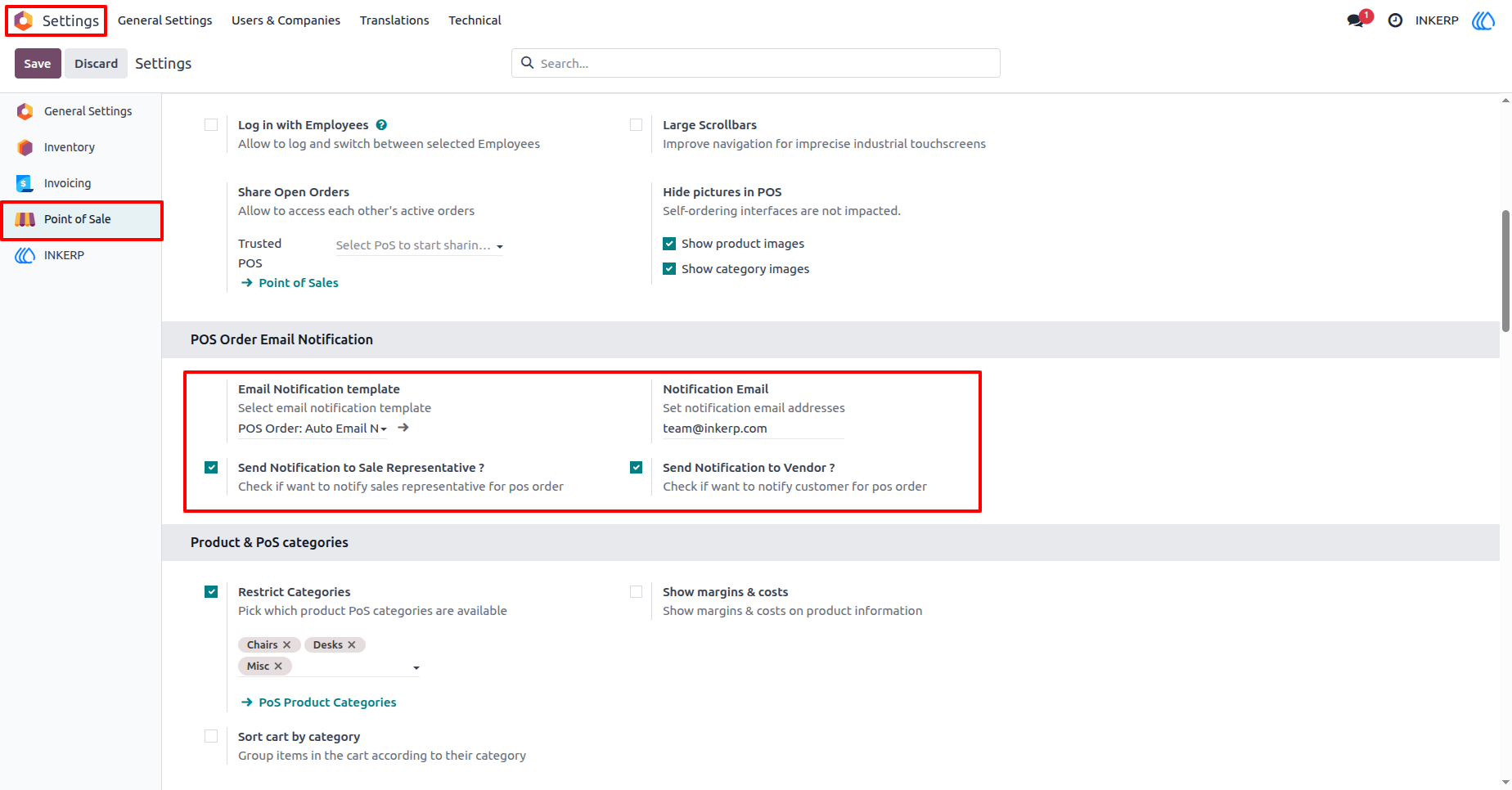
2.) Email Template & Recipient Setup
Configure the email template, recipient addresses, and optional notifications for sales representatives or vendors. This allows flexible communication based on business needs.
Navigation : Setting › Point of Sale › POS order Email Notification
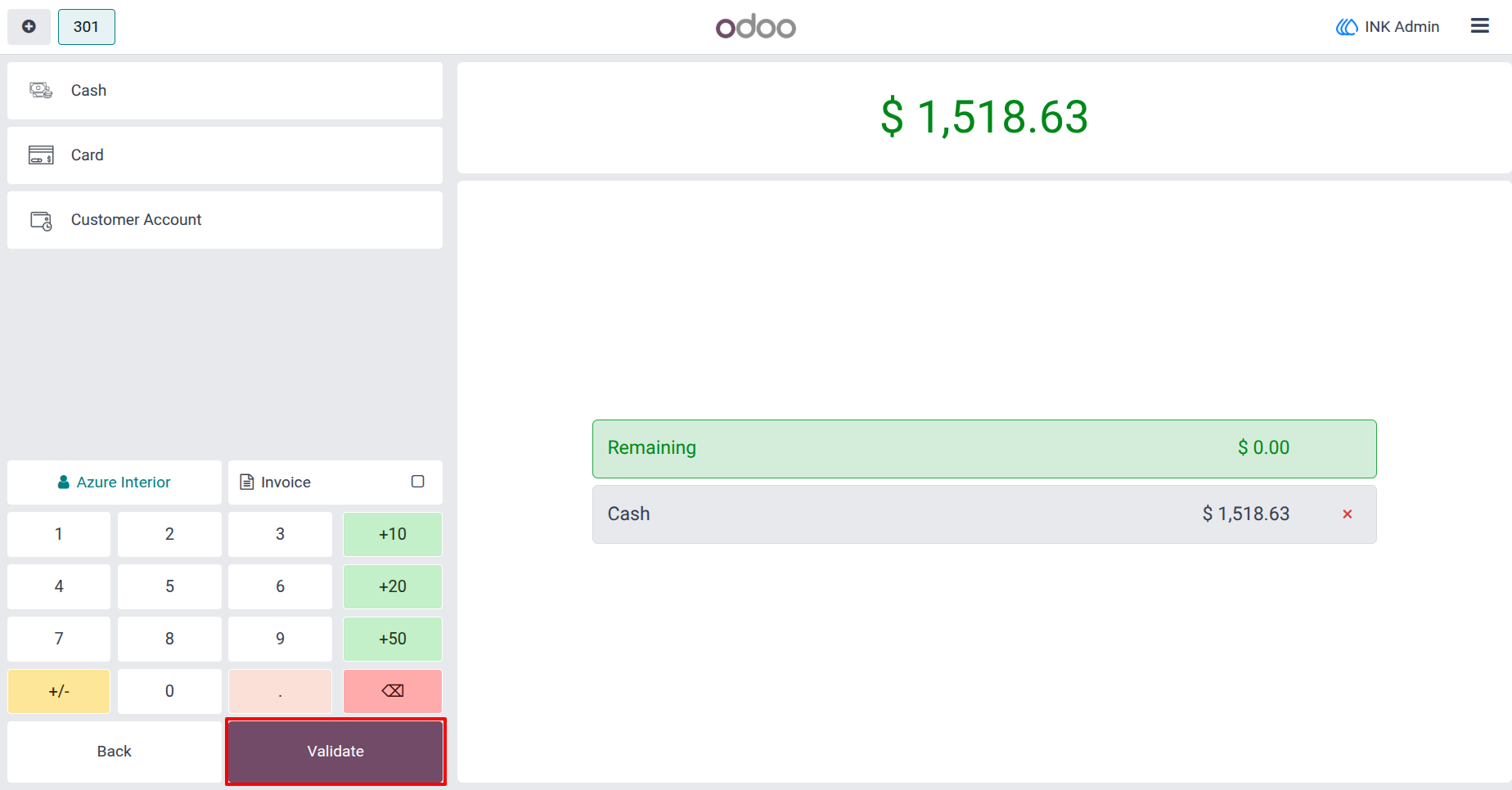
3.) POS Order Validation
Order confirmation with payment summary and a validate button to finalize the sale. Email notifications trigger immediately after validation.
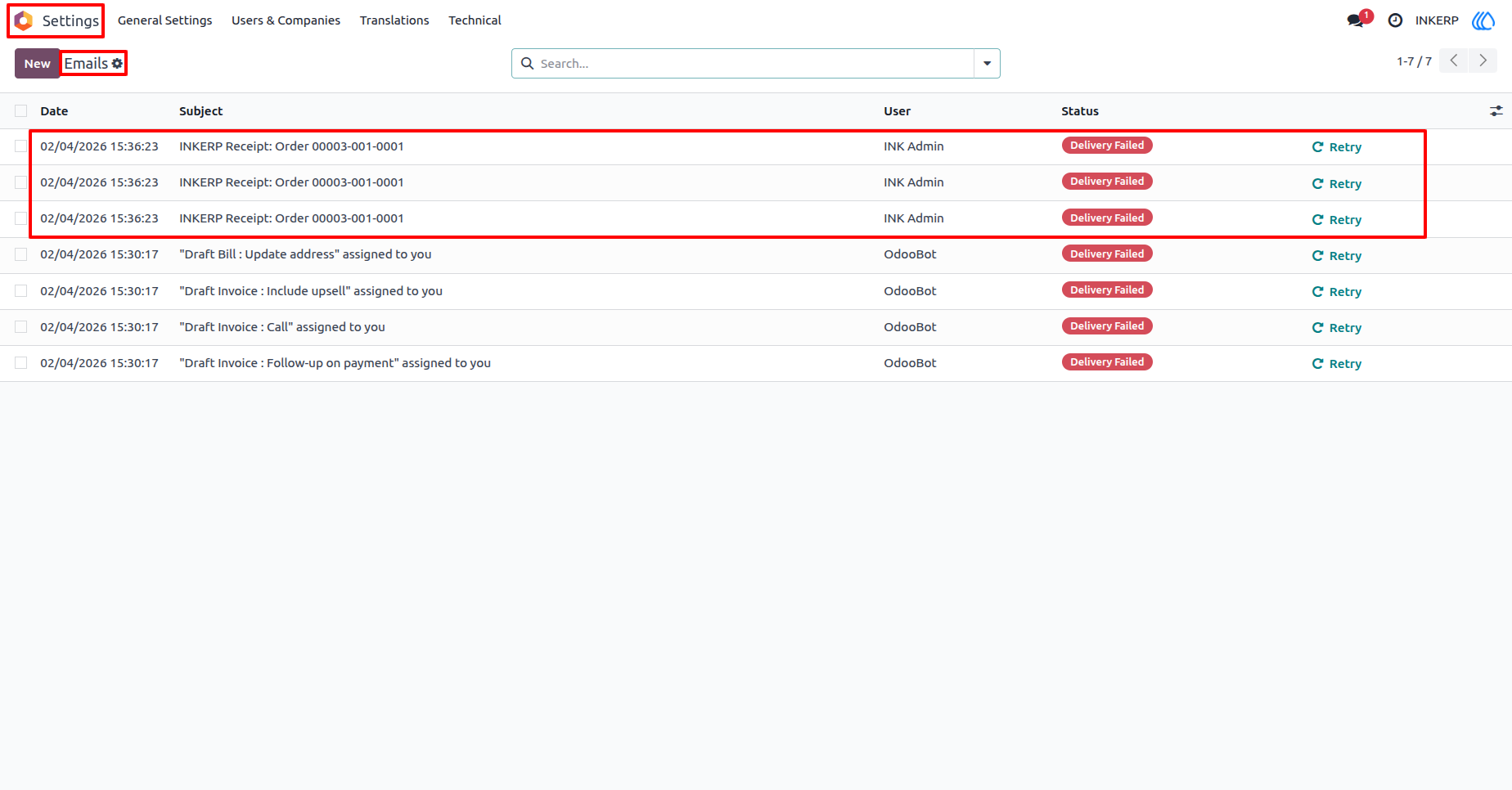
4.) Email Log Overview
Track all outgoing emails with date, subject, sender, and status. Retry options help resend failed emails quickly.
Navigation : Setting › Technical › Emails
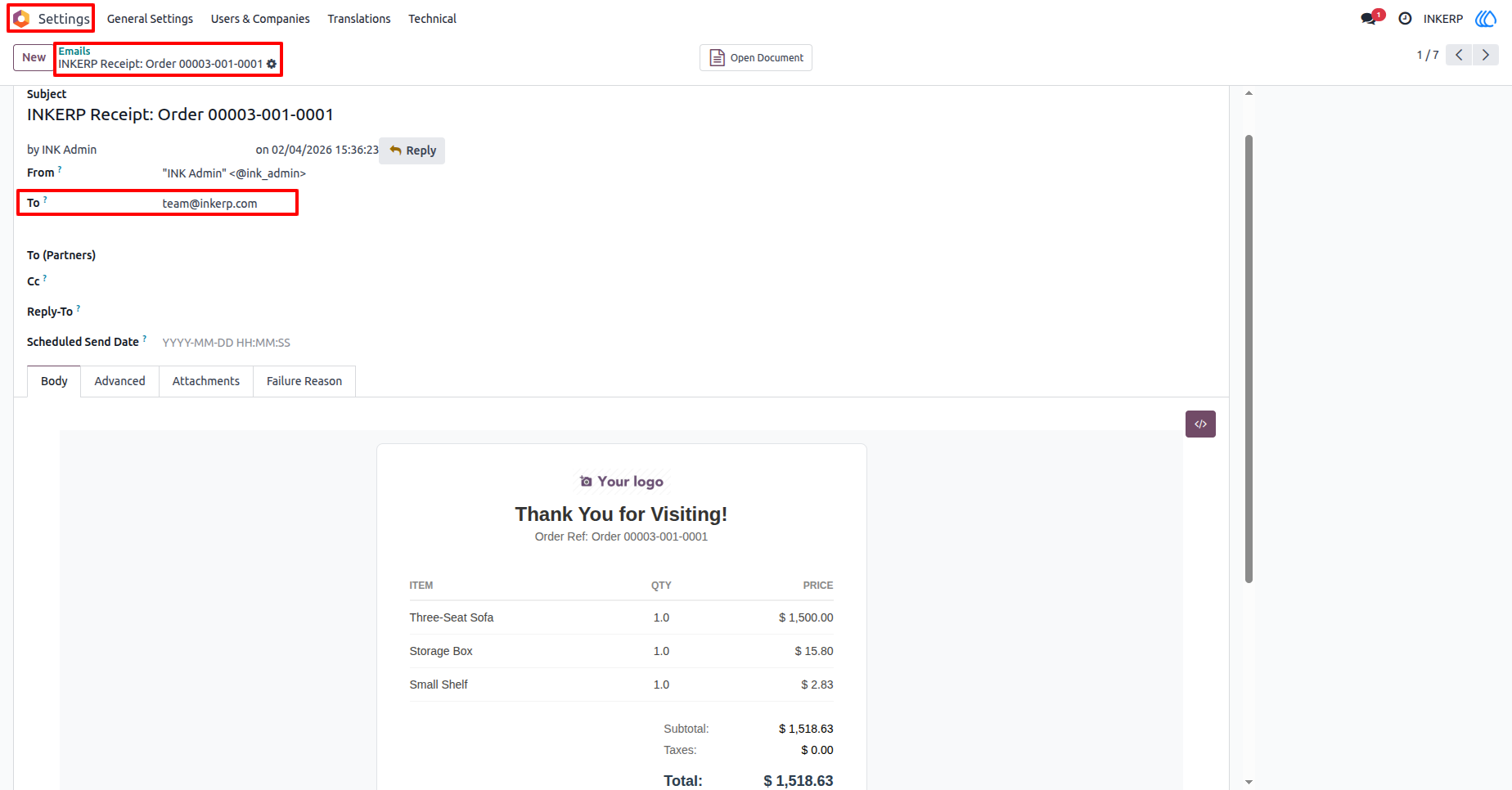
5.) Email Details & Content
View recipient, subject, and full email content including order details and totals. Useful for verifying what customers receive.
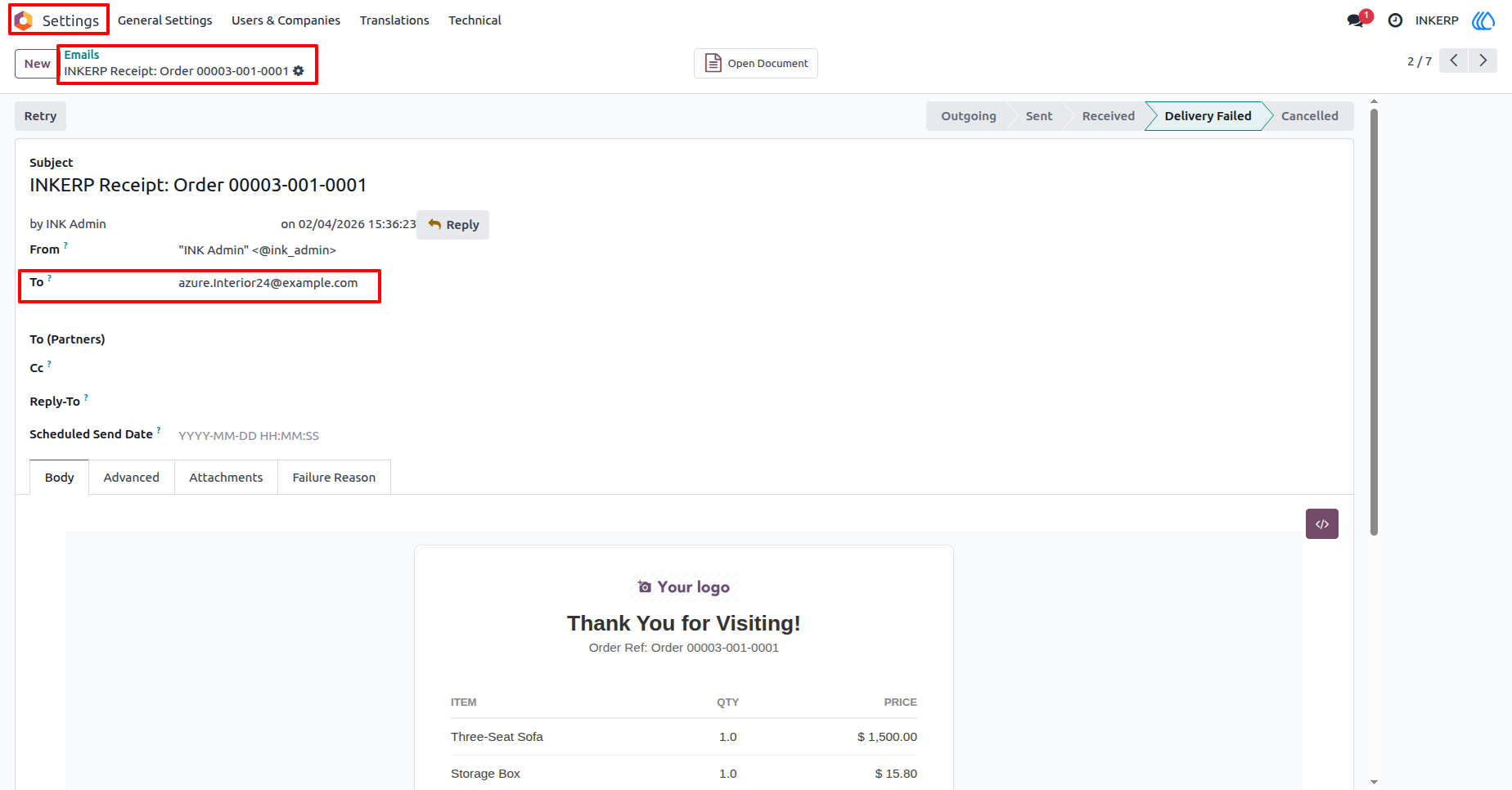
6.) Customer Email Record
Email entry linked to a customer with full message details and status tracking. Supports communication review.
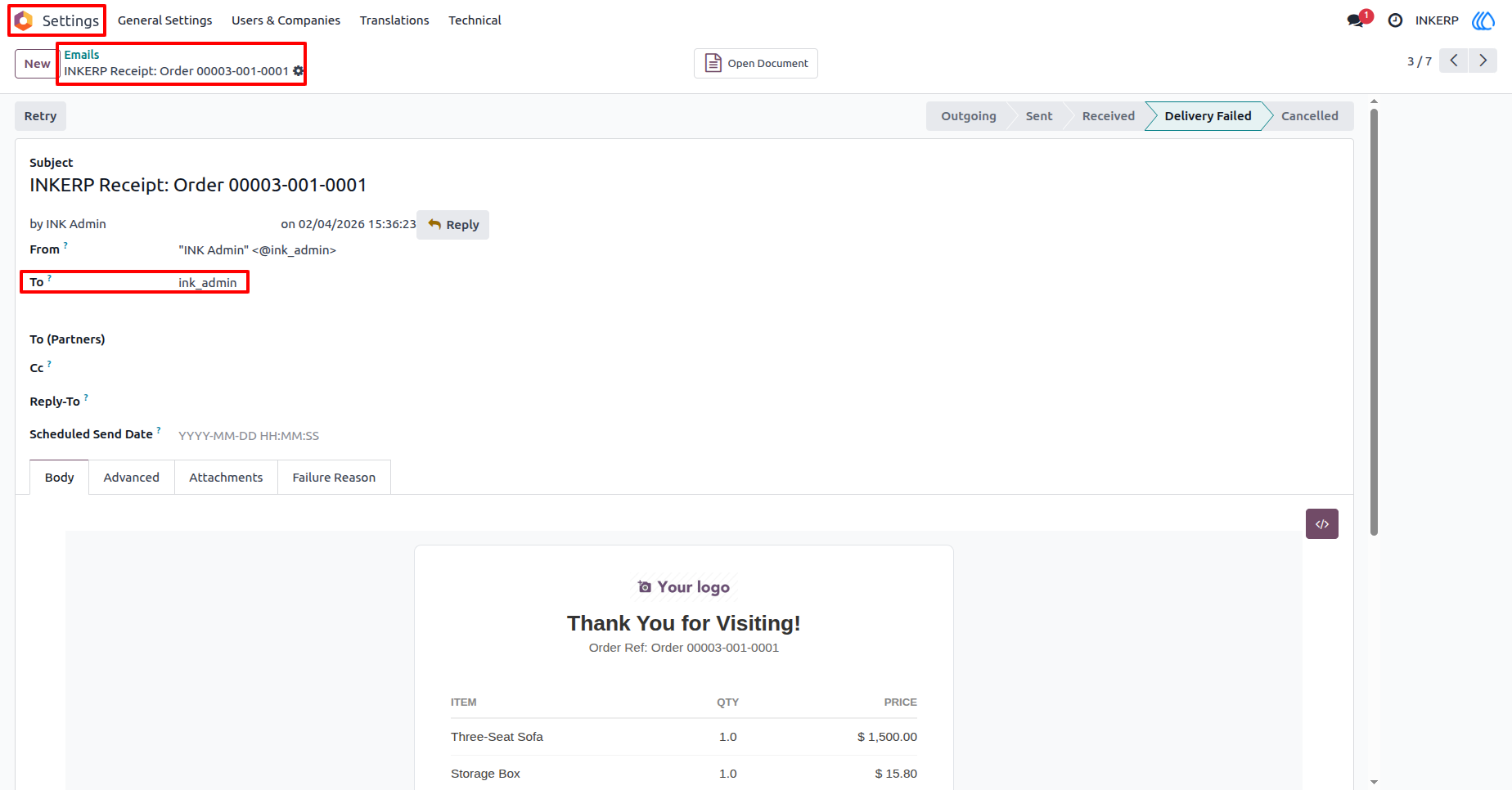
7.) User Email Record
Email entry related to a system user with message information and status. Useful for monitoring internal notifications.
User Guide