

Our Most Suggested Products


POS Fast Loader - High-Performance POS
Load Odoo POS in seconds, even with thousands of products and customers. POS Fast Loader optimizes POS startup by loading data progressively in the background for a smooth and responsive experience.
 Features
 Screenshots
 Support
 Service
Features
Lightning-Fast POS Startup
POS Fast Loader significantly reduces POS startup time by loading only a limited set of products and customers when the session begins. This allows the POS to become usable within seconds, even when working with thousands of records. Cashiers can start selling immediately without waiting for the entire database to load.
Smart Background Data Loading
After the POS is opened, the remaining products and partners are loaded progressively in the background using optimized batches. This process runs silently without blocking the user interface or interrupting ongoing sales.
Optimized Product Display Performance
The module allows you to control how many products are rendered on the POS screen at one time, preventing UI lag and browser slowdowns. By limiting on-screen product rendering, scrolling and navigation remain smooth even with large catalogs.
Screenshot
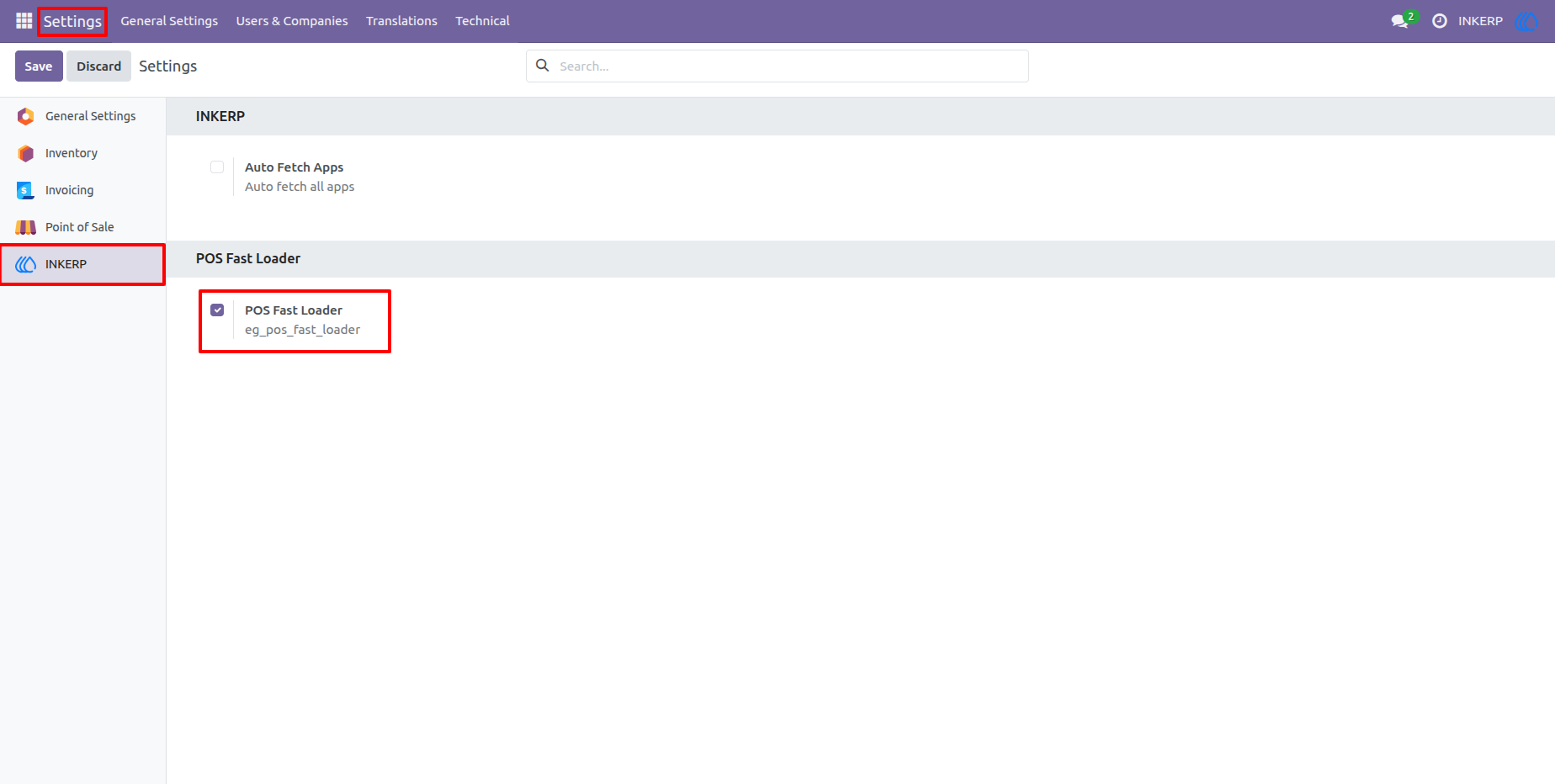
1.) Global POS Fast Loader Configuration
administrators to enable or disable POS Fast Loader globally from the main system settings. When enabled, the fast loading mechanism is applied across all Point of Sale configurations. This provides centralized control to instantly improve POS performance without changing individual POS settings.
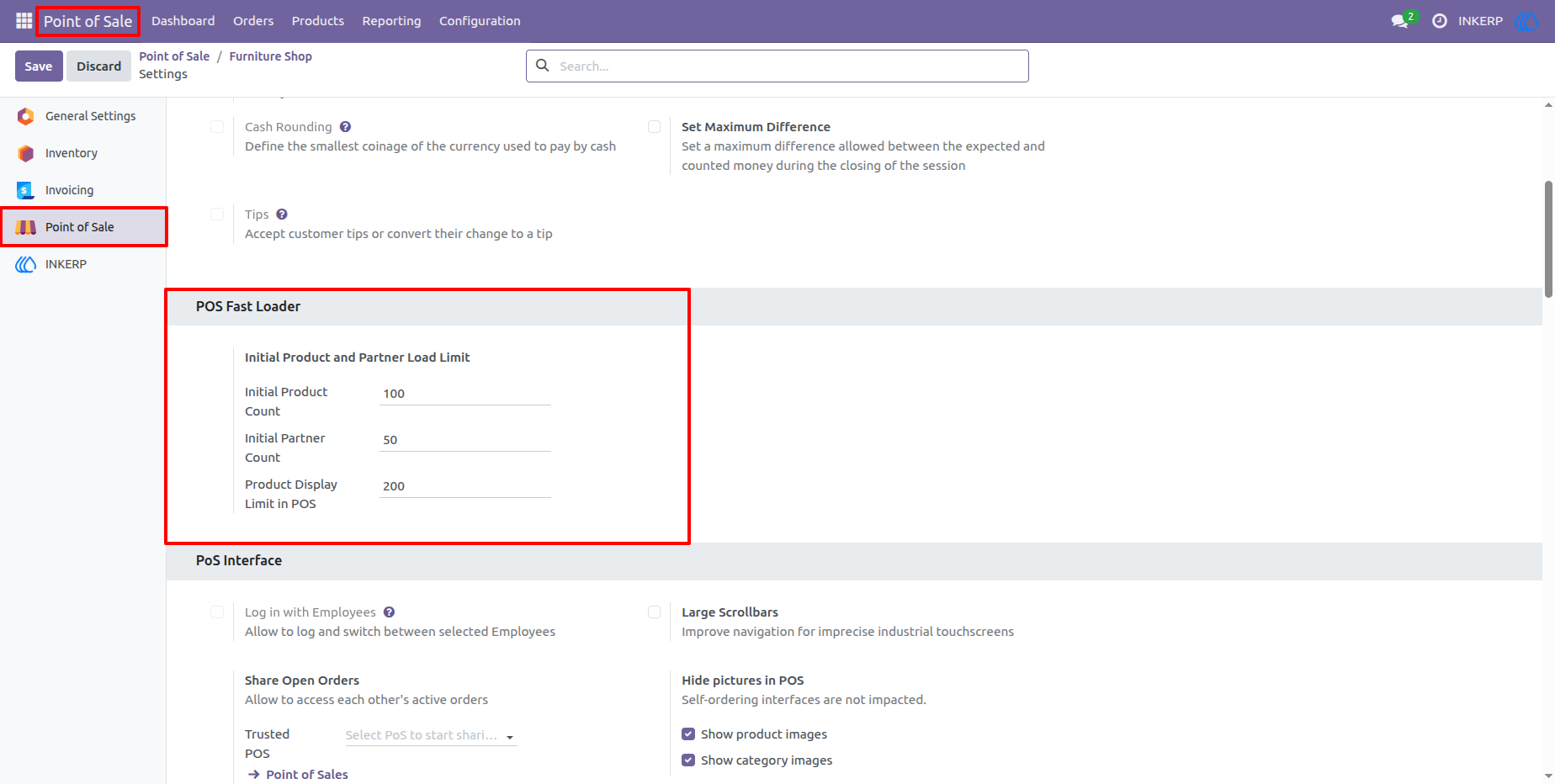
2.) POS Fast Loader Limits per Point of Sale
This configuration screen allows you to define initial product and customer load limits for each POS individually. You can control how many products and partners are loaded at POS startup, as well as set a product display limit to ensure smooth UI performance.
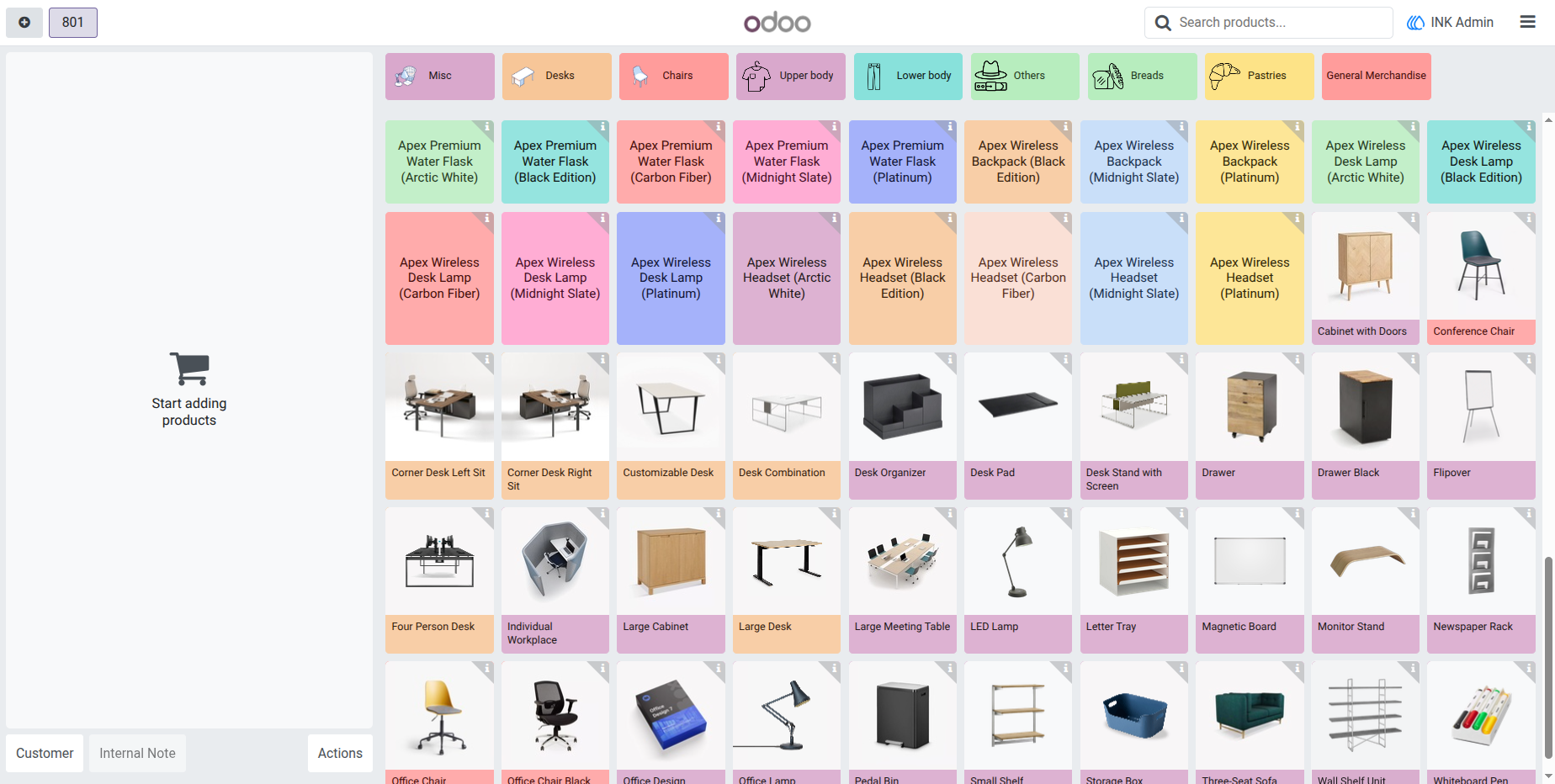
3.) High-Performance POS Product Screen
Products load instantly with smooth scrolling and responsive navigation, even with large catalogs. As additional products are fetched in the background, they become available automatically without interrupting sales operations.
User Guide