

Our Most Suggested Products


POS Customer Favorites
The POS Customer Favorite Items module enhances the Odoo Point of Sale experience by intelligently displaying a customer’s most frequently purchased products directly on the POS interface. This feature helps cashiers quickly identify preferred items, reduce search time, and speed up order processing, especially in high-volume retail and food service environments.
 Features
 Screenshots
 Support
 Service
Features
One-Click Add to Order from Favorites
Favorite products can be added directly to the POS order with a single click. Cashiers no longer need to browse categories or use the search bar, making checkout faster and smoother during peak hours.
Smart Customer-Based Favorite Products
The system automatically identifies and displays a customer’s favorite items based on their previous POS orders. As soon as a customer is selected, their most frequently purchased products appear in a dedicated favorites section.
Screenshot
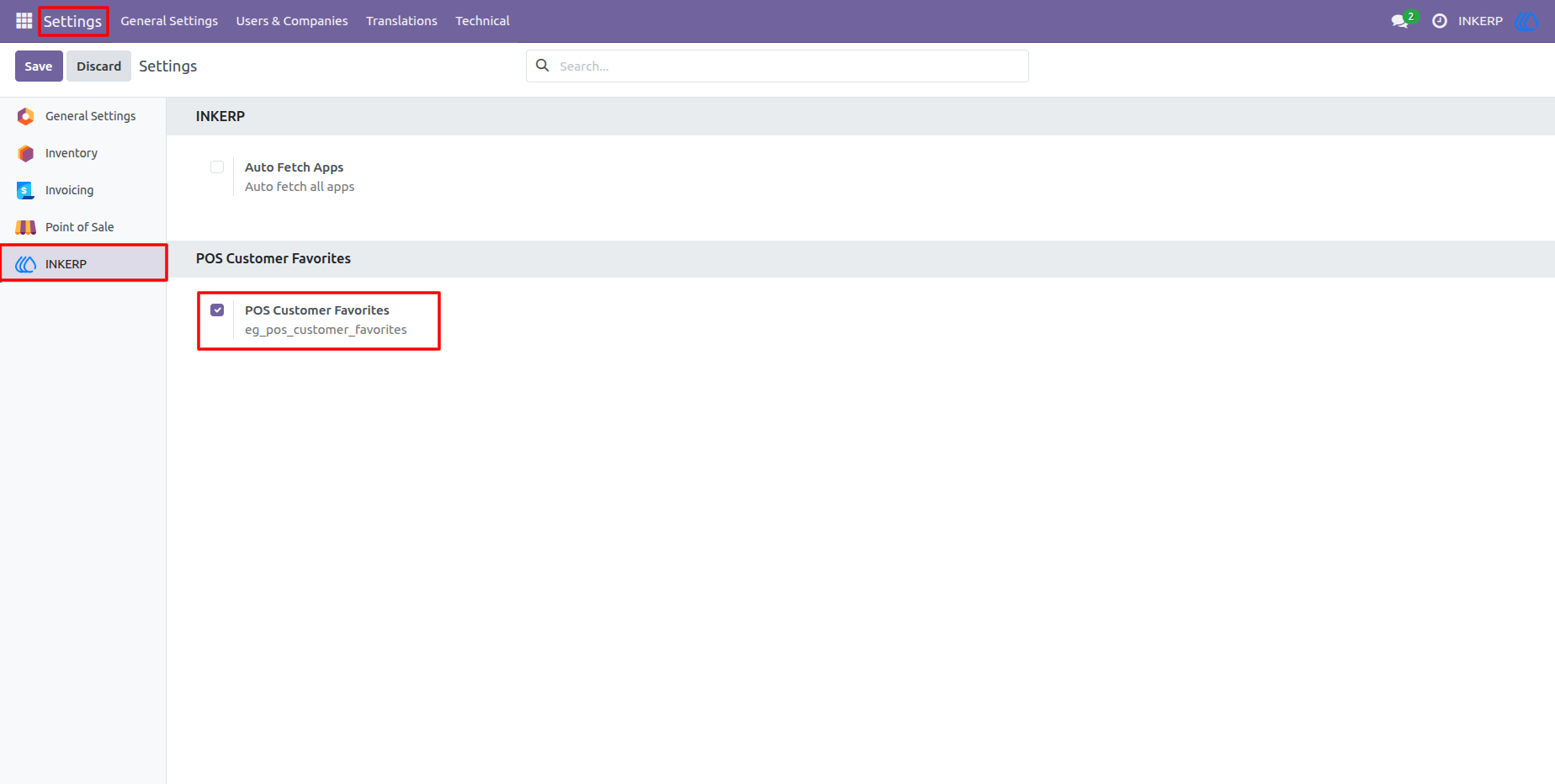
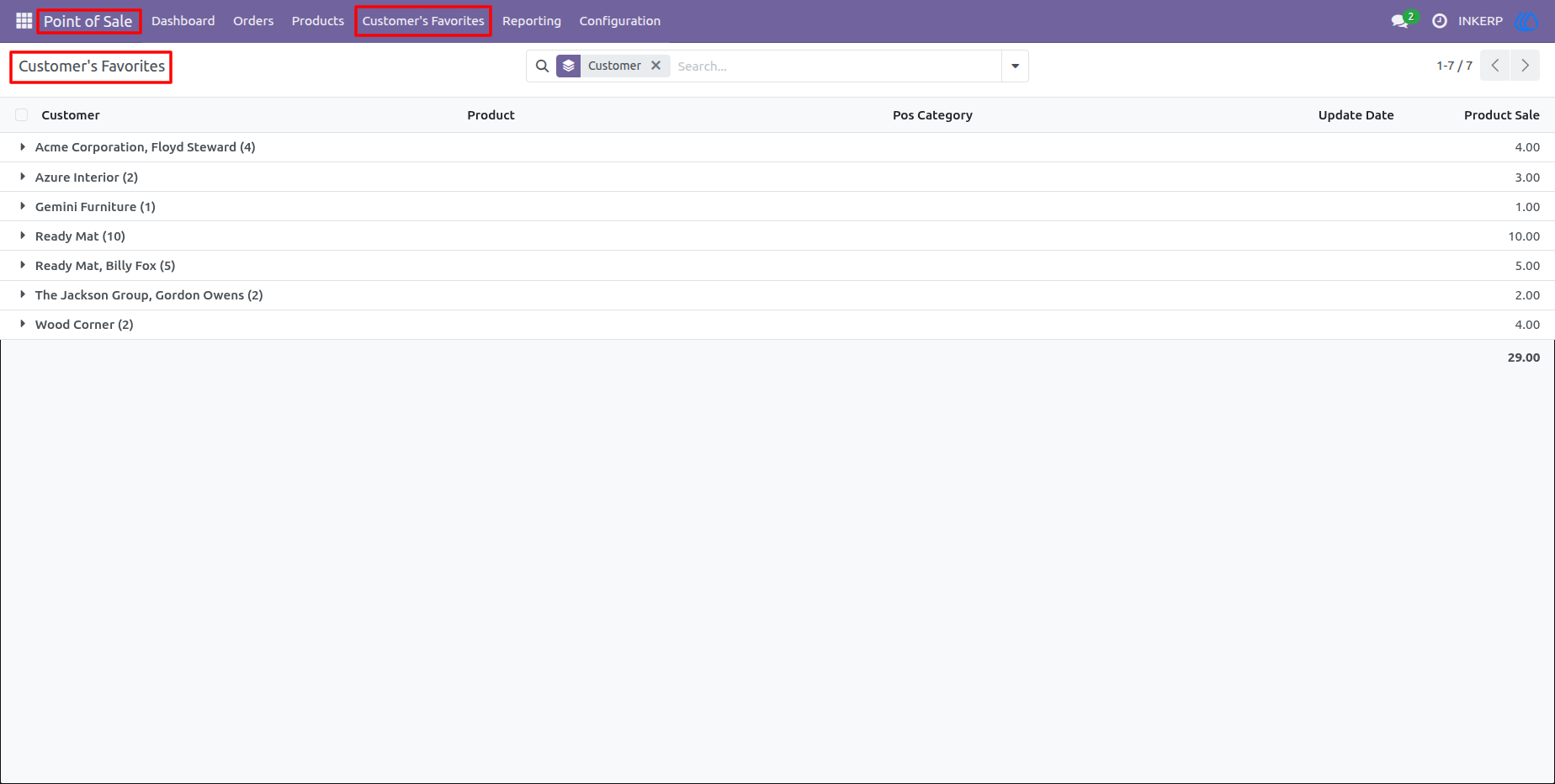
1.) Simple Global Configuration
Easily toggle the POS Customer Favorites module on or off globally directly from the central Odoo Point of Sale settings panel.
2.) Comprehensive Backend Dashboard
Access a dedicated backend menu that aggregates all favorite product data. The default view cleanly groups records by customer, providing managers with a high-level overview of purchase activity.
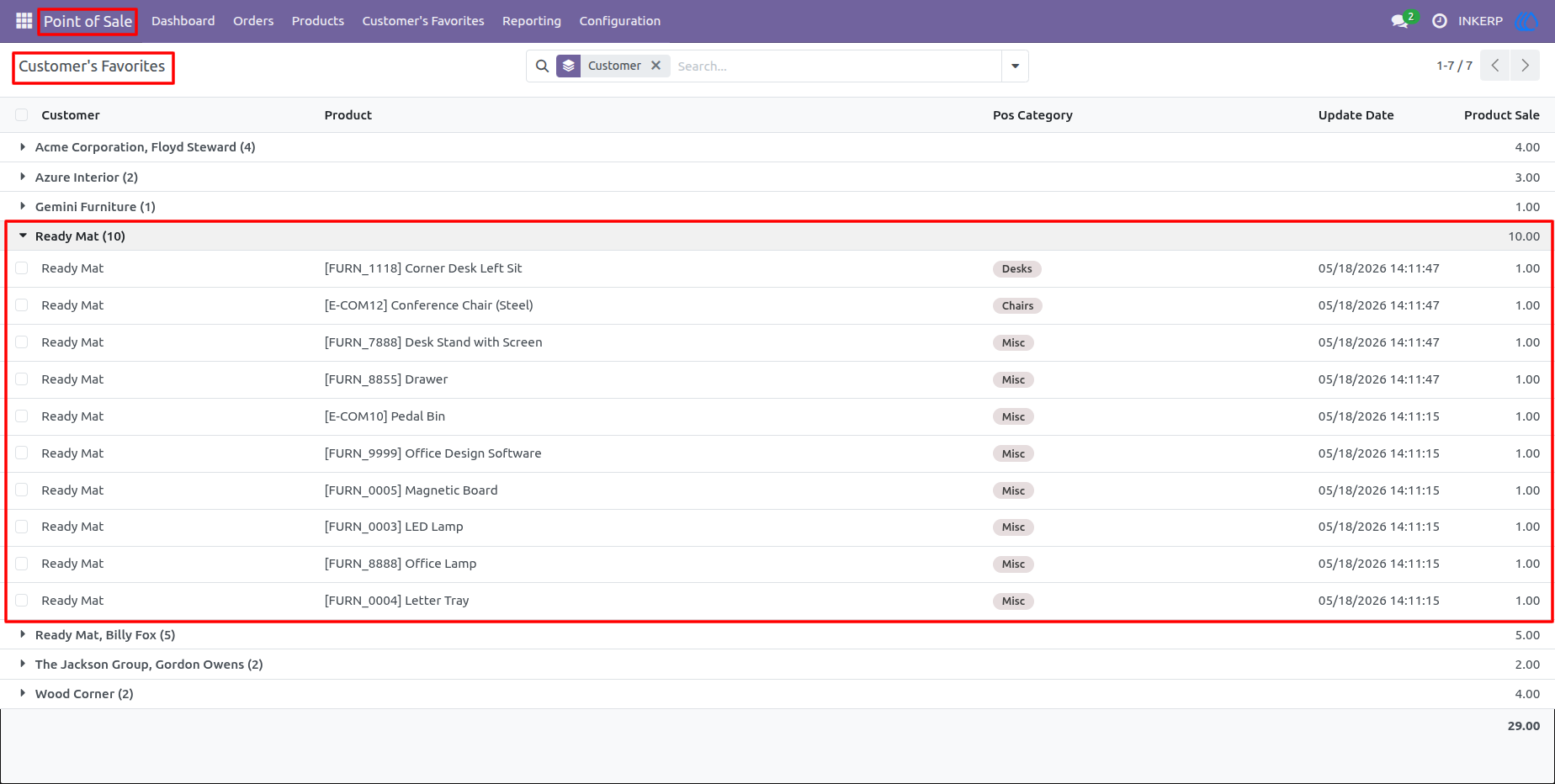
3.) Granular Purchase Insights
Expand any customer group in the backend to view a detailed breakdown of their favorites, including the specific products, POS categories, total units sold, and the exact date the item was last purchased.
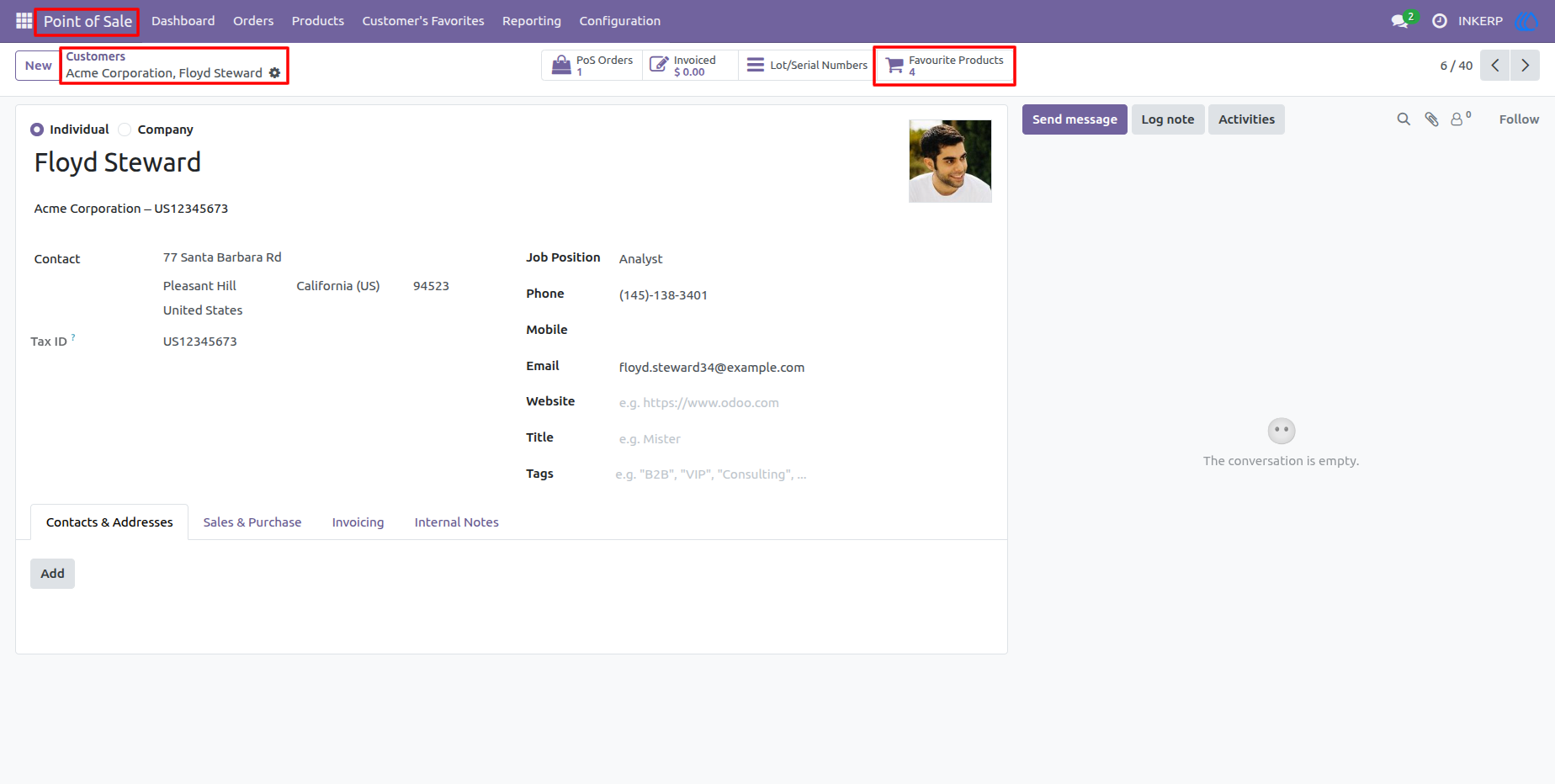
4.) Custoemr Profile in Smart Button
Favourite Products smart button is seamlessly integrated into the standard Odoo contact form. It displays the total count of unique favorite items, giving sales teams instant context when reviewing a customer profile.
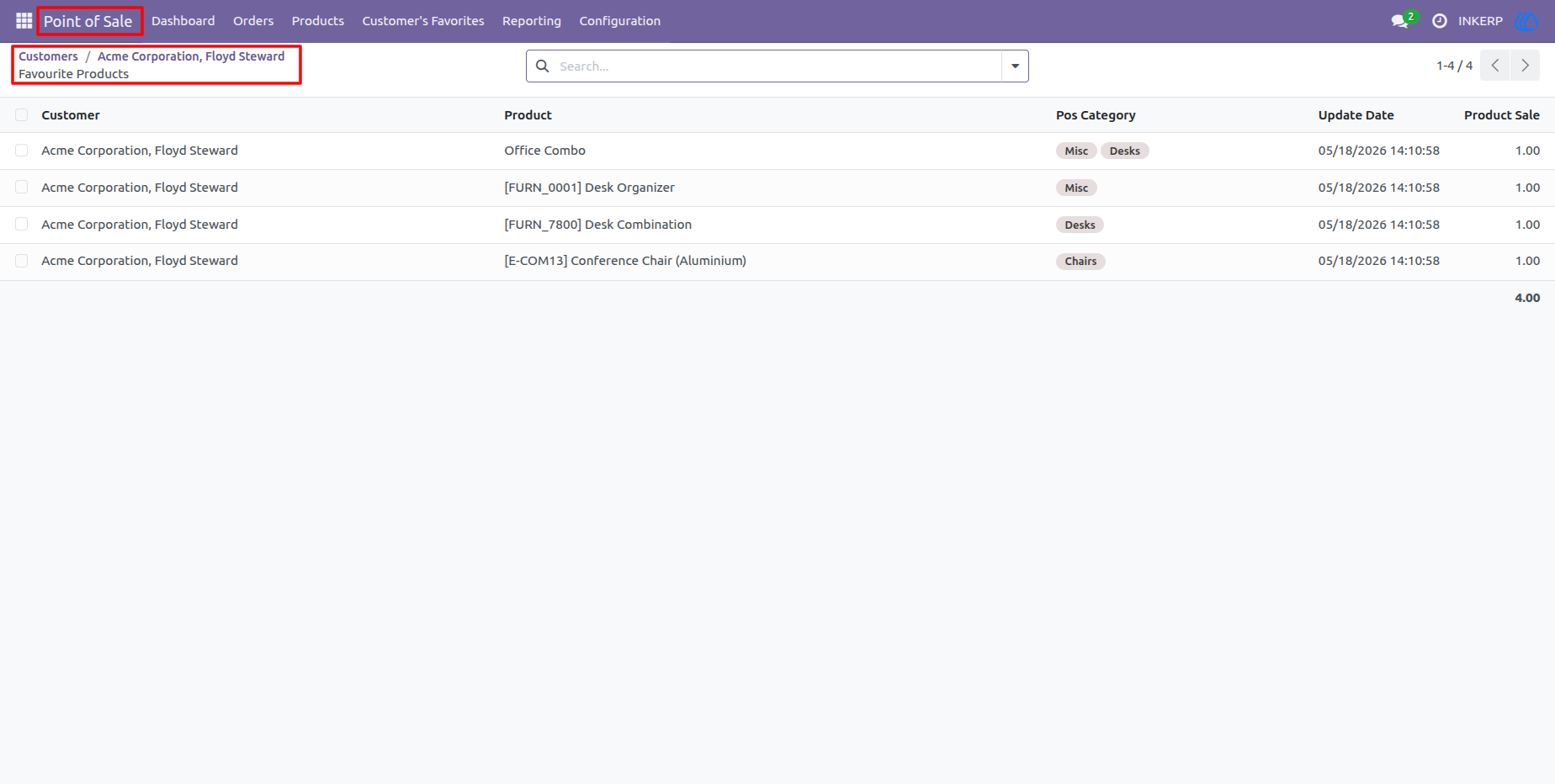
5.) Isolated Customer Tracking
Clicking the smart button from the contact form instantly opens a filtered view, isolating the analytics to display only that specific customer historical purchase data.
6.) Intuitive POS Action Menu
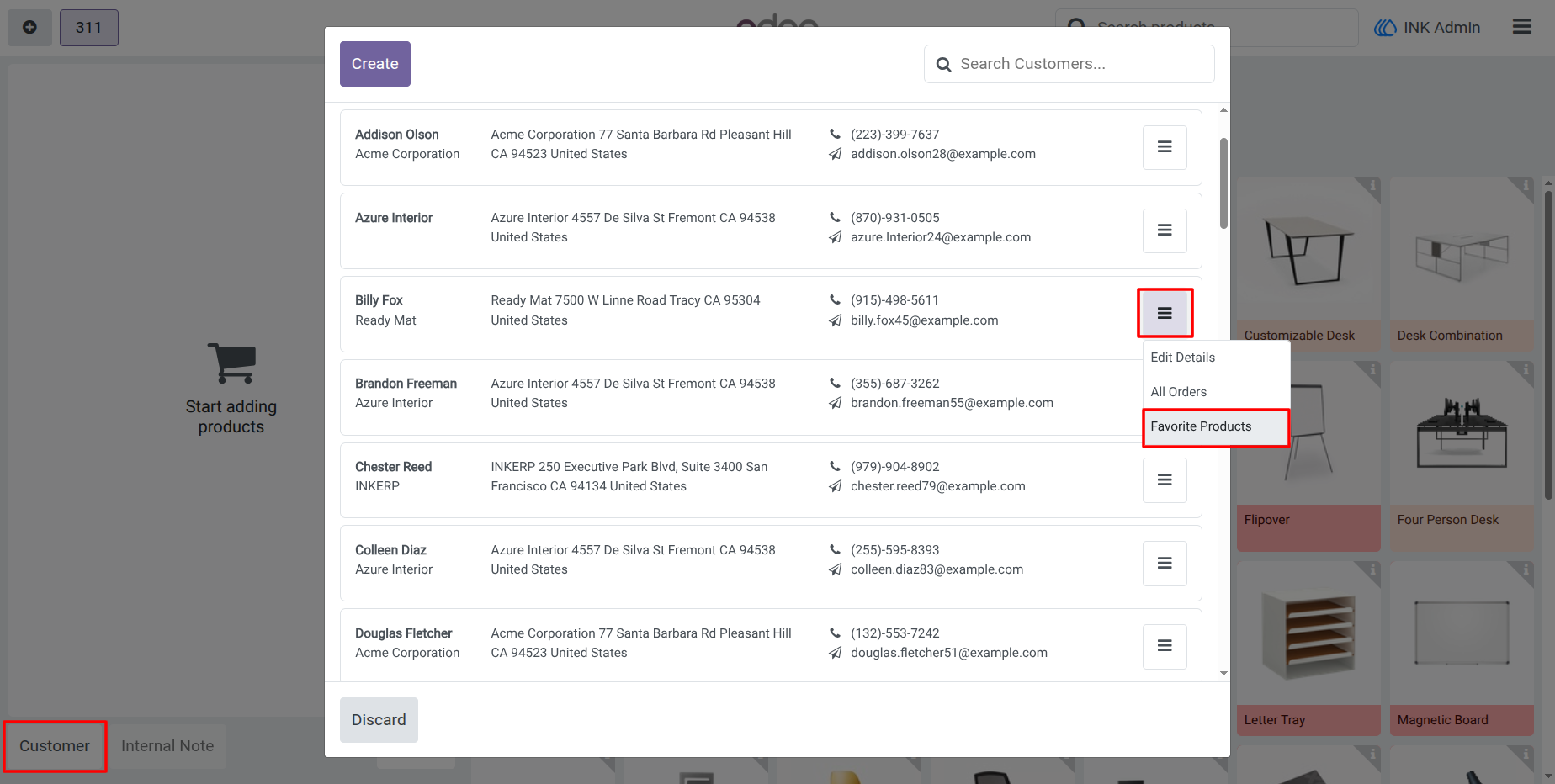
Built seamlessly into the Point of Sale frontend. Cashiers can access the Favorite Products action directly from the dropdown menu on the customer selection screen.
7.) Interactive Quick-Add Popup
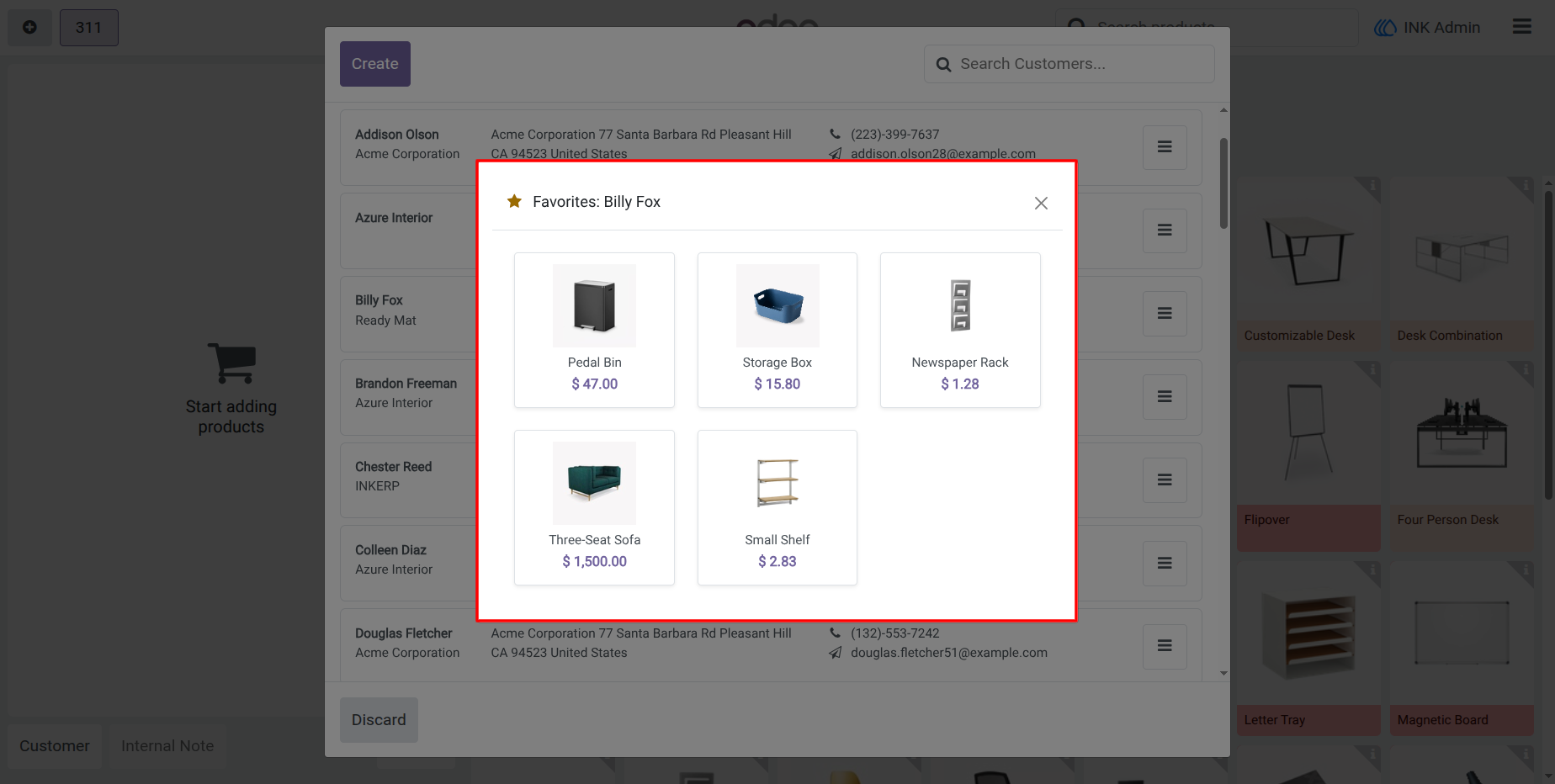
A beautifully designed, auto-flowing CSS grid popup displays the customer top items. Cashiers can visually confirm the products and instantly add them to the cart with a single tap.
8.) Accessible Main Screen Filter
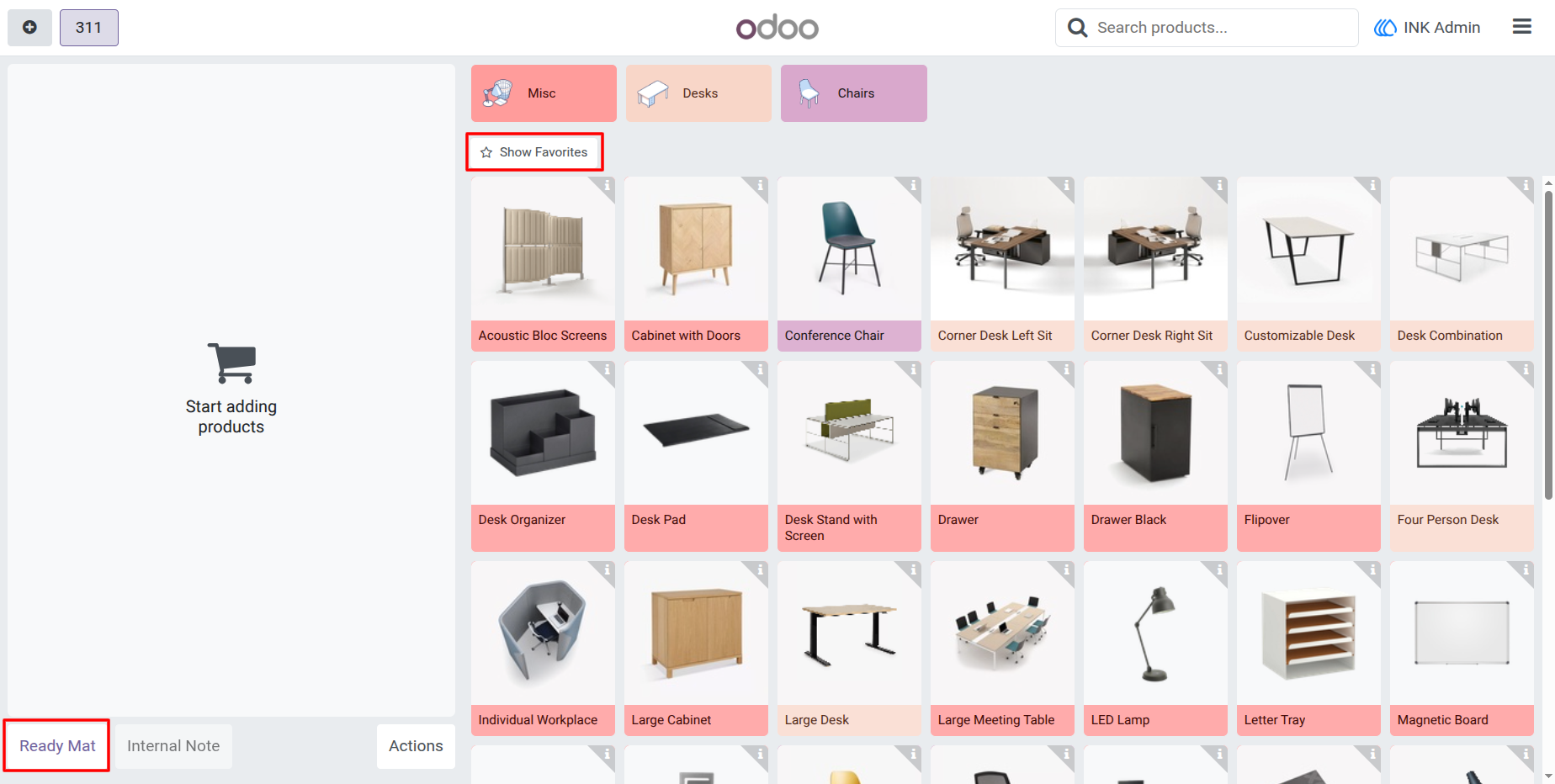
A dedicated Show Favorites toggle button is intuitively placed on the main product screen, readily available as soon as a customer is assigned to the active order.
9.) Dynamic Catalog Isolation
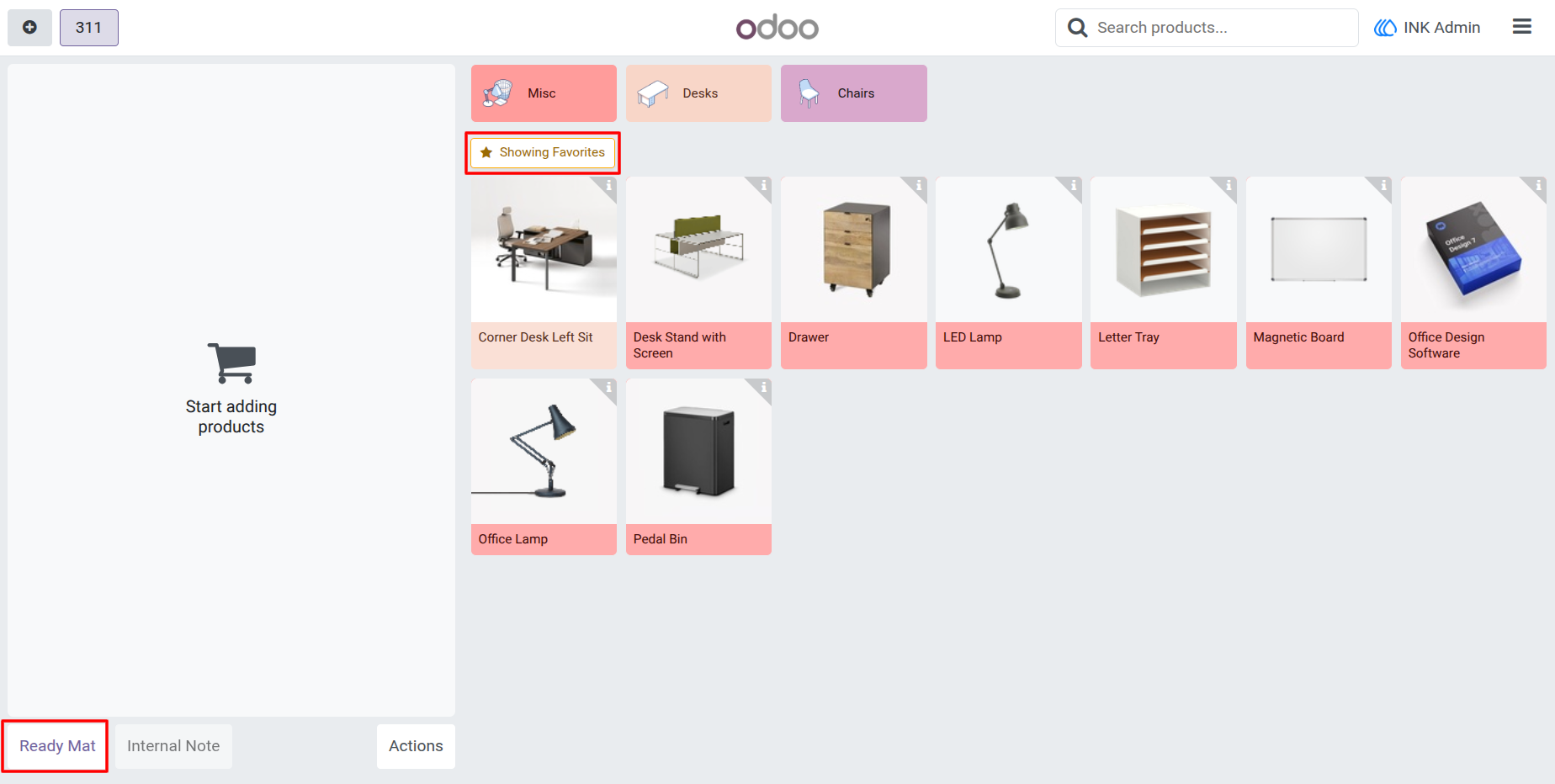
Once the favorites filter is toggled, the system instantly hides the standard catalog and isolates only the active customer preferred products, allowing for rapid up-selling and lightning-fast checkouts
User Guide