

EXCLUSIVE CUSTOMER BENEFITS
FREE INSTALLATION
& 90 DAYS FREE SUPPORT!
No worries about installation! This module comes with free installation assistance and 90 days of free support, helping you get started smoothly and confidently.
✦ COMPLIMENTARY INSTALLATION & SUPPORT ✦
MORE VALUE • LESS HASSLE • A BETTER START
Our Most Suggested Products


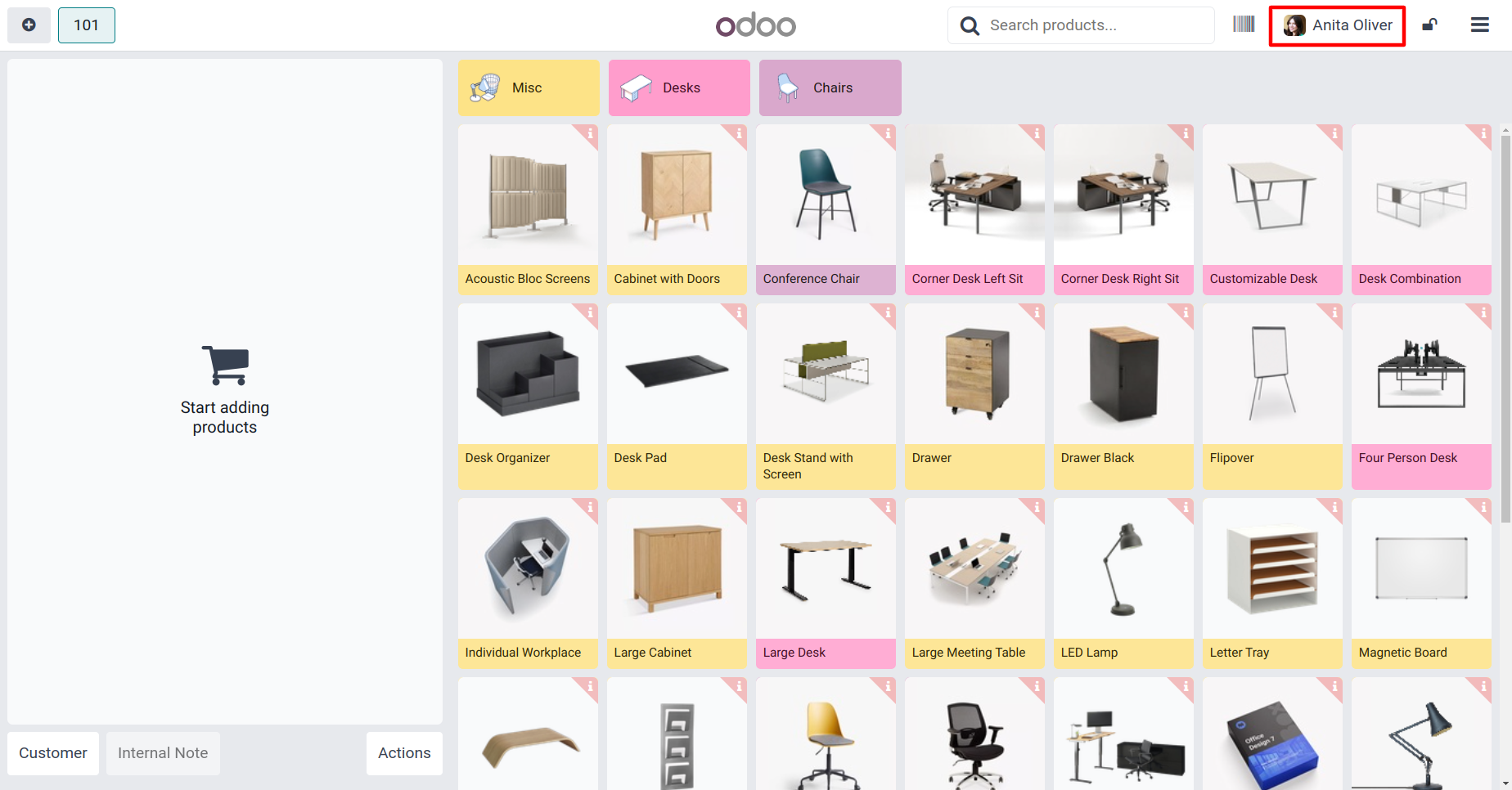
Cashier Image in Point of Sale
This app will show cashier image in POS screen. So that staff member can easily identify who is working on this session right now.
Video Tutorial
 Features
 Screenshots
 Support
 Service
Features
Visual Cashier Identification
This module displays the cashier profile image directly on the POS interface-including during session operations and cashier-change popups-ensuring clear, real-time identification of the active staff member.
Integrated into Multiple POS Views
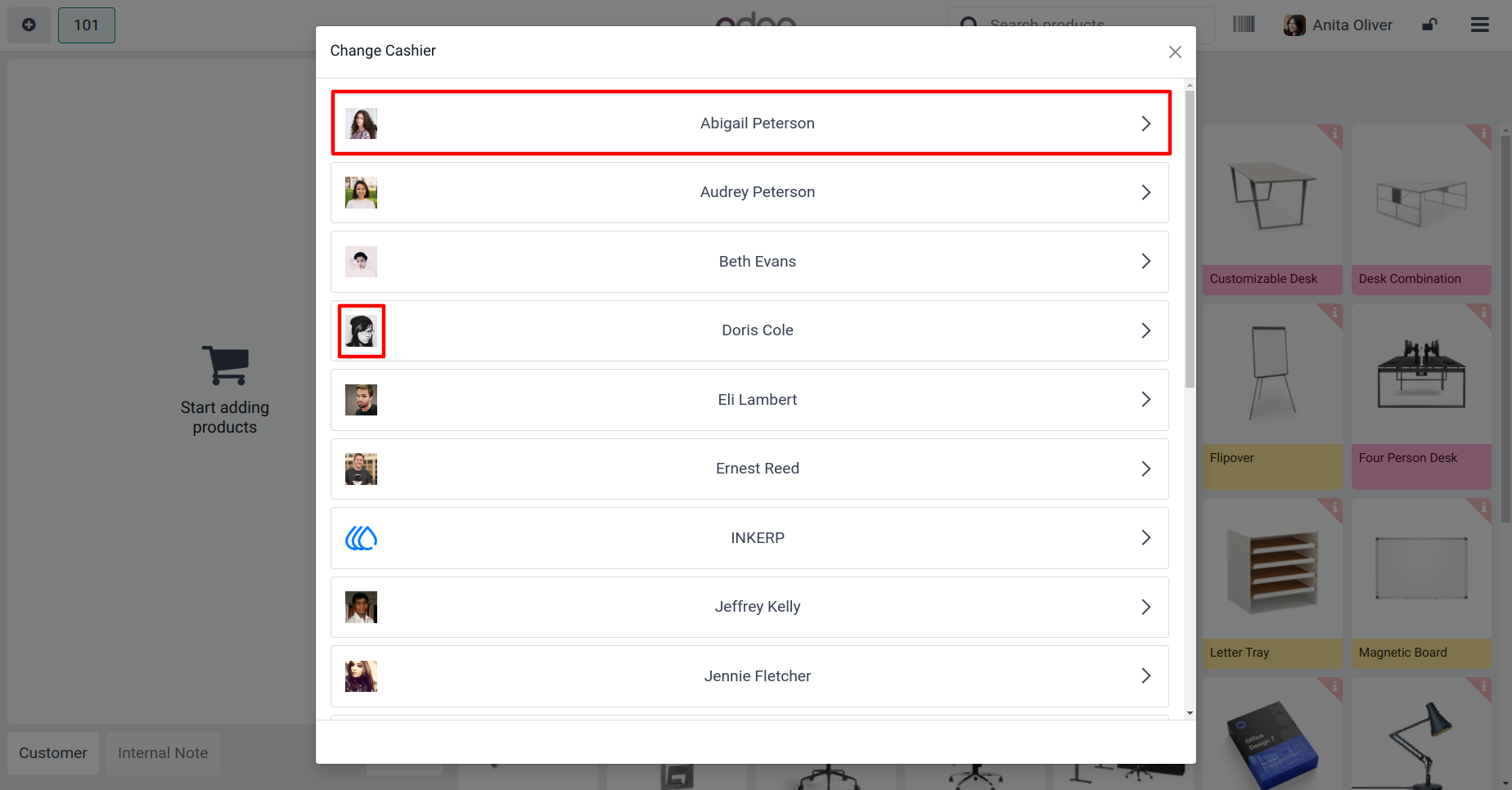
The cashier image appears not only during the active POS session but also in the Change Cashier popup and selection interfaces. This consistent placement ensures staff members and supervisors always know who is running the checkout-whether at session startup, during handoff, or mid-shift.
Screenshot
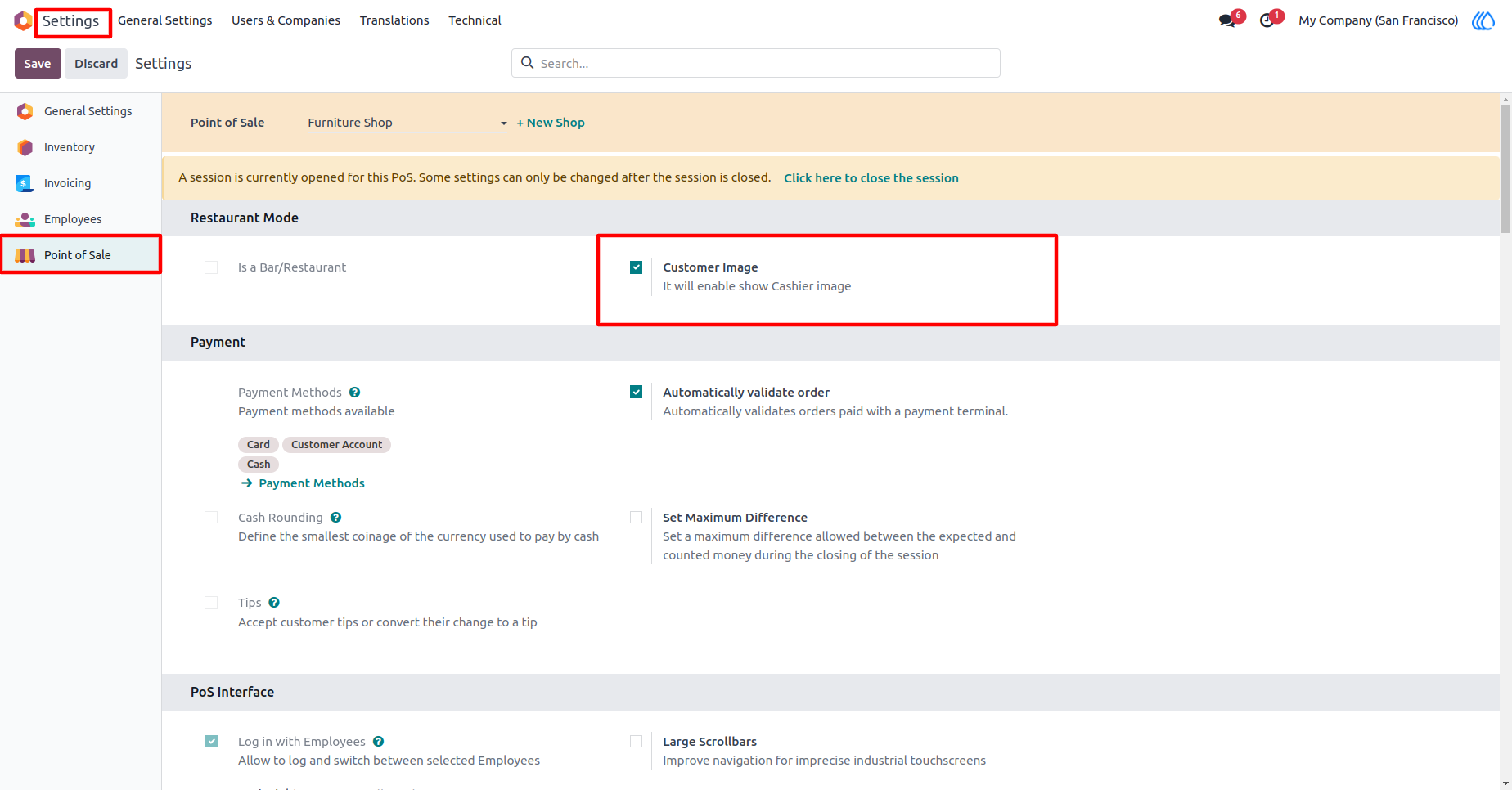
1.) Cashier Image Configuration
Enable to Cashier image Configuration in Setting.
Navigation : Setting › Point of Sale › Allow Cashier Image
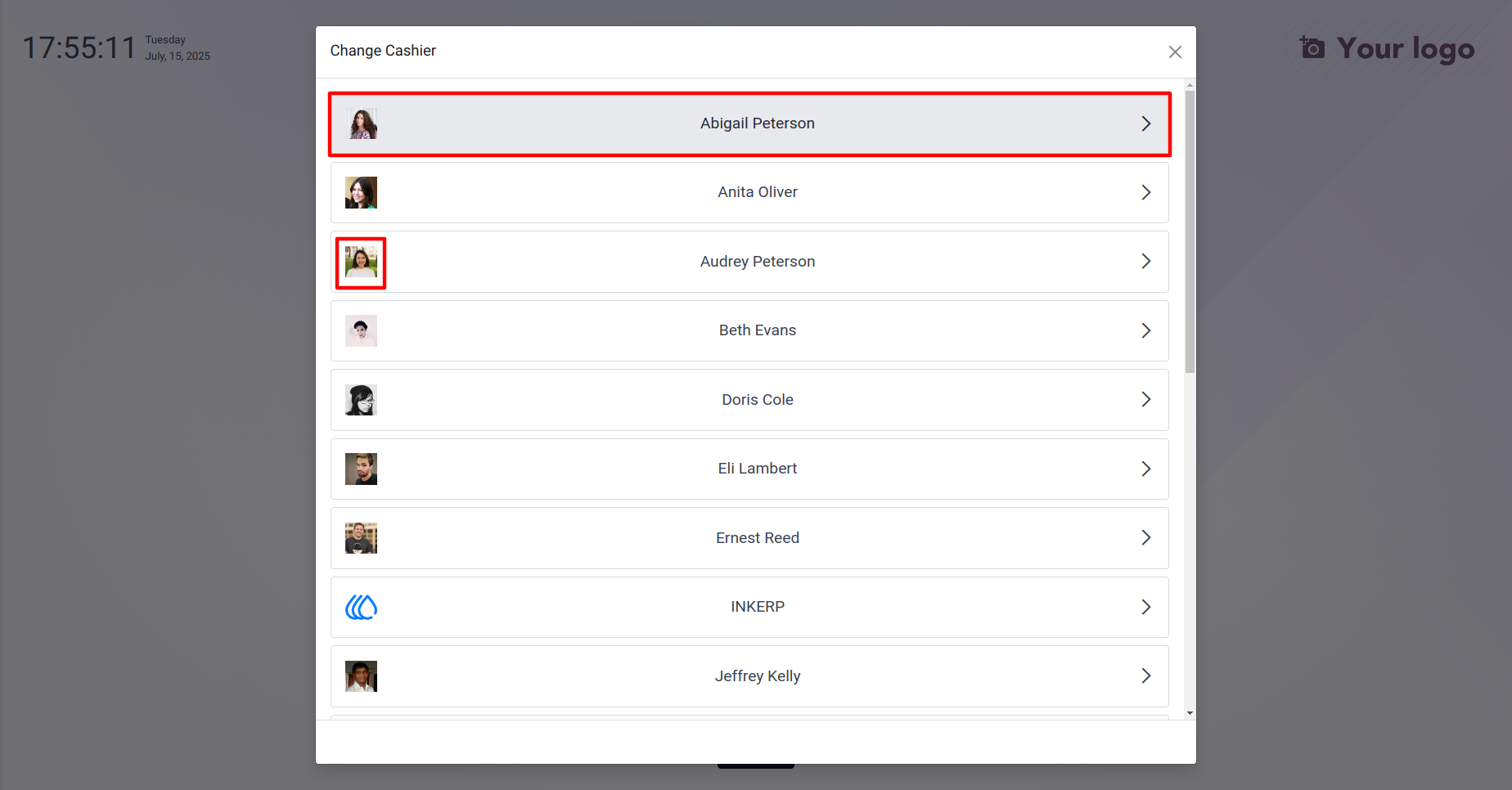
2.) Cashier Image
Show Cashier Image in Cashier selection Popup in.
3.) Cashier Image in the POS.
Show Cashier image in POS Shop.
4.) Cashier Image in Change Cashier popup.
Show Cashier image in Change Cashier Popup.
User Guide