

Our Most Suggested Products


POS Branch Management
POS Branch Management is a powerful and user-friendly extension for Odoo Point of Sale that enables businesses with multiple branches to maintain full control over POS data visibility and access by assigning branches to users and automatically restricting POS configurations, sessions, orders, and payments to their authorized branches only, ensuring enhanced data security, operational clarity, and efficient branch-wise management within a single Odoo environment.
 Features
 Screenshots
 Support
 Service
Features
Branch-Wise POS Access Control
This feature allows administrators to assign specific branches to POS users and automatically restrict their access based on those assignments. Users can only view and operate POS records that belong to their permitted branches, preventing unauthorized data access.
Secure Visibility for POS Operations
POS Branch Management enforces branch-based visibility across all major POS records, including POS Configurations, Sessions, Orders, and Payments. By applying smart record rules, the system ensures that each user interacts only with relevant branch data.
Screenshot
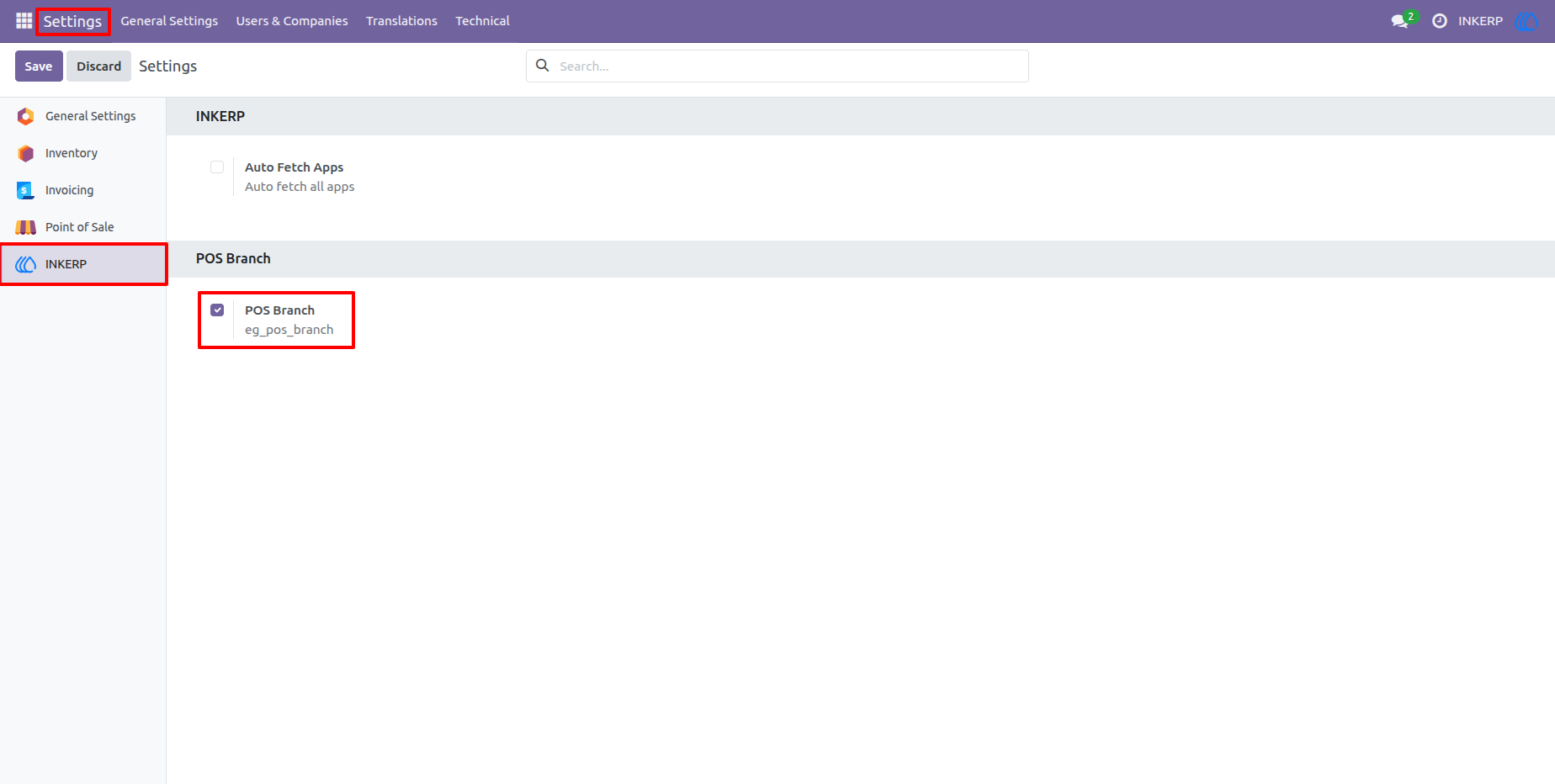
1.) Enable POS Branch
Navigate to the main settings and enable the POS Branch feature. This activates the foundational multi-branch architecture across your Odoo database.
2.) Define and Manage Company Branches
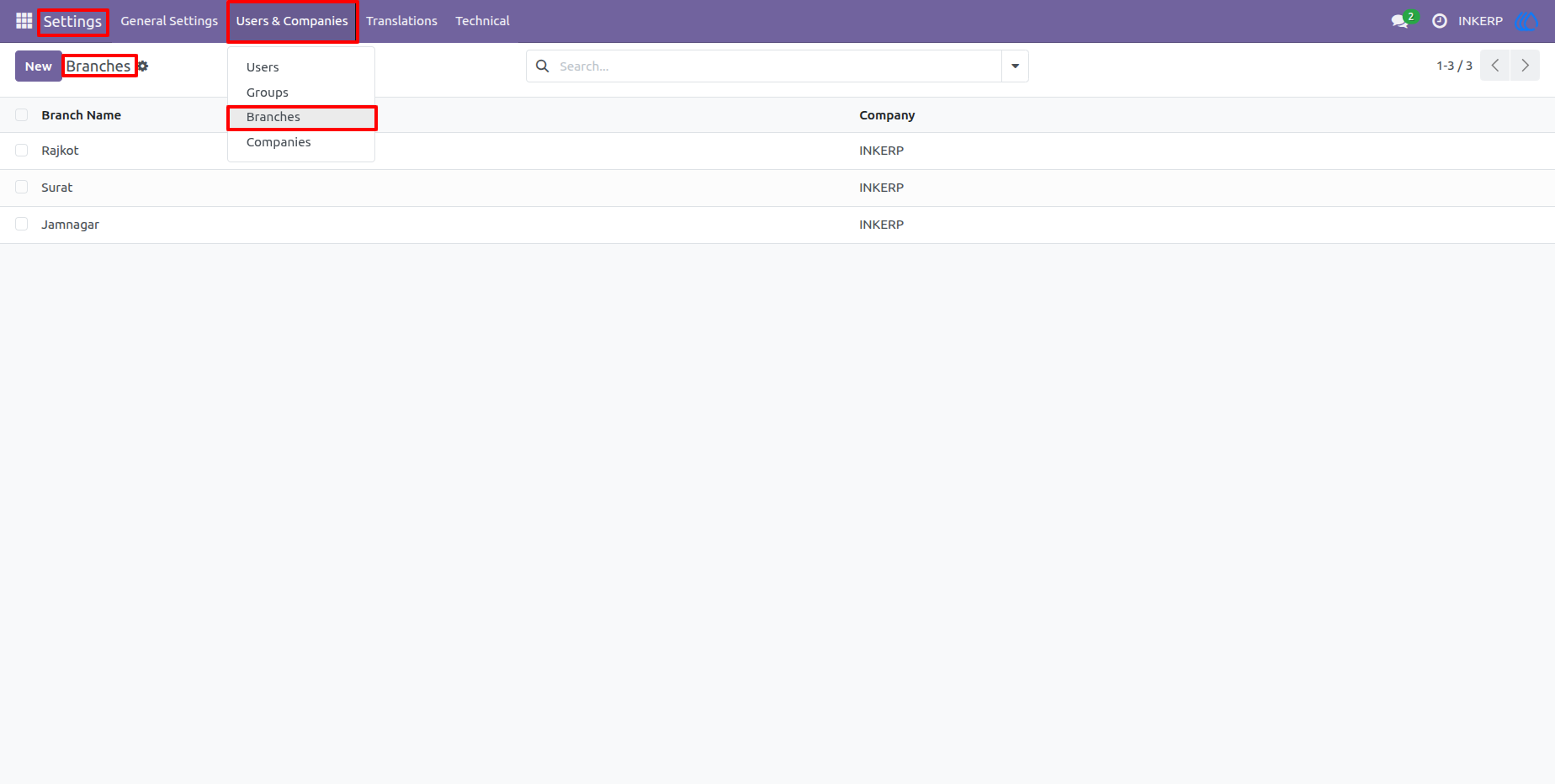
Go to Settings → Users & Companies → Branches to create, view, and manage all your physical store locations and link them to the parent company.
Navigation : Settings › Users & Companies › Branches
3.) Configure User Branch Access Rights
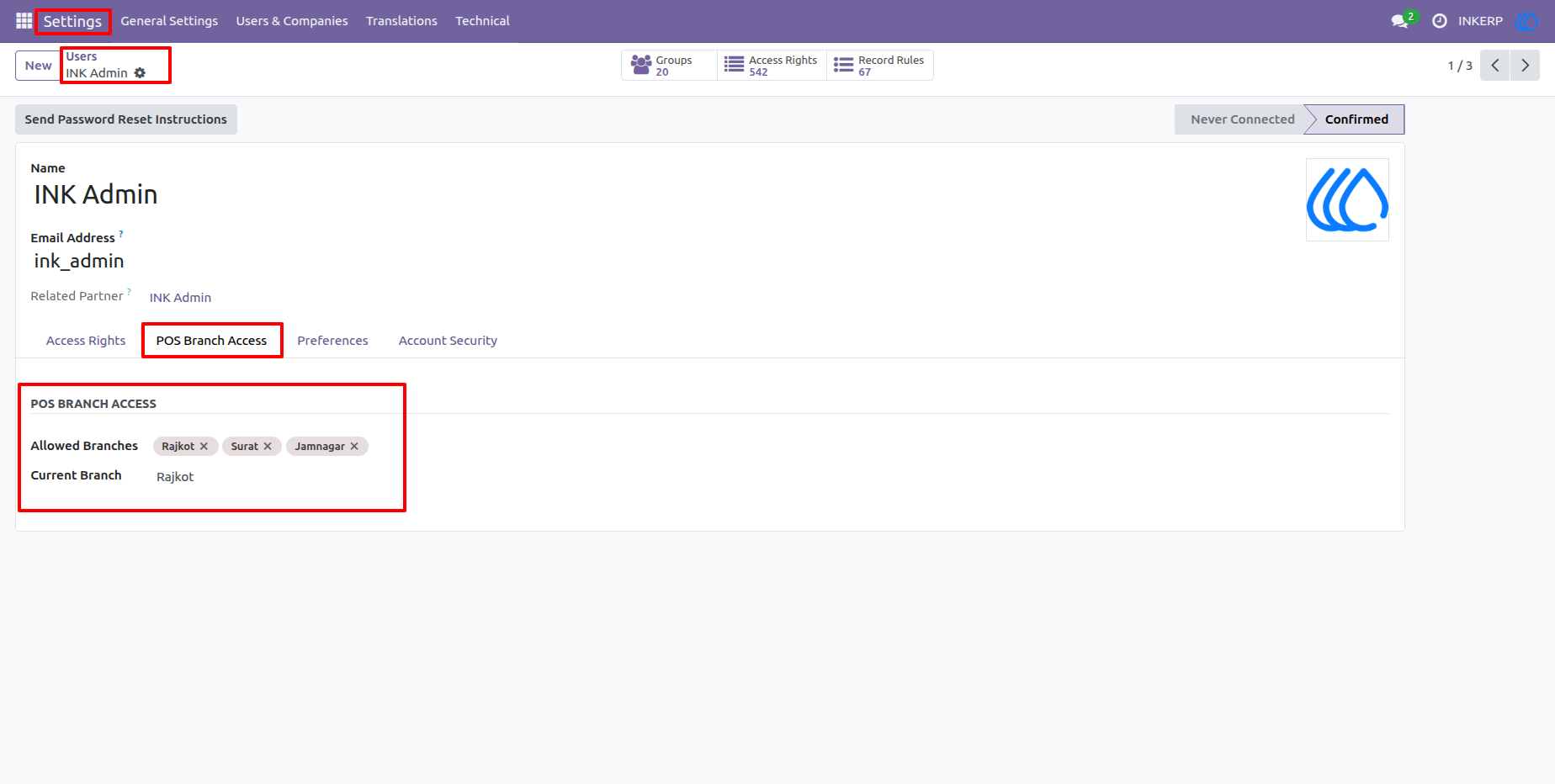
In the user profile, a new POS Branch Access tab allows administrators to specify which branches a user is allowed to operate in, as well as set their default current branch.
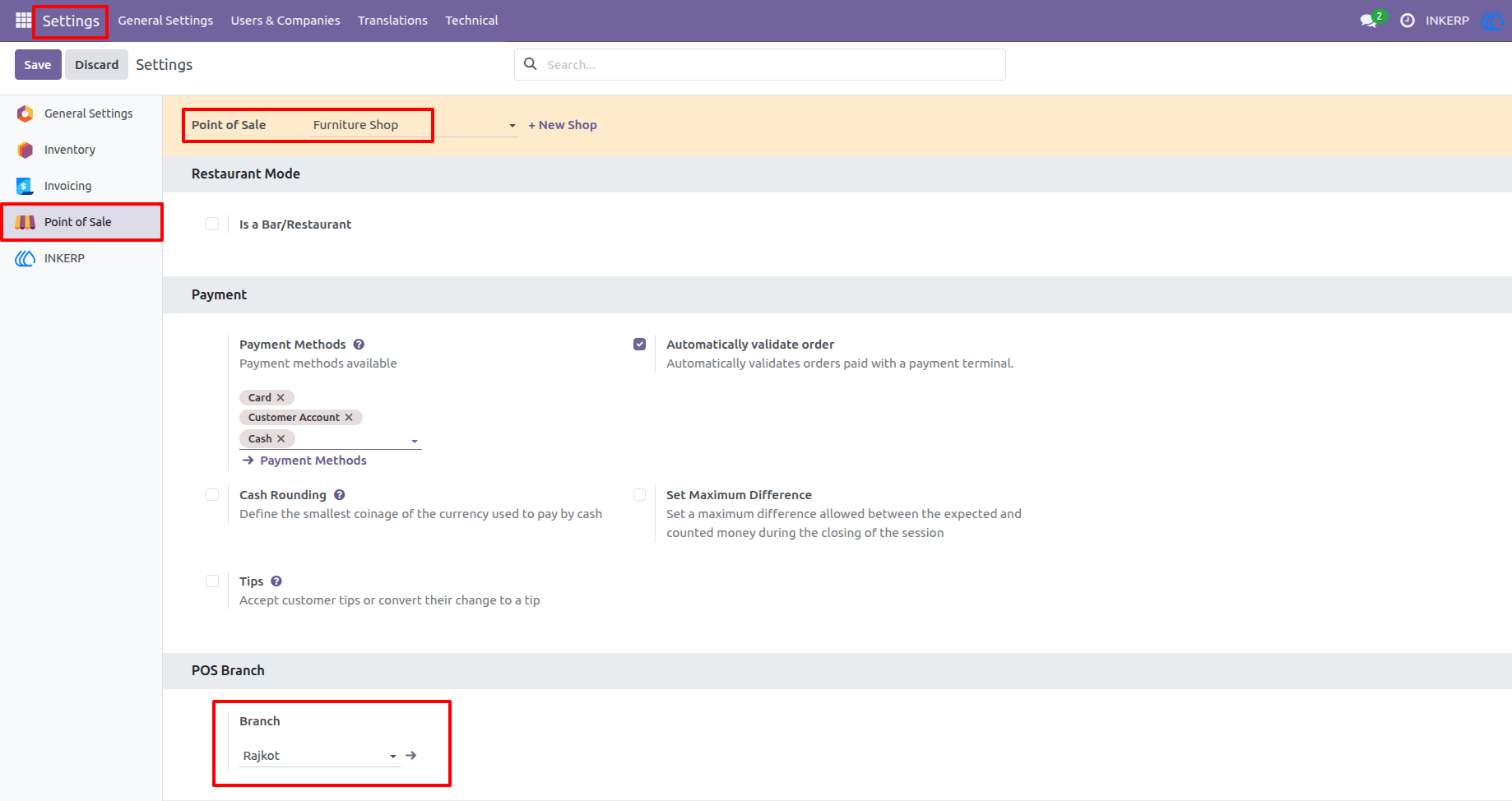
4.) Link Branches to POS Config/Shop
Within the Point of Sale configuration settings, easily assign a specific branch to an individual POS Config/Shop. This ensures all operations from this terminal are correctly segregated.
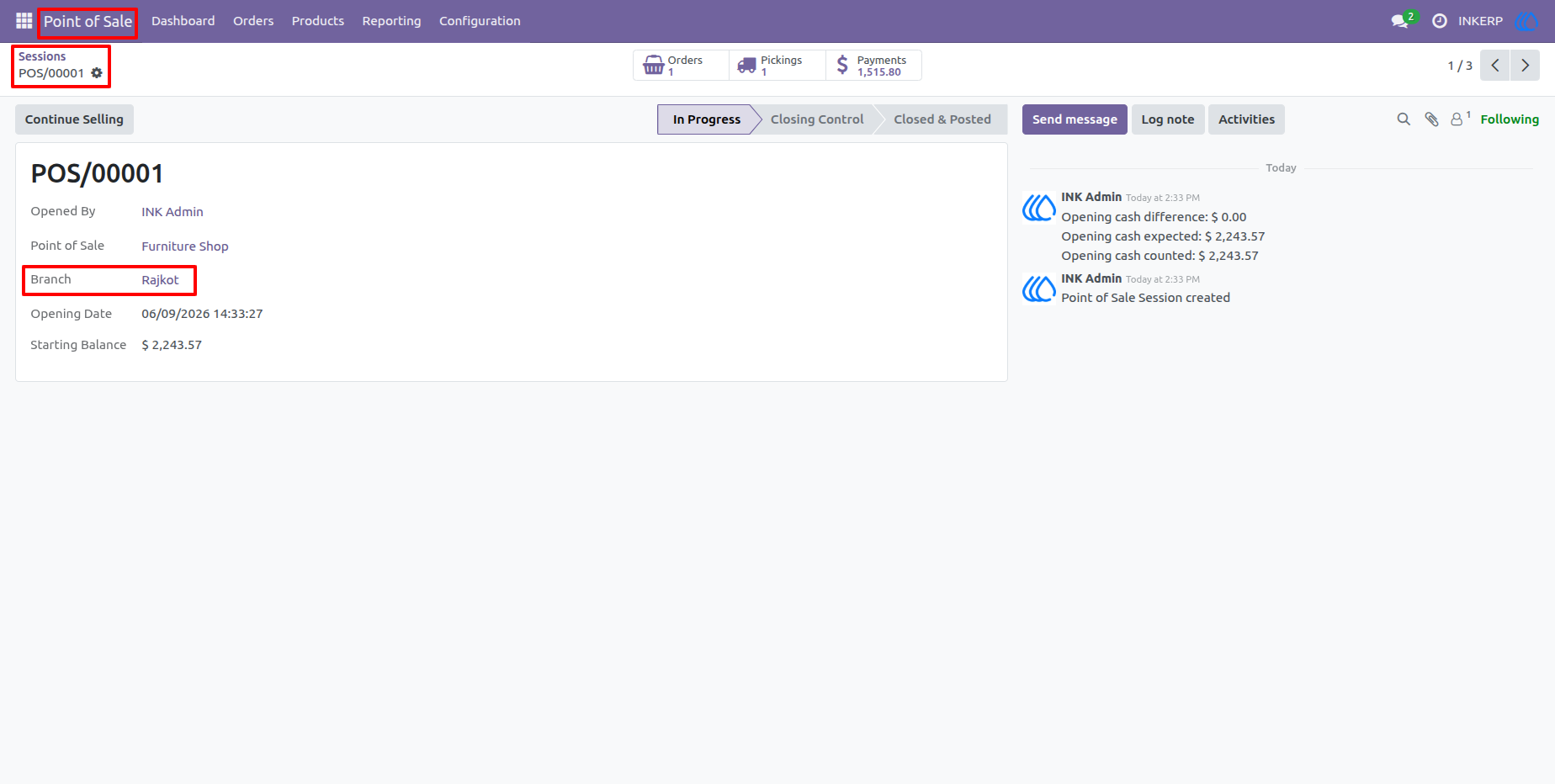
5.) Branch Tracking on POS Sessions
When a POS session is opened or closed, the system automatically tags and displays the active branch on the session record, allowing managers to monitor cash control by location.
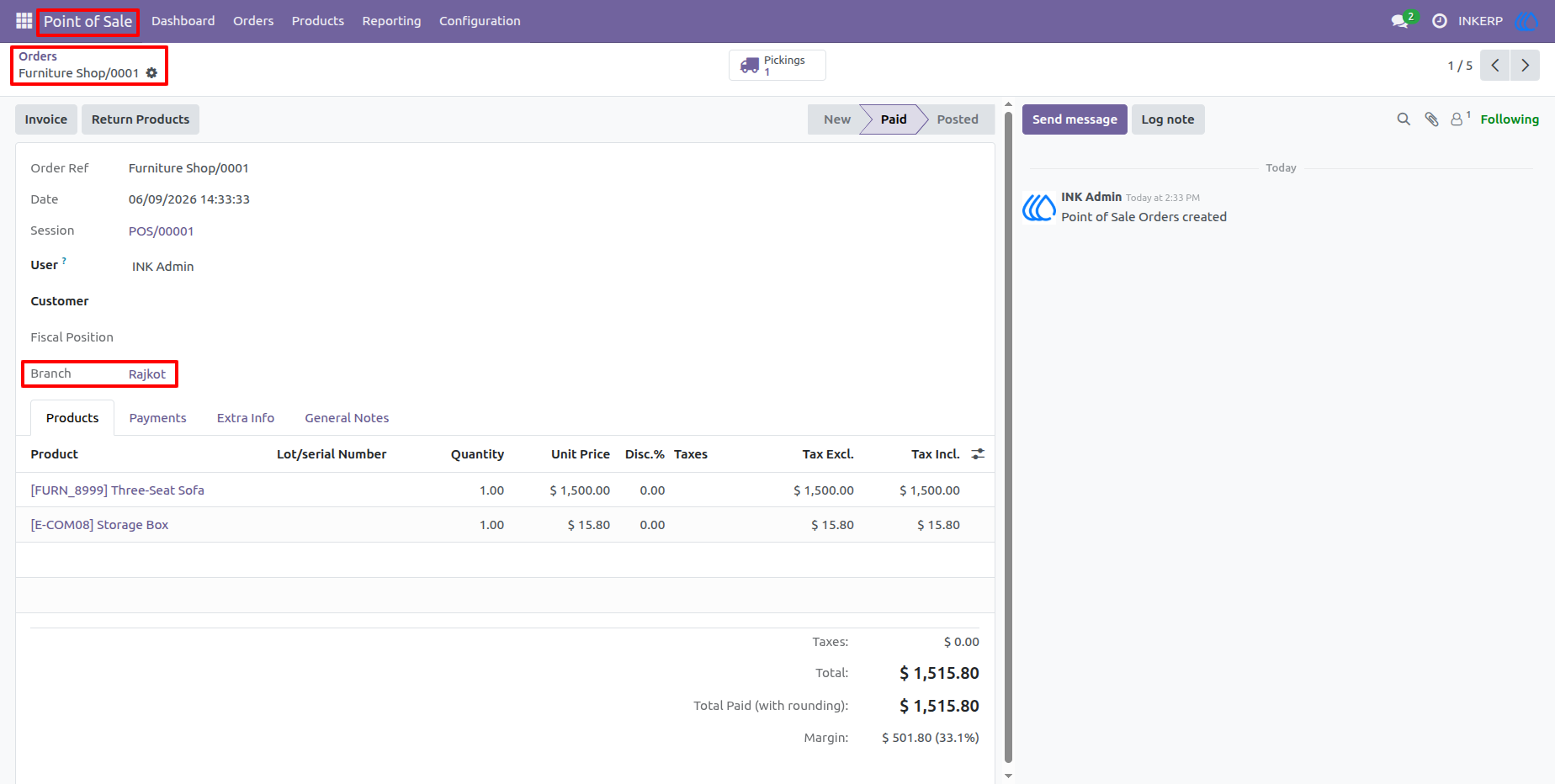
6.) Branch Attribution on POS Orders
Every order generated from the Point of Sale automatically inherits the assigned branch. This enables detailed, location-specific sales tracking in the backend.
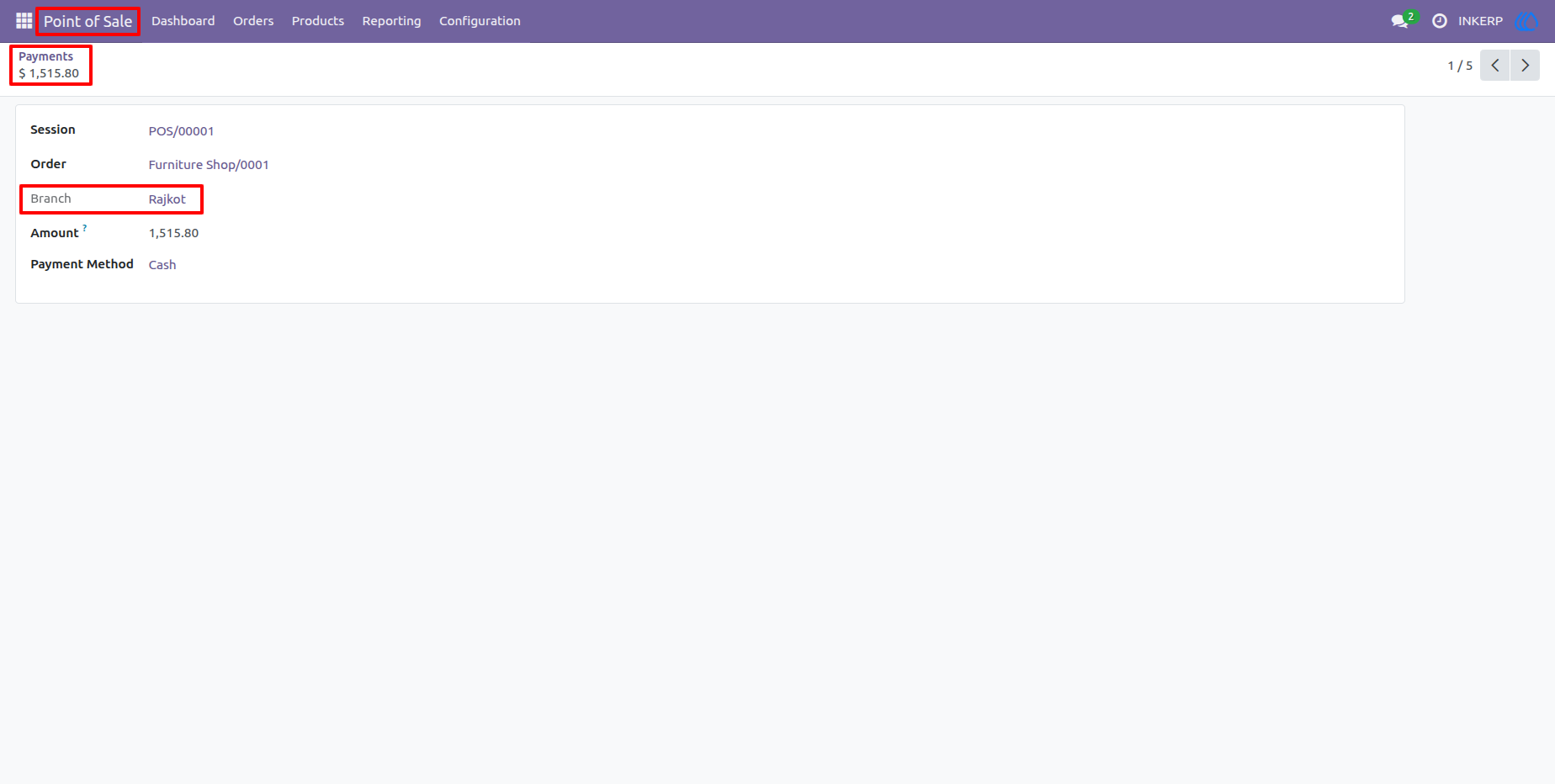
7.) Branch Attribution on POS Payments
Just like orders, all individual POS payment lines are securely tagged with the corresponding branch, ensuring accurate financial reconciliation per store location.
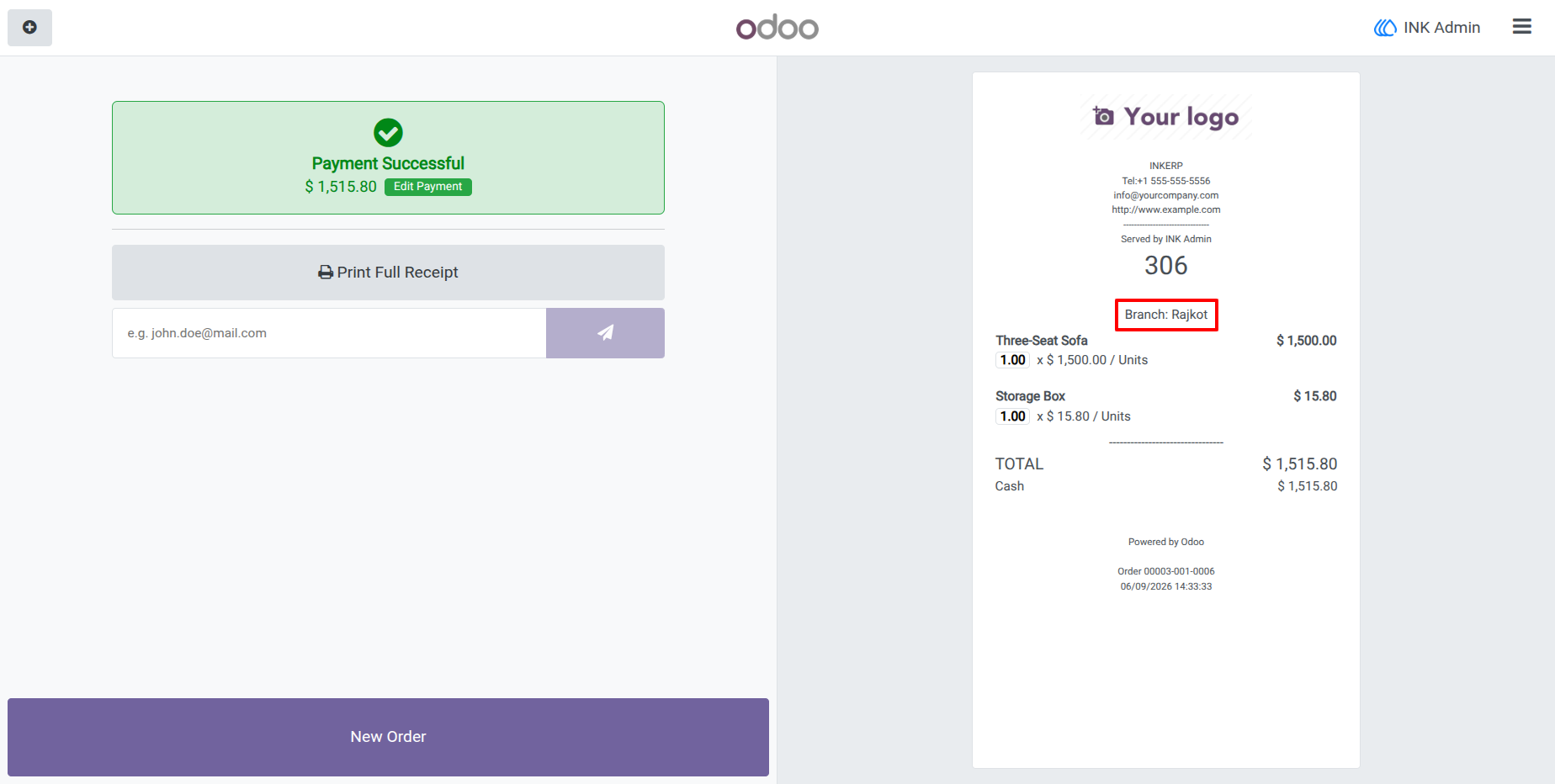
8.) Branch Details on Customer Receipts
The customized POS frontend dynamically fetches the active branch configuration and prints the branch name directly onto the final customer receipt
User Guide