

Our Most Suggested Products


Return Valid Days for Point of Sale
Enhance customer clarity and reduce return disputes with automatic return validity display on POS Orderline and Receipts.
 Features
 Screenshots
 Support
 Service
Features
Return Validity Display Per Order Line
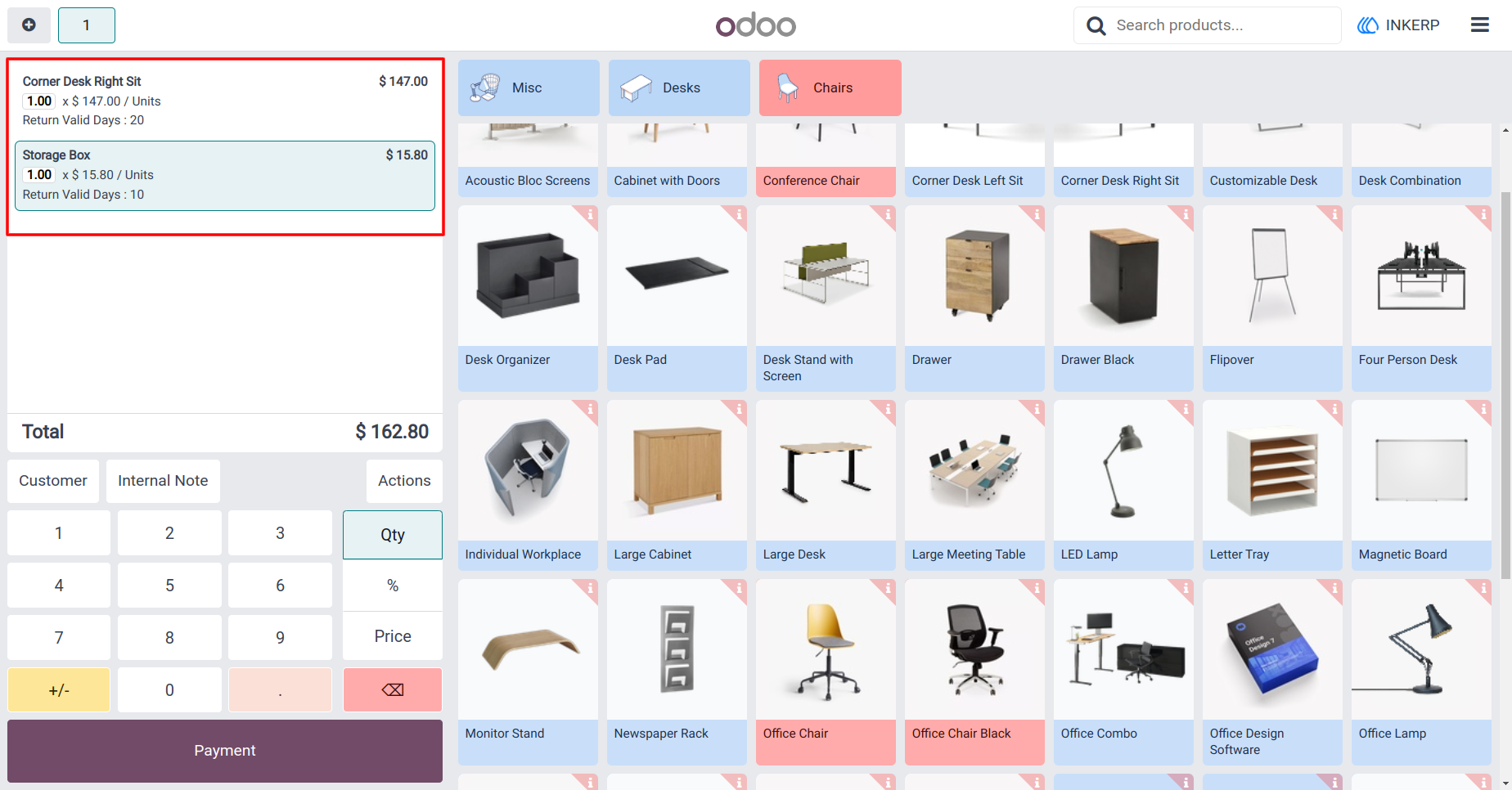
Each line item in a POS transaction shows the number of days within which it can be returned. This is automatically calculated based on the configured return policy and shown directly in the same view where the item was sold. With this, cashiers can immediately see whether a product qualifies for return, improving transparency during checkout.
Adaptive to Different Return Policies
You can configure how many days a product can be returned in the backend, and the module applies the setting uniformly across the POS interface. Whether your policy is a 7-day return, 30-day window, the POS reflects that correctly and consistently across all the order lines.
Screenshot
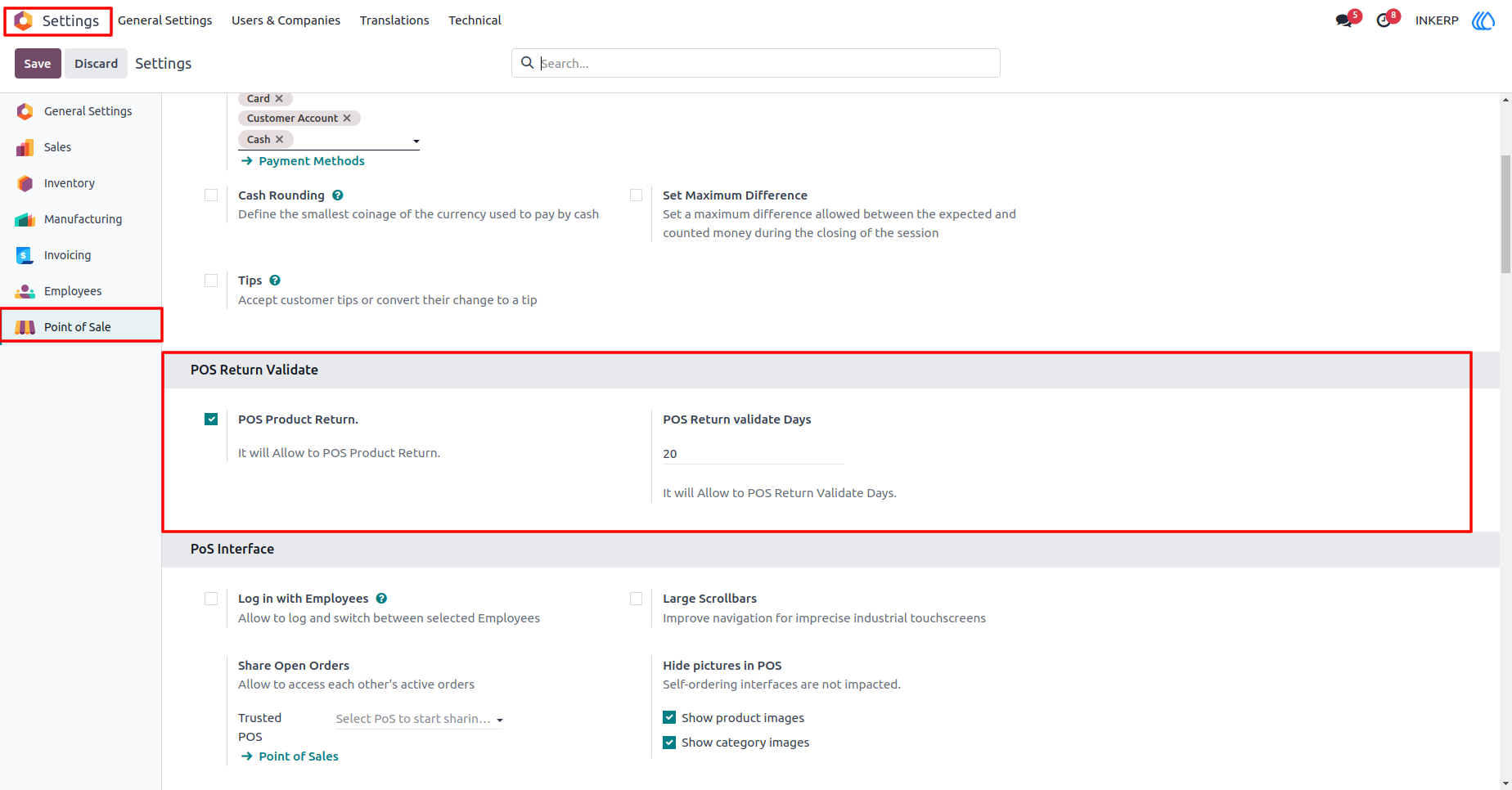
1.) POS Return Valid days Configuration
POS Return Valid days in Setting, set Global Return Days For Product
Navigation : Setting › Point of Sale › POS Return Validate
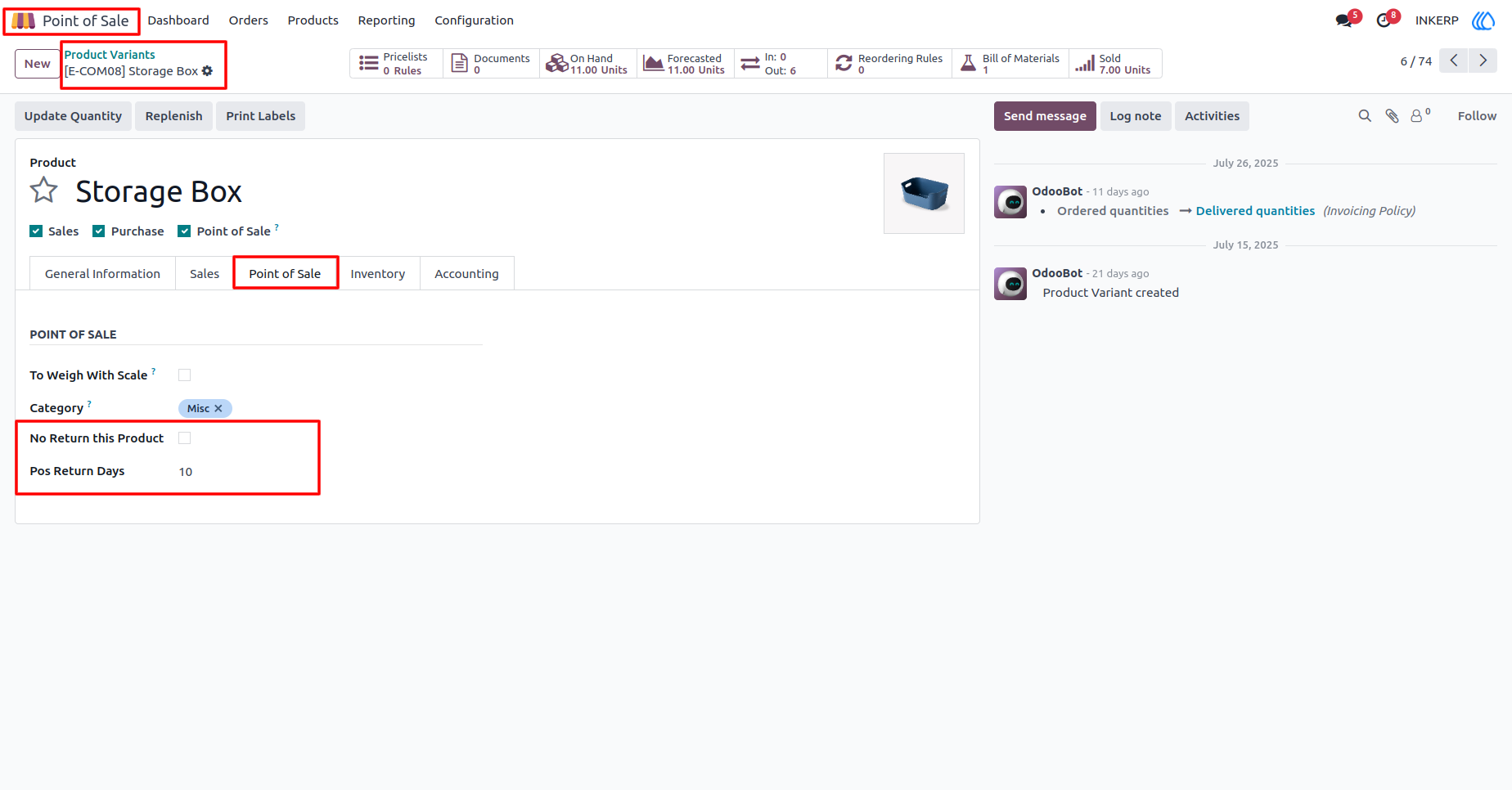
2.) Return Days For Specific Product
Set Return Days For Specific Product,if You Want to
Navigation : Point of Sale › Product Variants › Product
3.) Return Days On Orderline
Show Return Days in POS Orderlne
Navigation : Point of Sale › Shop
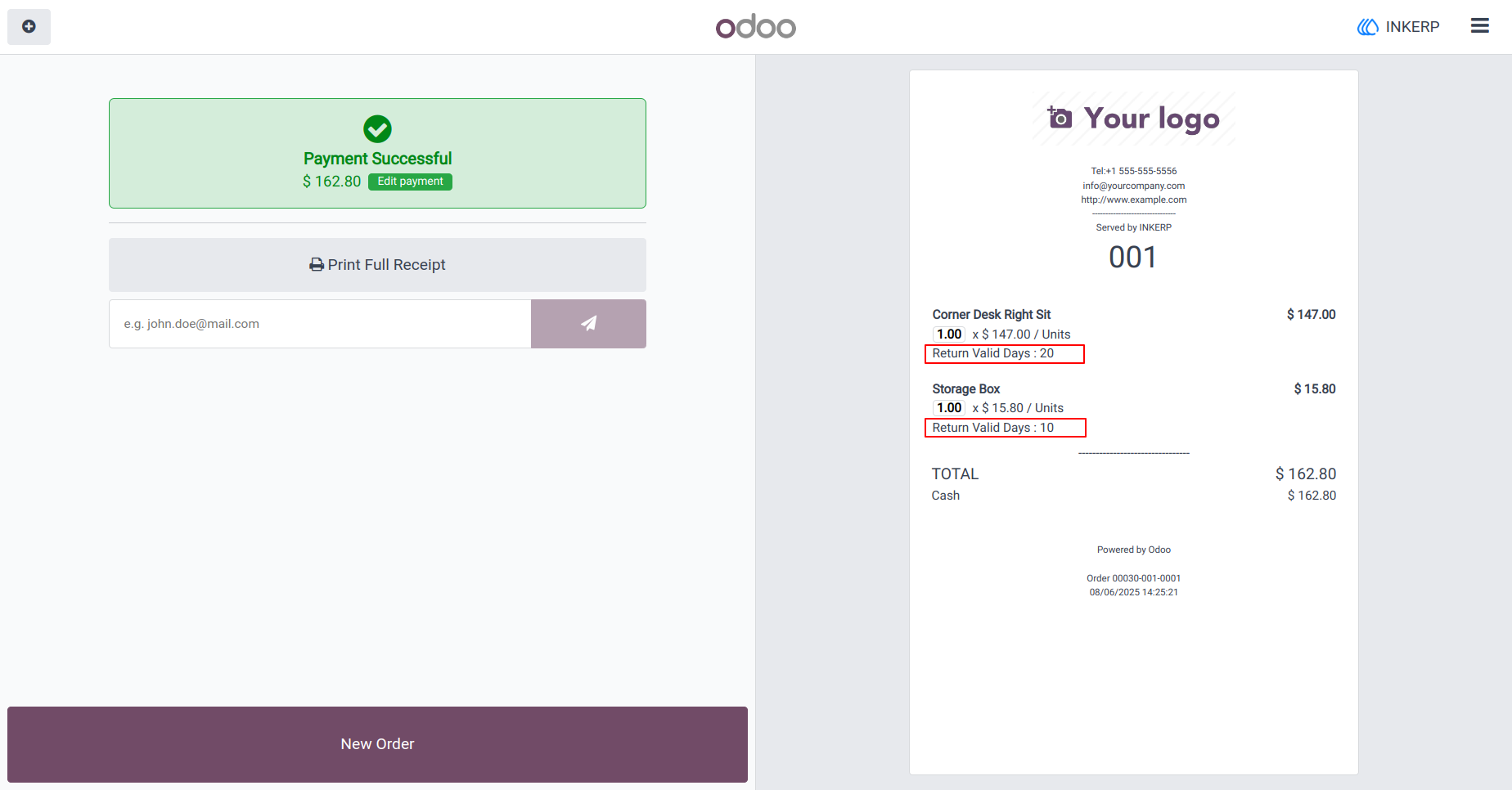
4.) Return Days On Receipt
Print Return Days in POS Receipt
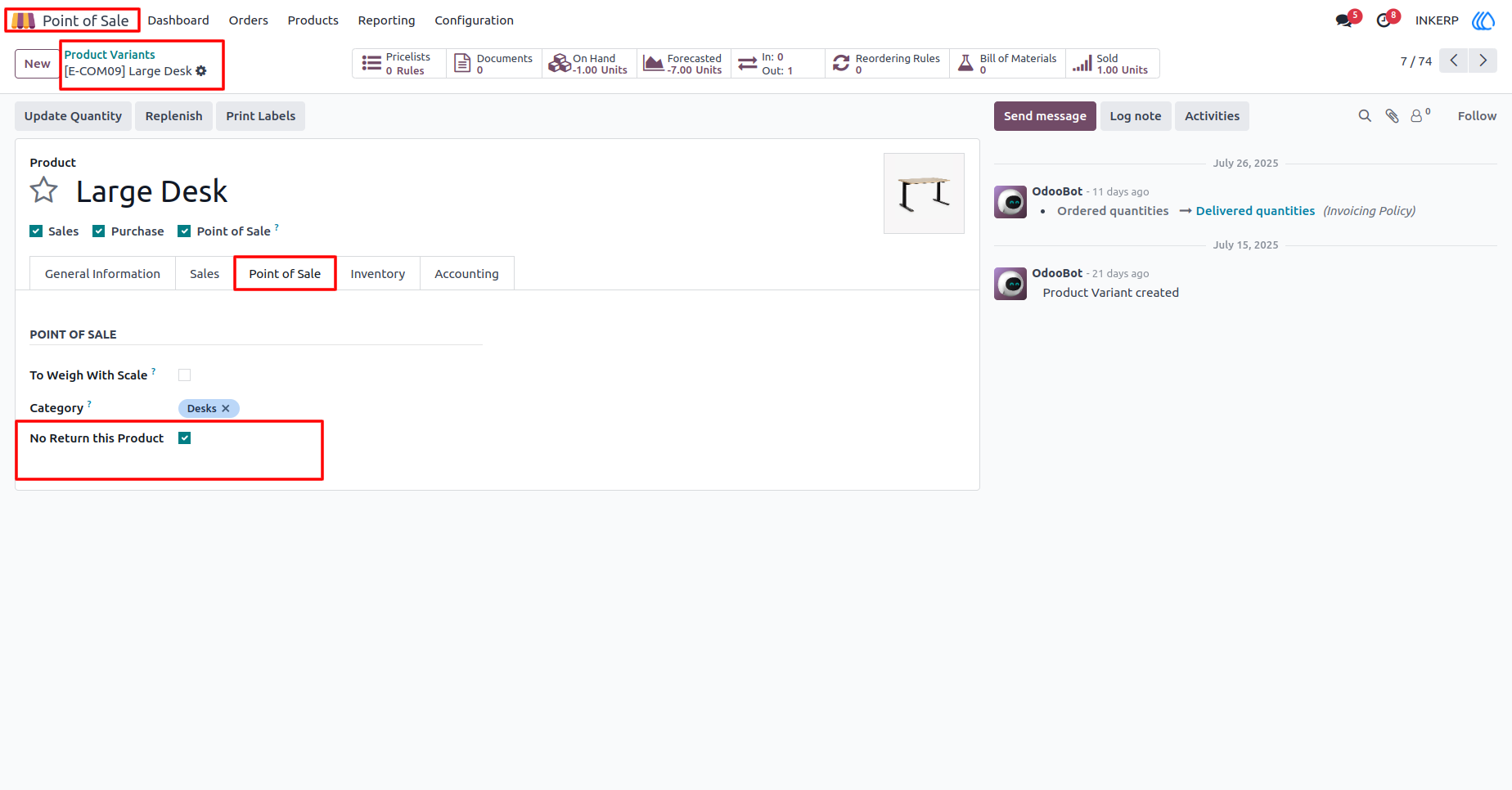
5.) Non Returnable Product
If You wont to Product has no Return than tick on No Return This Product
Navigation : Point of Sale › Product Variants › Product
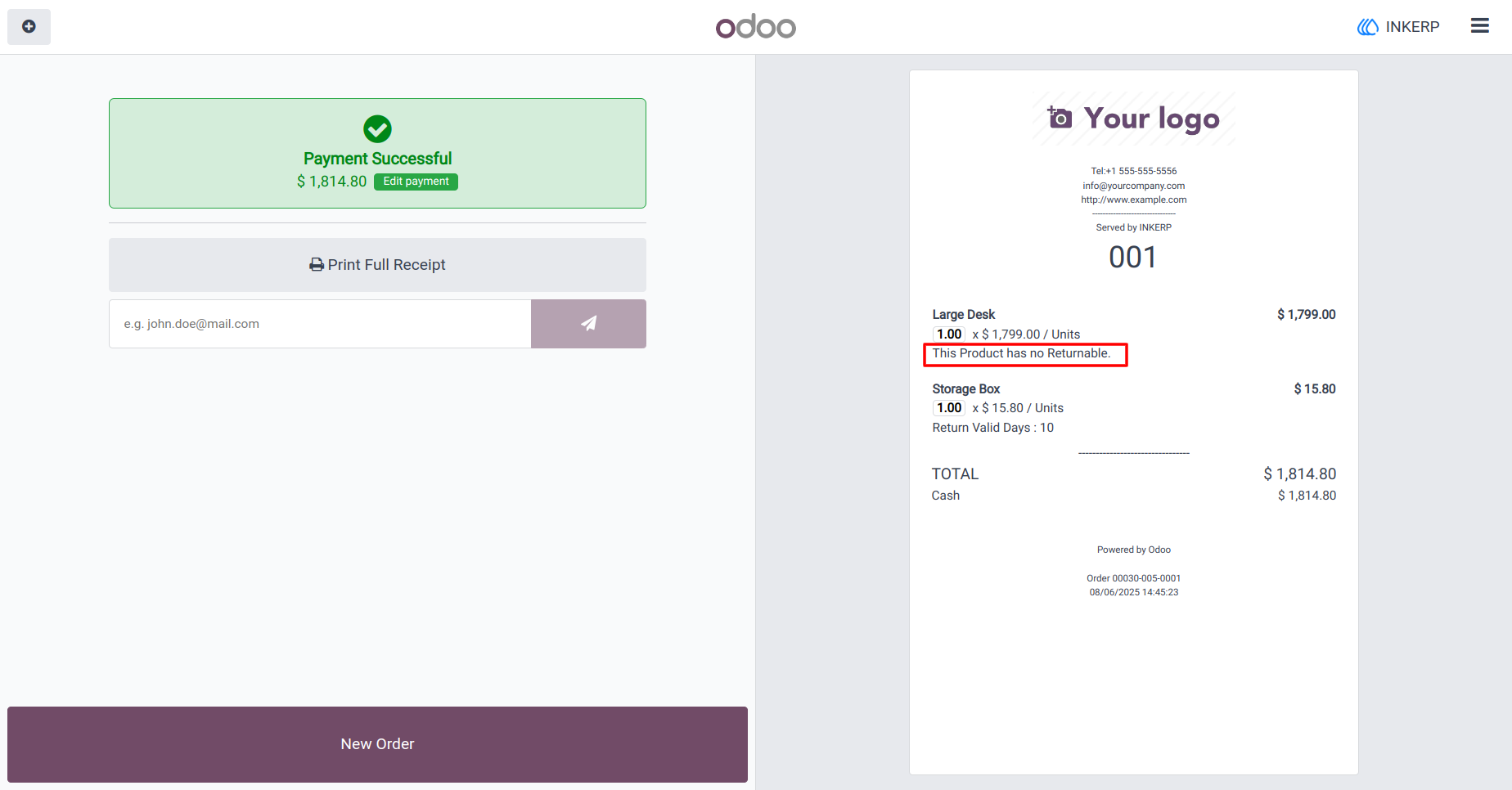
6.) Non Return Product Print On Receipt
Non Return Product Print On Receipt to 'this product is not returnable'
User Guide