

Our Most Suggested Products


Limit Product Sales in POS
Odoo Point of Sale product sales limits prevent overselling and manage product scarcity by letting you set maximum purchase quantities per customer, directly within your POS system.
Video Tutorial

 Features
 Screenshots
 Support
 Service
Features
Enable/Disable Sales Limit via POS Settings
Activate or deactivate the quantity limit functionality easily within the POS configuration menu. This allows administrators to roll out or suspend the feature on the fly without technical intervention.
Set Maximum Quantity Per Product in POS
Define a specific maximum sales quantity for each product directly from the product form under POS settings. This ensures that no customer can purchase more than the allowed quantity in a single transaction. Ideal for controlling stock movement and preventing hoarding or bulk-buying.
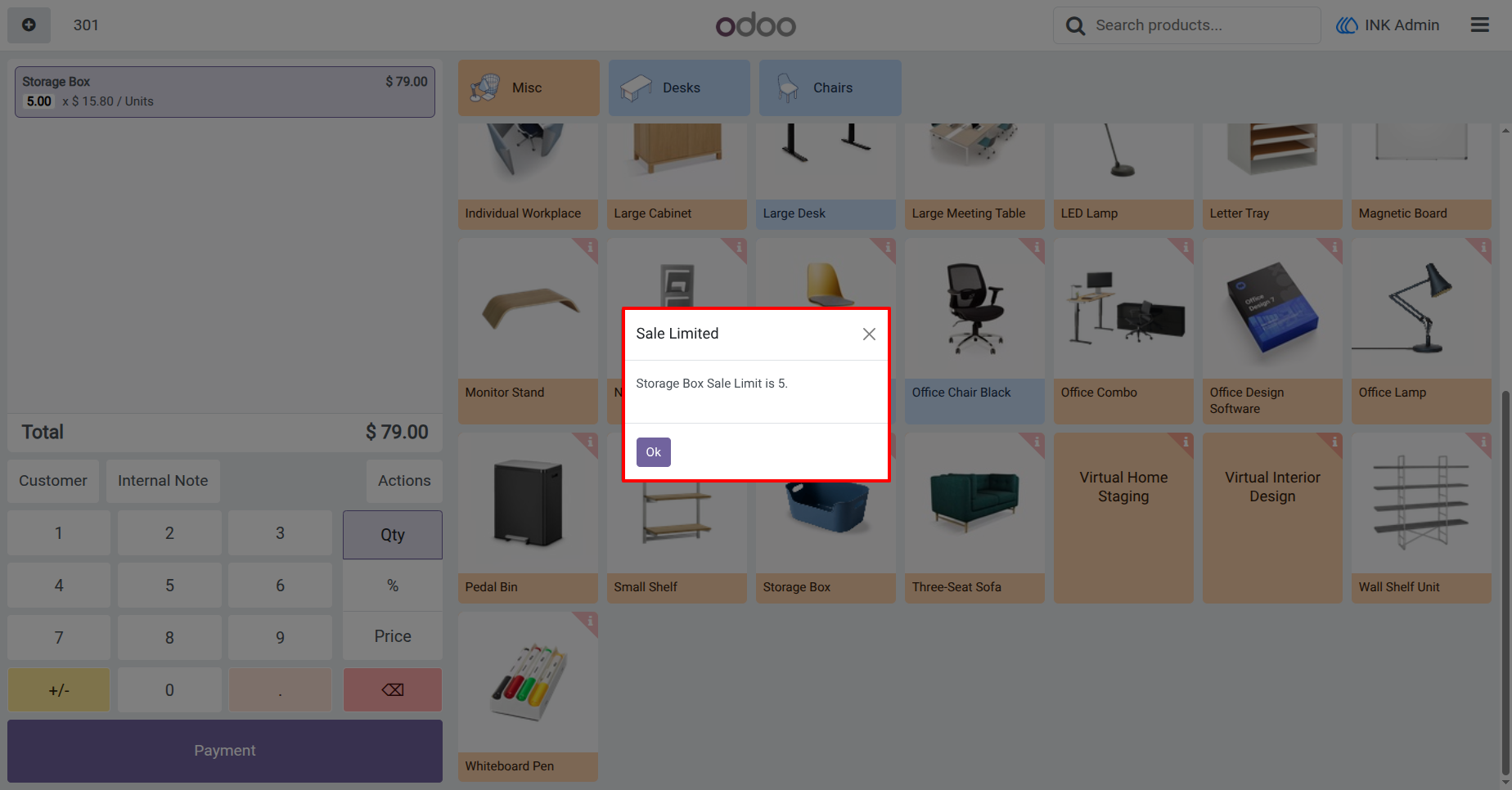
Clear Warning Popup Upon Limit Exceedance
The system displays an immediate, easy-to-understand alert when the quantity limit is breached. This ensures staff are promptly informed of the issue, avoiding confusion or processing errors. It helps maintain smooth operations while enforcing policy consistently.
Screenshot
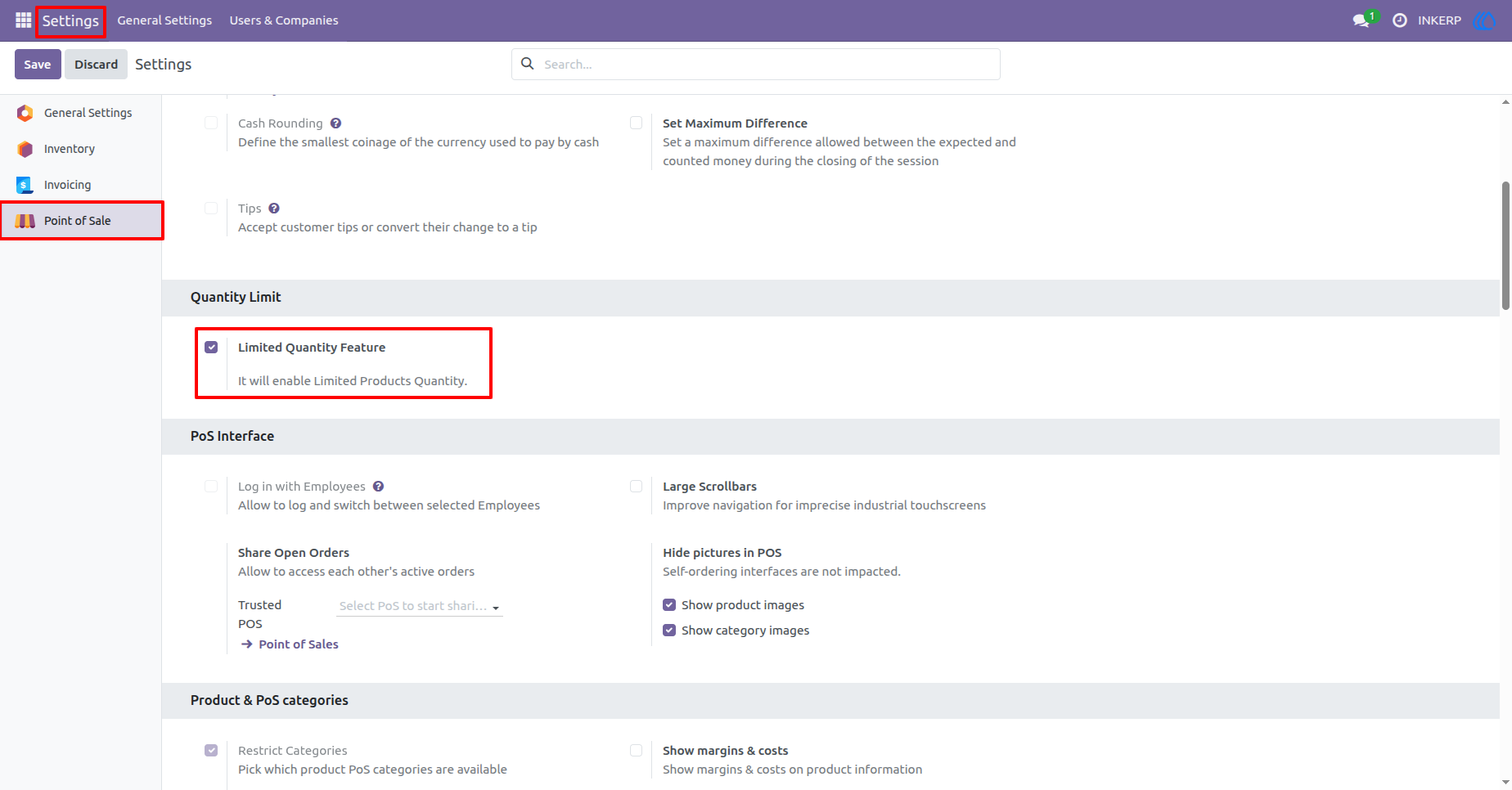
1.) Configuration of Product Quantity Limit
Allow Limited Quantity Features in Setting and add Limit of Product Quantity in POS Order
Navigation : Setting › Point of Sale › Quantity Limit
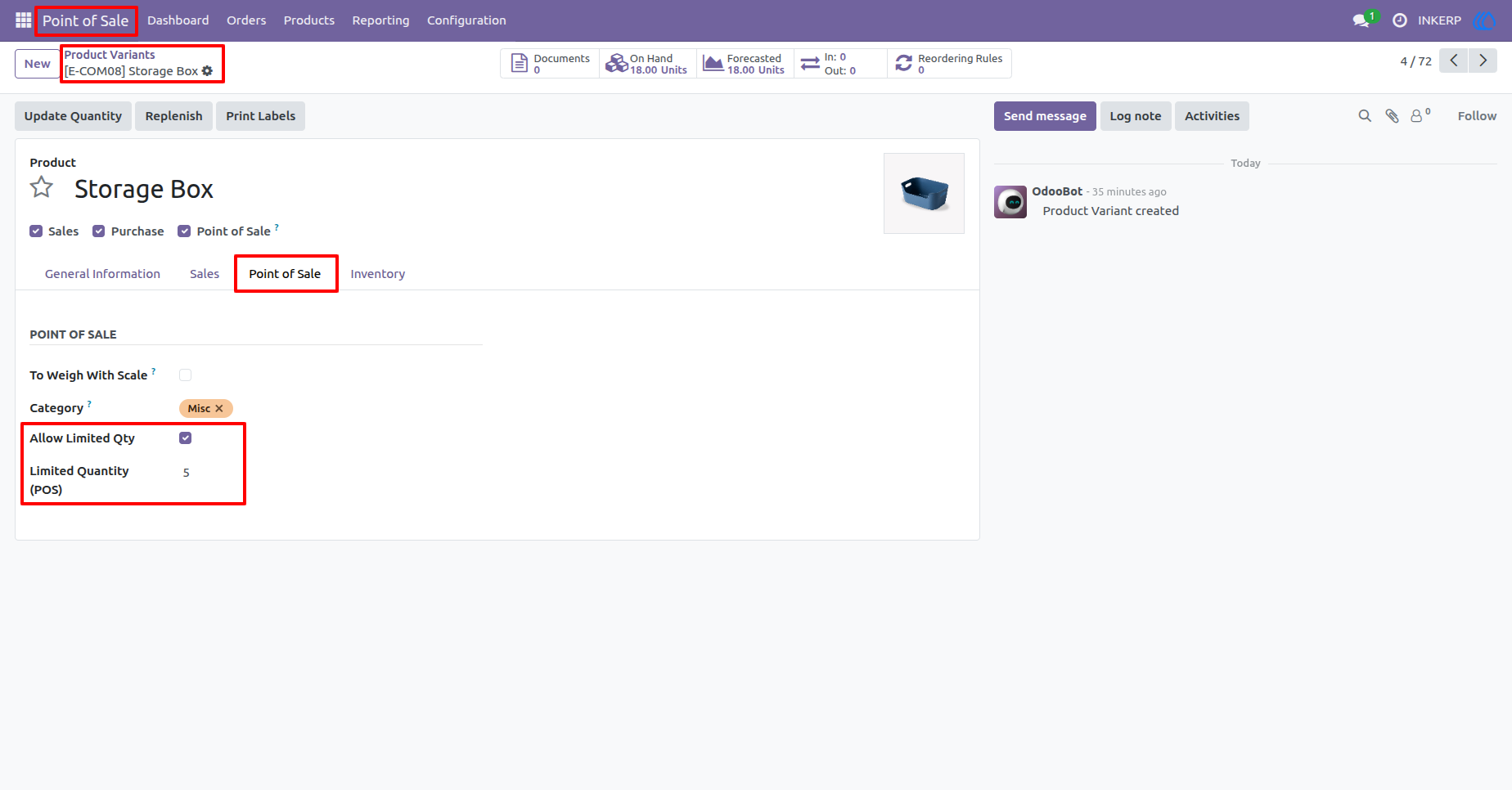
2.) Product in set Quantity Limit for POS
Allow Product Limited qty and set Quantity limit for POS
Navigation : Point of Sale › Product Variants › Product
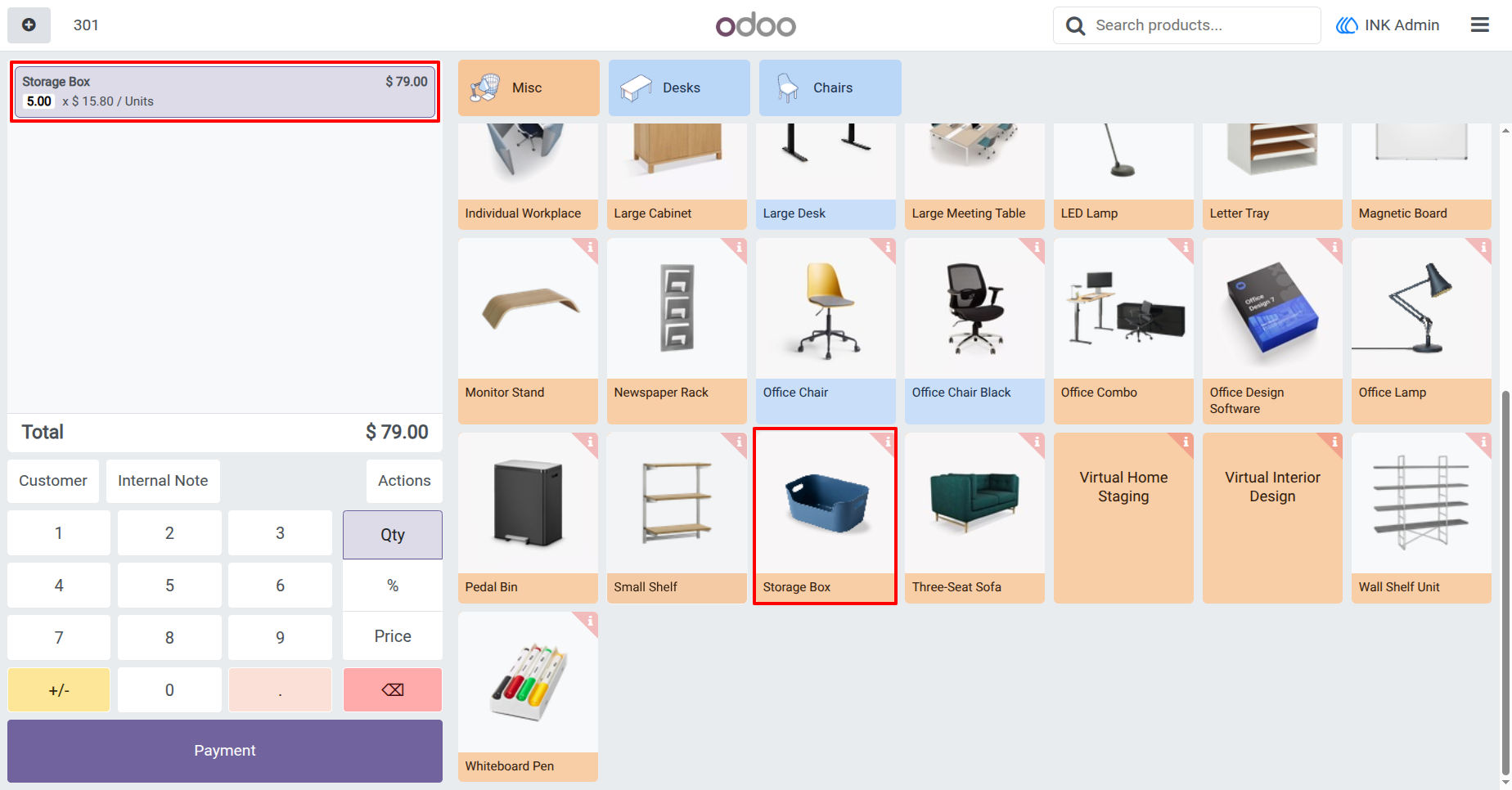
3.) Product in Point of Sale
Add Product in POS Order
4.) Warning of quantity Limit
When Product to add More than Limited Quantity than show Warning
User Guide