

EXCLUSIVE CUSTOMER BENEFITS
FREE INSTALLATION
& 90 DAYS FREE SUPPORT!
No worries about installation! This module comes with free installation assistance and 90 days of free support, helping you get started smoothly and confidently.
✦ COMPLIMENTARY INSTALLATION & SUPPORT ✦
MORE VALUE • LESS HASSLE • A BETTER START
Our Most Suggested Products


Purchase Receipt by Date
The Show Number of Days Sales Order Creation module enhances sales order visibility in Odoo by helping users quickly identify how many days have passed since a sales order or quotation was created.
 Features
 Screenshots
 Support
 Service

Features
Automatic Calculation of Order Age
This feature introduces a “Number of Days” field that automatically calculates the number of days since a sales order or quotation was created. It eliminates the need for manual date comparisons and provides instant visibility into order timelines.
Advanced Search by Number of Days
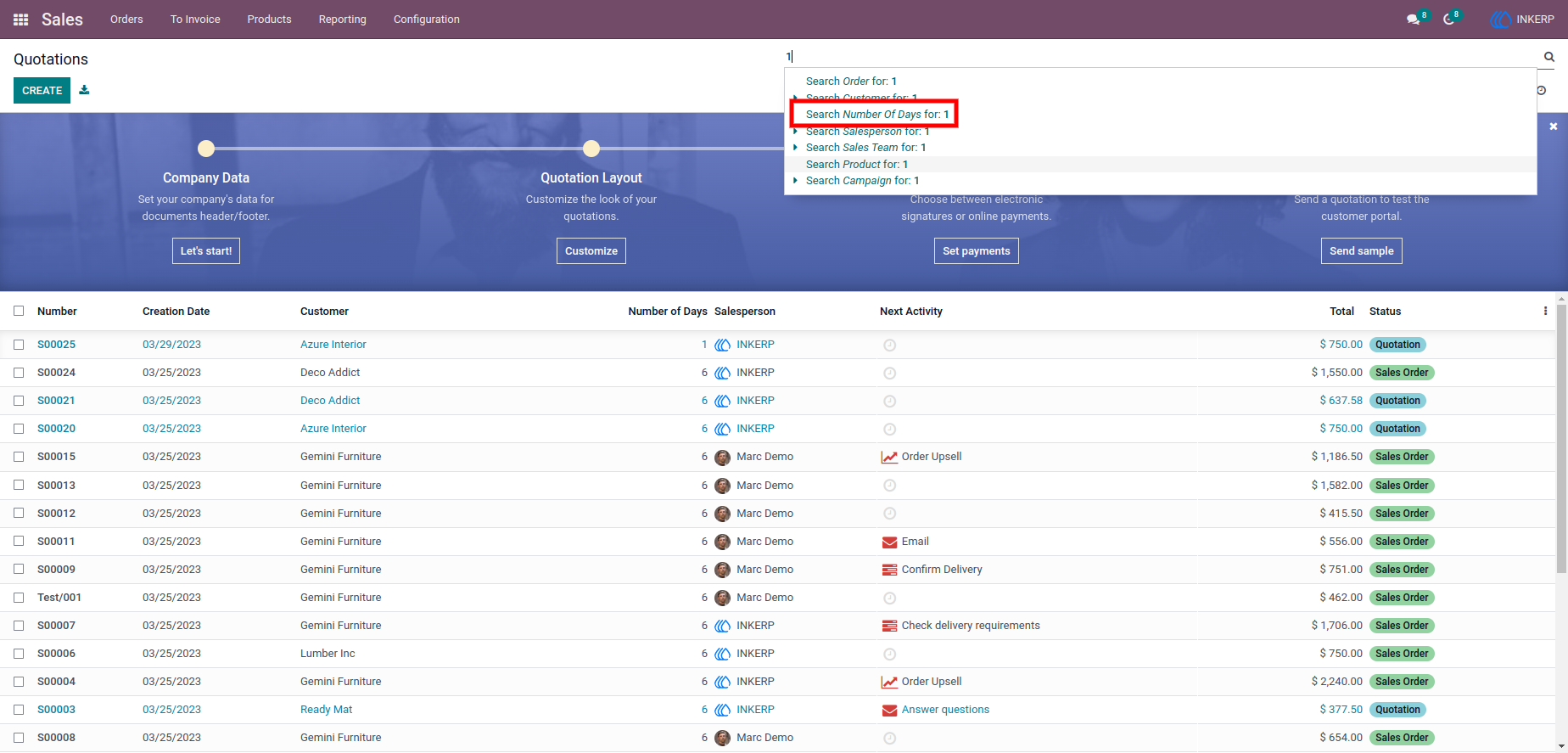
Users can easily filter and search sales quotations based on the number of days since their creation. By entering a specific value in the search field, relevant records are instantly retrieved.
Screenshot
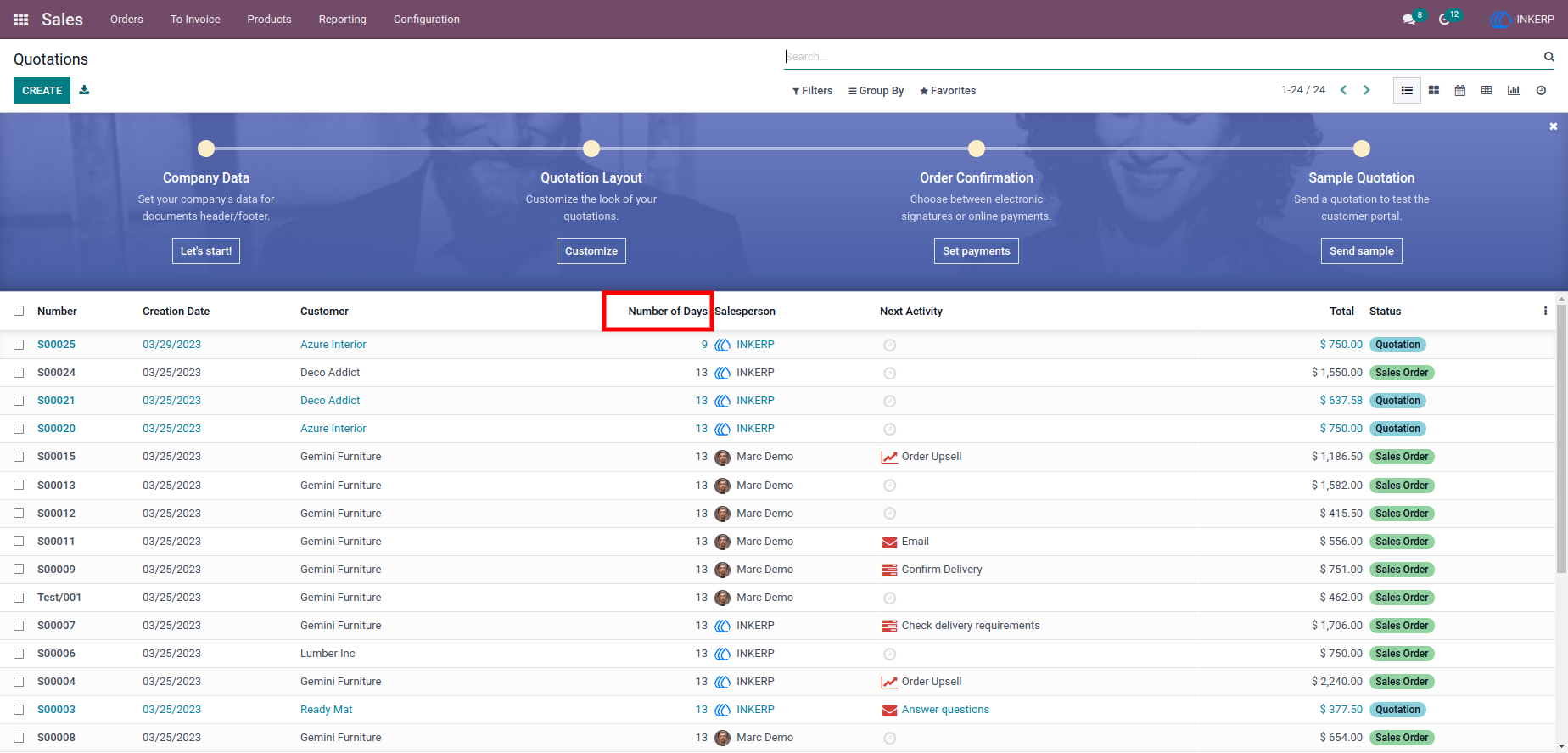
1.) Sales Quotation List View with Number of Days
A clear overview of sales quotations enriched with a Number of Days column, making it easy to identify how old each quotation is at a glance.
Navigation : Purchase › Orders › Request for Quotation
2.) Search Filter for Number of Days
A flexible search option that allows users to enter a specific number of days and filter quotations accordingly.
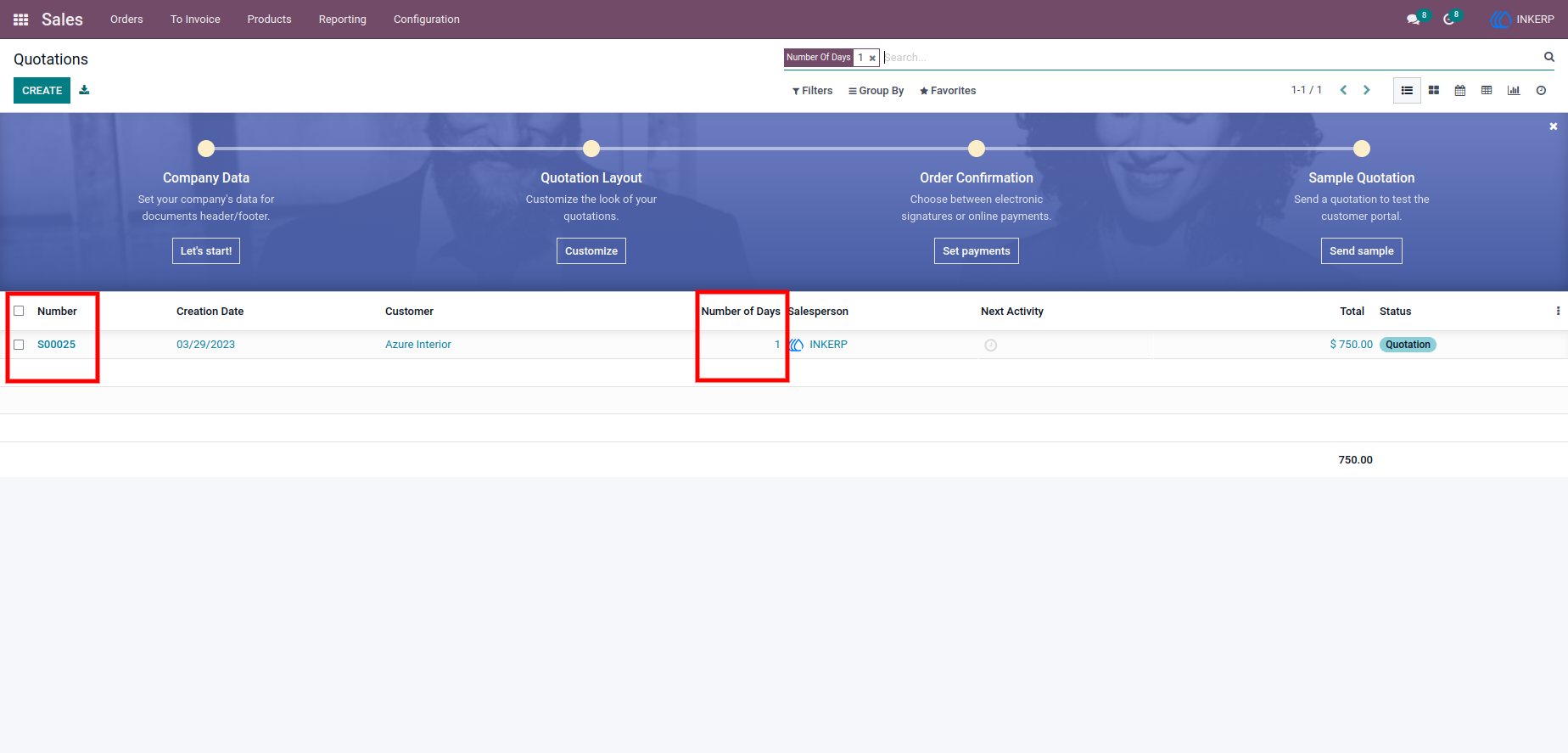
3.) Filtered Sales Orders Based on Days
A refined list of quotations that match the selected number of days criteria, providing a focused view of relevant records.
Navigation : Purchase › Orders › Requests for Quotation › Receipt
User Guide