

Our Most Suggested Products


Mobile Repair Management
Mobile Repair Management helps businesses efficiently manage mobile phone repair and service operations in Odoo. The module allows users to create repair orders, track device issues, assign technicians, manage spare parts, record repair status, and generate invoices—all from one centralized system. It is ideal for mobile repair shops, service centers, electronics retailers, and maintenance businesses looking to streamline repair workflows, improve customer service, and track repair history accurately.
 Features
 Screenshots
 Support
 Service
Features
Repair Order Management
Create and manage mobile repair orders easily by recording customer details, device information, and reported issues. Every repair request gets a unique reference for better tracking and management.
Device Information Tracking
Store complete device details including brand, model, IMEI/serial number, warranty status, and physical condition. This helps maintain accurate repair records for every device.
Issue Diagnosis Management
Capture customer complaints and technician diagnosis such as screen damage, battery problems, charging issues, software faults, or hardware failures for better repair transparency.
Repair Workflow Tracking
Track repair progress through customizable stages such as New, Under Diagnosis, Repair in Progress, Waiting for Parts, Completed, and Delivered to ensure full visibility.
Technician Assignment
Assign repair tasks to specific technicians and monitor technician-wise workload and performance for better accountability.
Spare Parts Management
Use and track spare parts consumed during repairs directly from Odoo inventory. Stock is updated automatically after part usage.
Repair Cost Calculation
Automatically calculate repair costs including labor charges, spare part costs, service fees, and other expenses for accurate billing.
Invoice Generation
Generate customer invoices directly from repair orders once the repair is completed, reducing manual billing work.
Dynamic Dashboard
Get a powerful and user-friendly dashboard to monitor all repair operations in one place. View key information such as total repair orders, pending repairs, completed jobs, delivered devices, technician workload, and repair revenue through clear visual summaries and quick insights.
Screenshot
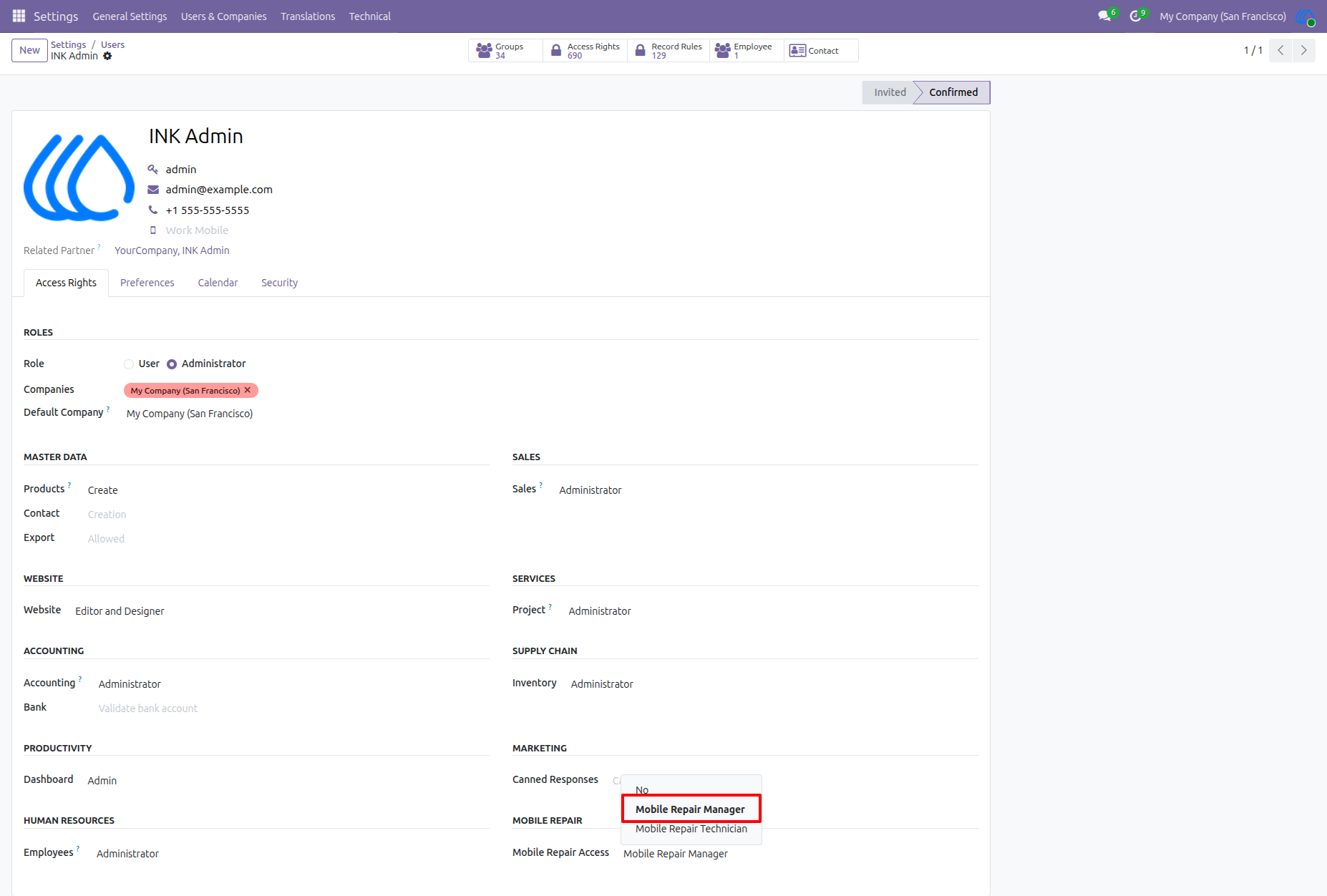
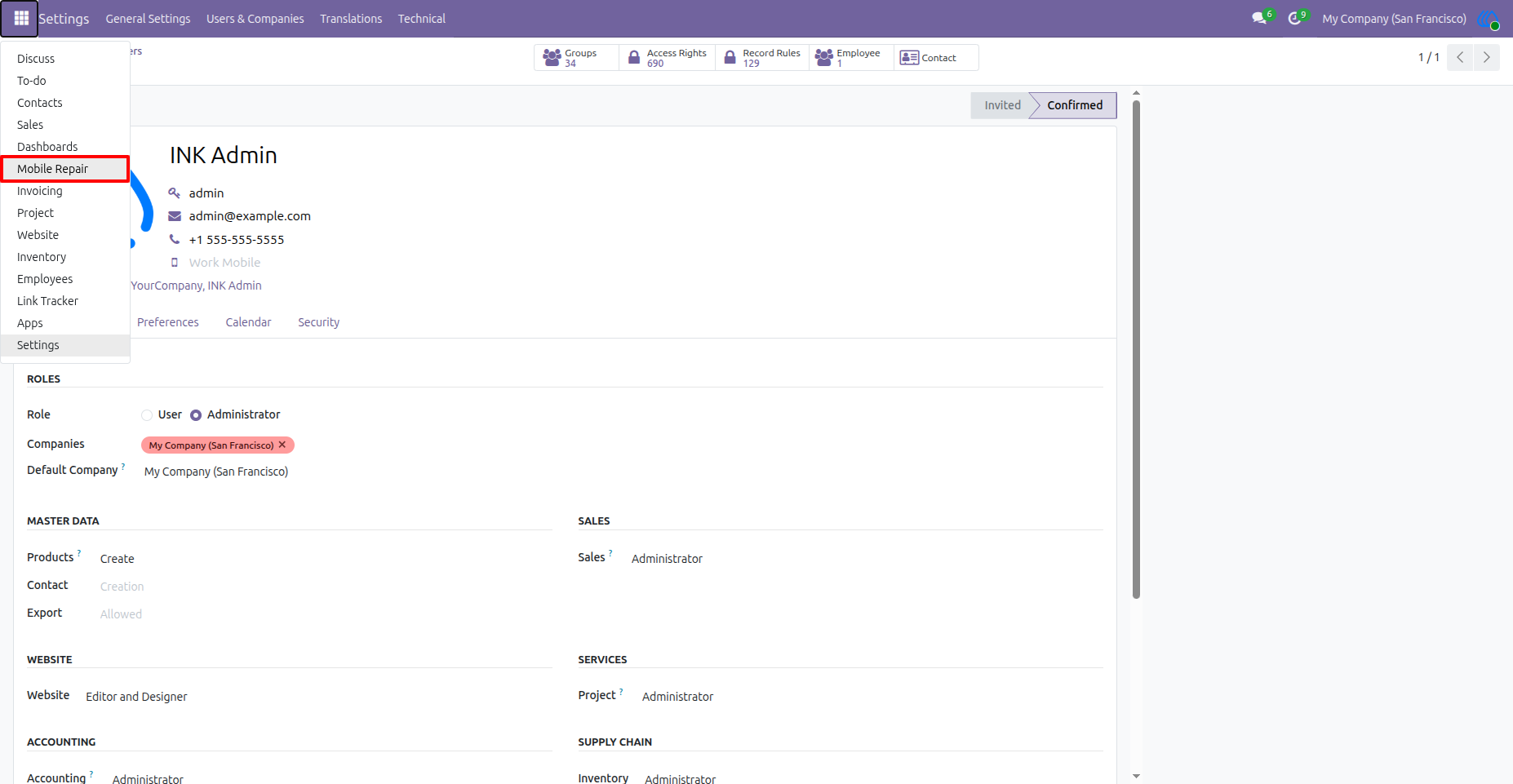
Assign Mobile Repair Access Rights
The administrator can assign Mobile Repair access from the user form. Users may be given access as either Mobile Repair Manager or Mobile Repair Technician, depending on their role and responsibility.
Open Mobile Repair Application
After access is granted, the Mobile Repair app becomes available in the main Odoo app menu. Users can open it directly from the app launcher.
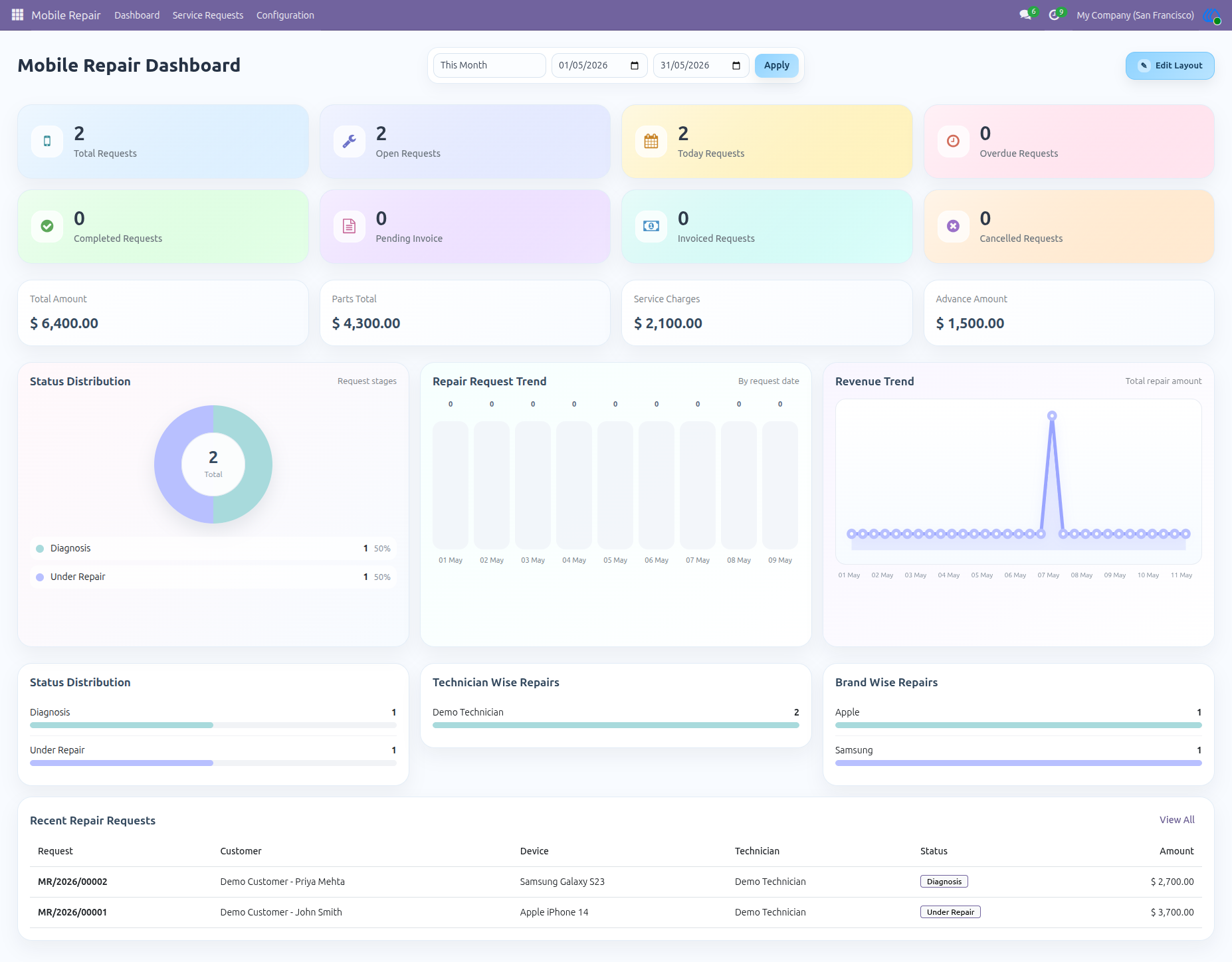
Mobile Repair Dashboard Overview
The dashboard gives a complete summary of repair operations, including total requests, open requests, today’s requests, overdue repairs, completed repairs, invoices, revenue, technician performance, brand-wise repairs, and recent service requests.
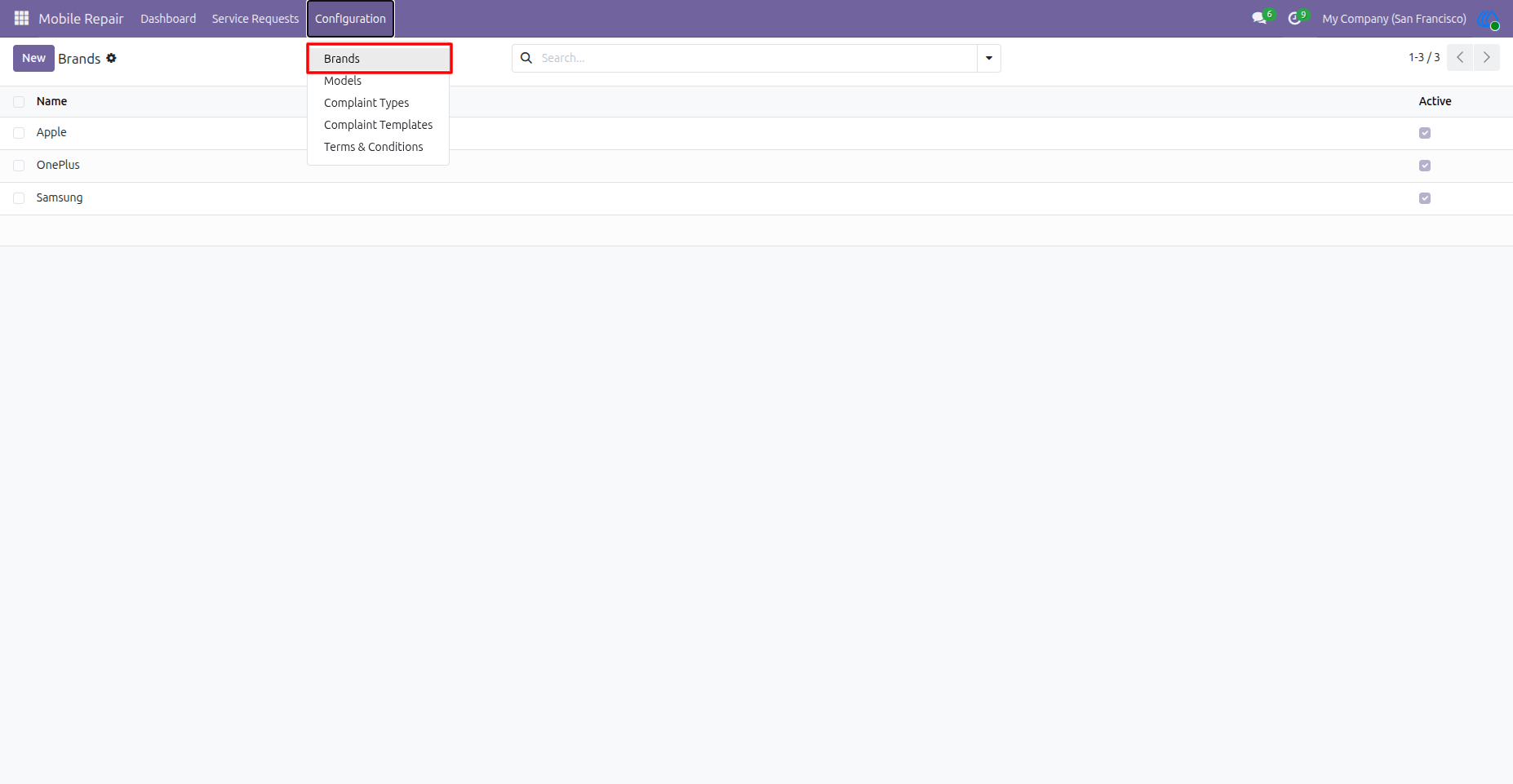
Configure Mobile Brands
Brand records can be managed from the configuration menu. These brands are later used while creating repair requests, making device selection organized and consistent.
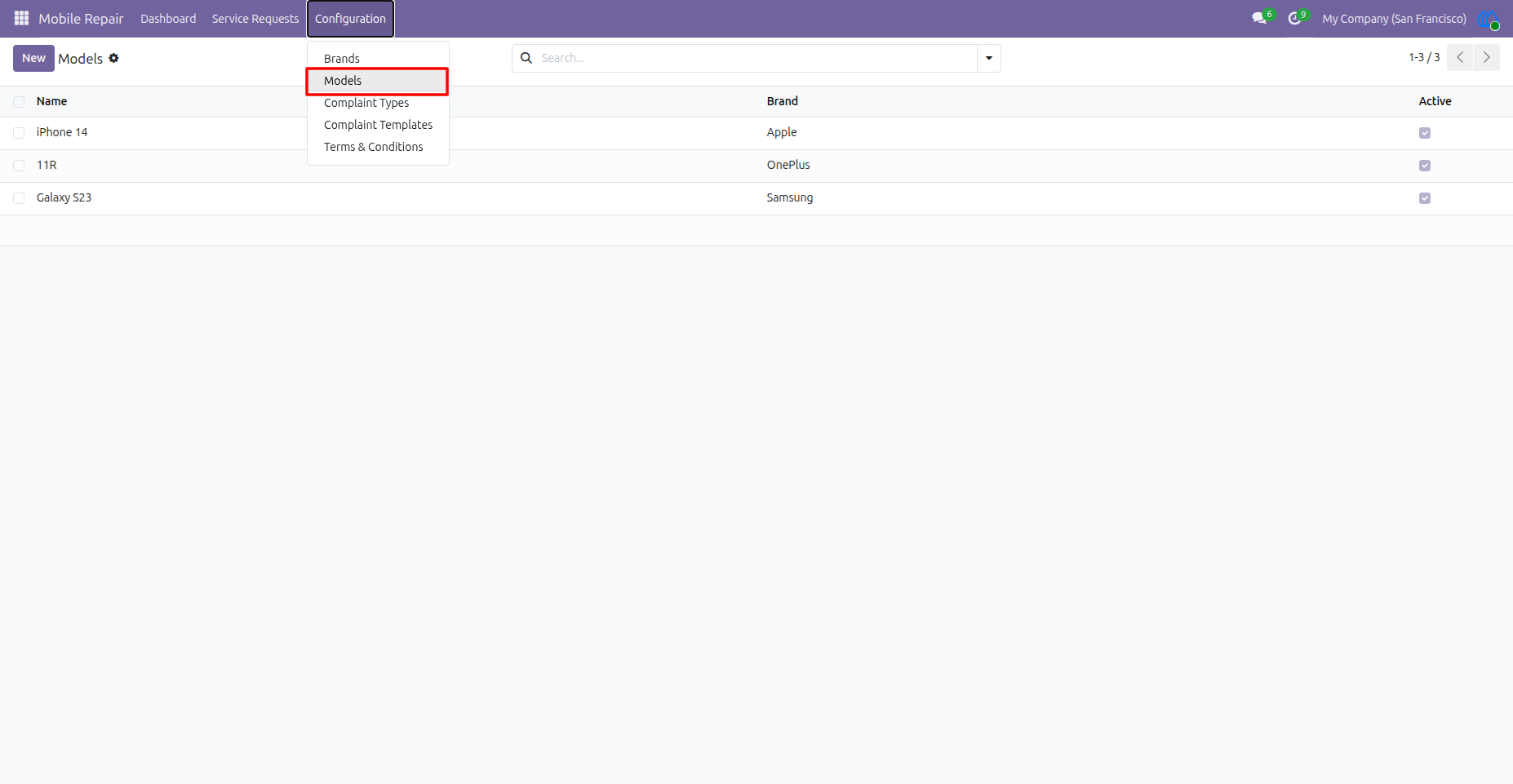
Configure Mobile Models
Mobile models are configured with their related brands. This helps users select the correct device model during repair request creation, such as iPhone 14 under Apple or Galaxy S23 under Samsung.
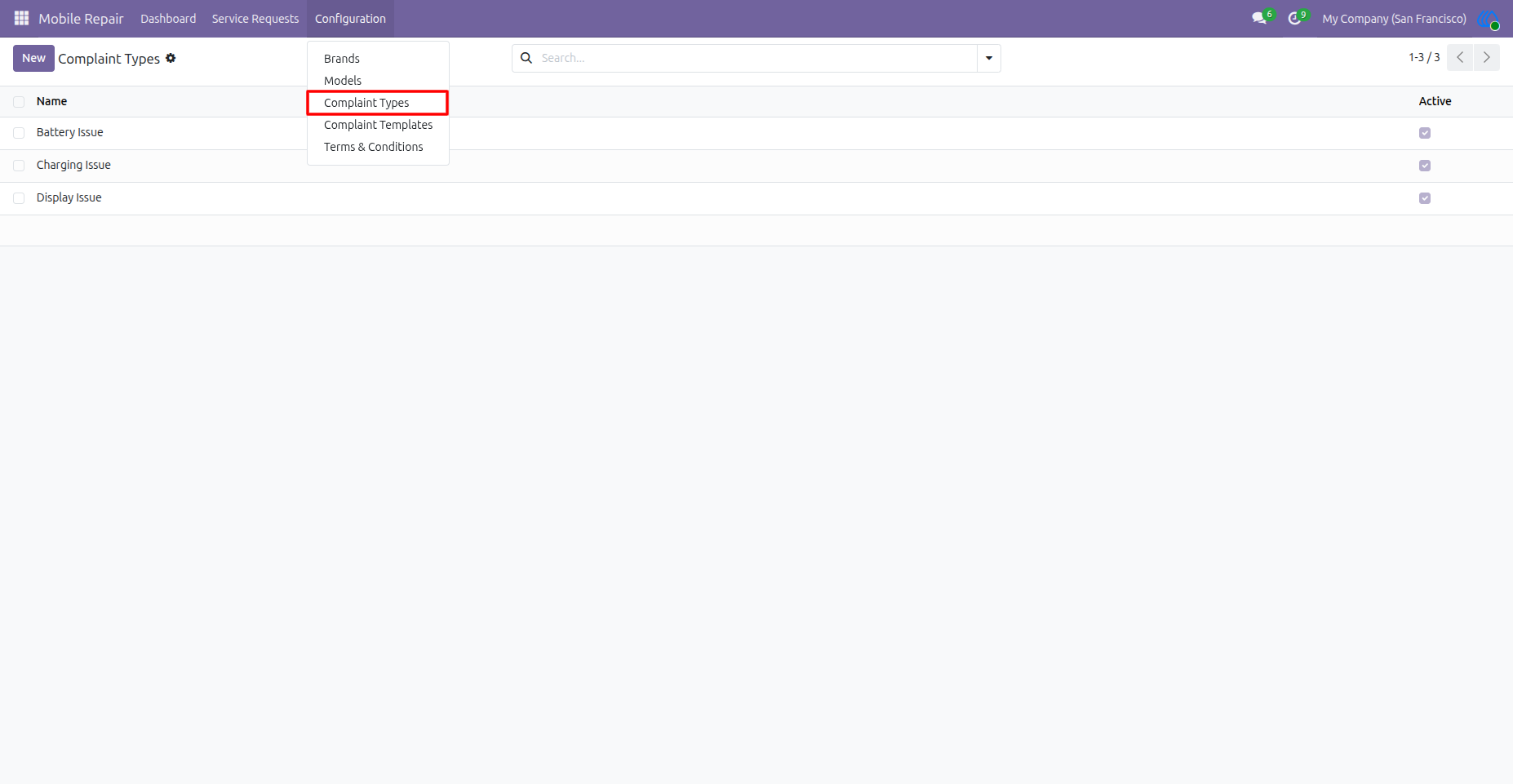
Configure Complaint Types
Complaint types define the main issue categories reported by customers, such as battery, charging, or display problems. These categories help classify repair requests clearly.
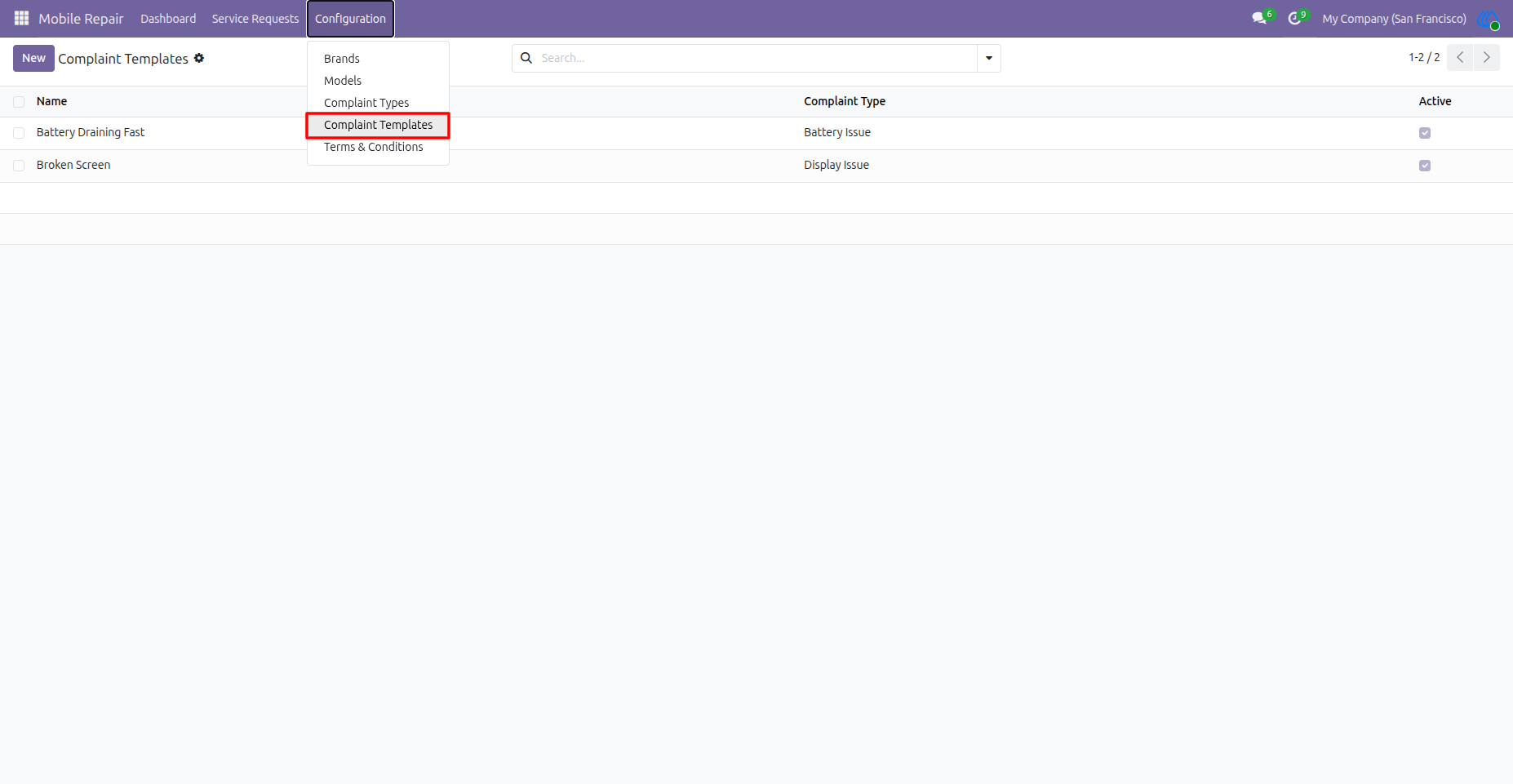
Configure Complaint Templates
Complaint templates provide predefined complaint descriptions linked with complaint types. They help users quickly add common issues without typing the same details repeatedly.
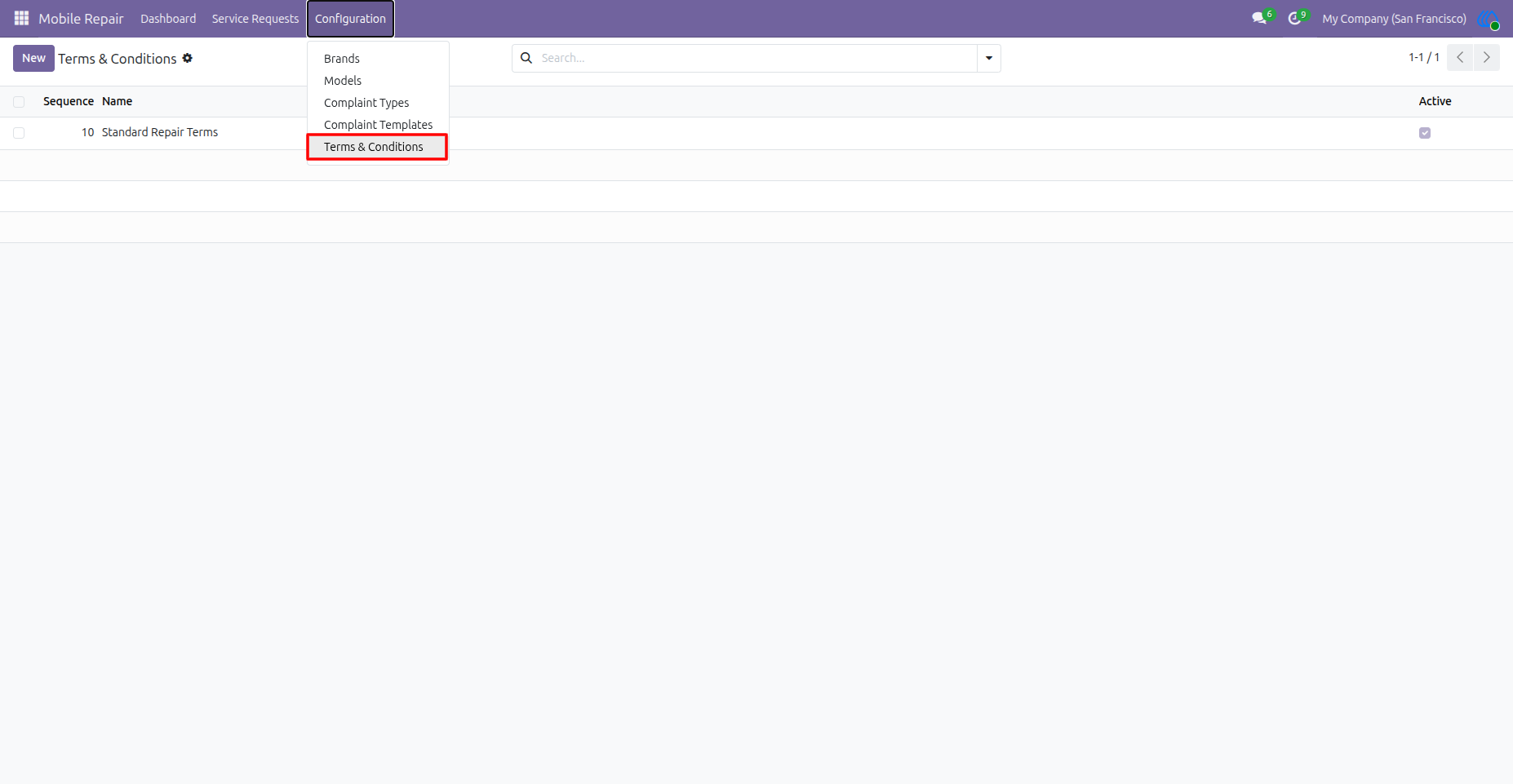
Configure Terms and Conditions
Standard repair terms and conditions can be configured and reused on repair orders and printed repair tickets. This helps maintain consistent service policies for customers.
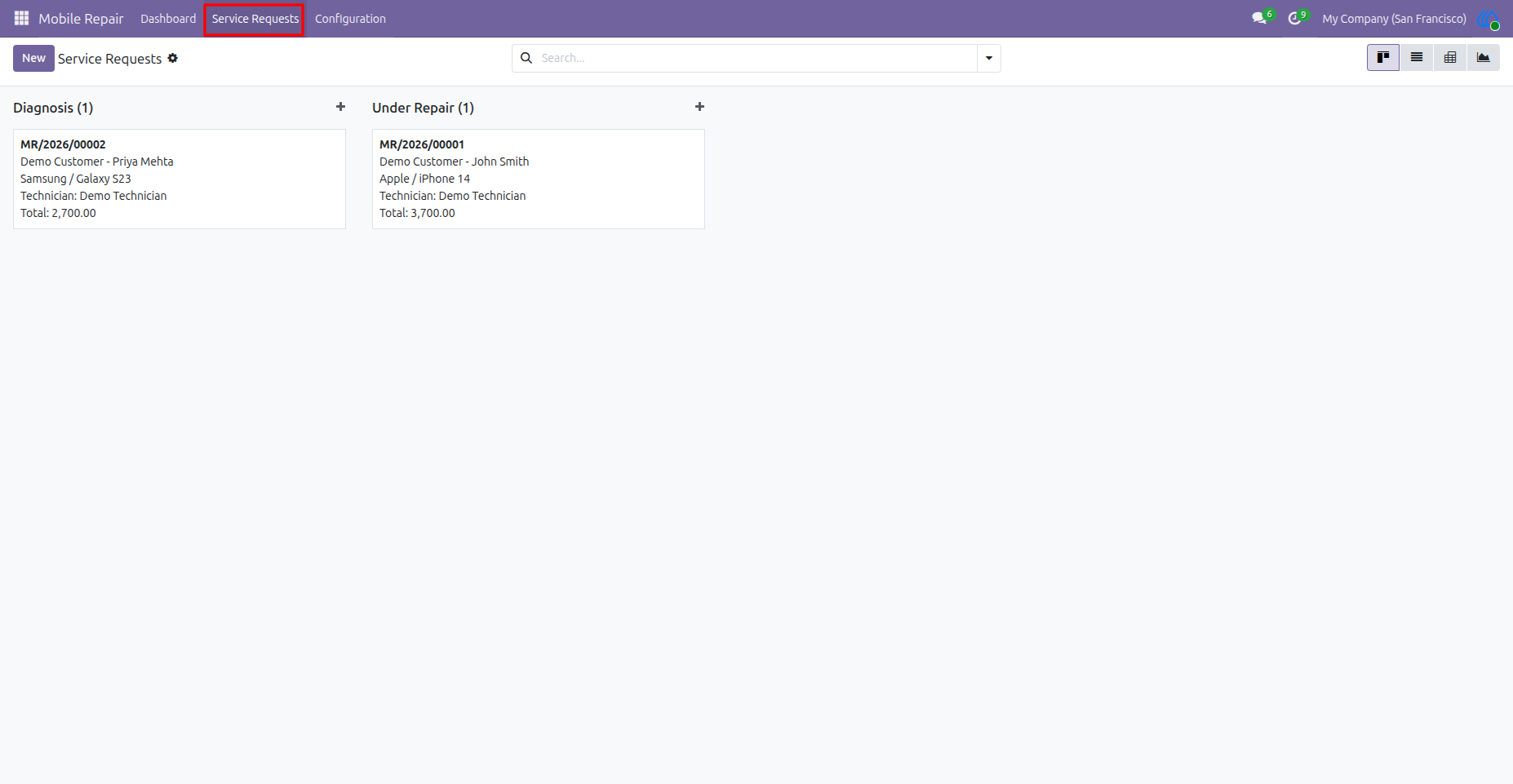
Service Requests Kanban View
Repair requests are displayed in a kanban pipeline based on their current stage. Users can easily track requests under stages like Diagnosis and Under Repair.
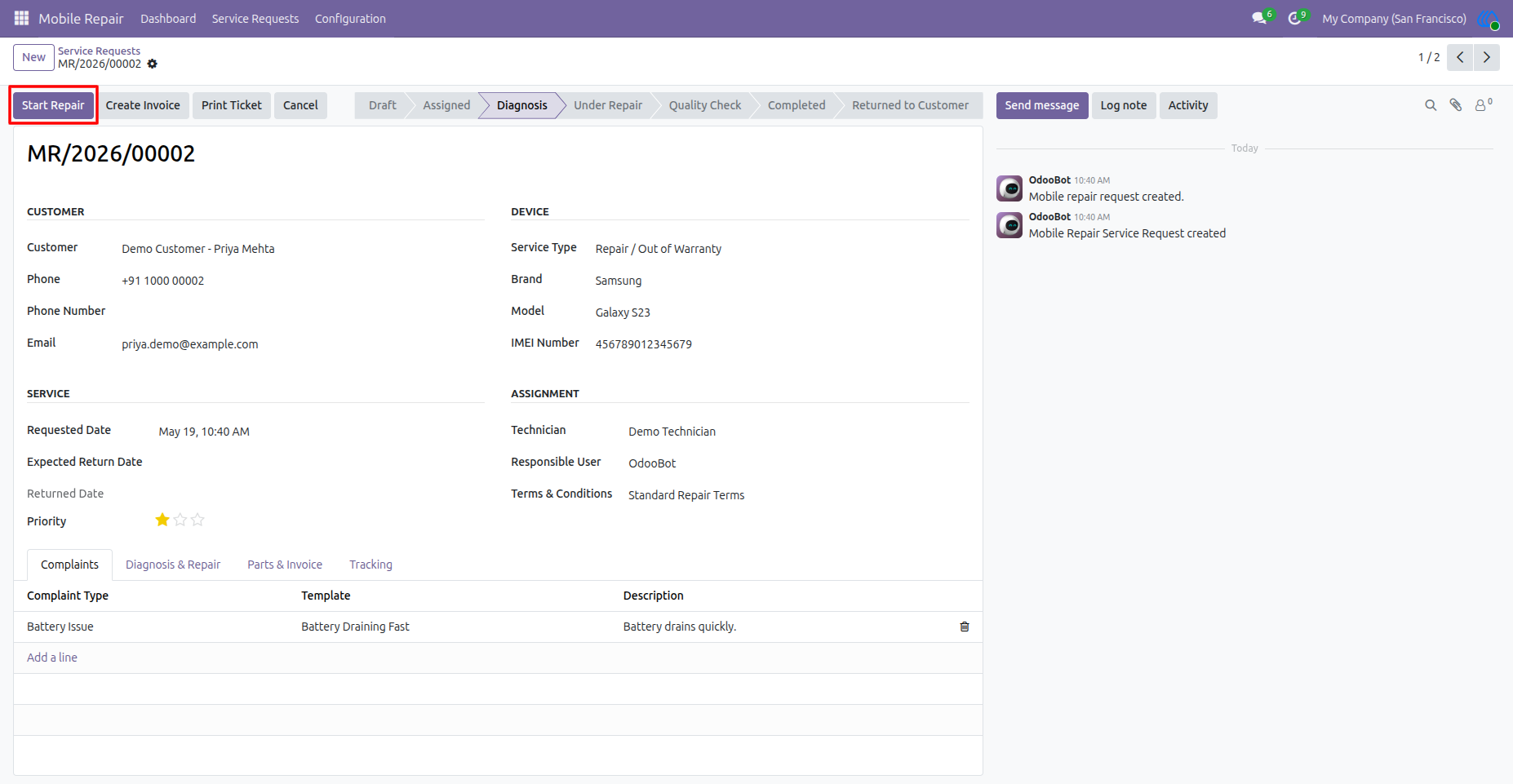
Repair Request in Diagnosis Stage
The repair order contains customer details, device information, service details, assigned technician, complaint lines, and current workflow status. The Start Repair button moves the request from diagnosis to the repair stage.
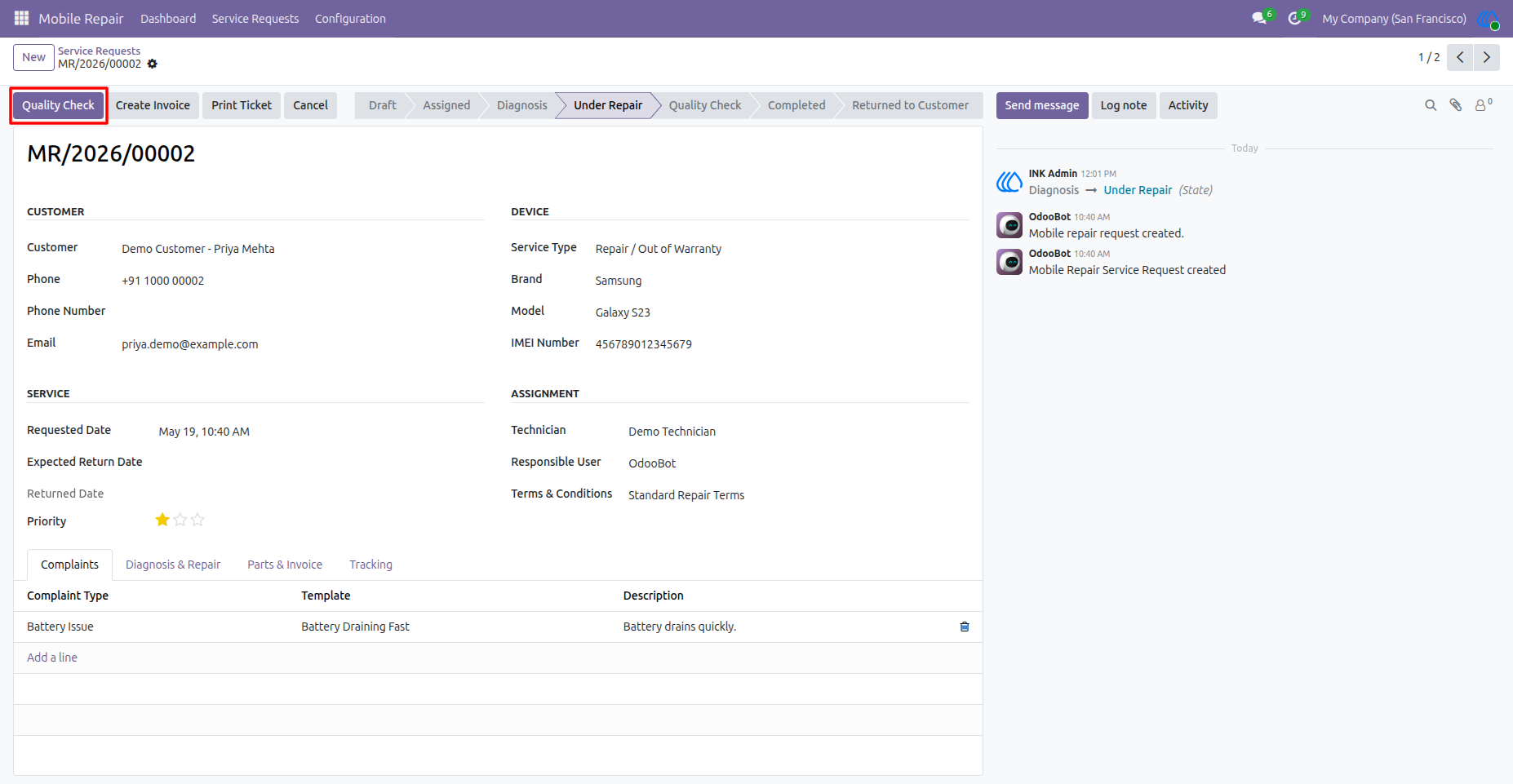
Move Repair to Quality Check
Once the technician starts working on the device, the request moves to Under Repair. The Quality Check button allows the team to send the repaired device for inspection before completion.
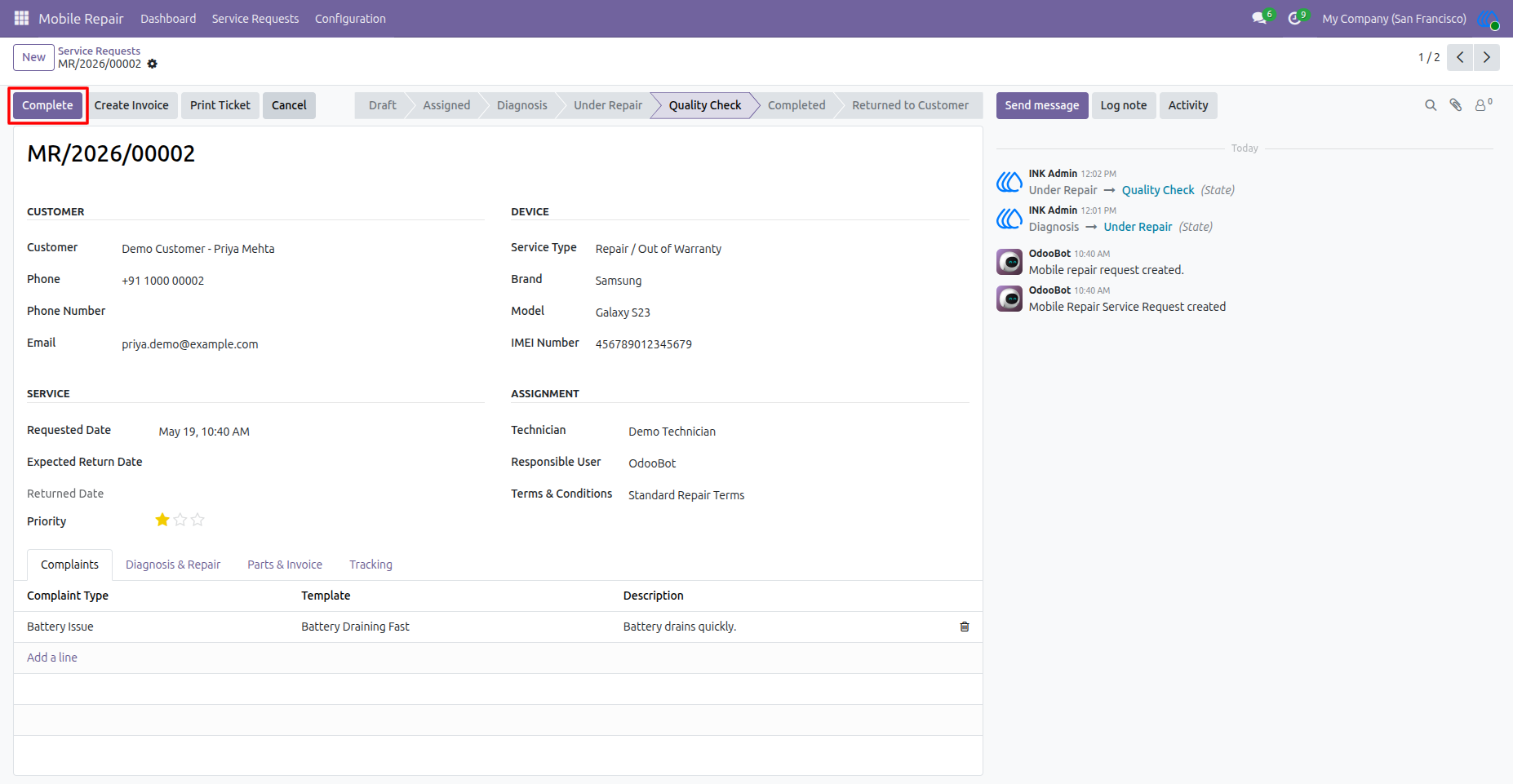
Complete Repair After Quality Check
After the device passes quality checking, the user can click Complete to mark the repair work as finished. The chatter records each stage movement for tracking and audit purposes.
Add Parts and Create Invoice
The Parts & Invoice tab lists spare parts, service charges, advance amount, and final repair total. Once the repair is completed, the Create Invoice button generates the customer invoice.
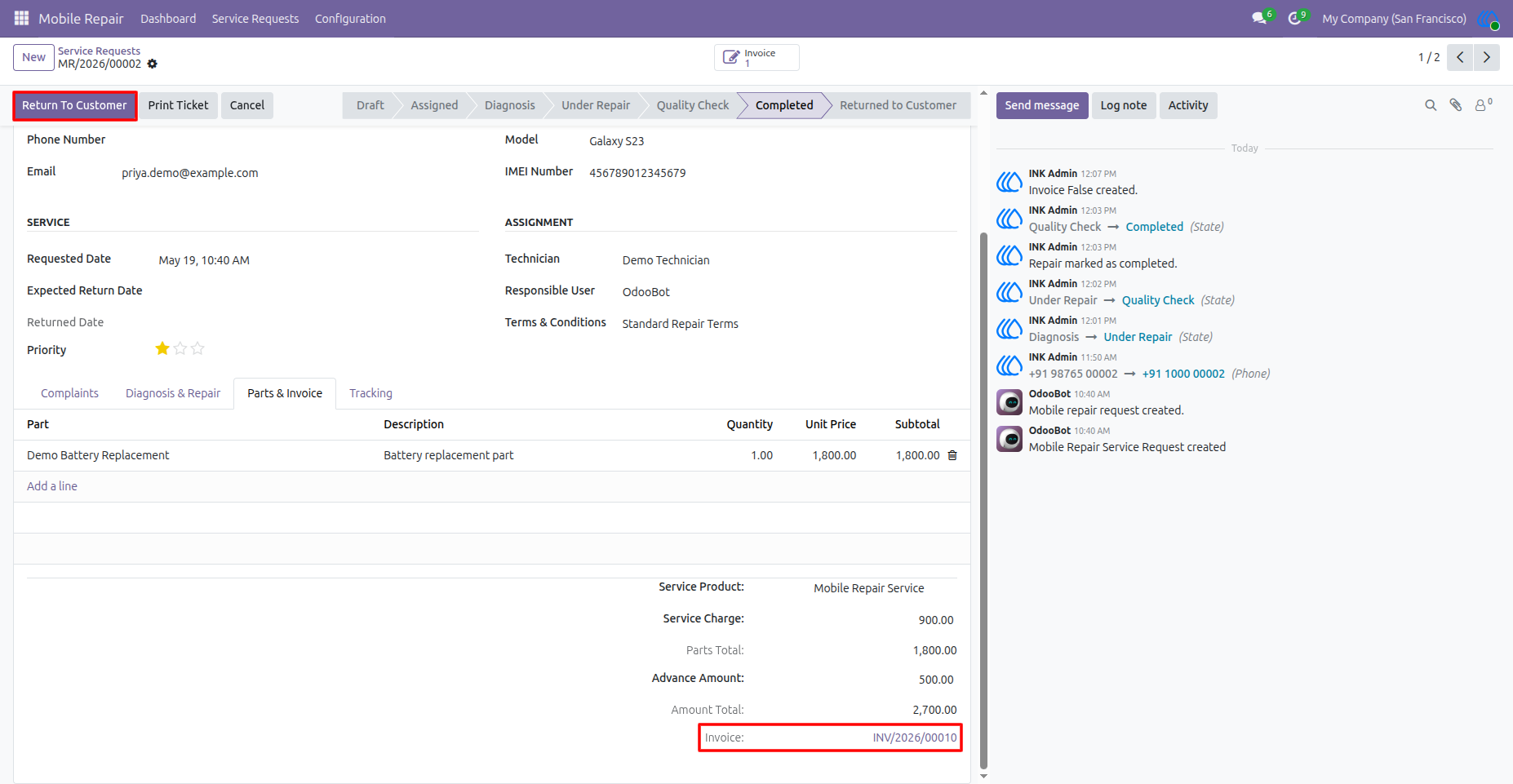
Invoice Created for Repair Order
After invoice creation, the invoice reference is linked with the repair request. The user can then proceed with Return To Customer once billing and service completion are confirmed.
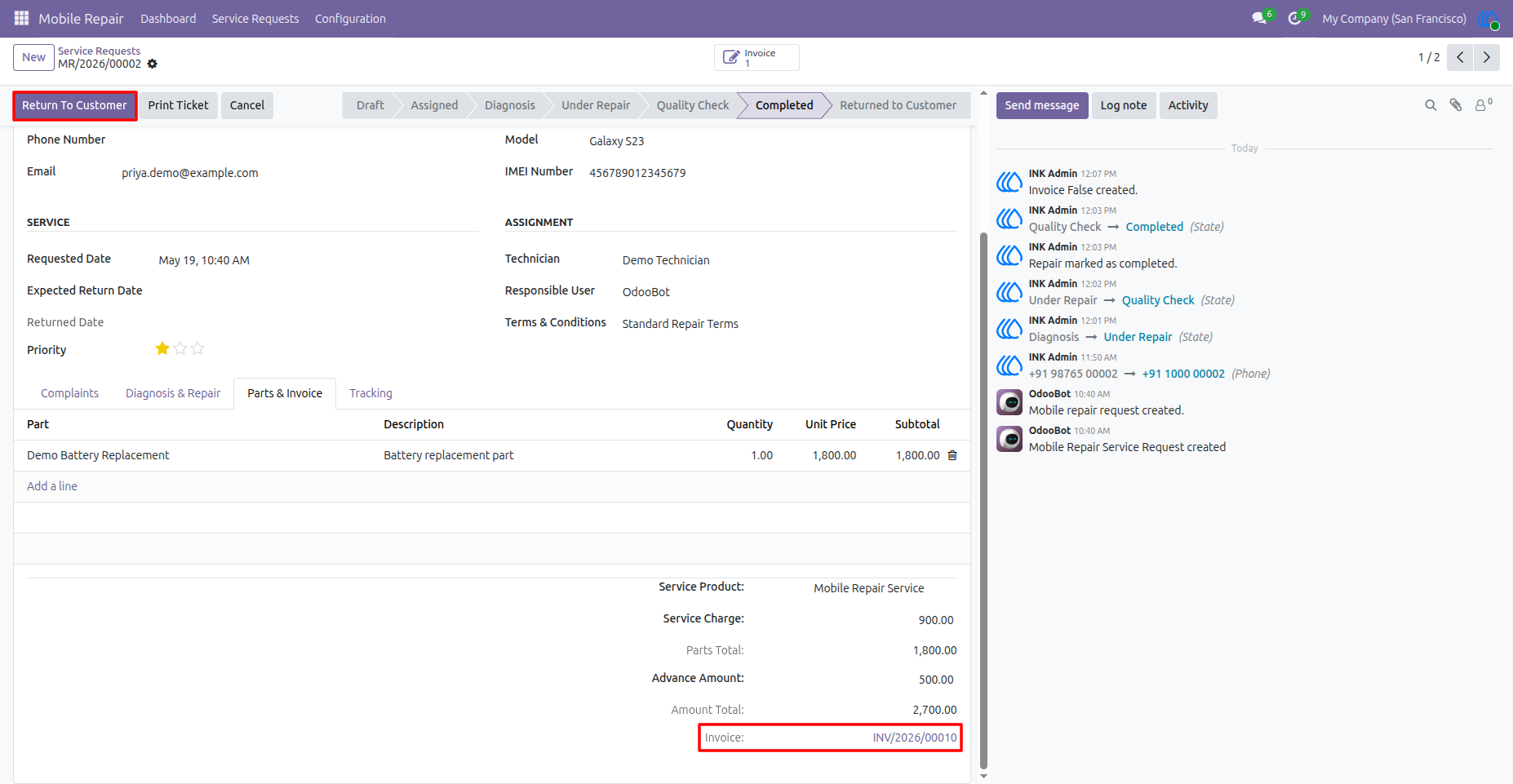
Return Device to Customer
The repair request reaches the Returned to Customer stage after the device is handed back. The returned date is updated, and the Print Ticket button can be used to generate the repair ticket.
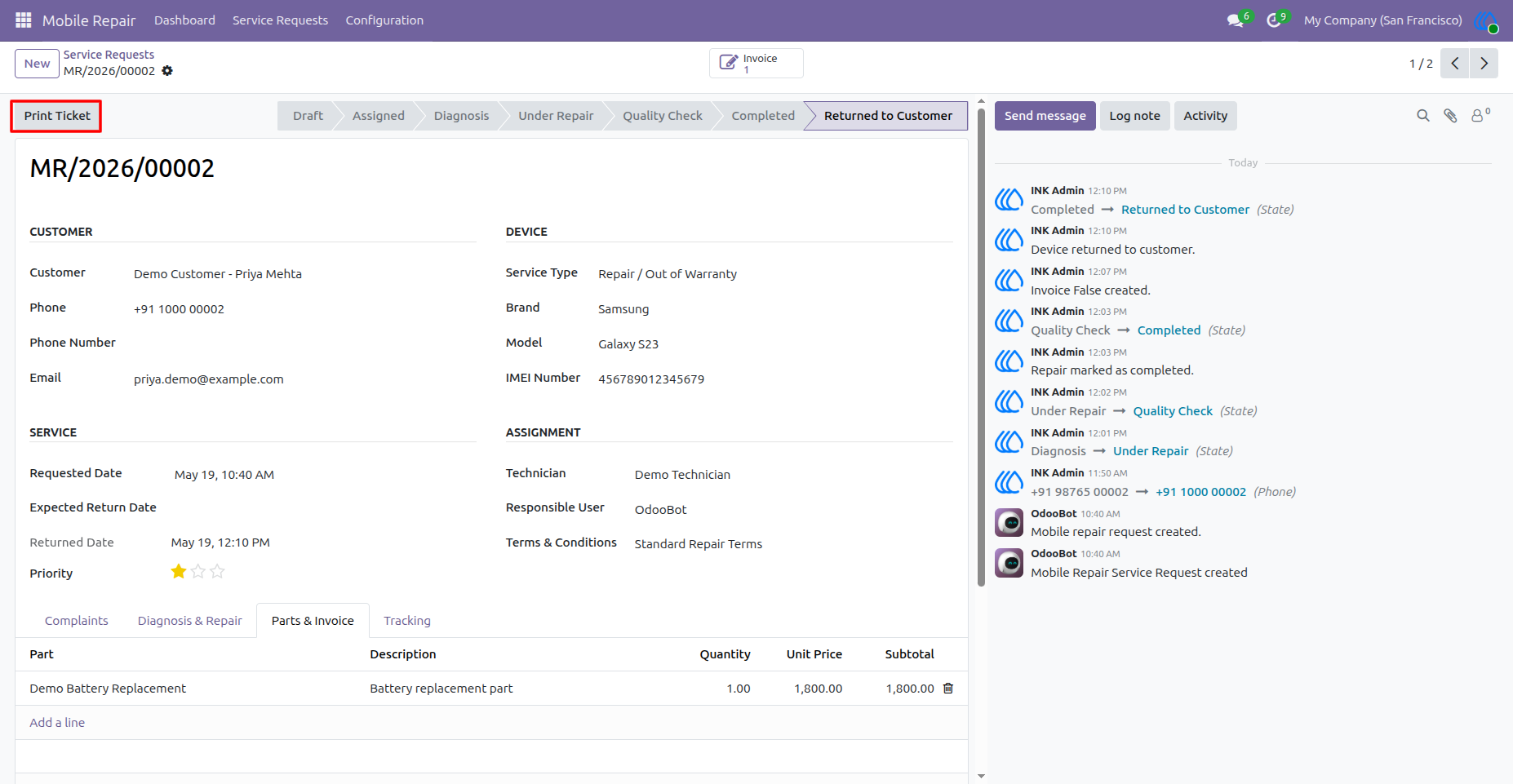
Printed Mobile Repair Ticket
The repair ticket includes company details, ticket number, customer information, device details, IMEI, technician, repair status, complaint details, parts used, service charge, total amount, and repair terms and conditions.
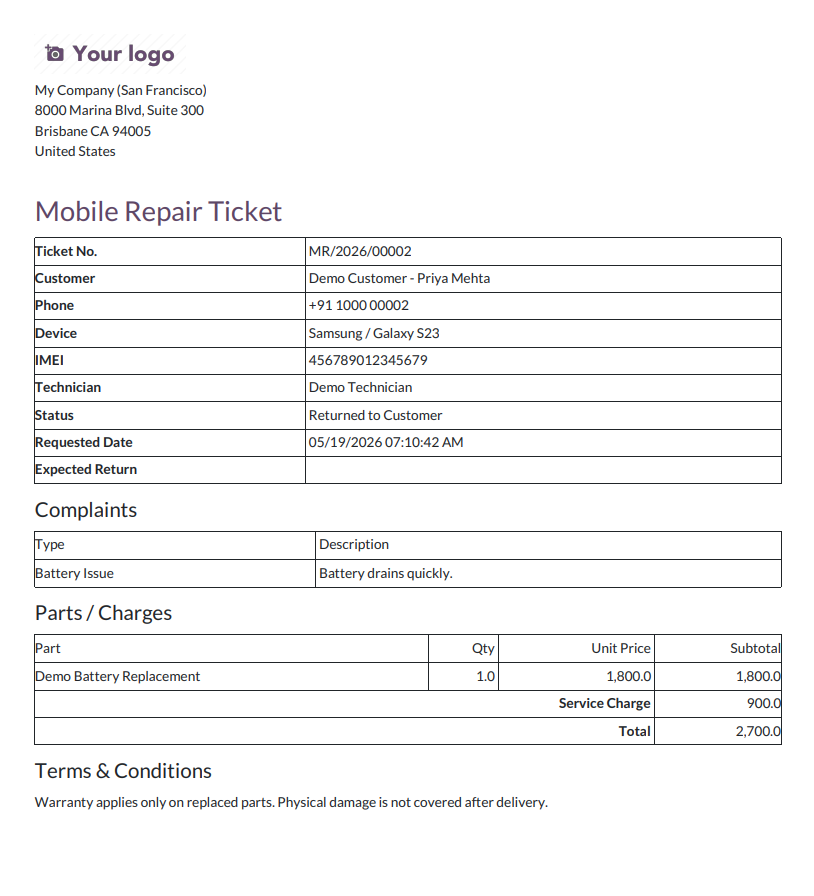
User Guide