

Our Most Suggested Products


Manufacturing Order Report Preview For Enterprise
The Manufacturing Order Report Preview For Enterprise feature lets users view their manufacturing order reports as a PDF before downloading or printing. This real time PDF preview helps ensure that all report details are accurate and correctly formatted. By reviewing the report layout and content beforehand, users can avoid printing errors and save time. Whether you need to print a manufacturing report or download it as a PDF, this tool makes the process faster and more reliable.
 Features
 Screenshots
 Support
 Service
Features
PDF Report Preview :
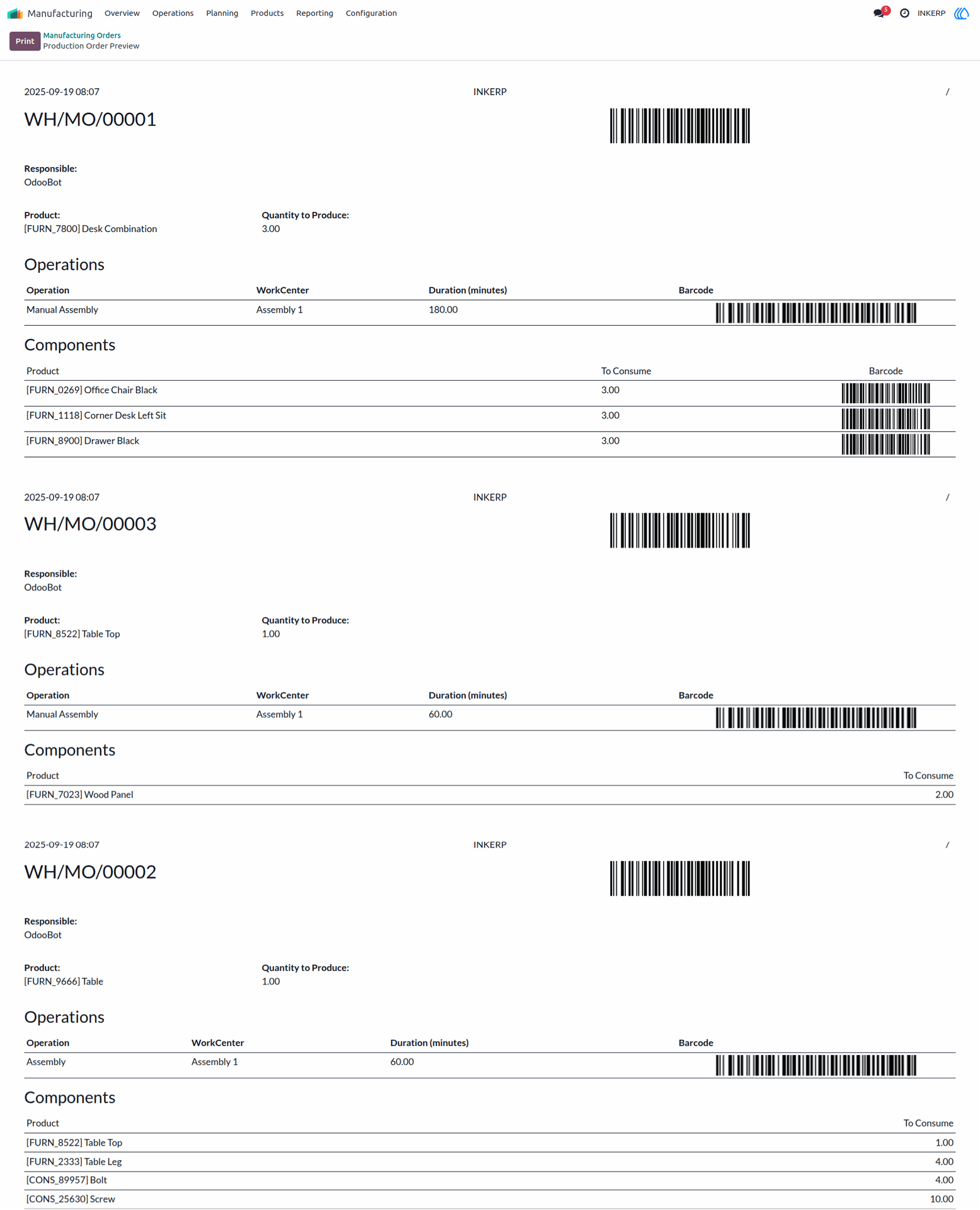
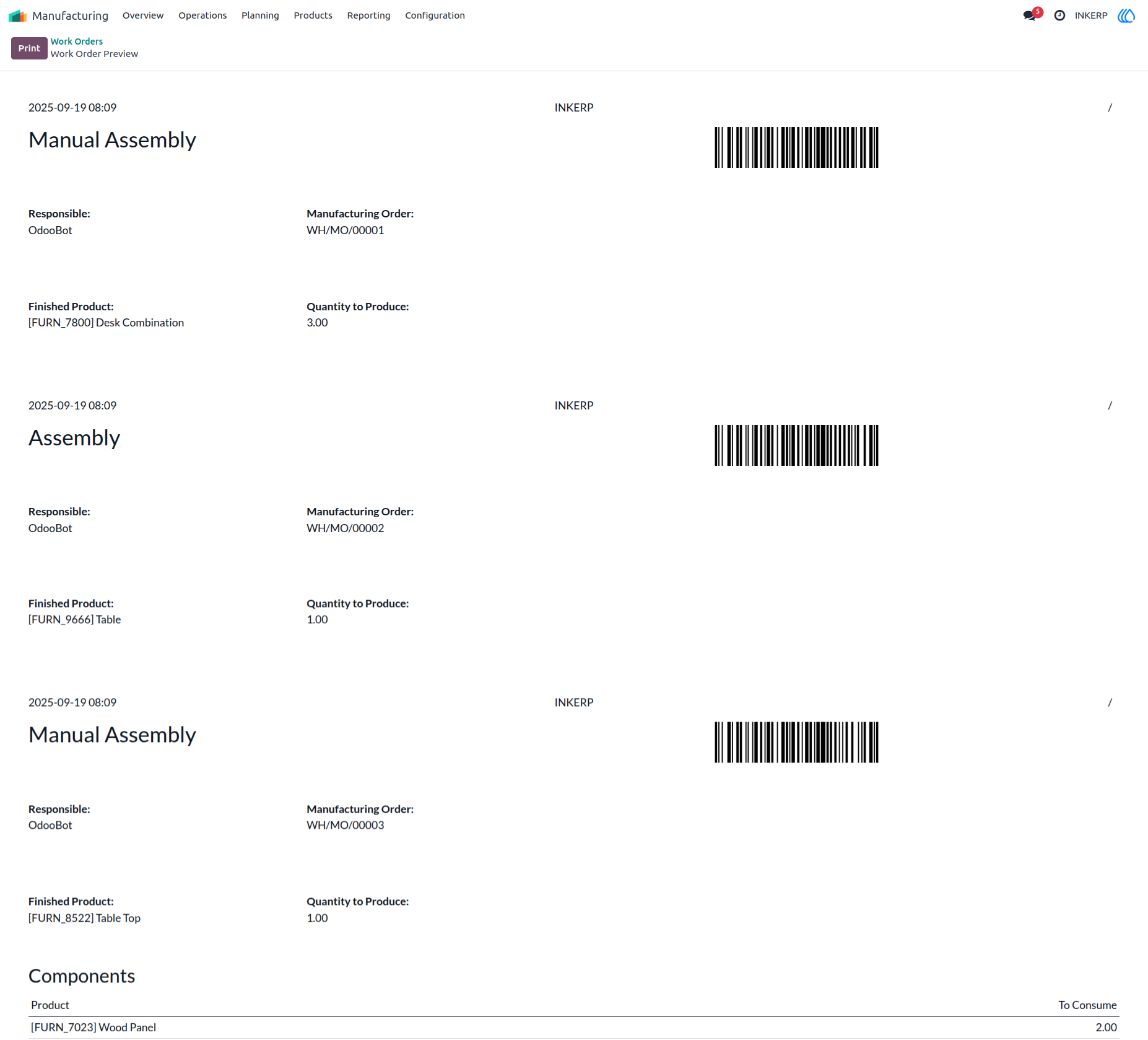
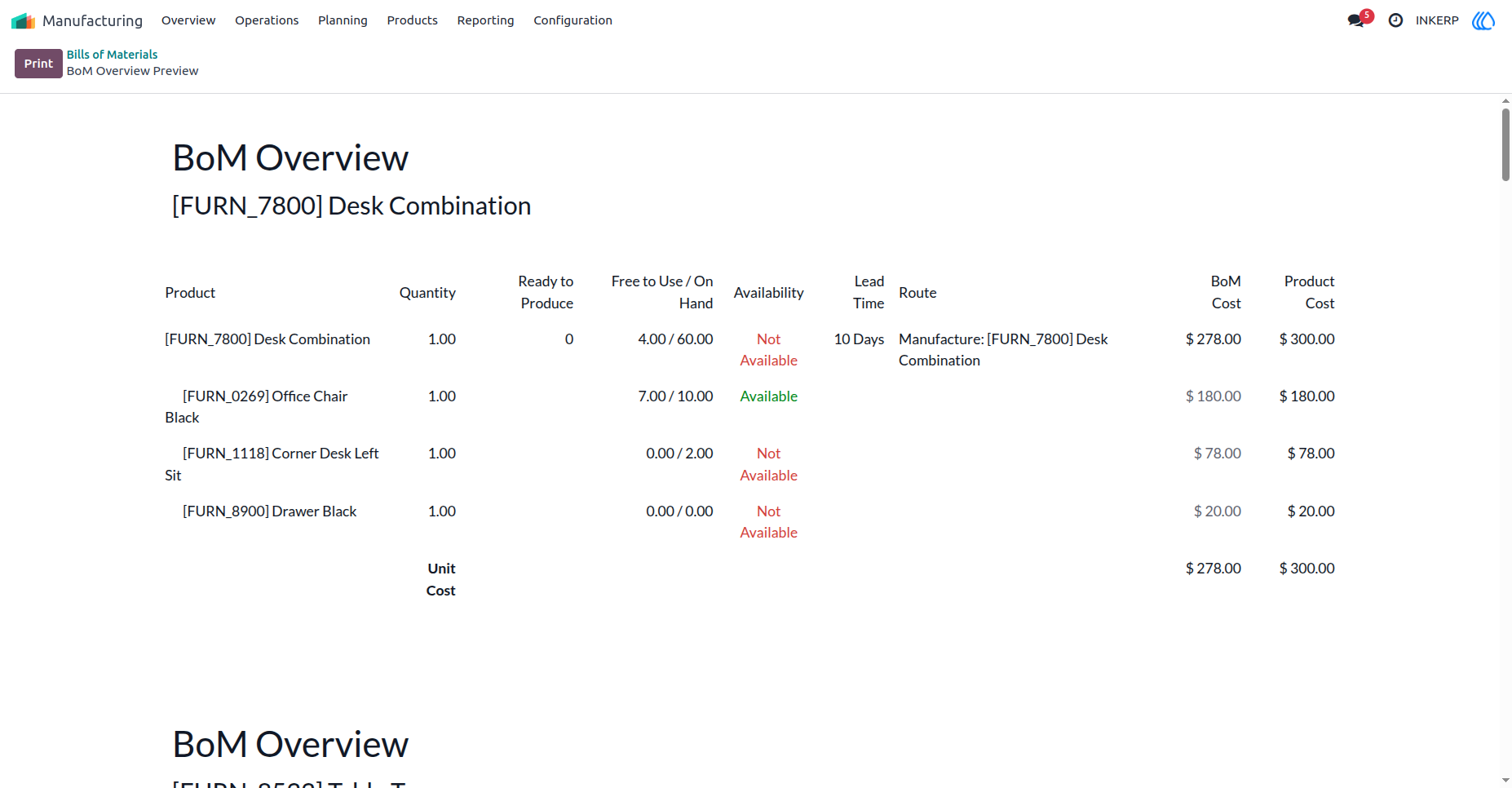
Enables instant preview of manufacturing order reports in PDF format before initiating print or download actions. Displays the complete layout, including tables, item details, and formatting, within the application interface. Helps ensure data accuracy and correct formatting prior to finalization. Minimizes reporting errors and unnecessary rework.
Reliable Print Output :
Print confidently knowing your report has been reviewed for accuracy and formatting. What you see in the preview is exactly what gets printed, ensuring consistent, professional looking documents.
Error Free Printing :
Catch formatting or data issues before they become printing problems. By reviewing reports in advance, users can make quick corrections and avoid wasting paper, ink, or time on reprints.
Screenshot
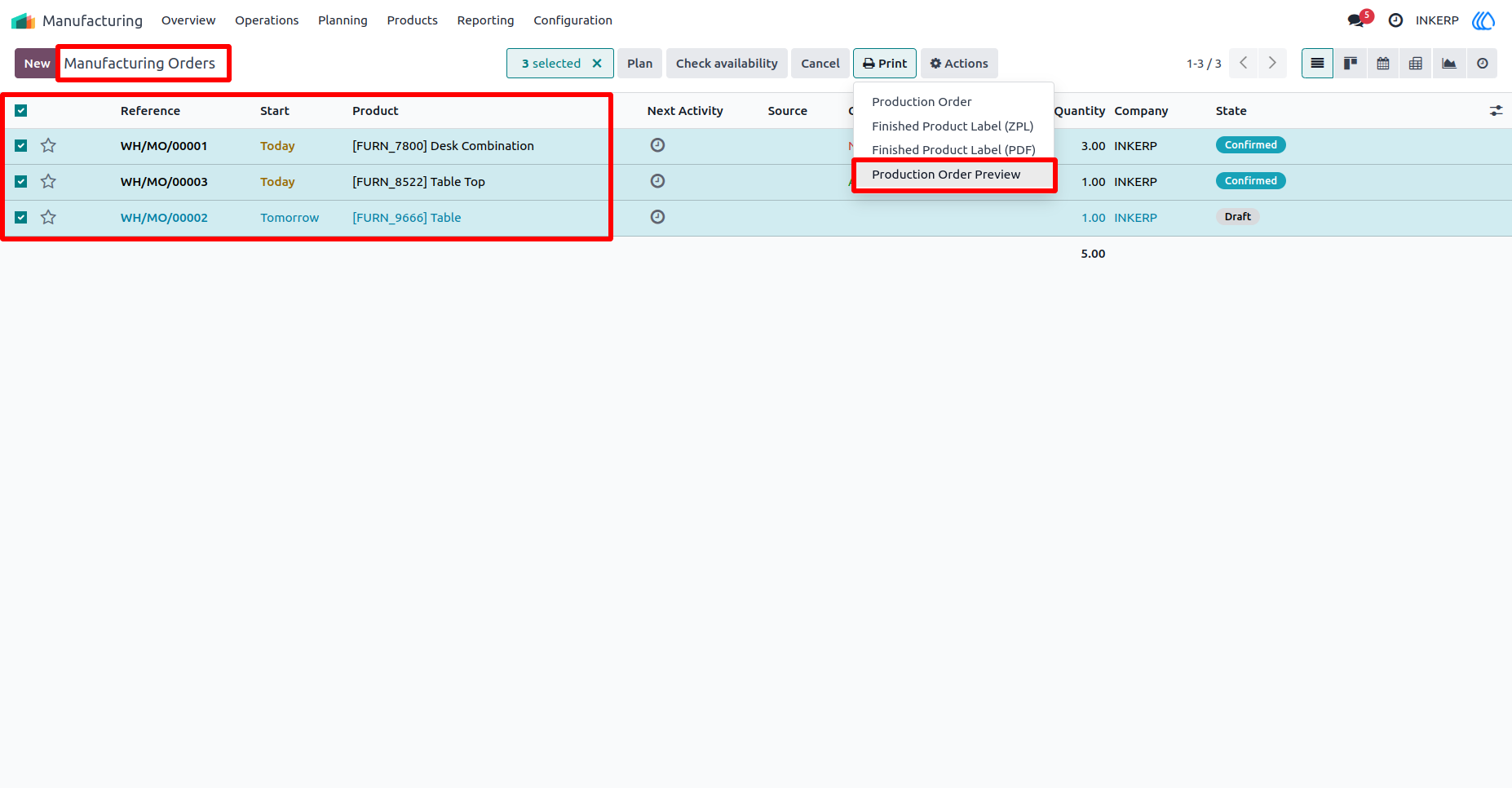
1.) Go to Manufacturing Orders :
Select Manufacturing Orders want to preview or print.
Navigation : Manufacturing › Operations › Manufacturing Orders
2.) Manufacturing Orders Preview
3.) Go to Work Orders :
Select Work Orders want to preview or print.
Navigation : Manufacturing › Operations › Work Orders
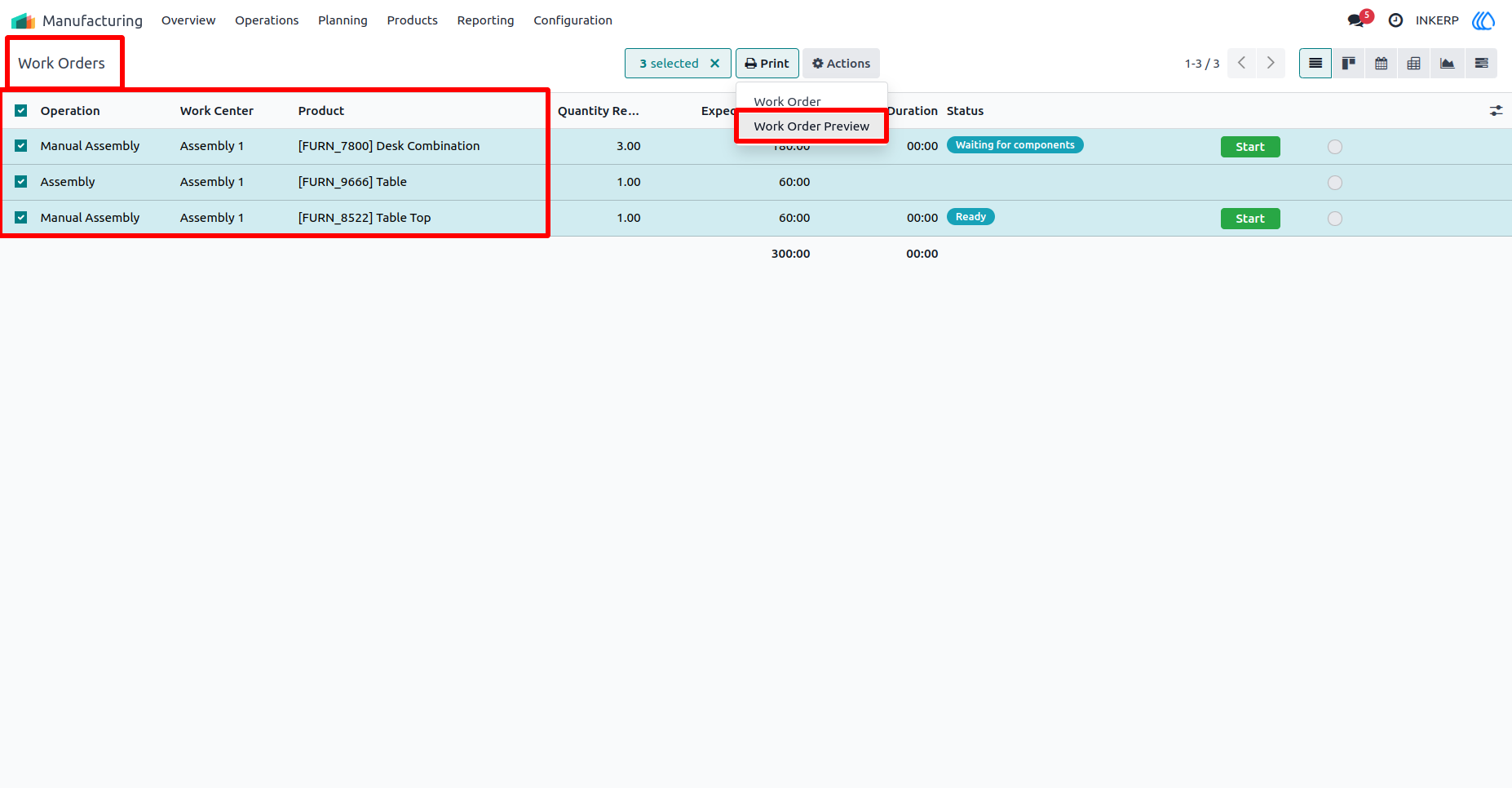
4.) Work Orders Preview :
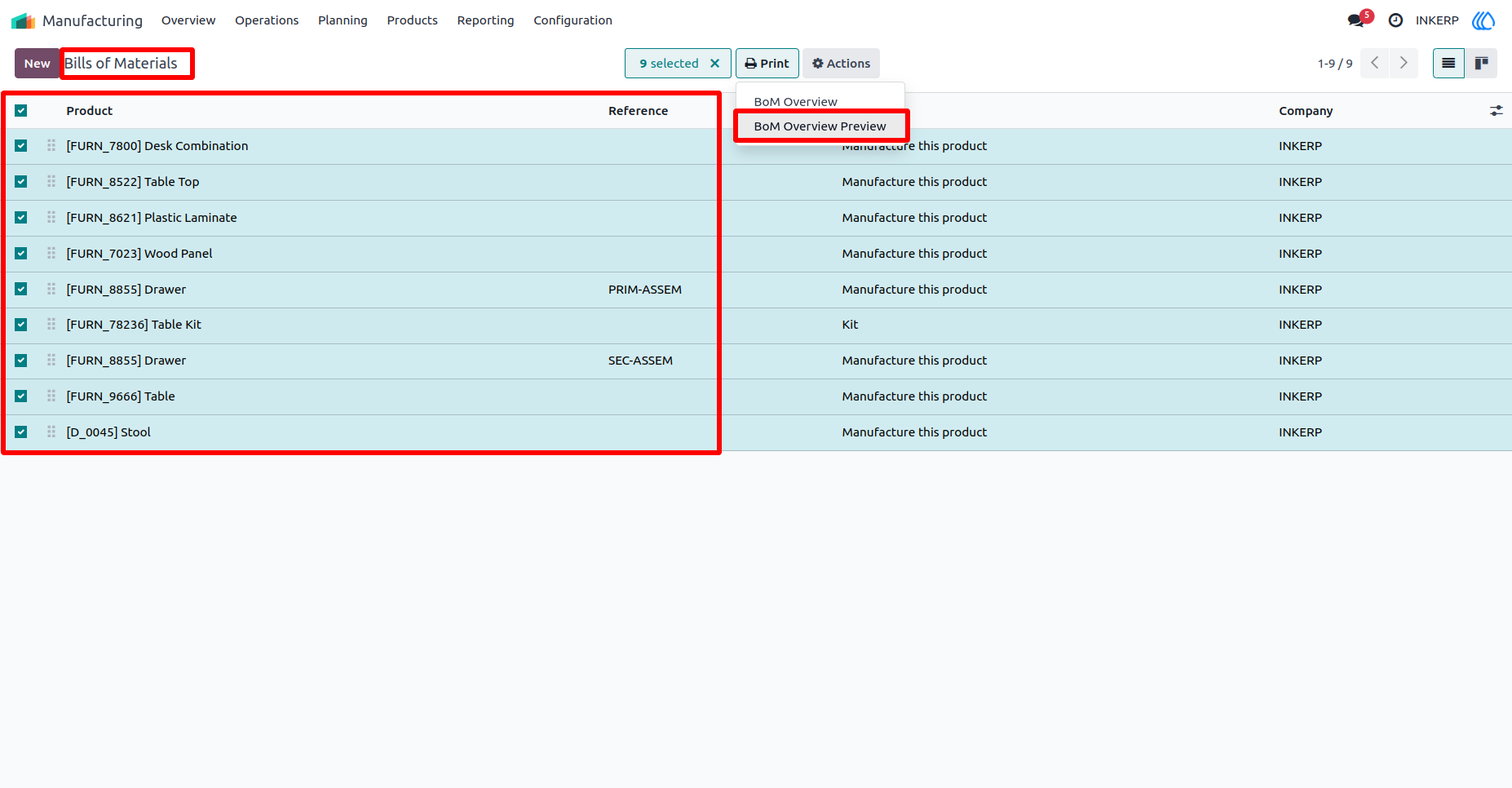
5.) Bills of Materials :
Select Bills of Materials want to preview or print.
Navigation : Manufacturing › Products › Bills of Materials
6.) Bills of Materials Preview :
User Guide