

Our Most Suggested Products


Maintenance Checklist & Approval
The Maintenance Checklist & Approval module provides a structured approach to managing your maintenance tasks in Odoo.By integrating predefined, reusable checklists directly into maintenance requests, it ensures that your technical teams adhere to established operational protocols. The application features real-time progress tracking, automated timestamp logging, and granular user access controls, guaranteeing strict accountability and visibility across all preventive and corrective maintenance tasks. Enhance your facility operations, enforce compliance, and easily monitor task completion with this secure, highly efficient management system.
 Features
 Screenshots
 Support
 Service
Features
User Access Rights
Control which users have permission to process tasks by enabling the "Allow Complete/Cancel Maintenance Checklist" option in the user settings. This ensures that only authorized personnel can mark maintenance items as complete or canceled.
Automated Progress Tracking
Monitor the overall maintenance job visually through an automated percentage progress bar. The system also automatically records the completion timestamp and final status for every assigned item.
Predefined Maintenance Checklists
Create reusable checklist items and descriptions directly in the configuration menu. This allows users to quickly assign standard inspection tasks to any new maintenance request.
Screenshot
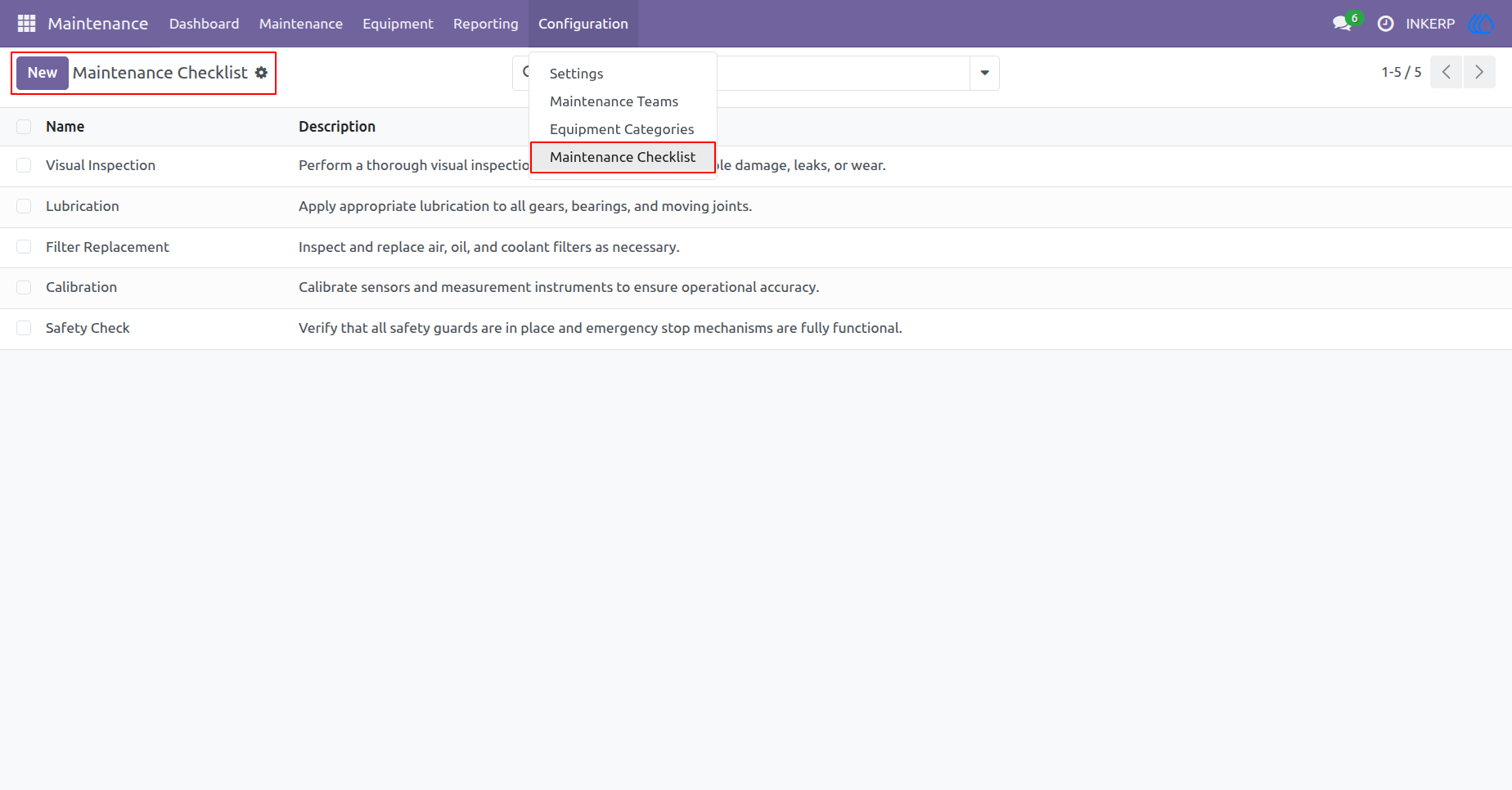
1.) Maintenance Checklist Configuration
Create and manage predefined maintenance checklist templates with detailed descriptions. These standardized items can be easily selected and reused for future maintenance tasks.
Navigation : Maintenance › Configuration › Maintenance Checklist
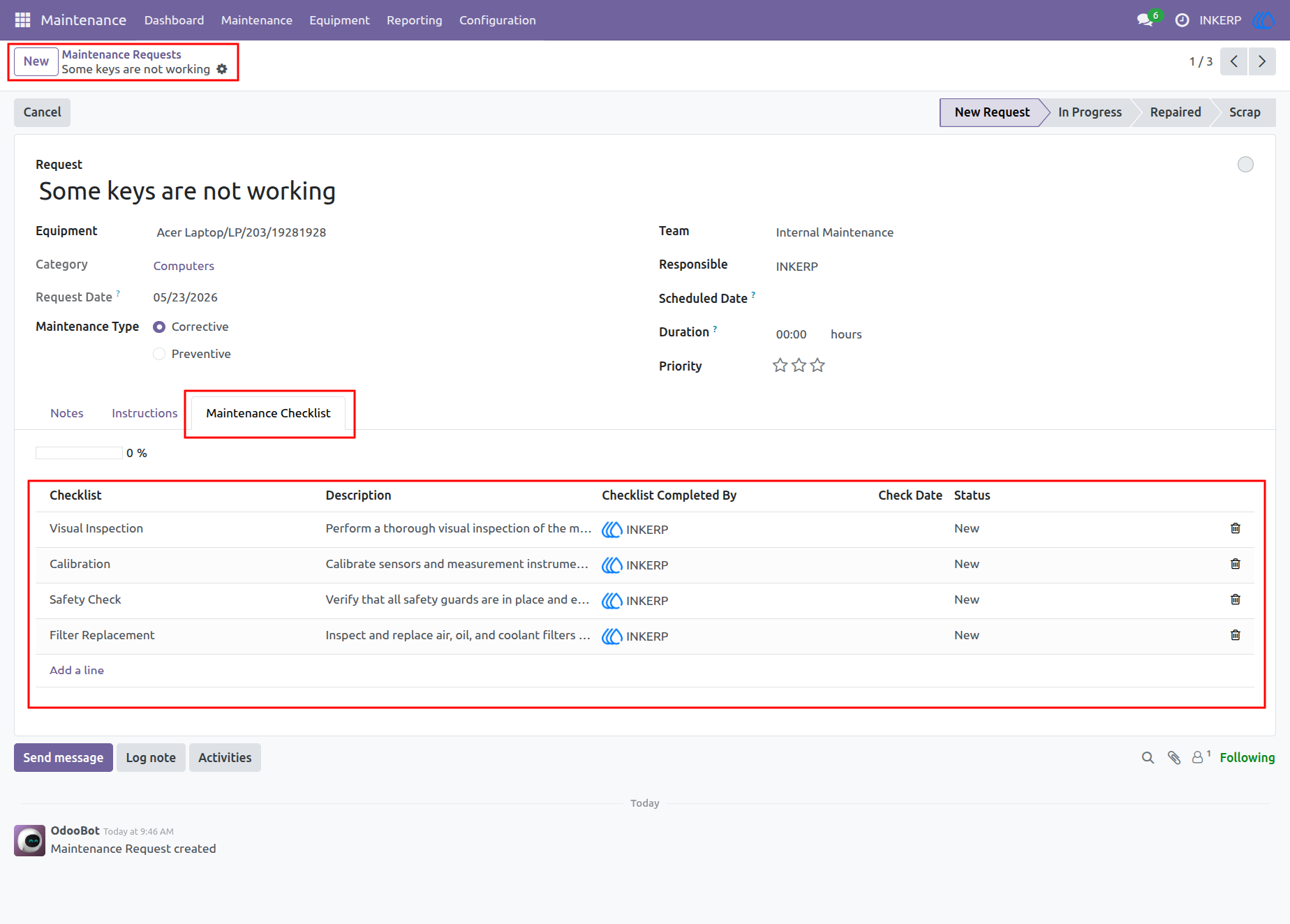
2.) Maintenance Checklist inside Requests
View and manage specific checklist items directly within the newly added "Maintenance Checklist" tab on a maintenance request. It displays the assigned tasks, descriptions, and their current "New" status.
Navigation : Maintenance › Maintenance Requests
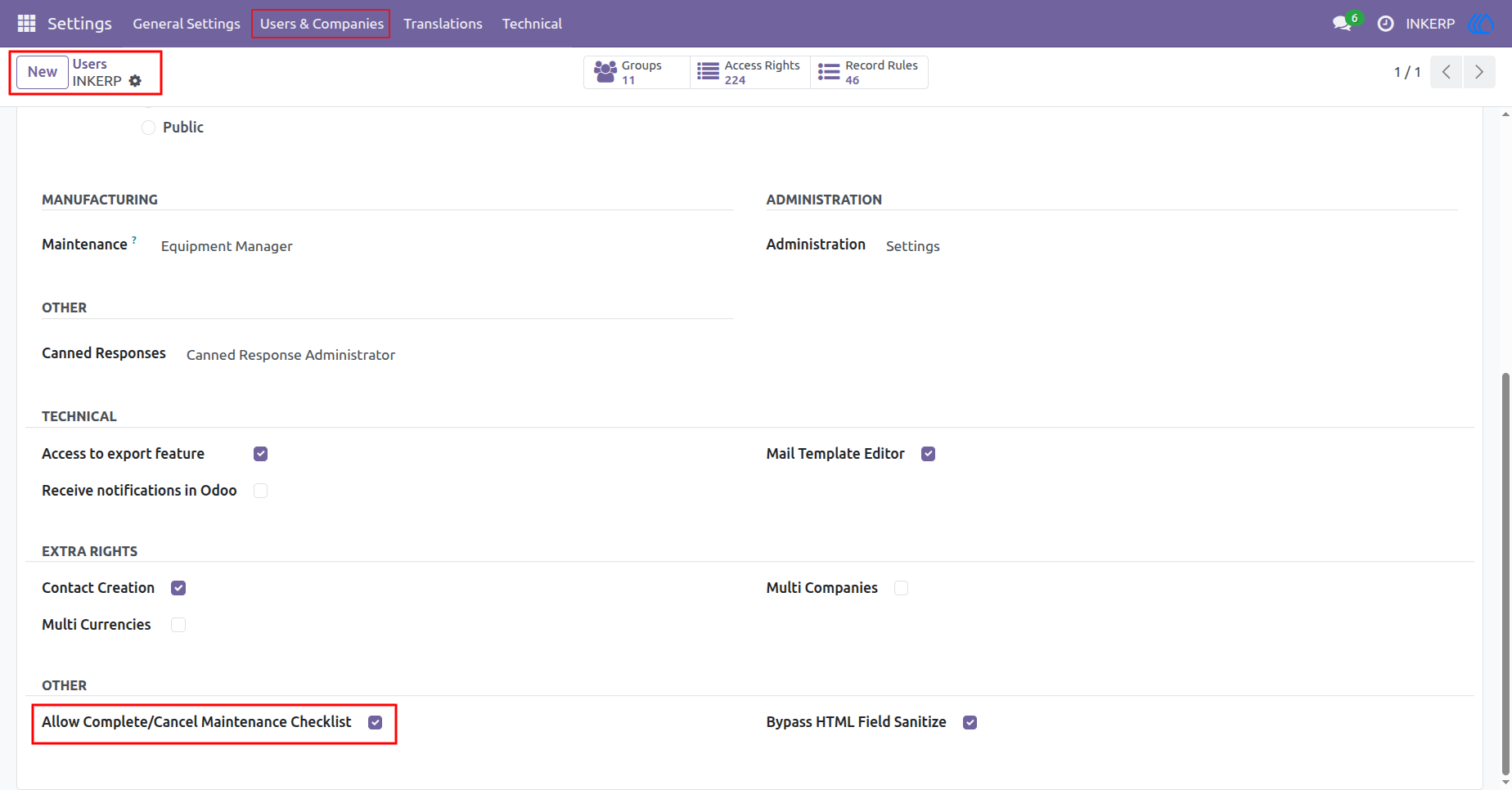
3.) Checklist Access Rights Configuration
Control which users have the authority to process checklist tasks to maintain security and accountability. You can grant this permission by enabling the "Allow Complete/Cancel Maintenance Checklist" option in user settings.
Navigation : Settings › Users & Companies › Users
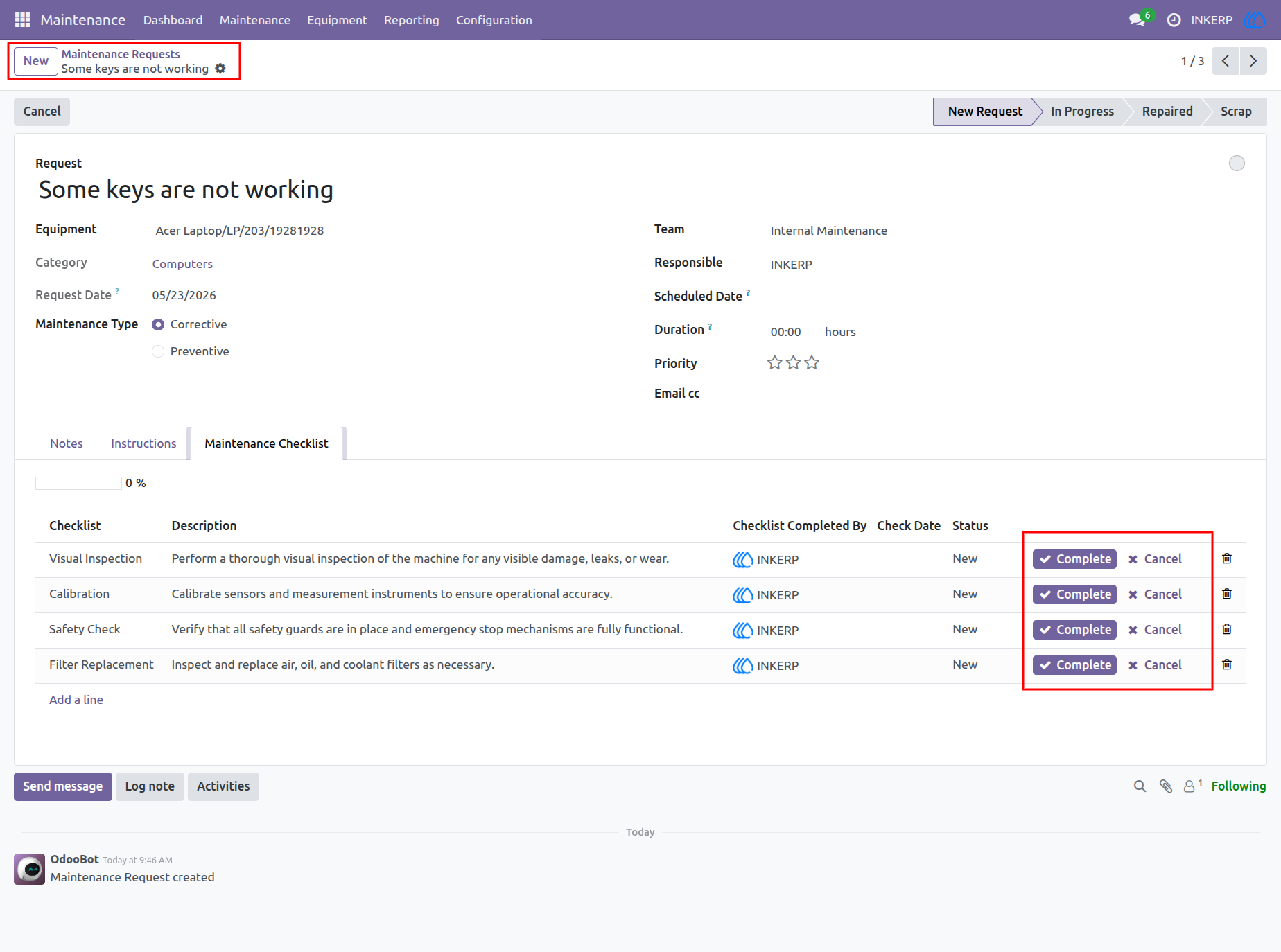
4.) Checklist Action Buttons
Authorized users can quickly interact with the checklist using dedicated inline action buttons. Each individual task line provides options to either mark the task as "Complete" or "Cancel" it.
Navigation : Maintenance › Maintenance Requests
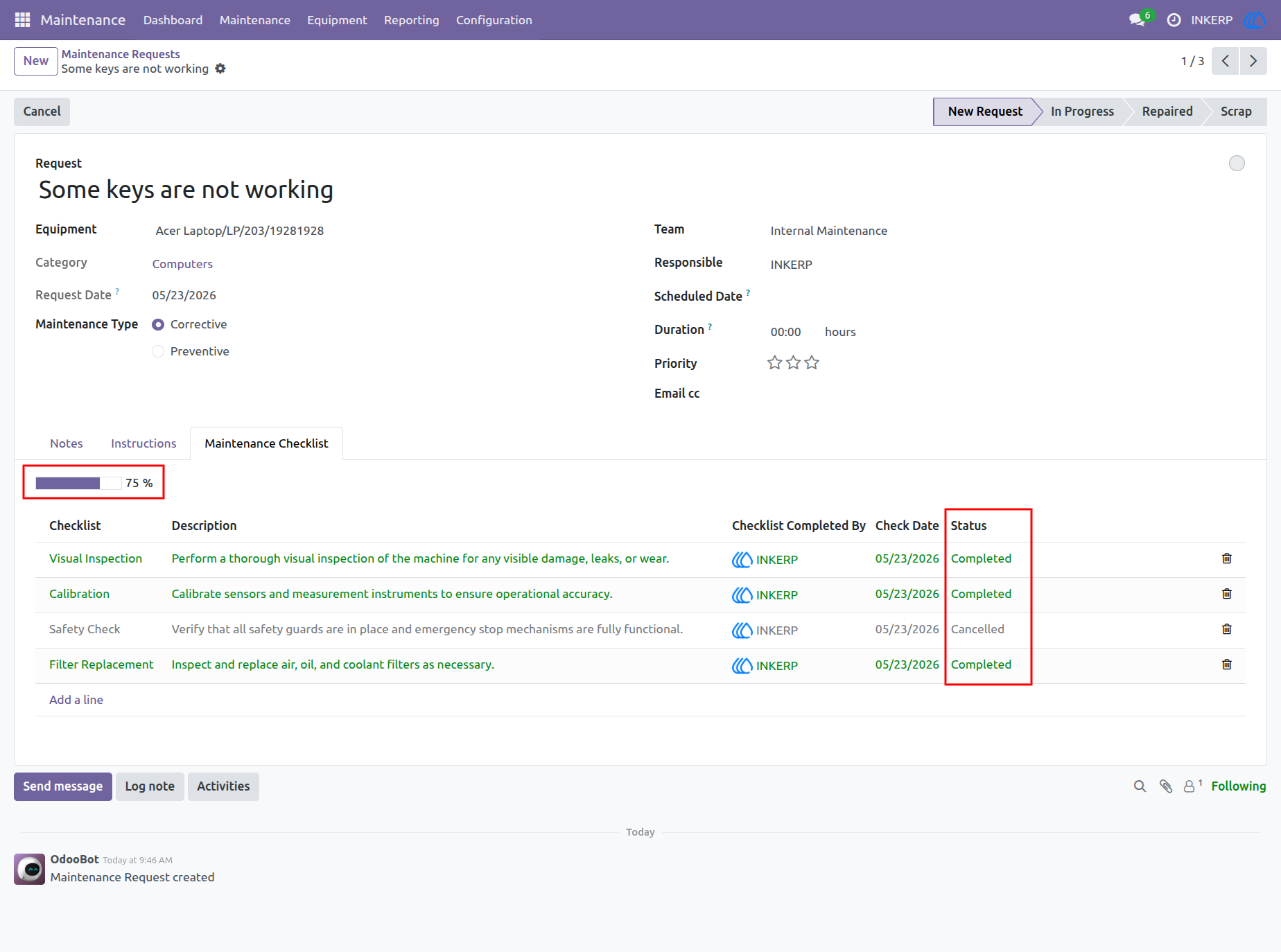
5.) Maintenance Progress Tracking
Monitor the overall status of the maintenance job visually with an automated progress bar that calculates completed tasks. The system automatically logs the "Check Date" and updates the final "Status" for every checklist item.
Navigation : Maintenance › Maintenance Requests
User Guide