

Our Most Suggested Products


Lead Deadline Alert
Stay on top of your sales pipeline with automated reminders. This module sends alerts when a lead reaches its deadline. Users receive both scheduled activities and email notifications. User can configure alerts based on specific stages and customizable days in settings.
Video Tutorial

 Features
 Screenshots
 Support
 Service
Features
Configurable Deadline Alerts :
Define the stage and number of days before a lead’s deadline to trigger notifications , in CRM config settings.
Stage-Based Monitoring :
Set alerts for specific lead stages, ensuring reminders are relevant to your sales process.
Activity Scheduling :
Creates automatic activities linked to the lead. Helps users stay organized with clear next steps. Improves follow-up consistency and efficiency.
Email Notifications :
Sends timely emails to assigned users. Keeps everyone informed without manual effort. Supports proactive communication with leads.
Screenshot
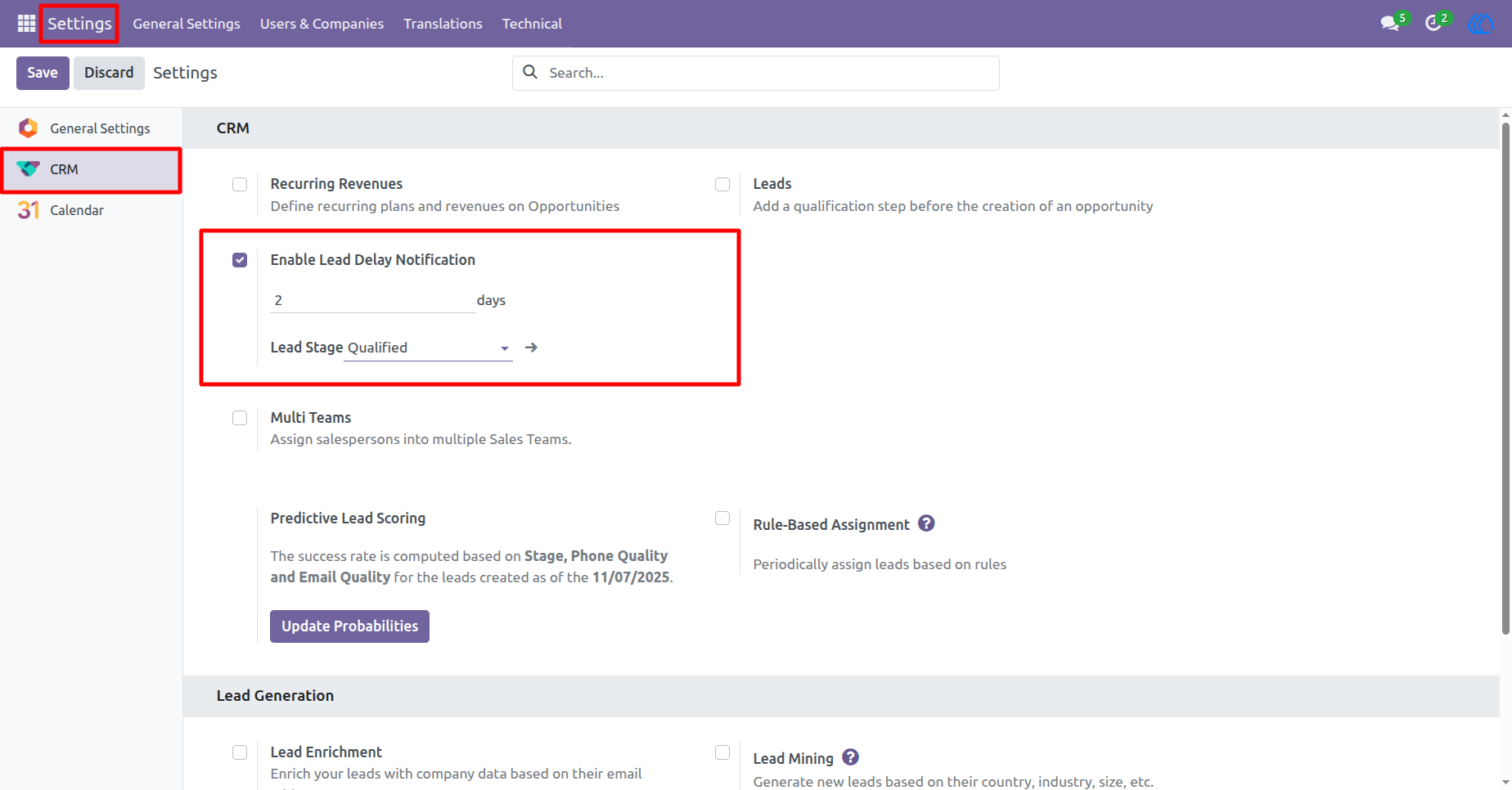
1) CRM Config Settings
Go to Settings and select the CRM tab. Tick the checkbox Enable Lead Delay Notification to activate the feature. Set the Delay in days (e.g., 2 days) - this defines how long a lead can remain in the selected stage before triggering an alert. Choose the Lead Stage (e.g., Qualified) - alerts will be sent only if the lead stays in this stage beyond the configured delay.
Navigation : Settings › CRM
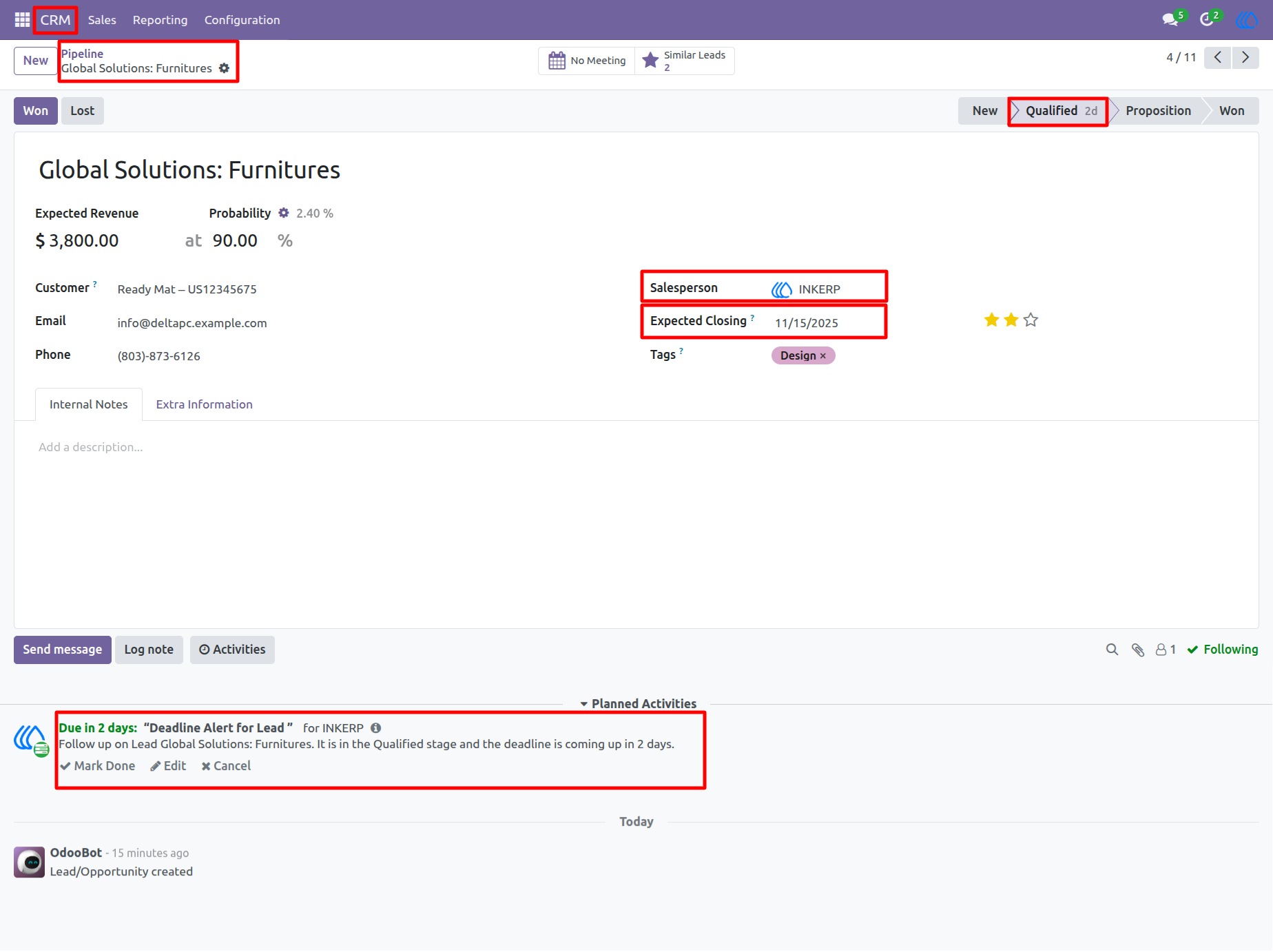
2) Lead Form View
Once the Lead Deadline Alert is configured, users will see visual and actionable reminders directly within the lead or opportunity form view.
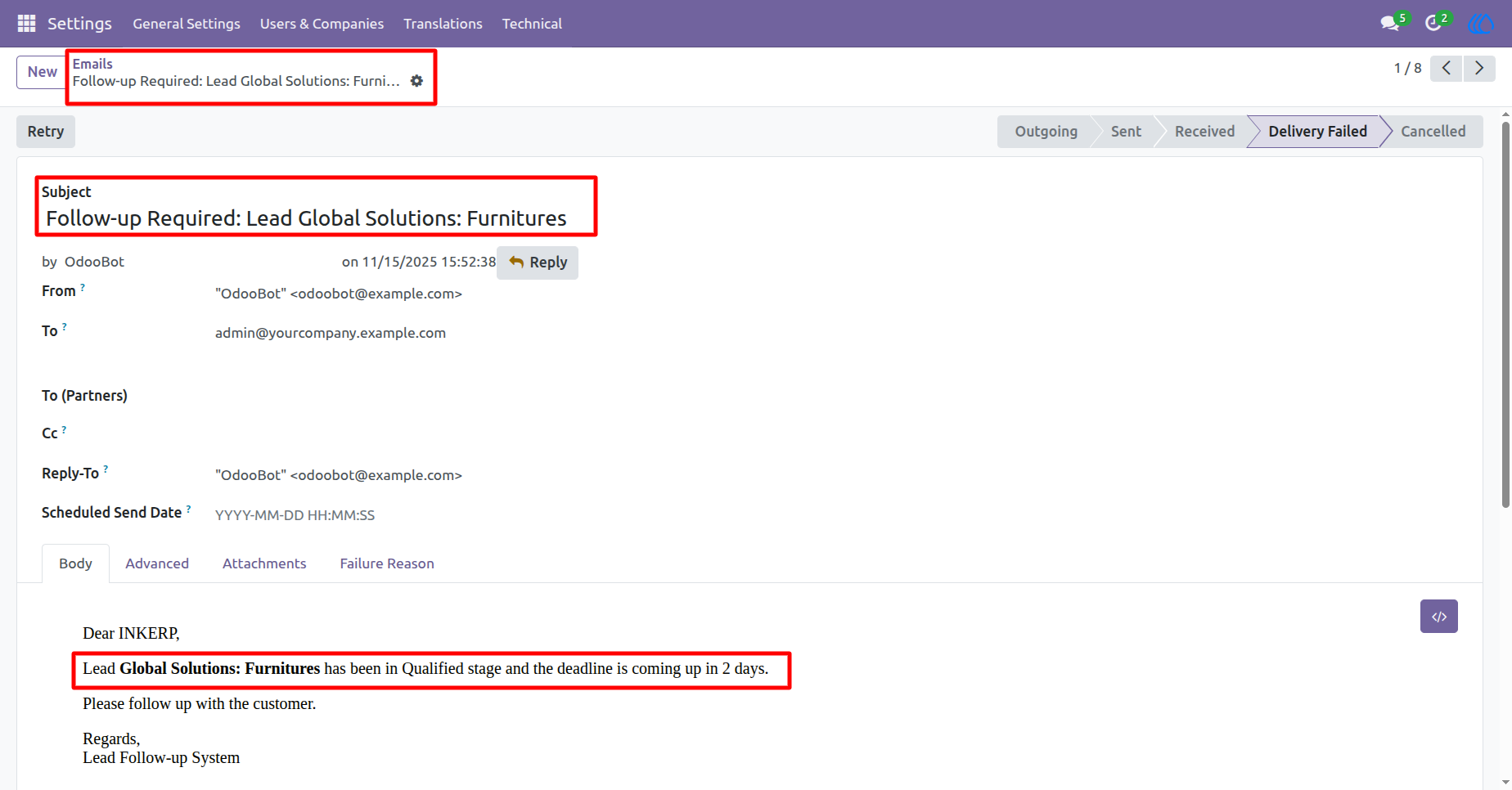
3) Email View
Sends email notifications to users when a lead approaches its configured deadline. These emails serve as an additional reminder alongside scheduled activities. An email was generated for the lead " Global Solutions: Furnitures "
User Guide