

Our Most Suggested Products


Laundry Management
Laundry Management provides a complete laundry order management workflow directly within the Point of Sale. It allows users to configure laundry services, service add-ons, garment colors, workflow stages, employees, urgent processing fees, and home delivery charges. Staff can create laundry orders by selecting garments, cleaning services, colors, additional services, and special notes, while customers can be assigned for collection or delivery. Each laundry order is connected with backend laundry work orders and service operations, making it easy to monitor processing progress, assign responsible employees, track operation duration, print garment labels, send ready notifications, and manage delivery.
 Features
 Screenshots
 Support
 Service
Features
Complete Laundry Management in POS
Create and manage laundry orders directly from the Point of Sale without using a separate ordering system. Select garments, cleaning services, colors, additional services, notes, and customer information from an easy-to-use interface.
Laundry Services, Add-ons and Garment Details
Configure different laundry services with their own pricing and create additional services such as stain removal, premium perfume, or express delivery. Staff can also record garment colors and special notes to ensure each item receives the correct treatment.
Laundry Workflow and Operation Tracking
Manage laundry work through configurable stages such as Received, Washing & Ironing, Ready, and Out for Delivery. Individual service operations can be assigned to employees, started and stopped during processing, and automatically tracked with their actual duration.
Urgent Processing and Home Delivery
Mark orders as urgent and apply a configured urgent processing charge when faster service is required. Home delivery can also be enabled with a delivery fee, expected delivery date, delivery address, and assigned delivery driver.
Customer Tracking and Ready Notifications
Send customers a notification when their laundry work is ready for collection or delivery. Customers can also use the public tracking page with their laundry reference to view the current order status and garment information.
Screenshot
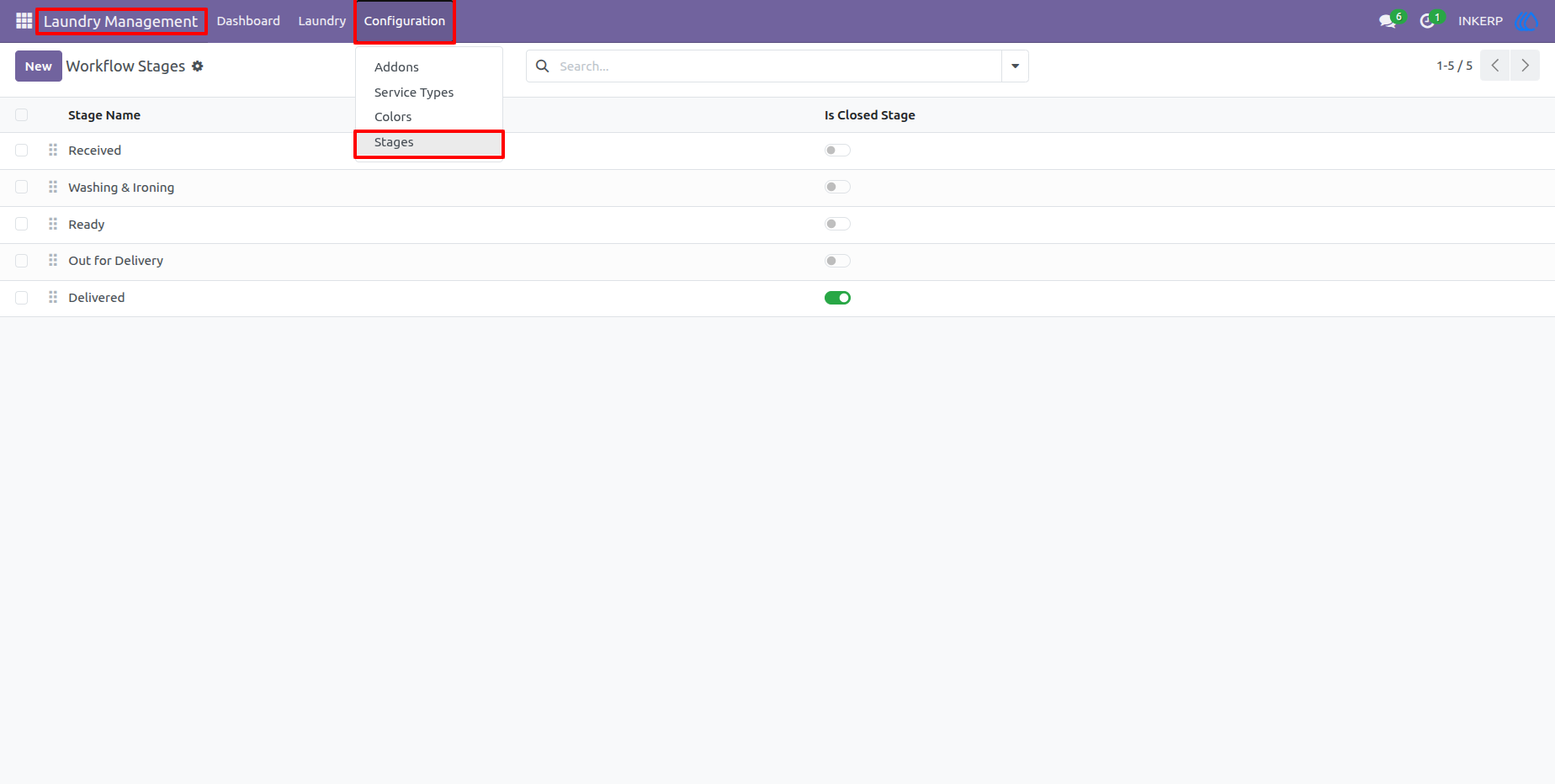
1.) Laundry Workflow Stages
Configure the stages used to control the laundry workflow, such as Received, Washing & Ironing, Ready, Out for Delivery, and Delivered. Each stage can be arranged by sequence and marked as a closed stage when it represents the end of the process.
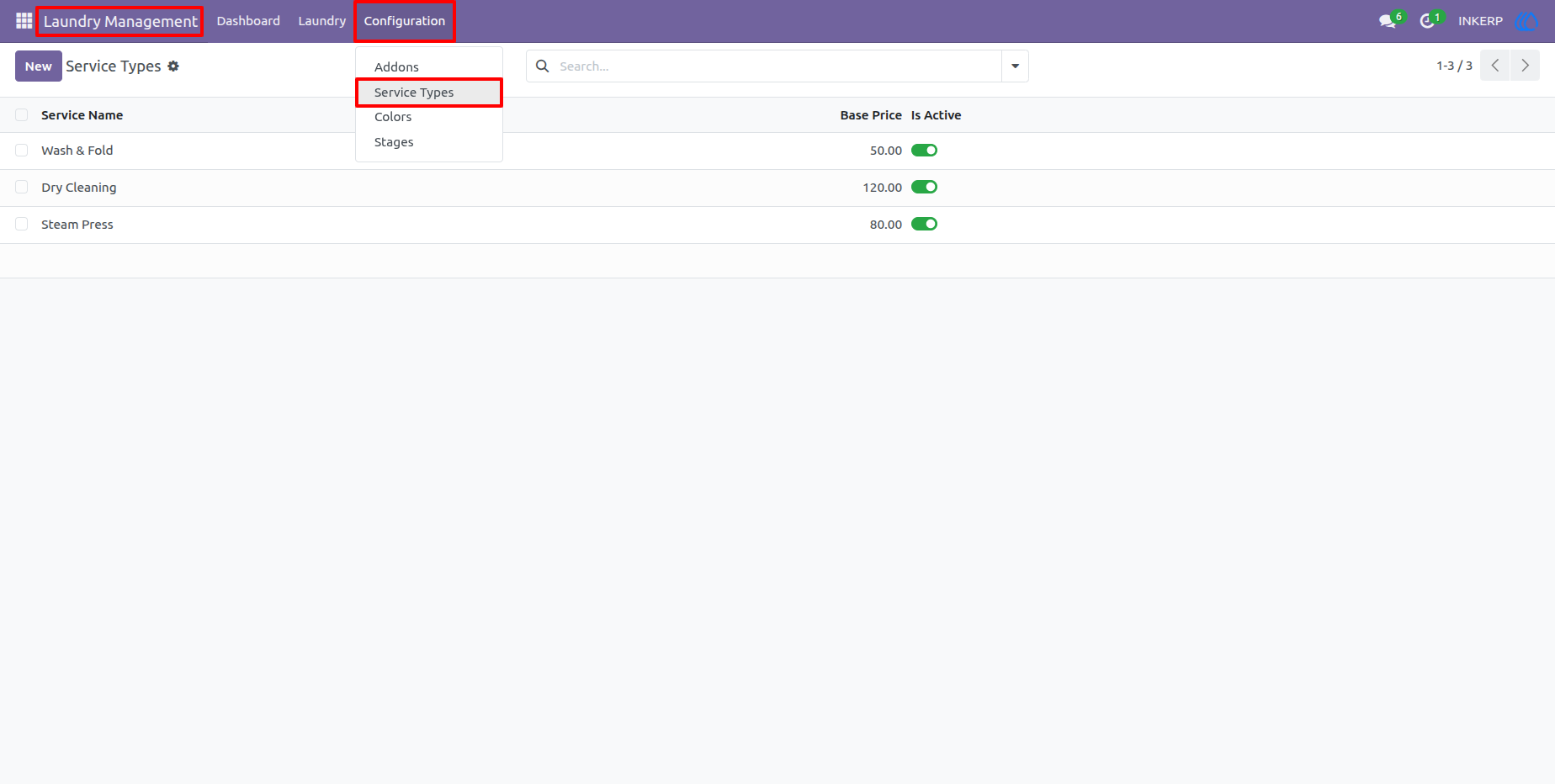
2.) Laundry Service Types
Create the cleaning services offered by the business and define their base prices. Services such as Wash & Fold, Dry Cleaning, and Steam Press can be maintained from one centralized configuration screen.
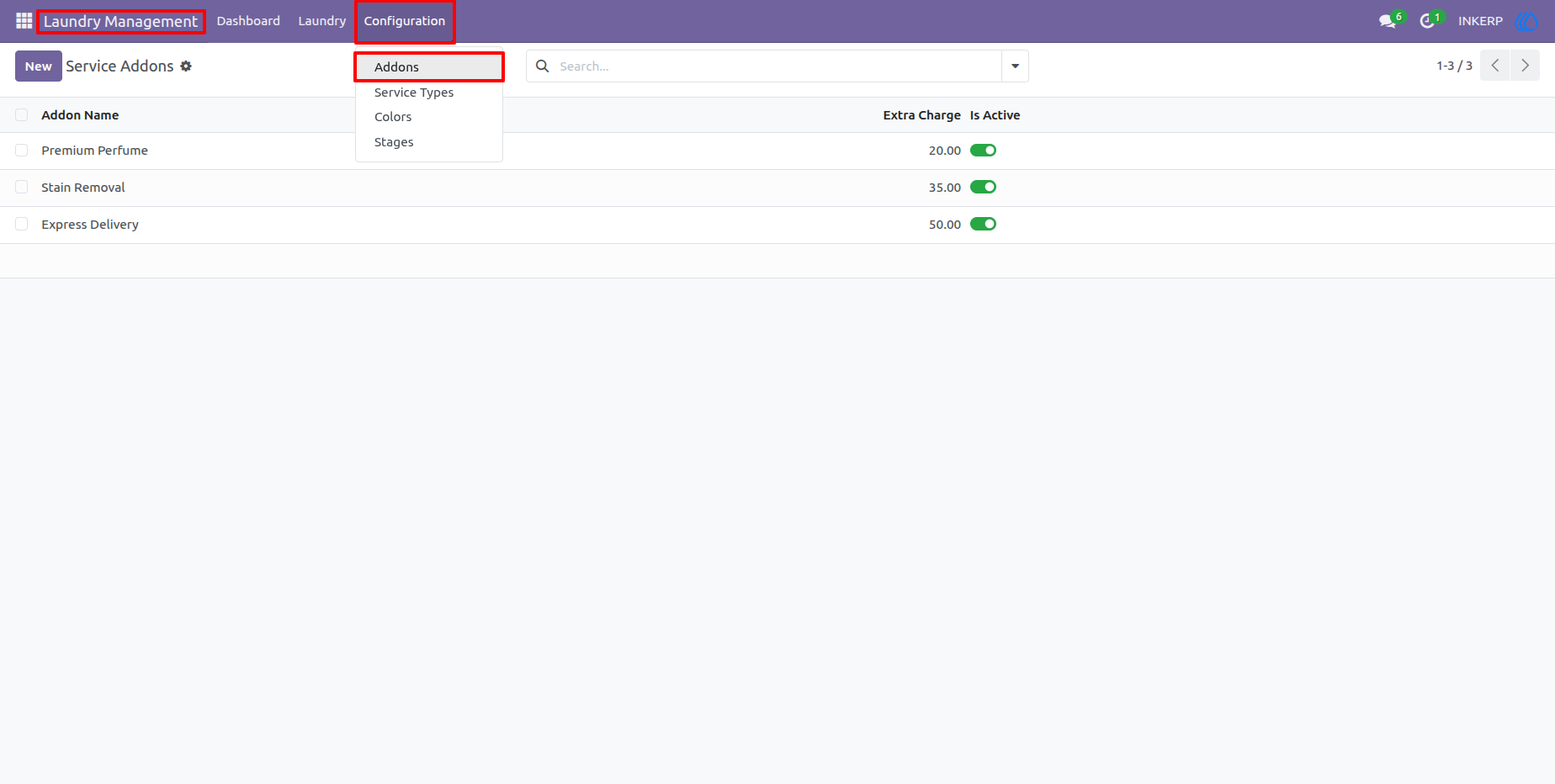
3.) Laundry Service Add-ons
Configure additional services that can be applied to laundry items, including Premium Perfume, Stain Removal, and Express Delivery. Each add-on can have its own extra charge and can be associated with applicable laundry services.
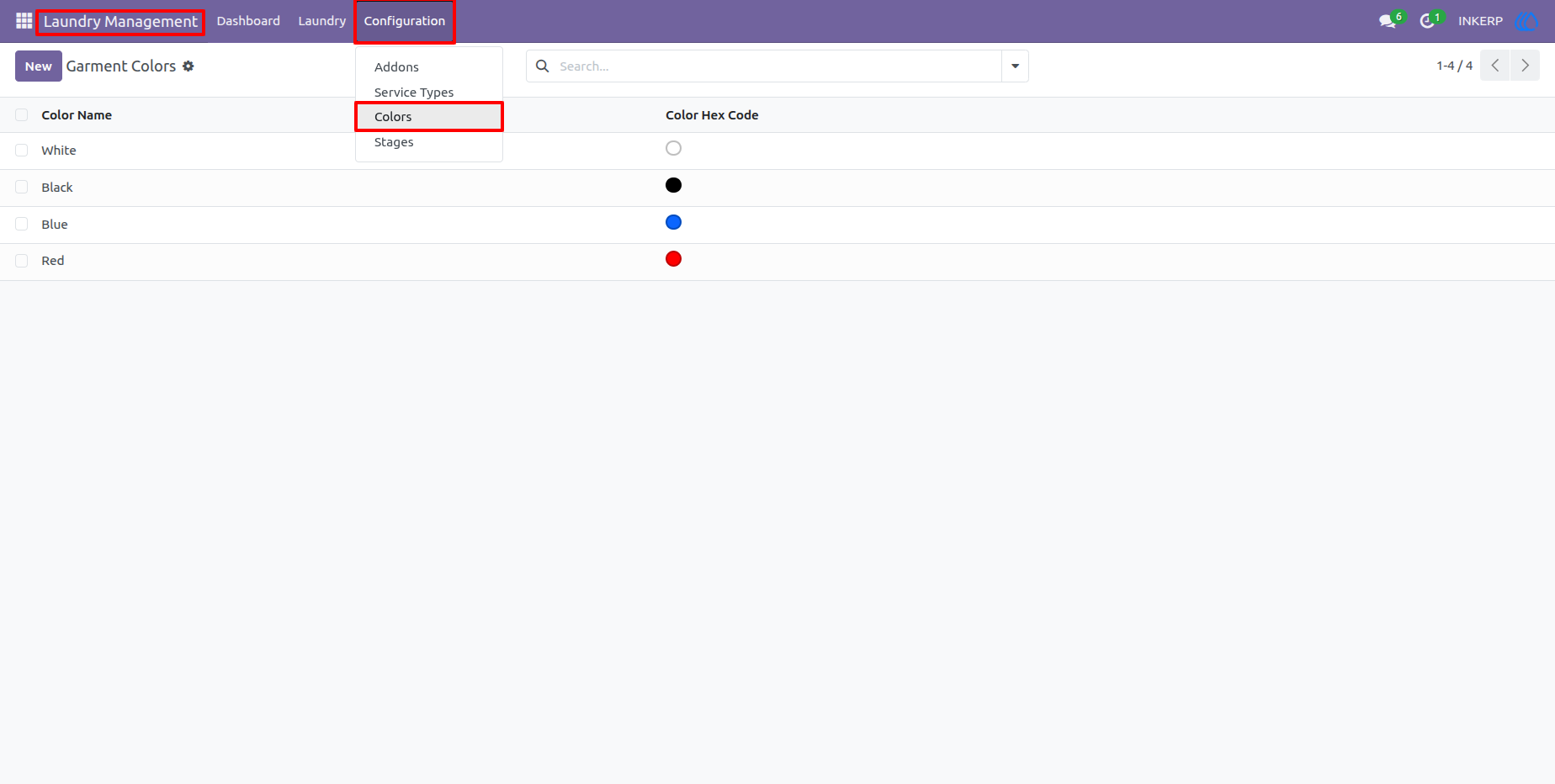
4.) Garment Colors
Maintain the garment colors available to POS users when registering laundry items. Color values are displayed as visual swatches, making it easier for staff to identify and record garment details accurately.
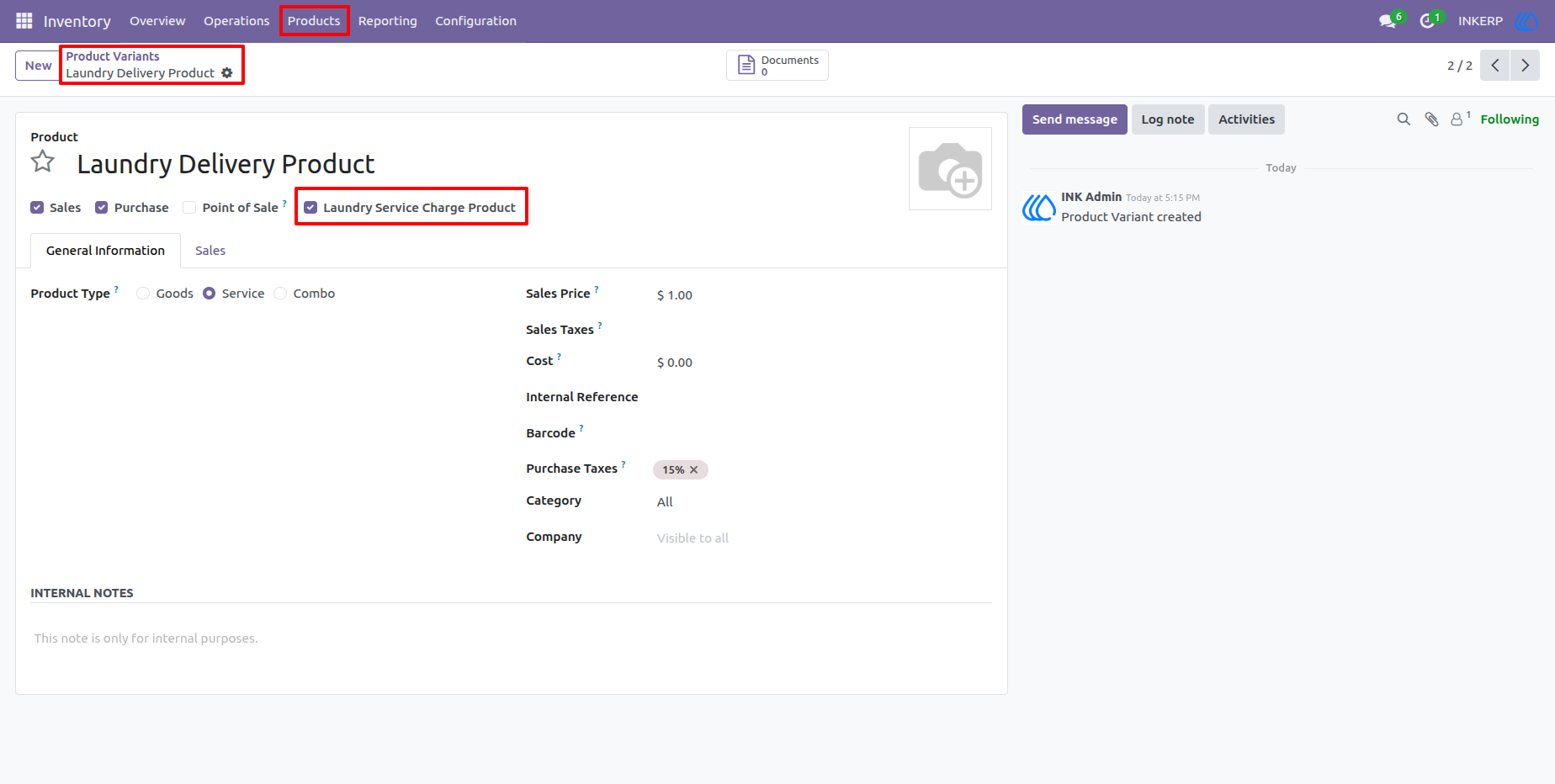
5.) Laundry Service Charge Products
Configure the products used for additional laundry charges, such as Home Delivery and Urgent Service fees. These products can be maintained as POS-available service items and selected in the laundry configuration so the corresponding charges are automatically added when customers request delivery or urgent processing.
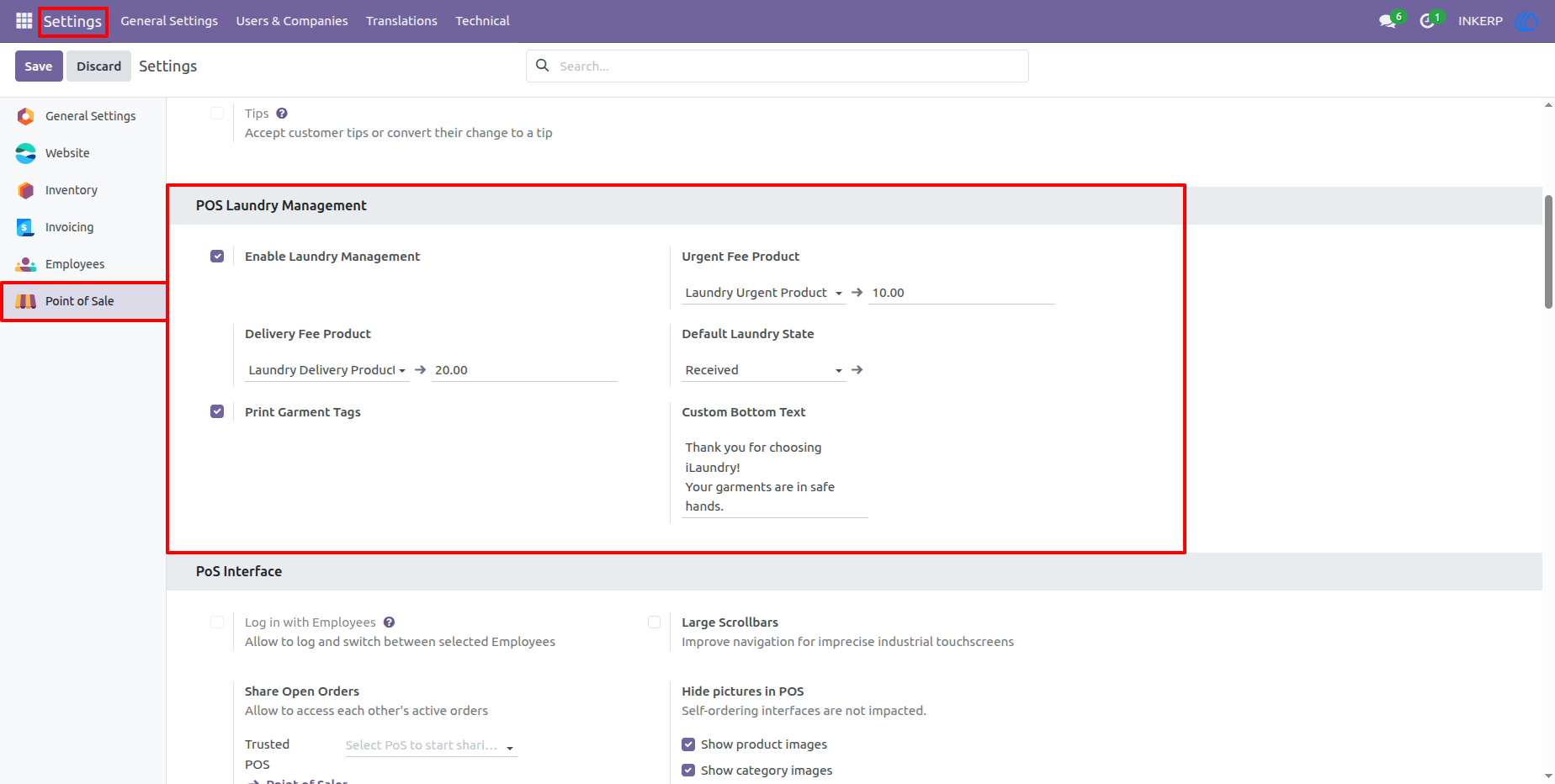
6.) POS Laundry Management Settings
Enable laundry management and configure the main POS laundry preferences. Users can define urgent and delivery fee products, set the default laundry stage, enable garment tag printing, and customize the text displayed at the bottom of customer receipts.
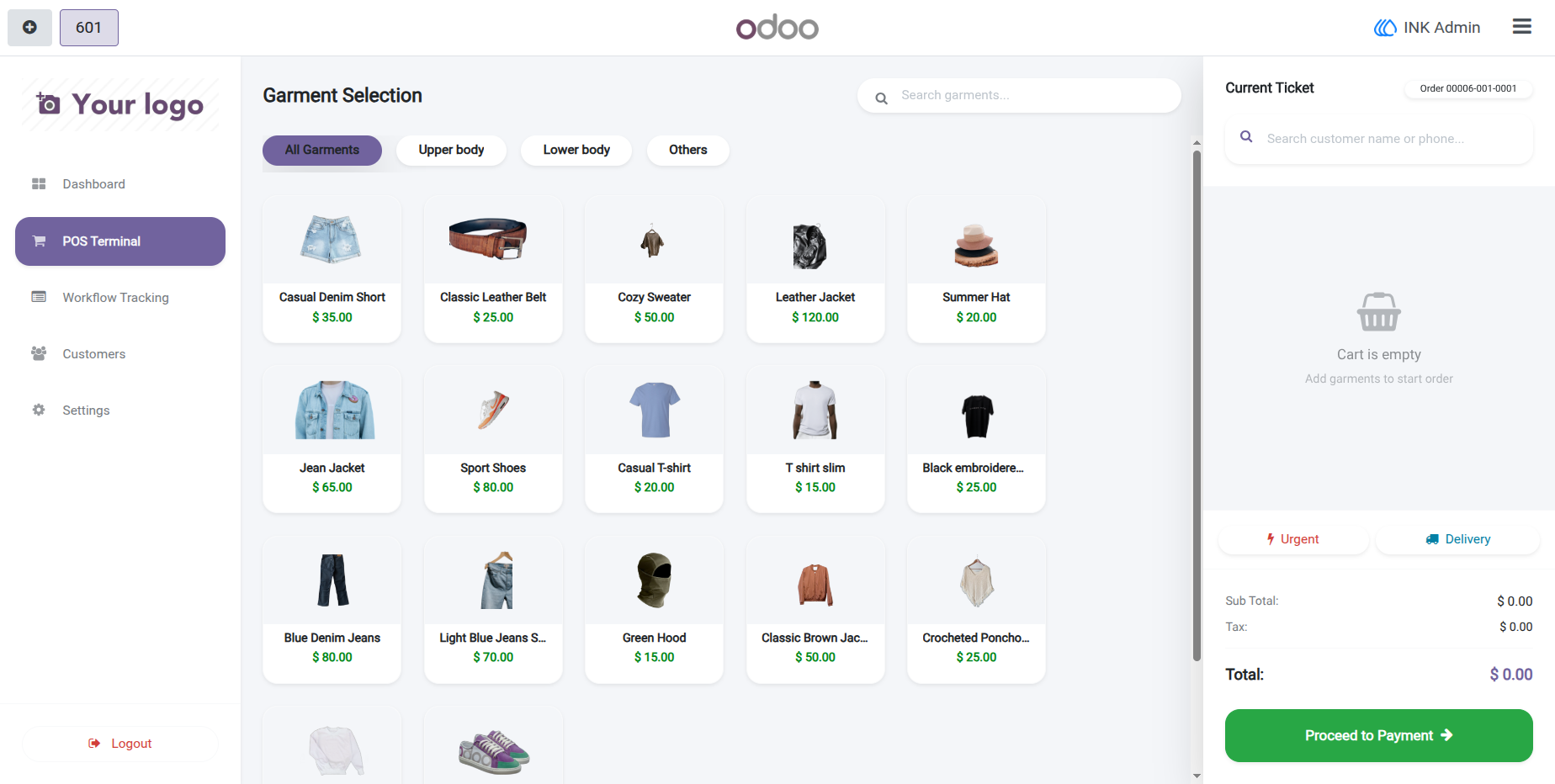
7.) Empty Laundry Order
Start a new laundry order from the POS and add garments as required. The empty cart provides a clear starting point, while the Urgent and Delivery options are available for orders requiring additional processing or delivery services.
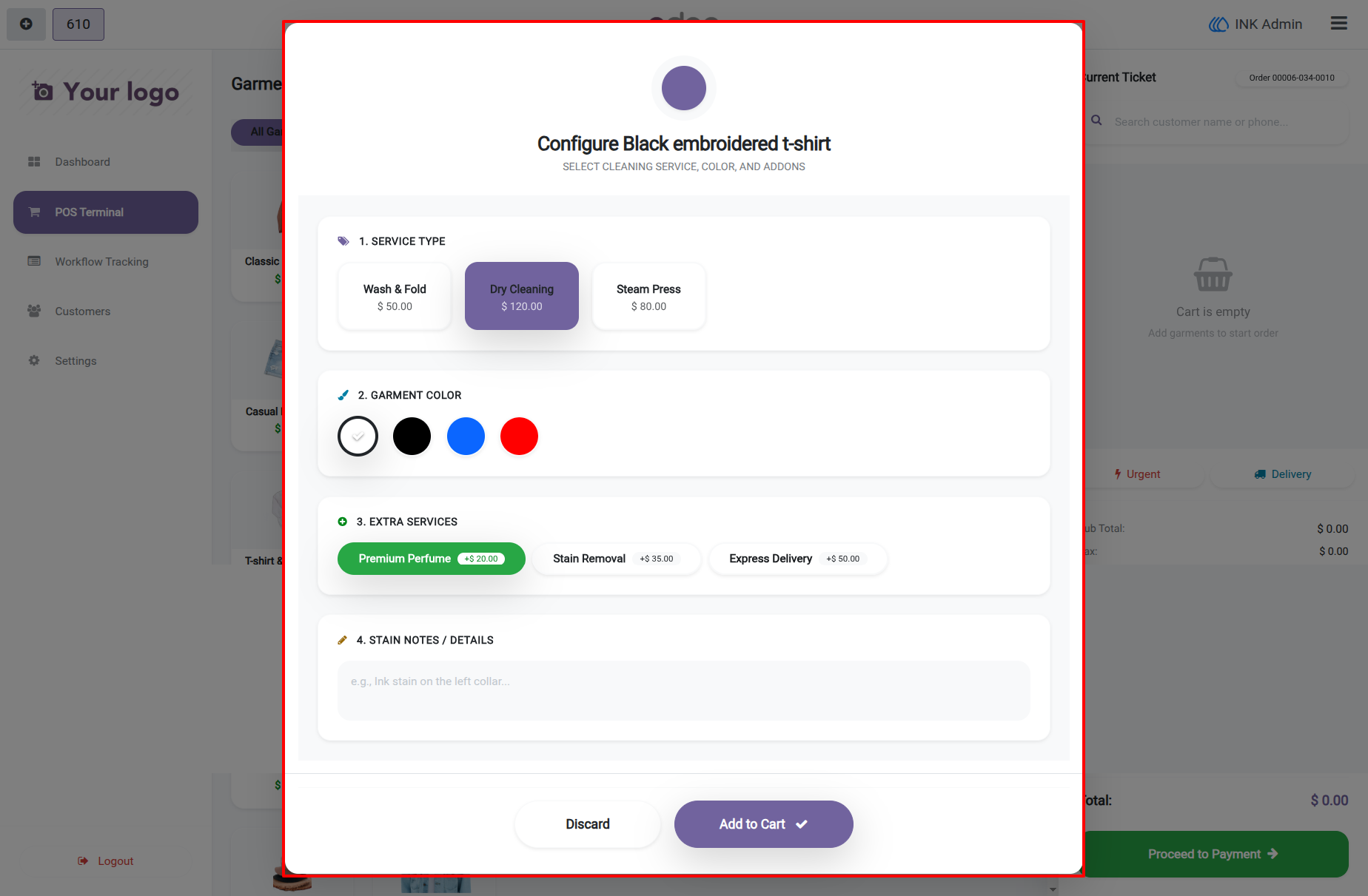
8.) Configure Garment Service Details
When a garment is selected, staff can configure its cleaning service, garment color, extra services, and stain or special-handling notes before adding it to the order. This keeps important garment-specific instructions connected to the laundry item.
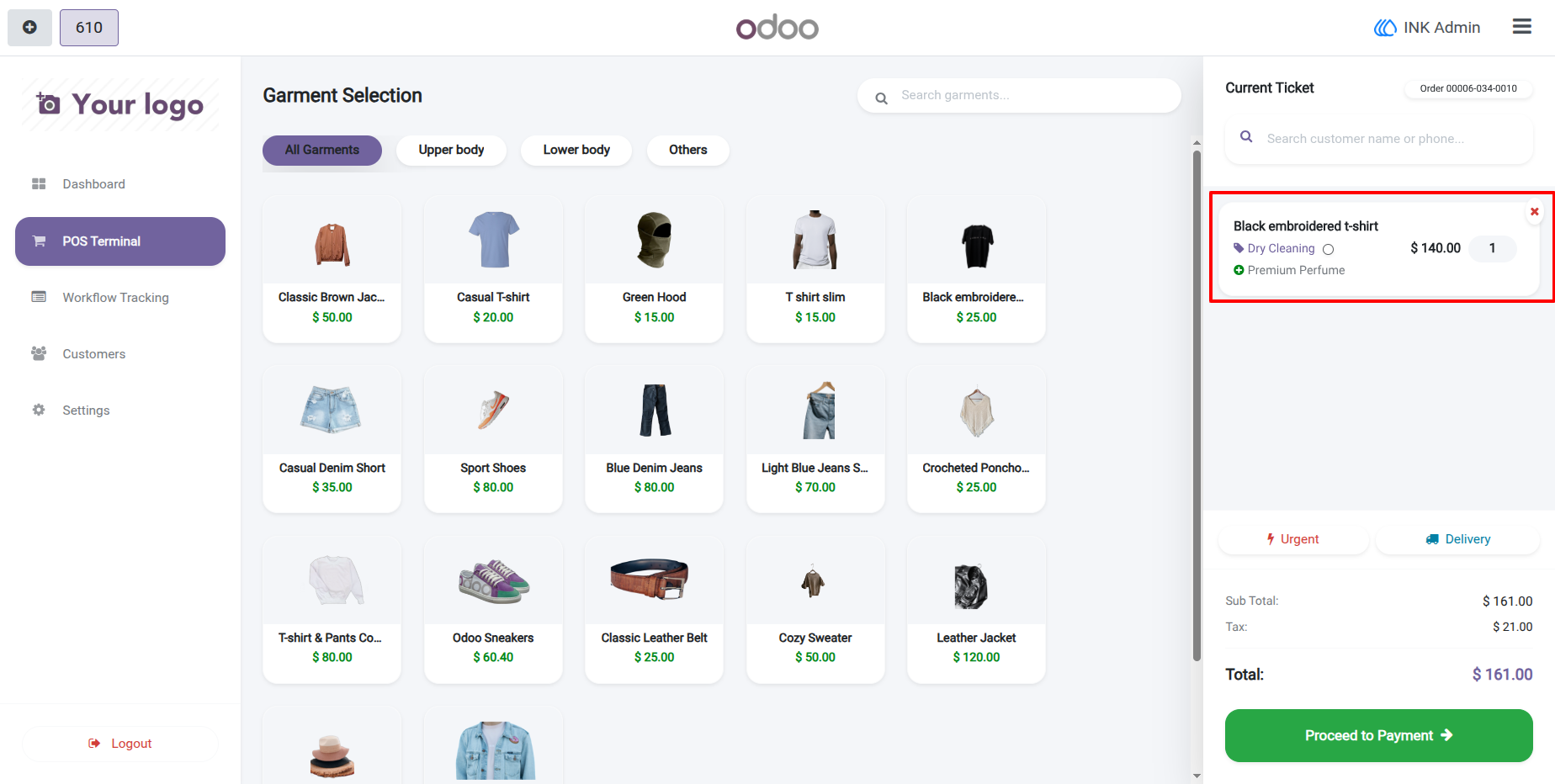
9.) POS Garment Selection with Current Ticket
Select additional garments from the POS catalog while keeping the current laundry ticket visible. The ticket displays selected garments, applied services and charges, allowing staff to review the order before proceeding to payment.
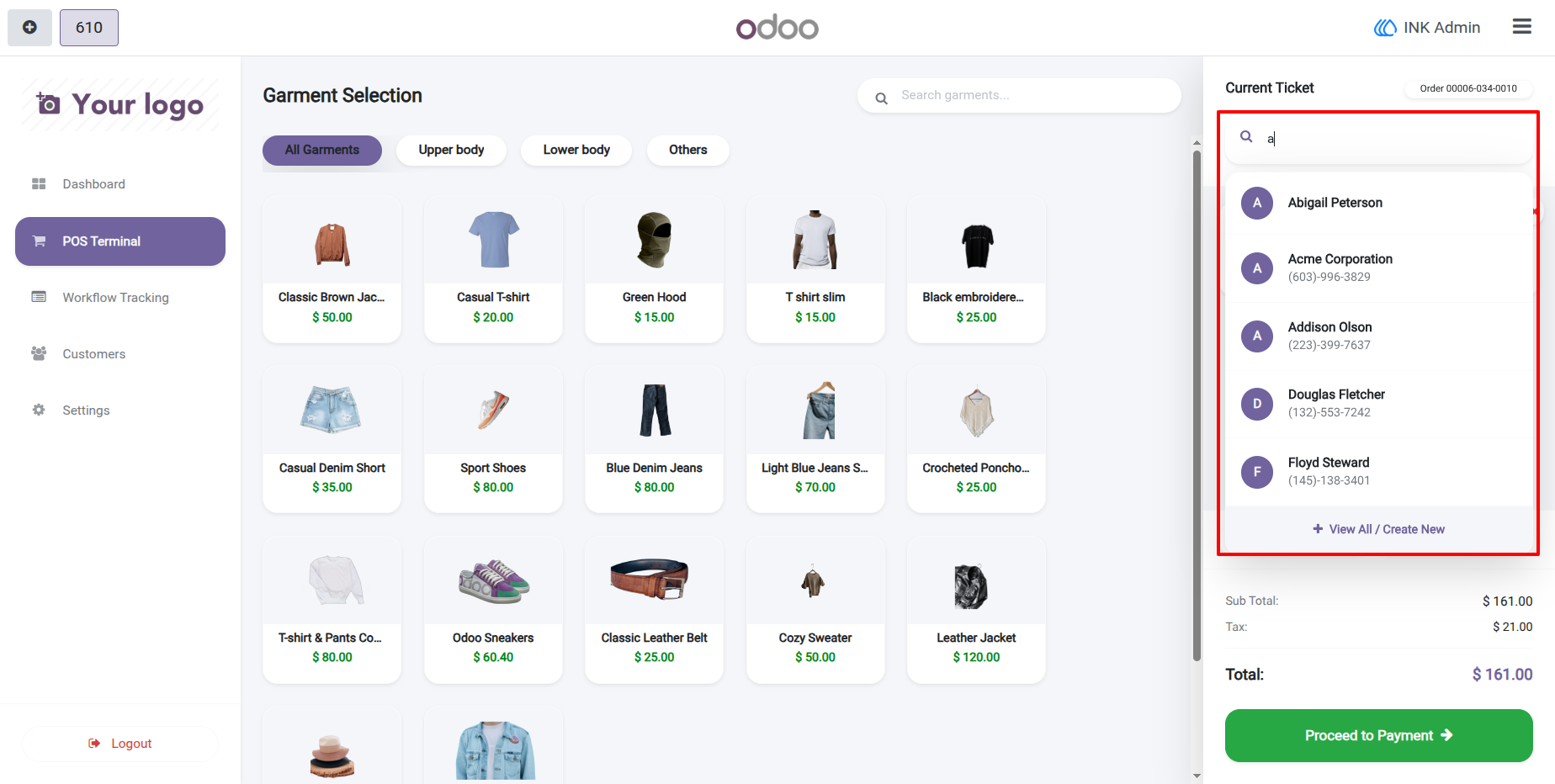
10.) Customer Selection for Laundry Order
Assign a customer to the laundry order by searching the customer directory or selecting an existing contact. Customer information is linked to the order so that the business can maintain a clear record and communicate about the laundry work.
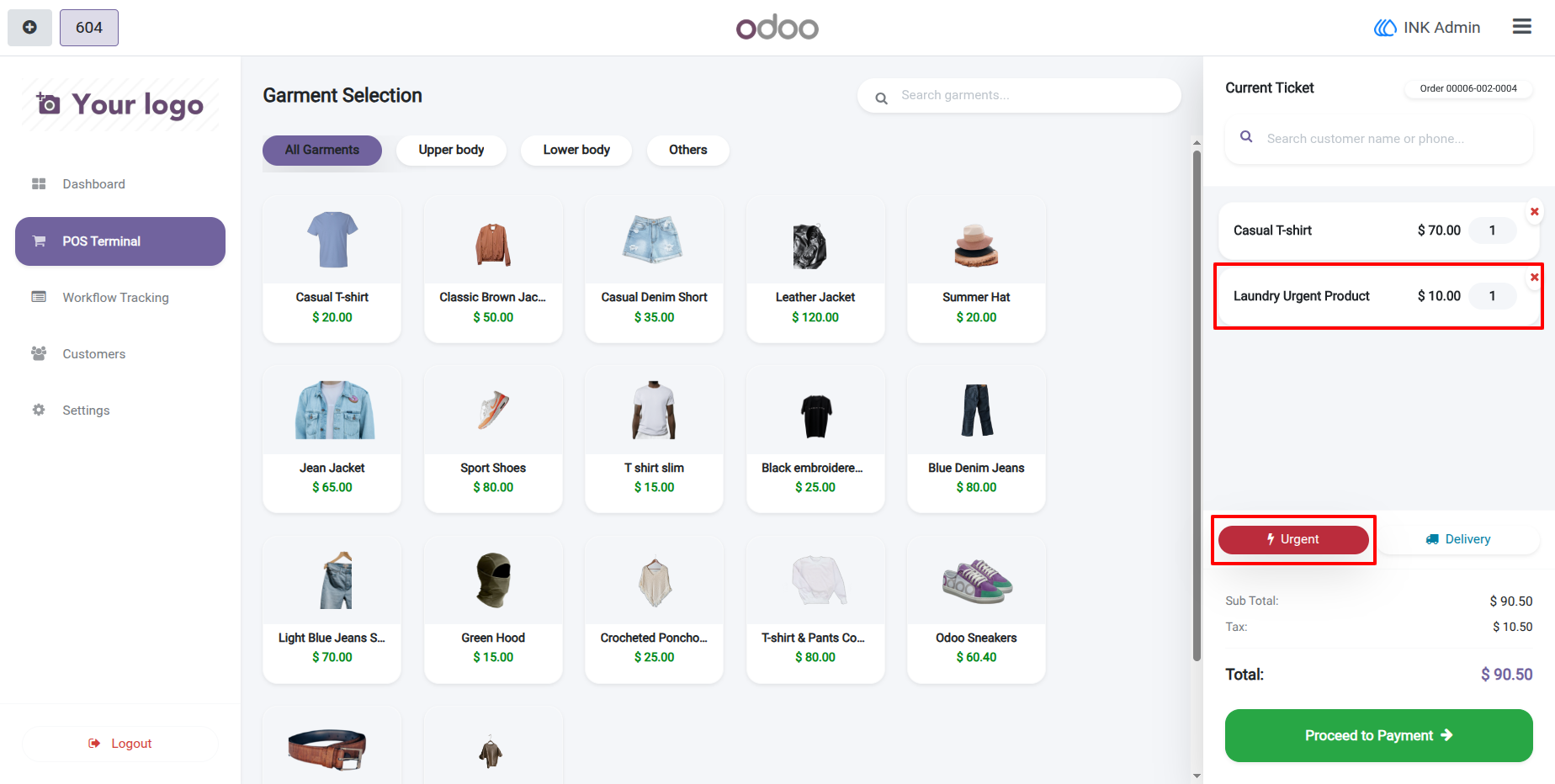
11.) POS Laundry Order with Urgent Processing
Select garments and laundry services from the POS terminal and mark the order as Urgent when faster processing is required. The configured Laundry Urgent Product is automatically added to the ticket so the additional urgent-service charge is included in the order total.
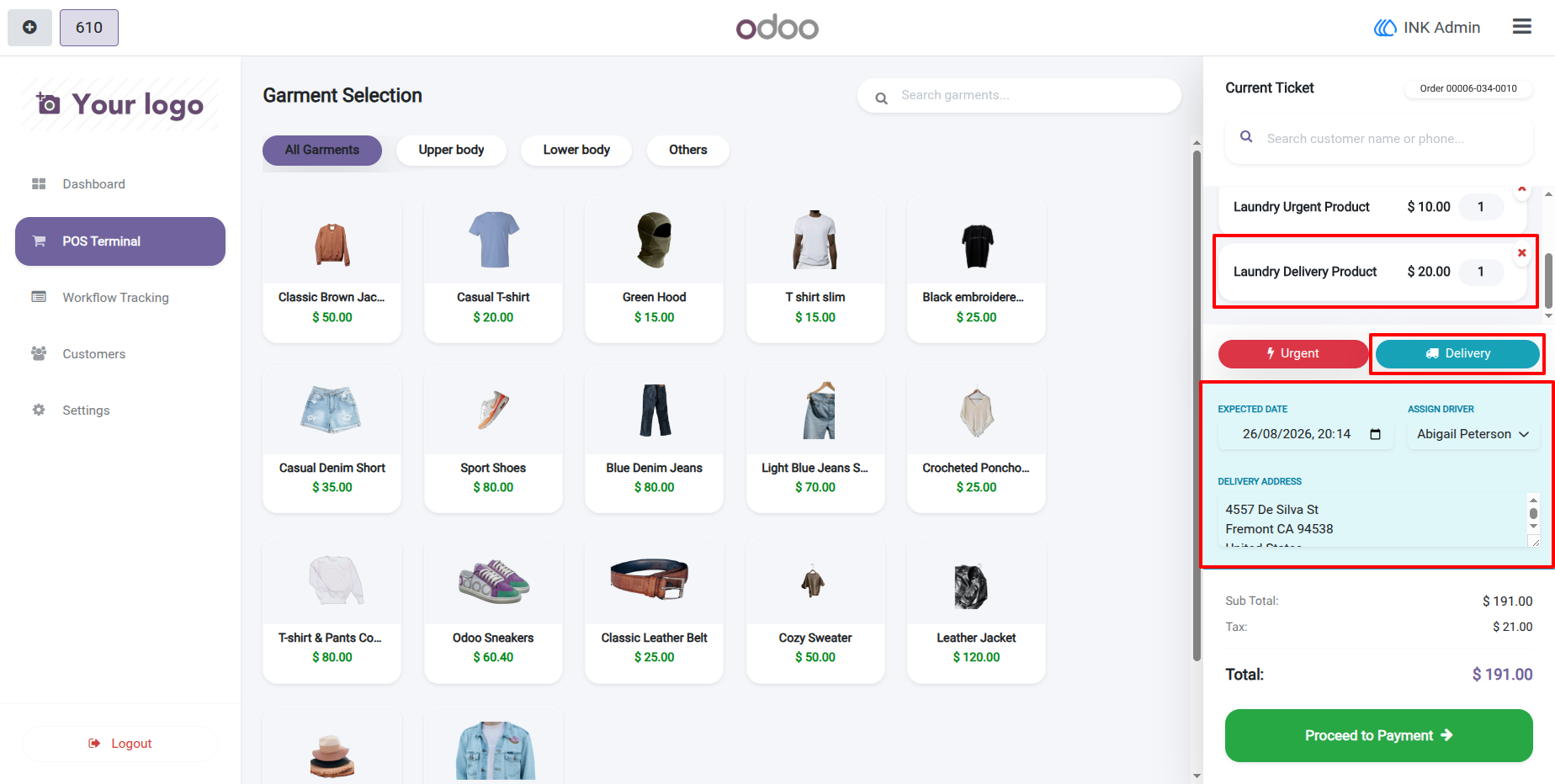
12.) POS Laundry Order with Home Delivery
Enable Delivery when the customer requests home delivery for their laundry. The system adds the configured Laundry Delivery Product and provides fields for the expected delivery date, delivery driver, and complete delivery address.
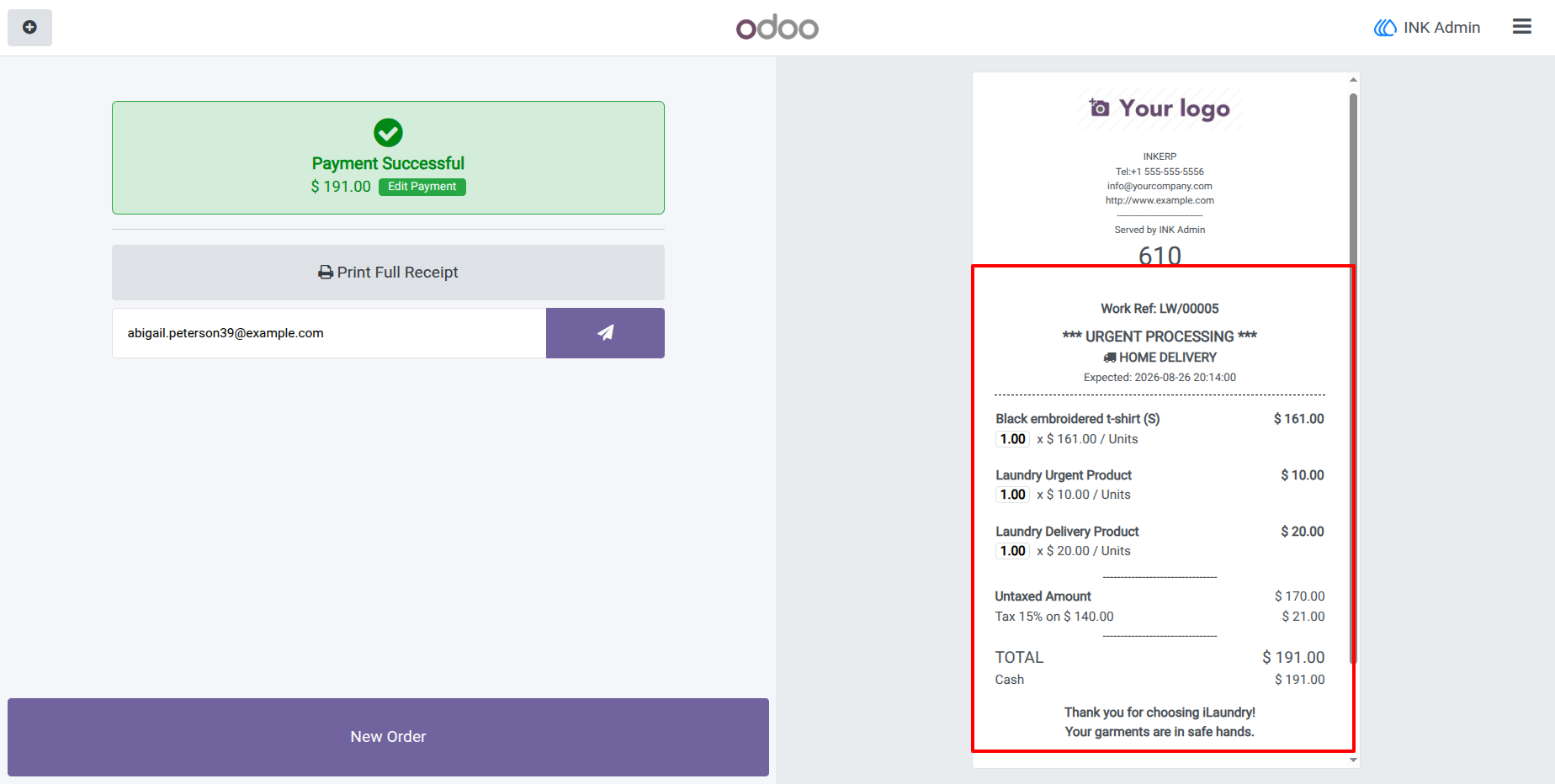
13.) Payment Confirmation and Laundry Receipt
After completing payment, the receipt displays the laundry work reference along with urgent processing and home delivery information. Garment details, service charges, delivery charges, expected date, total amount, and customized receipt text are included for the customer's reference.
14.) POS Order with Laundry Details in Backend
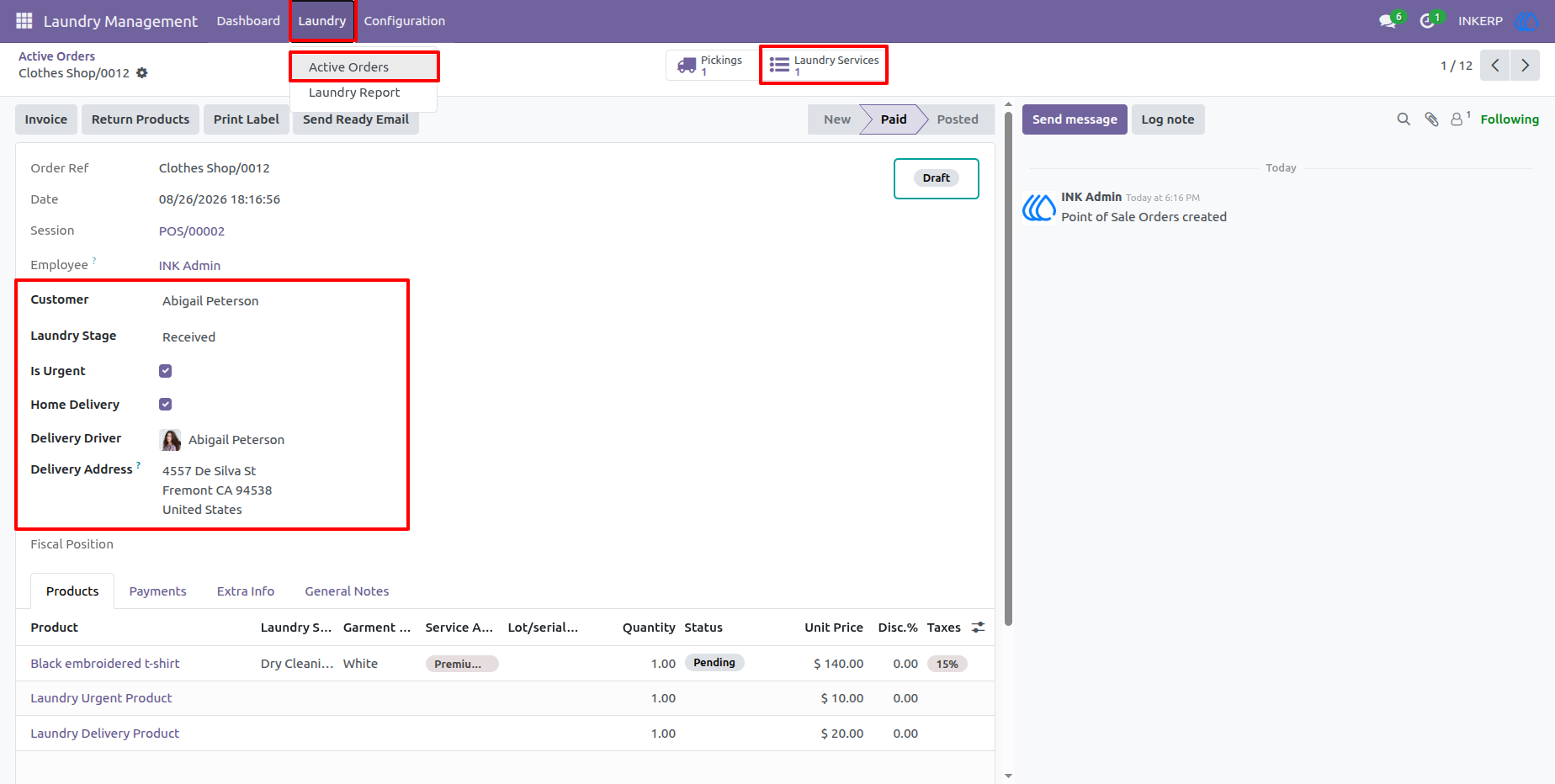
Review the completed laundry order from the backend and manage its operational details from one screen. Customer information, laundry stage, urgent status, home delivery, delivery driver, delivery address, garments, laundry services, add-ons, and additional charge products are all available for further processing.
User Guide