

Our Most Suggested Products


Invoice Post Confirmation
The Invoice Post Confirmation app introduces a restriction mechanism for confirming invoices in Odoo. The primary feature is that the POST button is hidden from general users, ensuring that only authorized personnel can confirm invoices. Managers are the only users with access to this critical function, providing a controlled access mechanism for performing invoice confirmation operations.
 Features
 Screenshots
 Support
 Service
Features
Restricting Invoice Confirmation for General Users
The app ensures that only users with the necessary permissions can confirm invoices. General users do not have access to the POST button, preventing unauthorized personnel from performing critical actions. This feature is particularly useful in environments where invoice confirmation should be restricted to specific roles, ensuring that only trusted team members handle sensitive financial operations.
Manager-Only Access to POST Button
To provide greater control and prevent accidental or unauthorized posting, the POST button is exclusively visible to managers. This feature allows businesses to designate trusted roles to handle invoice confirmations, making it easier to maintain a secure workflow.
Screenshot
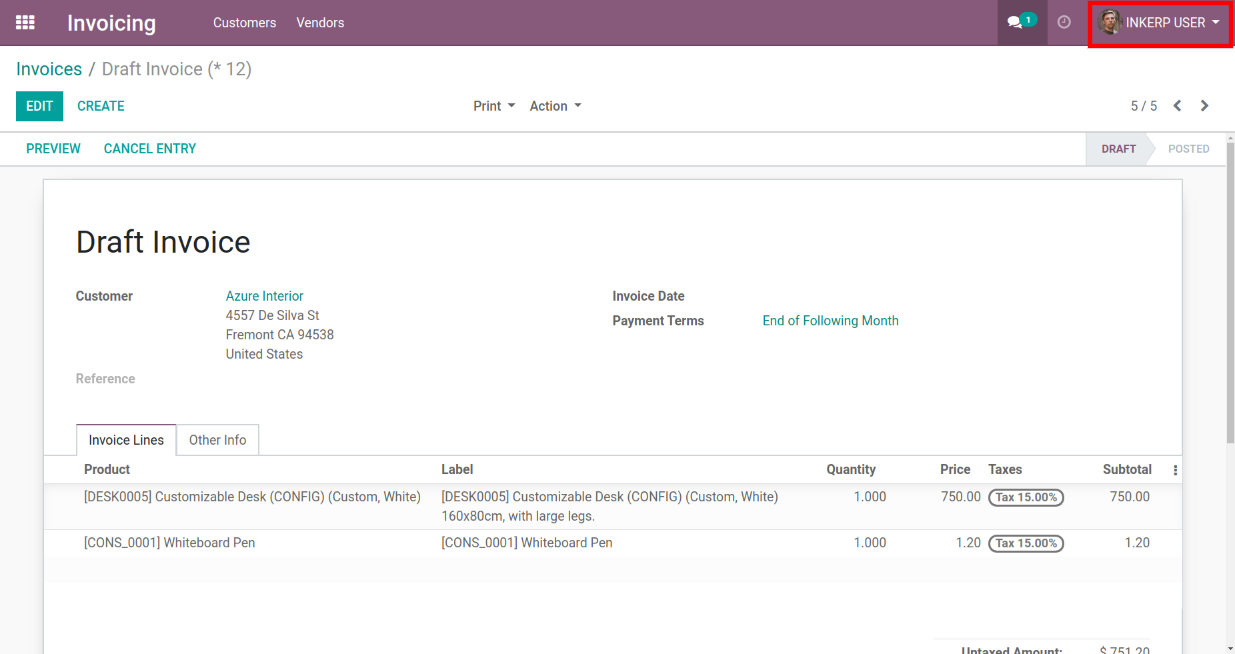
1.) POST Button Hidden for General Users
The interface where the POST button is not visible to general users. It emphasizes the restriction mechanism that ensures only authorized personnel, such as managers, can access critical functions like invoice confirmation.
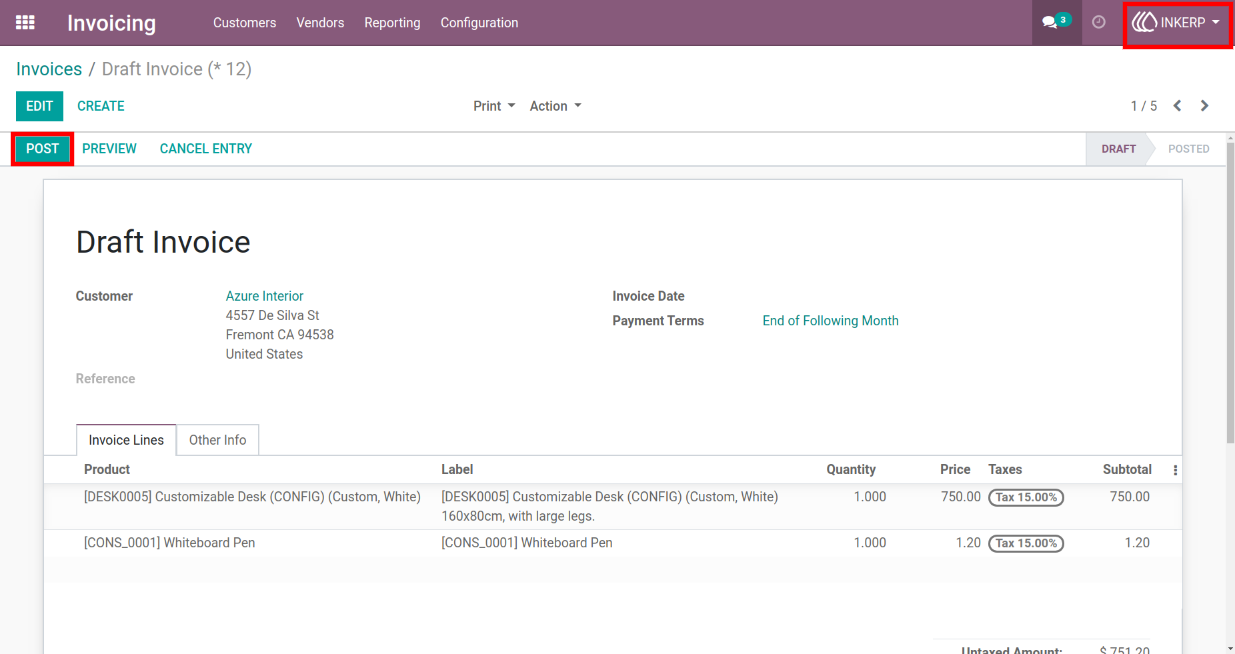
2.) POST Button Visible to Managers Only
The view where the POST button is visible only to managers. It demonstrates the feature that grants managers exclusive access to the invoice confirmation process, providing greater control over sensitive operations.
User Guide