

Our Most Suggested Products


Invoice Payment Report
The Invoice Payment Report module streamlines the process of tracking and analyzing invoice payments in Odoo. Designed for businesses that need clear visibility into their financial transactions, this app allows users to generate comprehensive reports detailing payment statuses, durations, and sales information.
Video Tutorial
 Features
 Screenshots
 Support
 Service
Features
Intuitive Report Generation
The module provides a straightforward interface for generating invoice payment reports. Users can navigate to Sales → Reporting → Invoice Payment report to access the report menu. This feature ensures that report creation is simple, reducing errors and minimizing the learning curve for team members.
Customizable Report Filters
Users can tailor reports by selecting specific durations, salesperson managers, and sale orders. This flexibility allows teams to focus on the most relevant data, whether reviewing performance for a single salesperson or analyzing payment patterns across multiple orders.
Screenshot
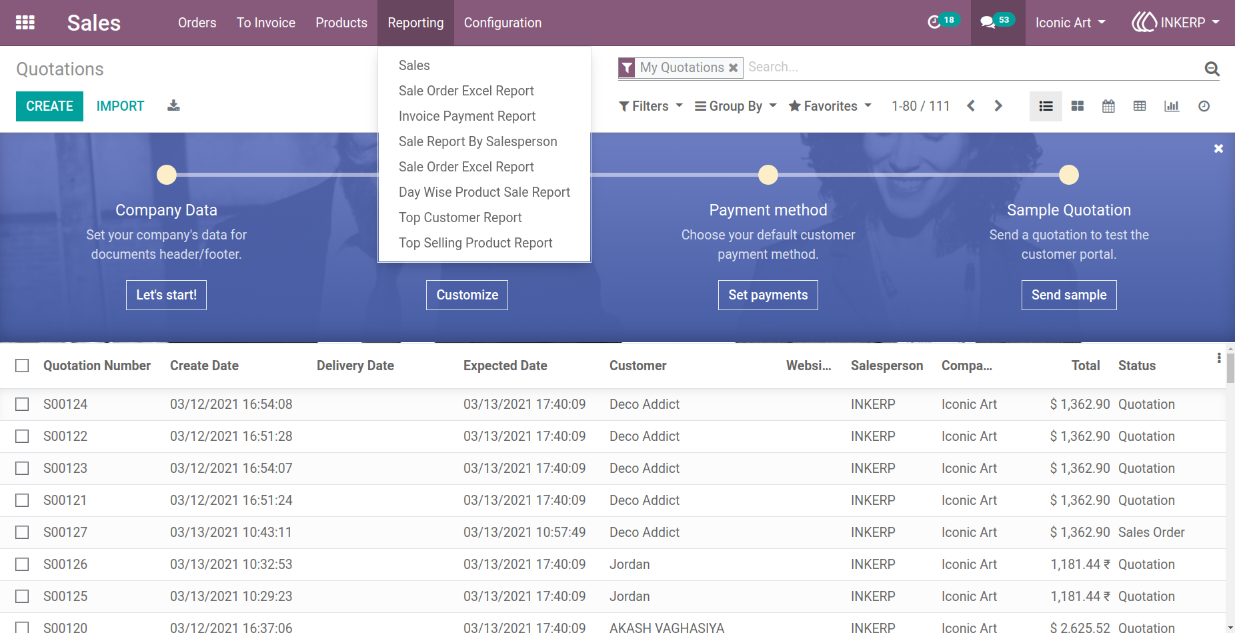
1.) Invoice Payment Report Menu
Users can access the report menu from the Sales module to start generating invoice payment reports. The navigation path is clearly organized, making it easy to locate and initiate reports for any required period.
Navigation : Sales › Reporting › Invoice Payment report
2.) Report Generation Wizard
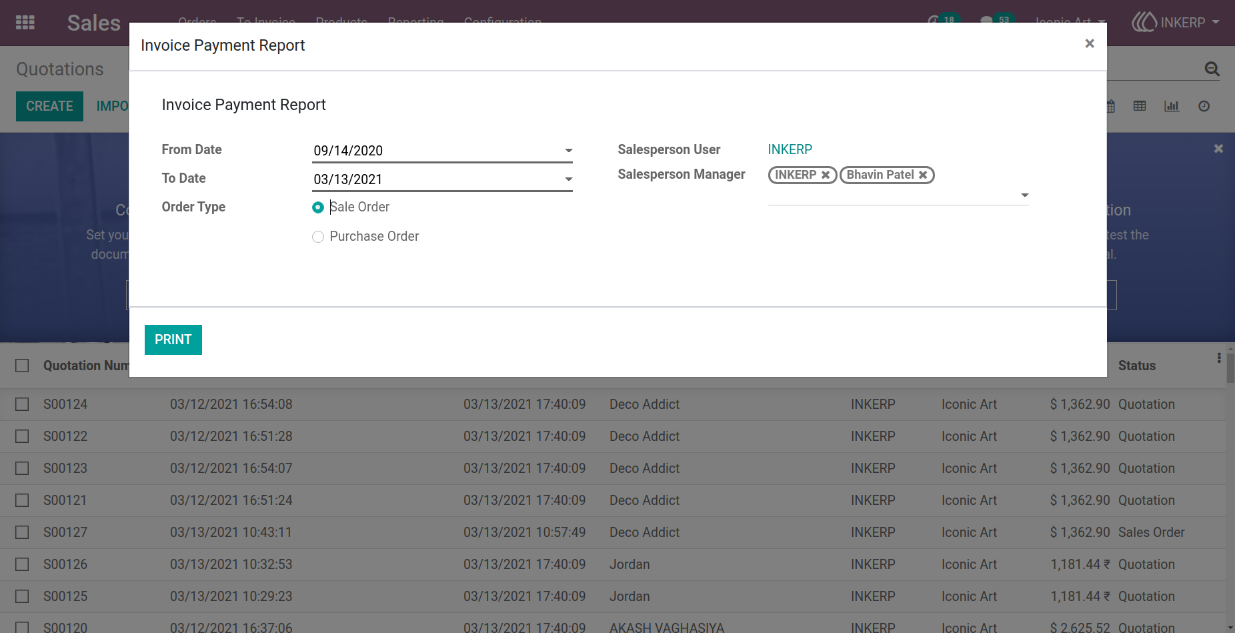
The wizard allows users to select the date range, salesperson manager, and specific sale orders. This setup provides precise control over the report content, ensuring that the output is tailored to the user reporting requirements.
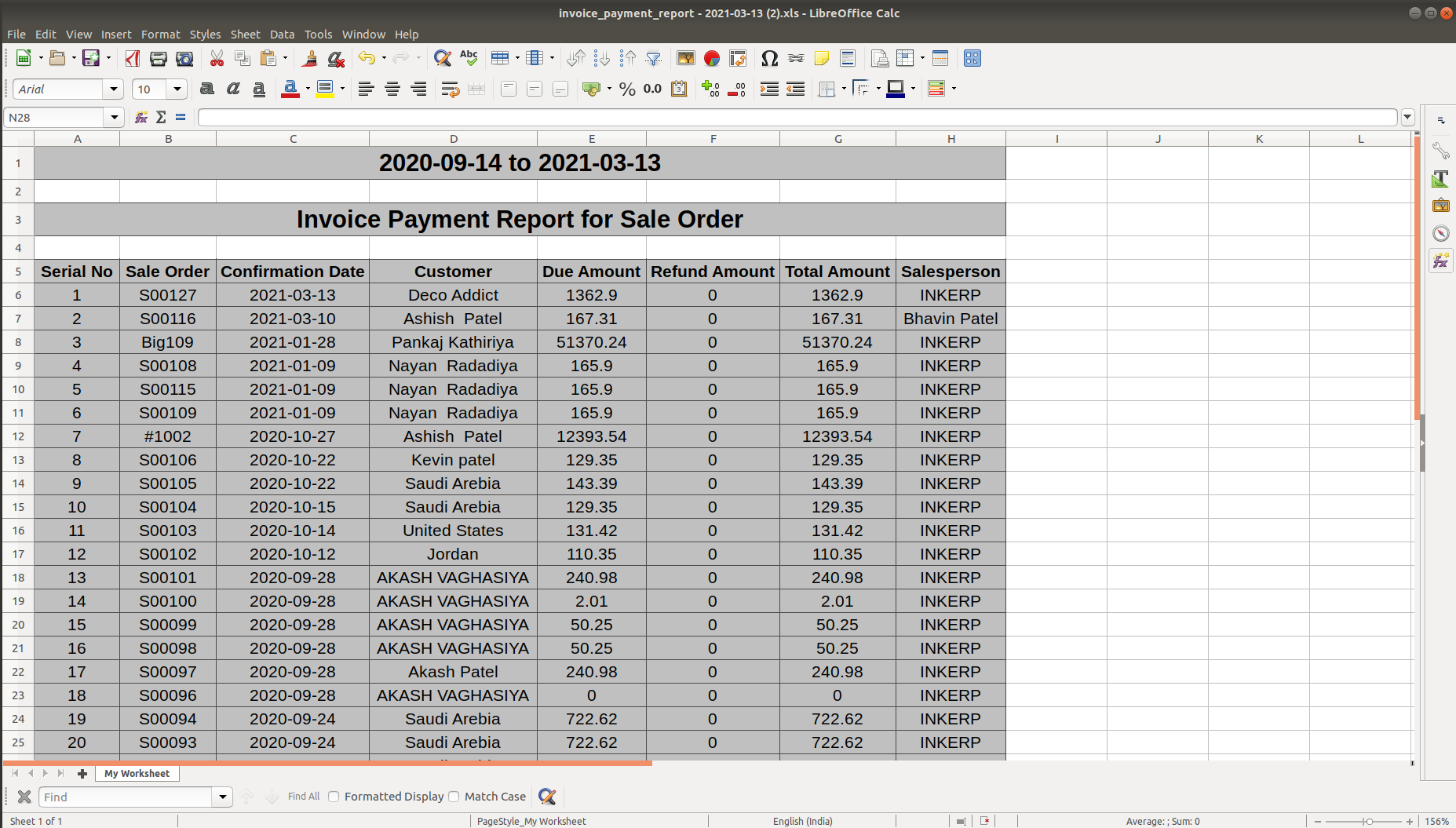
3.) Sample Sales Order Payment Excel Report
The exported Excel report presents a structured view of sales order payments, including relevant details such as order numbers, amounts, and payment statuses. It facilitates easy sharing and analysis of payment data for finance and management teams.
User Guide