

Our Most Suggested Products


Invoice Barcode
Managing financial documents takes significant time when you have to search for and select items manually. This application simplifies the task by allowing you to use a barcode scanner to add products directly to your invoices and bills. When you scan an item, the system automatically creates a new line for it on the document. If you scan the same item multiple times, the application recognizes it and increases the existing quantity rather than creating duplicate entries. This approach keeps your accounting records clean and reduces standard data entry mistakes.
 Features
 Screenshots
 Support
 Service
Features
Rapid Product Entry
You can add items directly to your financial documents by simply scanning their barcodes. This completely removes the need to search for products manually, making your billing process much faster and reducing data entry mistakes.
Smart Quantity Adjustment
When you scan an item that is already listed on your document, the system automatically updates the total count for that specific product line. This ensures you do not create duplicate entries and keeps your accounting records clean and organized.
Secure Document Protection
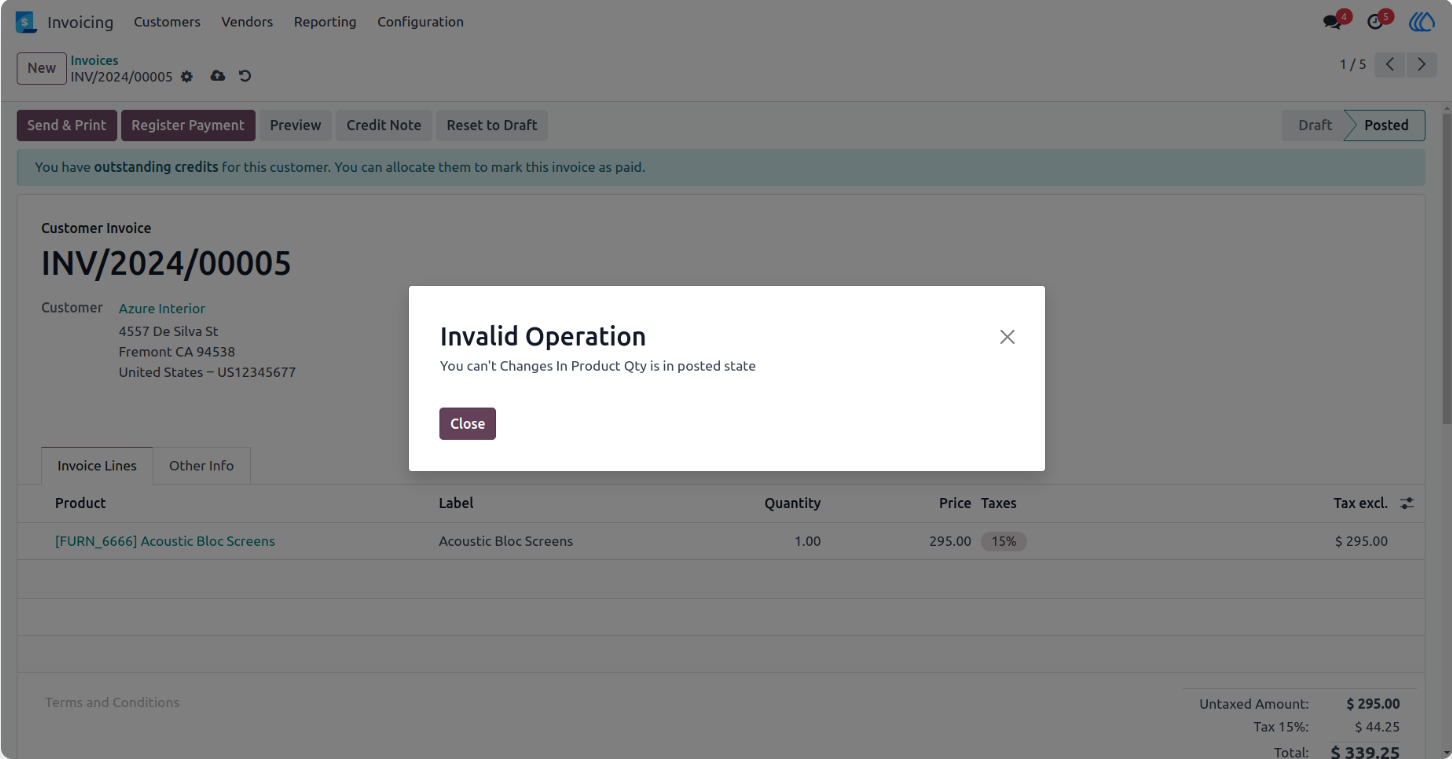
The application protects your finalized records by completely blocking any barcode scanning updates once a document is officially confirmed. This guarantees that your financial data remains strictly accurate and prevents anyone from changing quantities by accident.
Screenshot
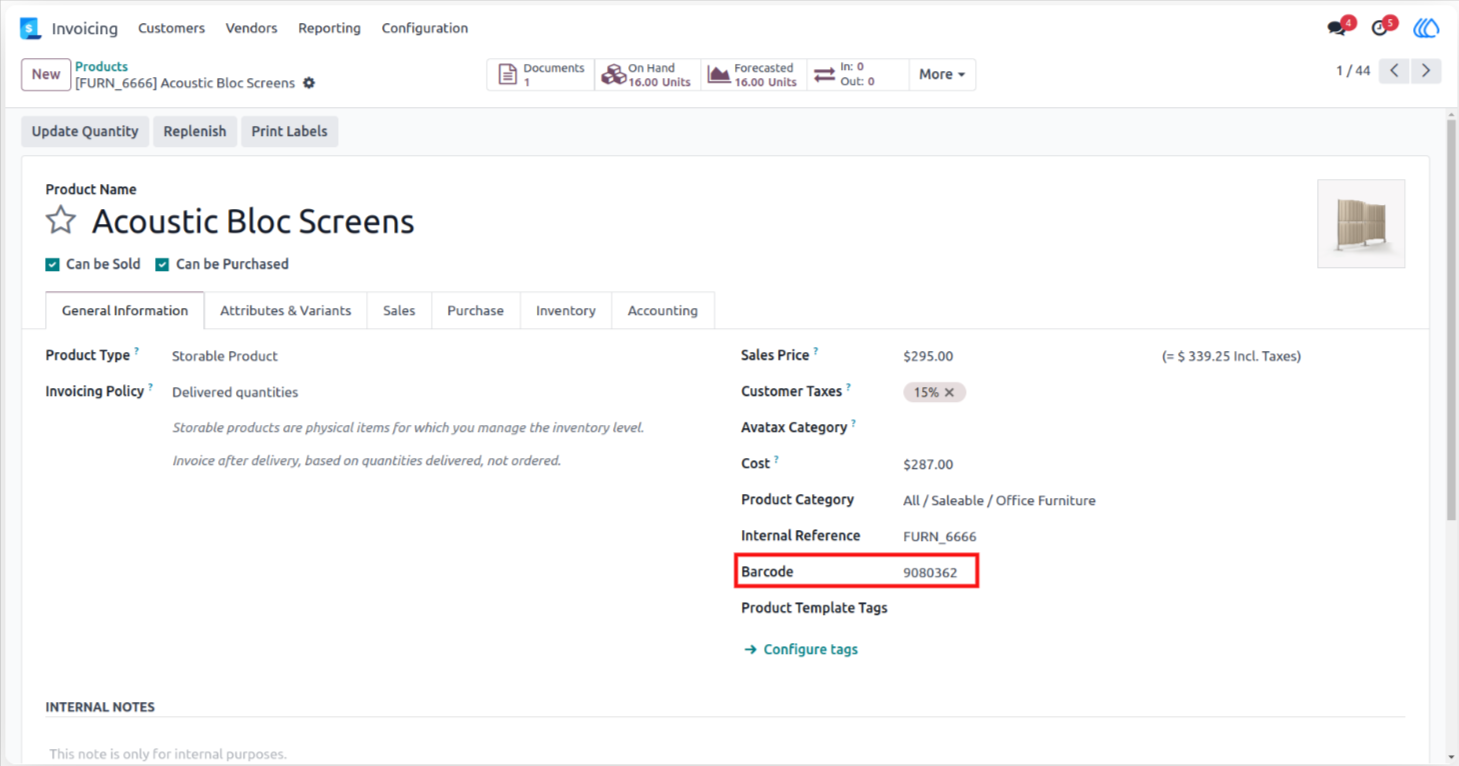
1.) Product Barcode
Assign and manage unique identification numbers for your individual items directly within the product configuration. This numerical code integrates with your financial documents for rapid scanning and accurate tracking during the billing process.
Navigation : Invoicing › Customers › Products
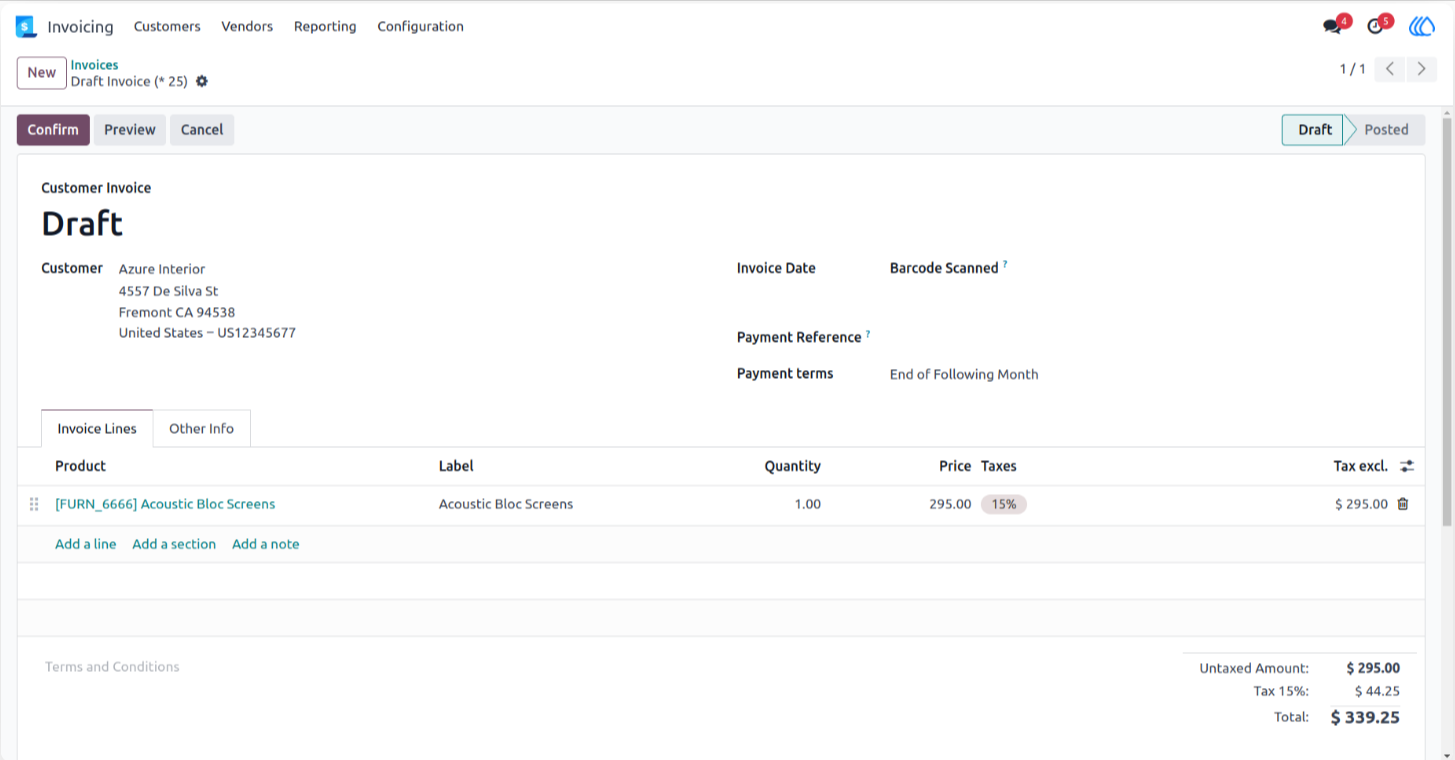
2.) Invoice Scanning
Capture product identification codes directly on your draft financial documents to instantly populate billing lines. This functionality speeds up the creation process and ensures perfect accuracy by removing the need for manual item selection.
Navigation : Invoicing › Customers › Invoices
3.) Update Restriction
The system automatically blocks any modifications to item quantities once a financial document is officially validated. This security measure guarantees that your accounting records remain completely accurate and prevents accidental alterations through barcode scanning after final approval.
User Guide