

Our Most Suggested Products


Inter Warehouse Transfer
Inter Warehouse Transfer for Odoo enables businesses to efficiently manage stock movement between multiple warehouses by generating internal transfer orders with automated inventory adjustments and complete traceability. The module supports approval workflows, stock availability checks, and detailed transfer logs, ensuring accurate and controlled operations across single or multi-company environments. With seamless integration into Odoo Inventory, Sales, Purchase, and Manufacturing modules, it helps businesses maintain better visibility, optimize logistics, and ensure smooth warehouse operations.
 Features
 Screenshots
 Support
 Service
Features
Internal Transfer Orders
Create and manage transfer orders between warehouses with ease.
Stock Availability Check
Validate product availability before initiating transfer.
Automated Stock Moves
System automatically updates inventory during transfers.
Screenshot
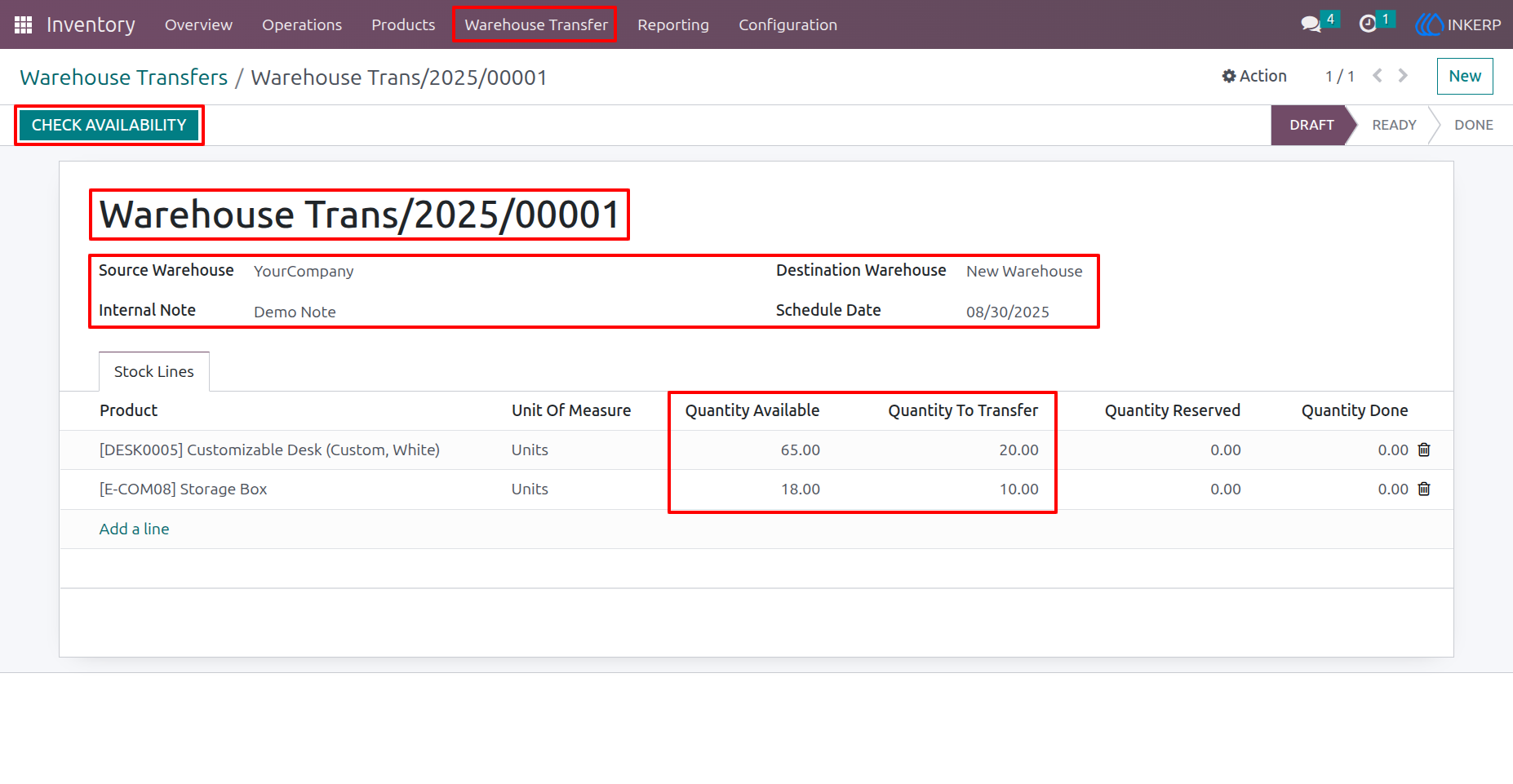
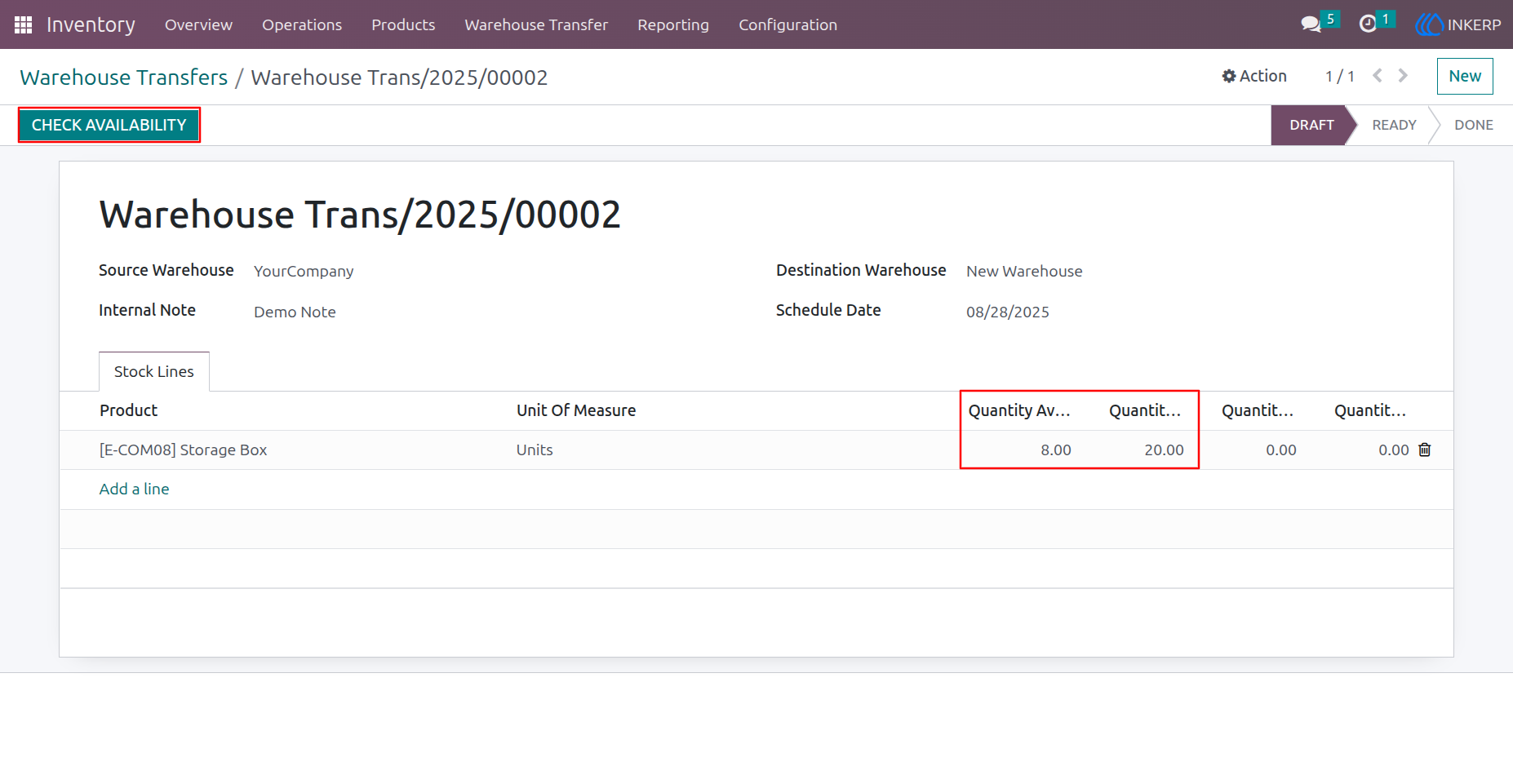
1) Warehouse Transfer Form View
Here, the user can select the source location and destination location. and select the product which user wants to transfer from one warehouse to another warehouse.by clicking the "Check Availability" Button, user can check the stock of the product at selected location.
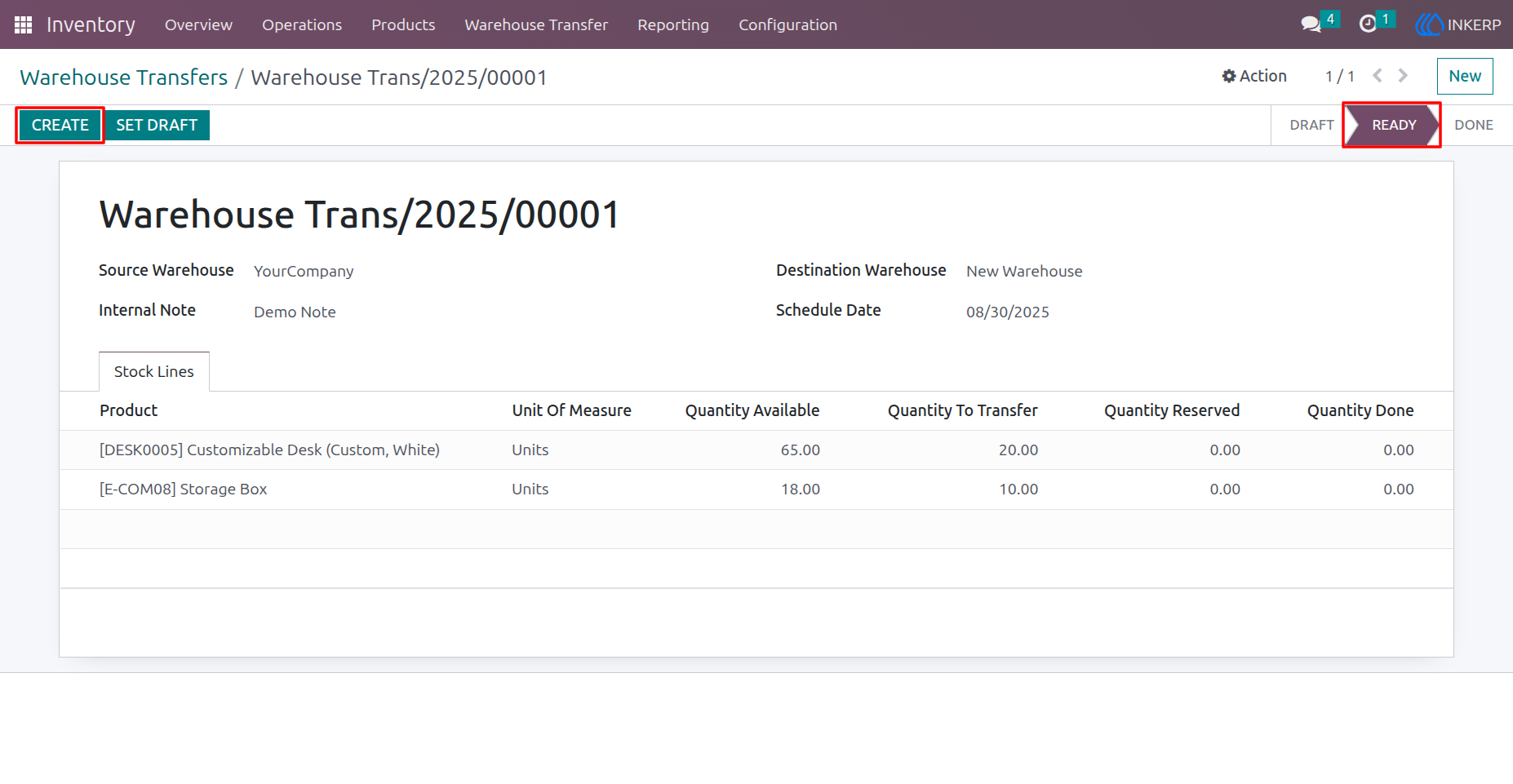
2) Create Transfers
After Stock Checking the status changed into Ready.
3) Transfer Created
Here the transfer is created and status is changed into Done.
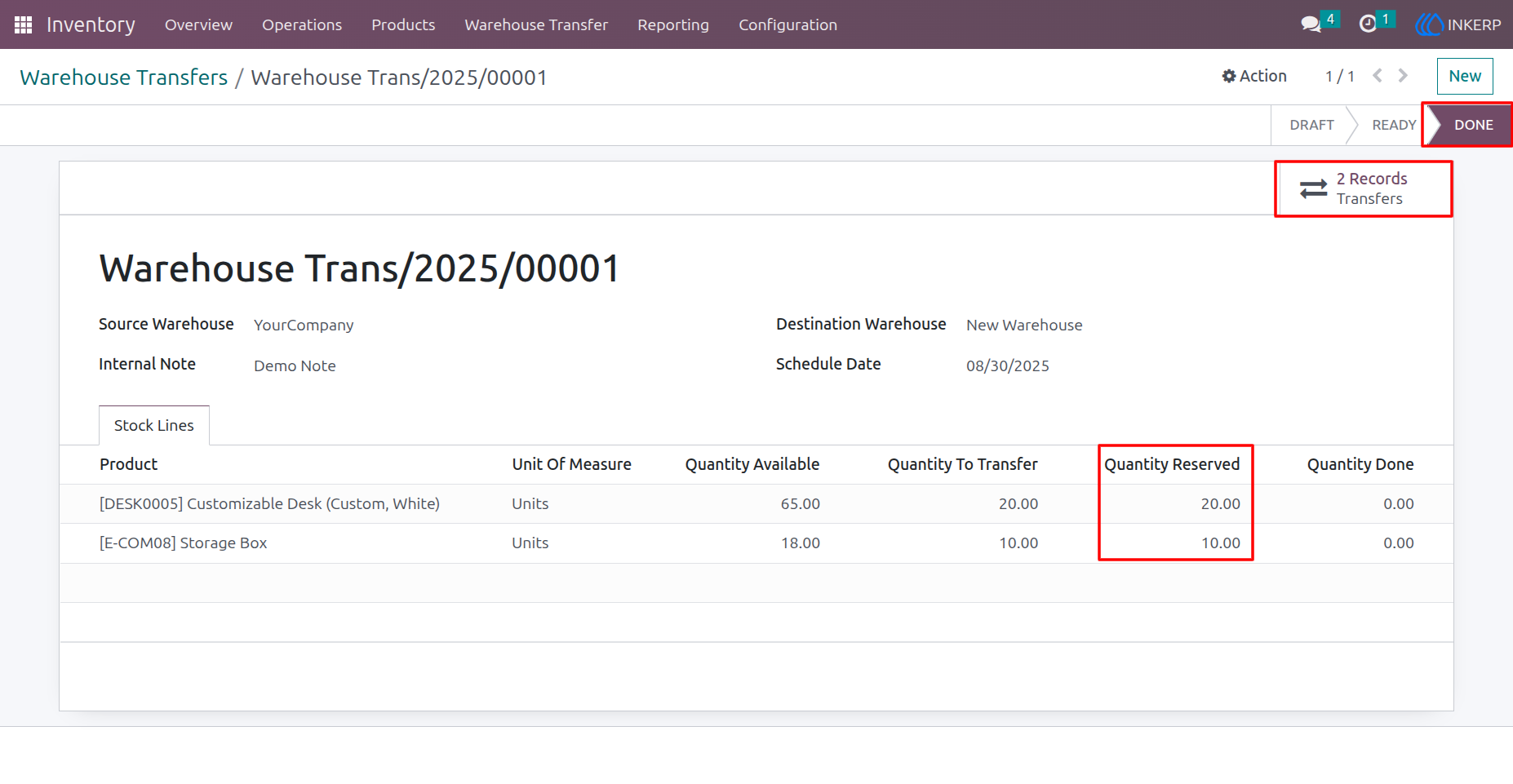
4) Delivery Orders of Warehouse Transfer
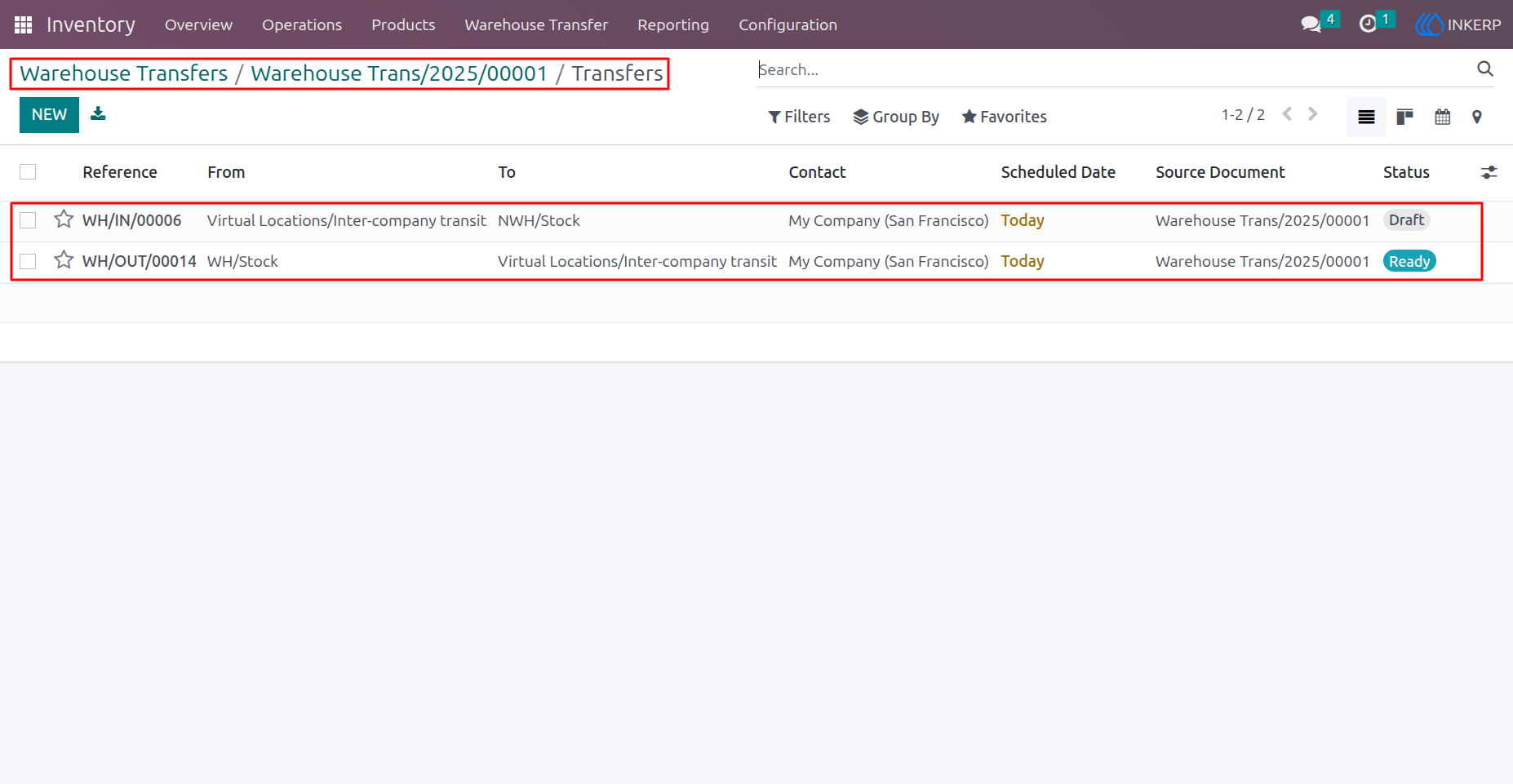
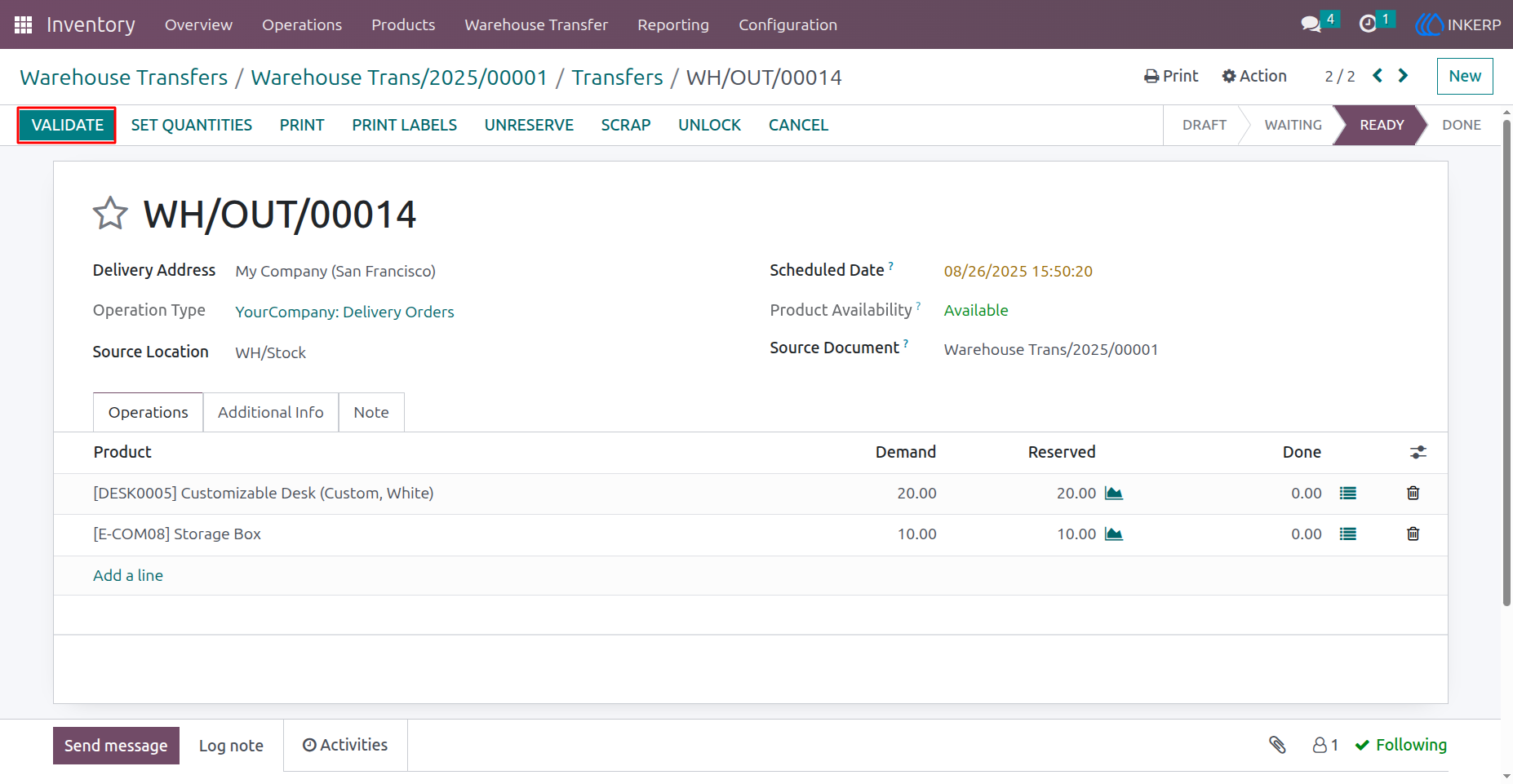
5) Validate Outgoing Delivery Order.
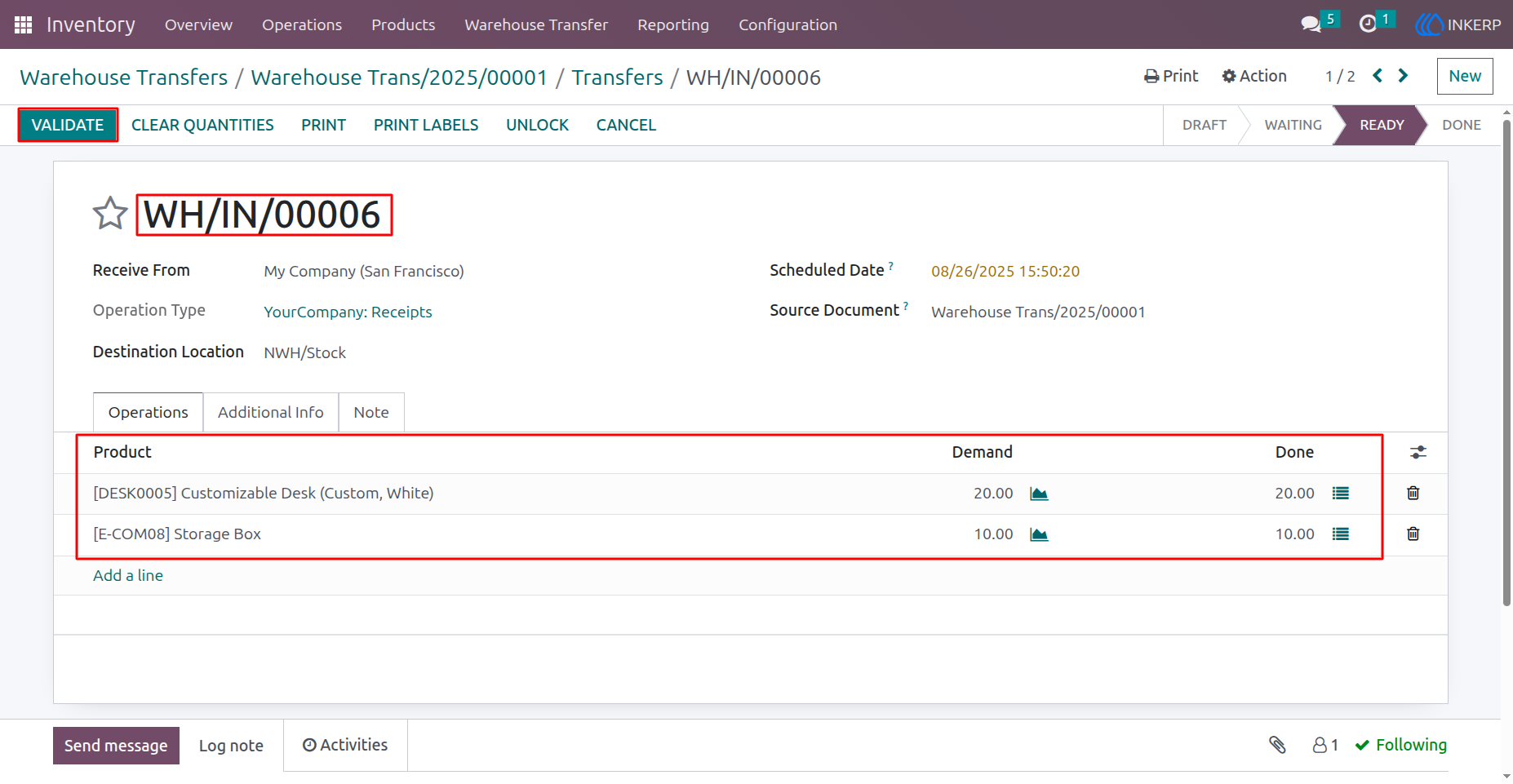
6) Validate Incoming Delivery Order
7) Stock Quantity Missing
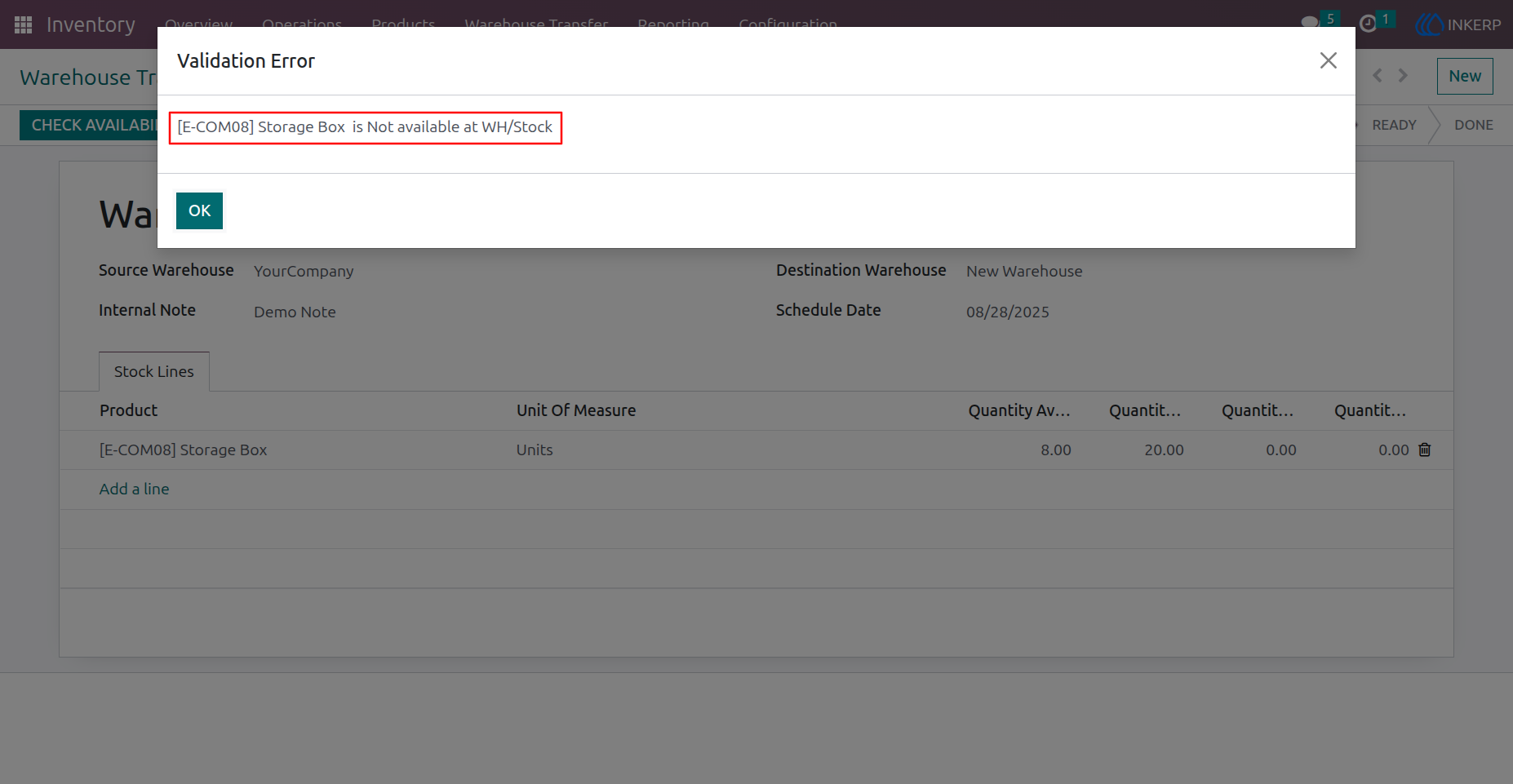
8) Stock Checking Error
The Error will raise when selected quantity is not available at selected location.
User Guide