

EXCLUSIVE CUSTOMER BENEFITS
FREE INSTALLATION
& 90 DAYS FREE SUPPORT!
No worries about installation! This module comes with free installation assistance and 90 days of free support, helping you get started smoothly and confidently.
✦ COMPLIMENTARY INSTALLATION & SUPPORT ✦
MORE VALUE • LESS HASSLE • A BETTER START
Our Most Suggested Products


Inventory Receipt Report
This module enables users to easily print inventory receipt reports directly from the Inventory app. It provides a convenient way to generate both Picking Operation Receipts and Delivery Slip Receipts without additional configuration.
 Features
 Screenshots
 Support
 Service
Features
Print Picking & Delivery Receipts
Generate well-formatted receipts for both Picking Operations and Delivery Slips directly from the Inventory module. Simplify your warehouse workflow with instant printable reports.
Multi-Company Compatibility
Works flawlessly across multiple companies in your Odoo environment. No additional configuration needed install once and use everywhere.
Screenshot
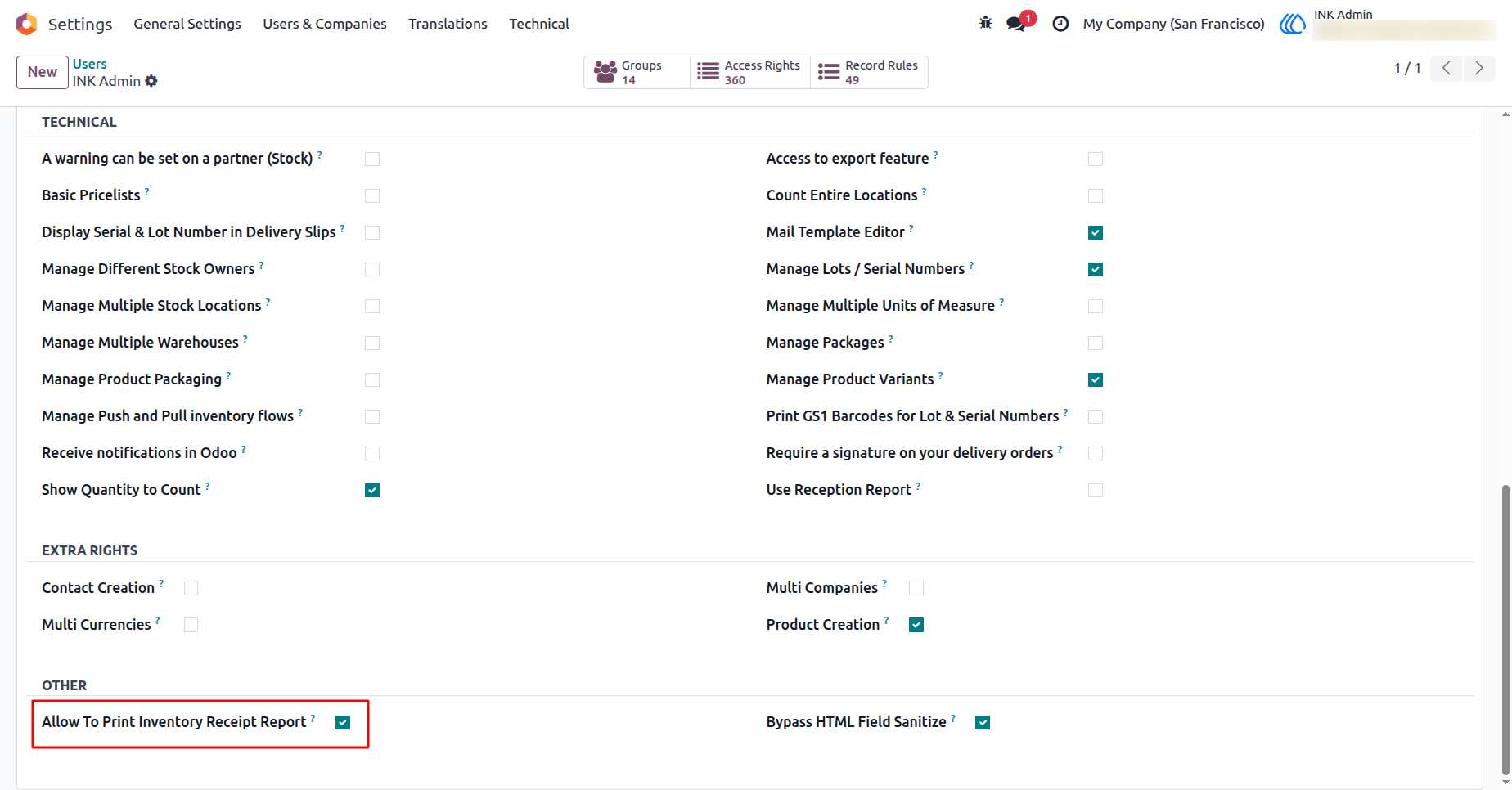
1.) Enable Inventory Receipt Report Printing
This setting allows users to enable or disable the option to print inventory receipt reports. Once activated, users can generate receipt printouts for Picking Operations and Delivery Slips directly from the Inventory module.
Navigation : Settings › Users & Companies › Users
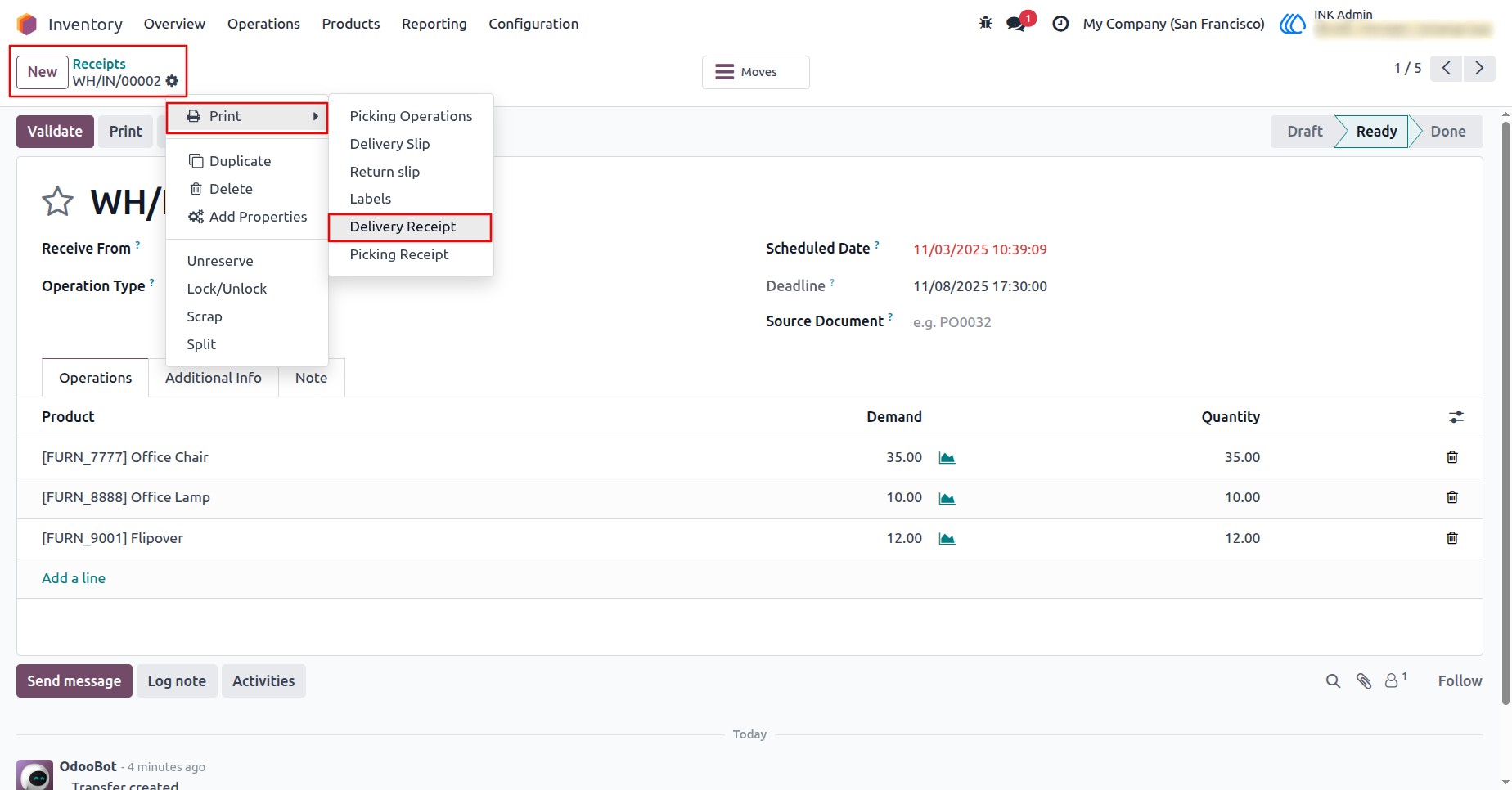
2.) Print Delivery Receipt from Inventory
This view allows users to print a Delivery Receipt for a stock transfer directly from the Inventory module. It helps to generate a well-formatted report showing the delivery details, including customer, products, and quantities.
Navigation : Inventory › Operations › Receipts
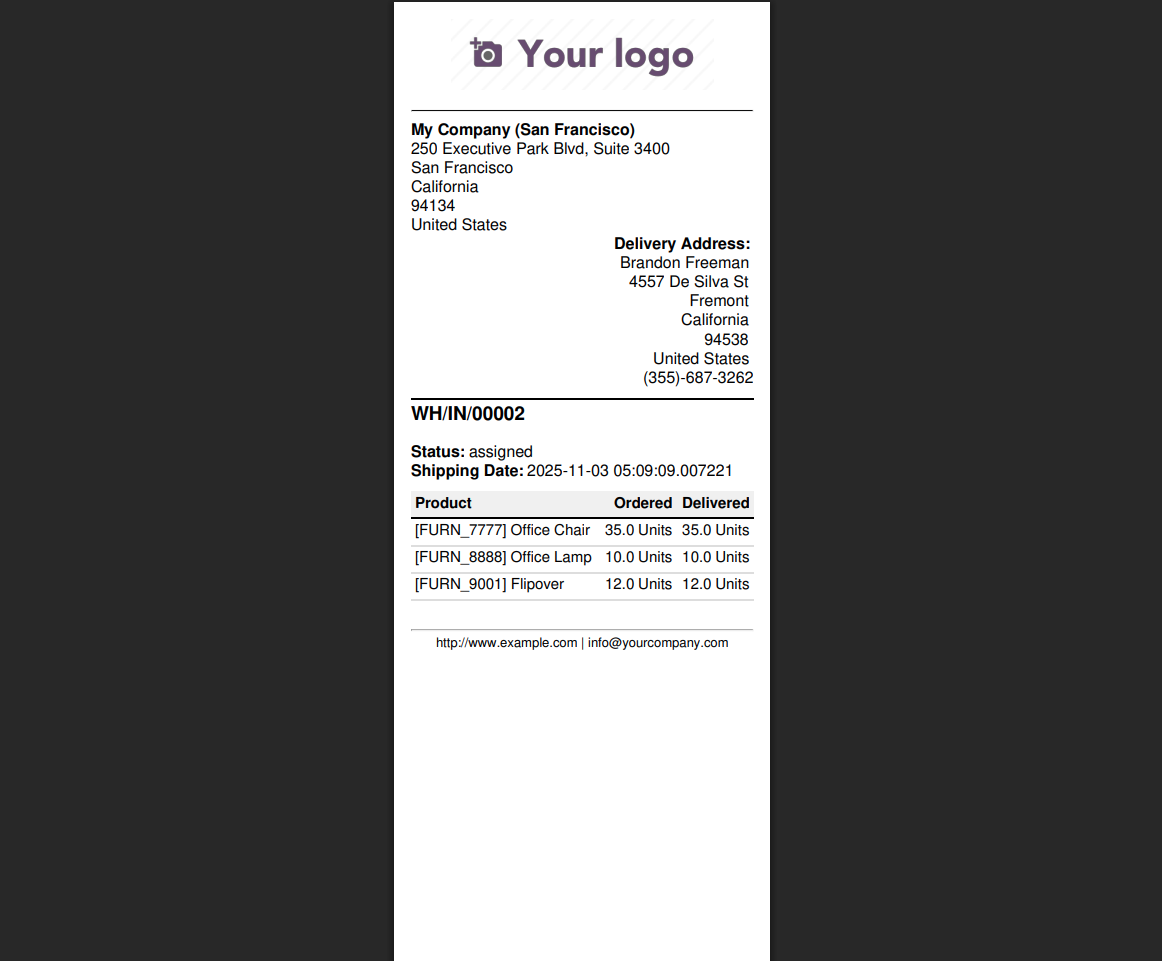
3.) Generated Delivery Receipt Report
This view displays the Delivery Receipt Report generated from the Inventory module. It includes key details such as company information, delivery address, document reference, status, and product quantities.
Navigation : Inventory › Operations › Receipts
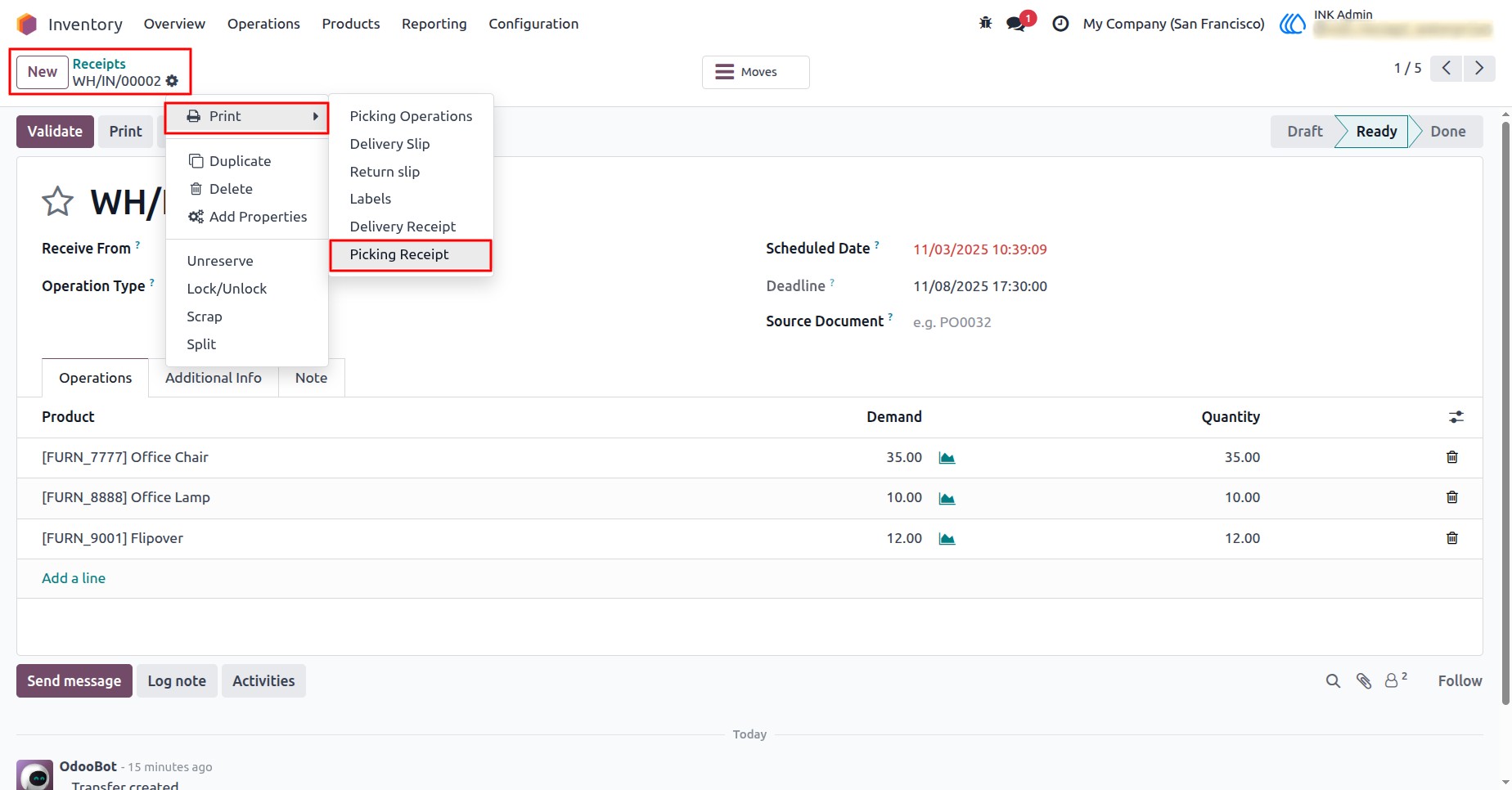
4.) Generate Picking Receipt Report
This View demonstrates how to generate a Picking Receipt Report for inbound operations in the Inventory module. It allows users to print detailed picking information, including product quantities and movements, ensuring smooth tracking of received goods.
Navigation : Inventory › Operations › Receipts
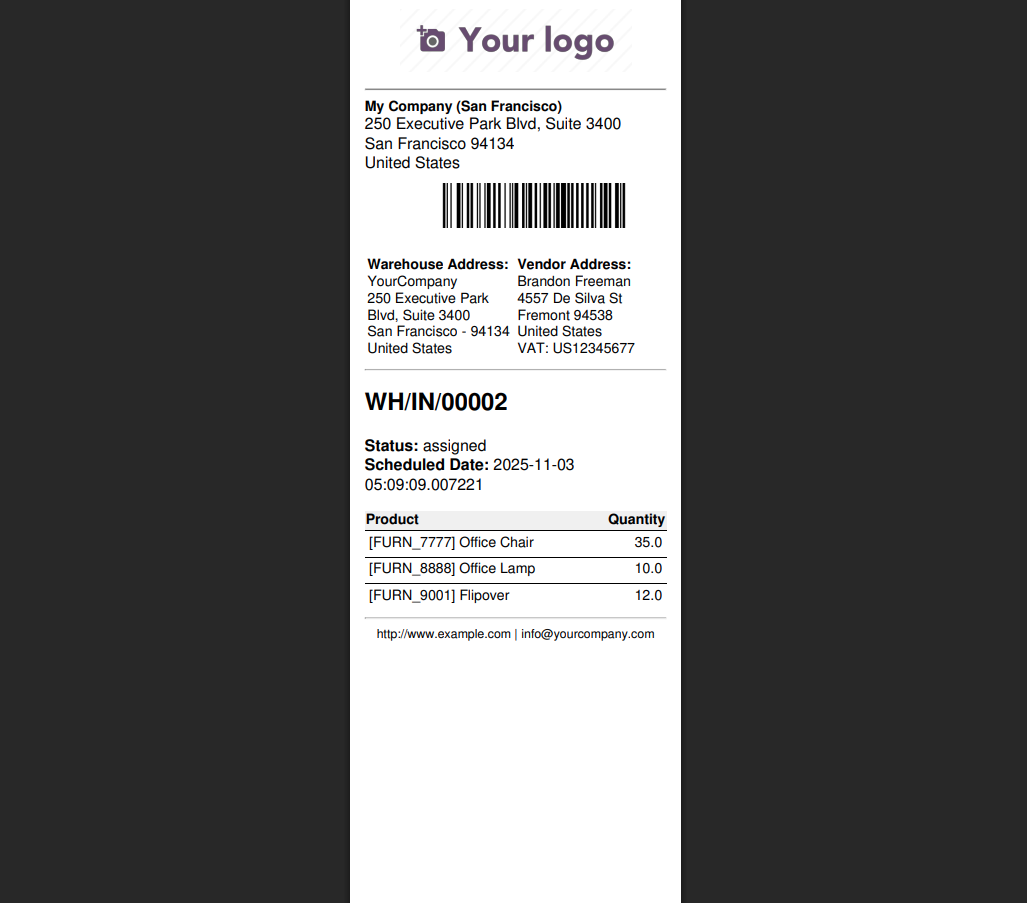
5.) Picking Receipt Report Preview
This is the Picking Receipt Report generated from the Inventory module. It provides a detailed summary of products picked from the warehouse, along with their quantities, vendor, and warehouse details.
Navigation : Inventory › Operations › Receipts
User Guide