

Our Most Suggested Products


Hotel Management
Hotel Management is a complete property management solution designed to organize hotel reservations, guest stays, rooms, billing, housekeeping, guest services, inspections, maintenance, and daily hotel operations in one place. It helps front-desk teams manage bookings and check-ins, operations teams coordinate room and service activities, and managers monitor occupancy, revenue, guest activity, and outstanding balances through a centralized workspace and dashboard.
 Features
 Screenshots
 Support
 Service
Features
Property and Room Management
Create and manage hotel properties, floors, room categories, individual rooms, amenities, room rates, and availability from a centralized configuration area. Hotel staff can maintain room information, occupancy status, housekeeping status, capacity, pricing, and room-related details so that front-desk and operational teams always have organized property data.
Reservation and Guest Management
Manage individual and group reservations throughout the complete guest journey, from booking and confirmation to check-in, in-house stay, and check-out. Reservation records keep guest details, room information, stay dates, pricing, payment status, packages, additional services, and related documents together, helping staff handle guest stays accurately and efficiently.
Billing, Folios and Payments
Track guest charges, room fees, packages, add-on services, payments, and outstanding balances through guest folios connected to reservations. Staff can review financial details, record payments, close folios, and generate guest bills, providing a clear view of what has been charged, paid, and remains outstanding.
Housekeeping and Hotel Operations
Coordinate housekeeping, maintenance, inspections, guest requests, night audit activities, and operational follow-ups from dedicated work areas. Teams can create and track tasks, assign employees, update progress, record inspection results, and respond to guest needs, helping the hotel maintain room readiness and service quality.
Screenshot
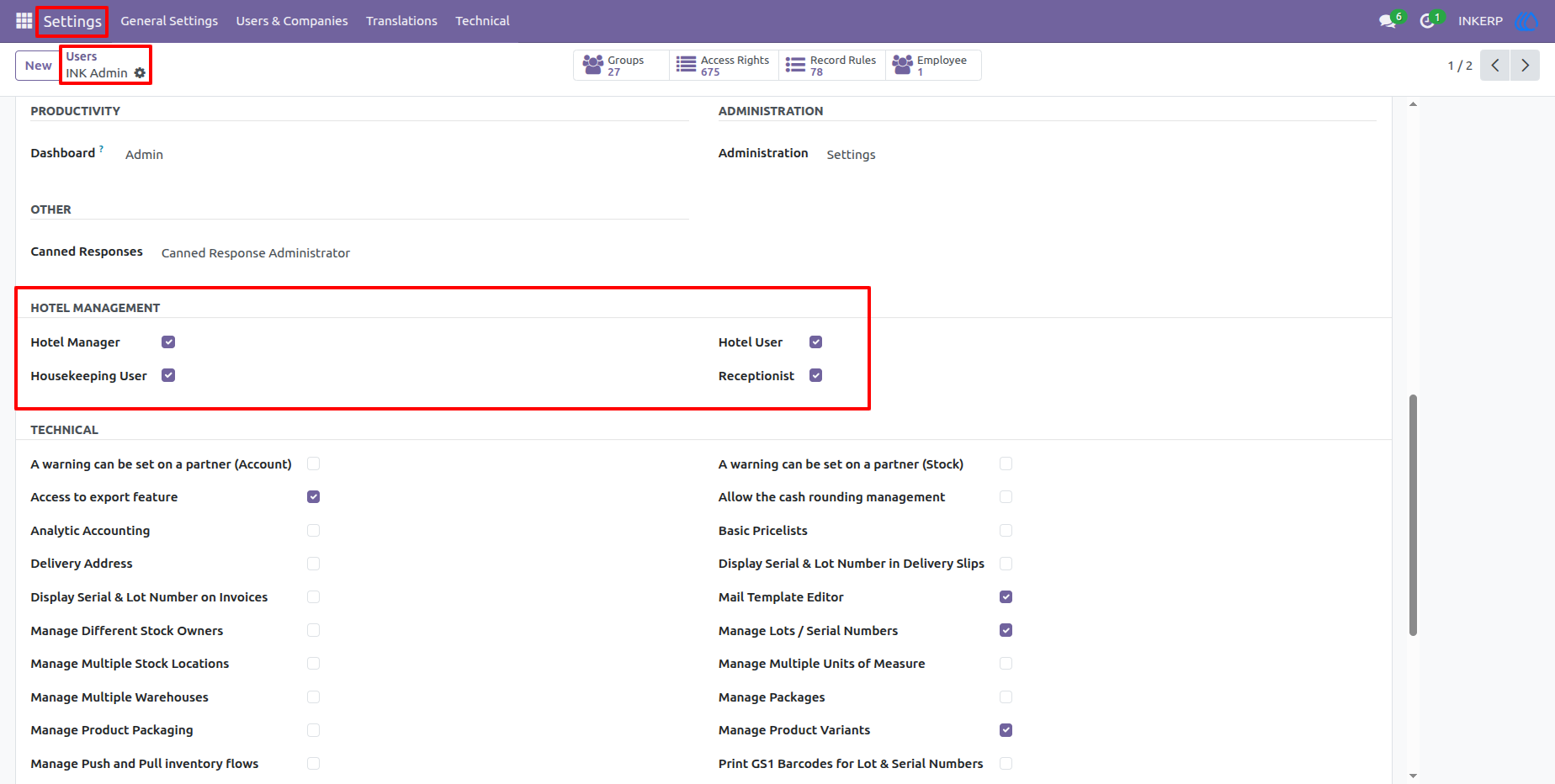
1.) Hotel User Access and Settings
The settings area provides control over hotel-related user access and permissions. Administrators can review hotel roles such as hotel management, hotel user, housekeeping, and reception permissions so responsibilities can be assigned according to each employee's role.
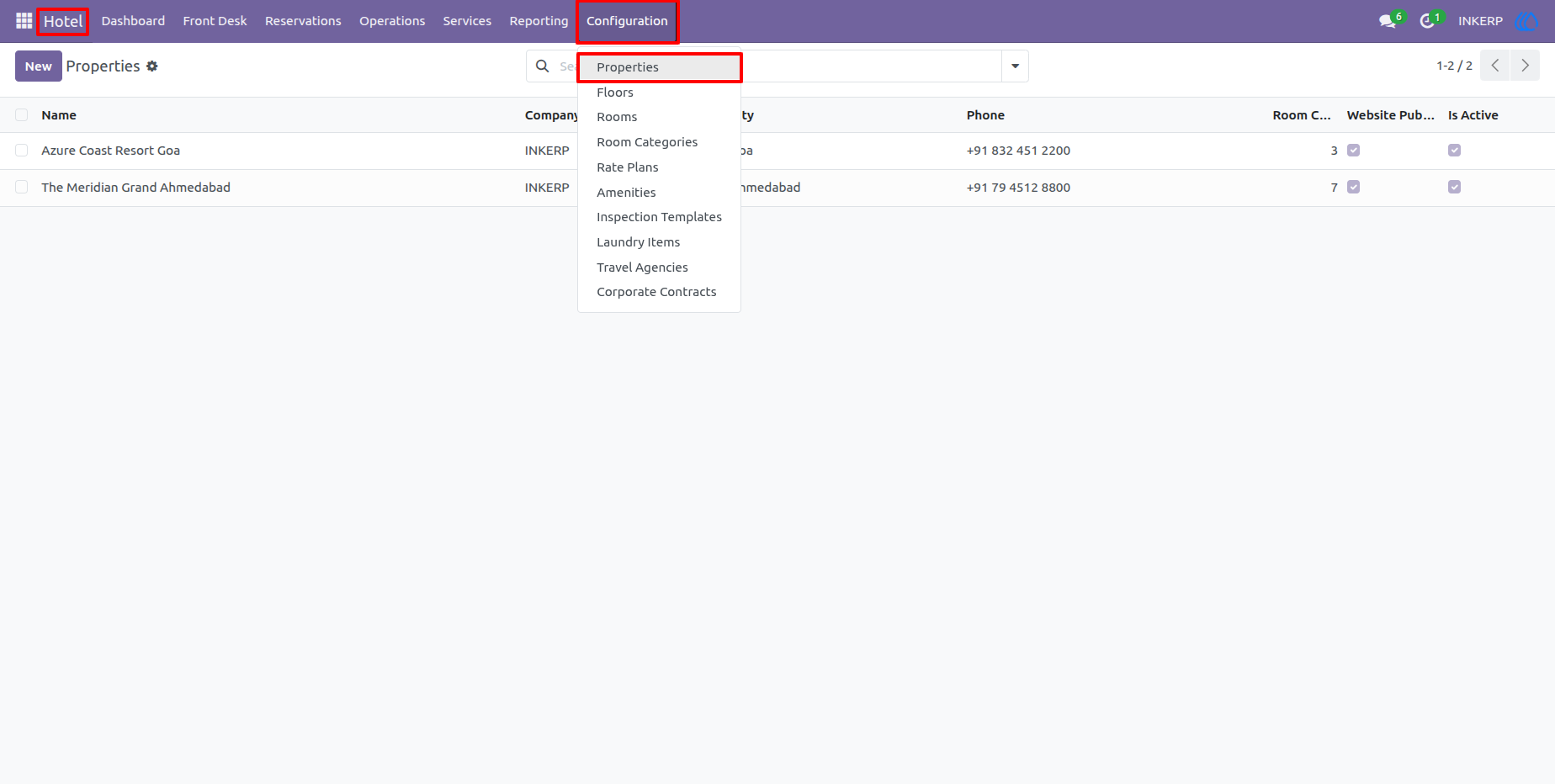
2.) Hotel Properties
The Properties screen provides a centralized list of configured hotel properties. Users can select a property to maintain its location, contact information, hotel details, rooms, floors, and other operational settings.
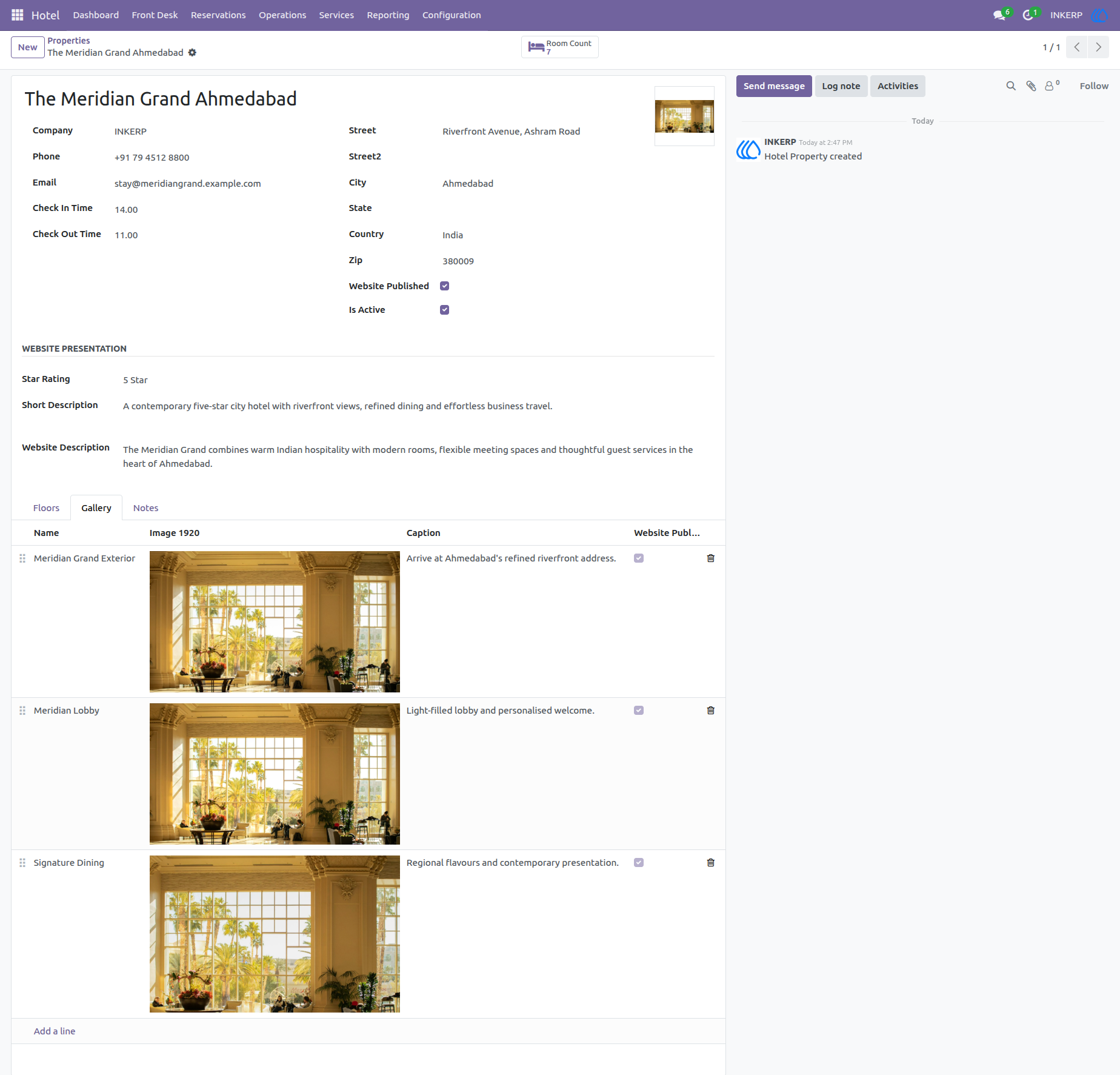
3.) Property Details and Gallery
A property record contains the main hotel information together with its description, contact details, operating settings, rating, and gallery images. This gives staff a complete reference for each hotel property and its presentation details.
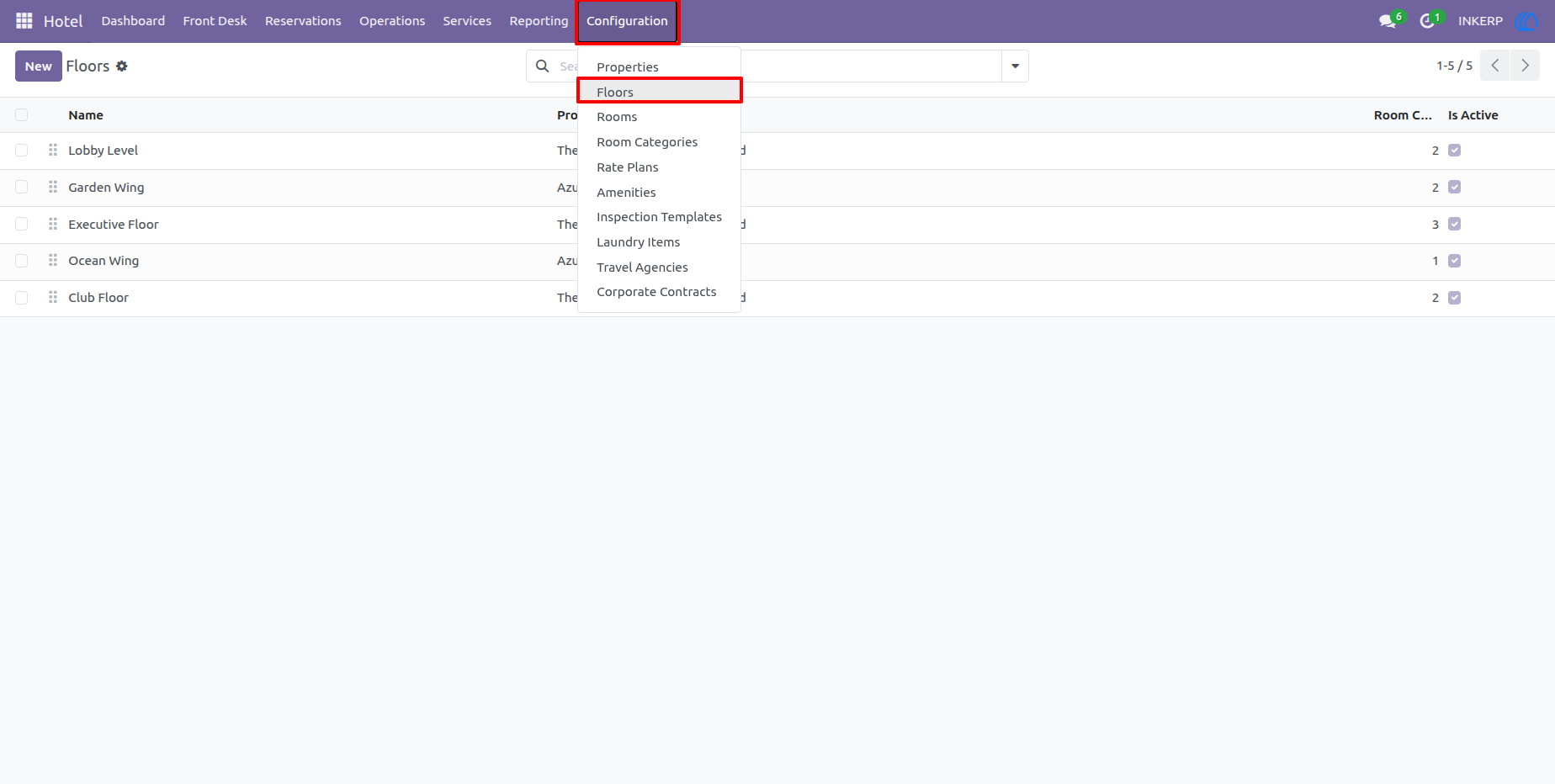
4.) Floors
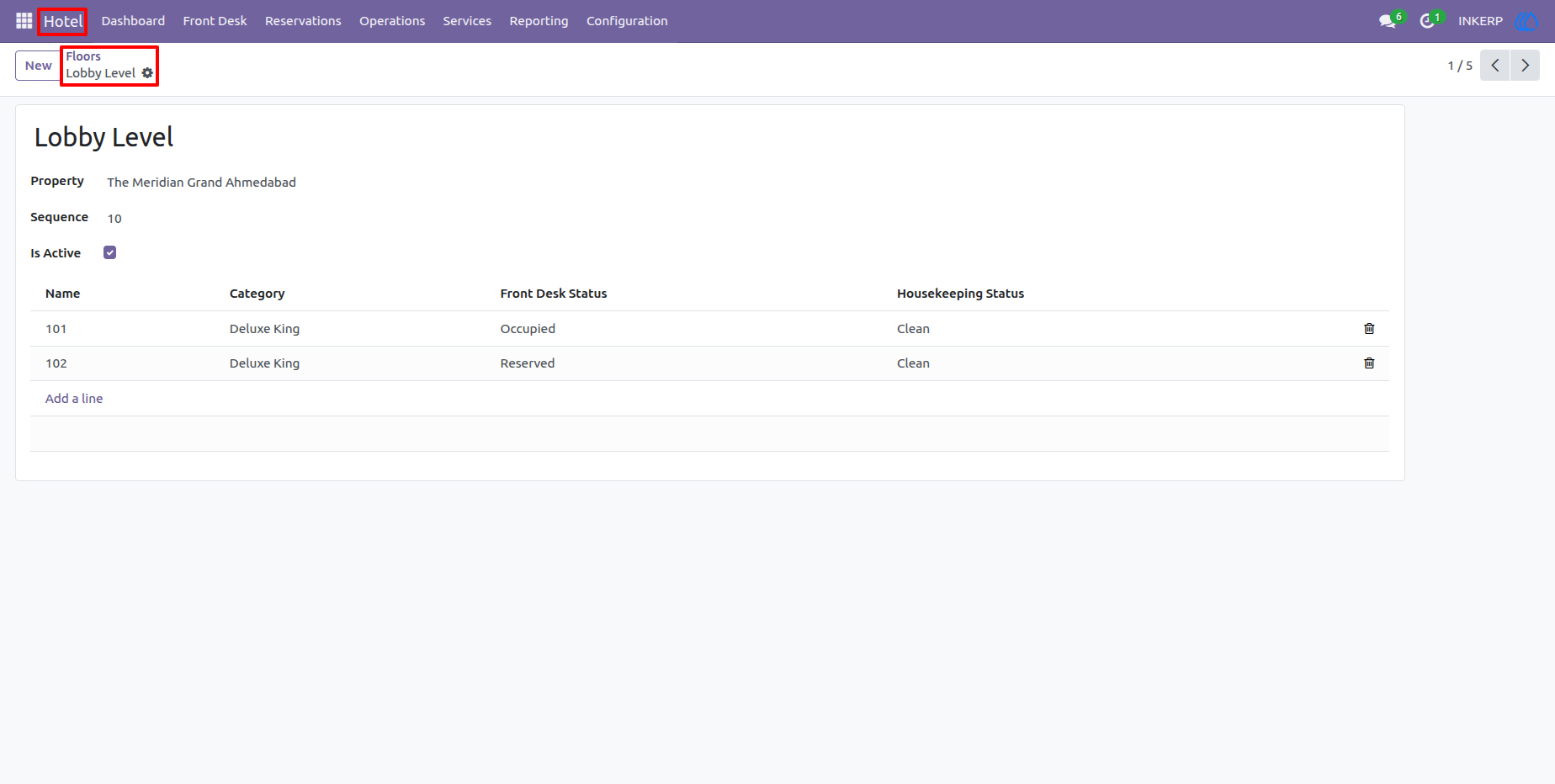
The Floors screen organizes the physical levels of a property. Users can create and maintain floors so that rooms can be structured logically and located easily during front-desk and housekeeping operations.
5.) Floor Details and Room List
The Rooms list provides an overview of rooms assigned to the selected property and floor. Users can review the room name, category, front-desk status, and housekeeping status to understand current room availability and readiness.
6.) Room Categories
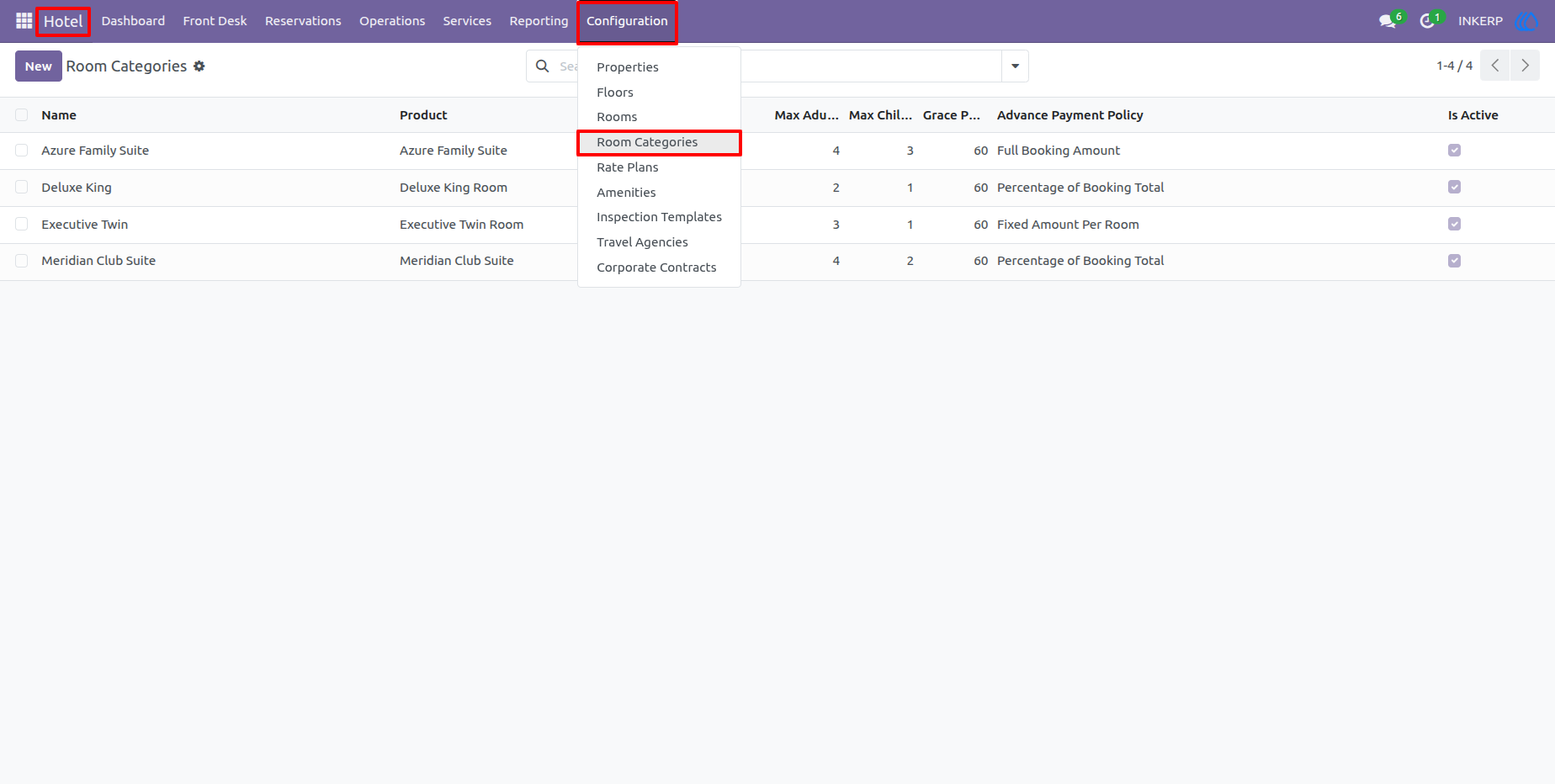
Room Categories define the different types of accommodation available in the hotel, such as family rooms, deluxe rooms, executive rooms, and suites. Category information can be used to standardize room capacity, pricing, descriptions, and other accommodation characteristics.
7.) Room Category Details
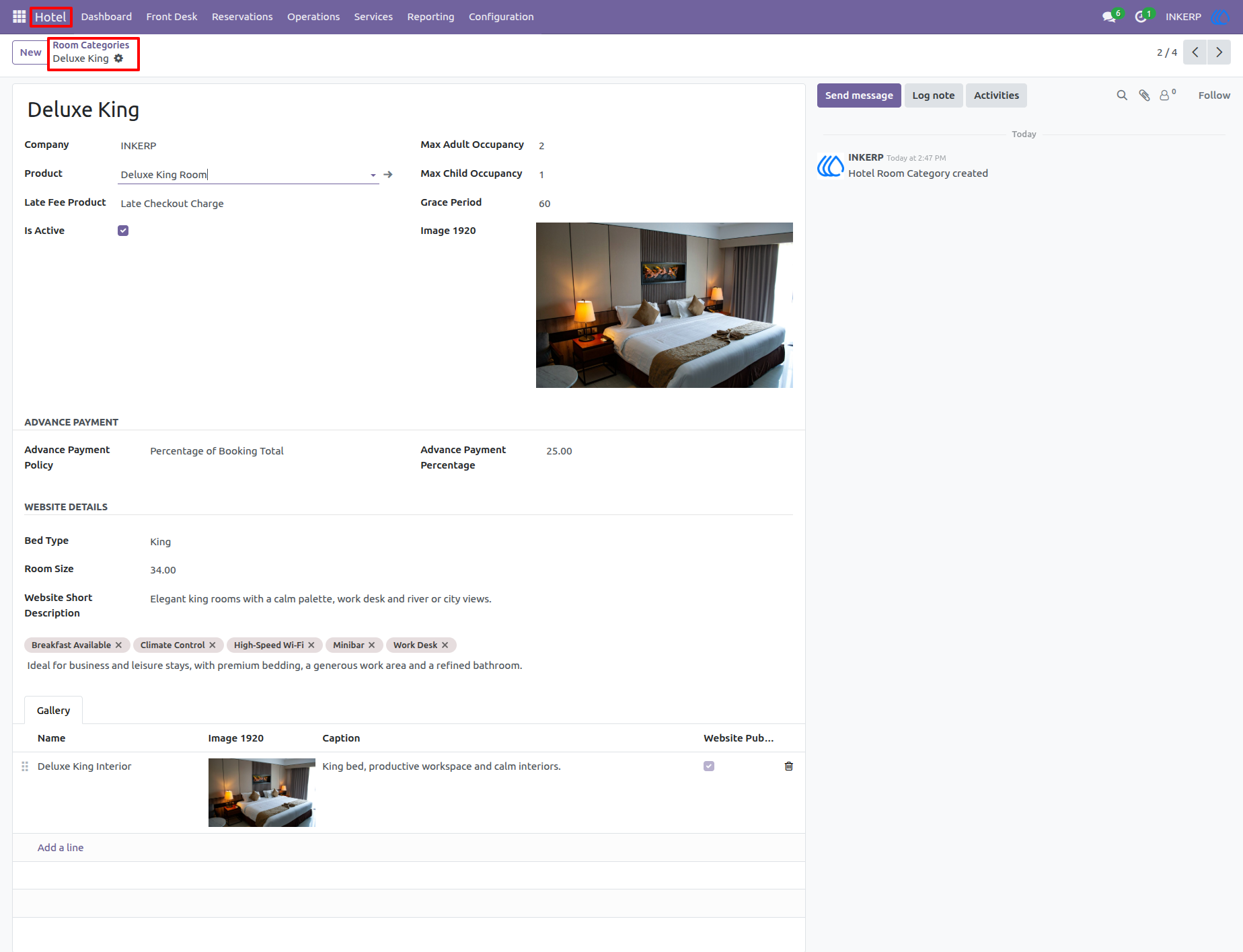
A room category record contains detailed information such as its property, room type, occupancy limits, pricing-related information, description, and images. This helps the hotel maintain consistent information for each accommodation type.
8.) Rate Plans
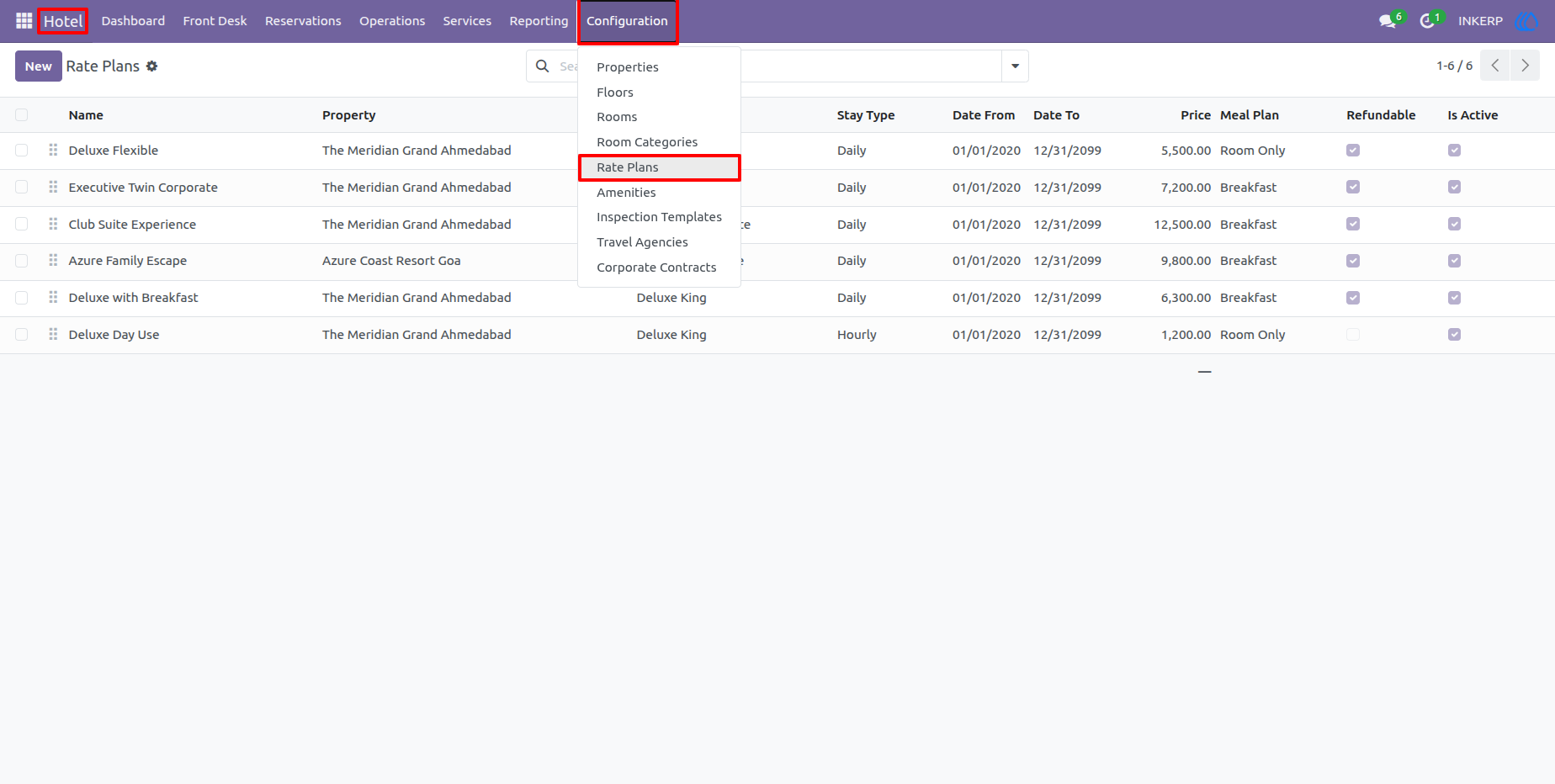
Rate Plans allow the hotel to maintain different pricing structures for room bookings. Users can configure rates according to room category, property, stay type, validity dates, meal plans, and other pricing conditions.
9.) Rate Plan Details
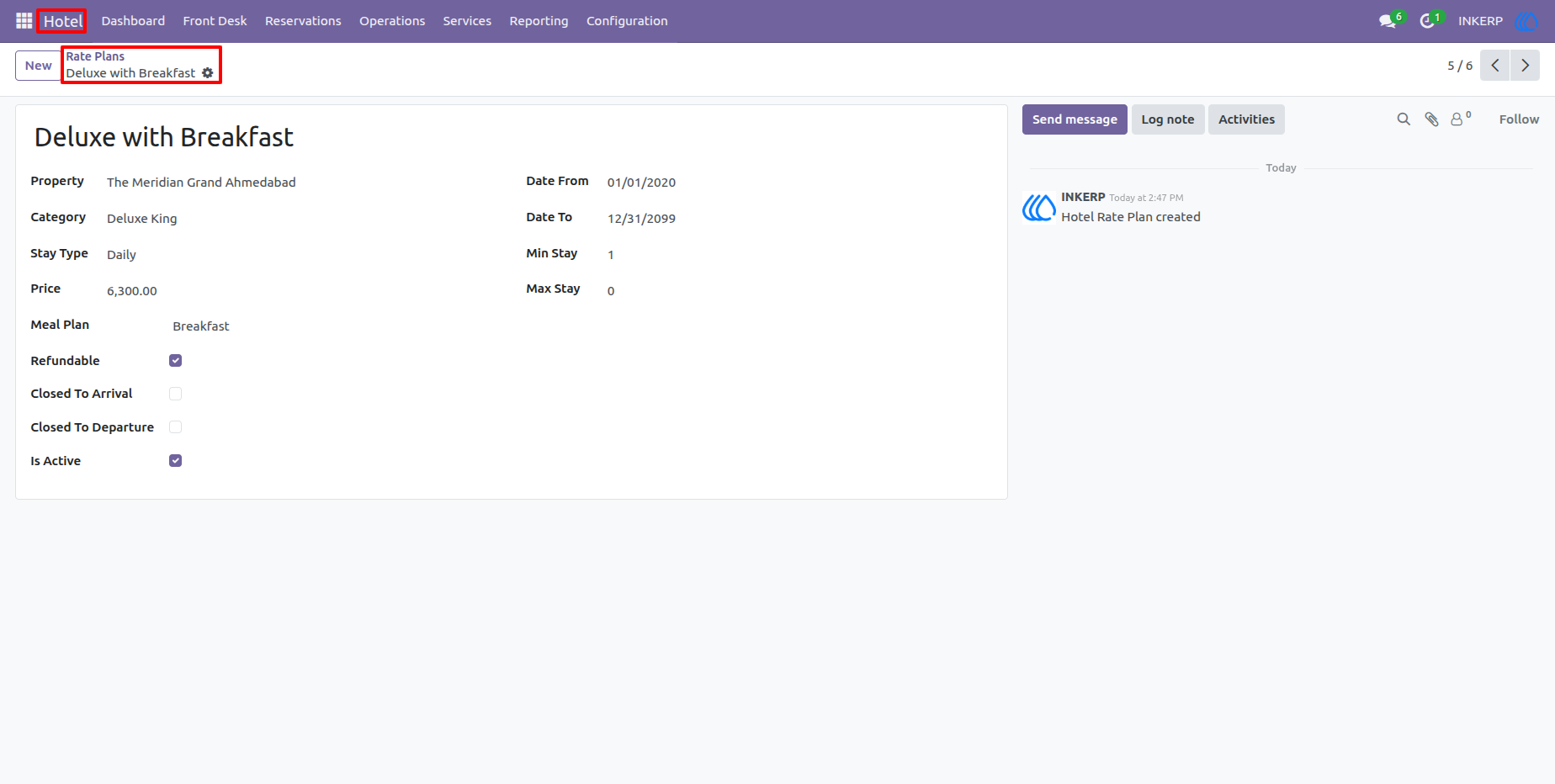
The rate plan form provides the complete pricing configuration for a selected plan. Staff can review its active period, stay conditions, prices, meal plan, and availability settings before using it for reservations.
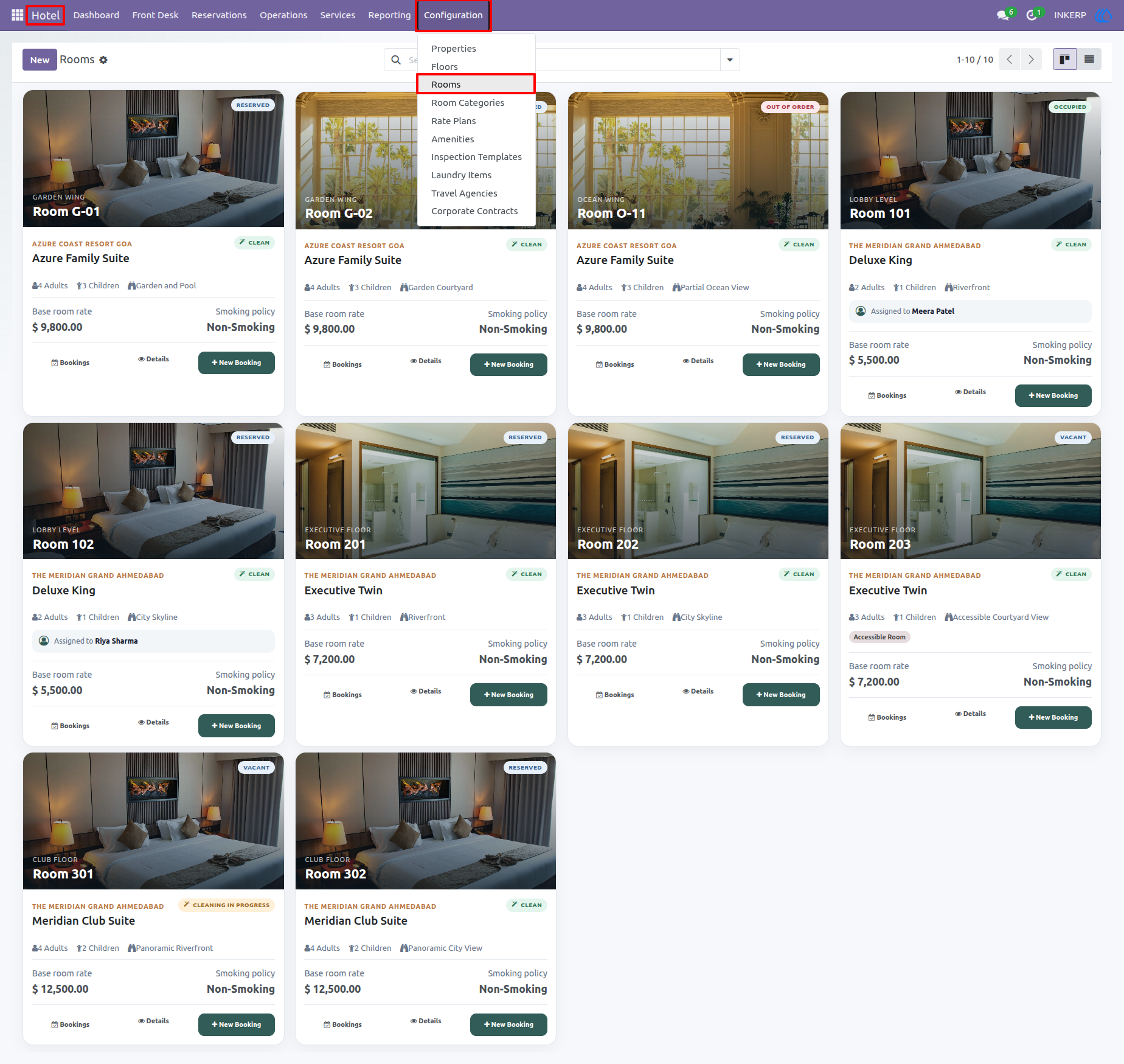
10.) Rooms
The accommodation view provides a visual overview of available room options with images, room categories, rates, capacity, and booking-related information. It helps staff quickly compare rooms and select suitable accommodation for guests.
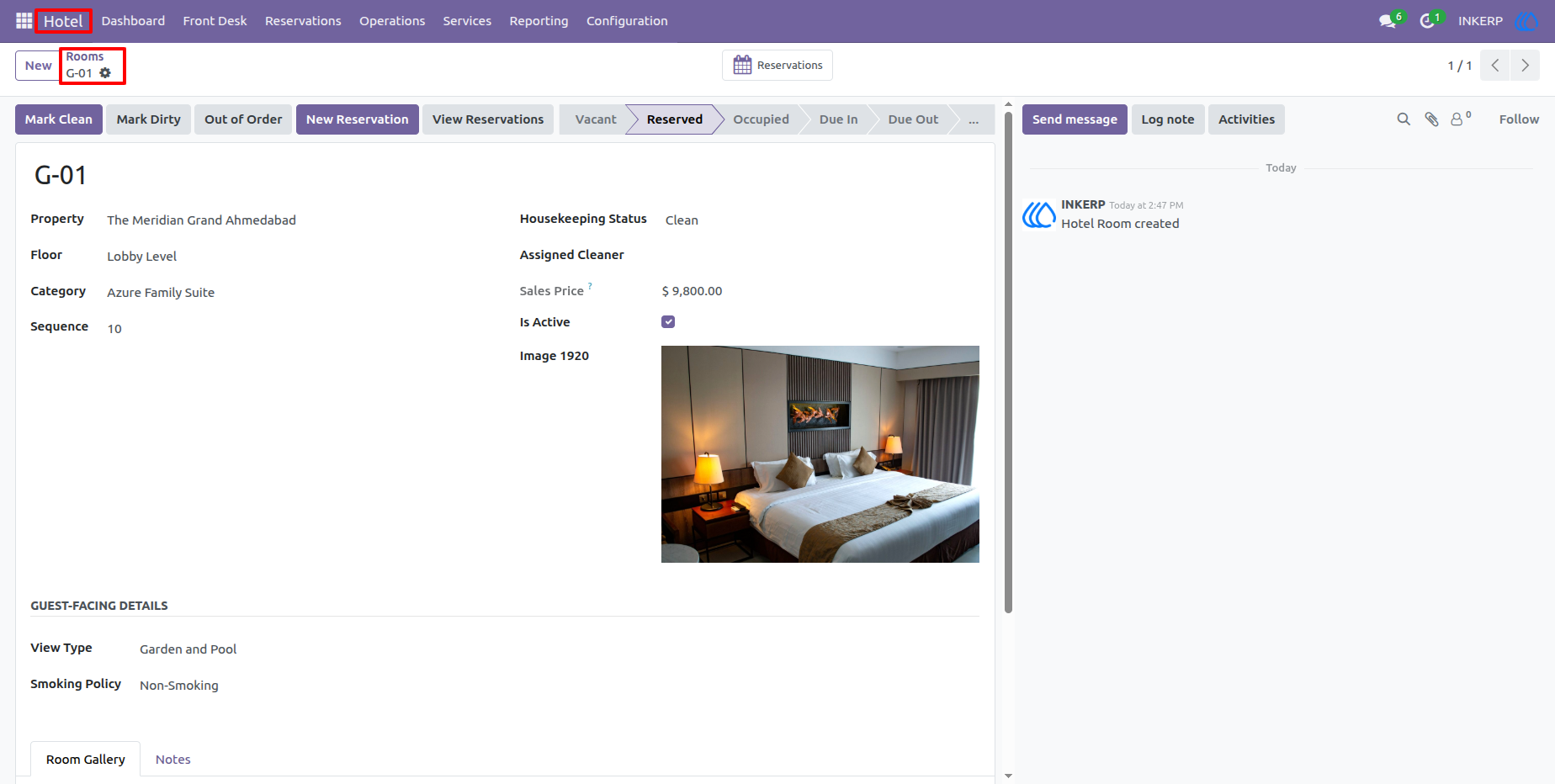
11.) Room Details
A room record contains its assigned property, floor, room category, status, capacity, pricing information, image, and operational details. This gives front-desk and operations staff a single place to review the complete information for a room.
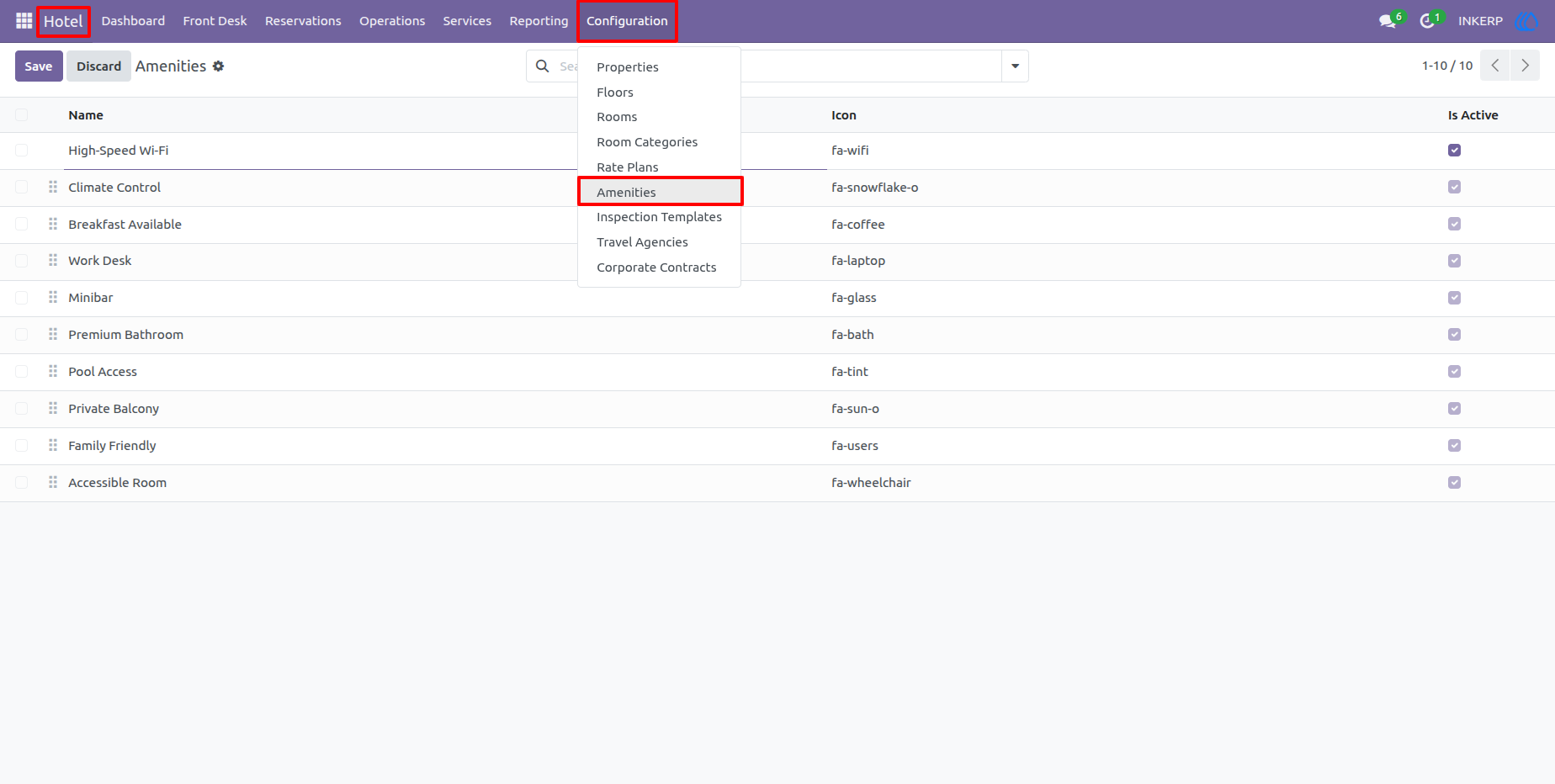
12.) Amenities
The Amenities screen maintains reusable room and hotel amenities such as Wi-Fi, air conditioning, breakfast, parking, and other guest facilities. These amenities can be associated with rooms or room categories to improve accommodation information.
13.) Inspection Templates
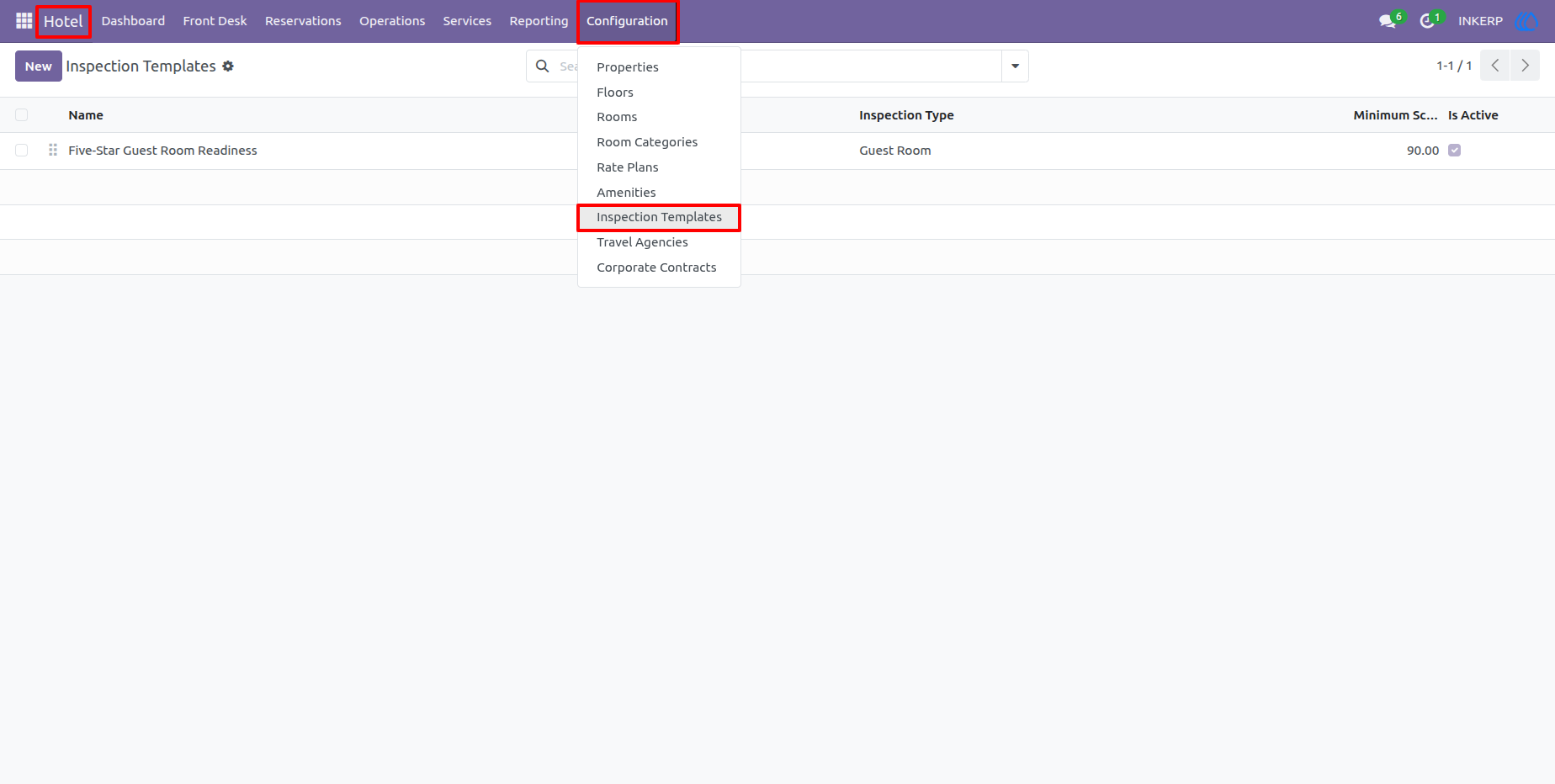
Inspection Templates define standardized checklists for hotel inspections. Users can create reusable templates with inspection points and minimum scoring requirements, making quality checks more consistent across rooms and properties.
14.) Inspection Template Details
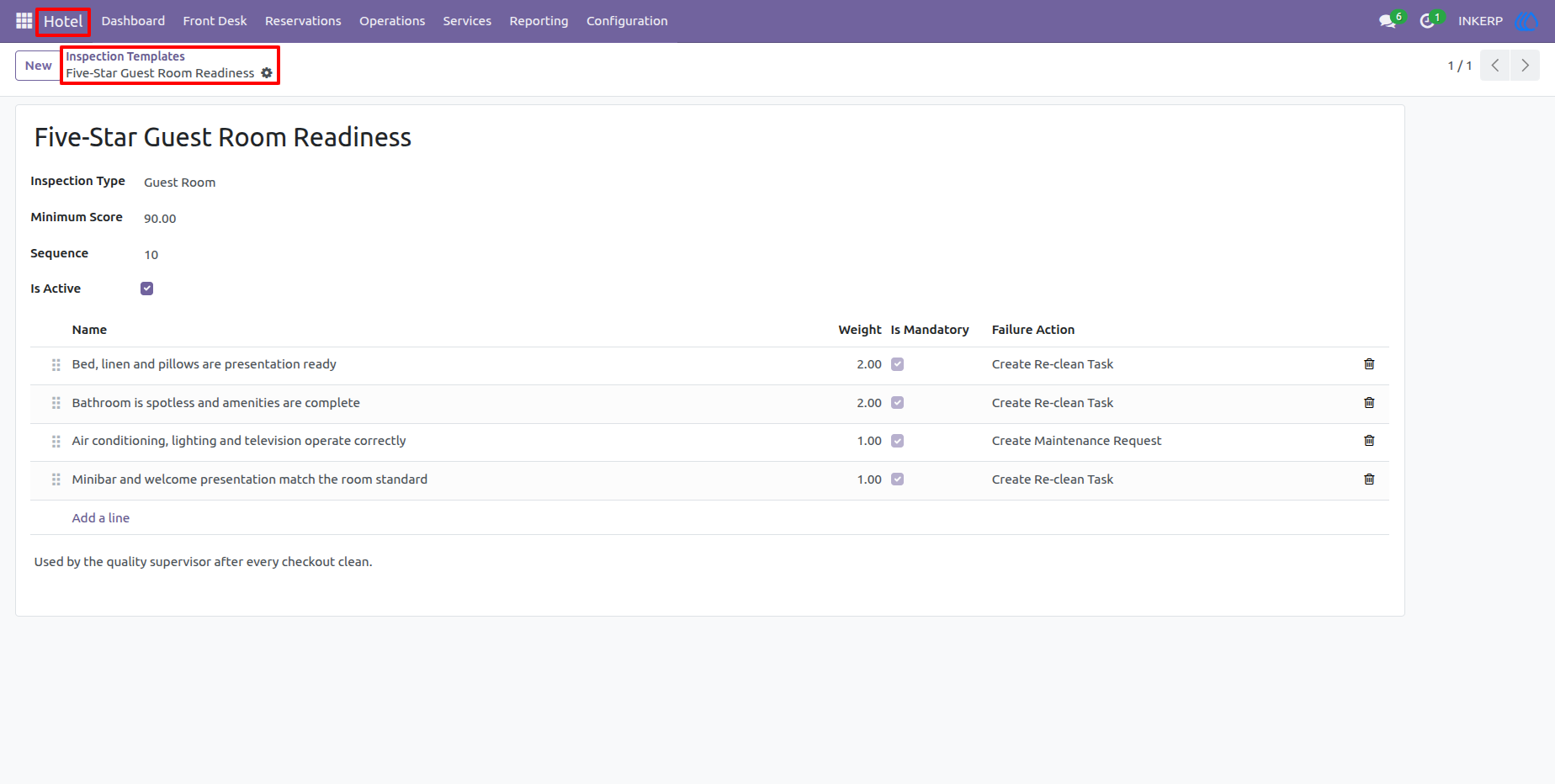
A template record lists the individual inspection criteria that staff should verify. Each checklist item can include expected standards and actions such as creating a cleaning task, maintenance request, or other operational follow-up when a condition is not satisfactory.
15.) Packages
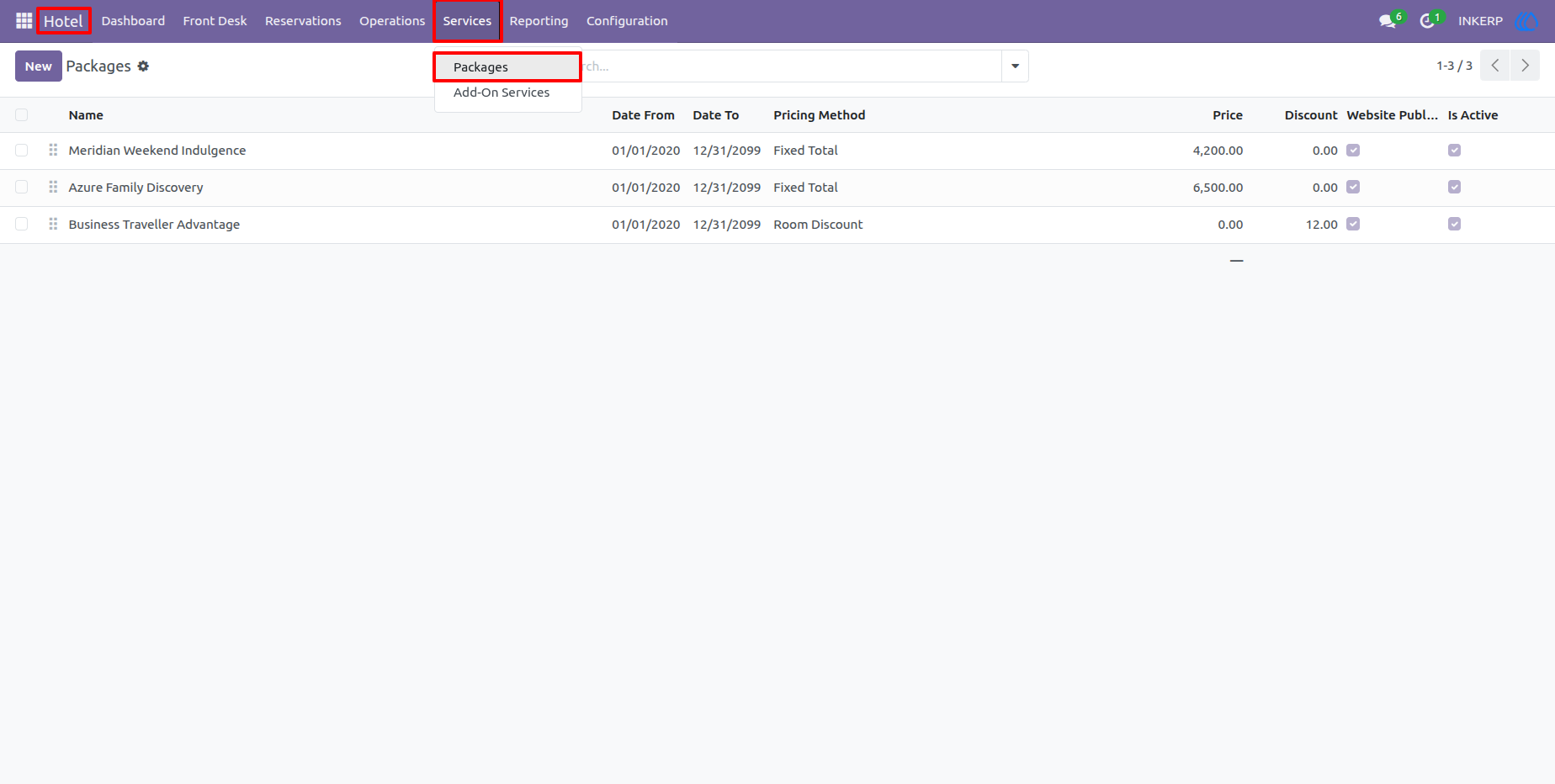
The Packages screen provides a list of hotel packages with their validity periods, prices, discounts, minimum or maximum stay conditions, and active status. Packages help the hotel group accommodation and additional services into predefined offers.
16.) Package Details
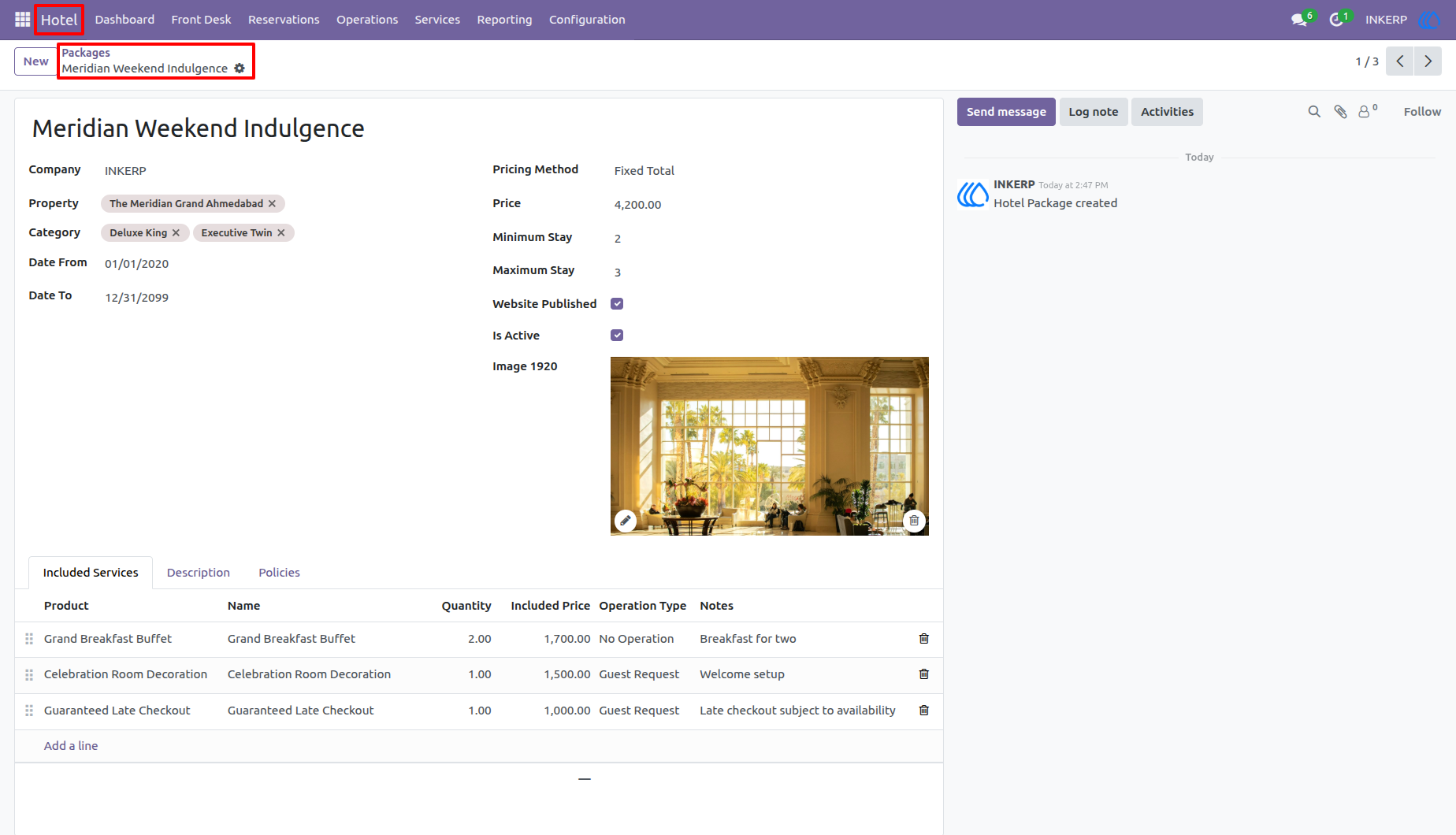
The package form combines package information with included services, pricing conditions, descriptions, and policies. Staff can define exactly what is included in a package and use the configuration while handling guest reservations.
17.) Add-On Services
Add-On Services provides a catalog of additional services that can be charged or requested during a guest stay. Examples include food and beverage, transport, extra beds, experiences, and other hotel services that can be linked to guest operations.
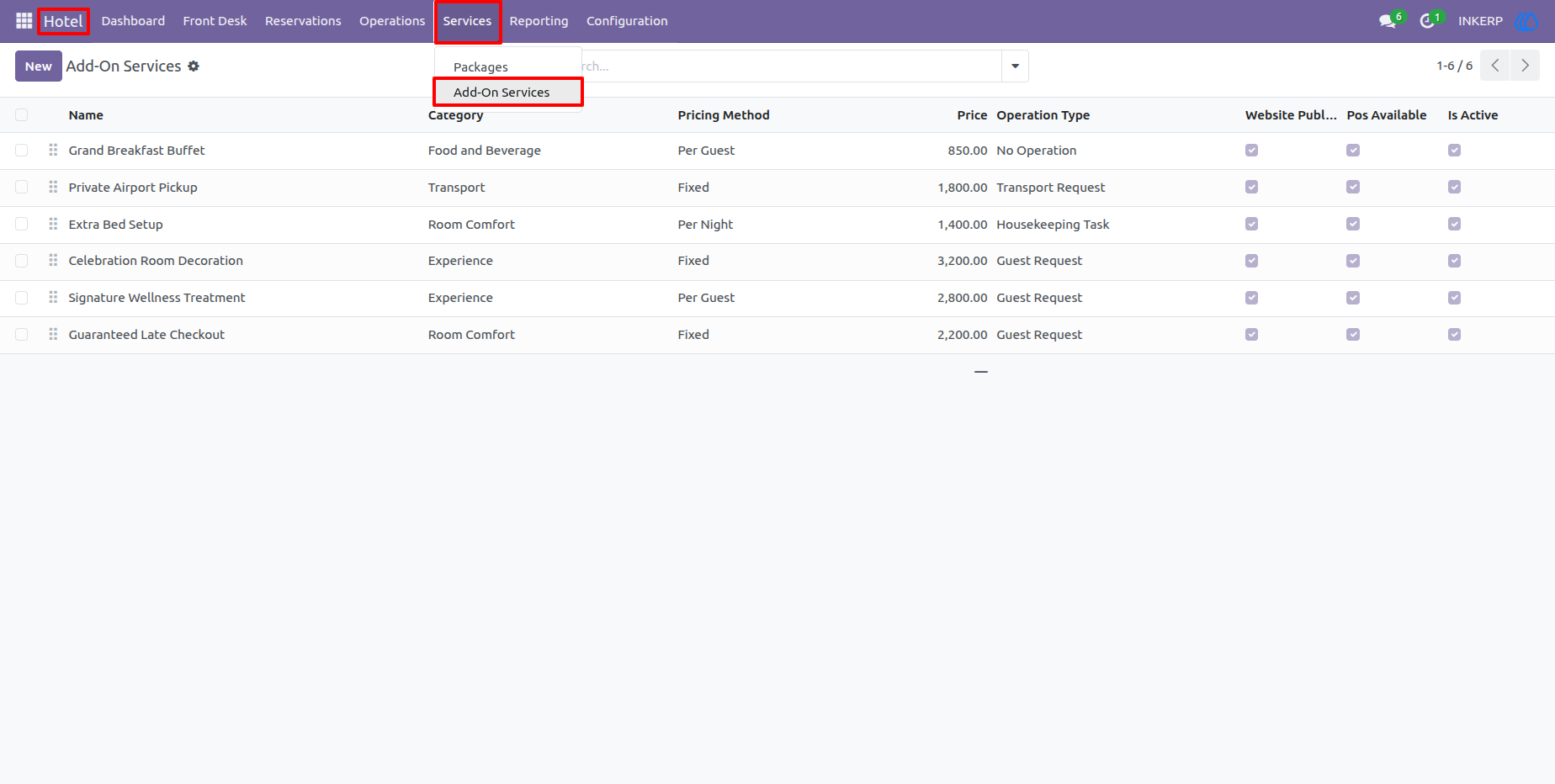
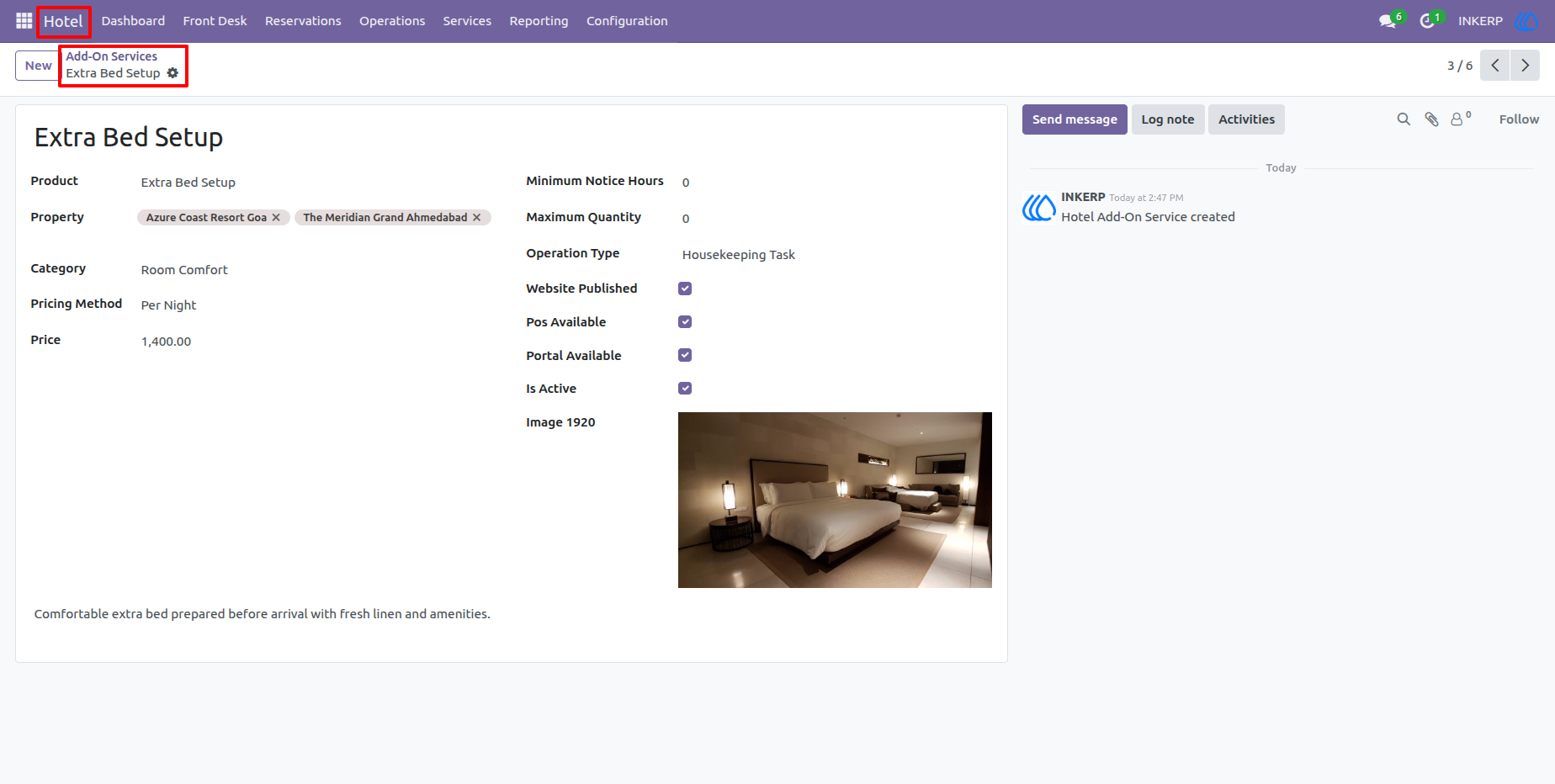
18.) Add-On Service Details
The service form contains the service category, pricing method, price, operational type, availability settings, and supporting information. This helps the hotel maintain a clear and reusable service catalog for reservations and guest requests.
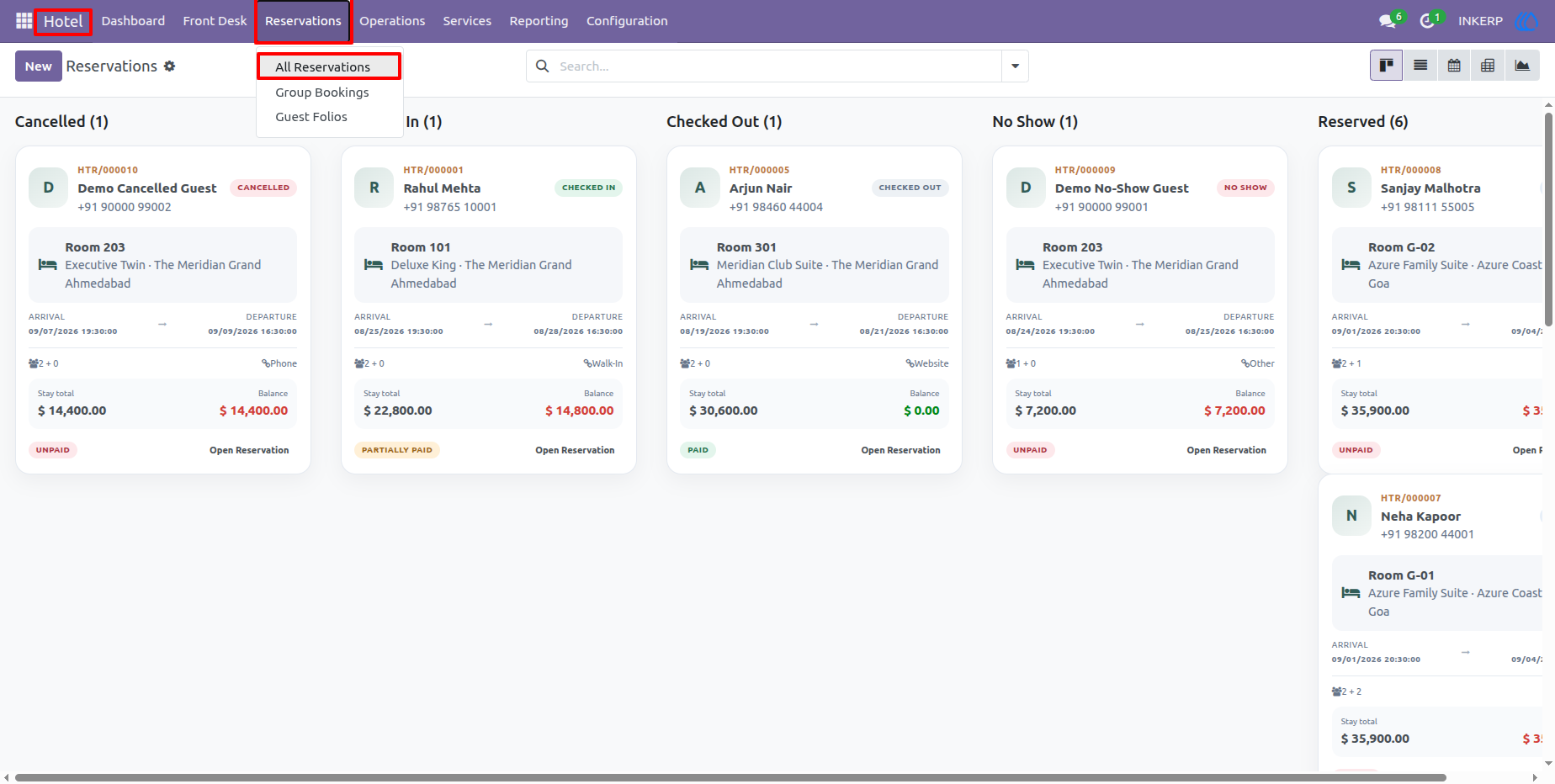
19.) Reservation Board
The reservation board presents bookings in a visual, status-based layout. Reservations can be reviewed according to their current state, including cancelled, confirmed, checked-in, no-show, and reserved bookings, making it easier for the front desk to monitor the booking pipeline.
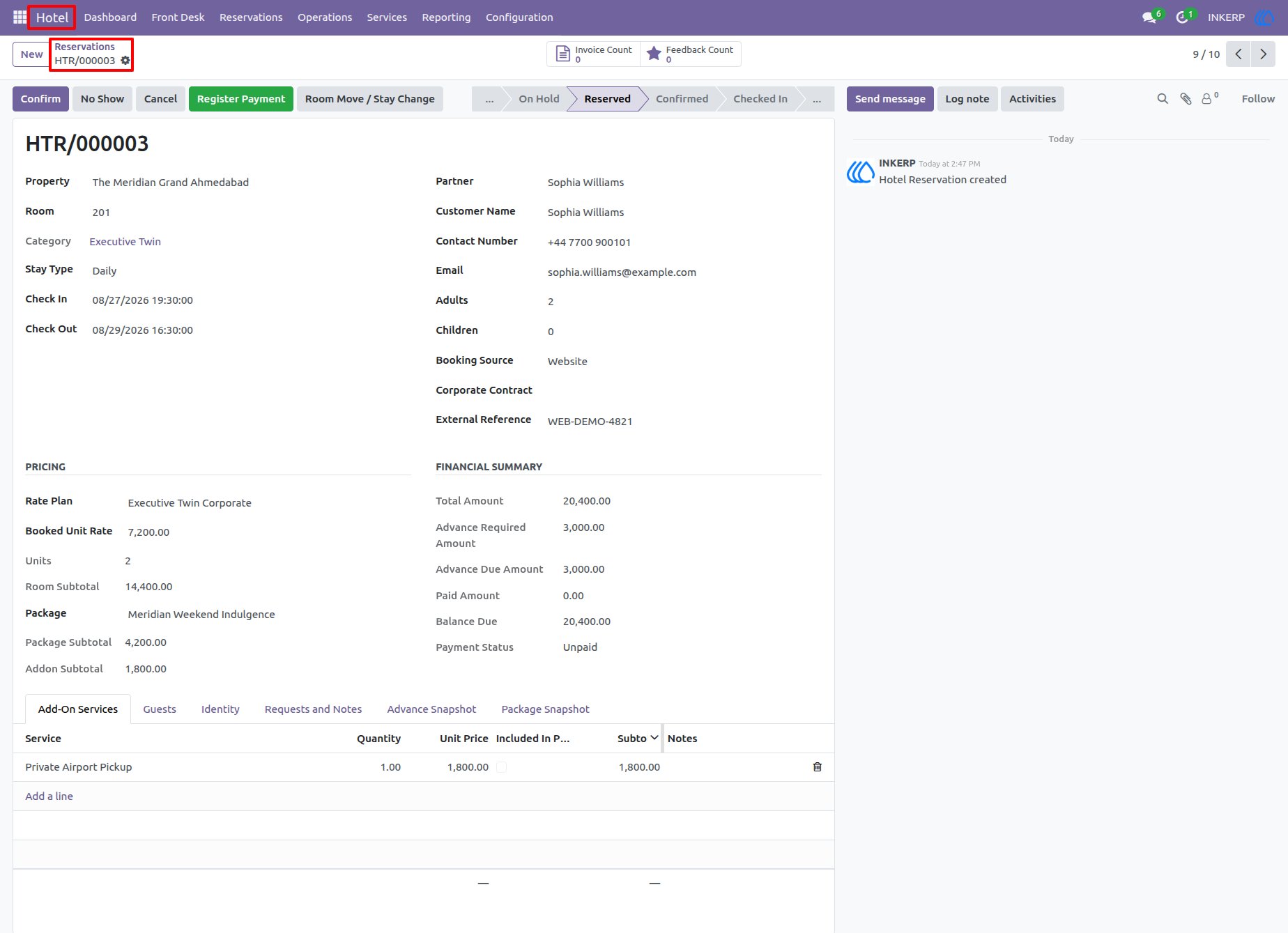
20.) Reservation Details
The reservation form brings together guest information, property and room details, stay dates, booking source, pricing, payment status, packages, and operational information. Staff can use this record as the main working document throughout the guest reservation lifecycle.
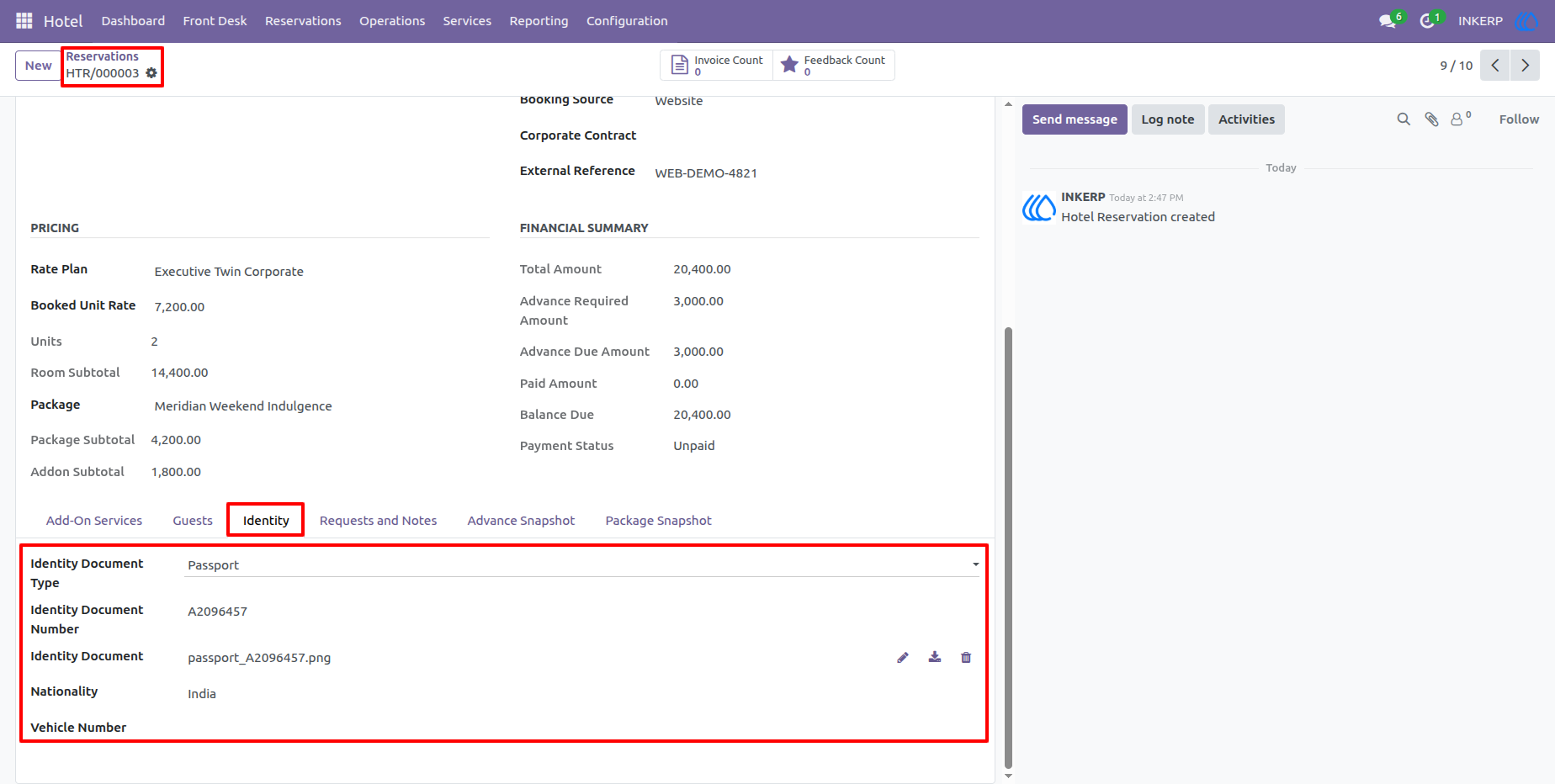
21.) Reservation Guest Documents
The guest information section stores identity and supporting document details connected with the reservation. This gives staff a structured place to record required guest information and keep reservation documentation together.
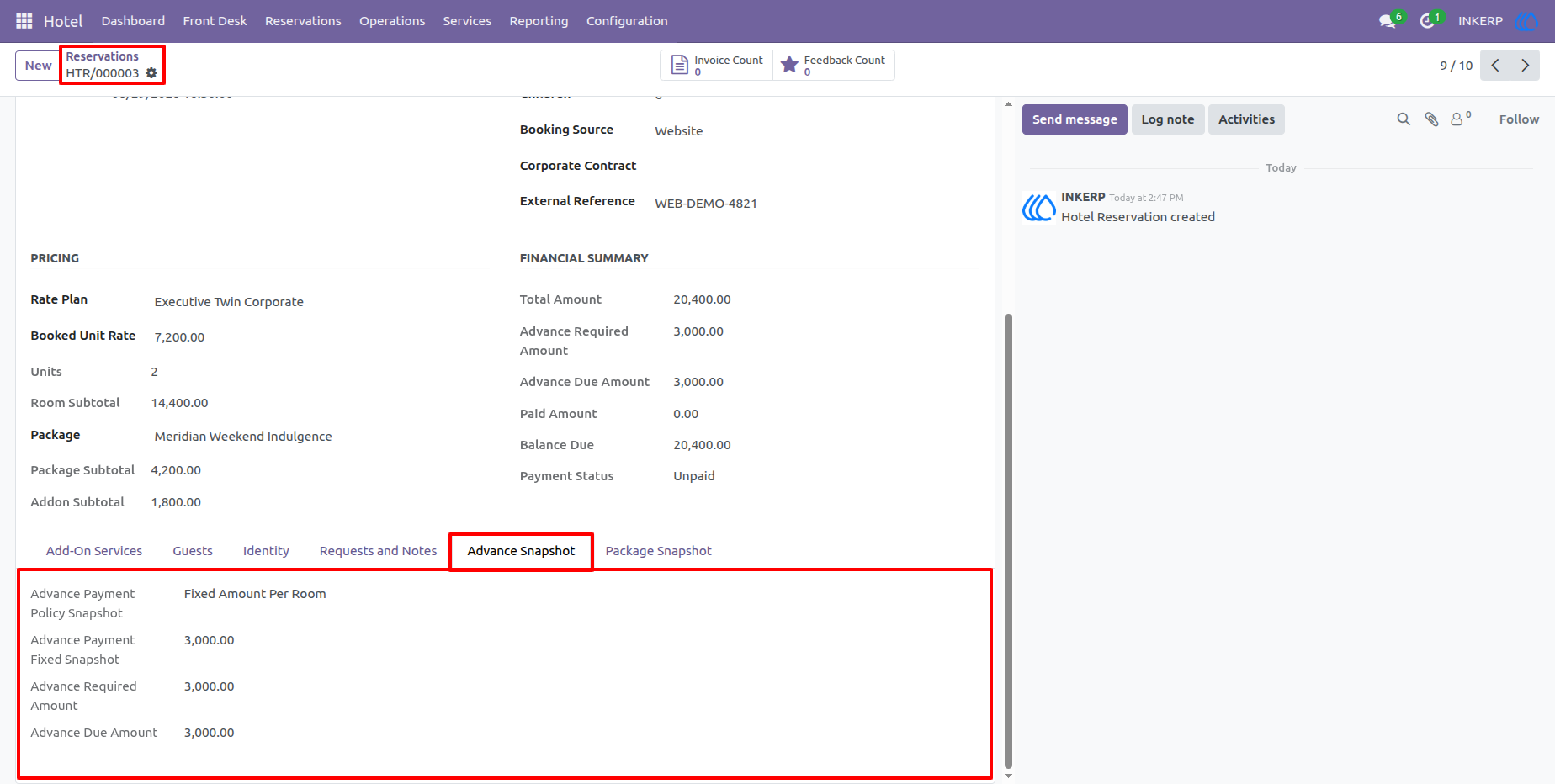
22.) Reservation Advance and Package Information
The reservation form provides a financial snapshot of advance payments, package values, discounts, and related charges. Staff can use these figures to understand the booking's commercial details before check-in or final billing.
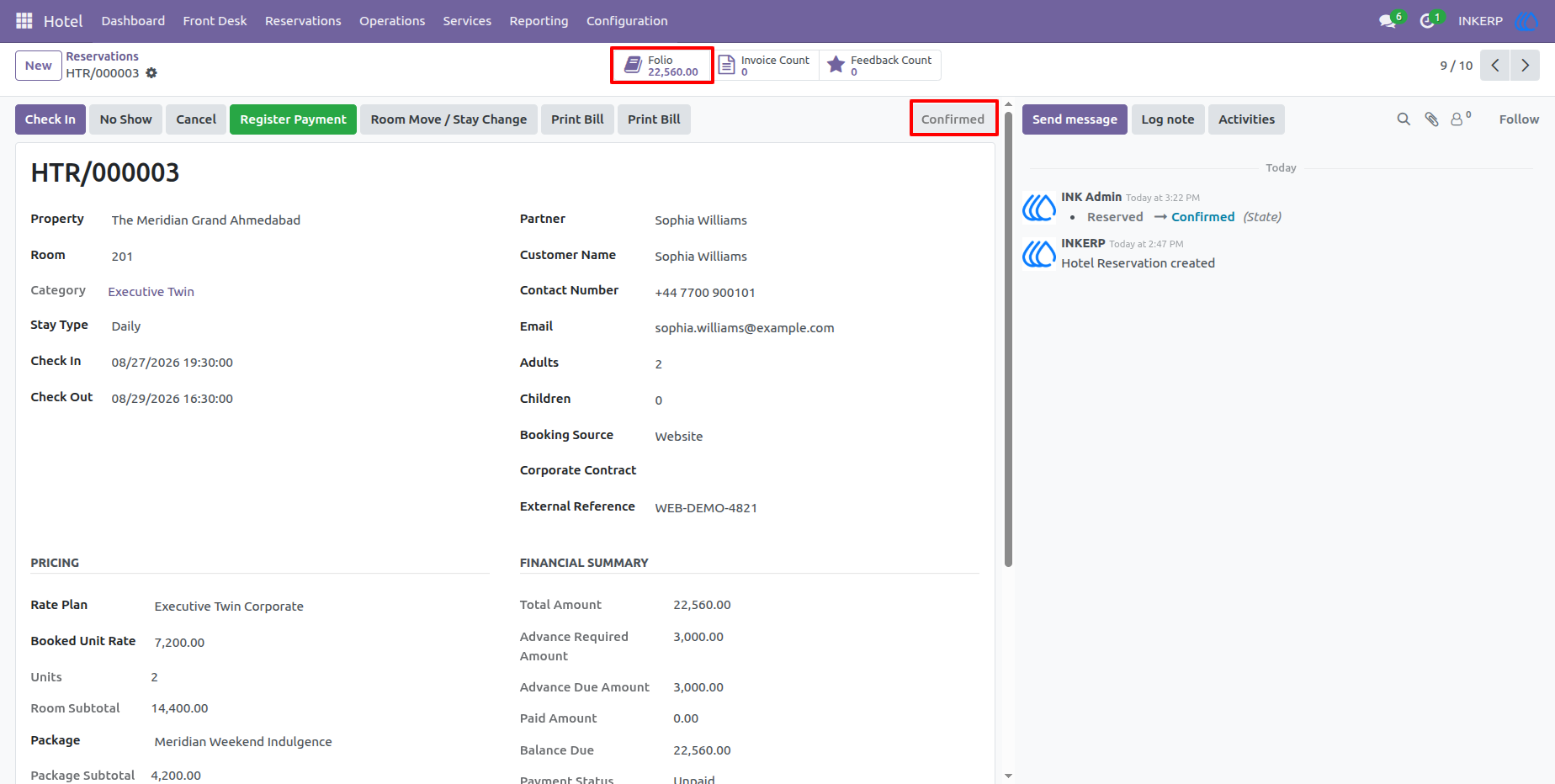
23.) Reservation Confirmation
The reservation form provides a complete overview of the guest booking, including the property, room, stay dates, guest details, booking source, pricing, package, and payment summary. Once the reservation details are verified, the Confirm action changes the booking into a confirmed reservation and allows staff to proceed with the guest stay workflow.
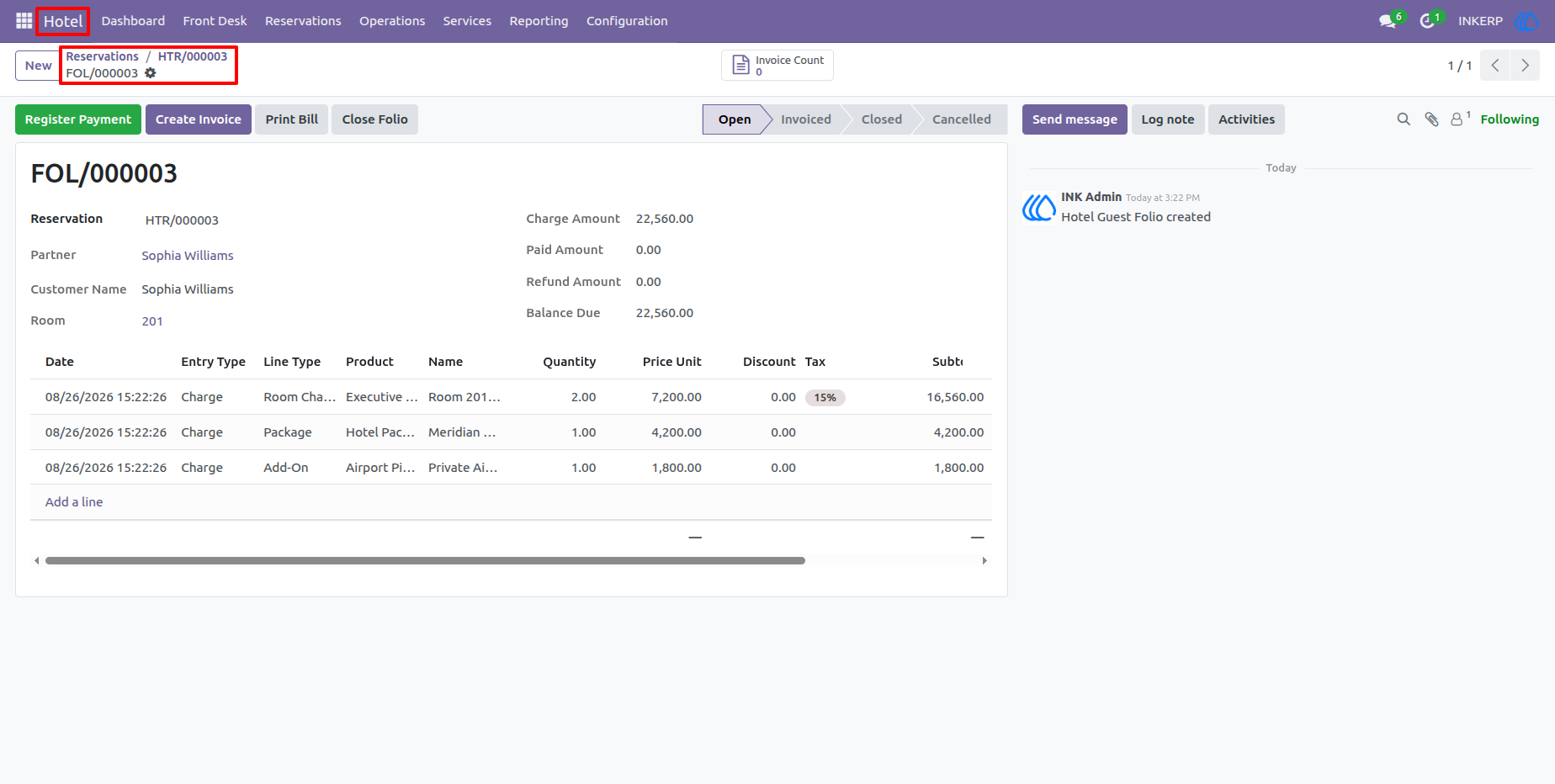
24.) Guest Folio
The Guest Folio records all financial transactions associated with a reservation. It provides a summary of charges, payments, advances, discounts, and the remaining balance, while the transaction table gives staff a detailed breakdown of room charges, packages, and additional services added to the guest account.
25.) Reservation Check-Out
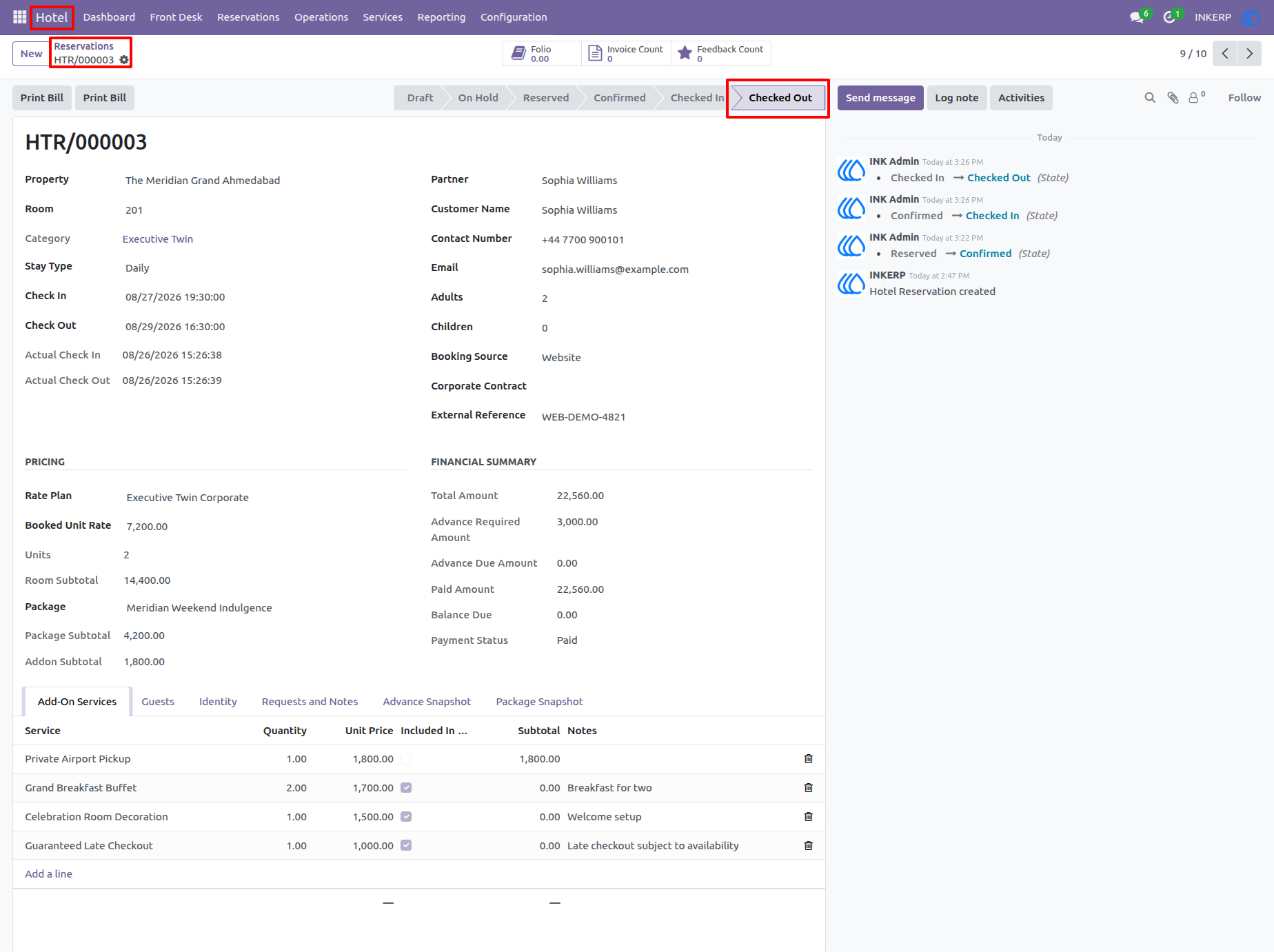
The reservation screen updates when the guest completes the stay and the Checked Out status is applied. Staff can review the actual check-in and check-out times, final pricing information, package and service charges, and payment status before completing the guest's departure process.
26.) Folio Payment and Closure
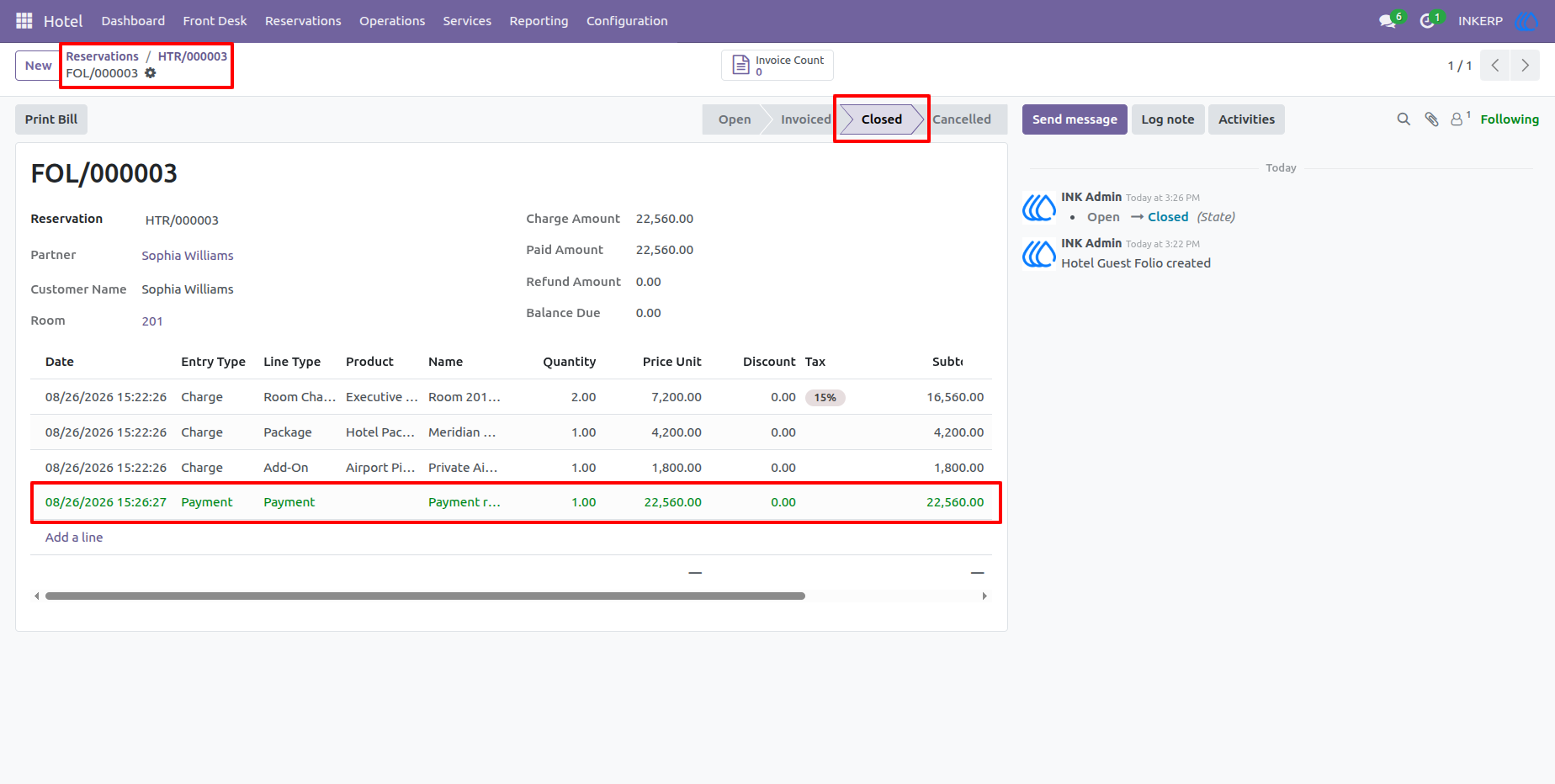
The folio displays the final payment transaction together with the existing room and service charges. After the outstanding amount has been settled, the folio can be marked as Closed, providing a finalized financial record of the guest stay and confirming that no balance remains due.
27.) Finalized Guest Folio
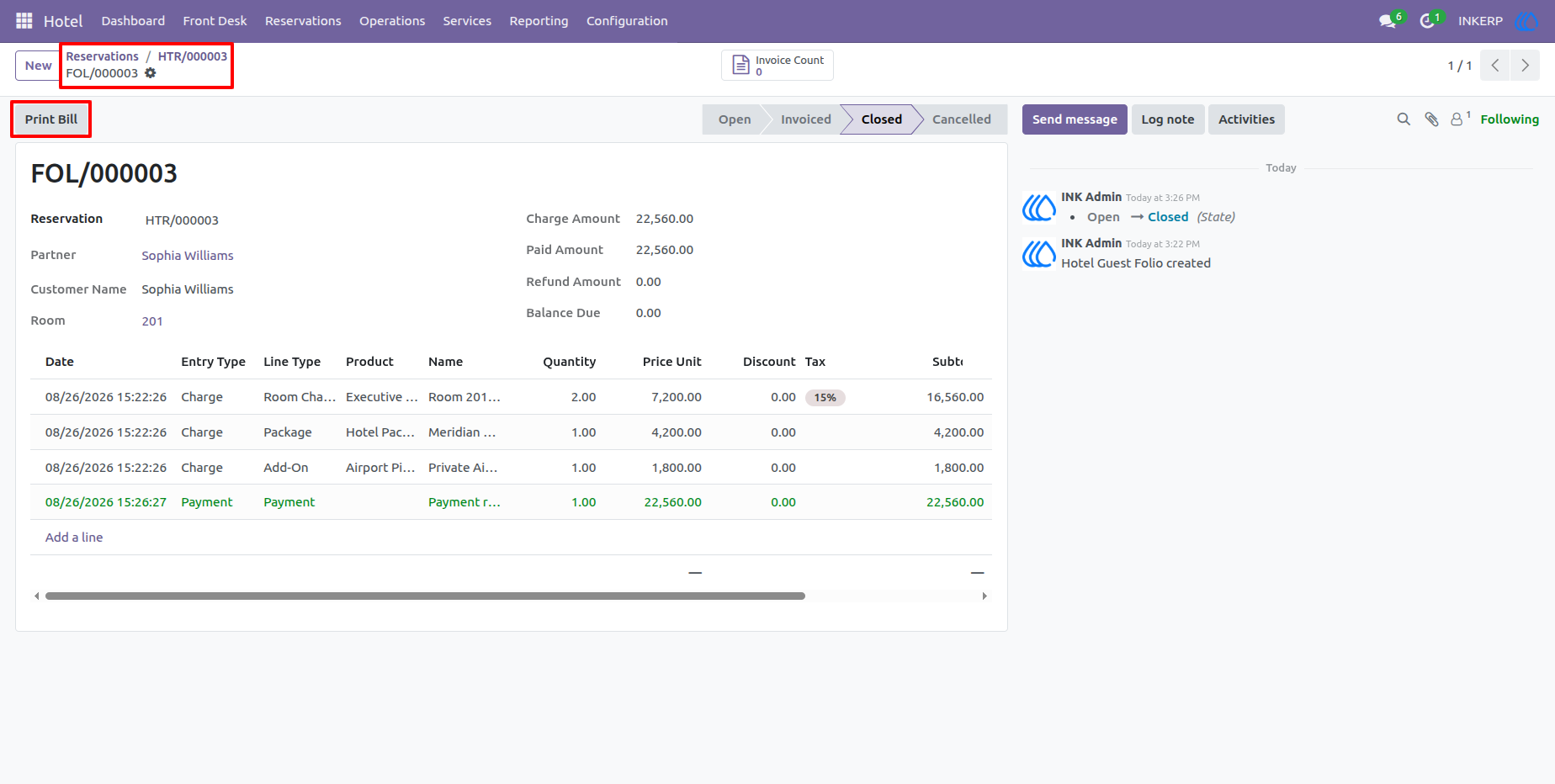
The finalized folio provides a complete history of the guest's financial activity, including room charges, packages, additional services, and payment entries. Staff can review the complete transaction summary and use the Print Bill option to generate the guest's final billing document.
28.) Guest Folio Bill
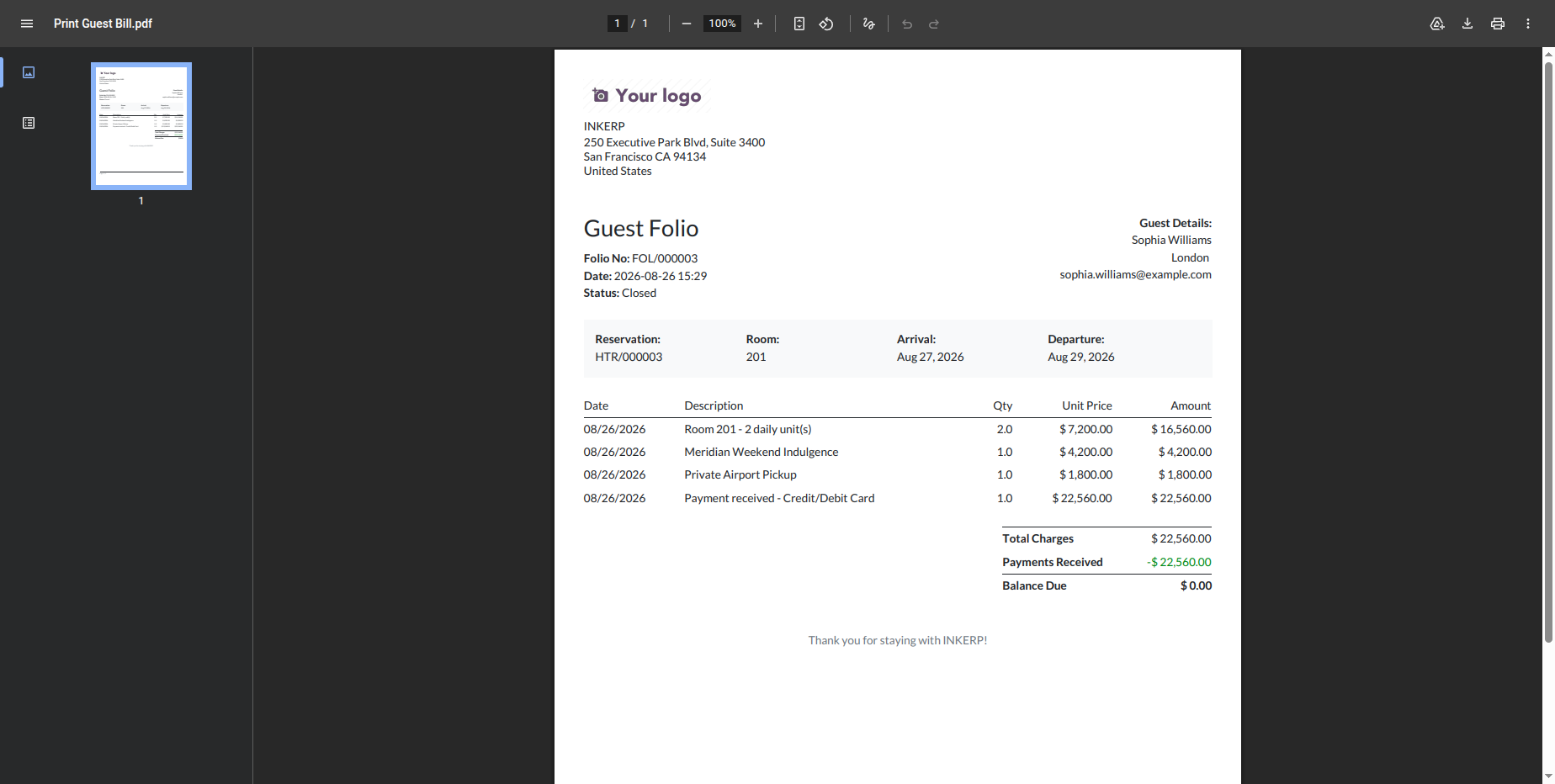
The generated Guest Folio document presents the guest and reservation information along with a detailed statement of room charges, packages, additional services, payments, and the final balance. This printable document can be provided to the guest as a formal record of the completed hotel stay and settlement.
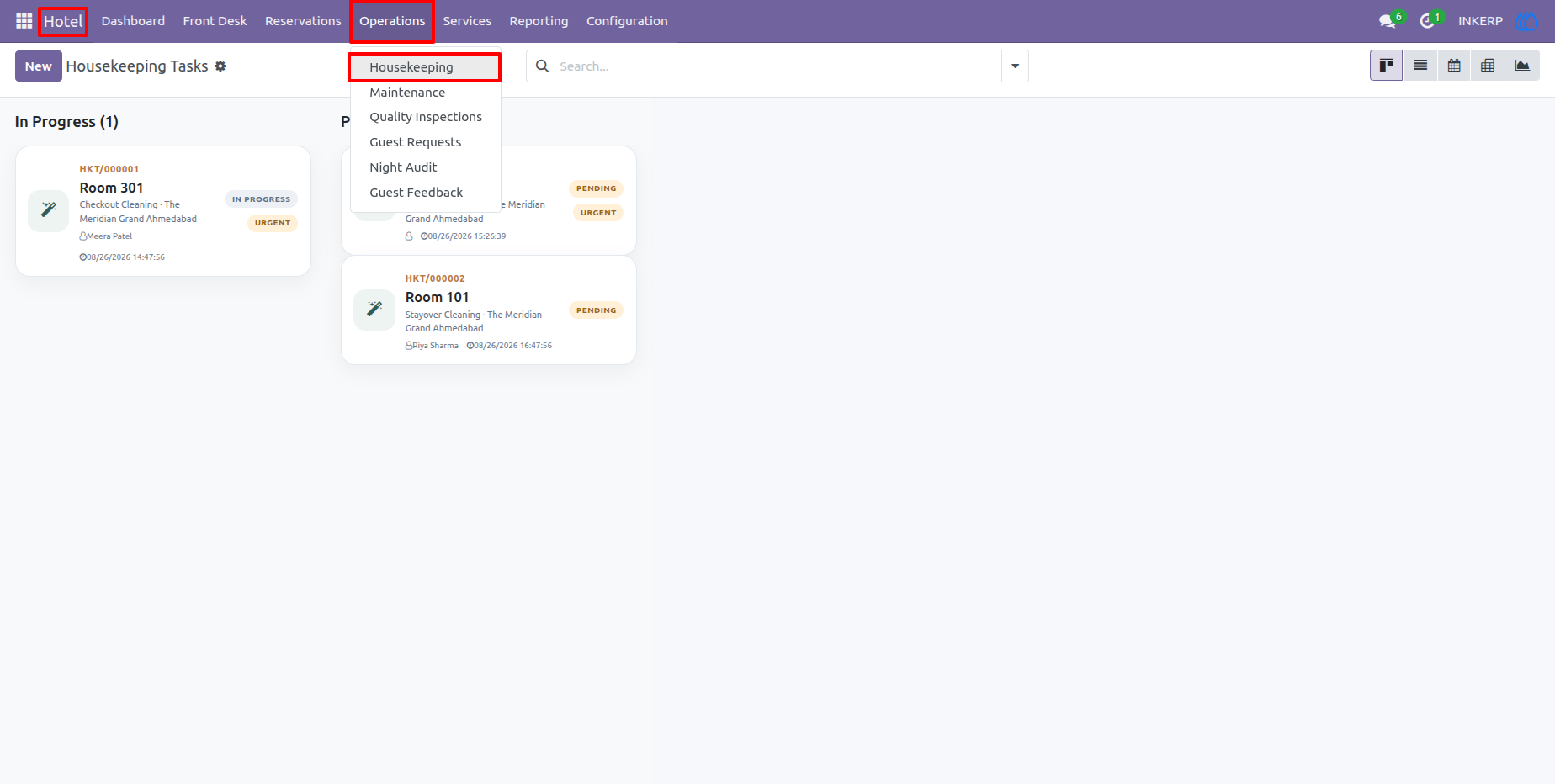
29.) Housekeeping Tasks
The Housekeeping workspace presents room-related tasks in a visual workflow. Staff can quickly identify tasks that are waiting, in progress, or require attention and coordinate room cleaning work according to operational priority.
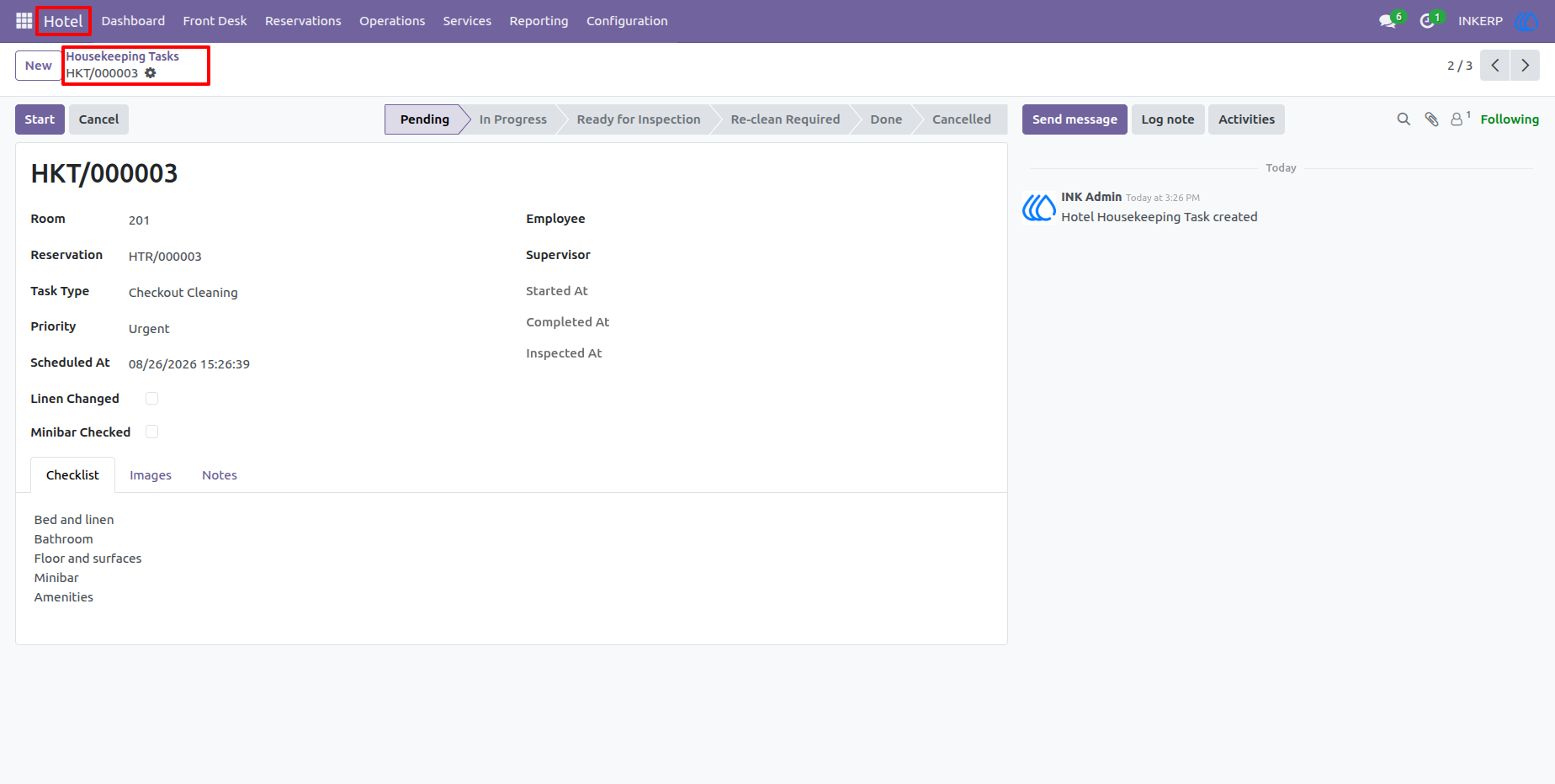
30.) Housekeeping Task Details
A housekeeping task contains the room, property, employee assignment, task type, priority, schedule, status, and operational notes. This allows housekeeping supervisors to assign work and track the progress of individual room tasks.
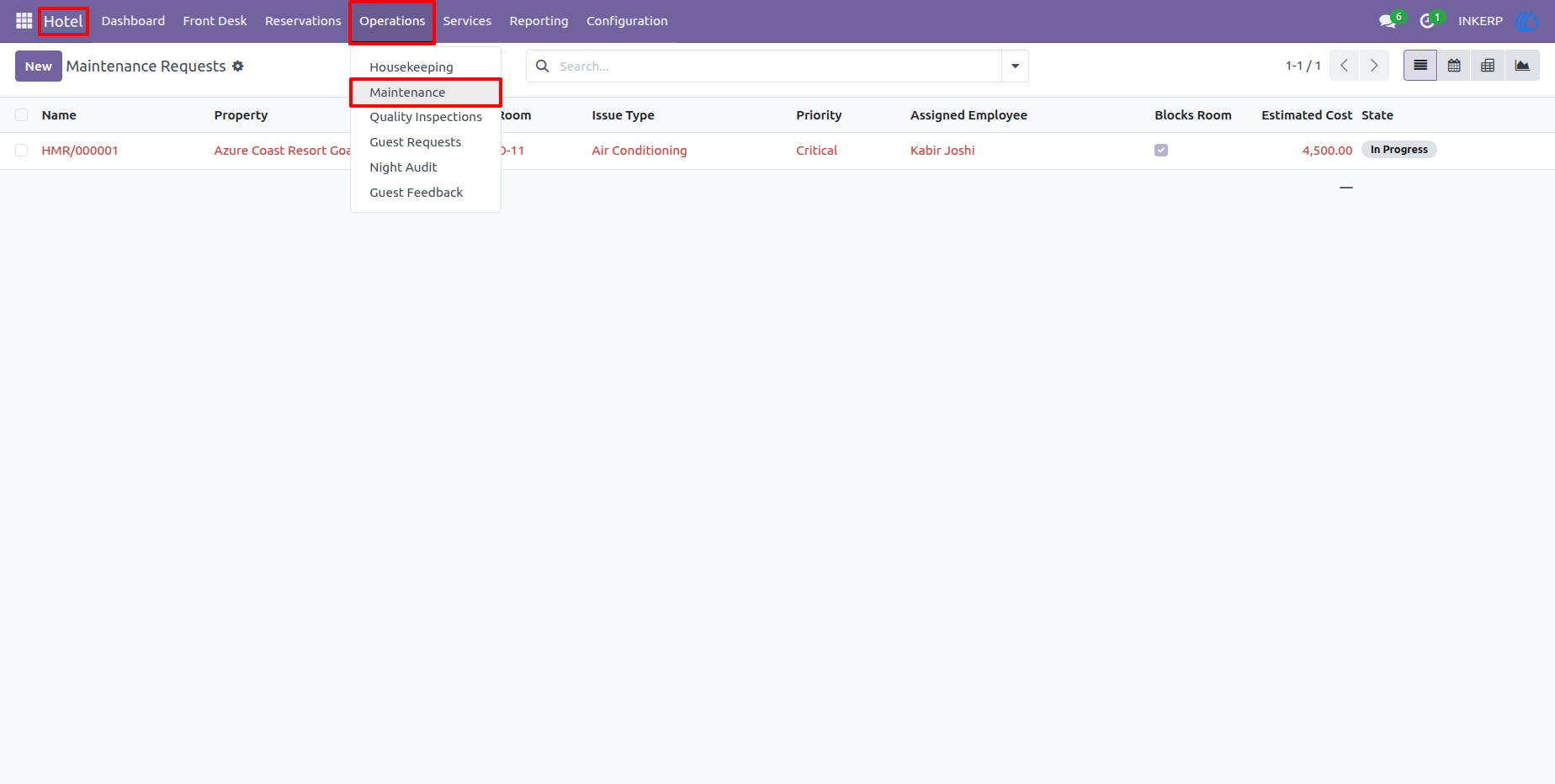
31.) Maintenance Requests
The Maintenance screen collects reported room or property maintenance issues. Users can see the affected room, issue type, priority, assigned employee, estimated cost, and current status to coordinate repair work.
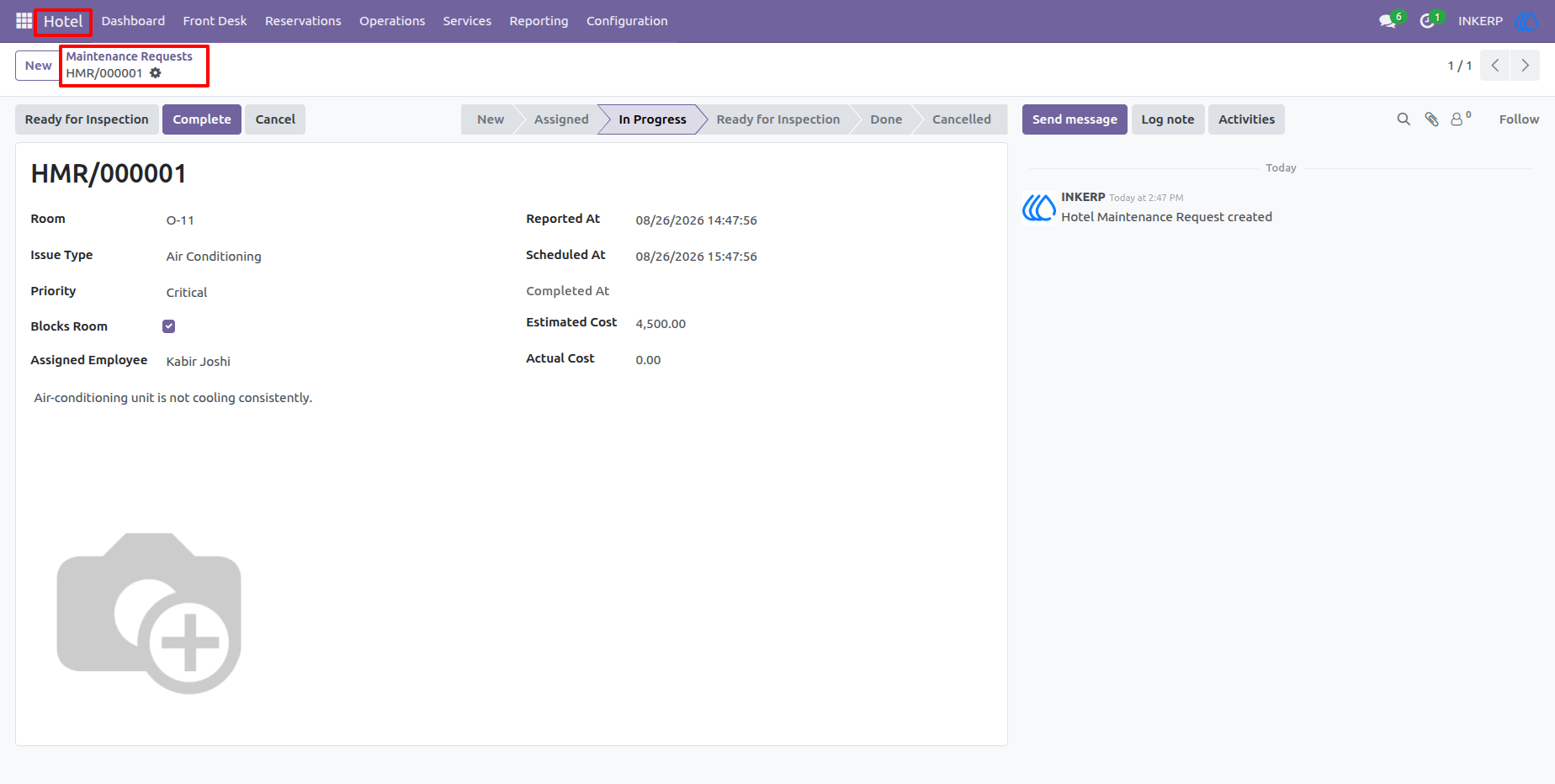
32.) Maintenance Request Details
A maintenance request provides the complete issue record, including the room, problem description, reporting information, assigned staff member, estimated cost, and progress status. This helps the maintenance team follow each issue from reporting through completion.
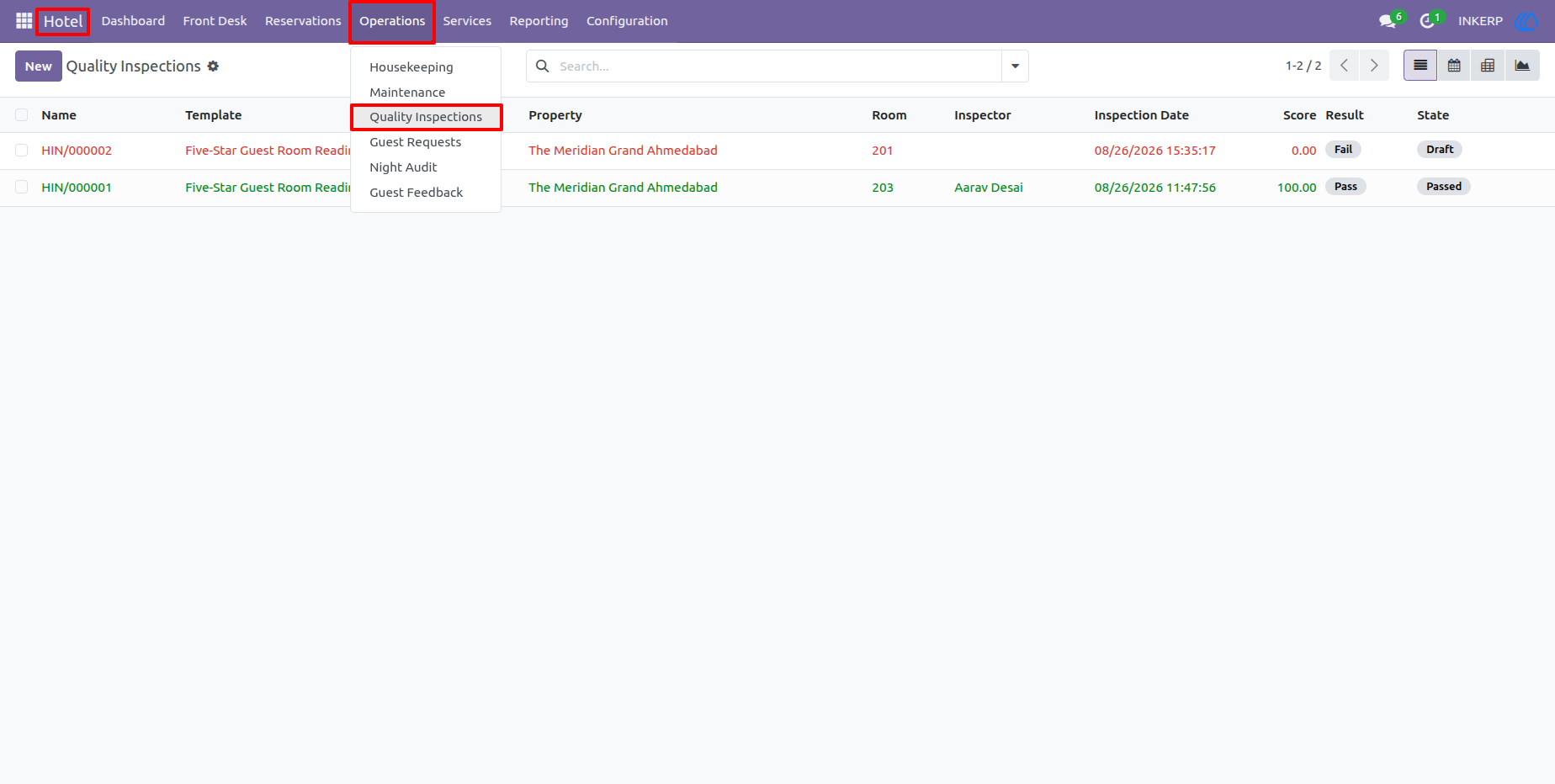
33.) Quality Inspections
The Quality Inspections list provides an overview of inspections carried out across hotel rooms and properties. Users can review the inspection template, room, inspector, date, score, and result to monitor service and room quality.
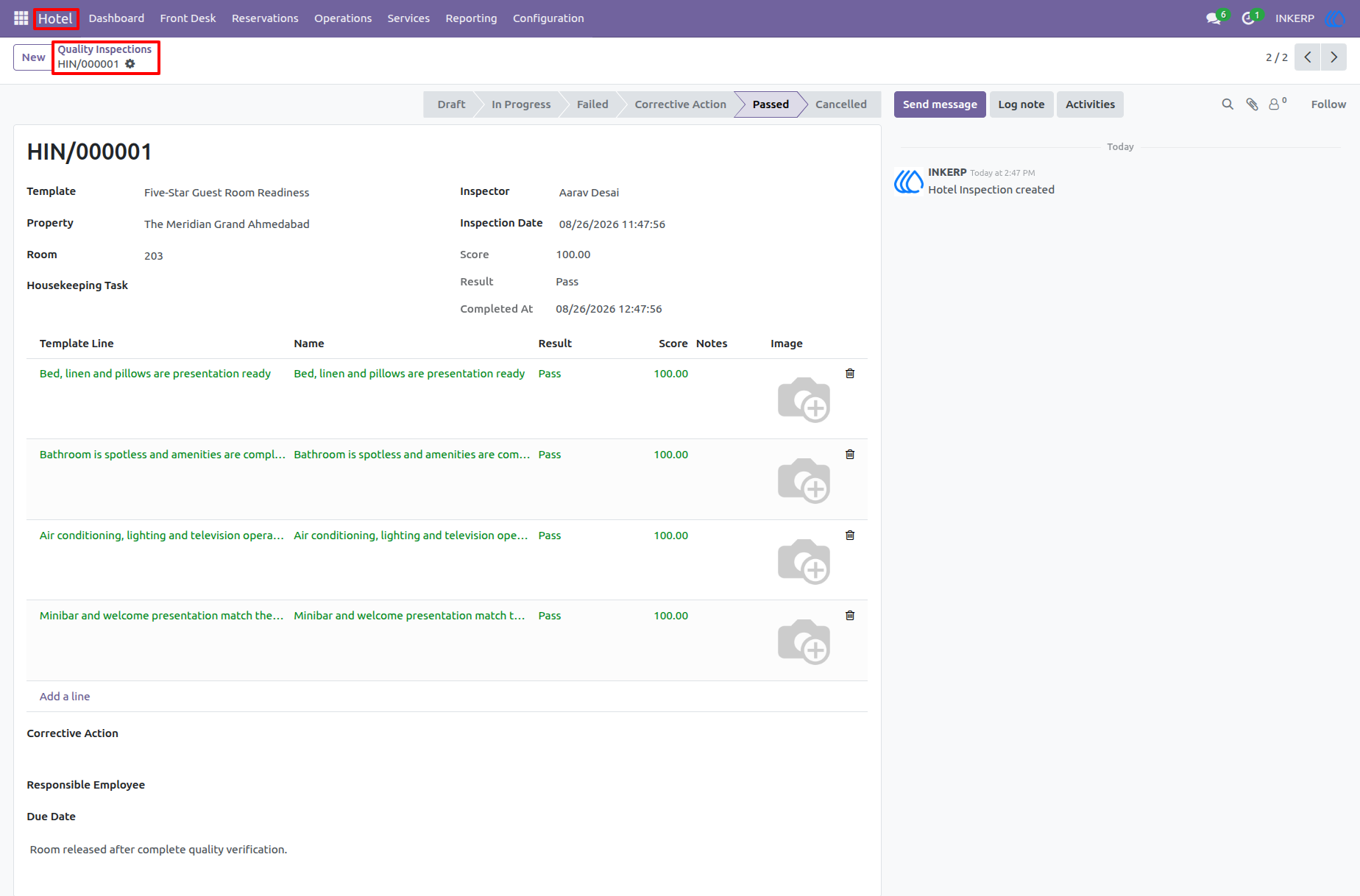
34.) Quality Inspection Details
The inspection form presents the checklist items that an inspector must evaluate. Results and scores can be recorded against each criterion, while failed checks can lead to operational actions such as cleaning or maintenance follow-up.
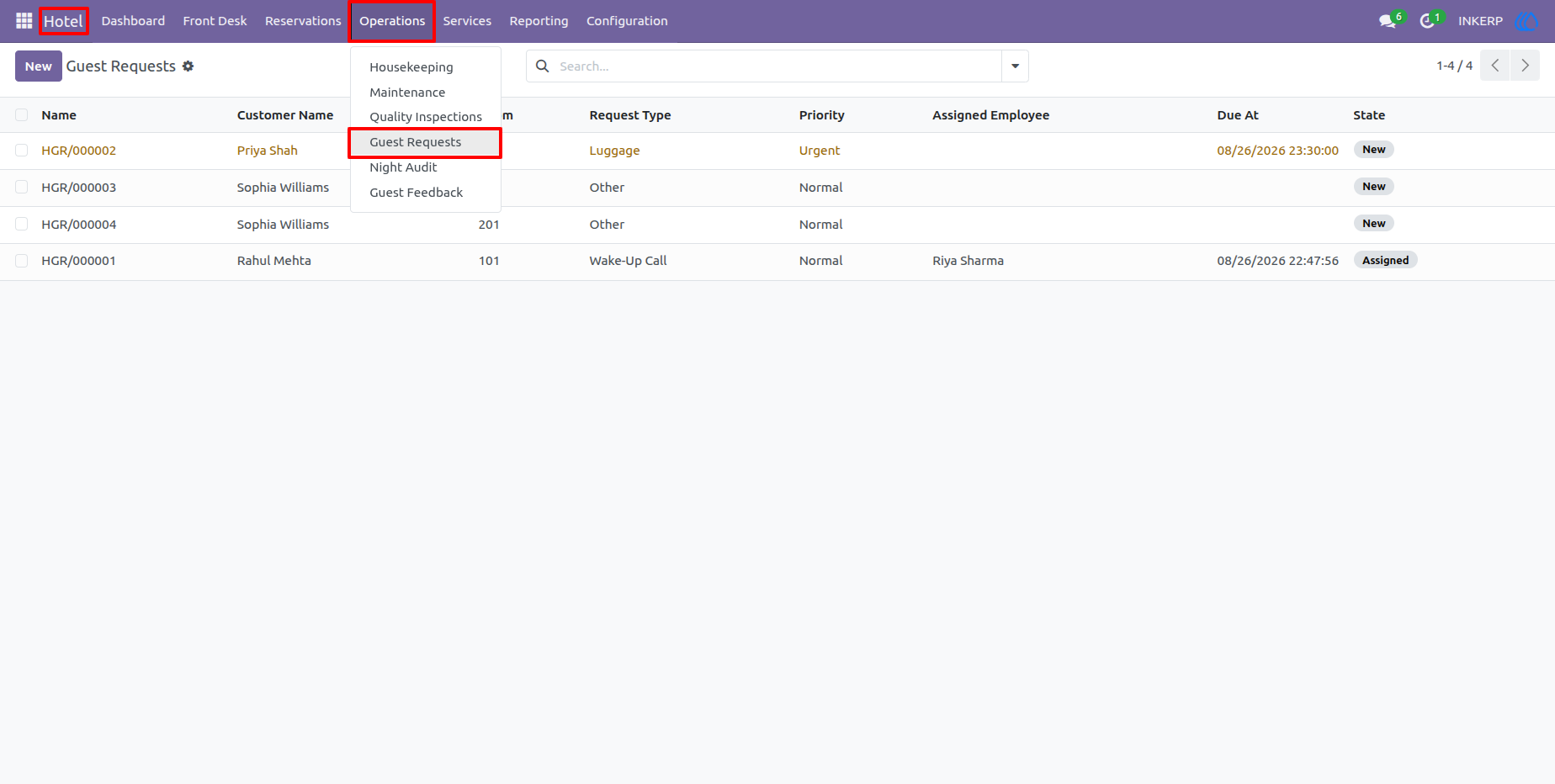
35.) Guest Requests
Guest Requests provides a central list of service requests raised during a guest's stay. Staff can review the requested service, room, priority, assigned employee, due date, and current state to make sure requests are handled on time.
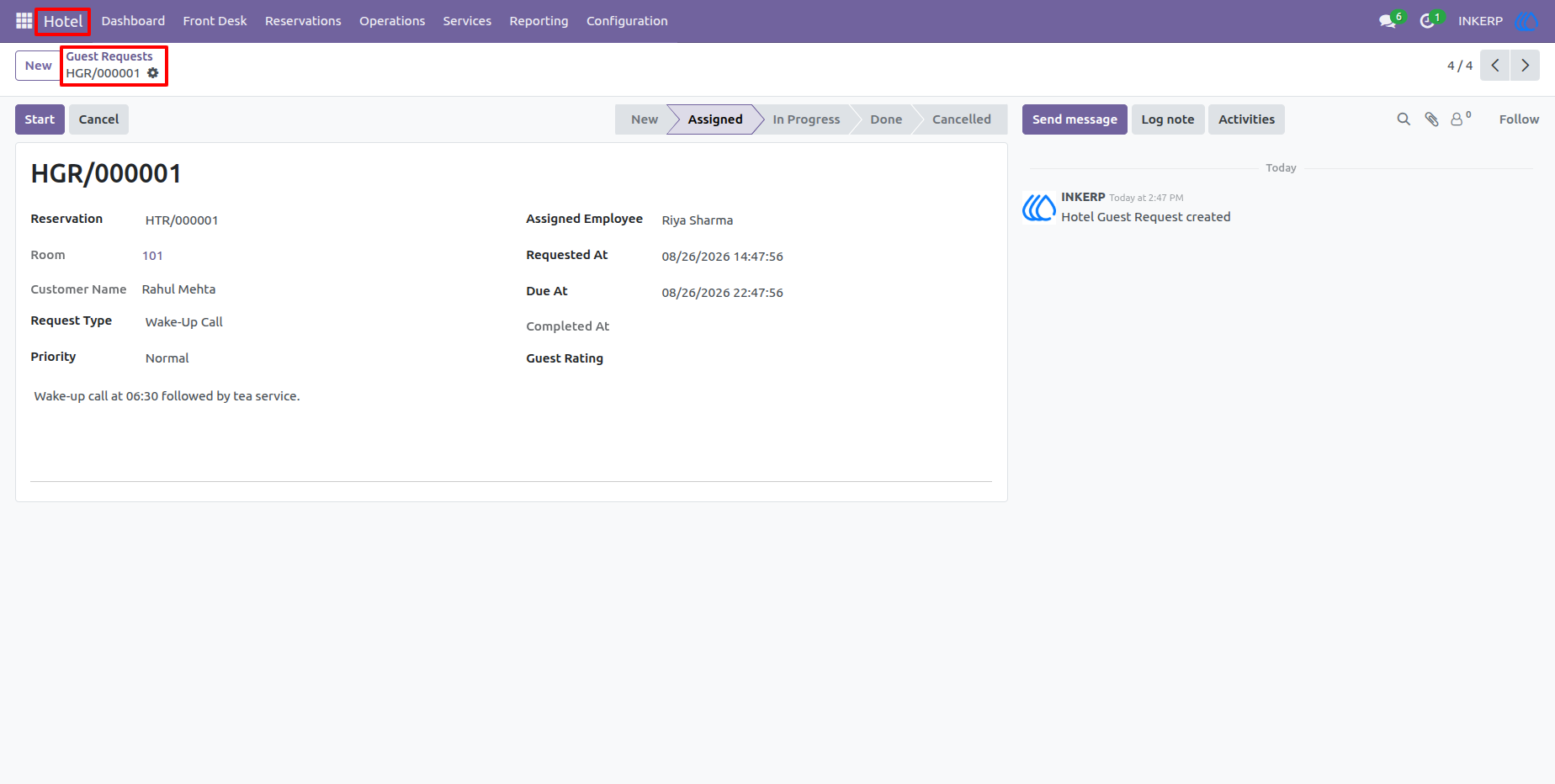
36.) Guest Request Details
The request form provides the complete guest service request, including the reservation, guest, property, request type, priority, assignment, and progress information. It gives staff a clear operational record for responding to guest needs.
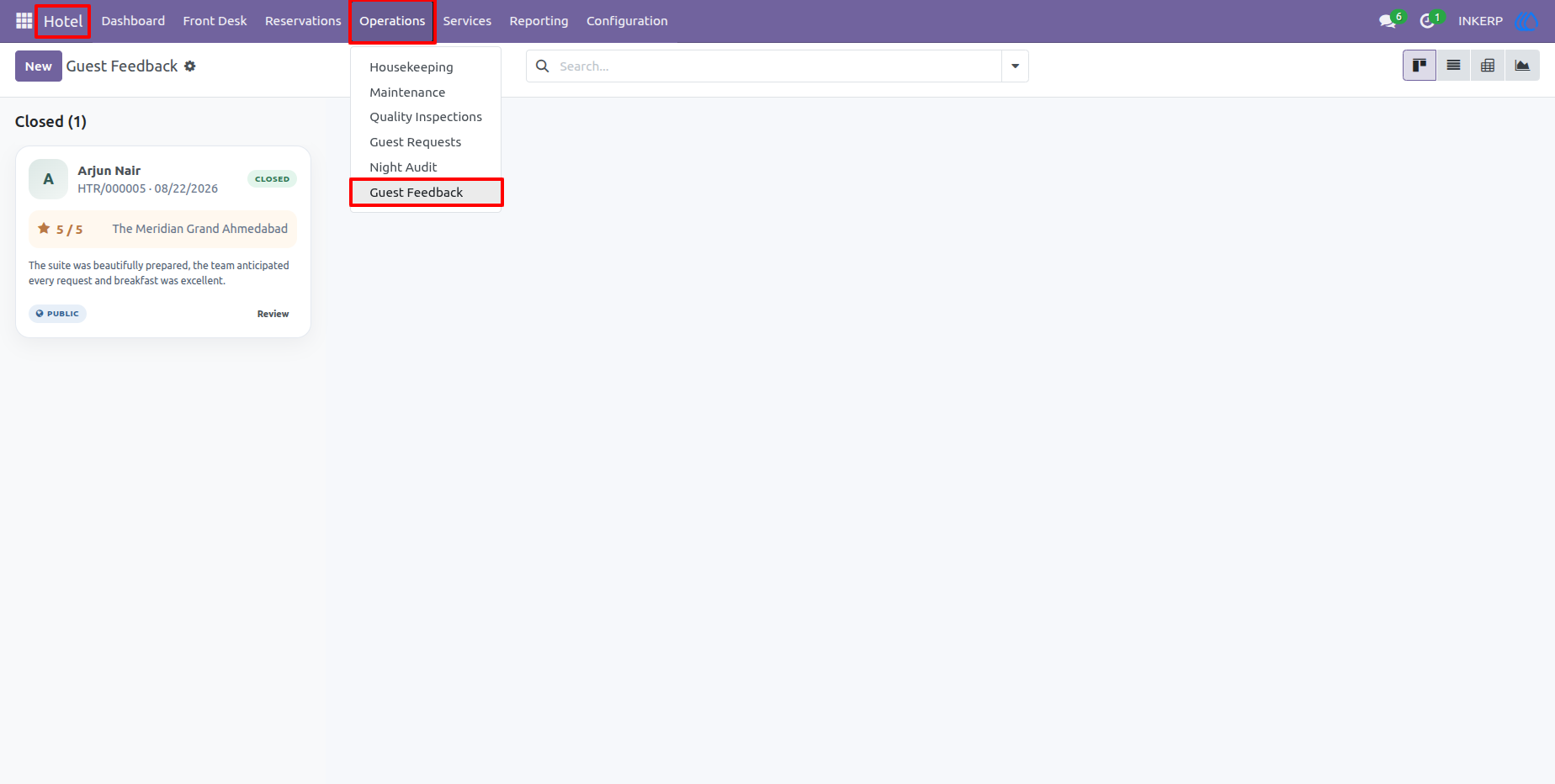
37.) Guest Feedback
The Guest Feedback view collects comments and satisfaction information submitted by hotel guests. Staff can use this area to review guest experiences and identify feedback that may require management attention.
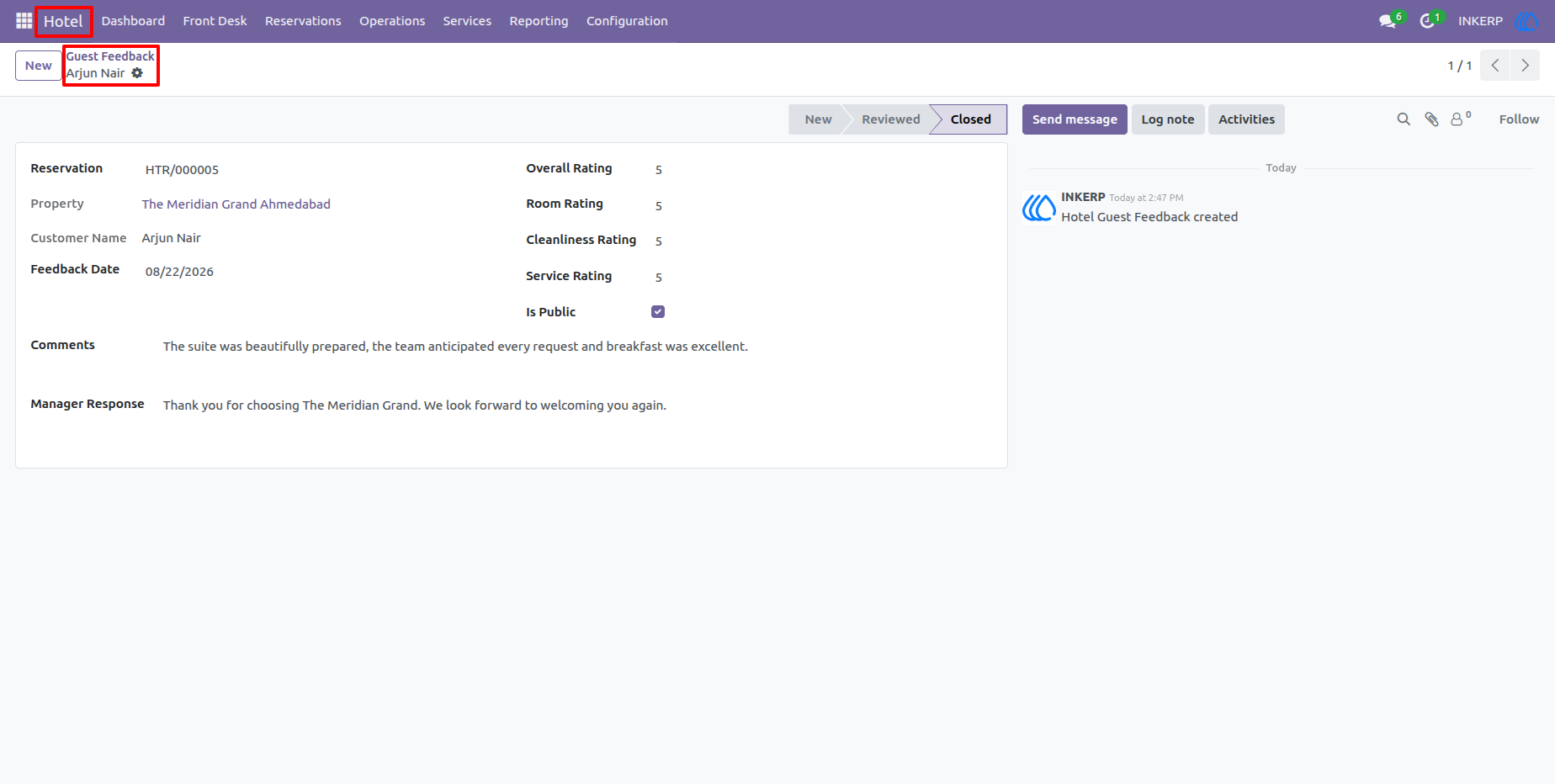
38.) Guest Feedback Details
A feedback record contains the reservation and guest reference together with ratings for areas such as overall experience, room, cleanliness, service, and other hotel aspects. Written comments provide additional context for understanding the guest's experience.
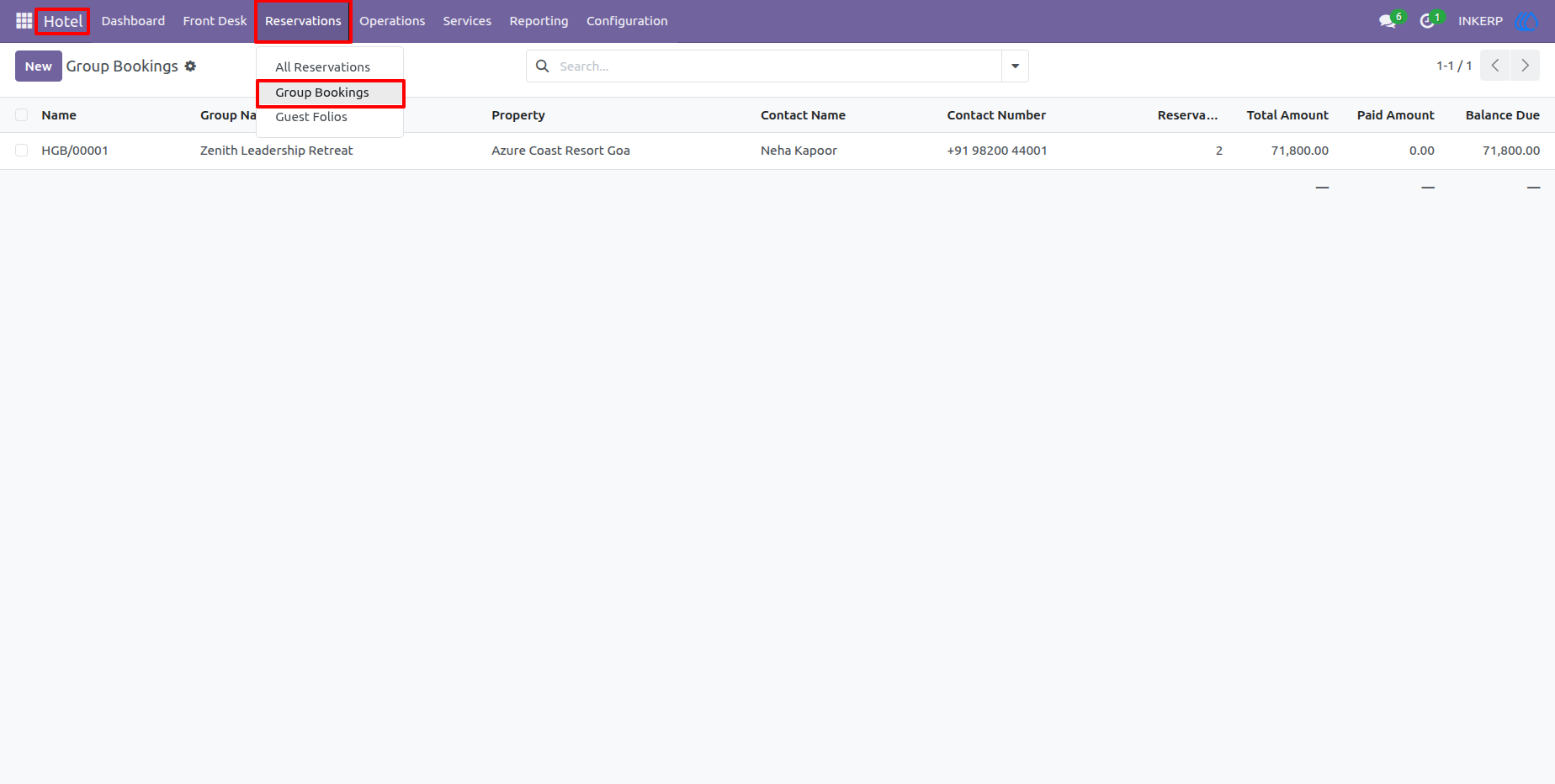
39.) Group Bookings
The Group Bookings list organizes reservations made for multiple guests under a common booking. Staff can review the group contact, property, number of reservations, total amount, and balance due from one consolidated record.
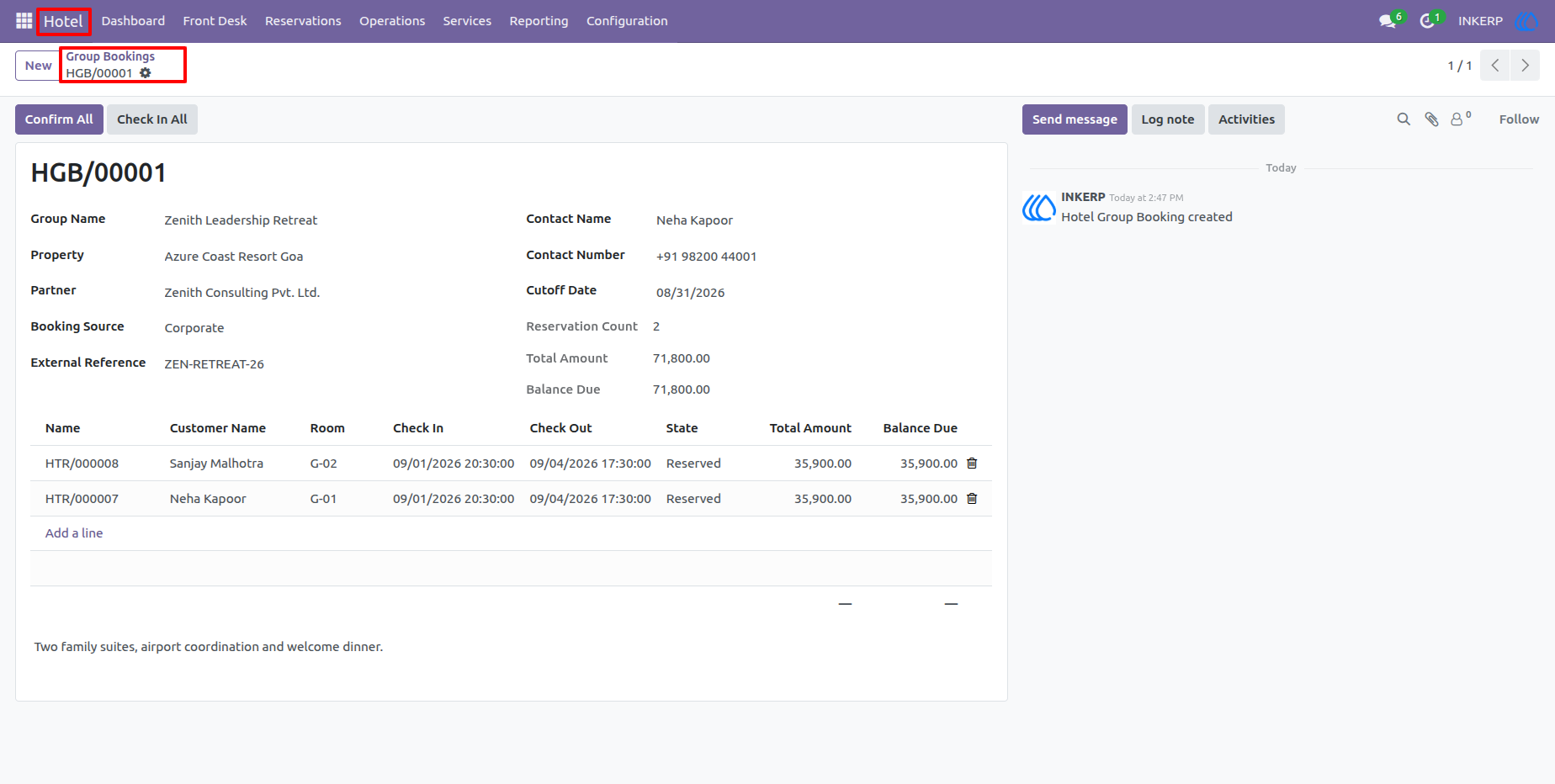
40.) Group Booking Details
A group booking record summarizes the group's contact information, property, booking source, financial details, and the individual guest reservations included in the group. This simplifies coordination of larger bookings and gives staff one place to monitor the entire group stay.
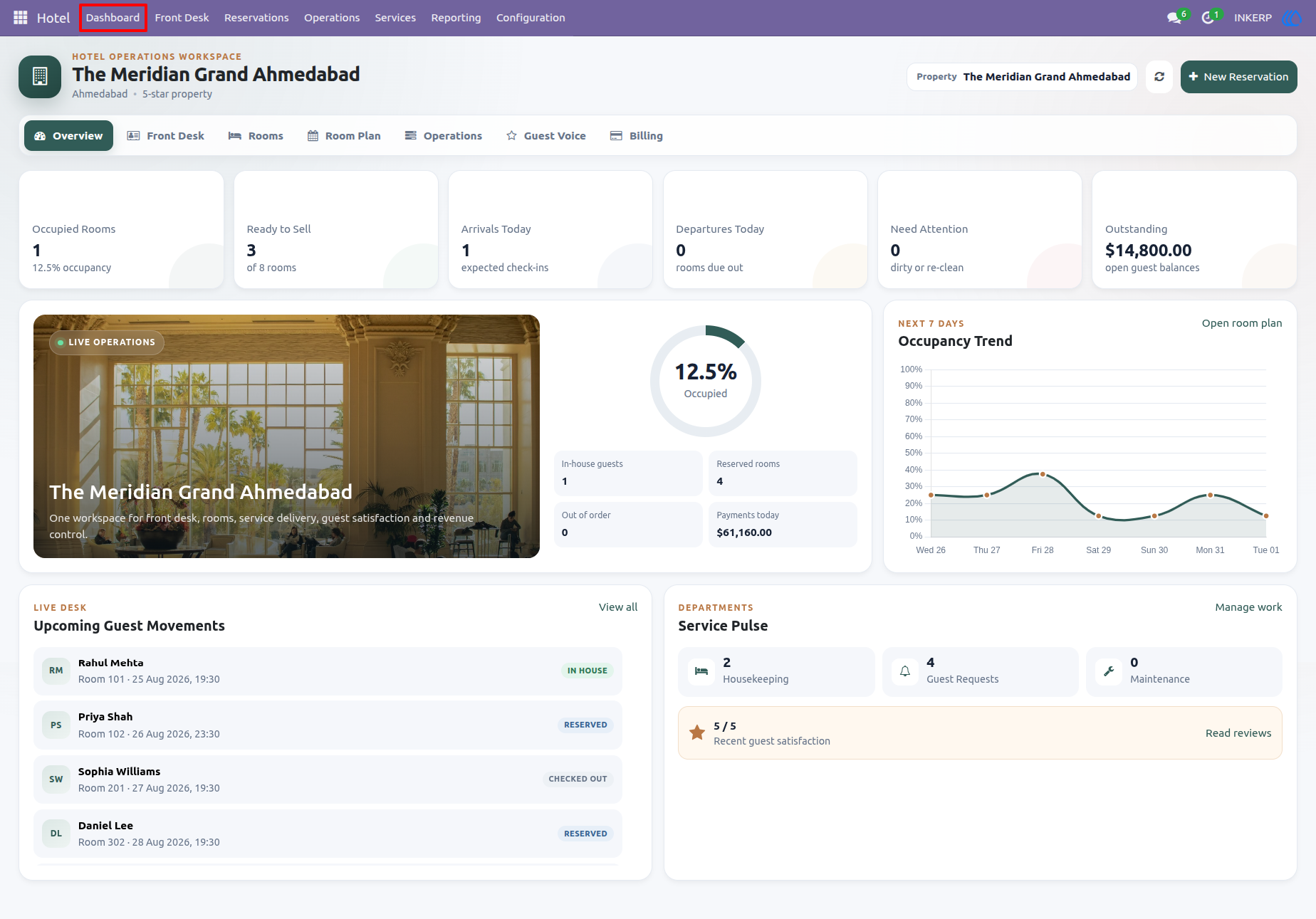
41.) Hotel Operations Dashboard
The main dashboard provides a management view of the property's daily operations, including occupied rooms, rooms ready for sale, arrivals, departures, outstanding balances, occupancy trends, upcoming guest movements, and service activity. It gives managers a quick operational summary and helps them identify areas requiring attention without opening each individual record.
User Guide