


Our Most Suggested Products


Global Search
Global Search provides a centralized search experience that helps users quickly find business records from different areas of the system without opening multiple menus. It allows users to search configured models and fields from a single interface, making it easier to locate contacts, products, sales orders, invoices, and related records. With configurable search behavior, relational field support, keyboard shortcuts, and a floating search button, the app improves everyday navigation and reduces the time spent looking for business information.
 Features
 Screenshots
 Support
 Service
Features
Centralized Global Search
Search across multiple configured business models from one convenient search popup. Users can enter a keyword and quickly find matching records from different business areas without repeatedly navigating through separate menus and screens.
Configurable Search Models and Fields
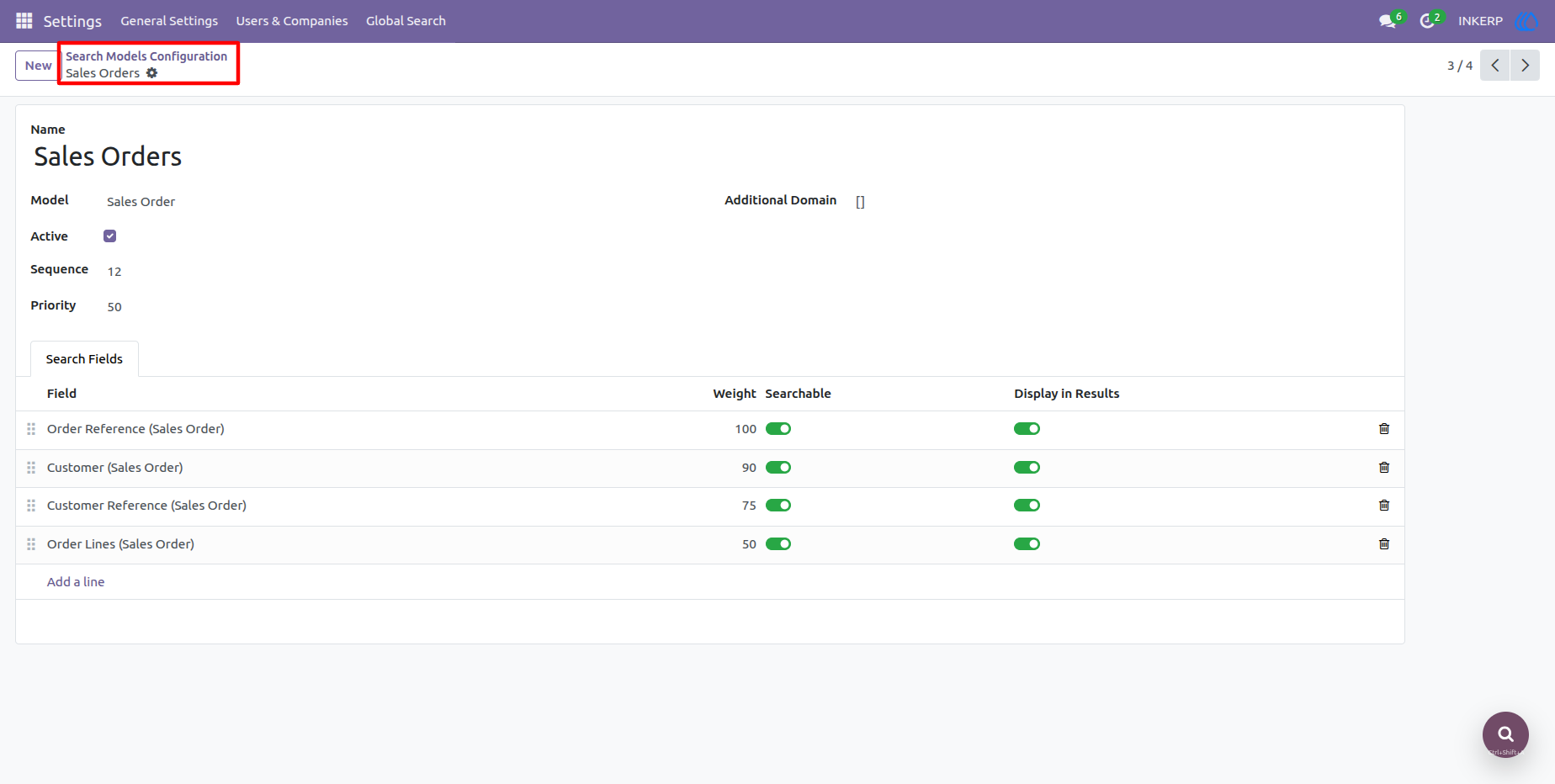
Administrators can select which models are available for global search and define the fields that should be searchable or displayed in the results. Field weights, priorities, sequences, and additional domains provide greater control over search accuracy and result presentation.
Smart Relational Field Search
The search engine supports relational fields such as Many2one, One2many, and Many2many, allowing users to find records through connected business information. This is especially useful for searching related customers, products, order lines, and other linked records from a single query.
Fast Navigation and Keyboard Shortcuts
Users can launch the search popup with a configurable keyboard shortcut or the floating search button. Keyboard-based result navigation and direct record opening make it faster to move from a search term to the required business document.
Flexible Search Configuration
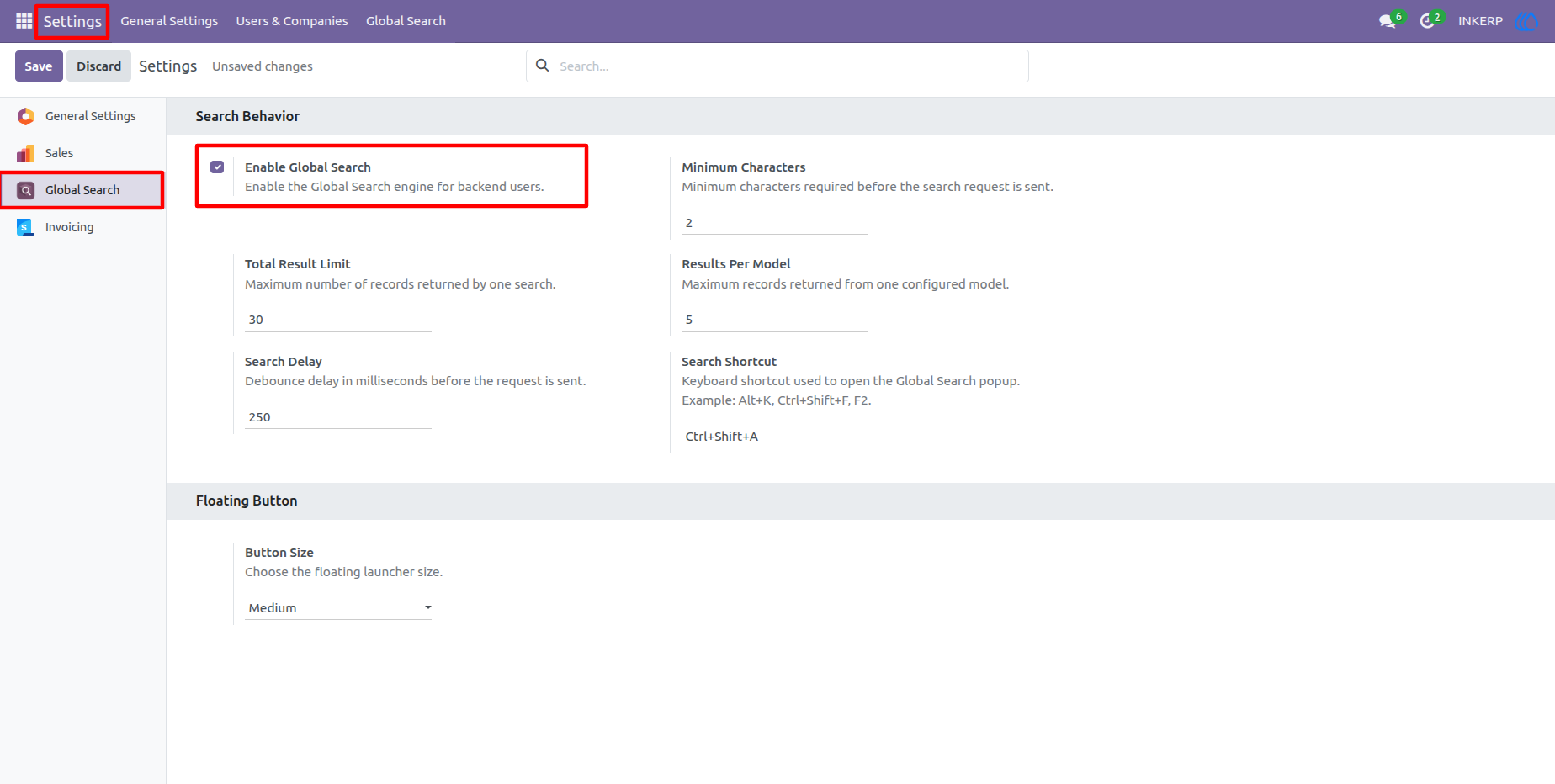
Administrators can control minimum search characters, search delay, total result limits, results per model, and other search behavior options. These settings help maintain relevant results while providing a responsive and practical search experience for daily users.
Screenshot
1.) Global Search Settings
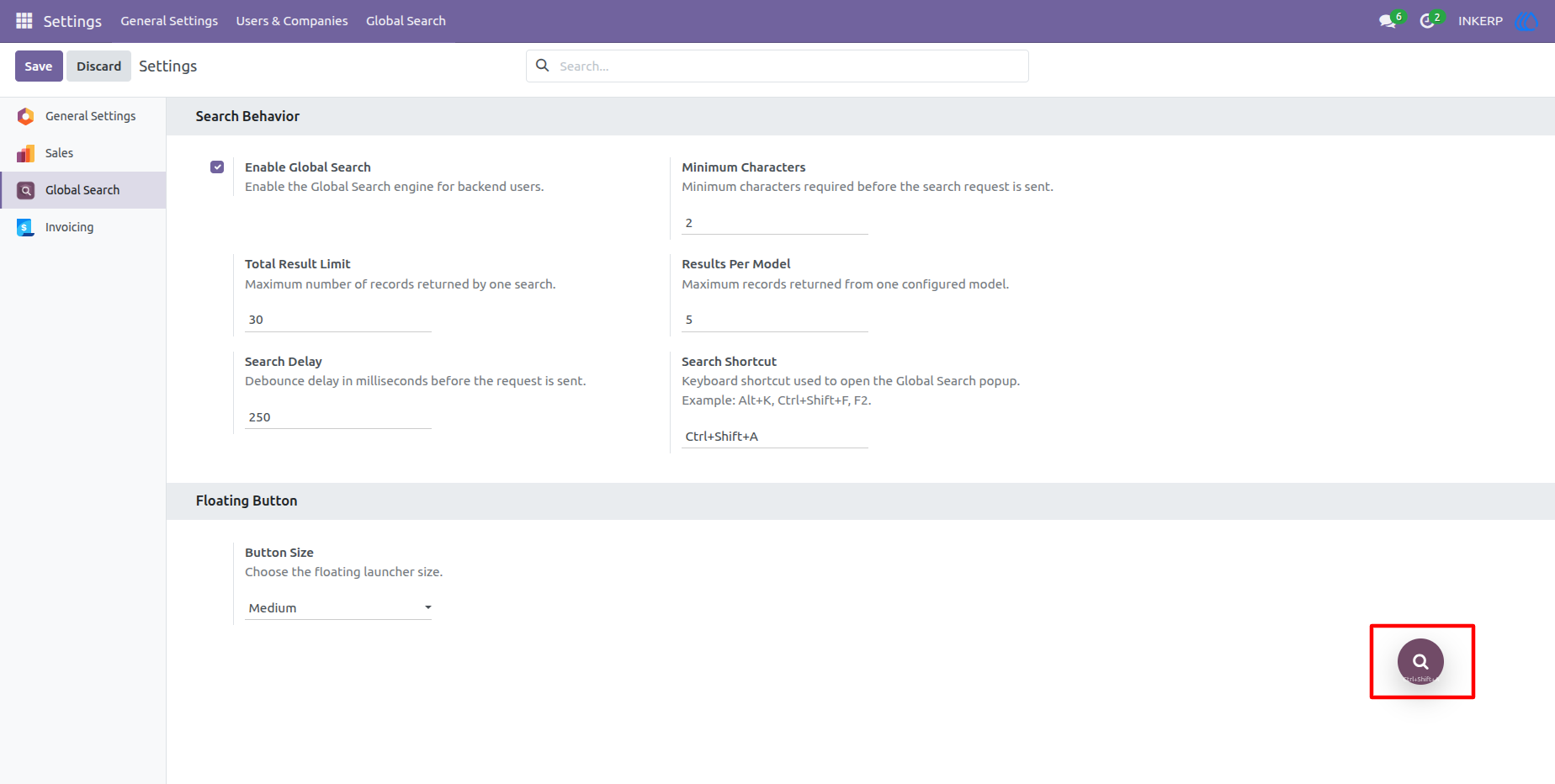
The Global Search settings provide the main controls for configuring the search experience. Administrators can enable the feature and define minimum characters, result limits, results per model, search delay, keyboard shortcut, and floating button size.
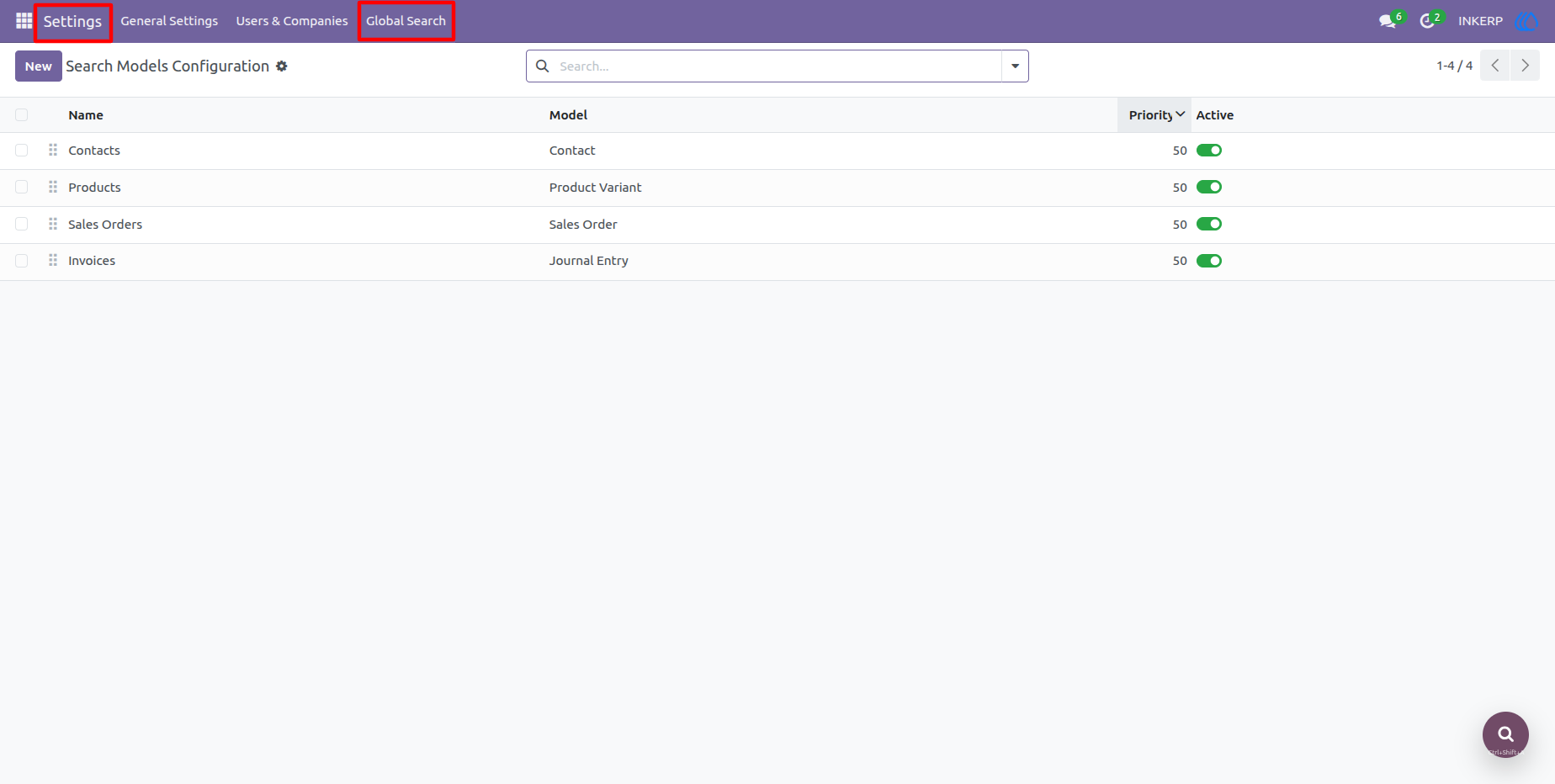
2.) Search Models Configuration
The Search Models screen provides a centralized list of models available for global searching. Administrators can review each configured model, manage its priority and sequence, and activate or deactivate models based on business requirements.
3.) Each Model ConfigurationFor Search
A search model can be configured with the fields that should participate in searching and result display. Administrators can assign field weights, control whether fields are searchable or visible in results, and apply additional domain conditions when more specific searches are required.
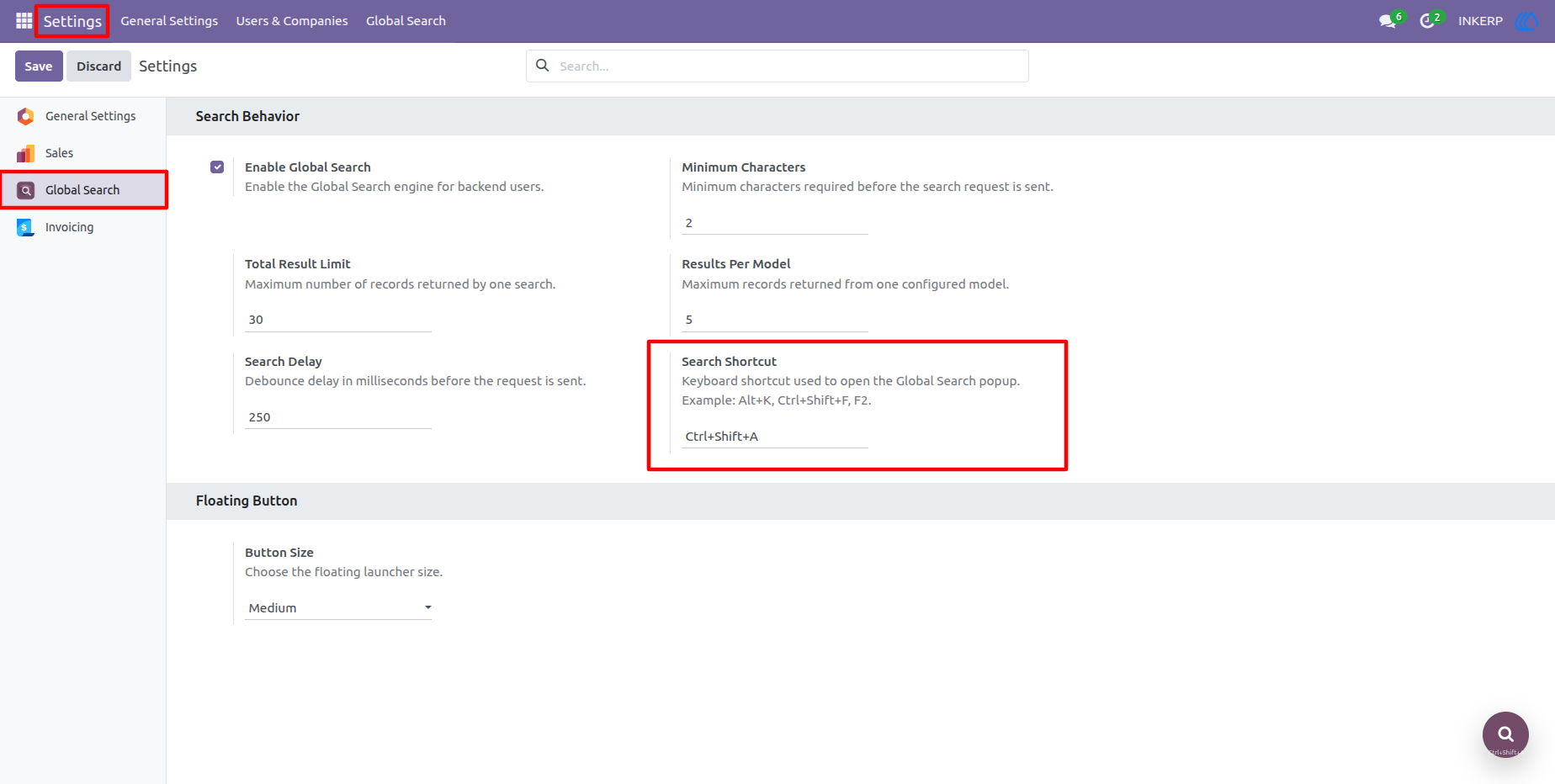
4.) Search Shortcut
The Search Shortcut setting allows users to define a preferred keyboard combination for opening Global Search. This provides a convenient way to launch the search interface directly from the backend without relying on menu navigation.
5.) Floating Search Button
The floating search button provides quick access to Global Search while users are working on backend screens. Its size can be configured from the settings, giving users a simple and accessible search launcher when they prefer mouse-based navigation.
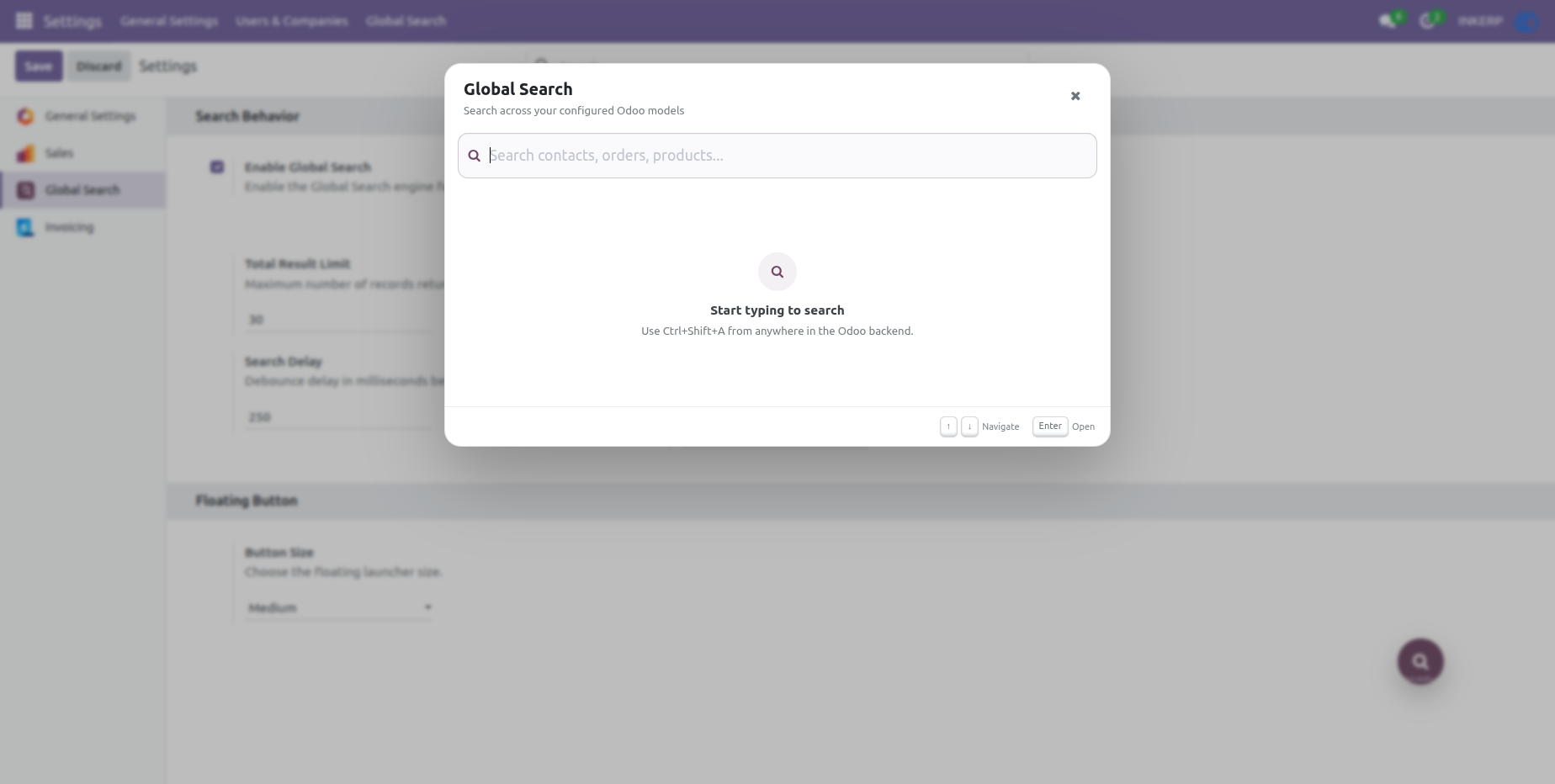
6.) Global Search Popup
The Global Search popup provides a single interface for entering search queries across all active configured models. Users can begin typing immediately and use the available keyboard controls to navigate through the search results.
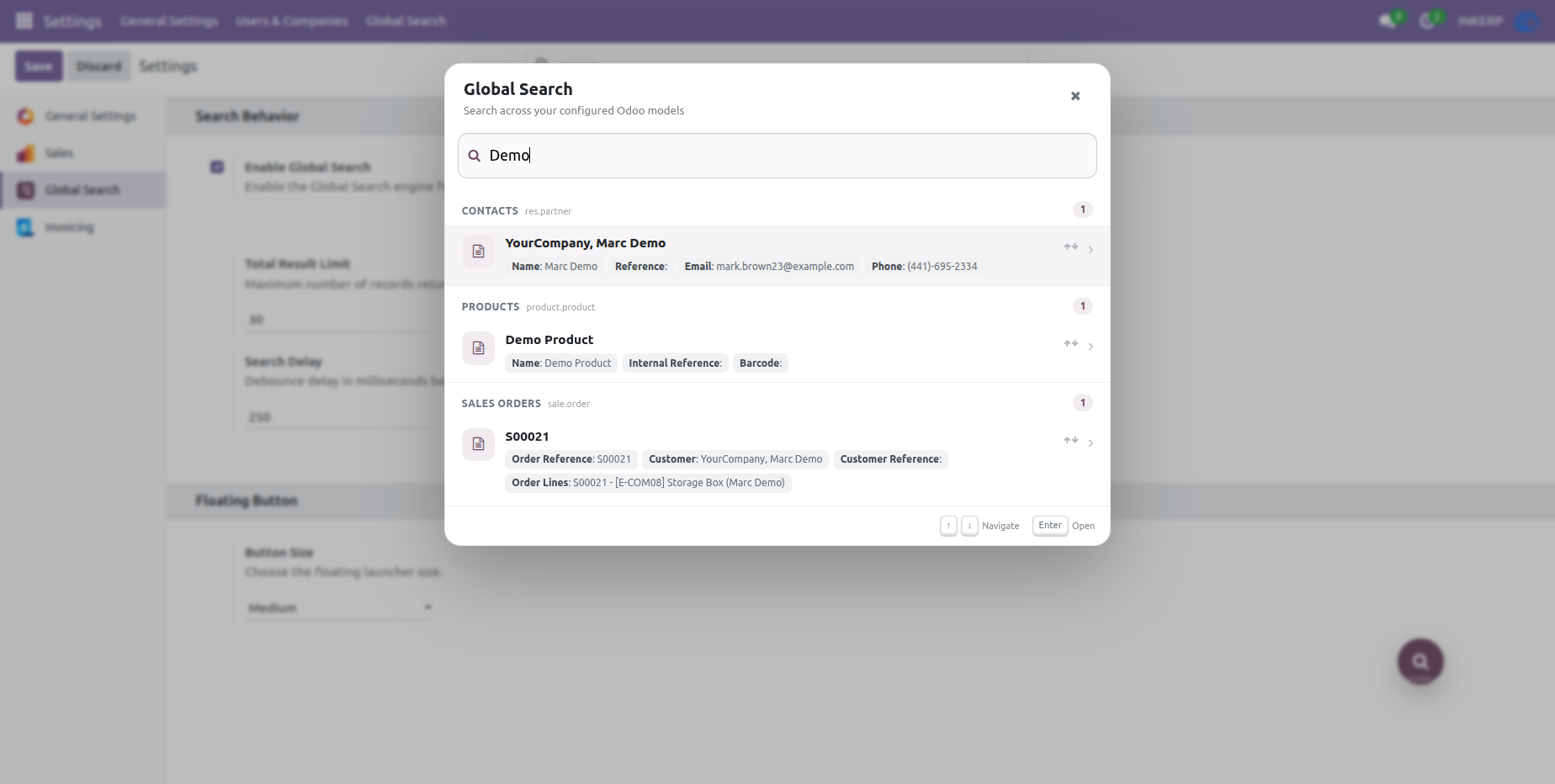
7.) Search Results and Quick Navigation
Search results are grouped by model to make different record types easy to identify. Relevant field information is displayed within each result, allowing users to recognize the correct record quickly and open it directly from the search interface.
User Guide





